driver Hyundai Sonata 2019 Owner's Manual
[x] Cancel search | Manufacturer: HYUNDAI, Model Year: 2019, Model line: Sonata, Model: Hyundai Sonata 2019Pages: 522, PDF Size: 15.66 MB
Page 325 of 522
5-75
Driving your vehicle
5
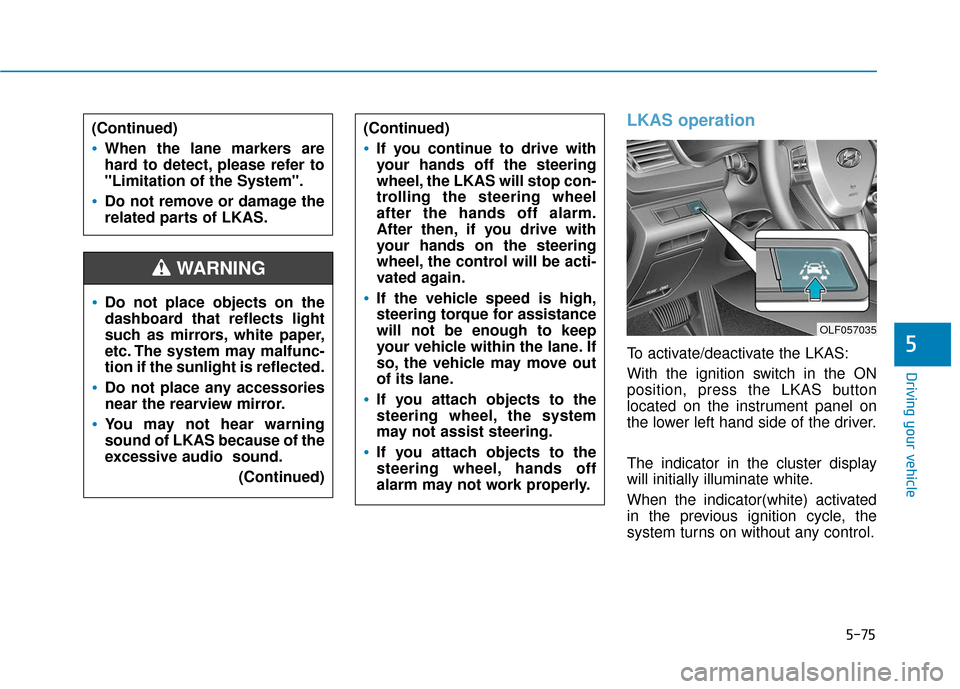
LKAS operation
To activate/deactivate the LKAS:
With the ignition switch in the ON
position, press the LKAS button
located on the instrument panel on
the lower left hand side of the driver.
The indicator in the cluster display
will initially illuminate white.
When the indicator(white) activated
in the previous ignition cycle, the
system turns on without any control.
Do not place objects on the
dashboard that reflects light
such as mirrors, white paper,
etc. The system may malfunc-
tion if the sunlight is reflected.
Do not place any accessories
near the rearview mirror.
You may not hear warning
sound of LKAS because of the
excessive audio sound.(Continued)
(Continued)
If you continue to drive with
your hands off the steering
wheel, the LKAS will stop con-
trolling the steering wheel
after the hands off alarm.
After then, if you drive with
your hands on the steering
wheel, the control will be acti-
vated again.
If the vehicle speed is high,
steering torque for assistance
will not be enough to keep
your vehicle within the lane. If
so, the vehicle may move out
of its lane.
If you attach objects to the
steering wheel, the system
may not assist steering.
If you attach objects to the
steering wheel, hands off
alarm may not work properly.
WARNING
(Continued)
When the lane markers are
hard to detect, please refer to
"Limitation of the System".
Do not remove or damage the
related parts of LKAS.
OLF057035
Page 326 of 522
5-76
Driving your vehicle
If you press the LKAS button again,
the indicator on the cluster display
will go off.
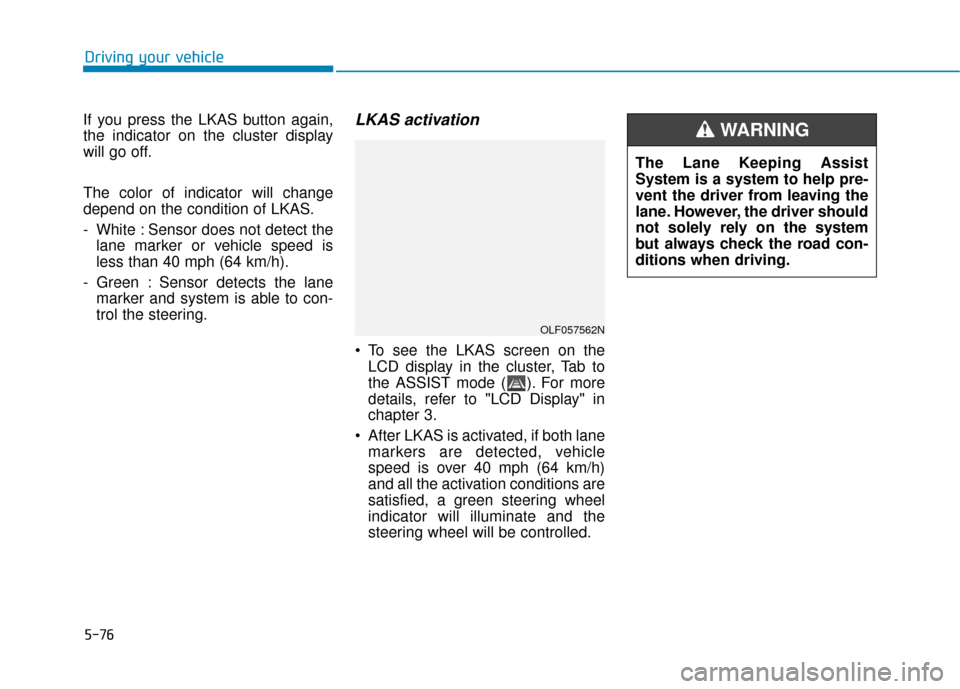
The color of indicator will change
depend on the condition of LKAS.
- White : Sensor does not detect the lane marker or vehicle speed is
less than 40 mph (64 km/h).
- Green : Sensor detects the lane marker and system is able to con-
trol the steering.
LKAS activation
To see the LKAS screen on theLCD display in the cluster, Tab to
the ASSIST mode ( ). For more
details, refer to "LCD Display" in
chapter 3.
After LKAS is activated, if both lane markers are detected, vehicle
speed is over 40 mph (64 km/h)
and all the activation conditions are
satisfied, a green steering wheel
indicator will illuminate and the
steering wheel will be controlled.
OLF057562N
The Lane Keeping Assist
System is a system to help pre-
vent the driver from leaving the
lane. However, the driver should
not solely rely on the system
but always check the road con-
ditions when driving.
WARNING
Page 328 of 522
5-78
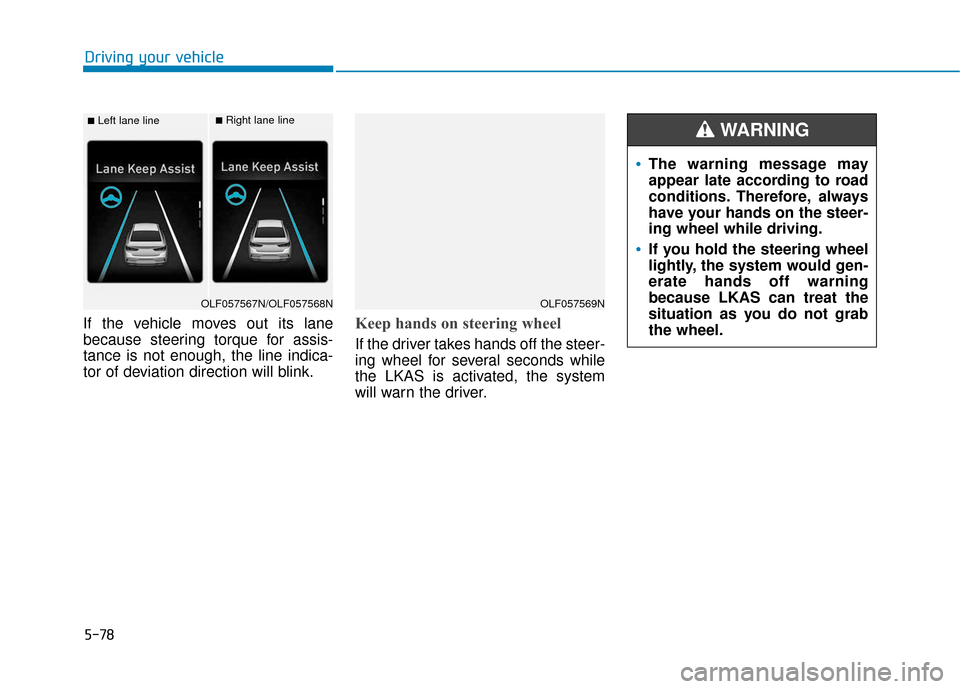
If the vehicle moves out its lane
because steering torque for assis-
tance is not enough, the line indica-
tor of deviation direction will blink.Keep hands on steering wheel
If the driver takes hands off the steer-
ing wheel for several seconds while
the LKAS is activated, the system
will warn the driver.
Driving your vehicle
■Left lane line■Right lane line
OLF057567N/OLF057568NOLF057569N
The warning message may
appear late according to road
conditions. Therefore, always
have your hands on the steer-
ing wheel while driving.
If you hold the steering wheel
lightly, the system would gen-
erate hands off warning
because LKAS can treat the
situation as you do not grab
the wheel.
WARNING
Page 329 of 522
5-79
Driving your vehicle
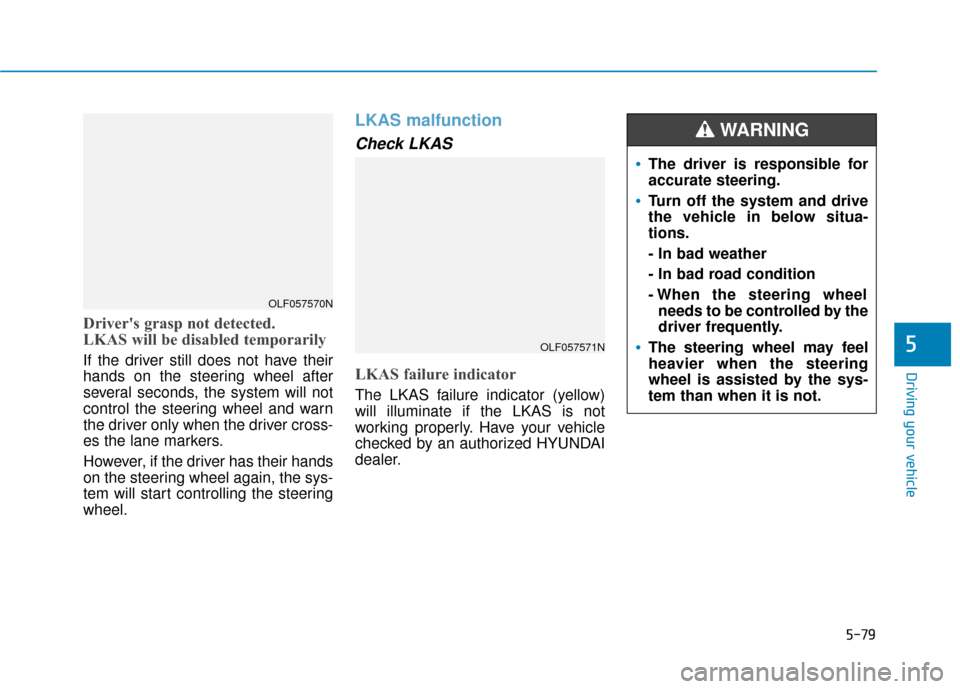
Driver's grasp not detected.
LKAS will be disabled temporarily
If the driver still does not have their
hands on the steering wheel after
several seconds, the system will not
control the steering wheel and warn
the driver only when the driver cross-
es the lane markers.
However, if the driver has their hands
on the steering wheel again, the sys-
tem will start controlling the steering
wheel.
LKAS malfunction
Check LKAS
LKAS failure indicator
The LKAS failure indicator (yellow)
will illuminate if the LKAS is not
working properly. Have your vehicle
checked by an authorized HYUNDAI
dealer.
5OLF057571N
OLF057570N
The driver is responsible for
accurate steering.
Turn off the system and drive
the vehicle in below situa-
tions.
- In bad weather
- In bad road condition
- When the steering wheelneeds to be controlled by the
driver frequently.
The steering wheel may feel
heavier when the steering
wheel is assisted by the sys-
tem than when it is not.
WARNING
Page 331 of 522
5-81
Driving your vehicle
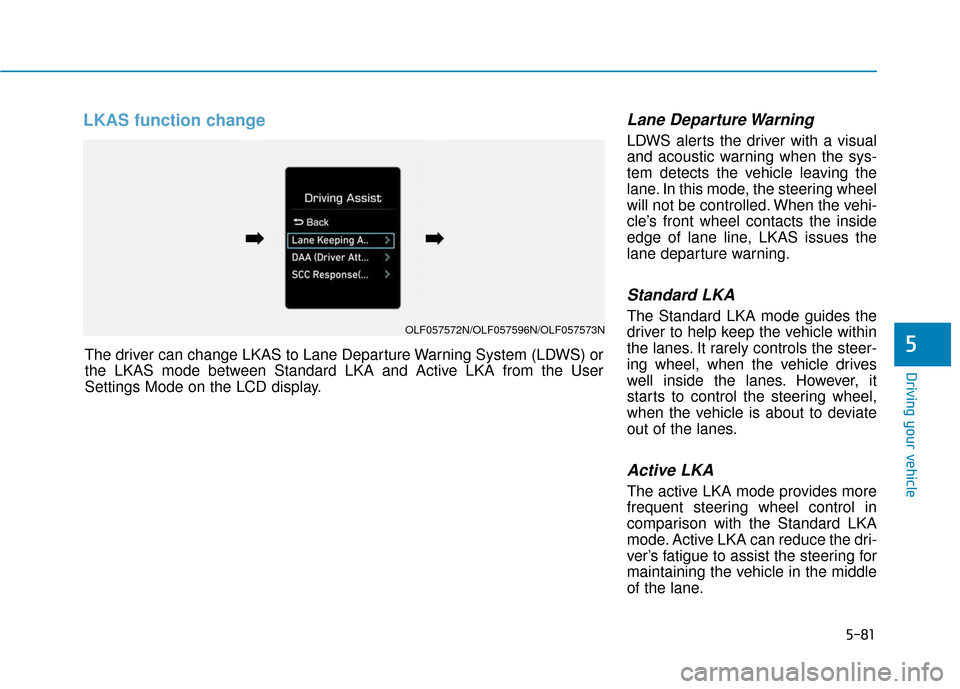
LKAS function change Lane Departure Warning
LDWS alerts the driver with a visual
and acoustic warning when the sys-
tem detects the vehicle leaving the
lane. In this mode, the steering wheel
will not be controlled. When the vehi-
cle’s front wheel contacts the inside
edge of lane line, LKAS issues the
lane departure warning.
Standard LKA
The Standard LKA mode guides the
driver to help keep the vehicle within
the lanes. It rarely controls the steer-
ing wheel, when the vehicle drives
well inside the lanes. However, it
starts to control the steering wheel,
when the vehicle is about to deviate
out of the lanes.
Active LKA
The active LKA mode provides more
frequent steering wheel control in
comparison with the Standard LKA
mode. Active LKA can reduce the dri-
ver’s fatigue to assist the steering for
maintaining the vehicle in the middle
of the lane.
5The driver can change LKAS to Lane Departure Warning System (LDWS) or
the LKAS mode between Standard LKA and Active LKA from the User
Settings Mode on the LCD display.
OLF057572N/OLF057596N/OLF057573N
➡
➡➡
➡
Page 332 of 522
5-82
Limitations of the System
The driver must be cautious in the
below situations may not work prop-
erly when :
It is difficult to distinguish the lanemarker from road when the lane
marker is covered with dust.
It is difficult to distinguish the color of the lane marker from road.
There is something looks like a lane marker.
The lane marker is indistinct or damaged.
The number of lanes increases/ decreases or the lane lines are
crossing (Driving through a toll
plaza/toll gate, merged/divided
lane).
There are more than two lane markers.
The lane marker is very thick or thin.
The lane marker is not visible due to snow, rain, stain, a puddle or
other factors. A shadow is on the lane marker
because of a median strip,
guardrail, noise barriers and oth-
ers.
When the lane markers are compli- cated or a structure substitutes for
the lines such as a construction
area.
There are crosswalk signs or other symbols on the road.
The lane marker in a tunnel is cov- ered with dirt or oil.
The brightness of outside changes suddenly when entering or exiting
a tunnel.
The headlamps are not on at night or in a tunnel, or light level is low.
There is a boundary structure in the roadway.
The light of street, sun, oncoming vehicle and so on reflects from the
water on the road.
When light shines brightly in the reverse direction you drive.
The lane suddenly disappears such as at the intersection. The distance from the vehicle
ahead is very short or the vehicle
ahead drives hiding the lane line.
You drive on a steep grade or a sharp curve.
The vehicle vibrates heavily.
The temperature near inside mirror is very high due to direct sun light.
The lens or windshield is covered by strange materials.
The sensor cannot detect the lane because of fog, heavy rain or snow.
The windshield is fogged by humid air in the vehicle.
Putting something on the crash pad.
Driving your vehicle
Page 334 of 522
5-84
The Driver Attention Alert (DAA) sys-
tem displays the condition of the dri-
ver’s fatigue and inattention.System setting and activation
System setting
The Driver Attention Alert systemis set to be in the OFF position,
when your vehicle is first delivered
to you from the factory.
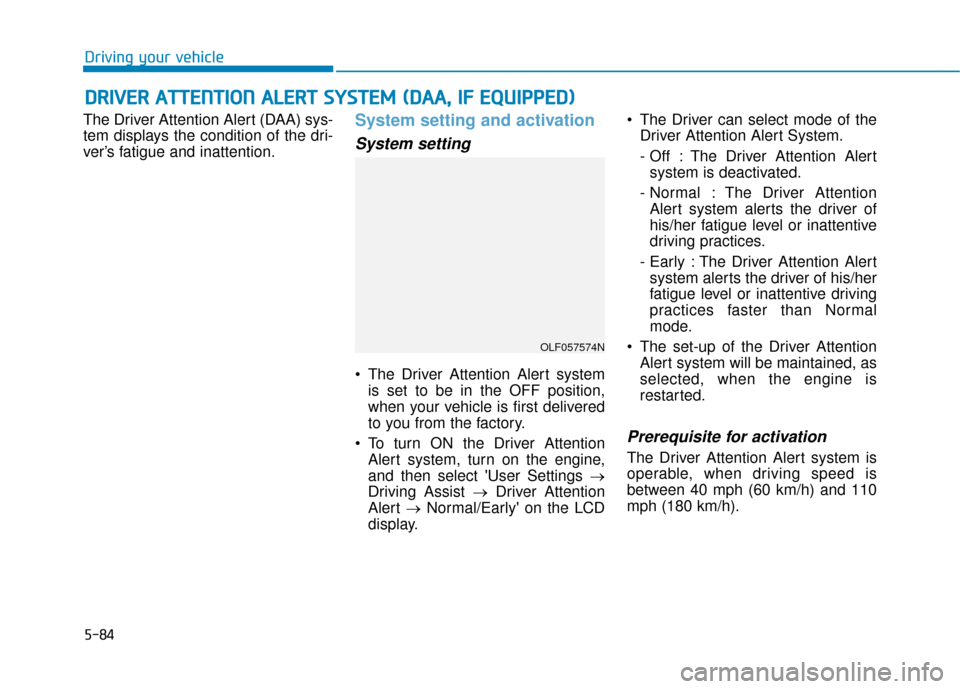
To turn ON the Driver Attention Alert system, turn on the engine,
and then select 'User Settings →
Driving Assist → Driver Attention
Alert →Normal/Early' on the LCD
display. The Driver can select mode of the
Driver Attention Alert System.
- Off : The Driver Attention Alertsystem is deactivated.
- Normal : The Driver Attention Alert system alerts the driver of
his/her fatigue level or inattentive
driving practices.
- Early : The Driver Attention Alert system alerts the driver of his/her
fatigue level or inattentive driving
practices faster than Normal
mode.
The set-up of the Driver Attention Alert system will be maintained, as
selected, when the engine is
restarted.
Prerequisite for activation
The Driver Attention Alert system is
operable, when driving speed is
between 40 mph (60 km/h) and 110
mph (180 km/h).
D DR
RI
IV
V E
ER
R
A
A T
TT
TE
EN
N T
TI
IO
O N
N
A
A L
LE
E R
R T
T
S
S Y
Y S
ST
T E
EM
M
(
( D
D A
A A
A,
,
I
IF
F
E
E Q
Q U
UI
IP
P P
PE
ED
D )
)
Driving your vehicle
OLF057574N
Page 335 of 522
5-85
Driving your vehicle
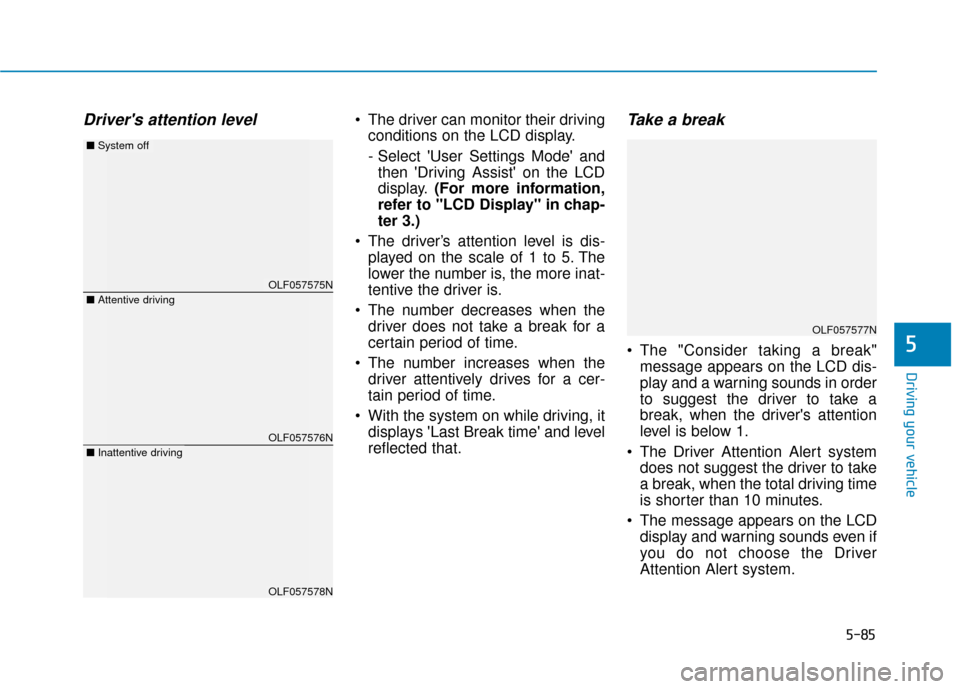
Driver's attention level The driver can monitor their drivingconditions on the LCD display.
- Select 'User Settings Mode' andthen 'Driving Assist' on the LCD
display. (For more information,
refer to "LCD Display" in chap-
ter 3.)
The driver’s attention level is dis- played on the scale of 1 to 5. The
lower the number is, the more inat-
tentive the driver is.
The number decreases when the driver does not take a break for a
certain period of time.
The number increases when the driver attentively drives for a cer-
tain period of time.
With the system on while driving, it displays 'Last Break time' and level
reflected that.Take a break
The "Consider taking a break"message appears on the LCD dis-
play and a warning sounds in order
to suggest the driver to take a
break, when the driver's attention
level is below 1.
The Driver Attention Alert system does not suggest the driver to take
a break, when the total driving time
is shorter than 10 minutes.
The message appears on the LCD display and warning sounds even if
you do not choose the Driver
Attention Alert system.5
OLF057575N
OLF057576N
OLF057578N
■ Attentive driving
■System off
■Inattentive driving
OLF057577N
Page 336 of 522
5-86
Resetting the system
The last break time is set to 00:00and the driver's attention level is
set to 5 (very attentive) when the
driver resets the Driver Attention
Alert system.
The Driver Attention Alert system resets in the following situations.
- The engine is turned OFF.
- The driver unfastens the seat beltand then opens the driver’s door.
- Stop lasting more than 10 min- utes.
The Driver attention Alert system
operates again, when the driver
restarts driving.
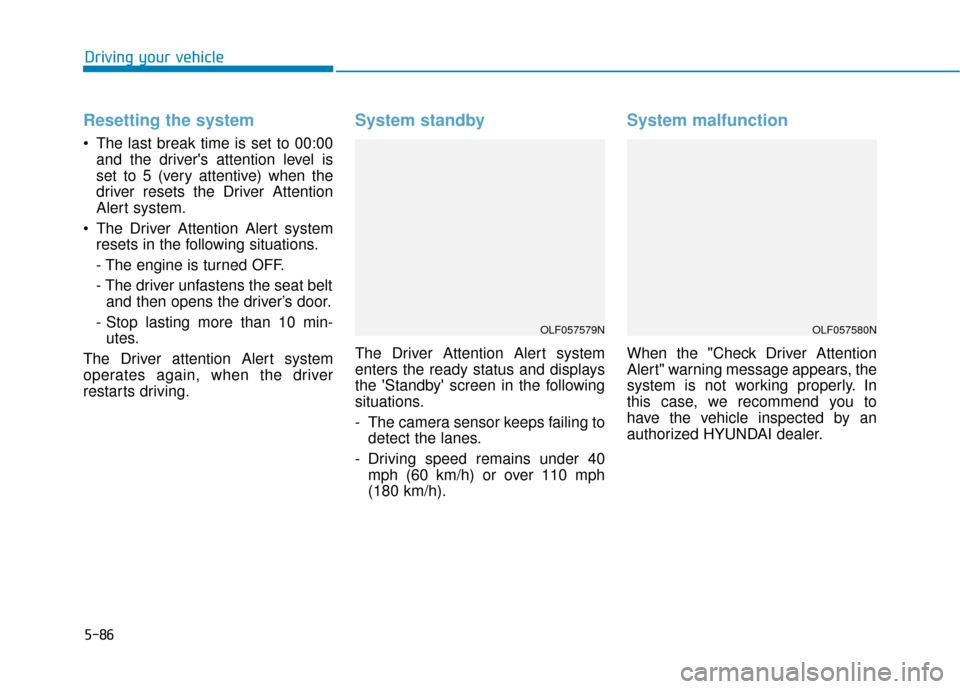
System standby
The Driver Attention Alert system
enters the ready status and displays
the 'Standby' screen in the following
situations.
- The camera sensor keeps failing to detect the lanes.
- Driving speed remains under 40 mph (60 km/h) or over 110 mph
(180 km/h).
System malfunction
When the "Check Driver Attention
Alert" warning message appears, the
system is not working properly. In
this case, we recommend you to
have the vehicle inspected by an
authorized HYUNDAI dealer.
Driving your vehicle
OLF057579NOLF057580N
Page 337 of 522
5-87
Driving your vehicle
The Driver Attention Alert system
utilizes the camera sensor on the
front windshield for its operation.
To keep the camera sensor in the
best condition, you should
observe the followings:
Do not disassemble cameratemporarily for tinted window or
attaching any types of coatings
and accessories. If you disas-
semble a camera and assemble
it again, take your vehicle to an
authorized HYUNDAI dealer and
have the system checked for a
calibration.
Do not locate any reflective objects (i.e. white paper, mirror)
over the dashboard. Any light
reflection may cause a mal-func-
tion of the Driver Attention Alert
(DAA) system.
Pay extreme caution to keep the camera sensor out of water.
(Continued)(Continued)
Do not arbitrarily disassemble
the camera assembly, nor apply
any impact on the camera
assembly.
Playing the vehicle audio sys- tem at high volume may offset
the Driver Attention Alert sys-
tem warning sounds.
NOTICE
5
The Driver Attention Alert
system is not a substitute for
safe driving practices, but a
convenience function only. It
is the responsibility of the
driver to always drive cau-
tiously to prevent unexpected
and sudden situations from
occurring. Pay attention to the
road conditions at all times.
It may suggest a break
according to the driver's driv-
ing pattern or habits even if
the driver doesn't feel
fatigued.
The driver, who feels fatigued,
should take a break, even
though there is no break sug-
gestion by the Driver
Attention Alert system.
WARNING