driver Hyundai Sonata 2019 Owner's Manual
[x] Cancel search | Manufacturer: HYUNDAI, Model Year: 2019, Model line: Sonata, Model: Hyundai Sonata 2019Pages: 522, PDF Size: 15.66 MB
Page 354 of 522
5-104
Driving your vehicle
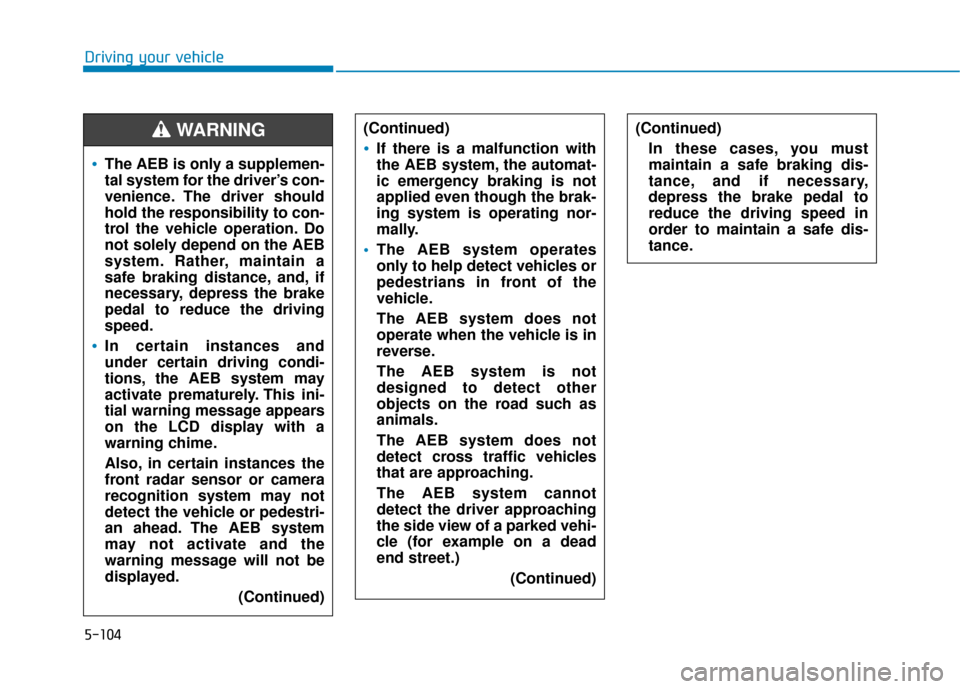
The AEB is only a supplemen-
tal system for the driver’s con-
venience. The driver should
hold the responsibility to con-
trol the vehicle operation. Do
not solely depend on the AEB
system. Rather, maintain a
safe braking distance, and, if
necessary, depress the brake
pedal to reduce the driving
speed.
In certain instances and
under certain driving condi-
tions, the AEB system may
activate prematurely. This ini-
tial warning message appears
on the LCD display with a
warning chime.
Also, in certain instances the
front radar sensor or camera
recognition system may not
detect the vehicle or pedestri-
an ahead. The AEB system
may not activate and the
warning message will not be
displayed.(Continued)
(Continued)
If there is a malfunction with
the AEB system, the automat-
ic emergency braking is not
applied even though the brak-
ing system is operating nor-
mally.
The AEB system operates
only to help detect vehicles or
pedestrians in front of the
vehicle.
The AEB system does not
operate when the vehicle is in
reverse.
The AEB system is not
designed to detect other
objects on the road such as
animals.
The AEB system does not
detect cross traffic vehicles
that are approaching.
The AEB system cannot
detect the driver approaching
the side view of a parked vehi-
cle (for example on a dead
end street.)
(Continued)
(Continued)In these cases, you must
maintain a safe braking dis-
tance, and if necessary,
depress the brake pedal to
reduce the driving speed in
order to maintain a safe dis-
tance.WARNING
Page 355 of 522
5-105
Driving your vehicle
5
Limitations of the system
The Automatic Emergency Braking
(AEB) system is designed to help
monitor the vehicle ahead or a
pedestrian in the roadway through
radar signals and camera recogni-
tion to warn the driver that a collision
is imminent, and if necessary, apply
emergency braking.
In certain situations, the radar sen-
sor or the camera may not be able to
detect the vehicle or pedestrian
ahead. In these cases, the AEB sys-
tem may not operate normally. The
driver must pay careful attention in
the following situations where the
AEB operation may be limited.
Detecting vehicles
The sensor may be limited when:
- The radar sensor or camera isblocked with a foreign object or
debris
- Inclement weather such as heavy rain or snow obscures the field of
view of the radar sensor or camera
- There is interference by electro- magnetic waves
- There is severe irregular reflection from the radar sensor
- The vehicle in front is too small to be detected by the camera recog-
nition system (for example a motor-
cycle or a bicycle, etc.)
- The vehicle in front is an oversize vehicle or trailer that is too big to
be detected by the camera recog-
nition system (for example a tractor
trailer, etc.)
- The driver's field of view is not well illuminated (either too dark or too
much reflection or too much back-
light that obscures the field of view) - The vehicle in front does not have
their rear lights properly turned ON
- The outside brightness changes suddenly, for example when enter-
ing or exiting a tunnel
- The vehicle in front is driving errat- ically
Page 356 of 522
5-106
Driving your vehicle
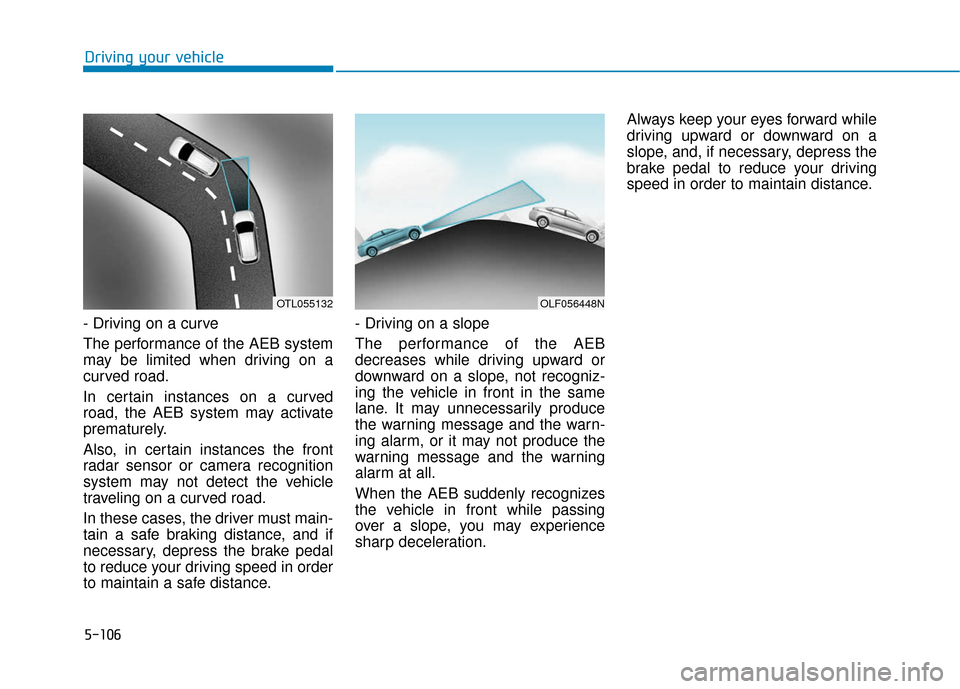
- Driving on a curve
The performance of the AEB system
may be limited when driving on a
curved road.
In certain instances on a curved
road, the AEB system may activate
prematurely.
Also, in certain instances the front
radar sensor or camera recognition
system may not detect the vehicle
traveling on a curved road.
In these cases, the driver must main-
tain a safe braking distance, and if
necessary, depress the brake pedal
to reduce your driving speed in order
to maintain a safe distance. - Driving on a slope
The performance of the AEB
decreases while driving upward or
downward on a slope, not recogniz-
ing the vehicle in front in the same
lane. It may unnecessarily produce
the warning message and the warn-
ing alarm, or it may not produce the
warning message and the warning
alarm at all.
When the AEB suddenly recognizes
the vehicle in front while passing
over a slope, you may experience
sharp deceleration.Always keep your eyes forward while
driving upward or downward on a
slope, and, if necessary, depress the
brake pedal to reduce your driving
speed in order to maintain distance.
OLF056448NOTL055132
Page 360 of 522
5-110
Driving your vehicle
If you are still stuck after rocking
the vehicle a few times, have the
vehicle pulled out by a tow vehicle
to avoid engine overheating, pos-
sible damage to the transmission,
and tire damage. See "Towing" in
chapter 6.
To prevent damage to the trans-
mission, turn OFF the ESC prior to
rocking the vehicle.
Smooth Cornering
Avoid braking or gear changing in
corners, especially when roads are
wet. Ideally, corners should always
be taken under gentle acceleration.
Driving at Night
Night driving presents more hazards
than driving in the daylight. Here are
some important tips to remember:
Slow down and keep more dis- tance between you and other vehi-
cles, as it may be more difficult to
see at night, especially in areas
where there may not be any street
lights.
Adjust your mirrors to reduce the glare from other driver’s head-
lamps.
Keep your headlamps clean and properly aimed. Dirty or improperly
aimed headlamps will make it
much more difficult to see at night.
Avoid staring directly at the head- lamps of oncoming vehicles. You
could be temporarily blinded, and it
will take several seconds for your
eyes to readjust to the darkness.
NOTICE
Page 366 of 522
5-116
Driving your vehicle
Two labels on your driver’s door sill
show how much weight your vehicle
was designed to carry: the Tire and
Loading Information Label and the
Certification Label.
Before loading your vehicle, familiar-
ize yourself with the following terms
for determining your vehicle's weight
ratings, from the vehicle's specifica-
tions and the Certification Label:
Base Curb Weight
This is the weight of the vehicle
including a full tank of fuel and all
standard equipment. It does not
include passengers, cargo, or option-
al equipment.
Vehicle Curb Weight
This is the weight of your new vehicle
when you picked it up from your deal-
er plus any aftermarket equipment. Cargo Weight
This figure includes all weight added
to the Base Curb Weight, including
cargo and optional equipment.
GAW (Gross Axle Weight)
This is the total weight placed on
each axle (front and rear) - including
vehicle curb weight and all payload.
GAWR (Gross Axle Weight Rating)
This is the maximum allowable
weight that can be carried by a single
axle (front or rear). These numbers
are shown on the Certification Label.
The total load on each axle must
never exceed its GAWR.
GVW (Gross Vehicle Weight)
This is the Base Curb Weight plus
actual Cargo Weight plus passen-
gers.
GVWR (Gross Vehicle Weight
Rating)
This is the maximum allowable
weight of the fully loaded vehicle
(including all options, equipment,
passengers and cargo). The GVWR
is shown on the Certification Label
located on the driver's door sill.
V V
E
EH
H I
IC
C L
LE
E
L
L O
O A
AD
D
L
L I
IM
M I
IT
T
Page 367 of 522
5-117
Driving your vehicle
5
Tire Loading Information Label
OLF054233N/OLF054234N/OLF054235N
OLF054236N/OLF054237N/OLF054451NOLF054452N/OLF054453N
■ Type A■ Type D
■ Type E
■ Type G
■ Type H
■ Type F
■ Type B
■ Type C
The label located on the driver's
door sill gives the original tire size,
cold tire pressures recommended
for your vehicle, the number of peo-
ple that can be in your vehicle and
vehicle capacity weight.
Page 368 of 522
5-118
Driving your vehicle
Vehicle capacity weight
904 lbs. (410 kg)
Vehicle capacity weight is the maxi-
mum combined weight of occupants
and cargo. If your vehicle is equipped
with a trailer, the combined weight
includes the tongue load.
Seating capacity
Total : 5 persons (Front seat : 2 persons,
Rear seat : 3 persons)
Seating capacity is the maximum
number of occupants including a
driver, your vehicle may carry.
However, the seating capacity may
be reduced based upon the weight of
all of the occupants, and the weight
of the cargo being carried or towed.
Do not overload the vehicle as there
is a limit to the total weight, or load
limit including occupants and cargo,
the vehicle can carry.
Towing capacity
We do not recommend using this
vehicle for trailer towing.
Cargo capacity
The cargo capacity of your vehicle
will increase or decrease depending
on the weight and the number of
occupants and the tongue load, if
your vehicle is equipped with a trailer.
Steps for determining correct load limit
1. Locate the statement "The com-
bined weight of occupants and
cargo should never exceed XXX
kg or XXX lbs.’’ on your vehicle’s
placard.
2. Determine the combined weight of the driver and passengers that will
be riding in your vehicle.
3. Subtract the combined weight of the driver and passengers from
XXX kg or XXX lbs.
4. The resulting figure equals the available amount of cargo and lug-
gage load capacity. For example, if
the "XXX" amount equals 1400
lbs. and there will be five 150 lb.
passengers in your vehicle, the
amount of available cargo and lug-
gage load capacity is 650 lbs.
(1400 - 750 (5 x 150) = 650 lbs.) 5. Determine the combined weight of
luggage and cargo being loaded
on the vehicle. That weight may
not safely exceed the available
cargo and luggage load capacity
calculated in Step 4.
6. If your vehicle will be towing a trail- er, load from your trailer will be
transferred to your vehicle.
Consult this manual to determine
how this reduces the available
cargo and luggage load capacity
of your vehicle.
Do not overload the vehicle as
there is a limit to the total
weight, or load limit, including
occupants and cargo, the vehi-
cle can carry. Overloading can
shorten the life of the vehicle. If
the GVWR or the GAWR is
exceeded, parts on the vehicle
can break, and it can change the
handling of your vehicle. These
could cause you to lose control
and result in an accident.
WARNING
Page 370 of 522
5-120
Driving your vehicle
Certification label
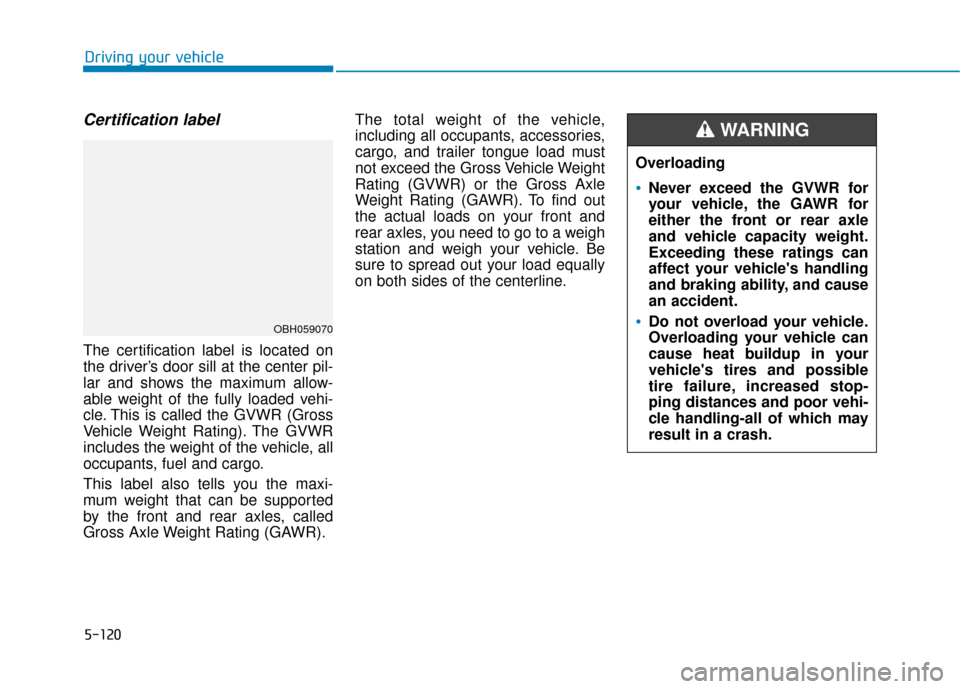
The certification label is located on
the driver’s door sill at the center pil-
lar and shows the maximum allow-
able weight of the fully loaded vehi-
cle. This is called the GVWR (Gross
Vehicle Weight Rating). The GVWR
includes the weight of the vehicle, all
occupants, fuel and cargo.
This label also tells you the maxi-
mum weight that can be supported
by the front and rear axles, called
Gross Axle Weight Rating (GAWR).The total weight of the vehicle,
including all occupants, accessories,
cargo, and trailer tongue load must
not exceed the Gross Vehicle Weight
Rating (GVWR) or the Gross Axle
Weight Rating (GAWR). To find out
the actual loads on your front and
rear axles, you need to go to a weigh
station and weigh your vehicle. Be
sure to spread out your load equally
on both sides of the centerline.
OBH059070
Overloading
Never exceed the GVWR for
your vehicle, the GAWR for
either the front or rear axle
and vehicle capacity weight.
Exceeding these ratings can
affect your vehicle's handling
and braking ability, and cause
an accident.
Do not overload your vehicle.
Overloading your vehicle can
cause heat buildup in your
vehicle's tires and possible
tire failure, increased stop-
ping distances and poor vehi-
cle handling-all of which may
result in a crash.
WARNING
Page 371 of 522
5-121
Driving your vehicle
5
If you carry items inside your
vehicle (e.g., suitcases, tools,
packages, or anything else),
they are moving as fast as the
vehicle. If you have to stop or
turn quickly, or if there is a
crash, the items will keep going
and can cause an injury if they
strike the driver or a passenger.
Put items in the cargo area of
your vehicle. Try to spread the
weight evenly.
Do not stack items, like suit-
cases, inside the vehicle
above the tops of the seats.
Do not leave an unsecured
child restraint in your vehicle.
When you carry something
inside the vehicle, secure it.
WARNING
T TR
R A
A I
IL
L E
E R
R
T
T O
O W
W I
IN
N G
G
Overloading your vehicle may
cause damage. Repairs would not
be covered by your warranty. Do
not overload your vehicle. We do not recommend using this
vehicle for trailer towing.
NOTICE
Page 373 of 522
6-2
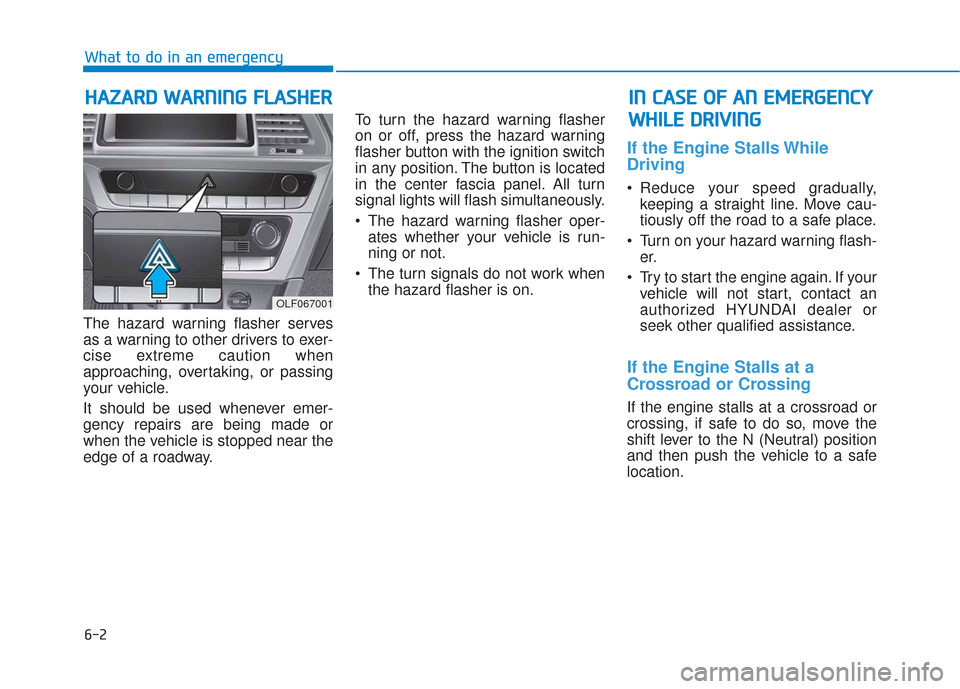
The hazard warning flasher serves
as a warning to other drivers to exer-
cise extreme caution when
approaching, overtaking, or passing
your vehicle.
It should be used whenever emer-
gency repairs are being made or
when the vehicle is stopped near the
edge of a roadway.To turn the hazard warning flasher
on or off, press the hazard warning
flasher button with the ignition switch
in any position. The button is located
in the center fascia panel. All turn
signal lights will flash simultaneously.
• The hazard warning flasher oper-
ates whether your vehicle is run-
ning or not.
The turn signals do not work when the hazard flasher is on.
If the Engine Stalls While
Driving
Reduce your speed gradually,keeping a straight line. Move cau-
tiously off the road to a safe place.
Turn on your hazard warning flash- er.
Try to start the engine again. If your vehicle will not start, contact an
authorized HYUNDAI dealer or
seek other qualified assistance.
If the Engine Stalls at a
Crossroad or Crossing
If the engine stalls at a crossroad or
crossing, if safe to do so, move the
shift lever to the N (Neutral) position
and then push the vehicle to a safe
location.
H HA
AZ
ZA
A R
RD
D
W
W A
AR
RN
N I
IN
N G
G
F
F L
LA
A S
SH
H E
ER
R
What to do in an emergency
I
IN
N
C
C A
A S
SE
E
O
O F
F
A
A N
N
E
E M
M E
ER
R G
G E
EN
N C
CY
Y
W
W H
HI
IL
L E
E
D
D R
RI
IV
V I
IN
N G
G
OLF067001