navigation system Hyundai Sonata 2020 User Guide
[x] Cancel search | Manufacturer: HYUNDAI, Model Year: 2020, Model line: Sonata, Model: Hyundai Sonata 2020Pages: 537, PDF Size: 14.54 MB
Page 202 of 537
Convenient Features5-72
HEAD UP DISPLAY (HUD) (IF EQUIPPED)
ODN8A059054ODN8A059054
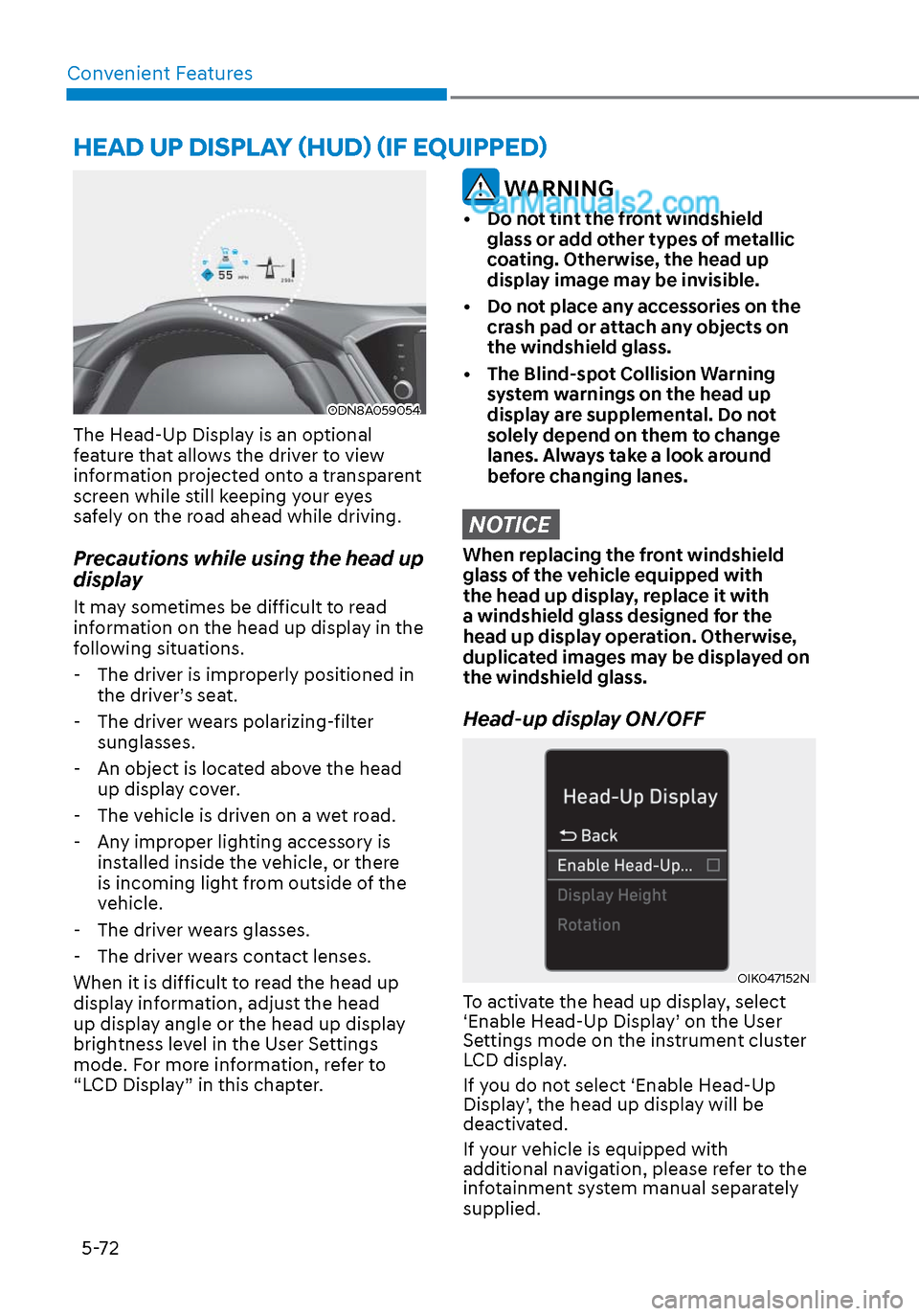
The Head-Up Display is an optional
feature that allows the driver to view
information projected onto a transparent
screen while still keeping your eyes
safely on the road ahead while driving.
Precautions while using the head up
display
It may sometimes be difficult to read
information on the head up display in the
following situations.
- The driver is improperly positioned in the driver’s seat.
- The driver wears polarizing-filter sunglasses.
- An object is located above the head up display cover.
- The vehicle is driven on a wet road.
- Any improper lighting accessory is installed inside the vehicle, or there
is incoming light from outside of the
vehicle.
- The driver wears glasses.
- The driver wears contact lenses.
When it is difficult to read the head up
display information, adjust the head
up display angle or the head up display
brightness level in the User Settings
mode. For more information, refer to
“LCD Display” in this chapter.
WARNING
• Do not tint the front windshield glass or add other types of metallic
coating. Otherwise, the head up
display image may be invisible.
• Do not place any accessories on the crash pad or attach any objects on
the windshield glass.
• The Blind-spot Collision Warning system warnings on the head up
display are supplemental. Do not
solely depend on them to change
lanes. Always take a look around
before changing lanes.
NOTICE
When replacing the front windshield
glass of the vehicle equipped with
the head up display, replace it with
a windshield glass designed for the
head up display operation. Otherwise,
duplicated images may be displayed on
the windshield glass.
Head-up display ON/OFF
OIK047152NOIK047152N
To activate the head up display, select
‘Enable Head-Up Display’ on the User
Settings mode on the instrument cluster
LCD display.
If you do not select ‘Enable Head-Up
Display’, the head up display will be
deactivated.
If your vehicle is equipped with
additional navigation, please refer to the
infotainment system manual separately
supplied.
Page 203 of 537
05
5-73
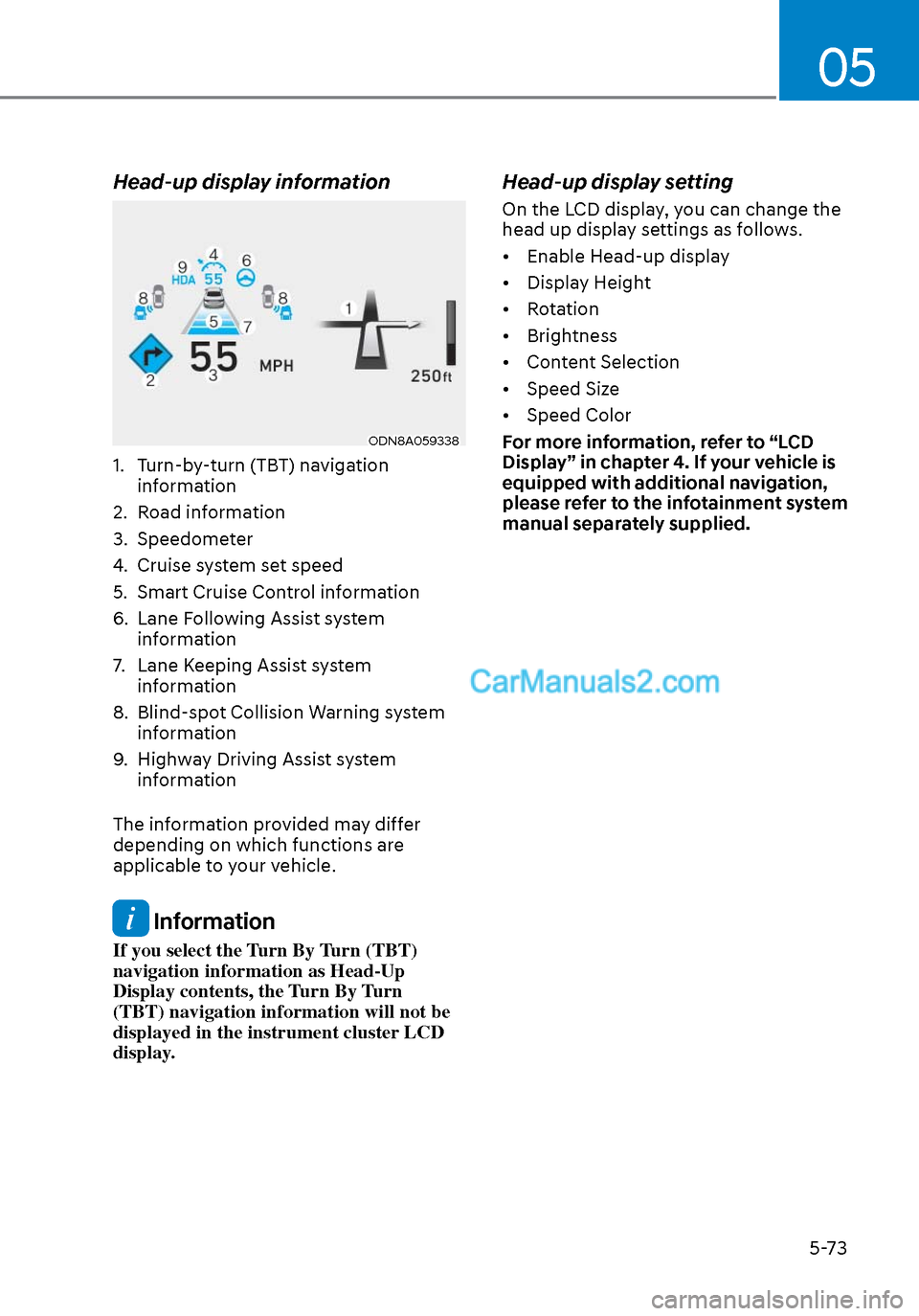
Head-up display information
ODN8A059338ODN8A059338
1. Turn-by-turn (TBT) navigation information
2. Road information
3. Speedometer
4. Cruise system set speed
5. Smart Cruise Control information
6. Lane Following Assist system information
7. Lane Keeping Assist system information
8. Blind-spot Collision Warning system information
9. Highway Driving Assist system information
The information provided may differ
depending on which functions are
applicable to your vehicle.
Information
If you select the Turn By Turn (TBT)
navigation information as Head-Up
Display contents, the Turn By Turn
(TBT) navigation information will not be
displayed in the instrument cluster LCD
display.
Head-up display setting
On the LCD display, you can change the
head up display settings as follows.
• Enable Head-up display
• Display Height
• Rotation
• Brightness
• Content Selection
• Speed Size
• Speed Color
For more information, refer to “LCD
Display” in chapter 4. If your vehicle is
equipped with additional navigation,
please refer to the infotainment system
manual separately supplied.
Page 213 of 537
05
5-83
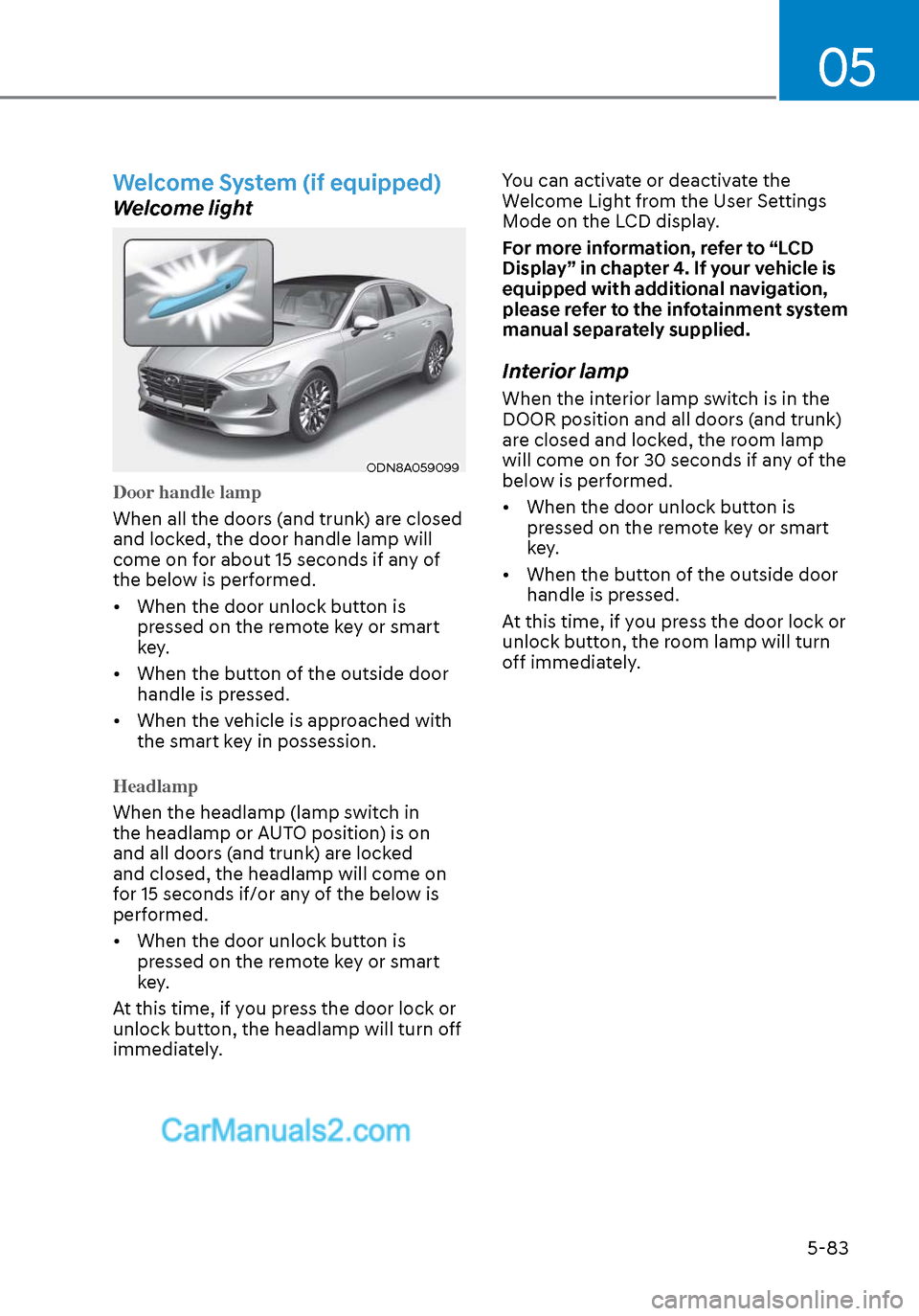
Welcome System (if equipped)
Welcome light
ODN8A059099ODN8A059099
Door handle lamp
When all the doors (and trunk) are closed
and lock
ed, the door handle lamp will
come on for about 15 seconds if any of
the below is performed.
• When the door unlock button is pressed on the remote key or smart
key.
• When the button of the outside door handle is pressed.
• When the vehicle is approached with the smart key in possession.
Headlamp
When the headlamp (lamp switch in
the headlamp or A
UTO position) is on
and all doors (and trunk) are locked
and closed, the headlamp will come on
for 15 seconds if/or any of the below is
performed.
• When the door unlock button is pressed on the remote key or smart
key.
At this time, if you press the door lock or
unlock button, the headlamp will turn off
immediately. You can activate or deactivate the
Welcome Light from the User Settings
Mode on the LCD display.
For more information, refer to “LCD
Display” in chapter 4. If your vehicle is
equipped with additional navigation,
please refer to the infotainment system
manual separately supplied.
Interior lamp
When the interior lamp switch is in the
DOOR position and all doors (and trunk)
are closed and locked, the room lamp
will come on for 30 seconds if any of the
below is performed.
• When the door unlock button is
pressed on the remote key or smart
key.
• When the button of the outside door handle is pressed.
At this time, if you press the door lock or
unlock button, the room lamp will turn
off immediately.
Page 284 of 537
Convenient Features5-154
Bluetooth® Wireless Technology
Hands-Free
ODN8059230ODN8059230
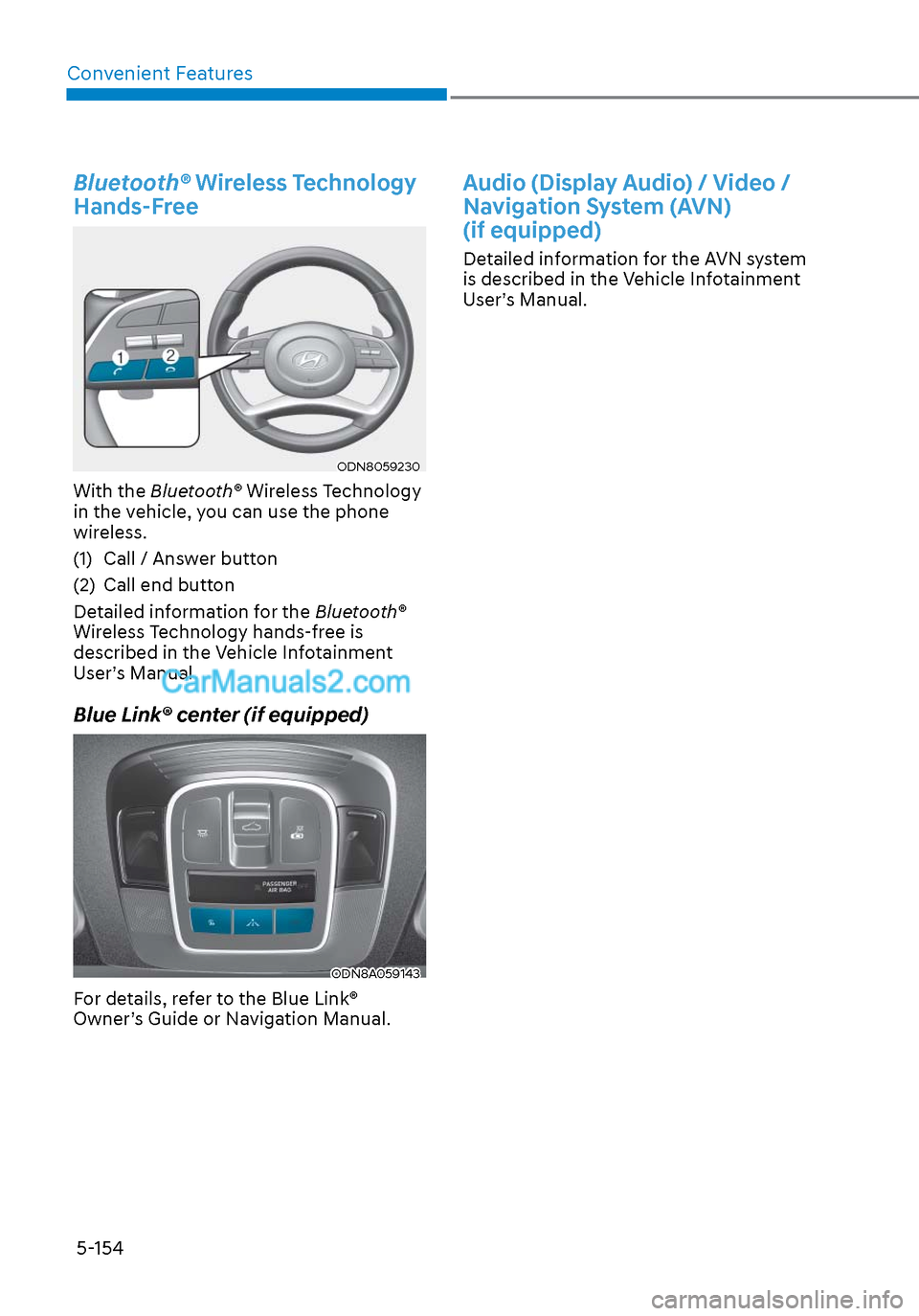
With the Bluetooth® Wireless Technology
in the vehicle, you can use the phone
wireless.
(1) Call / Answer button
(2) Call end button
Detailed information for the Bluetooth®
Wireless Technology hands-free is
described in the Vehicle Infotainment
User’s Manual.
Blue Link® center (if equipped)
ODN8A059143ODN8A059143
For details, refer to the Blue Link®
Owner’s Guide or Navigation Manual.
Audio (Display Audio) / Video /
Navigation System (AVN)
(if equipped)
Detailed information for the AVN system
is described in the Vehicle Infotainment
User’s Manual.
Page 287 of 537

Navigation-Based Smart Cruise Control ................................................. 6-105System Setting and Operation ........................................................................\
.... 6-106
Lane Following Assist (LFA) ....................................................................... 6-109LFA Operation ........................................................................\
................................. 6-111
Warning Message ........................................................................\
........................... 6-111
Limitations of the System ........................................................................\
............. 6-113
Highway Driving Assist (HDA) .................................................................... 6-115System Setting and Operation ........................................................................\
..... 6-116
Warning Message ........................................................................\
.......................... 6-118
Rear Cross-Traffic Collision Warning (RCCW) /
Rear Cross-Traffic Collision-Avoidance Assist (RCCA) ............................ 6-121
System Description ........................................................................\
....................... 6-121
System Setting and Activation ........................................................................\
..... 6-122
Warning and System Control ........................................................................\
........6-124
Detecting Sensors ........................................................................\
......................... 6-127
Limitations of the System ........................................................................\
.............6-128
Special Driving Conditions ........................................................................\
.6-133Hazardous Driving Conditions ................................................\
.............................6-133
Rocking the Vehicle .................................................................\
.............................6-133
Smooth Cornering ........................................................................\
.........................6-134
Driving at Night ........................................................................\
.............................6-134
Driving in the Rain ........................................................................\
.........................6-134
Driving in Flooded Areas ........................................................................\
...............6-135
Highway Driving ........................................................................\
............................6-135
Winter Driving ........................................................................\
.................... 6-136Snow or Icy Conditions ........................................................................\
................ 6-136
Winter Precautions ........................................................................\
........................ 6-137
Vehicle load limit.......................................................\
................................. 6-139Tire Loading Information Label ........................................................................\
... 6-139
Trailer Towing ........................................................................\
..................... 6-144
6
6. While Driving
Page 320 of 537
![Hyundai Sonata 2020 User Guide While Driving6-36
Battery Sensor Deactivation
ODN8A069204ODN8A069204
[A] : Battery sensor
The battery sensor is deactivated, when
the battery is disconnected from the
negative pole for maintenance p](/img/35/16773/w960_16773-319.png "Hyundai Sonata 2020 User Guide While Driving6-36
Battery Sensor Deactivation
ODN8A069204ODN8A069204
[A] : Battery sensor
The battery sensor is deactivated, when
the battery is disconnected from the
negative pole for maintenance p")
While Driving6-36
Battery Sensor Deactivation
ODN8A069204ODN8A069204
[A] : Battery sensor
The battery sensor is deactivated, when
the battery is disconnected from the
negative pole for maintenance purpose.
In this case, the ISG system is limitedly
operated due to the battery sensor
deactivation. Thus, the driver needs
to take the following procedures to
reactivate the battery sensor after
disconnecting the battery.
Prerequisites to reactivate the
battery sensor
Switch "ON" and "OFF" the ignition one
time. Park the vehicle for a minimum of 4
hours with the hood and all doors closed.
Pay extreme caution not to connect any
accessories (i.e. navigation and black
box) to the vehicle with the engine in the
OFF status. If not, the battery sensor may
not be reactivated.
Information
The ISG system may not operate in the
following situations. - There is a malfunction with the ISG
system.
- The battery is weak.
- The brake vacuum pressure is low.
If this occurs, have the ISG system
checked by an authorized HYUNDAI
dealer.
NOTICE
• Use only a genuine HYUNDAI
Absorbent Glass Mat (AGM) battery
for replacement. If not, the ISG
system may not operate normally.
• Do not recharge the Absorbent Glass
Mat (AGM) battery with a general
battery charger. It may damage or
explode the Absorbent Glass Mat
(AGM) battery.
• Do not remove the battery cap. The
battery electrolyte, which is harmful
to the human body, may leak out.
Page 389 of 537
06
6-105
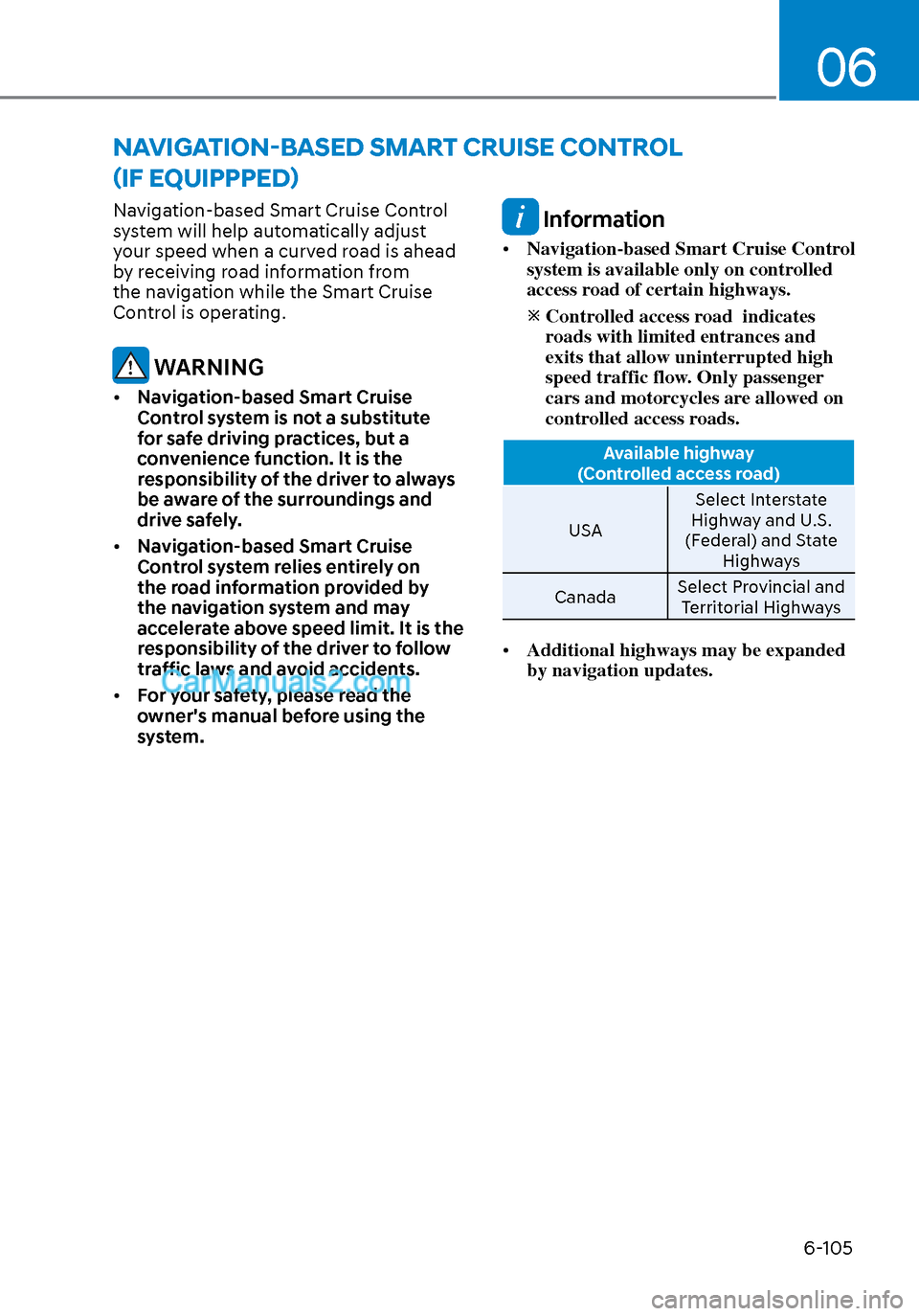
Navigation-based Smart Cruise Control
system will help automatically adjust
your speed when a curved road is ahead
by receiving road information from
the navigation while the Smart Cruise
Control is operating.
WARNING
• Navigation-based Smart Cruise
Control system is not a substitute
for safe driving practices, but a
convenience function. It is the
responsibility of the driver to always
be aware of the surroundings and
drive safely.
• Navigation-based Smart Cruise
Control system relies entirely on
the road information provided by
the navigation system and may
accelerate above speed limit. It is the
responsibility of the driver to follow
traffic laws and avoid accidents.
• For your safety, please read the
owner's manual before using the
system.
Information
• Navigation-based Smart Cruise Control
system is available only on controlled
access road of certain highways.
Controlled access road indicates
roads with limited entrances and
exits that allow uninterrupted high
speed traffic flow. Only passenger
cars and motorcycles are allowed on
controlled access roads.
Available highway
(Controlled access road)
USA Select In
terstate
Highway and U.S.
(Federal) and State Highways
Canada Select Provincial and
Territorial Highways
• Additional highways may be expanded
by navigation updates.
NAVIGATION-BASED SMART CRUISE CONTROL
(IF EQUIPPPED)
Page 390 of 537
While Driving6-106
System Setting and Operation
System setting
• With the Engine Start/Stop button in the ON or START position, Navigation-
based Smart Cruise Control can
be activated by selecting 'Driver
Assistance
Highway Auto Curve
Slowdown' from the User Settings
mode on the infotainment system.
For detailed information, please refer
to the infotainment system manual
separately supplied.
• If the engine is turned off then on again, the system maintains the last
setting.
Operating conditions
Select 'Highway Auto Curve Slowdown'
from the Settings menu in the
infotainment system screen and satisfy
the following conditions for the system
to operate.
• Driving on the highway main line
• Smart Cruise Control is operating
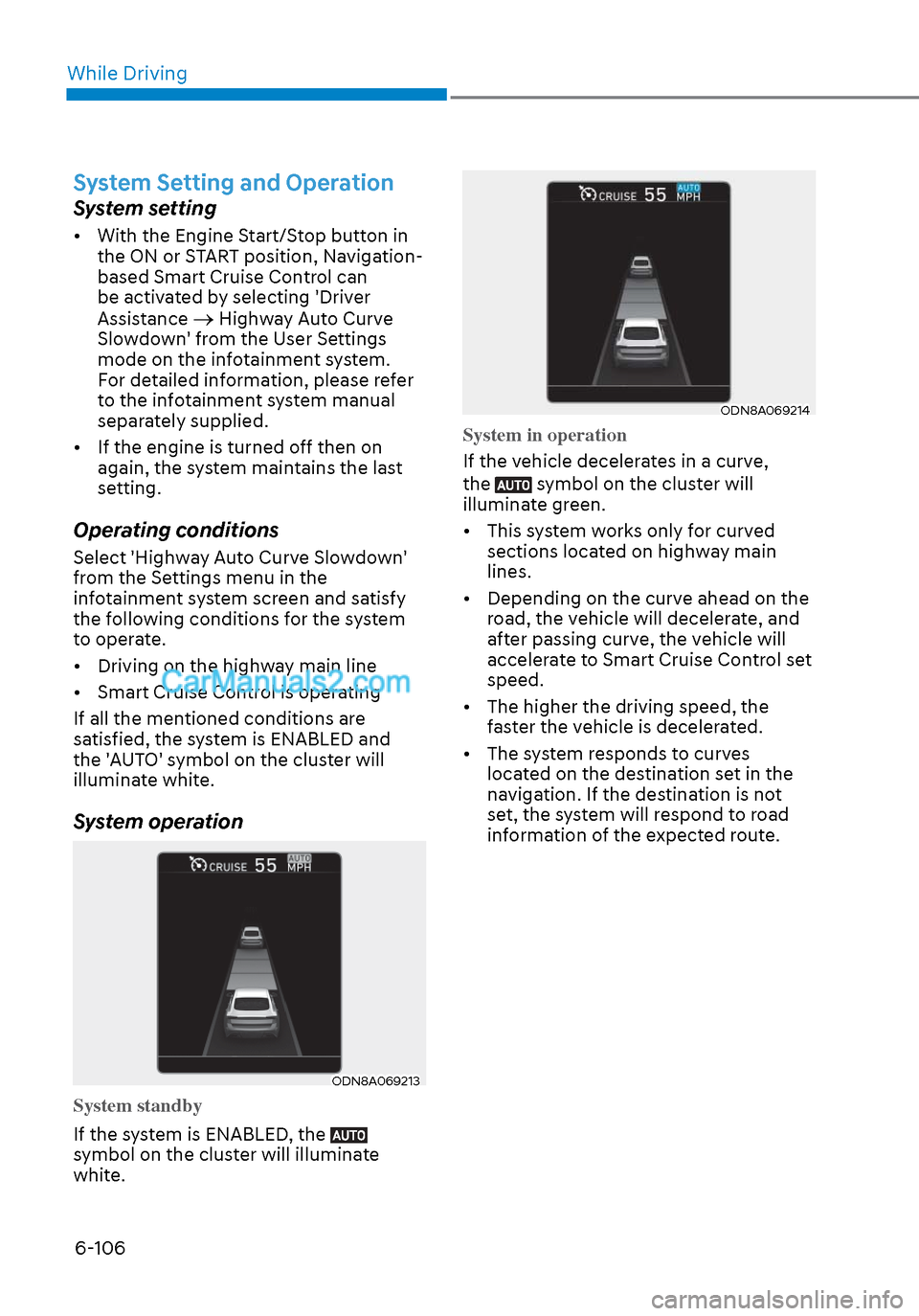
If all the mentioned conditions are
satisfied, the system is ENABLED and
the 'AUTO' symbol on the cluster will
illuminate white.
System operation
ODN8A069213ODN8A069213
System standby
If the system is ENABLED, the
symbol on the cluster will illuminate
white.
ODN8A069214ODN8A069214
System in operation
If the vehicle decelerates in a curve,
the
symbol on the cluster will
illuminate green.
• This system works only for curved sections located on highway main
lines.
• Depending on the curve ahead on the road, the vehicle will decelerate, and
after passing curve, the vehicle will
accelerate to Smart Cruise Control set
speed.
• The higher the driving speed, the faster the vehicle is decelerated.
• The system responds to curves located on the destination set in the
navigation. If the destination is not
set, the system will respond to road
information of the expected route.
Page 391 of 537
06
6-107
Information
• Navigation-based Smart Cruise Control
is limited in other countries.
• The system may not operate due to the
existence of leading vehicles and the
driving situations of the vehicle.
• The system operates regardless of
whether the sharp curve warning
appears on the navigation, but the time
gap could occur between the warning
and system operation.
• The navigation only provides curve
information within permitted speed
ranges so that the system may not
decrease its speed during extreme over-
speed driving.
• The system is not designed to work on
highways other than mentioned as a
controlled access road.
• The system automatically cancels when
you leave the highway. •
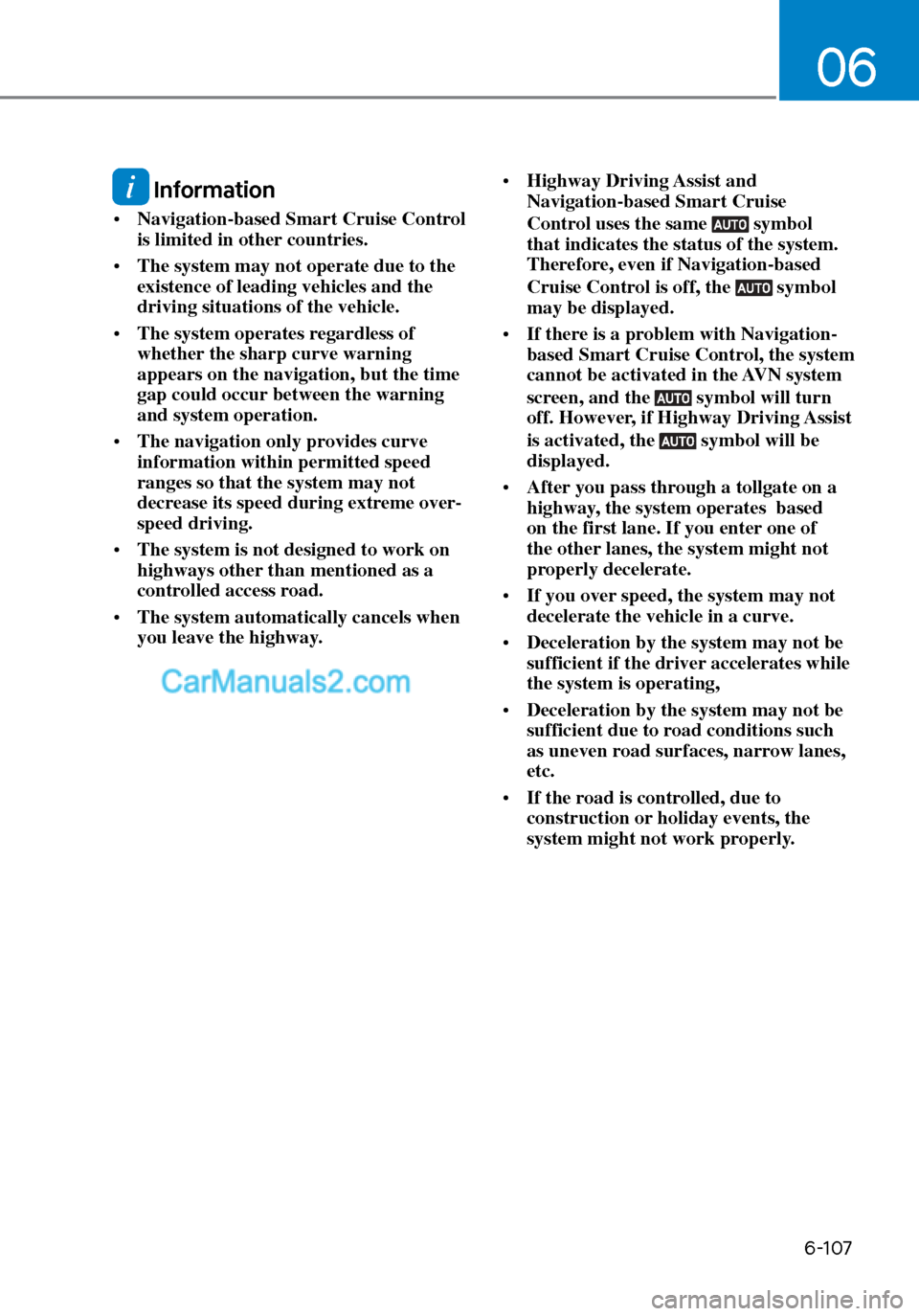
Highway Driving Assist and
Navigation-based Smart Cruise
Control uses the same symbol
that indicates the status of the system.
Therefore, even if Navigation-based
Cruise Control is off, the
symbol
may be displayed.
• If there is a problem with Navigation-
based Smart Cruise Control, the system
cannot be activated in the AVN system
screen, and the
symbol will turn
off. However, if Highway Driving Assist
is activated, the
symbol will be
displayed.
• After you pass through a tollgate on a
highway, the system operates based
on the first lane. If you enter one of
the other lanes, the system might not
properly decelerate.
• If you over speed, the system may not
decelerate the vehicle in a curve.
• Deceleration by the system may not be
sufficient if the driver accelerates while
the system is operating,
• Deceleration by the system may not be
sufficient due to road conditions such
as uneven road surfaces, narrow lanes,
etc.
• If the road is controlled, due to
construction or holiday events, the
system might not work properly.
Page 392 of 537
While Driving6-108
CAUTION
Navigation-based Cruise Control
system may not function properly in the
following situations:
• The navigation is not working
properly.
• The navigation is not updated.
• The real-time GPS or map
information provided has errors.
• The navigation is overloaded by
performing functions such as route
search, video playback, voice
recognition, etc. are performing
simultaneously.
• GPS signals are blocked in areas such
as a tunnel.
• The driver goes off course or the
route to the destination is changed
or canceled by resetting the
navigation.
• The vehicle enters a service station
or rest area.
• A section of the highway’s shape has
changed.
• Android Auto or Car Play is operating.
• The navigation cannot detect the
current vehicle position (ex: elevated
roads including overpass adjacent to
general roads or nearby roads exist
in a parallel way).
• The navigation is being updated
while driving.
• The navigation is being reset while
driving.
• The road is slippery due to bad
weather such as rain or snow.
Information
This device complies with Part 15 of the
FCC rules.
Operation is subject to the following three
conditions:
1. This device may not cause harmful
interference, and
2. This device must accept any
interference received, including
interference that may cause undesired
operation.
3. Changes or modifications not expressly
approved by the party responsible
for compliance could void the user's
authority to operate the device.
Information
Radio frequency radiation exposure
information:
This equipment complies with FCC
radiation exposure limits set forth for an
uncontrolled environment.
This equipment should be installed and
operated with minimum distance of 8 in.
(20 cm) between the radiator (antenna)
and your body.
This transmitter must not be co-located or
operating in conjunction with any other
antenna or transmitter.