front brake Hyundai Sonata 2020 Owner's Guide
[x] Cancel search | Manufacturer: HYUNDAI, Model Year: 2020, Model line: Sonata, Model: Hyundai Sonata 2020Pages: 537, PDF Size: 14.54 MB
Page 373 of 537
06
6-89
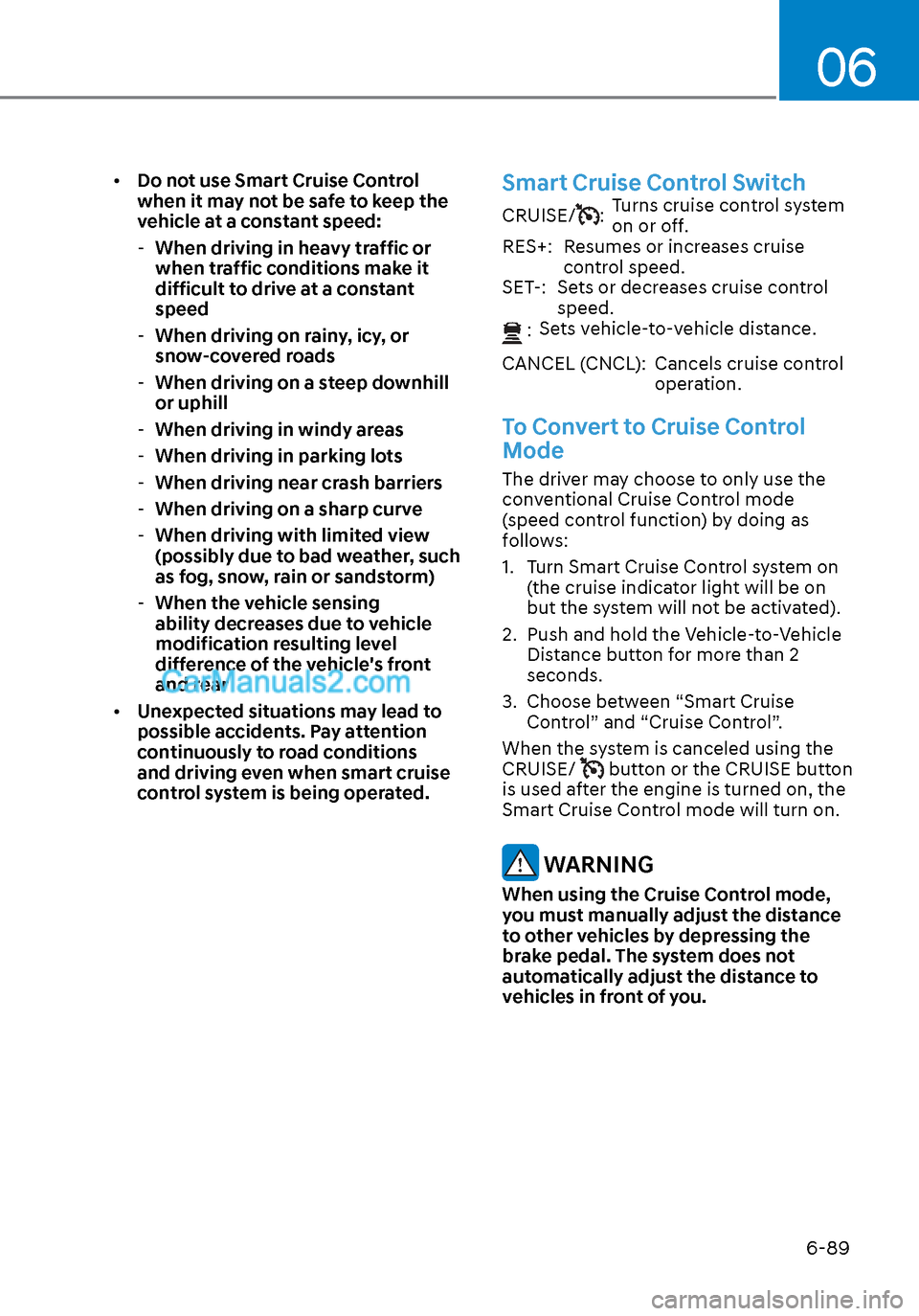
• Do not use Smart Cruise Control
when it may not be safe to keep the
vehicle at a constant speed:
- When driving in heavy traffic or
when traffic conditions make it
difficult to drive at a constant
speed
- When driving on rainy, icy, or
snow-covered roads
- When driving on a steep downhill
or uphill
- When driving in windy areas
- When driving in parking lots
- When driving near crash barriers
- When driving on a sharp curve
- When driving with limited view
(possibly due to bad weather, such
as fog, snow, rain or sandstorm)
- When the vehicle sensing
ability decreases due to vehicle
modification resulting level
difference of the vehicle's front
and rear
• Unexpected situations may lead to
possible accidents. Pay attention
continuously to road conditions
and driving even when smart cruise
control system is being operated.Smart Cruise Control Switch
CRUISE/:Turns cruise control system
on or off.
RES+: Resumes or increases cruise control speed.
SET-: Sets or decreases cruise control speed.
:
Sets vehicle-to-vehicle distance.
CANCEL (CNCL): Cancels cruise control operation.
To Convert to Cruise Control
Mode
The driver may choose to only use the
conventional Cruise Control mode
(speed control function) by doing as
follows:
1. Turn Smart Cruise Control system on (the cruise indicator light will be on
but the system will not be activated).
2. Push and hold the Vehicle-to-Vehicle Distance button for more than 2
seconds.
3. Choose between “Smart Cruise Control” and “Cruise Control”.
When the system is canceled using the
CRUISE/
button or the CRUISE button
is used after the engine is turned on, the
Smart Cruise Control mode will turn on.
WARNING
When using the Cruise Control mode,
you must manually adjust the distance
to other vehicles by depressing the
brake pedal. The system does not
automatically adjust the distance to
vehicles in front of you.
Page 376 of 537
While Driving6-92
To temporarily accelerate with
Smart Cruise Control on
If you want to speed up temporarily
when Smart Cruise Control is on, depress
the accelerator pedal. Increased speed
will not interfere with Smart Cruise
Control operation or change the set
speed.
To return to the set speed, take your foot
off the accelerator pedal.
If you push the toggle switch down
(SET-) at increased speed, the set speed
is updated.
Information
Be careful when accelerating temporarily,
because the speed is not controlled
automatically at this time even if there is a
vehicle in front of you.
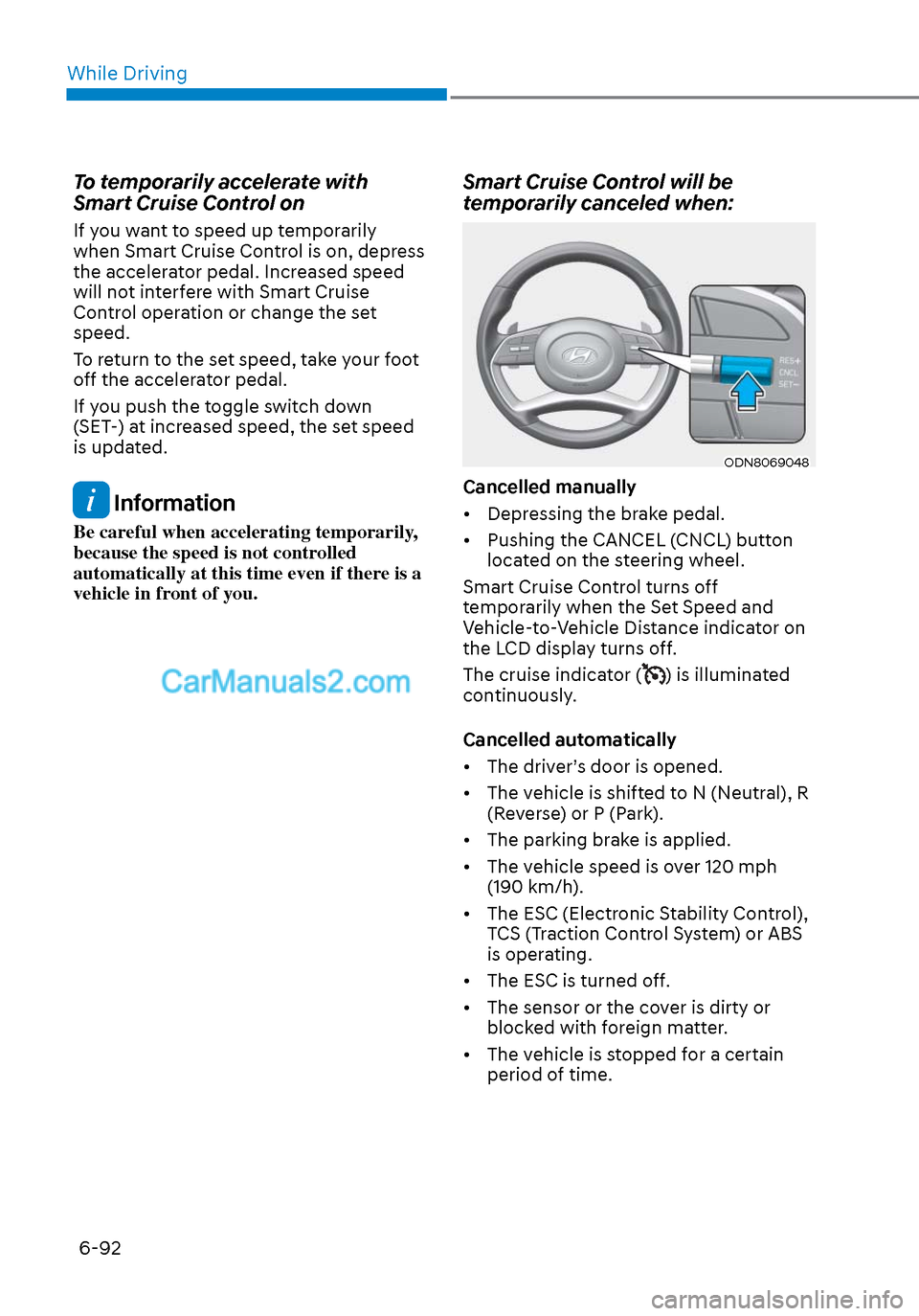
Smart Cruise Control will be
temporarily canceled when:
ODN8069048ODN8069048
Cancelled manually
• Depressing the brake pedal.
• Pushing the CANCEL (CNCL) button located on the steering wheel.
Smart Cruise Control turns off
temporarily when the Set Speed and
Vehicle-to-Vehicle Distance indicator on
the LCD display turns off.
The cruise indicator (
) is illuminated
continuously.
Cancelled automatically
• The driver’s door is opened.
• The vehicle is shifted to N (Neutral), R (Reverse) or P (Park).
• The parking brake is applied.
• The vehicle speed is over 120 mph (190 km/h).
• The ESC (Electronic Stability Control), TCS (Traction Control System) or ABS
is operating.
• The ESC is turned off.
• The sensor or the cover is dirty or blocked with foreign matter.
• The vehicle is stopped for a certain period of time.
Page 377 of 537
06
6-93
• The vehicle is stopped for more than 5 minutes.
• The vehicle stops and goes repeatedly for a long period of time.
• The accelerator pedal is continuously depressed for a long period of time.
• The accelerator pedal is continuously depressed for more than one minute.
• The engine performance is abnormal.
• Engine rpm is in the red zone.
• The driver starts driving by pushing the toggle switch up (RES+)/down
(SET-) or depressing the accelerator
pedal, after the vehicle is stopped by
Smart Cruise Control system with no
other vehicle ahead.
• The driver starts driving by pushing the toggle switch up (RES+)/down
(SET-) or depressing the accelerator
pedal, after stopping the vehicle with
a vehicle stopped far away in front.
• Forward Collision-Avoidance Assist is activated.
• The engine speed is in dangerous range.
• When engine is stopped by ISG (Idle Stop & Go).
Each of these actions will cancel the
Smart Cruise Control operation. The Set
Speed and Vehicle-to-Vehicle Distance
on the LCD display will go off.
In a condition Smart Cruise Control is
cancelled automatically, Smart Cruise
Control will not resume even though the
RES+ or SET- toggle switch is pushed. Information
If Smart Cruise Control is cancelled by
other than the reasons mentioned, have
the vehicle inspected by an authorized
HYUNDAI dealer.
OIK057096LOIK057096L
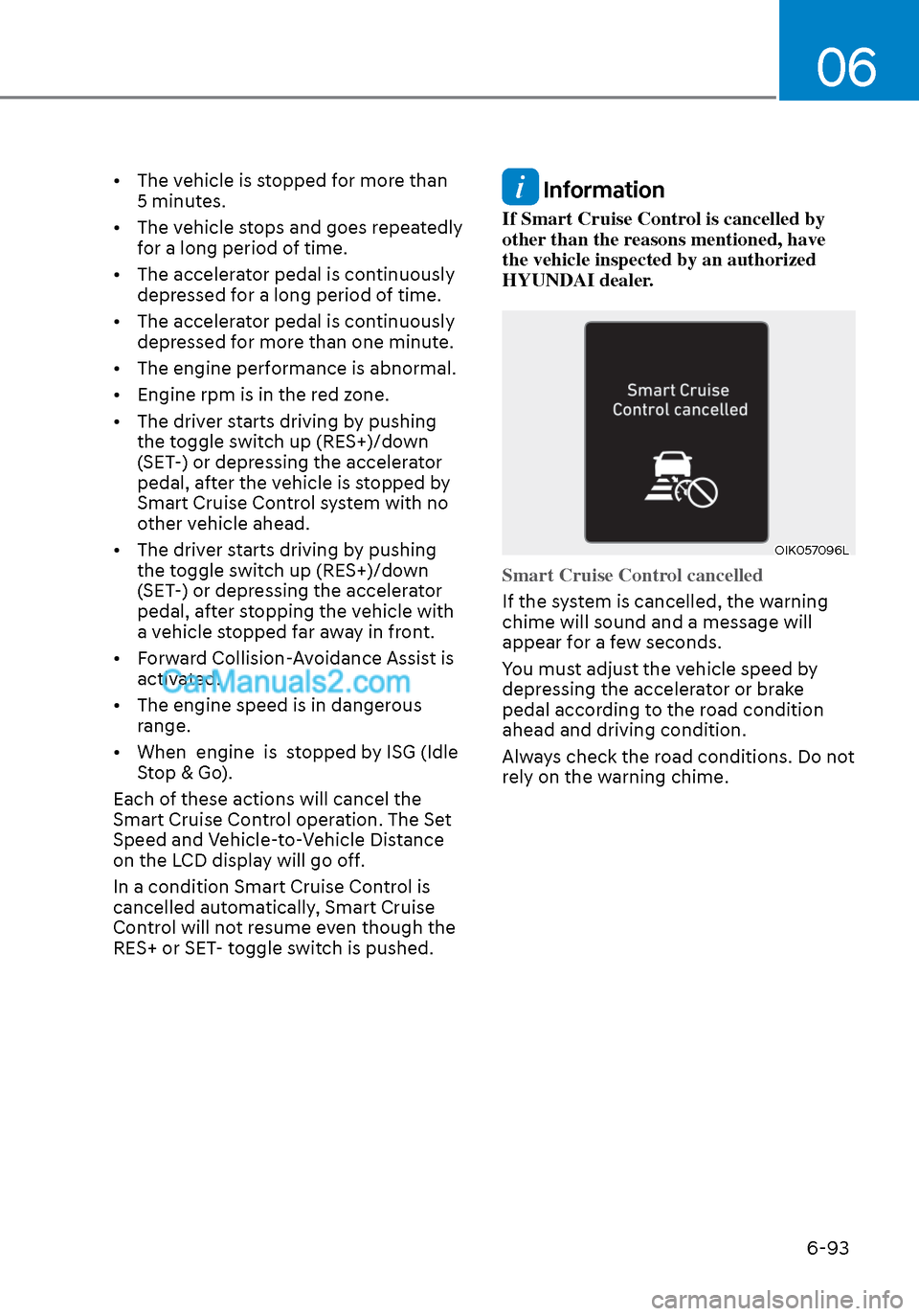
Smart Cruise Control cancelled
If the system is cancelled, the warning
chime will sound and a message will
appear f
or a few seconds.
You must adjust the vehicle speed by
depressing the accelerator or brake
pedal according to the road condition
ahead and driving condition.
Always check the road conditions. Do not
rely on the warning chime.
Page 381 of 537
06
6-97
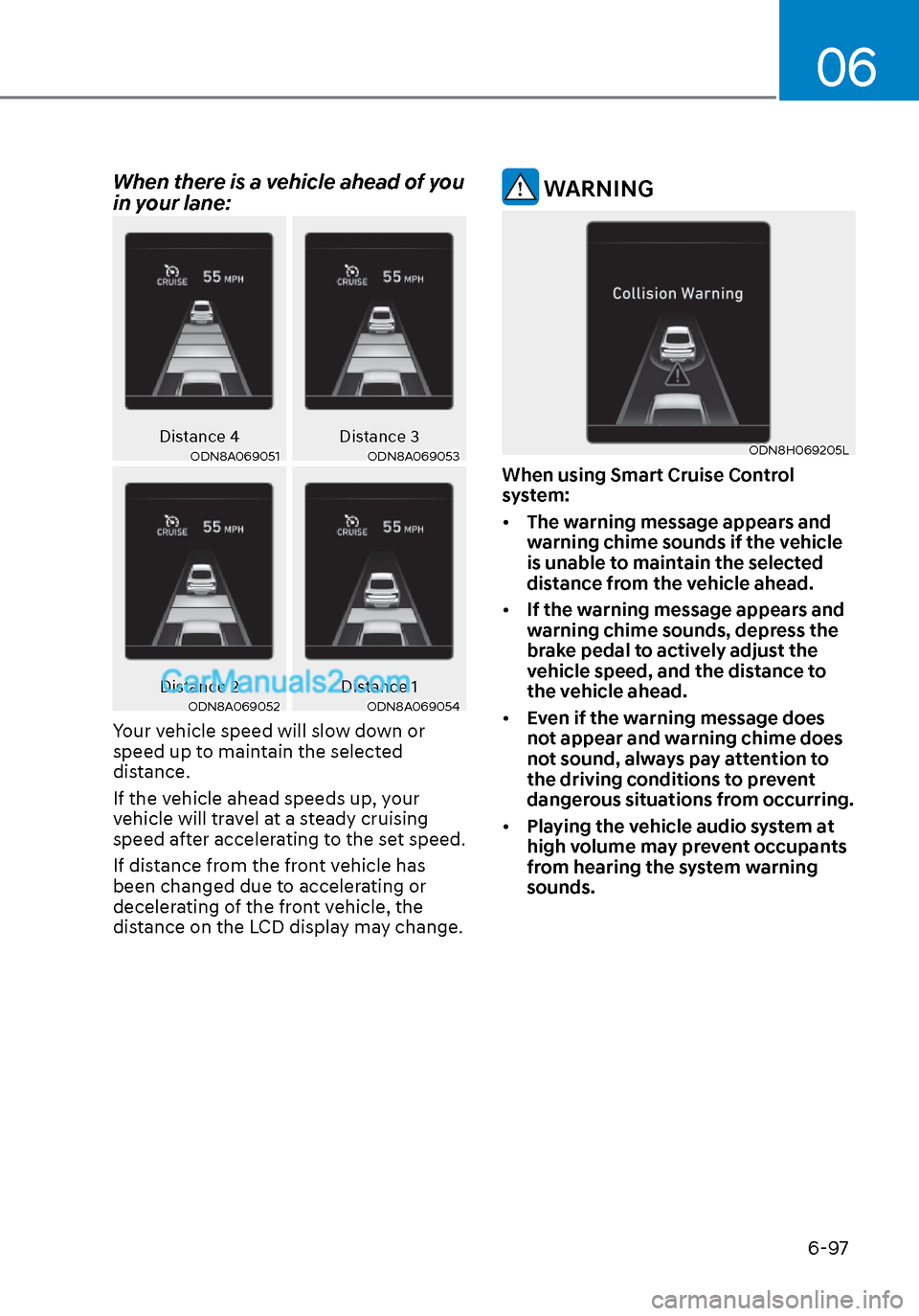
When there is a vehicle ahead of you
in your lane:
Distance 4Distance 3ODN8A069051ODN8A069051ODN8A069053ODN8A069053
Distance 2 Distance 1ODN8A069052ODN8A069052ODN8A069054ODN8A069054
Your vehicle speed will slow down or
speed up to maintain the selected
distance.
If the vehicle ahead speeds up, your
vehicle will travel at a steady cruising
speed after accelerating to the set speed.
If distance from the front vehicle has
been changed due to accelerating or
decelerating of the front vehicle, the
distance on the LCD display may change.
WARNING
ODN8H069205LODN8H069205L
When using Smart Cruise Control
system:
• The warning message appears and
warning chime sounds if the vehicle
is unable to maintain the selected
distance from the vehicle ahead.
• If the warning message appears and
warning chime sounds, depress the
brake pedal to actively adjust the
vehicle speed, and the distance to
the vehicle ahead.
• Even if the warning message does
not appear and warning chime does
not sound, always pay attention to
the driving conditions to prevent
dangerous situations from occurring.
• Playing the vehicle audio system at
high volume may prevent occupants
from hearing the system warning
sounds.
Page 382 of 537
While Driving6-98
CAUTION
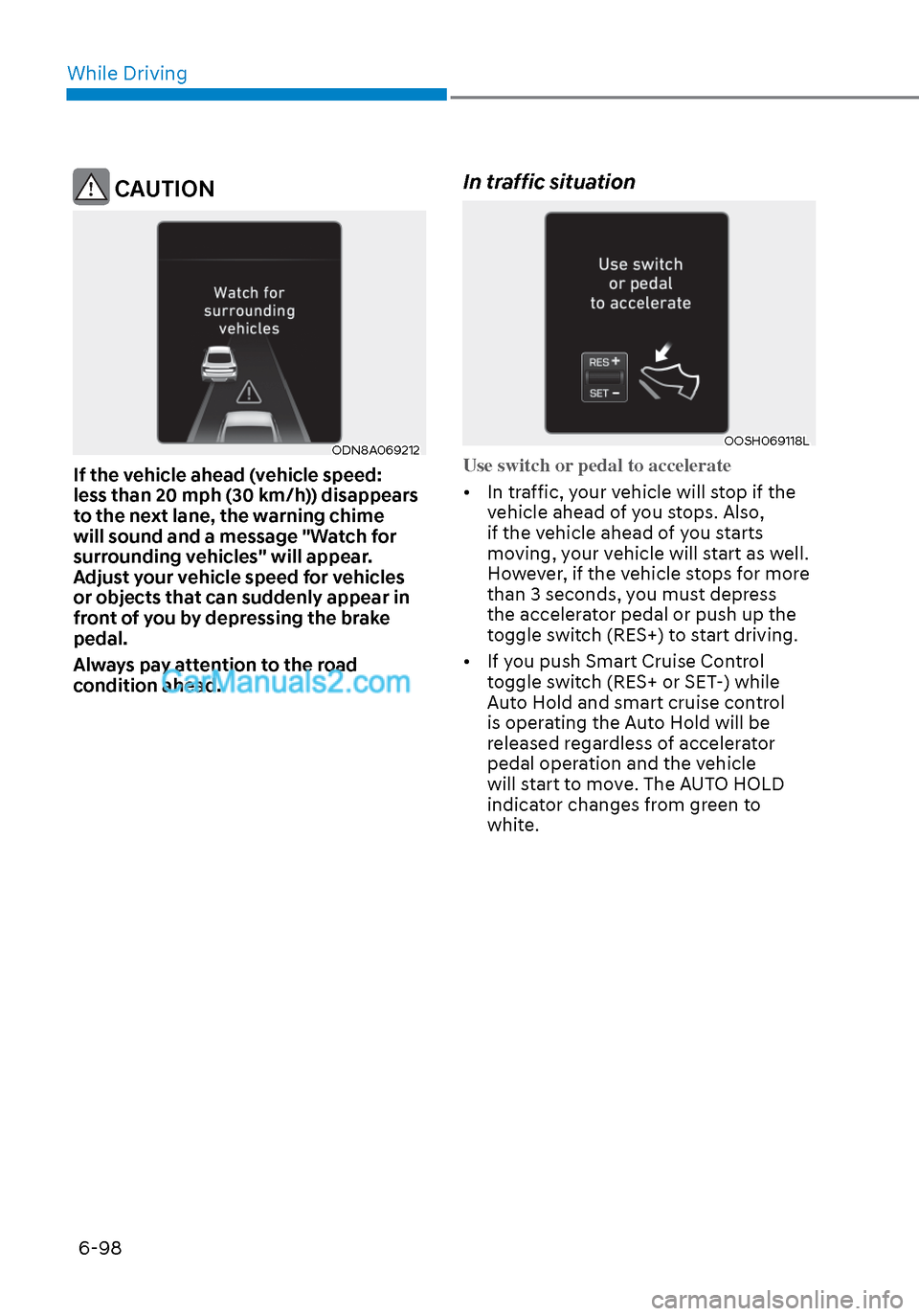
ODN8A069212ODN8A069212
If the vehicle ahead (vehicle speed:
less than 20 mph (30 km/h)) disappears
to the next lane, the warning chime
will sound and a message "Watch for
surrounding vehicles" will appear.
Adjust your vehicle speed for vehicles
or objects that can suddenly appear in
front of you by depressing the brake
pedal.
Always pay attention to the road
condition ahead.
In traffic situation
OOSH069118LOOSH069118L
Use switch or pedal to accelerate
• In traffic, your vehicle will stop if the v
ehicle ahead of you stops. Also,
if the vehicle ahead of you starts
moving, your vehicle will start as well.
However, if the vehicle stops for more
than 3 seconds, you must depress
the accelerator pedal or push up the
toggle switch (RES+) to start driving.
• If you push Smart Cruise Control toggle switch (RES+ or SET-) while
Auto Hold and smart cruise control
is operating the Auto Hold will be
released regardless of accelerator
pedal operation and the vehicle
will start to move. The AUTO HOLD
indicator changes from green to
white.
Page 387 of 537
06
6-103
OAE056108OAE056108
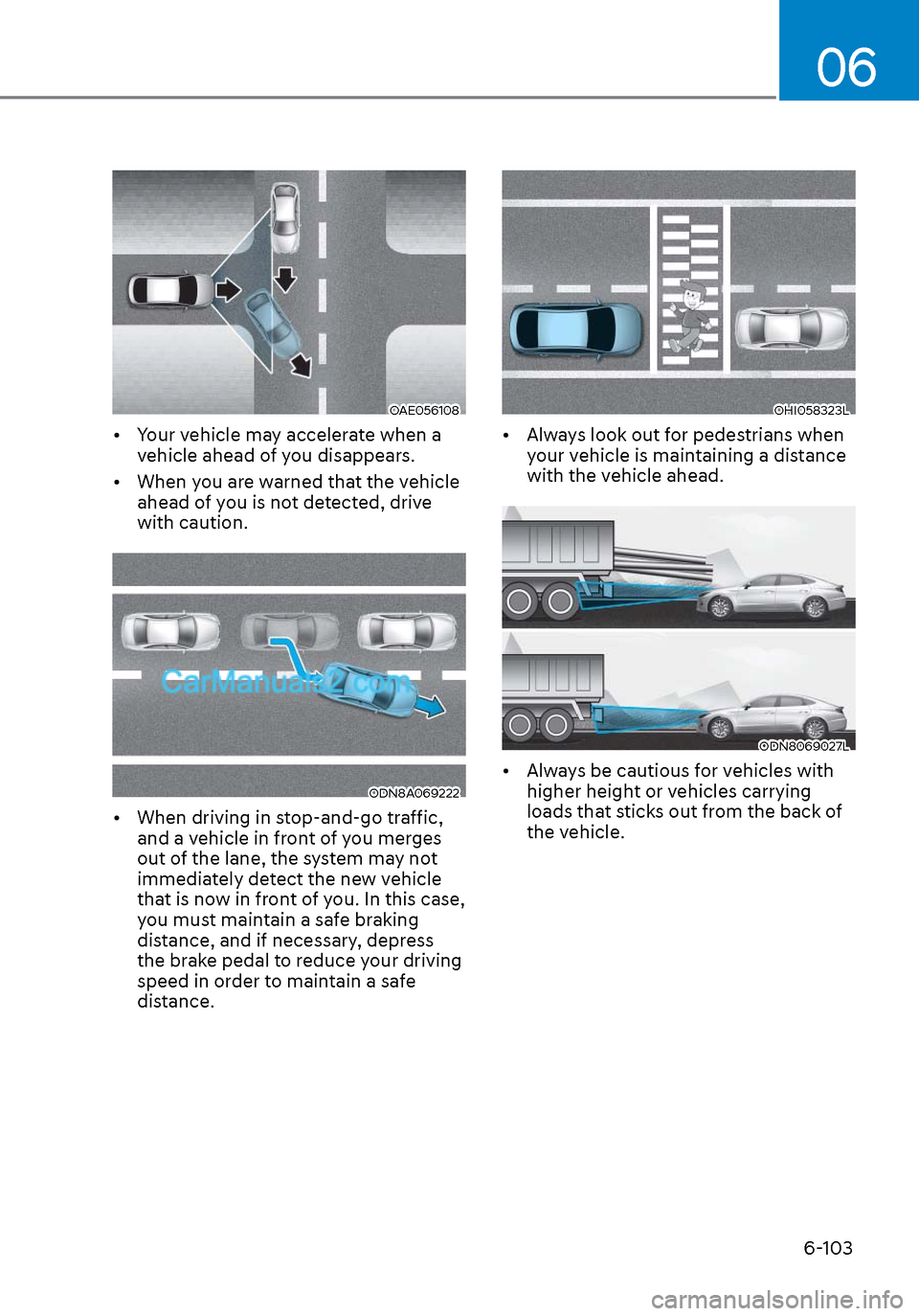
• Your vehicle may accelerate when a vehicle ahead of you disappears.
• When you are warned that the vehicle ahead of you is not detected, drive
with caution.
ODN8A069222ODN8A069222
• When driving in stop-and-go traffic, and a vehicle in front of you merges
out of the lane, the system may not
immediately detect the new vehicle
that is now in front of you. In this case,
you must maintain a safe braking
distance, and if necessary, depress
the brake pedal to reduce your driving
speed in order to maintain a safe
distance.
OHI058323LOHI058323L
• Always look out for pedestrians when your vehicle is maintaining a distance
with the vehicle ahead.
ODN8069027LODN8069027L
• Always be cautious for vehicles with higher height or vehicles carrying
loads that sticks out from the back of
the vehicle.
Page 388 of 537
While Driving6-104
WARNING
When using Smart Cruise Control take
the following precautions:
• If an emergency stop is necessary,
you must apply the brakes. The
vehicle cannot be stopped at every
emergency situation by using Smart
Cruise Control system.
• Keep a safe distance according to
road conditions and vehicle speed. If
the vehicle to vehicle distance is too
close during a high-speed driving, a
serious collision may result.
• Always maintain sufficient braking
distance and decelerate your vehicle
by applying the brakes if necessary.
• Smart Cruise Control system cannot
recognize a stopped vehicle,
pedestrians or an oncoming vehicle.
Always look ahead cautiously to
prevent unexpected and sudden
situations from occurring.
• Vehicles moving in front of you with
a frequent lane change may cause
a delay in the system's reaction or
may cause the system to react to a
vehicle actually in an adjacent lane.
Always drive cautiously to prevent
unexpected and sudden situations
from occurring.
• Always be aware of the selected
speed and vehicle to vehicle
distance. The driver should not solely
rely on the system but always pay
attention to driving conditions and
control your vehicle speed.
• Smart Cruise Control system may not
recognize complex driving situations
so always pay attention to driving
conditions and control your vehicle
speed.
• Smart Cruise Control system may
recognize a pedestrian, bicycle,
motorcycle, etc. as a vehicle. Always,
look ahead cautiously to prevent
unexpected and sudden situations
from occurring.
• Turn off Smart Cruise Control system
when the vehicle is being towed.
NOTICE
Smart Cruise Control system may not
operate temporarily due to:
• Electrical interference
• Modifying the suspension
• Differences of tire abrasion or tire
pressure
• Installing different type of tires
The brake control using Smart Cruise
Control system may make a sound.
Information
This device complies with Part 15 of the
FCC rules.
Operation is subject to the following two
conditions:
1. This device may not cause harmful
interference.
2. This device must accept any
interference received, including
interference that may cause undesired
operation.
Page 397 of 537
06
6-113
LFA system will not be in the ENABLED
state and/or the steering wheel will not be
assisted when:
• The turn signal is turned on before changing a lane. If y
ou change
lanes without the turn signal on, the
steering wheel might be controlled.
• The vehicle is not driven in the middle of the lane when the system is turned
on or right after changing a lane.
• ESC (Electronic Stability Control) or VSM (Vehicle Stability Management)
is activated.
• The vehicle is driven on a sharp curve.
• If vehicle speed is over 95 mph (153 km/h)
• The vehicle makes sharp lane changes.
• The vehicle brakes suddenly.
• Only one lane marker is detected.
• The lane is very wide or narrow.
• There are more than two lane markers on the road (e.g. construction area).
• Radius of a curve is too small.
• The vehicle is driven on a steep incline.
• The steering wheel is turned suddenly.
• The system may not operate for 15 seconds after the engine is started or
the camera is initialized.
Limitations of the System
LFA system may operate prematurely
even if the vehicle does not depart from
the intended lane, OR, LFA system may
not assist your steering or warn you if the
vehicle leaves the intended lane under
the following circumstances:
When the lane and road conditions are
poor
• It is difficult to distinguish the lane marking from the road surface or the
lane marking is faded or not clearly
marked.
• It is difficult to distinguish the color of the lane marker from the road.
• There are markings on the road surface that look like a lane marker
that is inadvertently being detected
by the camera.
• The lane marker is indistinct or damaged.
• The lane marker is merged or divided (e.g. tollgate).
• The lane number increases or decreases or the lane marker are
crossing complicatedly.
• There are more than two lane markers on the road in front of you.
• The lane marker is very thick or thin.
• The lane is very wide or narrow.
• The lane marker ahead is not visible due to rain, snow, water on the road,
damaged or stained road surface, or
other factors.
Page 416 of 537
![Hyundai Sonata 2020 Owners Guide While Driving6-132
OHI058319LOHI058319L
[A] : Structure, [B] : Wall
• Pulling into the parking space where there is a structure
The system may not operate properly
when pulling in the vehicle to](/img/35/16773/w960_16773-415.png "Hyundai Sonata 2020 Owners Guide While Driving6-132
OHI058319LOHI058319L
[A] : Structure, [B] : Wall
• Pulling into the parking space where there is a structure
The system may not operate properly
when pulling in the vehicle to")
While Driving6-132
OHI058319LOHI058319L
[A] : Structure, [B] : Wall
• Pulling into the parking space where there is a structure
The system may not operate properly
when pulling in the vehicle to the
parking space where there is a
structure at the back or side of your
vehicle.
In certain instances, when backing
into the parking space, the system
may not detect the vehicle moving
in front of your vehicle. In this case,
the warning or brake may not operate
properly.
Always pay attention to the parking
space while driving.
OHI058320LOHI058320L
• When the vehicle is parked rearward
If the vehicle is parked rearward and
the radar sensor detects the another
vehicle in the rear area of the parking
space, the system can warn or control
braking. Always pay attention to the
parking space while driving.
Information
This device complies with Part 15 of the
FCC rules.
Operation is subject to the following two
conditions:
1. This device may not cause harmful
interference.
2. This device must accept any
interference received, including
interference that may cause undesired
operation.
Page 420 of 537
While Driving6-136
The severe weather conditions of winter
quickly wear out tires and cause other
problems. To minimize winter driving
problems, you should take the following
suggestions:
Snow or Icy Conditions
You need to keep sufficient distance
between your vehicle and the vehicle in
front of you.
Apply the brakes gently. Speeding, rapid
acceleration, sudden brake applications,
and sharp turns are potentially
very hazardous practices. During
deceleration, use engine braking to the
fullest extent. Sudden brake applications
on snowy or icy roads may cause the
vehicle to skid.
To drive your vehicle in deep snow, it
may be necessary to use snow tires or to
install tire chains on your tires.
Always carry emergency equipment.
Some of the items you may want to carry
include tire chains, tow straps or chains,
a flashlight, emergency flares, sand, a
shovel, jumper cables, a window scraper,
gloves, ground cloth, coveralls, a blanket,
etc.
Snow tires
WARNING
Snow tires should be equivalent in size
and type to the vehicle’s standard tires.
Otherwise, the safety and handling of
your vehicle may be adversely affected.
If you mount snow tires on your vehicle,
make sure to use radial tires of the same
size and load range as the original tires.
Mount snow tires on all four wheels
to balance your vehicle’s handling in
all weather conditions. The traction
provided by snow tires on dry roads
may not be as high as your vehicle's
original equipment tires. Check with
the tire dealer for maximum speed
recommendations.
Information
Do not install studded tires without
first checking local, state and municipal
regulations for possible restrictions against
their use.
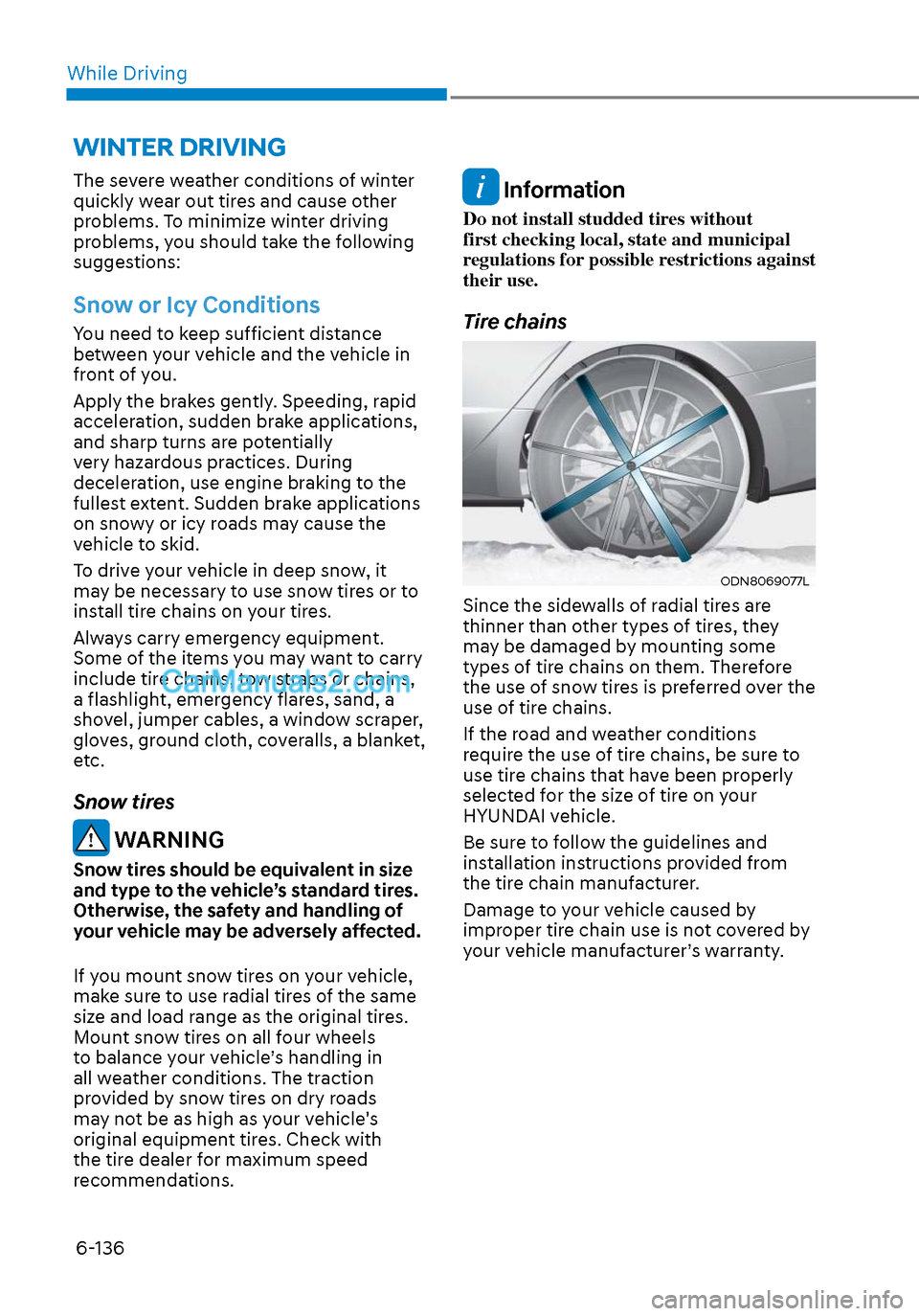
Tire chains
ODN8069077LODN8069077L
Since the sidewalls of radial tires are
thinner than other types of tires, they
may be damaged by mounting some
types of tire chains on them. Therefore
the use of snow tires is preferred over the
use of tire chains.
If the road and weather conditions
require the use of tire chains, be sure to
use tire chains that have been properly
selected for the size of tire on your
HYUNDAI vehicle.
Be sure to follow the guidelines and
installation instructions provided from
the tire chain manufacturer.
Damage to your vehicle caused by
improper tire chain use is not covered by
your vehicle manufacturer’s warranty.
WINTER DRIVING