front brake Hyundai Sonata 2020 User Guide
[x] Cancel search | Manufacturer: HYUNDAI, Model Year: 2020, Model line: Sonata, Model: Hyundai Sonata 2020Pages: 537, PDF Size: 14.54 MB
Page 312 of 537
While Driving6-28
Using ABS
To obtain the maximum benefit from
your ABS in an emergency situation,
do not attempt to modulate your brake
pressure and do not try to pump your
brakes. Depress your brake pedal as hard
as possible.
When you apply your brakes under
conditions which may lock the wheels,
you may hear sounds from the brakes,
or feel a corresponding sensation in the
brake pedal. This is normal and it means
your ABS is active.
ABS does not reduce the time or distance
it takes to stop the vehicle.
Always maintain a safe distance from the
vehicle in front of you.
ABS will not prevent a skid that results
from sudden changes in direction, such
as trying to take a corner too fast or
making a sudden lane change. Always
drive at a safe speed for the road and
weather conditions.
ABS cannot prevent a loss of stability.
Always steer moderately when braking
hard. Severe or sharp steering wheel
movement can still cause your vehicle to
veer into oncoming traffic or off the road.
On loose or uneven road surfaces,
operation of the anti-lock brake system
may result in a longer stopping distance
than for vehicles equipped with a
conventional brake system.
The ABS warning light (
) will stay on
for several seconds after the ignition
switch is in the ON position. During
that time, the ABS will go through self-
diagnosis and the light will go off if
everything is normal. If the light stays on,
you may have a problem with your ABS.
Contact an authorized HYUNDAI dealer
as soon as possible.
WARNING
If the ABS warning light () is on and
stays on, you may have a problem with
the ABS. Your power brakes will work
normally. To reduce the risk of serious
injury or death, contact your HYUNDAI
dealer as soon as possible.
CAUTION
When you drive on a road having poor
traction, such as an icy road, and apply
your brakes continuously, the ABS will
be active continuously and the ABS
warning light (
) may illuminate. Pull
your car over to a safe place and turn
the engine off.
Restart the engine. If the ABS warning
light is off, then your ABS system is
normal.
Otherwise, you may have a problem
with your ABS system. Contact an
authorized HYUNDAI dealer as soon as
possible.
Information
When you jump start your vehicle because
of a drained battery, the ABS warning
light (
) may turn on at the same
time. This happens because of the low
battery voltage. It does not mean your
ABS is malfunctioning. Have the battery
recharged before driving the vehicle.
Page 318 of 537
While Driving6-34
When the system is deactivated:
ODN8069019ODN8069019
The ISG OFF button indicator illuminates.
If the message "Auto Stop is Off.
OIK057173NOIK057173N
Start vehicle manually", appears on the
LCD display with a beep sound, restart
the vehicle manually by depressing the
brake pedal with the vehicle shifted
to P (Park) or N (Neutral). For your
safety, restart the vehicle in the P (Park)
position.
Auto start
To restart the engine in the auto stop
mode
Release the brake pedal.
- When Auto Hold is activated, if you release the brake pedal, the engine will
be in the auto stop state. However, if
you depress the accelerator pedal, the
engine will start again.
The auto stop indicator () goes OFF on
the instrument cluster, when the engine
is restarted.
The engine is automatically restarted in
the following situations.
• The brake vacuum pressure is low
•
The engine has stopped for about 5
minutes
• The air conditioning is ON with the fan speed set to the highest position
• The front defroster is ON
• The battery is weak
• The cooling and heating performance of the climate control system is
unsatisfactory
• The vehicle is shifted to P (Park) when Auto Hold is activated
• The door is opened or the seatbelt is unfastened when Auto Hold is
activated
• The EPB switch is pressed when Auto Hold is activated
The auto stop indicator (
) blinks in
green for 5 seconds on the instrument
cluster.
Page 326 of 537
While Driving6-42
Prerequisite for activation
FCA gets ready to be activated, when
‘Active Assist’ or ‘Warning Only’ under
Forward Safety is selected in the cluster
LCD display, and when the following
prerequisites are satisfied.
- ESC (Electronic Stability Control) is on.
- Vehicle speed is over 6 mph (10 km/h ).
(FCA is only activated within a certain
speed range.)
- The system detects a pedestrian, cyclist or a vehicle in front, which may
collide with your vehicle. However,
FCA may not be activated or may only
sound a warning alarm depending on
the driving or vehicle conditions.
FCA may not operate properly according
to the frontal situation, condition of the
vehicle, the direction of pedestrian or
cyclist or speed. If you select "Warning
Only", only warnings occur.
WARNING
To avoid driver distractions, do not
attempt to set or cancel FCA while
driving the vehicle. Always completely
stop the vehicle at a safe place before
setting or canceling the system.
FCA automatically activates upon
placing the ignition switch to the ON
position. The driver can deactivate FCA
by canceling the system setting on the
cluster LCD display or infotainment
system display (if equipped).
FCA automatically deactivates upon
canceling ESC (Electronic Stability
Control). When ESC is canceled, FCA
cannot be activated in the LCD display
or infotainment system display (if
equipped). In this situation, the FCA
warning light will illuminate which is
normal.
FCA Warning Message and Brake
Control
FCA produces warning messages,
warning alarms, and emergency braking
based on the level of risk of a frontal
collision, such as when a vehicle ahead
suddenly brakes, or the system detects
that a collision with a pedestrian or
cyclist is imminent.
Collision warning (First warning)
ODN8H069201LODN8H069201L
This warning message appears on the
LCD display with a warning chime.
Additionally, some vehicle system
intervention occurs by the engine
management system to help decelerate
the vehicle.
Page 327 of 537
06
6-43
• Your vehicle speed may decelerate moderately.
• If FCA detects a vehicle in front, the system operates when your vehicle
speed is between 6 mph (10 km/h )
and 112 mph (180 km/h). Maximum
vehicle speed may decrease
depending on the condition of the
vehicle ahead and surroundings.
• If FCA detects a pedestrian or cyclist in front, the system operates when
your vehicle speed is between 6
mph (10 km/h ) and 53 mph (85
km/h). Maximum vehicle speed may
decrease depending on the condition
of the pedestrian or cyclist ahead and
surroundings.
• If you select ‘Warning Only’ for the system setting, FCA system activates
and produces only warning alarms
in accordance with the collision risk
levels. You should control the brake
directly because FCA system will not
control the brake.Emergency braking (Second
warning)
ODN8H069202LODN8H069202L
This warning message appears on the
LCD display with a warning chime.
Additionally, some vehicle system
intervention occurs by the engine
management system to help decelerate
the vehicle.
• FCA system limitedly controls the brakes to preemptively mitigate
impact in a collision. The brake control
is maximized just before a collision.
• If FCA detects a vehicle in front, the system operates when your vehicle
speed is above 6 mph (10 km/h ) and
47 mph (75 km/h) or under. Maximum
vehicle speed may decrease
depending on the condition of the
vehicle ahead and surroundings.
• If FCA detects a pedestrian or cyclist in front, the system operates when
your vehicle speed is between 6 mph
(10 km/h) or above and under 40 mph
(65 km/h). Maximum vehicle speed
may decrease depending on the
condition of the pedestrian or cyclist
ahead or surroundings.
• If you select ‘Warning Only’ for the system setting, FCA system activates
and produces only warning alarms
in accordance with the collision risk
levels. You should control the brake
directly because FCA system will not
control the brake.
Page 331 of 537

06
6-47
System Malfunction
Type AType AType BType B
OAD058171LOAD058171LOIK057091LOIK057091L
Check Forward Collision Avoidance Assist
system
When FCA is not working properly, FCA
w
arning light () will illuminate and the
warning message will appear for a few
seconds. After the message disappears,
the master warning light (
) will
illuminate. In this case, have the vehicle
inspected by an authorized HYUNDAI
dealer.
The FCA warning message may appear
along with the illumination of the ESC
(Electronic Stability Control) warning
light. Both FCA warning light and
warning message will disappear once the
ESC warning light issue is resolved.
WARNING
• FCA is only a supplemental system
for the driver's convenience. The
driver should hold the responsibility
to control the vehicle operation. Do
not solely depend on FCA system.
Rather, maintain a safe braking
distance, and, if necessary, depress
the brake pedal to reduce the driving
speed or to stop the vehicle.
• In certain instances and under
certain driving conditions, FCA
system may activate unintentionally.
This initial warning message appears
on the LCD display with a warning
chime.
Also due to sensing limitations, in
certain situations, the front radar
sensor or camera recognition
system may not detect the vehicle,
pedestrian or cyclist (if equipped)
ahead. FCA system may not activate
and the warning message may not be
displayed.
• Even if there is any problem with
the brake control function of FCA
system, the vehicle’s basic braking
performance will operate normally.
However, brake control function for
avoiding collision will not activate.
Page 332 of 537

While Driving6-48
• If the vehicle in front stops suddenly,
you may have less control of the
brake system. Therefore, always keep
a safe distance between your vehicle
and the vehicle in front of you.
• FCA system may activate during
braking and the vehicle may stop
suddenly shifting loose objects
toward the passengers. Always keep
loose objects secured and fasten the
seat belt.
• FCA system may not activate if the
driver applies the brake pedal to
avoid collision.
• The brake control may be
insufficient, possibly causing a
collision, if a vehicle in front abruptly
stops. Always pay extreme caution.
• Occupants may get injured, if
the vehicle abruptly stops by the
activated FCA system. Pay extreme
caution.
• FCA system operates only when the
system detect vehicles, pedestrian or
cyclist in front of the vehicle.
• FCA system may not activate
according to road conditions,
inclement weather, driving
conditions or traffic conditions.
• FCA system may not work for all
vehicles, passengers or cyclists. WARNING
• FCA system does not operate when
the vehicle is in reverse.
• FCA system is not designed to detect
other objects on the road such as
animals.
• FCA system does not detect vehicles
in the opposite lane.
• FCA system does not detect cross
traffic vehicles that are approaching.
• FCA system cannot detect vehicles
that are stopped vertically to your
vehicle at a intersection or dead end
street.
• FCA system cannot detect the cross
traffic cyclist that are approaching.
In these cases, you must maintain a
safe braking distance, and if necessary,
depress the brake pedal to reduce the
driving speed in order to maintain a
safe distance or to stop the vehicle.
Limitations of the System
Forward Collision avoidance assist
system is designed to monitor the
vehicle ahead or a pedestrian or cyclist
in the roadway through radar signals
and camera recognition to warn the
driver that a collision is imminent, and if
necessary, apply emergency braking.
In certain situations, the radar sensor
or the camera may not be able to
detect the vehicle, pedestrian or cyclist
ahead. In these cases, FCA system may
not operate normally. The driver must
pay careful attention in the following
situations where FCA operation may be
limited.
Page 334 of 537
While Driving6-50
OADAS014SDOADAS014SD
OADAS016SDOADAS016SD
OADAS018SDOADAS018SD
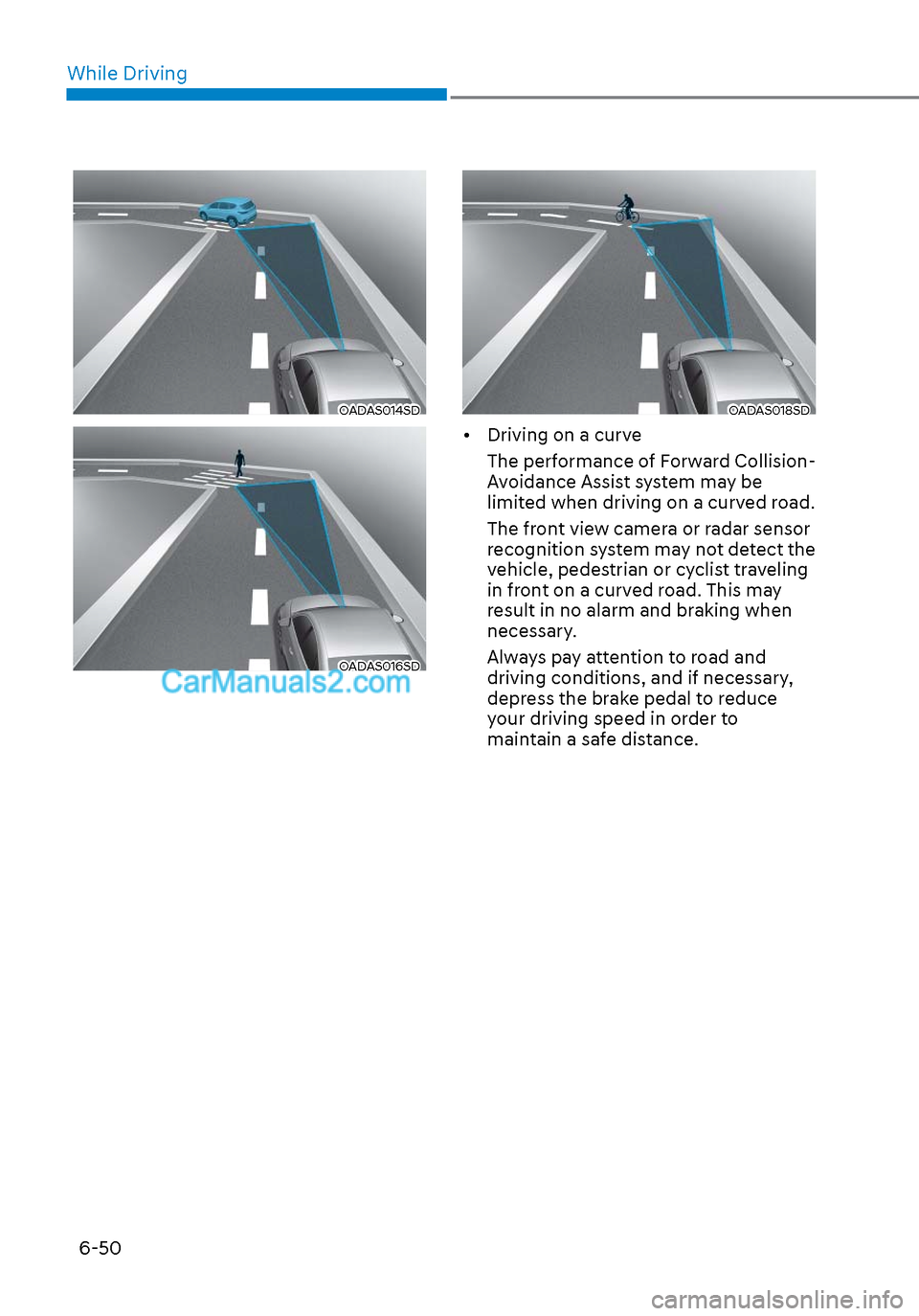
• Driving on a curve The performance of Forward Collision-
Avoidance Assist system may be
limited when driving on a curved road.
The front view camera or radar sensor
recognition system may not detect the
vehicle, pedestrian or cyclist traveling
in front on a curved road. This may
result in no alarm and braking when
necessary.
Always pay attention to road and
driving conditions, and if necessary,
depress the brake pedal to reduce
your driving speed in order to
maintain a safe distance.
Page 336 of 537
While Driving6-52
OADAS012SDOADAS012SD
OADAS011SDOADAS011SD
OADAS010SDOADAS010SD
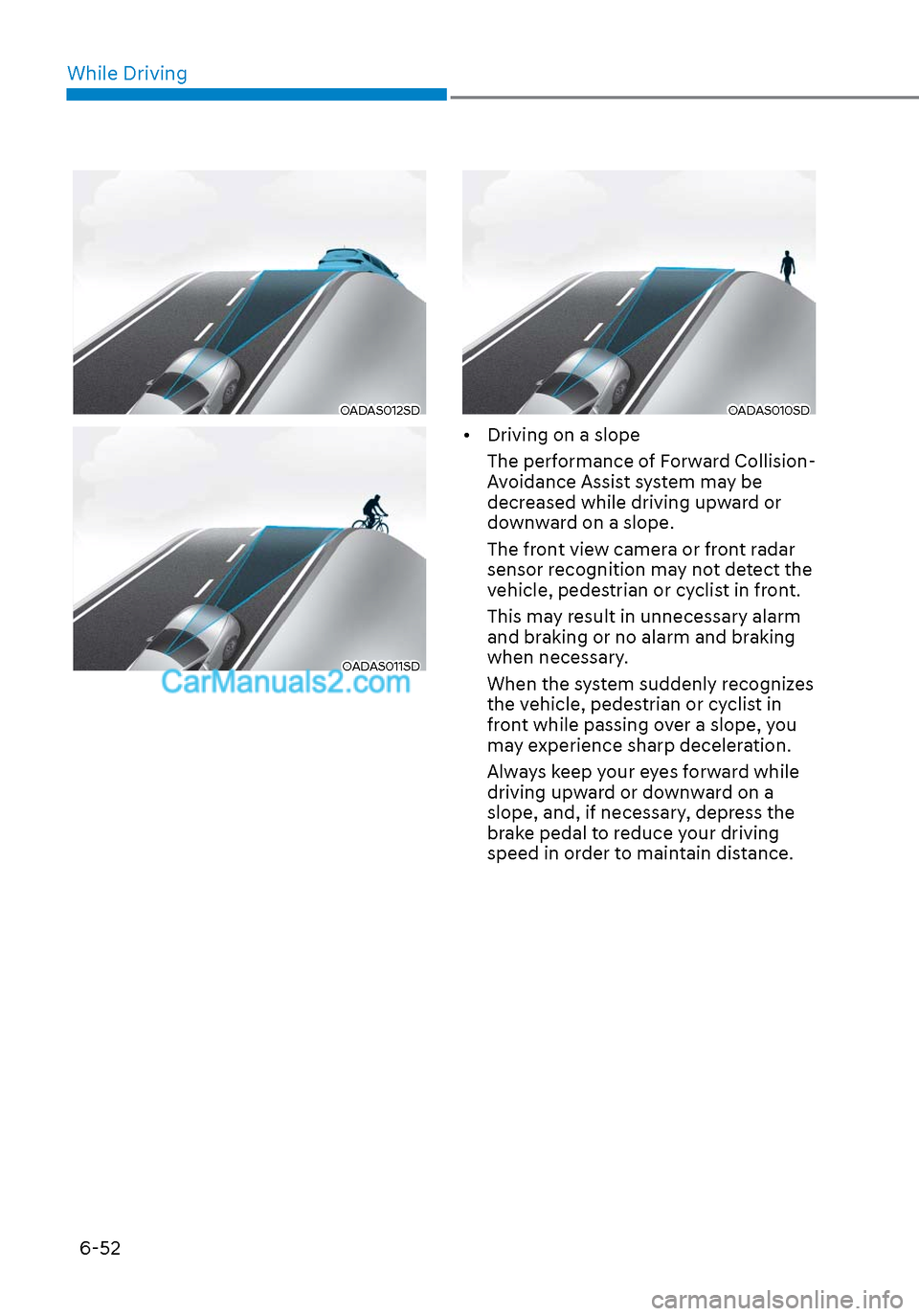
• Driving on a slope The performance of Forward Collision-
Avoidance Assist system may be
decreased while driving upward or
downward on a slope.
The front view camera or front radar
sensor recognition may not detect the
vehicle, pedestrian or cyclist in front.
This may result in unnecessary alarm
and braking or no alarm and braking
when necessary.
When the system suddenly recognizes
the vehicle, pedestrian or cyclist in
front while passing over a slope, you
may experience sharp deceleration.
Always keep your eyes forward while
driving upward or downward on a
slope, and, if necessary, depress the
brake pedal to reduce your driving
speed in order to maintain distance.
Page 337 of 537
06
6-53
ODN8H069196ODN8H069196
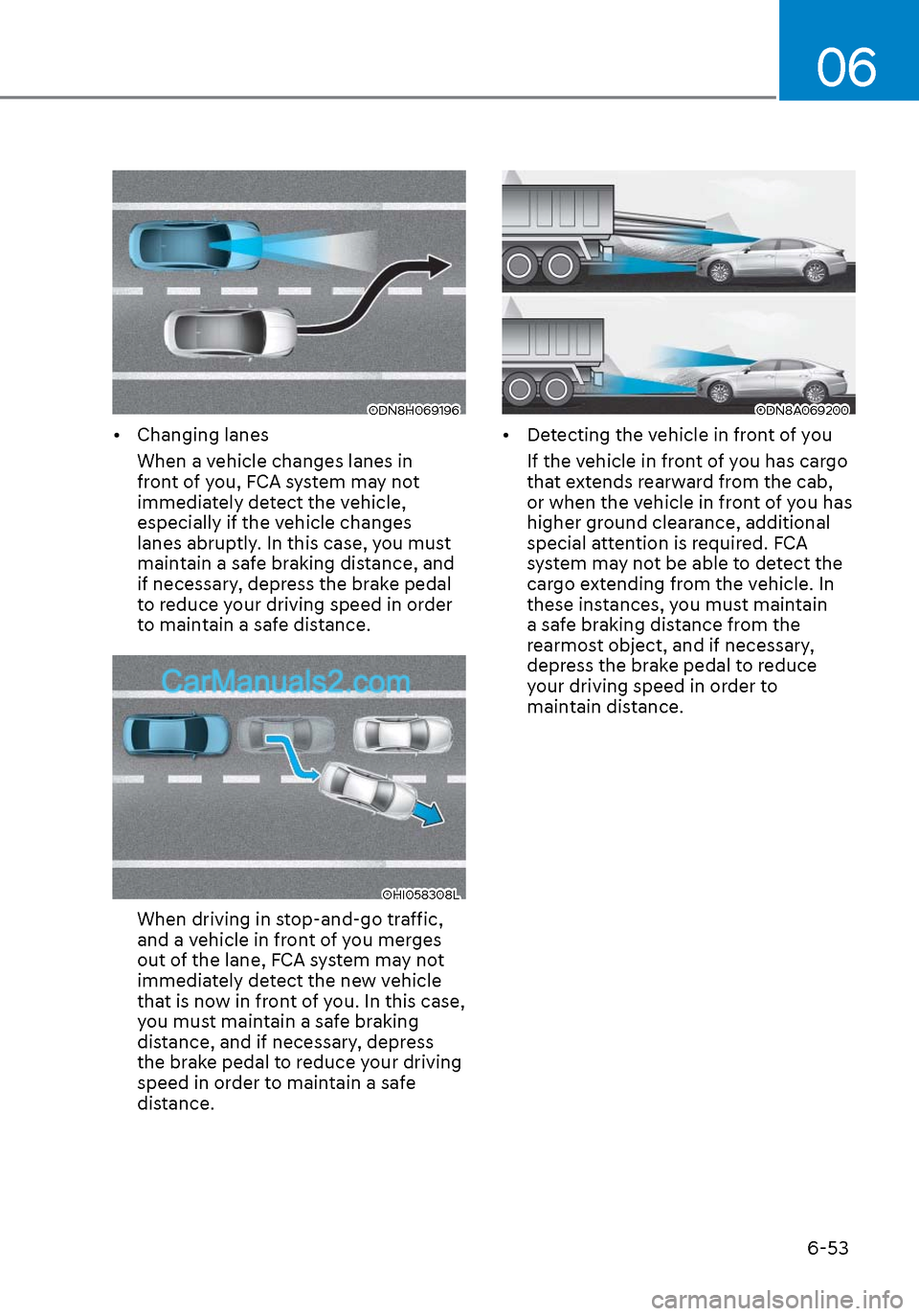
• Changing lanesWhen a vehicle changes lanes in
front of you, FCA system may not
immediately detect the vehicle,
especially if the vehicle changes
lanes abruptly. In this case, you must
maintain a safe braking distance, and
if necessary, depress the brake pedal
to reduce your driving speed in order
to maintain a safe distance.
OHI058308LOHI058308L
When driving in stop-and-go traffic,
and a vehicle in front of you merges
out of the lane, FCA system may not
immediately detect the new vehicle
that is now in front of you. In this case,
you must maintain a safe braking
distance, and if necessary, depress
the brake pedal to reduce your driving
speed in order to maintain a safe
distance.
ODN8A069200ODN8A069200
• Detecting the vehicle in front of youIf the vehicle in front of you has cargo
that extends rearward from the cab,
or when the vehicle in front of you has
higher ground clearance, additional
special attention is required. FCA
system may not be able to detect the
cargo extending from the vehicle. In
these instances, you must maintain
a safe braking distance from the
rearmost object, and if necessary,
depress the brake pedal to reduce
your driving speed in order to
maintain distance.
Page 340 of 537
While Driving6-56
Prerequisite for activation
FCA system is on and ready if you select
“Active assist” or “Warning only” on
the infotainment system and when the
following prerequisites are satisfied: - The system detects a oncoming vehicle in front, which may collide
with your vehicle. It may be activated
when the system recognise the
collision risk at a junction in each
situation.
- The ESC (Electronic Stability Control) is on.
- The vehicle speed moving toward your vehicle exceeds approximately 19
mph (30 km/h) or decreases under 44
mph (70 km/h).
- Driving speed exceeds approximately 6 mph (10 km/h) or decreases under
19 mph (30 km/h)
- Direction signals turn on.
CAUTION
• FCA system may not work or only
some part of the warning system may
perform according to the condition,
driving direction or speed of the
vehicle moving toward your vehicle.
• If you select “Warning only”, FCA
system activates and produces only
warning alarms.
WARNING
• FCA system may not produce the
warning alarm or be activated too
late due to the unexpected driving
caused by the approaching vehicles.
• While turning left, only when the turn
signal is on along with the driving
direction, FCA system is activated
toward the approaching vehicles.
FCA warning message and function
control
FCA produces warning messages and
warning alarms as well as vibrates the
steering wheel in accordance with the
collision risk levels whilst the vehicle
turns left at the crossroads. In addition,
the system controls the brakes according
to the collision risk levels.
ODN8A069201ODN8A069201
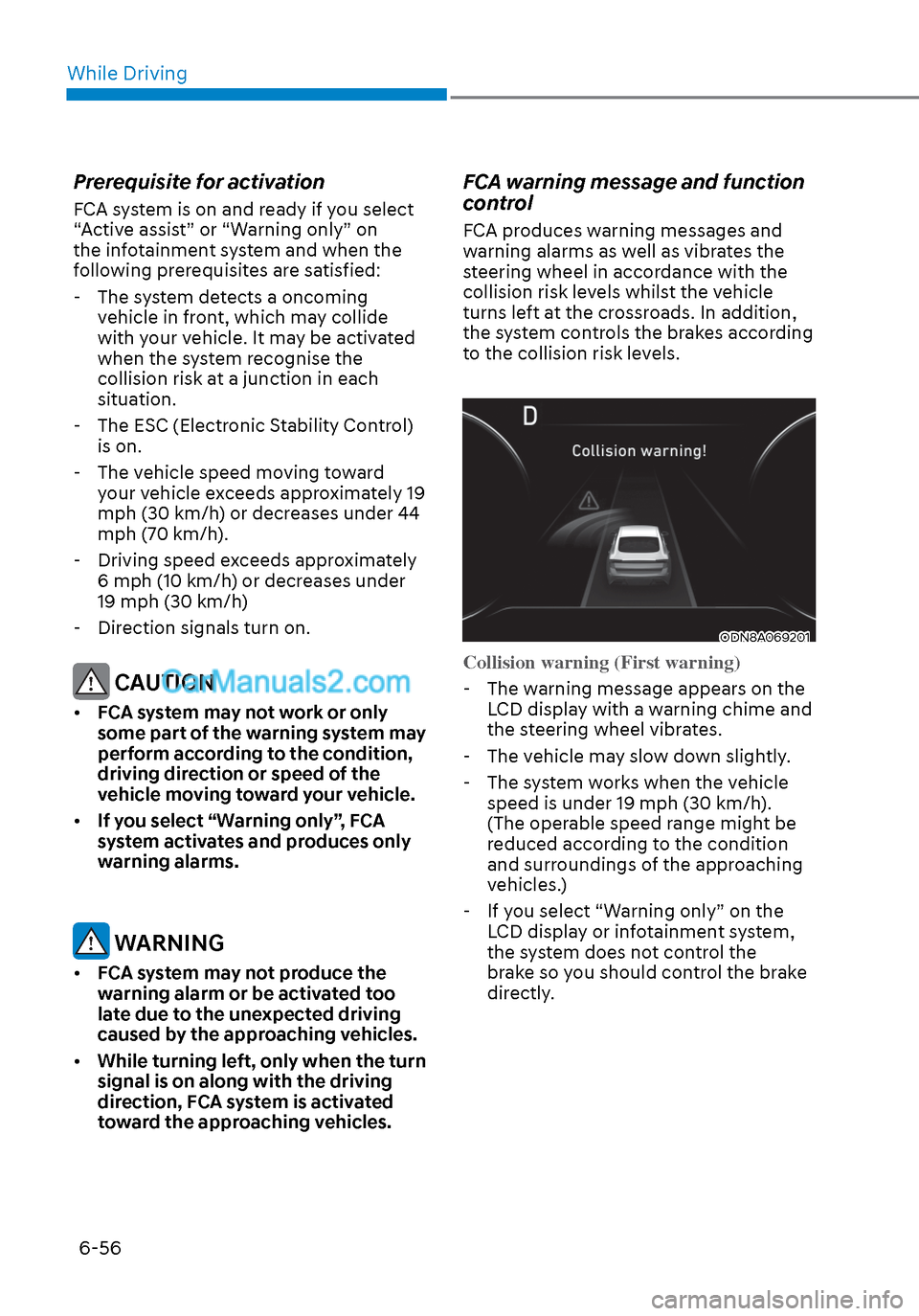
Collision warning (First warning)
-
The warning message appears on the LCD display with a warning chime and
the steering wheel vibrates.
- The vehicle may slow down slightly.
- The system works when the vehicle speed is under 19 mph (30 km/h).
(The operable speed range might be
reduced according to the condition
and surroundings of the approaching
vehicles.)
- If you select “Warning only” on the LCD display or infotainment system,
the system does not control the
brake so you should control the brake
directly.