Screen Hyundai Sonata 2020 Owner's Guide
[x] Cancel search | Manufacturer: HYUNDAI, Model Year: 2020, Model line: Sonata, Model: Hyundai Sonata 2020Pages: 537, PDF Size: 14.54 MB
Page 390 of 537
While Driving6-106
System Setting and Operation
System setting
• With the Engine Start/Stop button in the ON or START position, Navigation-
based Smart Cruise Control can
be activated by selecting 'Driver
Assistance
Highway Auto Curve
Slowdown' from the User Settings
mode on the infotainment system.
For detailed information, please refer
to the infotainment system manual
separately supplied.
• If the engine is turned off then on again, the system maintains the last
setting.
Operating conditions
Select 'Highway Auto Curve Slowdown'
from the Settings menu in the
infotainment system screen and satisfy
the following conditions for the system
to operate.
• Driving on the highway main line
• Smart Cruise Control is operating
If all the mentioned conditions are
satisfied, the system is ENABLED and
the 'AUTO' symbol on the cluster will
illuminate white.
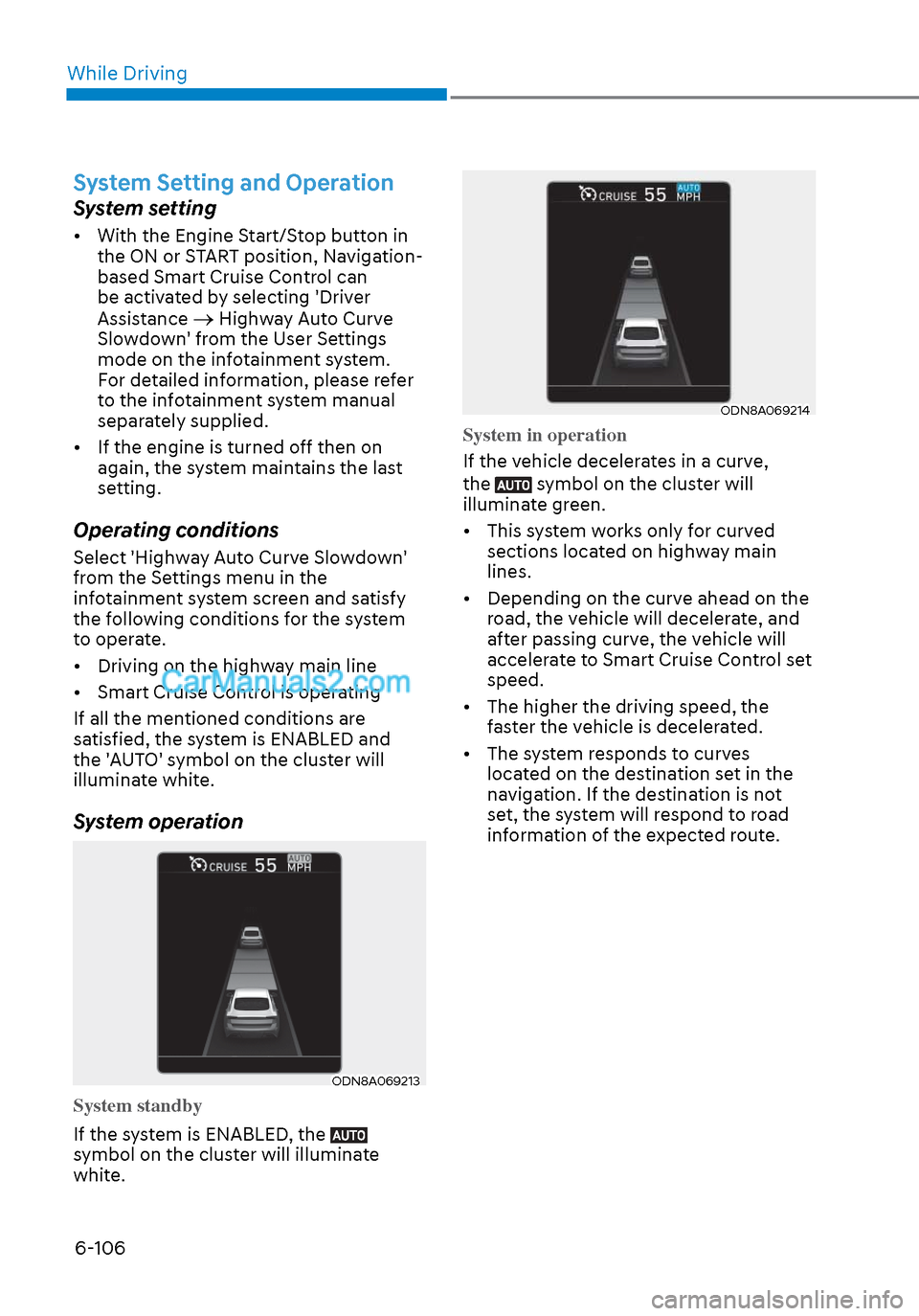
System operation
ODN8A069213ODN8A069213
System standby
If the system is ENABLED, the
symbol on the cluster will illuminate
white.
ODN8A069214ODN8A069214
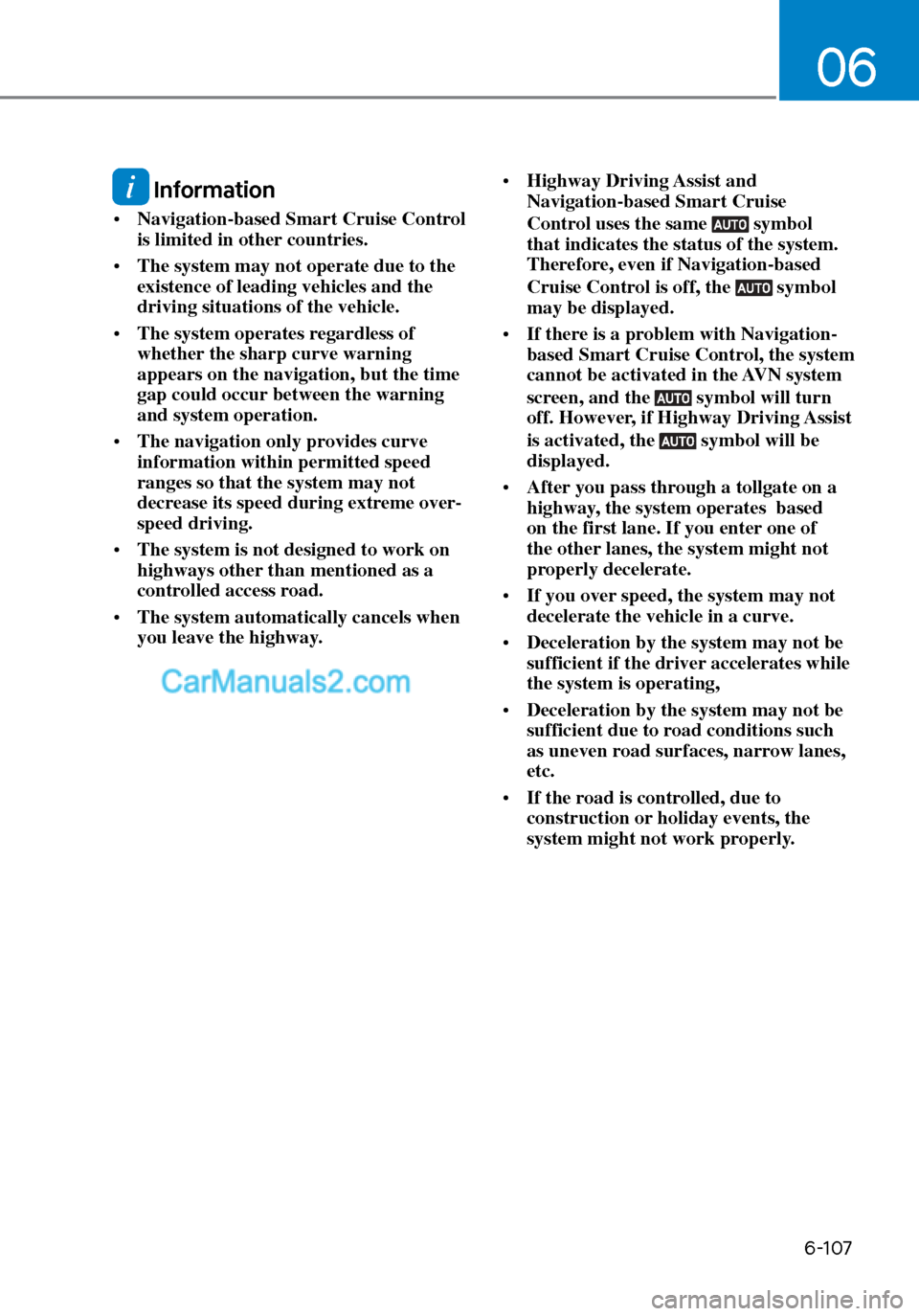
System in operation
If the vehicle decelerates in a curve,
the
symbol on the cluster will
illuminate green.
• This system works only for curved sections located on highway main
lines.
• Depending on the curve ahead on the road, the vehicle will decelerate, and
after passing curve, the vehicle will
accelerate to Smart Cruise Control set
speed.
• The higher the driving speed, the faster the vehicle is decelerated.
• The system responds to curves located on the destination set in the
navigation. If the destination is not
set, the system will respond to road
information of the expected route.
Page 391 of 537
06
6-107
Information
• Navigation-based Smart Cruise Control
is limited in other countries.
• The system may not operate due to the
existence of leading vehicles and the
driving situations of the vehicle.
• The system operates regardless of
whether the sharp curve warning
appears on the navigation, but the time
gap could occur between the warning
and system operation.
• The navigation only provides curve
information within permitted speed
ranges so that the system may not
decrease its speed during extreme over-
speed driving.
• The system is not designed to work on
highways other than mentioned as a
controlled access road.
• The system automatically cancels when
you leave the highway. •
Highway Driving Assist and
Navigation-based Smart Cruise
Control uses the same symbol
that indicates the status of the system.
Therefore, even if Navigation-based
Cruise Control is off, the
symbol
may be displayed.
• If there is a problem with Navigation-
based Smart Cruise Control, the system
cannot be activated in the AVN system
screen, and the
symbol will turn
off. However, if Highway Driving Assist
is activated, the
symbol will be
displayed.
• After you pass through a tollgate on a
highway, the system operates based
on the first lane. If you enter one of
the other lanes, the system might not
properly decelerate.
• If you over speed, the system may not
decelerate the vehicle in a curve.
• Deceleration by the system may not be
sufficient if the driver accelerates while
the system is operating,
• Deceleration by the system may not be
sufficient due to road conditions such
as uneven road surfaces, narrow lanes,
etc.
• If the road is controlled, due to
construction or holiday events, the
system might not work properly.
Page 400 of 537
While Driving6-116
System Setting and Operation
System setting
• With the Engine Start/Stop button in the ON or START position, Highway
Driving Assist can be activated
by selecting 'Driver Assistance
Highway Driving Assist’ from the User
Settings mode on the infotainment
system. For detailed information,
please refer to the infotainment
system manual separately supplied.
• If the engine is turned off then on again, the system maintains the last
setting.
Operating conditions
Select 'Highway Driving Assist' from
the Settings menu in the infotainment
system screen and satisfy the following
conditions for the system to operate.
• Driving on the highway main line
• Smart Cruise Control is operating
- If Smart Cruise Control is in the READY state the Highway Driving
Assist will be in the READY state.
The
indicator on the cluster
will illuminate white.
• Vehicle speed is under 95 mph (153 km/h)
If all the mentioned conditions are
satisfied, the system is ENABLED and
the
indicator on the cluster will
illuminate green.
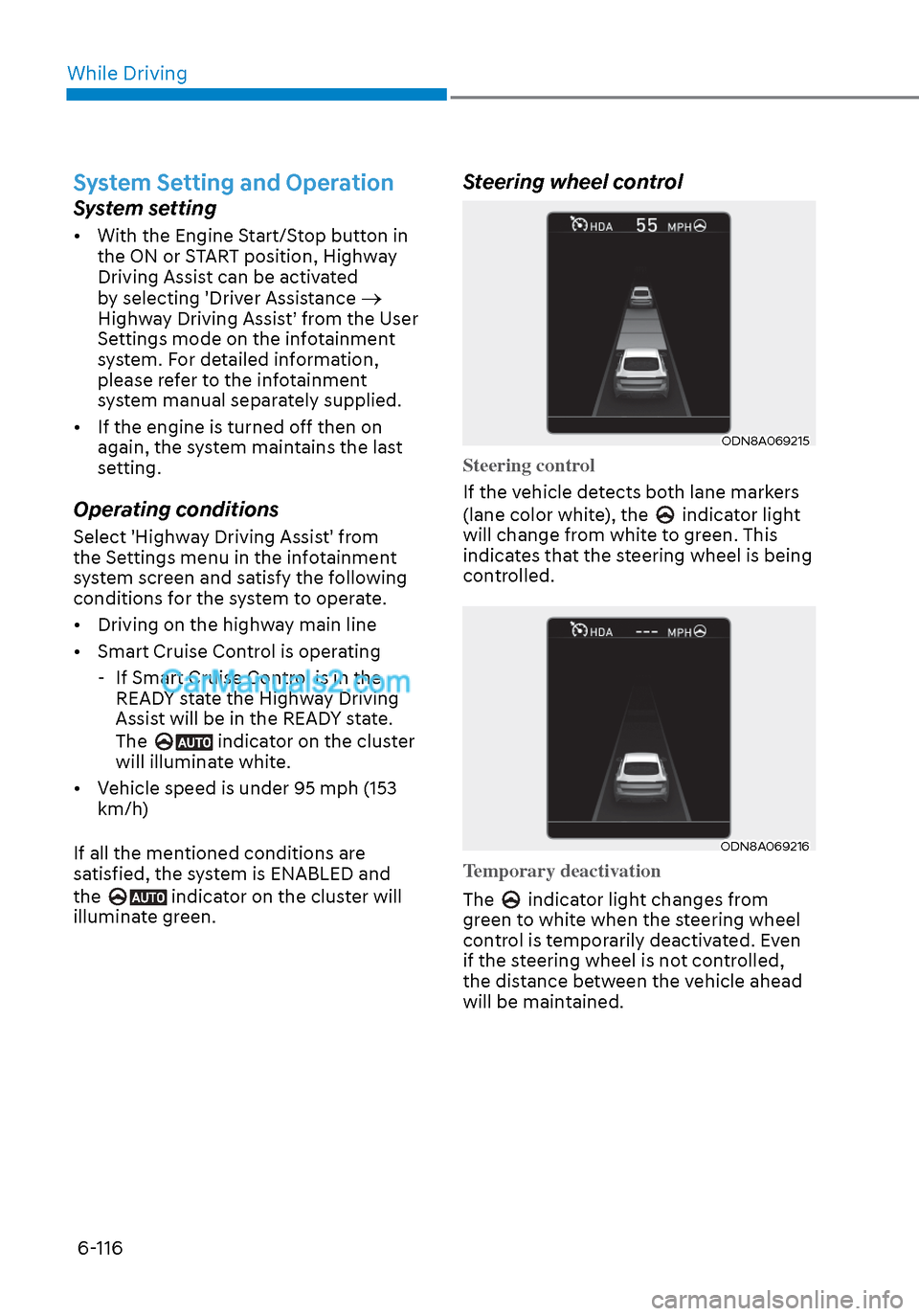
Steering wheel control
ODN8A069215ODN8A069215
Steering control
If the vehicle detects both lane markers
(lane color whit
e), the
indicator light
will change from white to green. This
indicates that the steering wheel is being
controlled.
ODN8A069216ODN8A069216
Temporary deactivation
The
indicator light changes from
green to white when the steering wheel
control is temporarily deactivated. Even
if the steering wheel is not controlled,
the distance between the vehicle ahead
will be maintained.
Page 403 of 537
06
6-119
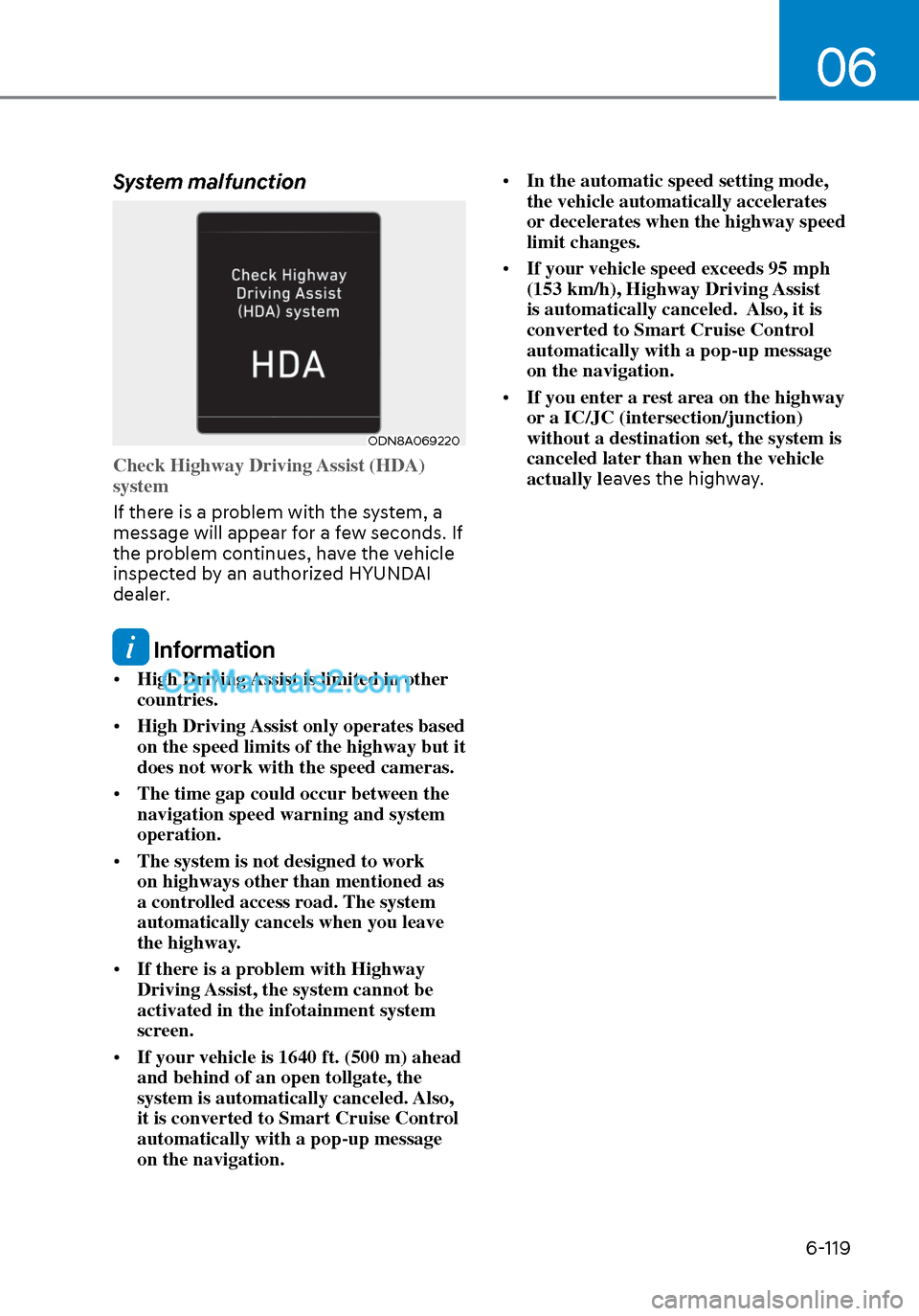
System malfunction
ODN8A069220ODN8A069220
Check Highway Driving Assist (HDA)
system
If there is a problem with the system, a
message will appear f
or a few seconds. If
the problem continues, have the vehicle
inspected by an authorized HYUNDAI
dealer.
Information
• High Driving Assist is limited in other
countries.
• High Driving Assist only operates based
on the speed limits of the highway but it
does not work with the speed cameras.
• The time gap could occur between the
navigation speed warning and system
operation.
• The system is not designed to work
on highways other than mentioned as
a controlled access road. The system
automatically cancels when you leave
the highway.
• If there is a problem with Highway
Driving Assist, the system cannot be
activated in the infotainment system
screen.
• If your vehicle is 1640 ft. (500 m) ahead
and behind of an open tollgate, the
system is automatically canceled. Also,
it is converted to Smart Cruise Control
automatically with a pop-up message
on the navigation. •
In the automatic speed setting mode,
the vehicle automatically accelerates
or decelerates when the highway speed
limit changes.
• If your vehicle speed exceeds 95 mph
(153 km/h), Highway Driving Assist
is automatically canceled. Also, it is
converted to Smart Cruise Control
automatically with a pop-up message
on the navigation.
• If you enter a rest area on the highway
or a IC/JC (intersection/junction)
without a destination set, the system is
canceled later than when the vehicle
actually l eaves the highway.
Page 408 of 537

While Driving6-124
Warning and System Control
Rear Cross-Traffic Collision Warning (RCCW) system
LeftLeft
ODN8H069036ODN8H069036
RightRight
ODN8H069037ODN8H069037
LeftLeft
ODN8069038ODN8069038
RightRight
ODN8069039ODN8069039
If the vehicle detected by the radar sensors approaches from the rear left/right side of
your vehicle, the warning chime will sound, the warning light on the side view mirror
will blink and a message will appear on the LCD display or infotainment system display.
If the rear view monitor system is in activation, a message will also appear on the
infotainment system screen.
The warning will stop when: - The detected vehicle moves out of the sensing area or
- when the vehicle is right behind your vehicle or
- when the vehicle is not approaching your vehicle or
- when the other vehicle slows down.
- The vehicle’s approaching speed is decreased.
Page 409 of 537
06
6-125
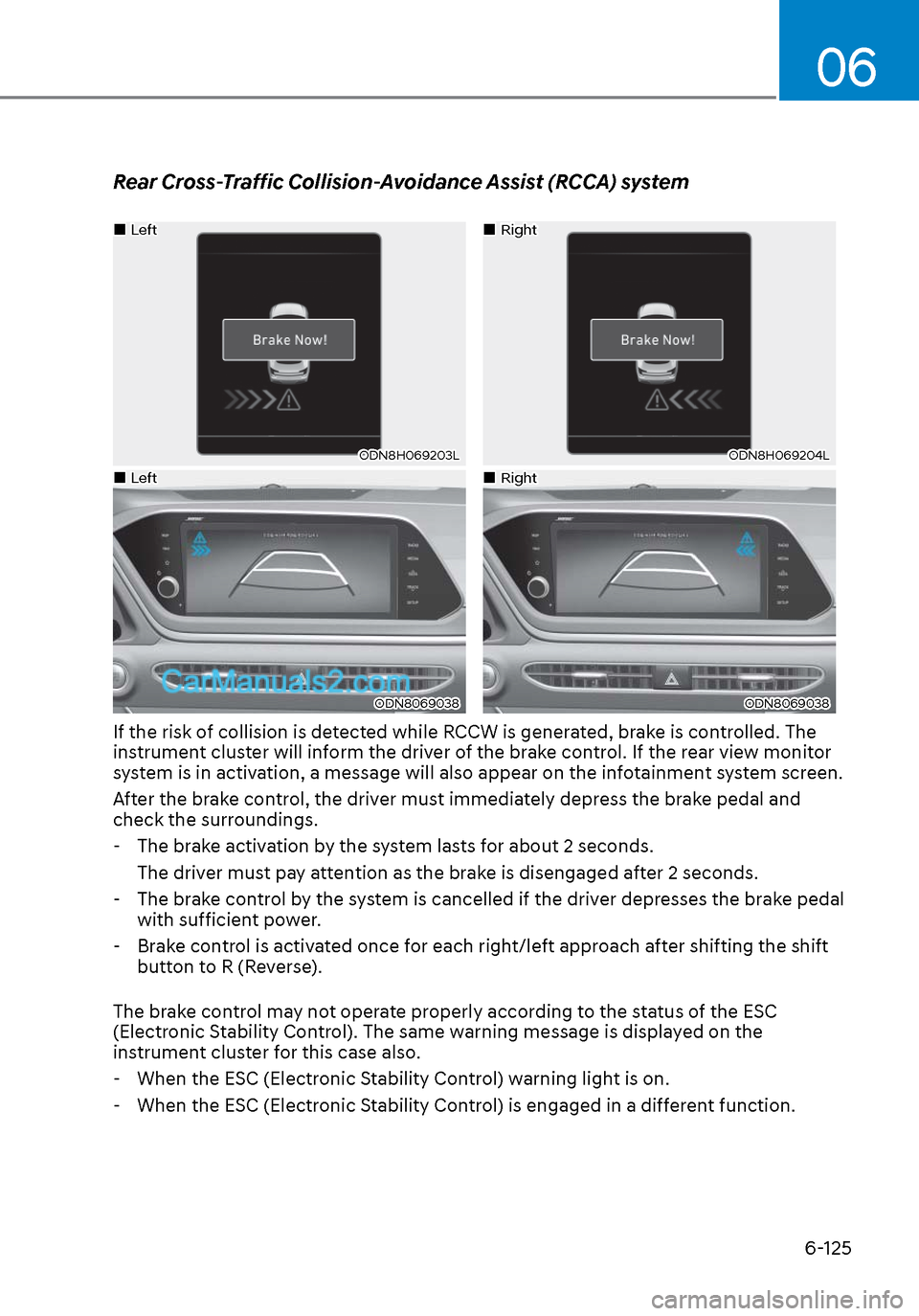
Rear Cross-Traffic Collision-Avoidance Assist (RCCA) system
LeftLeft
ODN8H069203LODN8H069203L
RightRight
ODN8H069204LODN8H069204L
LeftLeft
ODN8069038ODN8069038
RightRight
ODN8069038ODN8069038
If the risk of collision is detected while RCCW is generated, brake is controlled. The
instrument cluster will inform the driver of the brake control. If the rear view monitor
system is in activation, a message will also appear on the infotainment system screen.
After the brake control, the driver must immediately depress the brake pedal and
check the surroundings. - The brake activation by the system lasts for about 2 seconds. The driver must pay attention as the brake is disengaged after 2 seconds.
- The brake control by the system is cancelled if the driver depresses the brake pedal
with sufficient power.
- Brake control is activated once for each right/left approach after shifting the shift
button to R (Reverse).
The brake control may not operate properly according to the status of the ESC
(Electronic Stability Control). The same warning message is displayed on the
instrument cluster for this case also.
- When the ESC (Electronic Stability Control) warning light is on.
- When the ESC (Electronic Stability Control) is engaged in a different function.
Page 513 of 537
Maintenance8-66
NOTICE
Using anything but recommended
cleaners and procedures may affect the
fabric’s appearance and fire-resistant
properties.
Leather (if equipped)
• Features of seat leather -
Leather is made from the outer skin
of an animal, which goes through a
special process to be available for
use. Since it is a natural product,
each part differs in thickness or
density.
Wrinkles may appear as a natural
result of stretching and shrinking
depending on the temperature and
humidity.
- The seat is made of stretchable fabric to improve comfort.
- The parts contacting the body are
curved and the side supporting
area is high which provides driving
comfort and stability.
- Wrinkles may appear naturally from usage. It is not a fault of the
products.
CAUTION
• Wrinkles or abrasions which appear
naturally from usage are not covered
by warranty.
• Belts with metallic accessories,
zippers or keys inside the back
pocket may damage the seat fabric.
• Make sure not to wet the seat. It may
change the nature of natural leather.
• Jeans or clothes which could bleach
may contaminate the surface of the
seat covering fabric. • Caring for the leather seats
- Vacuum the seat periodically to remove dust and sand on the seat. It
will prevent abrasion or damage of
the leather and maintain its quality.
- Wipe the natural leather seat cover often with dry or soft cloth.
- Use of proper leather protector may prevent abrasion of the cover and
helps maintain the color. Be sure to
read the instructions and consult
a specialist when using leather
coating or protective agent.
- Light colored (beige, cream beige) leather is easily contaminated and
the stain is noticeable. Clean the
seats frequently.
- Avoid wiping with wet cloth. It may cause the surface to crack.
• Cleaning the leather seats
- Remove all contaminations
instantly. Refer to instructions below
for removal of each contaminant.
- Cosmetic products (sunscreen, foundation, etc.)
Apply cleansing cream on a cloth
and wipe the contaminated spot.
Wipe off the cream with a wet cloth
and remove water with a dry cloth.
- Beverages (coffee, soft drink, etc.)
Apply a small amount of neutral
detergent and wipe until
contaminations do not smear.
- Oil Remove oil instantly with
absorbable cloth and wipe with
stain remover used only for natural
leather.
- Chewing gum Harden the gum with ice and
remove gradually.