light Hyundai Sonata 2020 Manual PDF
[x] Cancel search | Manufacturer: HYUNDAI, Model Year: 2020, Model line: Sonata, Model: Hyundai Sonata 2020Pages: 537, PDF Size: 14.54 MB
Page 223 of 537
05
5-93
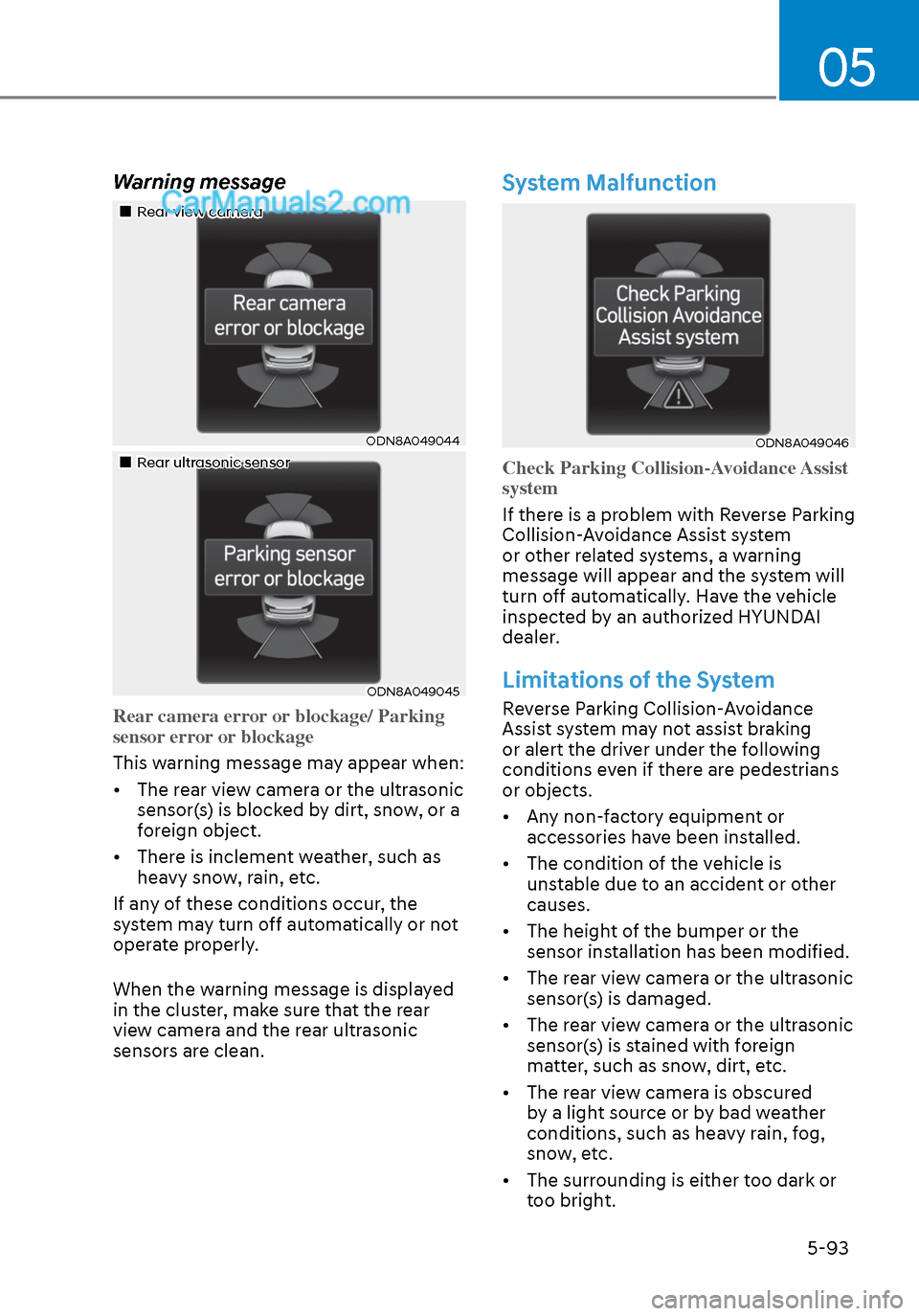
Warning message
Rear view cameraRear view camera
ODN8A049044ODN8A049044
Rear ultrasonic sensorRear ultrasonic sensor
ODN8A049045ODN8A049045
Rear camera error or blockage/ Parking
sensor error or blockage
This warning message may appear when:
•
The rear view camera or the ultrasonic
sensor(s) is blocked by dirt, snow, or a
foreign object.
• There is inclement weather, such as heavy snow, rain, etc.
If any of these conditions occur, the
system may turn off automatically or not
operate properly.
When the warning message is displayed
in the cluster, make sure that the rear
view camera and the rear ultrasonic
sensors are clean.
System Malfunction
ODN8A049046ODN8A049046
Check Parking Collision-Avoidance Assist
system
If there is a problem with Reverse Parking
Collision-
Avoidance Assist system
or other related systems, a warning
message will appear and the system will
turn off automatically. Have the vehicle
inspected by an authorized HYUNDAI
dealer.
Limitations of the System
Reverse Parking Collision-Avoidance
Assist system may not assist braking
or alert the driver under the following
conditions even if there are pedestrians
or objects.
• Any non-factory equipment or accessories have been installed.
• The condition of the vehicle is unstable due to an accident or other
causes.
• The height of the bumper or the sensor installation has been modified.
• The rear view camera or the ultrasonic sensor(s) is damaged.
• The rear view camera or the ultrasonic sensor(s) is stained with foreign
matter, such as snow, dirt, etc.
• The rear view camera is obscured by a light source or by bad weather
conditions, such as heavy rain, fog,
snow, etc.
• The surrounding is either too dark or too bright.
Page 224 of 537
Convenient Features5-94
• Outside air temperature is hot or cold.
• The wind is either strong (over 12 mph (20 km/h)) or blowing perpendicular
to the rear bumper.
• Objects generating excessive noise, such as vehicle horns, loud
motorcycle engines, or truck air
brakes, are near the vehicle.
• An ultrasonic sensor with a similar frequency is near the vehicle.
• There is ground height difference between the vehicle and the
pedestrian.
• The image of the pedestrian in the rear view camera is indistinguishable
from the background.
• The pedestrian is near the rear edge of the vehicle.
• The pedestrian is not standing upright.
• The pedestrian is either too short or too tall for the system to recognize.
• The pedestrian is wearing clothes that are hard for the system to recognize.
• The pedestrian is wearing a cloth that does not reflect ultrasound well.
• The size, thickness, height, or shape of the object does not reflect ultrasound
well (e.g., pole, bush, curbs, carts,
edge of a wall, etc.).
• The pedestrian or the object is moving.
• The pedestrian or the object is very close to the rear of the vehicle.
• A wall is behind the pedestrian or the object.
• The object is not at the rear center of the vehicle.
• The plane of the obstacle is not parallel to the rear bumper.
• The road is slippery or inclined.
• The driver backs up the vehicle immediately after shifting to R
(Reverse).
• The driver accelerates or turns the vehicle. Reverse Parking Collision-Avoidance
Assist system may alert the driver or
apply brake power unnecessarily under
the following conditions even if there are
“no” pedestrians or objects.
• Any non-factory equipment or
accessories have been installed.
• The condition of the vehicle is unstable due to an accident or other
causes.
• The height of the bumper or the sensor installation has been modified.
• The bumper height has changed due to heavy loads, tire pressure change,
etc.
• The rear view camera or the ultrasonic sensor(s) is stained with foreign
matter, such as snow, dirt, etc.
• The pattern on the road is mistaken for a pedestrian.
• There is a shadow or a light reflecting on the ground.
• Pedestrians or objects are around the path of the vehicle.
• Objects generating excessive noise, such as vehicle horns, loud
motorcycle engines, or truck air
brakes, are near the vehicle.
• The vehicle is backing towards a narrow passage or parking space.
• The vehicle is backing towards an uneven road surface, such as unpaved
road, gravel, bump, gradient, etc.
• A trailer is attached to the vehicle
Page 227 of 537
05
5-97
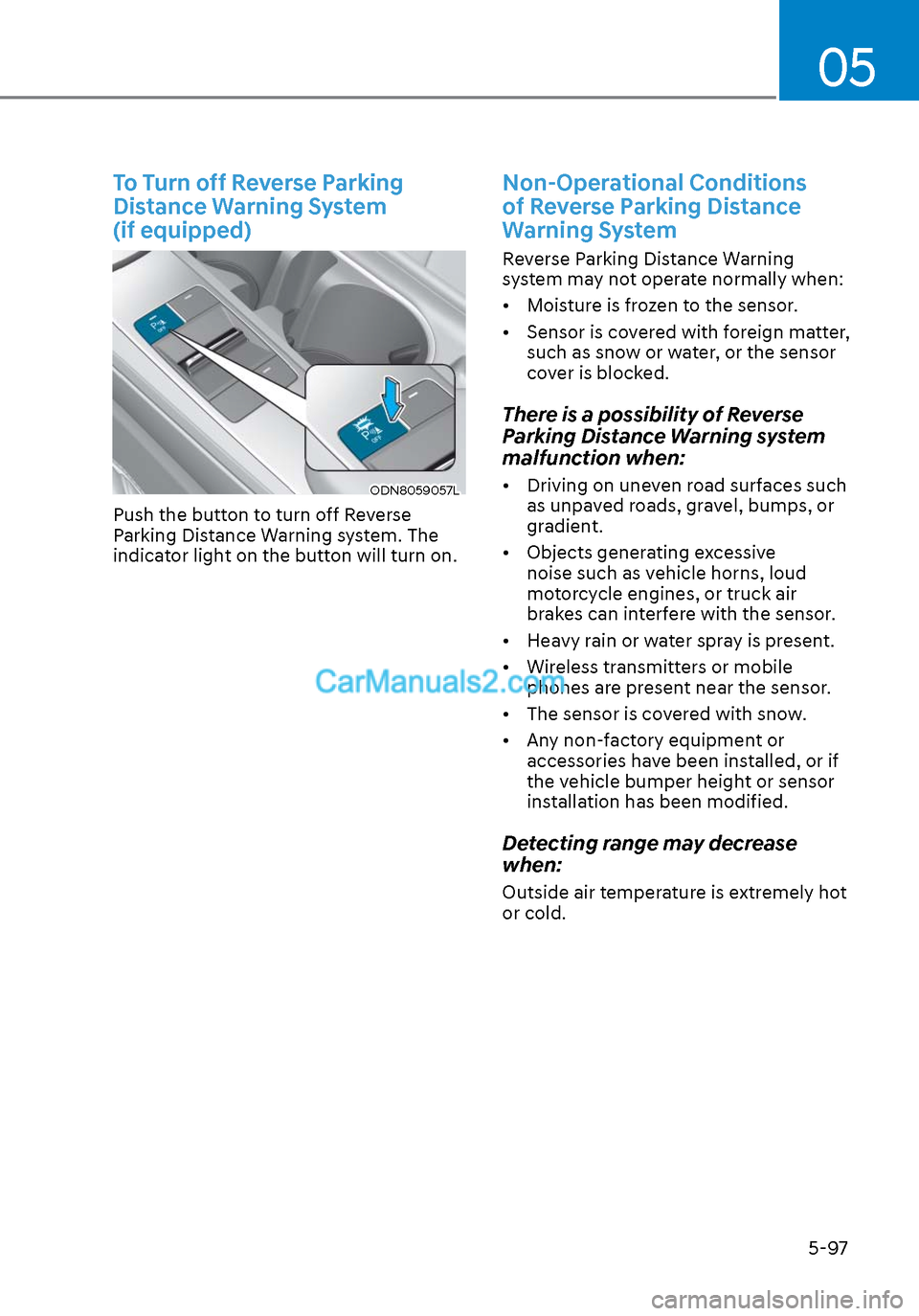
To Turn off Reverse Parking
Distance Warning System
(if equipped)
ODN8059057LODN8059057L
Push the button to turn off Reverse
Parking Distance Warning system. The
indicator light on the button will turn on.
Non-Operational Conditions
of Reverse Parking Distance
Warning System
Reverse Parking Distance Warning
system may not operate normally when:
• Moisture is frozen to the sensor.
• Sensor is covered with foreign matter, such as snow or water, or the sensor
cover is blocked.
There is a possibility of Reverse
Parking Distance Warning system
malfunction when:
• Driving on uneven road surfaces such as unpaved roads, gravel, bumps, or
gradient.
• Objects generating excessive noise such as vehicle horns, loud
motorcycle engines, or truck air
brakes can interfere with the sensor.
• Heavy rain or water spray is present.
• Wireless transmitters or mobile phones are present near the sensor.
• The sensor is covered with snow.
• Any non-factory equipment or accessories have been installed, or if
the vehicle bumper height or sensor
installation has been modified.
Detecting range may decrease
when:
Outside air temperature is extremely hot
or cold.
Page 238 of 537
Convenient Features5-108
How Remote Smart Parking
Assist System Works
Remote Moving Forward/Backward
Remote Moving Forward/Backward is
available with the driver outside the
vehicle. Make sure the conditions are
met before activating Remote Moving
Forward/Backward function. With the
function, you can park or exit the vehicle
and the procedure is as follows.
1. Remote Moving Forward/Backward ready:
(1) With the vehicle off: Remotely turn on the vehicle.
(2) With the vehicle on: with shift button is in P (Park) position,
then press Remote Smart Parking
Assist system button. Then exit the
vehicle possessing the smart key.
2. Remote Moving Forward/Backward assist: Press and hold the Moving
Forward/Backward button of the
smart key to provide the Remote
Moving Forward/Backward assist
through steering wheel, gear shift and
vehicle speed control.
3. Remote Moving Forward/Backward complete: When the vehicle reaches
the desired position, release the
smart key button. Then complete the
Remote Moving Forward/Backward
by entering the vehicle possessing the
smart key or by pressing the remote
start button of the smart key.
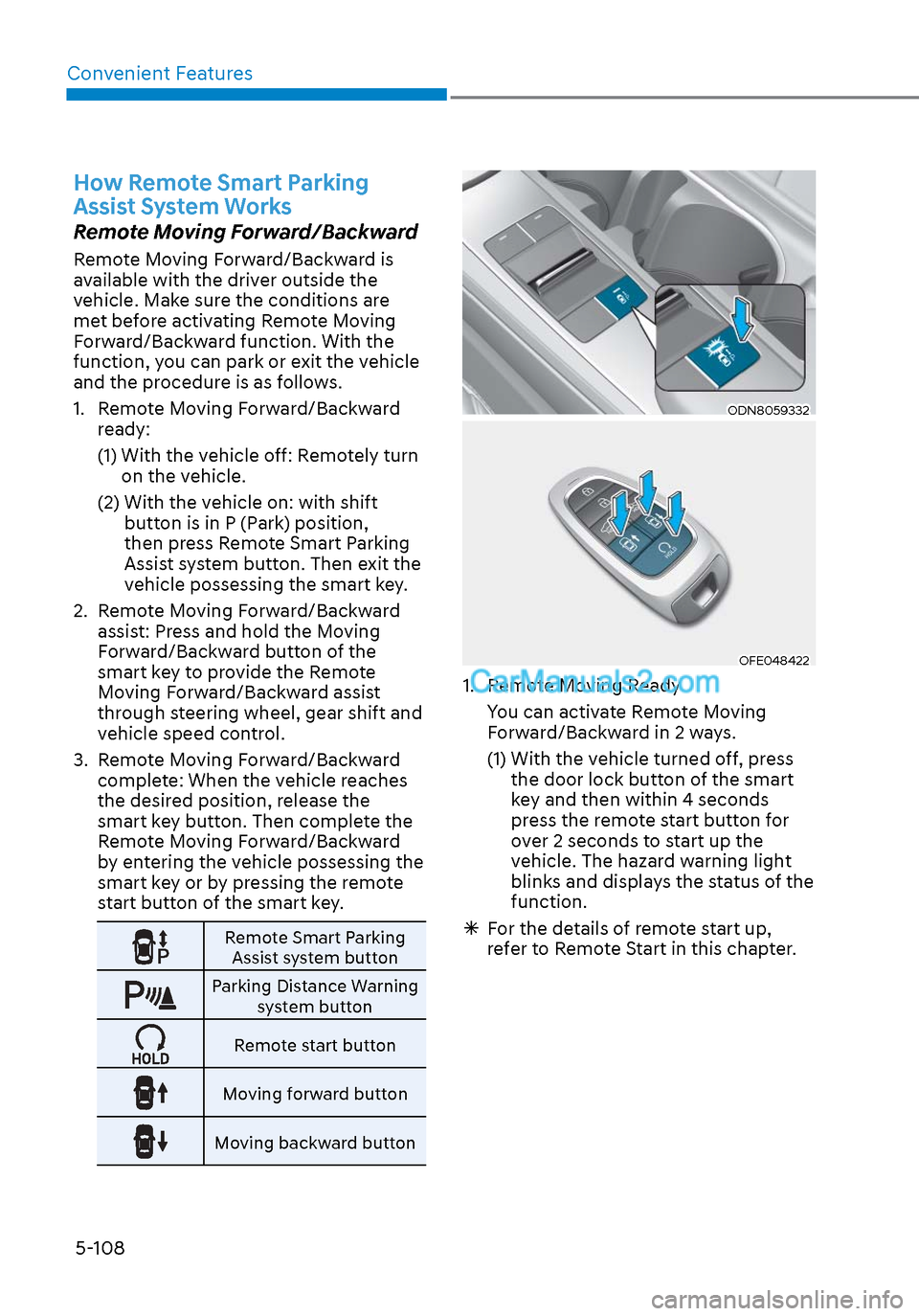
Remote Smart Parking
Assist system button
Parking Distance Warning system button
Remote start button
Moving forward button
Moving backward button
ODN8059332ODN8059332
OFE048422OFE048422
1. Remote Moving Ready
You can activate Remote Moving Forward/Backward in 2 ways.
(1) With the vehicle turned off, press the door lock button of the smart
key and then within 4 seconds
press the remote start button for
over 2 seconds to start up the
vehicle. The hazard warning light
blinks and displays the status of the
function.
For the details of remote start up,
refer to Remote Start in this chapter.
Page 239 of 537
05
5-109
ODN8A059248ODN8A059248
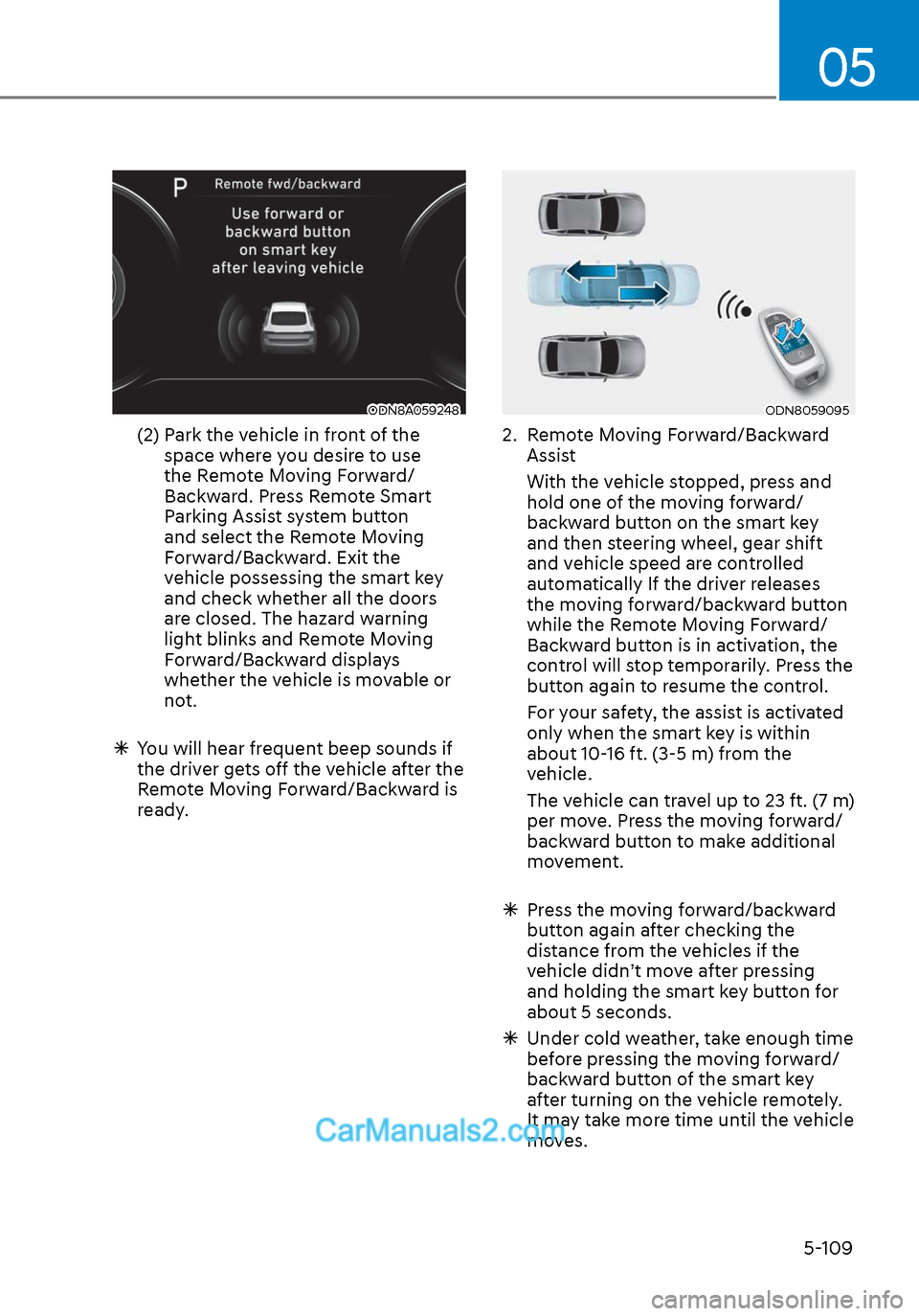
(2) Park the vehicle in front of the space where you desire to use
the Remote Moving Forward/
Backward. Press Remote Smart
Parking Assist system button
and select the Remote Moving
Forward/Backward. Exit the
vehicle possessing the smart key
and check whether all the doors
are closed. The hazard warning
light blinks and Remote Moving
Forward/Backward displays
whether the vehicle is movable or
not.
You will hear frequent beep sounds if
the driver gets off the vehicle after the
Remote Moving Forward/Backward is
ready.
ODN8059095ODN8059095
2. Remote Moving Forward/Backward
Assist
With the vehicle stopped, press and hold one of the moving forward/
backward button on the smart key
and then steering wheel, gear shift
and vehicle speed are controlled
automatically If the driver releases
the moving forward/backward button
while the Remote Moving Forward/
Backward button is in activation, the
control will stop temporarily. Press the
button again to resume the control.
For your safety, the assist is activated only when the smart key is within
about 10-16 ft. (3-5 m) from the
vehicle.
The vehicle can travel up to 23 ft. (7 m) per move. Press the moving forward/
backward button to make additional
movement.
Press the moving forward/backward
button again after checking the
distance from the vehicles if the
vehicle didn’t move after pressing
and holding the smart key button for
about 5 seconds.
Under cold weather, take enough time
before pressing the moving forward/
backward button of the smart key
after turning on the vehicle remotely.
It may take more time until the vehicle
moves.
Page 240 of 537
Convenient Features5-110
When the Remote Moving Forward
is ready by the above No. (1)
method, the vehicle recognizes the
condition as exit. After confirming
the surroundings within 13 ft. (4 m), it
allows to operate the steering wheel
up to the conditions ahead.
When Remote Moving Forward is
ready by the above No. (2) method,
the vehicle recognizes the condition
as entering to the parking space.
According to the front condition, it
immediately allows the vehicle to
enter to the parking space and line
up with the steering wheel control.
However, the function performance
can be degraded up to the shape or
position of the surrounding objects.
If you select the remote moving
backward, both of the No. (1) and (2)
methods make the vehicle go straight
after lining up.
While Remote Moving Forward/
Backward assist is operating, the
brake light turns on.
ODN8A059249ODN8A059249
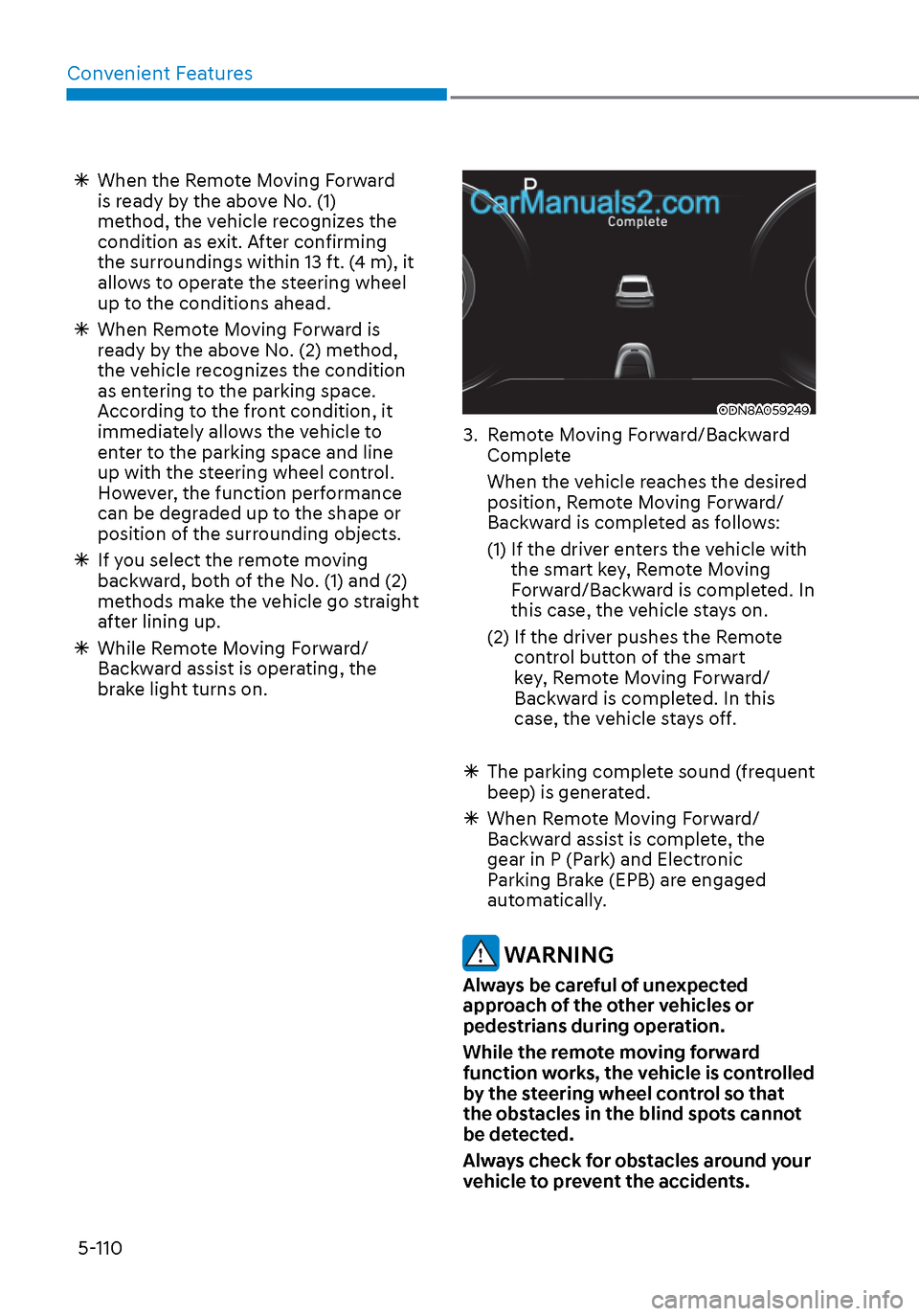
3. Remote Moving Forward/Backward
Complete
When the vehicle reaches the desired position, Remote Moving Forward/
Backward is completed as follows:
(1) If the driver enters the vehicle with the smart key, Remote Moving
Forward/Backward is completed. In
this case, the vehicle stays on.
(2) If the driver pushes the Remote control button of the smart
key, Remote Moving Forward/
Backward is completed. In this
case, the vehicle stays off.
The parking complete sound (frequent
beep) is generated.
When Remote Moving Forward/
Backward assist is complete, the
gear in P (Park) and Electronic
Parking Brake (EPB) are engaged
automatically.
WARNING
Always be careful of unexpected
approach of the other vehicles or
pedestrians during operation.
While the remote moving forward
function works, the vehicle is controlled
by the steering wheel control so that
the obstacles in the blind spots cannot
be detected.
Always check for obstacles around your
vehicle to prevent the accidents.
Page 244 of 537
Convenient Features5-114
Display Operation Status
While Remote Smart Parking Assist system is on, Smart key / Hazard lamp
status is displayed
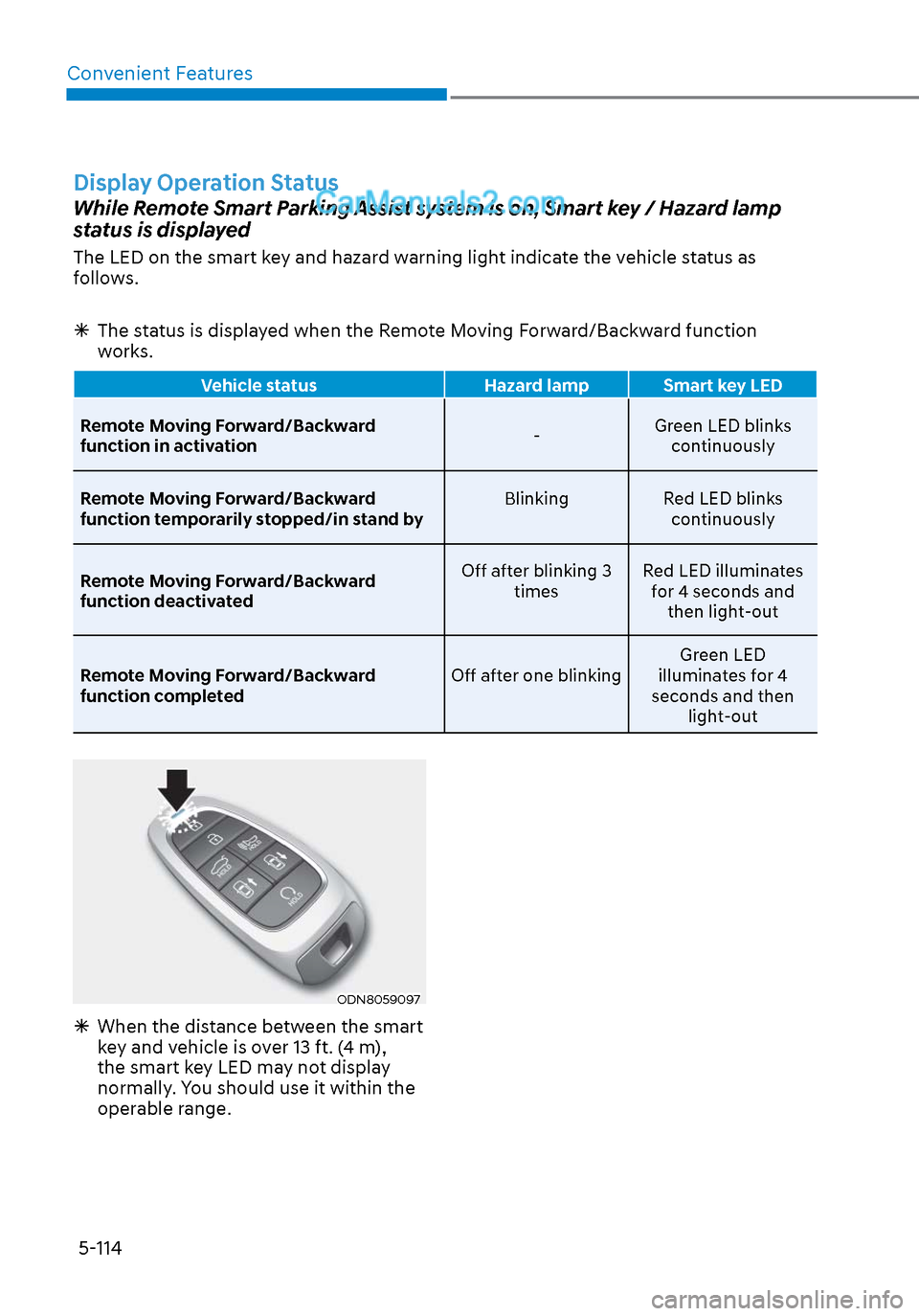
The LED on the smart key and hazard warning light indicate the vehicle status as
follows.
The status is displayed when the Remote Moving Forward/Backward function
works.
Vehicle status Hazard lamp Smart key LED
Remote Moving Forward/Backward
function in activ
ation -Green LED blinks
continuously
Remote Moving Forward/Backward
function temporarily stopped/in stand by Blinking
Red LED blinks
continuously
Remote Moving Forward/Backward
function deactivated Off after blinking 3
times Red LED illuminates
for 4 seconds and then light-out
Remote Moving Forward/Backward
function completed Off after one blinkingGreen LED
illuminates for 4
seconds and then light-out
ODN8059097ODN8059097
When the distance between the smart
key and vehicle is over 13 ft. (4 m),
the smart key LED may not display
normally. You should use it within the
operable range.
Page 253 of 537
05
5-123
Information
Using the system primarily in Fresh mode
and Recirculation mode only when needed
is recommended for best results.
Prolonged operation of the heater in
Recirculation mode and without the A/C
ON can cause fogging of the windshield.
In addition, prolonged use of the A/C
ON in Recirculation mode may result in
excessively dry, dehumidified air in the
cabin.
WARNING
• Continued use of the climate control
system operation in Recirculation
mode for a prolonged period of
time may cause drowsiness to the
occupants in the cabin. This may lead
to loss of vehicle control which may
lead to an accident.
• Continued use of the climate control
system operation in Recirculation
mode with the A/C OFF may allow
humidity to increase inside the
cabin. This may cause condensation
to accumulate on the windshield and
obscure visibility.
• Do not sleep in your vehicle or
remain parked in your vehicle with
the windows up and either the
heater or the air conditioning ON for
prolonged periods of time. Doing so
may increase the levels of carbon
dioxide in the cabin which may lead
to serious injury or death.
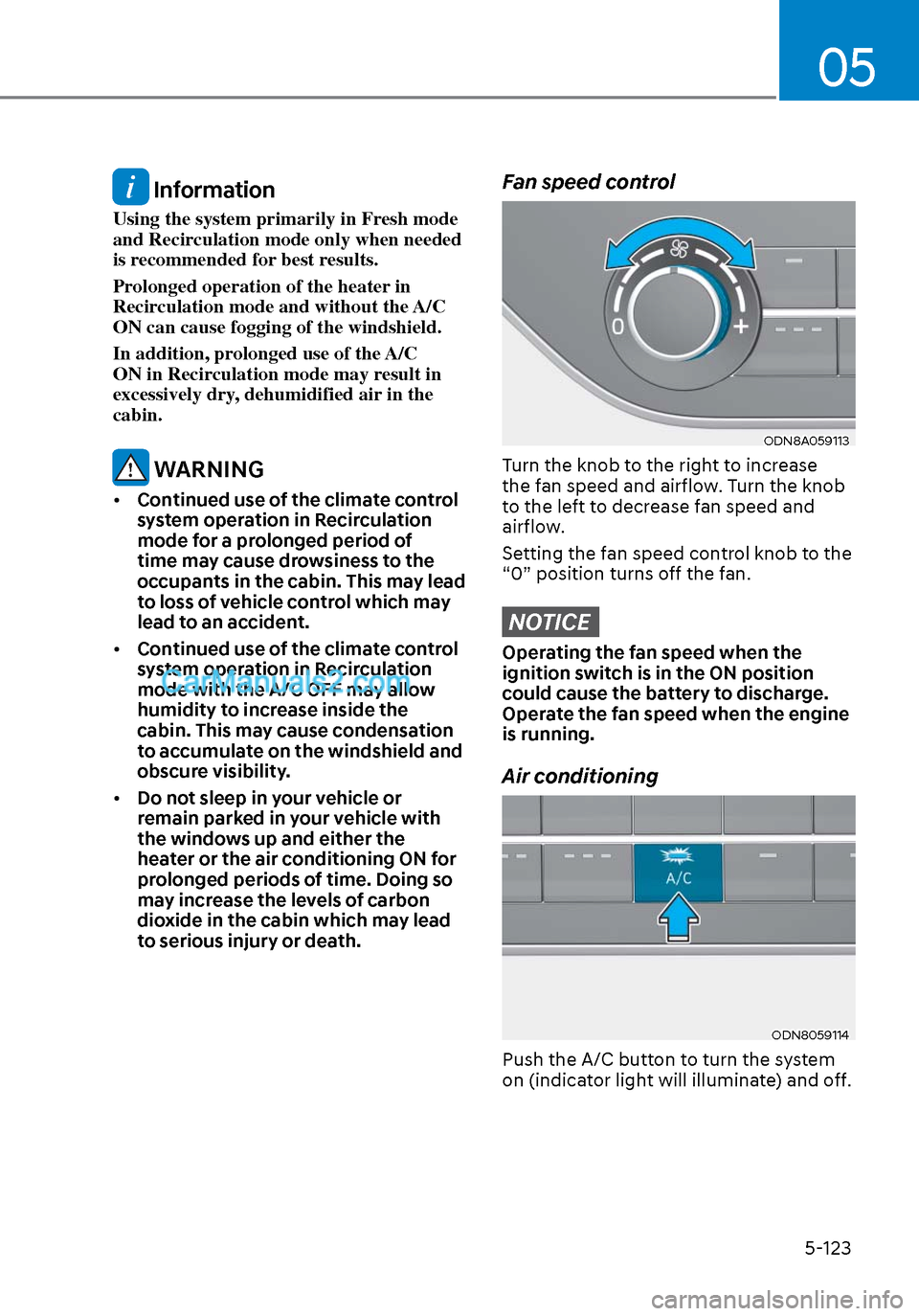
Fan speed control
ODN8A059113ODN8A059113
Turn the knob to the right to increase
the fan speed and airflow. Turn the knob
to the left to decrease fan speed and
airflow.
Setting the fan speed control knob to the
“0” position turns off the fan.
NOTICE
Operating the fan speed when the
ignition switch is in the ON position
could cause the battery to discharge.
Operate the fan speed when the engine
is running.
Air conditioning
ODN8059114ODN8059114
Push the A/C button to turn the system
on (indicator light will illuminate) and off.
Page 255 of 537
05
5-125
Air conditioning system operation tips
• If the vehicle has been parked in dir
ect sunlight during hot weather,
open the windows for a short time
to let the hot air inside the vehicle
escape.
• After sufficient cooling has been achieved, switch back from the
recirculated air to the fresh outside air
position.
• To help reduce moisture inside of the windows on rainy or humid
days, decrease the humidity inside
the vehicle by operating the air
conditioning system with the windows
and sunroof closed.
• Use the air conditioning system every month only for a few minutes
to ensure maximum system
performance.
• If you operate air conditioner excessively, the difference between
the temperature of the outside air and
that of the windshield could cause
the outer surface of the windshield
to fog up, causing loss of visibility. In
this case, set the mode selection knob
or button to the
position and fan
speed control to the lower speed.
System Maintenance
Cabin air filter
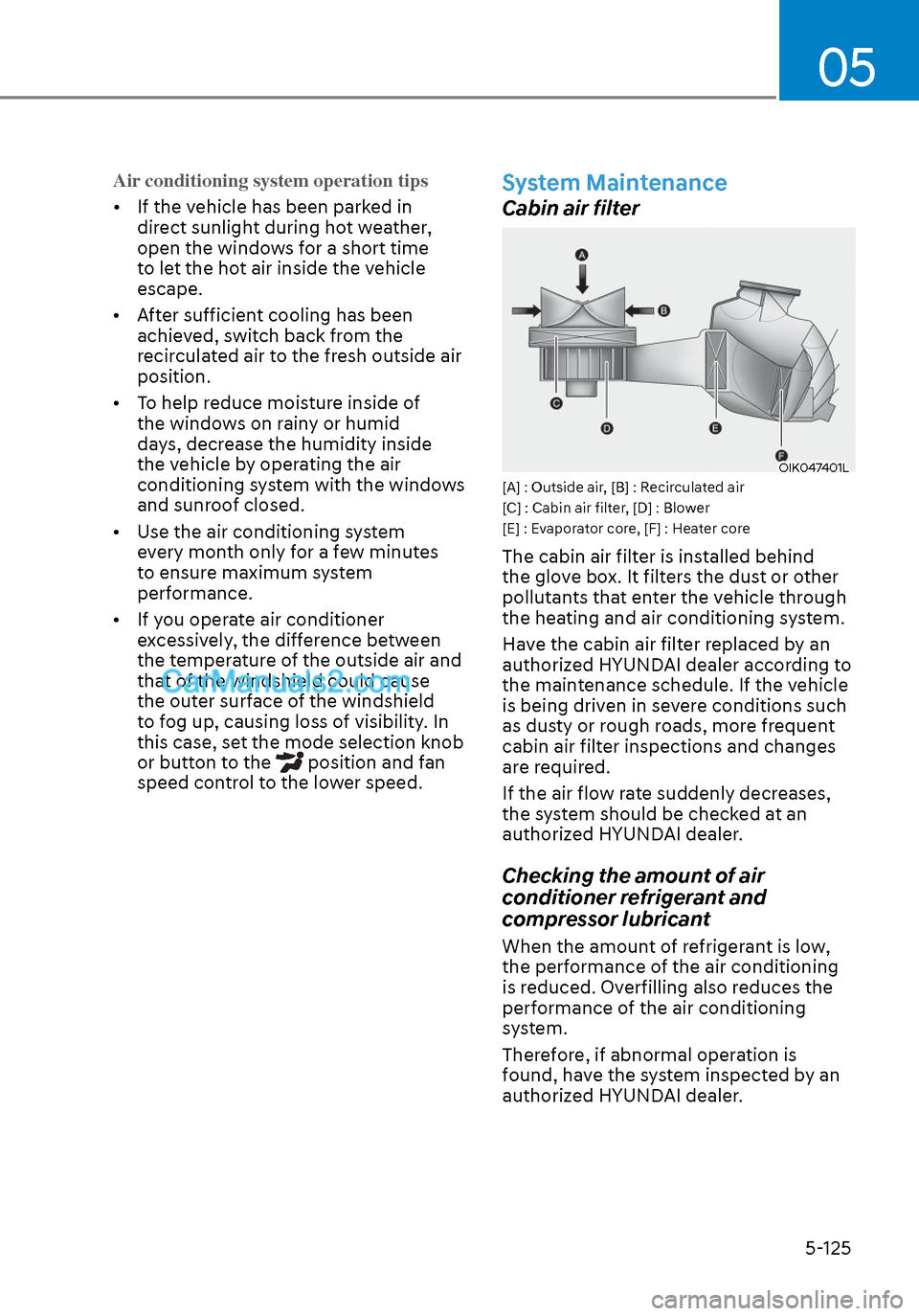
OIK047401LOIK047401L[A] : Outside air, [B] : Recirculated air
[C] : Cabin air filter, [D] : Blower
[E] : Evaporator core, [F] : Heater core
The cabin air filter is installed behind
the glove box. It filters the dust or other
pollutants that enter the vehicle through
the heating and air conditioning system.
Have the cabin air filter replaced by an
authorized HYUNDAI dealer according to
the maintenance schedule. If the vehicle
is being driven in severe conditions such
as dusty or rough roads, more frequent
cabin air filter inspections and changes
are required.
If the air flow rate suddenly decreases,
the system should be checked at an
authorized HYUNDAI dealer.
Checking the amount of air
conditioner refrigerant and
compressor lubricant
When the amount of refrigerant is low,
the performance of the air conditioning
is reduced. Overfilling also reduces the
performance of the air conditioning
system.
Therefore, if abnormal operation is
found, have the system inspected by an
authorized HYUNDAI dealer.
Page 259 of 537
05
5-129
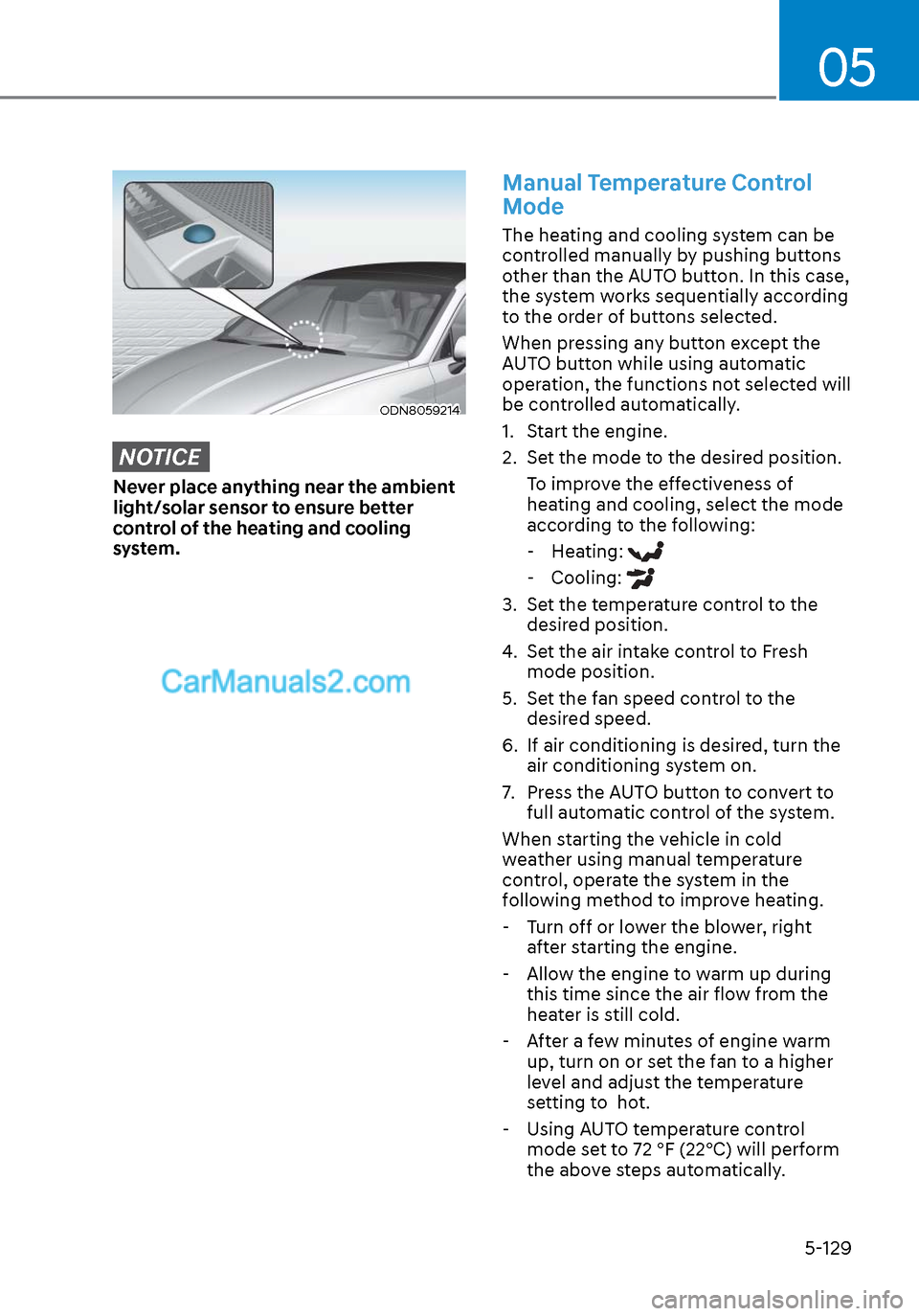
ODN8059214ODN8059214
NOTICE
Never place anything near the ambient
light/solar sensor to ensure better
control of the heating and cooling
system.
Manual Temperature Control
Mode
The heating and cooling system can be
controlled manually by pushing buttons
other than the AUTO button. In this case,
the system works sequentially according
to the order of buttons selected.
When pressing any button except the
AUTO button while using automatic
operation, the functions not selected will
be controlled automatically.
1. Start the engine.
2. Set the mode to the desired position.To improve the effectiveness of
heating and cooling, select the mode
according to the following: - Heating:
- Cooling:
3. Set the temperature control to the desired position.
4. Set the air intake control to Fresh mode position.
5. Set the fan speed control to the desired speed.
6. If air conditioning is desired, turn the air conditioning system on.
7. Press the AUTO button to convert to full automatic control of the system.
When starting the vehicle in cold
weather using manual temperature
control, operate the system in the
following method to improve heating.
- Turn off or lower the blower, right
after starting the engine.
- Allow the engine to warm up during this time since the air flow from the
heater is still cold.
- After a few minutes of engine warm up, turn on or set the fan to a higher
level and adjust the temperature
setting to hot.
- Using AUTO temperature control
mode set to 72 °F (22°C) will perform
the above steps automatically.