Eco HYUNDAI SONATA 2021 Owners Manual
[x] Cancel search | Manufacturer: HYUNDAI, Model Year: 2021, Model line: SONATA, Model: HYUNDAI SONATA 2021Pages: 546, PDF Size: 51.21 MB
Page 209 of 546
05
5-79
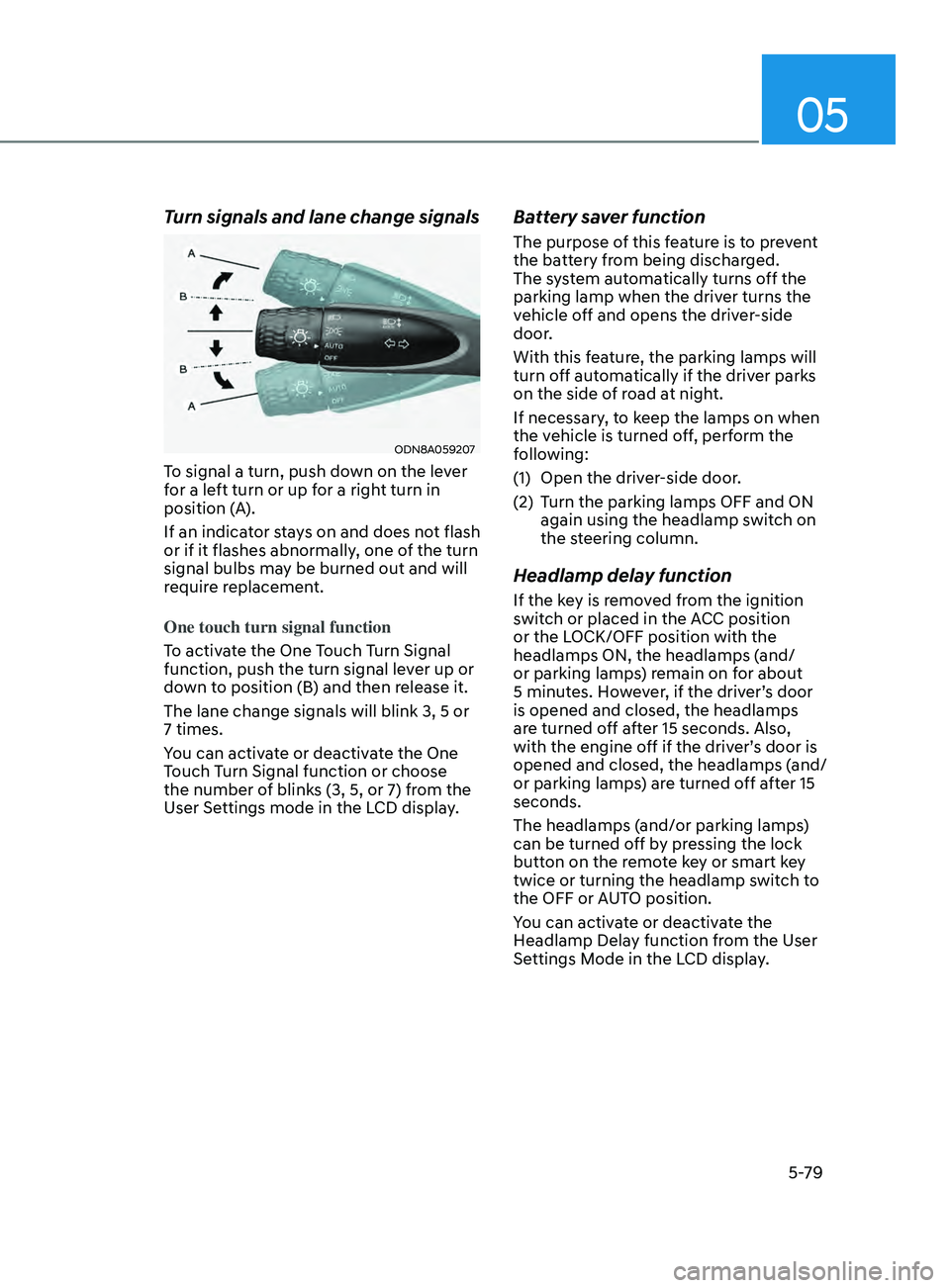
Turn signals and lane change signals
ODN8A059207
To signal a turn, push down on the lever
for a left turn or up for a right turn in
position (A).
If an indicator stays on and does not flash
or if it flashes abnormally, one of the turn
signal bulbs may be burned out and will
require replacement.
One touch turn signal function
To activate the One Touch Turn Signal
function, push the turn signal lever up or
down to position (B) and then release it.
The lane change signals will blink 3, 5 or
7 times.
You can activate or deactivate the One
Touch Turn Signal function or choose
the number of blinks (3, 5, or 7) from the
User Settings mode in the LCD display.
Battery saver function
The purpose of this feature is to prevent
the battery from being discharged.
The system automatically turns off the
parking lamp when the driver turns the
vehicle off and opens the driver-side
door.
With this feature, the parking lamps will
turn off automatically if the driver parks
on the side of road at night.
If necessary, to keep the lamps on when
the vehicle is turned off, perform the
following:
(1)
Open the driv
er-side door.
(2)
T
urn the parking lamps OFF and ON
again using the headlamp switch on
the steering column.
Headlamp delay function
If the key is removed from the ignition
switch or placed in the ACC position
or the LOCK/OFF position with the
headlamps ON, the headlamps (and/
or parking lamps) remain on for about
5 minutes. However, if the driver’s door
is opened and closed, the headlamps
are turned off after 15 seconds. Also,
with the engine off if the driver’s door is
opened and closed, the headlamps (and/
or parking lamps) are turned off after 15
seconds.
The headlamps (and/or parking lamps)
can be turned off by pressing the lock
button on the remote key or smart key
twice or turning the headlamp switch to
the OFF or AUTO position.
You can activate or deactivate the
Headlamp Delay function from the User
Settings Mode in the LCD display.
Page 210 of 546
Convenient Features
5-80
NOTICE
If the driver exits the vehicle through
another door besides the driver
door, the battery saver function
does not operate and the headlamp
delay function does not turn OFF
automatically.
This may cause the battery to
discharge. To avoid battery discharge,
turn OFF the headlamps manually from
the headlamp switch before exiting the
vehicle.
Headlamp leveling device
It automatically adjusts the headlamp
beam level according to the number of
passengers and loading weight in the
luggage area.
And it offers proper headlamp beam
under various conditions.
WARNING
If the function does not work properly,
have the vehicle inspected by an
authorized HYUNDAI dealer. Do not
attempt to inspect or replace the wiring
yourself.
Interior Lights
WARNING
Do not use the interior lights when
driving in the dark. The interior lights
may obscure your view and cause an
accident.
NOTICE
Do not use the interior lights for
extended periods when the vehicle is
turned off or the battery will discharge.
Interior lamp AUTO cut
The interior lamps will automatically go
off approximately 20 minutes after the
engine is turned off and the doors are
closed. If a door is opened, the lamp
will go off 40 minutes after the engine is
turned off. If the doors are locked by the
remote key or smart key and the vehicle
enters the armed stage of the theft
alarm system, the lamps will go off five
seconds later.
Page 211 of 546
05
5-81
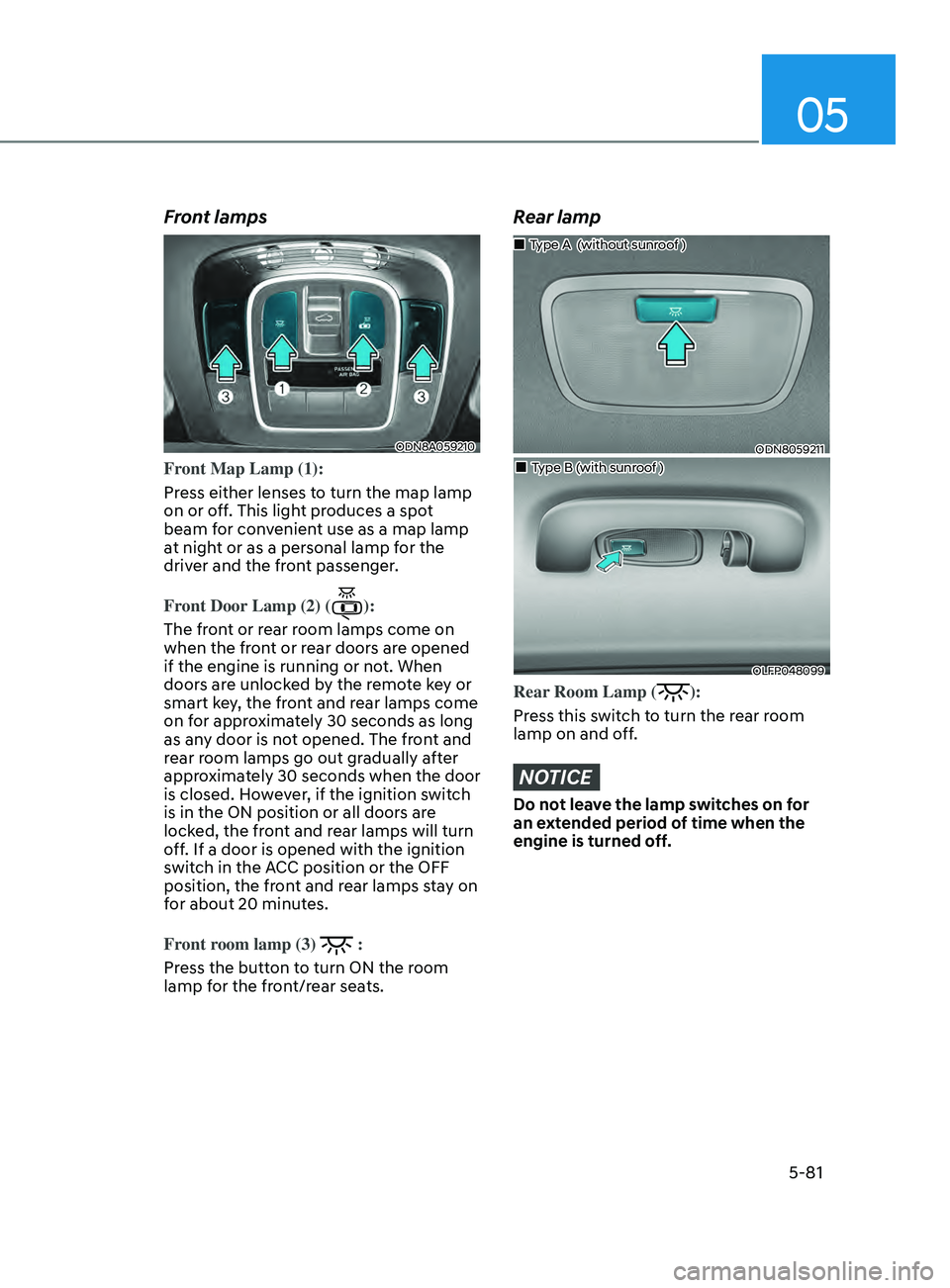
Front lamps
ODN8A059210
Front Map Lamp (1):
Press either lenses to turn the map lamp
on or off. This light produces a spot
beam for convenient use as a map lamp
at night or as a personal lamp for the
driver and the front passenger.
Front Door Lamp (2) (
):
The front or rear room lamps come on
when the front or rear doors are opened
if the engine is running or not. When
doors are unlocked by the remote key or
smart key, the front and rear lamps come
on for approximately 30 seconds as long
as any door is not opened. The front and
rear room lamps go out gradually after
approximately 30 seconds when the door
is closed. However, if the ignition switch
is in the ON position or all doors are
locked, the front and rear lamps will turn
off. If a door is opened with the ignition
switch in the ACC position or the OFF
position, the front and rear lamps stay on
for about 20 minutes.
Front room lamp (3)
:
Press the button to turn ON the room
lamp for the front/rear seats.
Rear lamp
ODN8059211
„„Type A (without sunroof )
„„Type B (with sunroof )
OLFP048099
Rear Room Lamp ():
Press this switch to turn the rear room
lamp on and off.
NOTICE
Do not leave the lamp switches on for
an extended period of time when the
engine is turned off.
Page 213 of 546
05
5-83
Welcome System (if equipped)
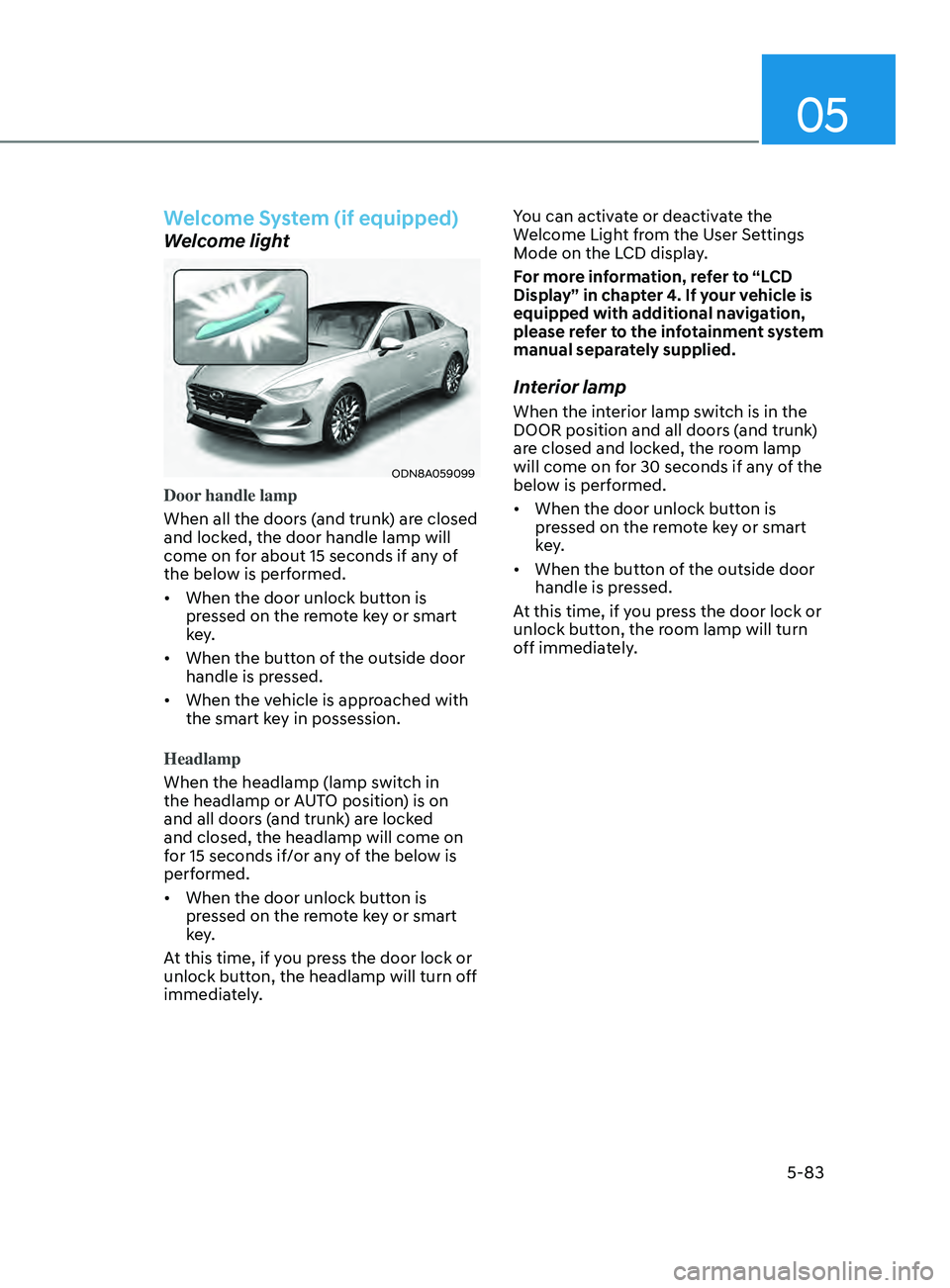
Welcome light
ODN8A059099
Door handle lamp
When all the doors (and trunk) are closed
and locked, the door handle lamp will
come on for about 15 seconds if any of
the below is performed.
• When the door unlock button is
pr
essed on the remote key or smart
key.
• When
the button of the outside door
handle is pr
essed.
• When
the vehicle is approached with
the smart k
ey in possession.
Headlamp
When the headlamp (lamp switch in
the headlamp or AUTO position) is on
and all doors (and trunk) are locked
and closed, the headlamp will come on
for 15 seconds if/or any of the below is
performed.
• When
the door unlock button is
pr
essed on the remote key or smart
key.
At this time, if you press the door lock or
unlock button, the headlamp will turn off
immediately. You can activate or deactivate the
Welcome Light from the User Settings
Mode on the LCD display.
For more information, refer to “LCD
Display” in chapter 4. If your vehicle is
equipped with additional navigation,
please refer to the infotainment system
manual separately supplied.
Interior lamp
When the interior lamp switch is in the
DOOR position and all doors (and trunk)
are closed and locked, the room lamp
will come on for 30 seconds if any of the
below is performed.
• When
the door unlock button is
pr
essed on the remote key or smart
key.
• When
the button of the outside door
handle is pr
essed.
At this time, if you press the door lock or
unlock button, the room lamp will turn
off immediately.
Page 220 of 546
Convenient Features
5-90
Operating conditions
Reverse Parking Collision-Avoidance
Assist system enters the ready status,
when ‘Active Assist’ or ‘Warning Only’ is
selected in the AVN system screen and
the following conditions are satisfied:
• The trunk is closed
• The shift lever is in R (Reverse)
• Vehicle speed is below 6 mph (10
km/h)
• System components such as the rear
view camera and the rear ultrasonic
sensors are in normal conditions
The driver needs to select ‘Active Assist’
on the LCD display or infotainment
system display for collision-avoidance
assist.
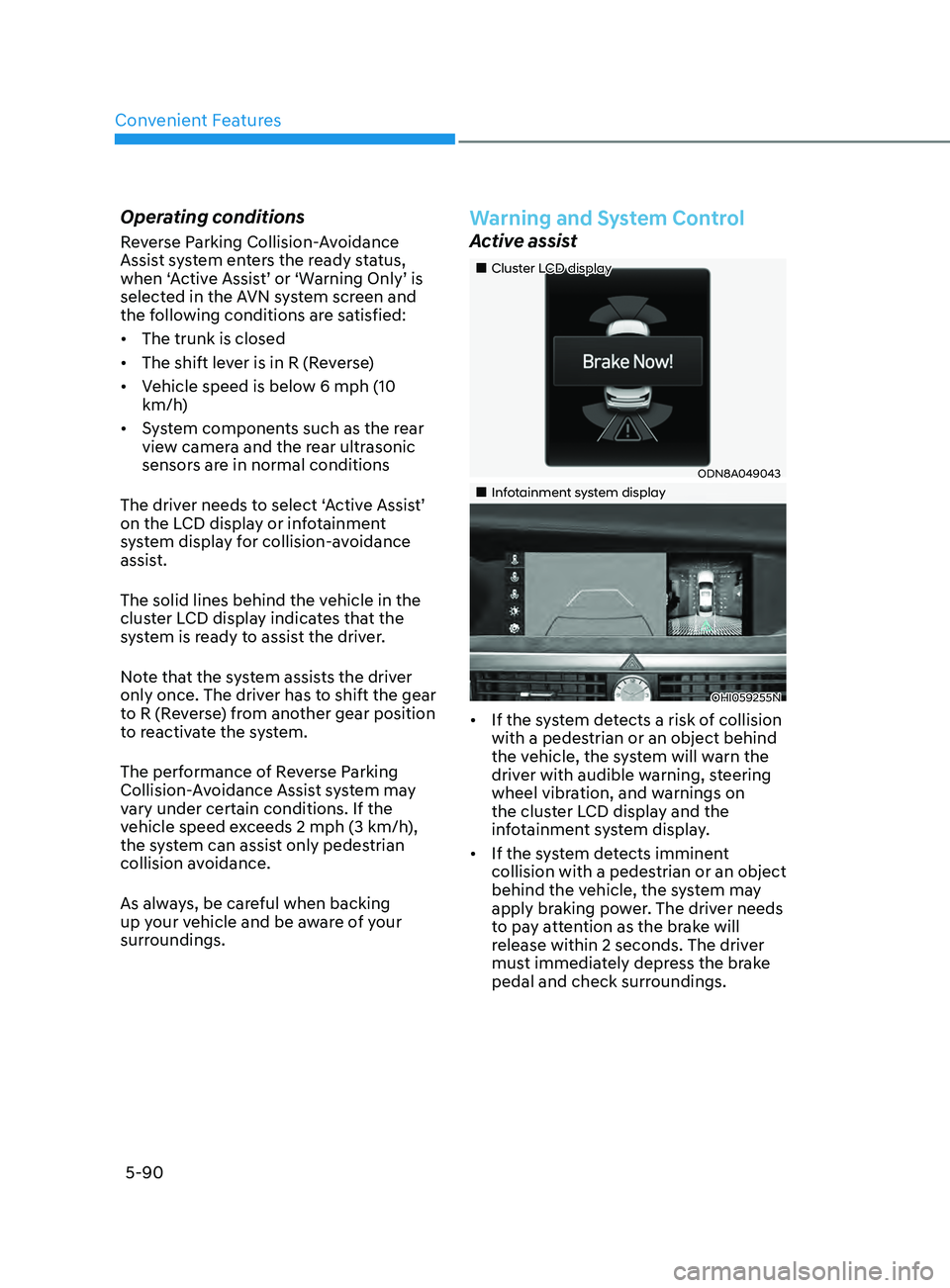
The solid lines behind the vehicle in the
cluster LCD display indicates that the
system is ready to assist the driver.
Note that the system assists the driver
only once. The driver has to shift the gear
to R (Reverse) from another gear position
to reactivate the system.
The performance of Reverse Parking
Collision-Avoidance Assist system may
vary under certain conditions. If the
vehicle speed exceeds 2 mph (3 km/h),
the system can assist only pedestrian
collision avoidance.
As always, be careful when backing
up your vehicle and be aware of your
surroundings.
Warning and System Control
Active assist
„„Cluster LCD display
ODN8A049043
„„Infotainment system display
OHI059255N
• If the system detects a risk of collision
with a pedestrian or an object behind
the vehicle, the system will warn the
driver with audible warning, steering
wheel vibration, and warnings on
the cluster LCD display and the
infotainment system display.
• If the system detects imminent
collision with a pedestrian or an object
behind the vehicle, the system may
apply braking power. The driver needs
to pay attention as the brake will
release within 2 seconds. The driver
must immediately depress the brake
pedal and check surroundings.
Page 221 of 546
05
5-91
The brake assist will turn off when:
- The driv
er shifts the gear to P (Park) or
D (Drive)
- The driv
er depresses the brake pedal
with sufficient power
- The br
aking has been assisted for
approximately 2 seconds
The warning will turn off when:
- The driv
er shifts the gear to P (Park), N
(Neutral), or D (Drive)
The brake control may not operate
properly depending on the status of the
ESC (Electronic Stability Control). There
will only be a warning when:
- The ESC (Electr
onic Stability Control)
warning light is on
- The ESC (Electr
onic Stability Control)
is engaged in a different function
Warning only
• If the system detects a risk of collision
with a pedestrian or an object, the
system will warn the driver with
audible warning and warnings on the
cluster LCD display or infotainment
system display.
• If ‘Warning Only’ is selected, braking
will not be assisted.
The warning will turn off when:
- The driv
er shifts the gear to P (Park), N
(Neutral), or D (Drive)
WARNING
• Reverse Parking Collision-
Avoidance Assist system may
not operate properly or may
operate unnecessarily in some
circumstances.
• Always pay extreme caution while
driving. The driver is responsible for
controlling the brake appropriately.
CAUTION
• Always pay attention to road and
traffic conditions while driving,
whether or not there is a warning.
• Playing the vehicle audio system at
high volume may prevent occupants
from hearing Reverse Parking
Collision-Avoidance Assist system
warning sounds.
• If any other warning sound, such as
seat belt warning chime, is already
generated, Reverse Parking Collision-
Avoidance Assist system warning
may not sound.
Information
The system can detect a pedestrian or an
object when:
• A pedestrian is standing behind the
vehicle.
• A large obstacle, such as a vehicle, is
parked in the rear center of the vehicle.
Page 224 of 546
Convenient Features
5-94
• Outside air temperature is hot or cold.
• The wind is either strong (over 12 mph
(20 km/h)) or blowing perpendicular
to the rear bumper.
• Objects generating excessive
noise, such as vehicle horns, loud
motorcycle engines, or truck air
brakes, are near the vehicle.
• An ultrasonic sensor with a similar
frequency is near the vehicle.
• There is ground height difference
between the vehicle and the
pedestrian.
• The image of the pedestrian in the
rear view camera is indistinguishable
from the background.
• The pedestrian is near the rear edge of
the vehicle.
• The pedestrian is not standing upright.
• The pedestrian is either too short or
too tall for the system to recognize.
• The pedestrian is wearing clothes that
are hard for the system to recognize.
• The pedestrian is wearing a cloth that
does not reflect ultrasound well.
• The size, thickness, height, or shape of
the object does not reflect ultrasound
well (e.g., pole, bush, curbs, carts,
edge of a wall, etc.).
• The pedestrian or the object is
moving.
• The pedestrian or the object is very
close to the rear of the vehicle.
• A wall is behind the pedestrian or the
object.
• The object is not at the rear center of
the vehicle.
• The plane of the obstacle is not
parallel to the rear bumper.
• The road is slippery or inclined.
• The driver backs up the vehicle
immediately after shifting to R
(Reverse).
• The driver accelerates or turns the
vehicle. Reverse Parking Collision-Avoidance
Assist system may alert the driver or
apply brake power unnecessarily under
the following conditions even if there are
“no” pedestrians or objects.
•
Any non-factory equipment or
accessories have been installed.
• The condition of the vehicle is
unstable due to an accident or other
causes.
• The height of the bumper or the
sensor installation has been modified.
• The bumper height has changed due
to heavy loads, tire pressure change,
etc.
• The rear view camera or the ultrasonic
sensor(s) is stained with foreign
matter, such as snow, dirt, etc.
• The pattern on the road is mistaken
for a pedestrian.
• There is a shadow or a light reflecting
on the ground.
• Pedestrians or objects are around the
path of the vehicle.
• Objects generating excessive
noise, such as vehicle horns, loud
motorcycle engines, or truck air
brakes, are near the vehicle.
• The vehicle is backing towards a
narrow passage or parking space.
• The vehicle is backing towards an
uneven road surface, such as unpaved
road, gravel, bump, gradient, etc.
• A trailer is attached to the vehicle
Page 225 of 546
![HYUNDAI SONATA 2021 Owners Manual 05
5-95
(if eQUippe D )
ODN8A059056[A] : Rear Sensor
Reverse Parking Distance Warning
system assists the driver during reverse
movement of the vehicle by chiming if an
object is sensed within the d](/img/35/41164/w960_41164-224.png "HYUNDAI SONATA 2021 Owners Manual 05
5-95
(if eQUippe D )
ODN8A059056[A] : Rear Sensor
Reverse Parking Distance Warning
system assists the driver during reverse
movement of the vehicle by chiming if an
object is sensed within the d")
05
5-95
(if eQUippe D )
ODN8A059056[A] : Rear Sensor
Reverse Parking Distance Warning
system assists the driver during reverse
movement of the vehicle by chiming if an
object is sensed within the distance of 48
in (120 cm) behind the vehicle.
This system is a supplemental system
that senses objects within the range and
location of the sensors, it cannot detect
objects in other areas where sensors are
not installed.
WARNING
• ALWAYS look around your vehicle to
make sure there are not any objects
or obstacles before moving the
vehicle in any direction to prevent a
collision.
• Always pay close attention when the
vehicle is driven close to objects,
particularly pedestrians, and
especially children.
• Be aware that some objects may
not be visible on the screen or be
detected by the sensors, due to the
objects distance, size or material, all
of which can limit the effectiveness
of the sensor.
Operation of Reverse Parking
Distance Warning System
Operating condition
• This system will activate when
backing up with the ignition switch in
the ON position. However, if vehicle
speed exceeds 3 mph (5 km/h), the
system may not detect objects.
• If vehicle speed exceeds 6 mph (10
km/h), the system will not warn you
even though objects are detected.
• When more than two objects are
sensed at the same time, the closest
one will be recognized first.
reverS e pA r K in G Di STA nce wA rnin G ( p Dw )
Page 228 of 546
Convenient Features
5-98
The following objects may not be
recognized by the sensor:
• Sharp or slim objects such as ropes,
chains or small poles.
• Objects, which tend to absorb sensor
frequency such as clothes, spongy
material or snow.
• Undetectable objects smaller than 40
in (100 cm) and narrower than 6 in (14
cm) in diameter.
WARNING
Your new vehicle warranty does not
cover any accidents or damage to the
vehicle or injuries to its occupants
related to Reverse Parking Distance
Warning system. Always drive safely
and cautiously.
Reverse Parking Distance
Warning System Precautions
• Reverse Parking Distance Warning
system may not sound consistently
depending on the speed and shapes
of the objects detected.
• Reverse Parking Distance Warning
system may malfunction if the vehicle
bumper height or sensor installation
has been modified or damaged. Any
non-factory installed equipment or
accessories may also interfere with
the sensor performance.
• The sensor may not recognize objects
less than 12 in (30 cm) from the
sensor, or it may sense an incorrect
distance. Use caution.
• When the sensor is frozen or stained
with snow, dirt, or water, the sensor
may be inoperative until the stains are
removed using a soft cloth.
• Do not push, scratch or strike the
sensor with any hard objects that
could damage the surface of the
sensor. Sensor damage could occur.
• Do not spray the sensors or its
surrounding area directly with a high
pressure washer. Shock applied from
high pressure water may cause the
device to not operate normally.
Page 230 of 546
Convenient Features
5-100
Operation of Forward/Reverse
Parking Distance Warning
System
Operating condition
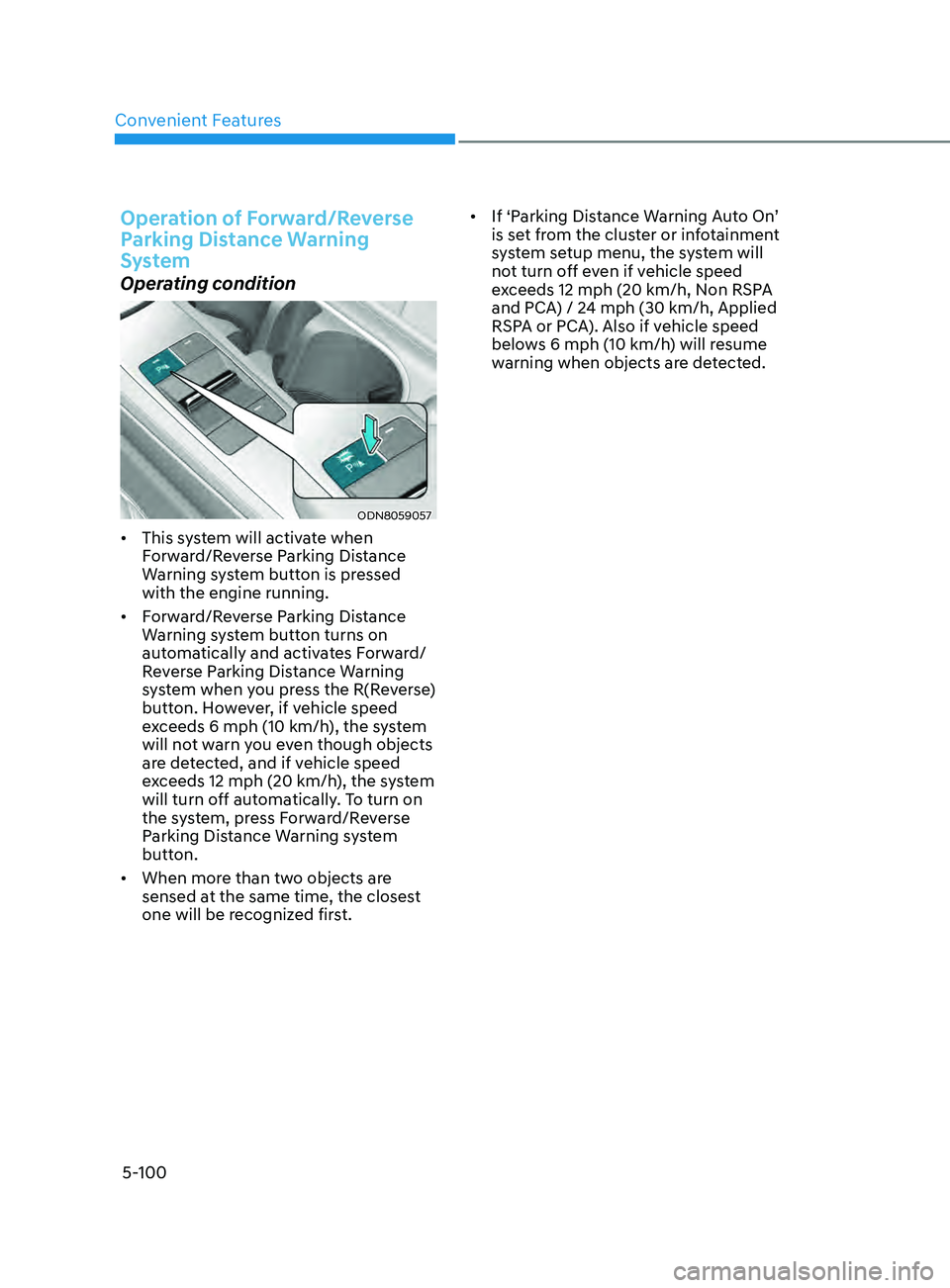
ODN8059057
• This system will activate when
Forward/Reverse Parking Distance
Warning system button is pressed
with the engine running.
• Forward/Reverse Parking Distance
Warning system button turns on
automatically and activates Forward/
Reverse Parking Distance Warning
system when you press the R(Reverse)
button. However, if vehicle speed
exceeds 6 mph (10 km/h), the system
will not warn you even though objects
are detected, and if vehicle speed
exceeds 12 mph (20 km/h), the system
will turn off automatically. To turn on
the system, press Forward/Reverse
Parking Distance Warning system
button.
• When more than two objects are
sensed at the same time, the closest
one will be recognized first. •
If ‘Parking Distance Warning Auto On’
is set from the cluster or infotainment
system setup menu, the system will
not turn off even if vehicle speed
exceeds 12 mph (20 km/h, Non RSPA
and PCA) / 24 mph (30 km/h, Applied
RSPA or PCA). Also if vehicle speed
belows 6 mph (10 km/h) will resume
warning when objects are detected.