Eco HYUNDAI SONATA 2021 Manual Online
[x] Cancel search | Manufacturer: HYUNDAI, Model Year: 2021, Model line: SONATA, Model: HYUNDAI SONATA 2021Pages: 546, PDF Size: 51.21 MB
Page 188 of 546
Convenient Features
5-58
To reset the power windows
If the power windows do not operate
normally, the automatic power window
system must be reset as follows:
1.
Place the ignition s
witch to the ON
position.
2.
Close the windo
w and continue
pulling up on the power window
switch for at least one second.
If the power windows do not operate
properly after resetting, have the system
checked by an authorized HYUNDAI
dealer.
WARNING
The automatic reverse feature doesn’t
activate while resetting the power
window system. Make sure body parts
or other objects are safely out of the
way before closing the windows to
avoid injuries or vehicle damage.
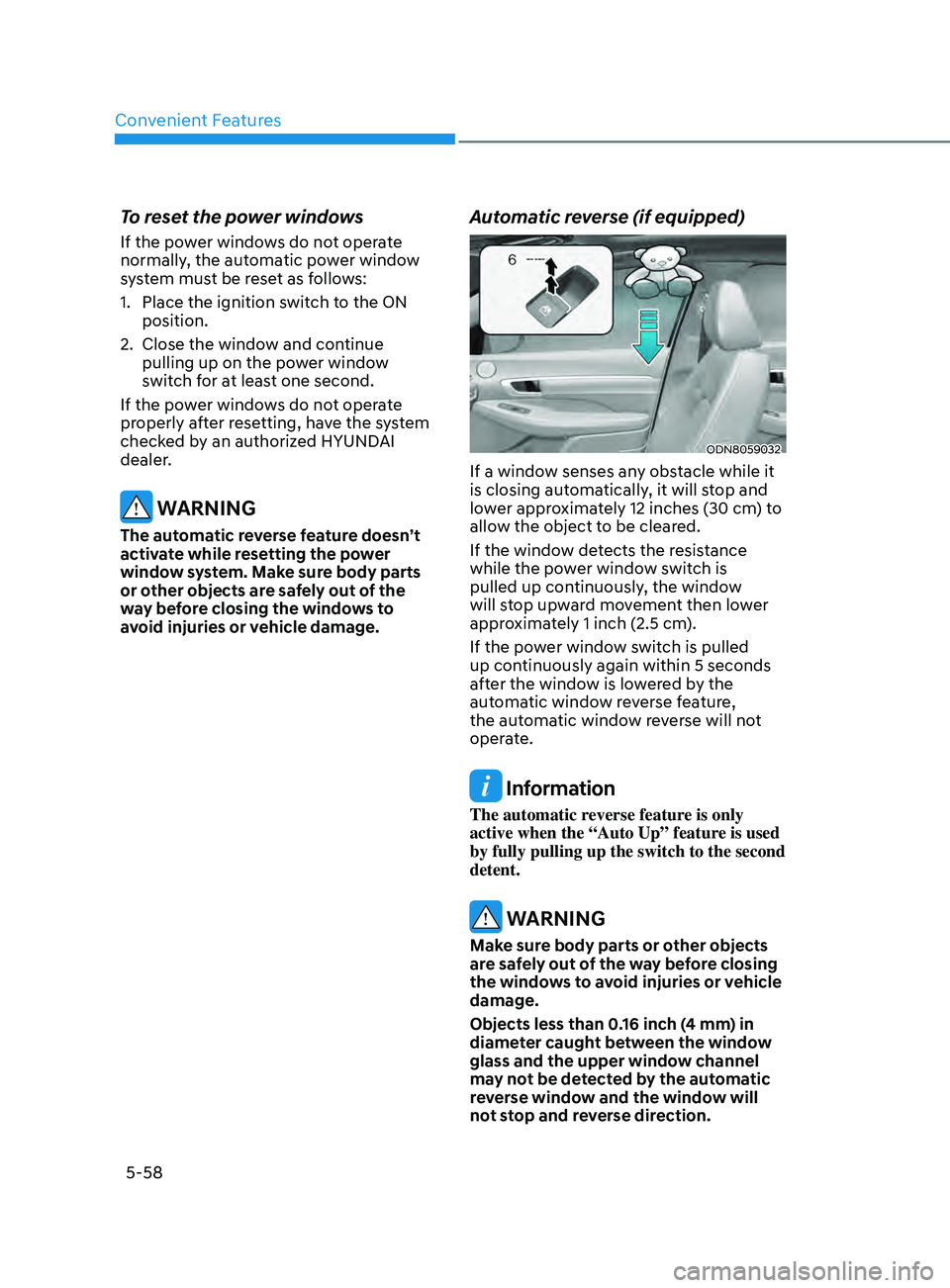
Automatic reverse (if equipped)
ODN8059032
If a window senses any obstacle while it
is closing automatically, it will stop and
lower approximately 12 inches (30 cm) to
allow the object to be cleared.
If the window detects the resistance
while the power window switch is
pulled up continuously, the window
will stop upward movement then lower
approximately 1 inch (2.5 cm).
If the power window switch is pulled
up continuously again within 5 seconds
after the window is lowered by the
automatic window reverse feature,
the automatic window reverse will not
operate.
Information
The automatic reverse feature is only
active when the “Auto Up” feature is used
by fully pulling up the switch to the second
detent.
WARNING
Make sure body parts or other objects
are safely out of the way before closing
the windows to avoid injuries or vehicle
damage.
Objects less than 0.16 inch (4 mm) in
diameter caught between the window
glass and the upper window channel
may not be detected by the automatic
reverse window and the window will
not stop and reverse direction.
Page 190 of 546
Convenient Features5-60
pAnorAmic SUnroof (if eQU ippe D )
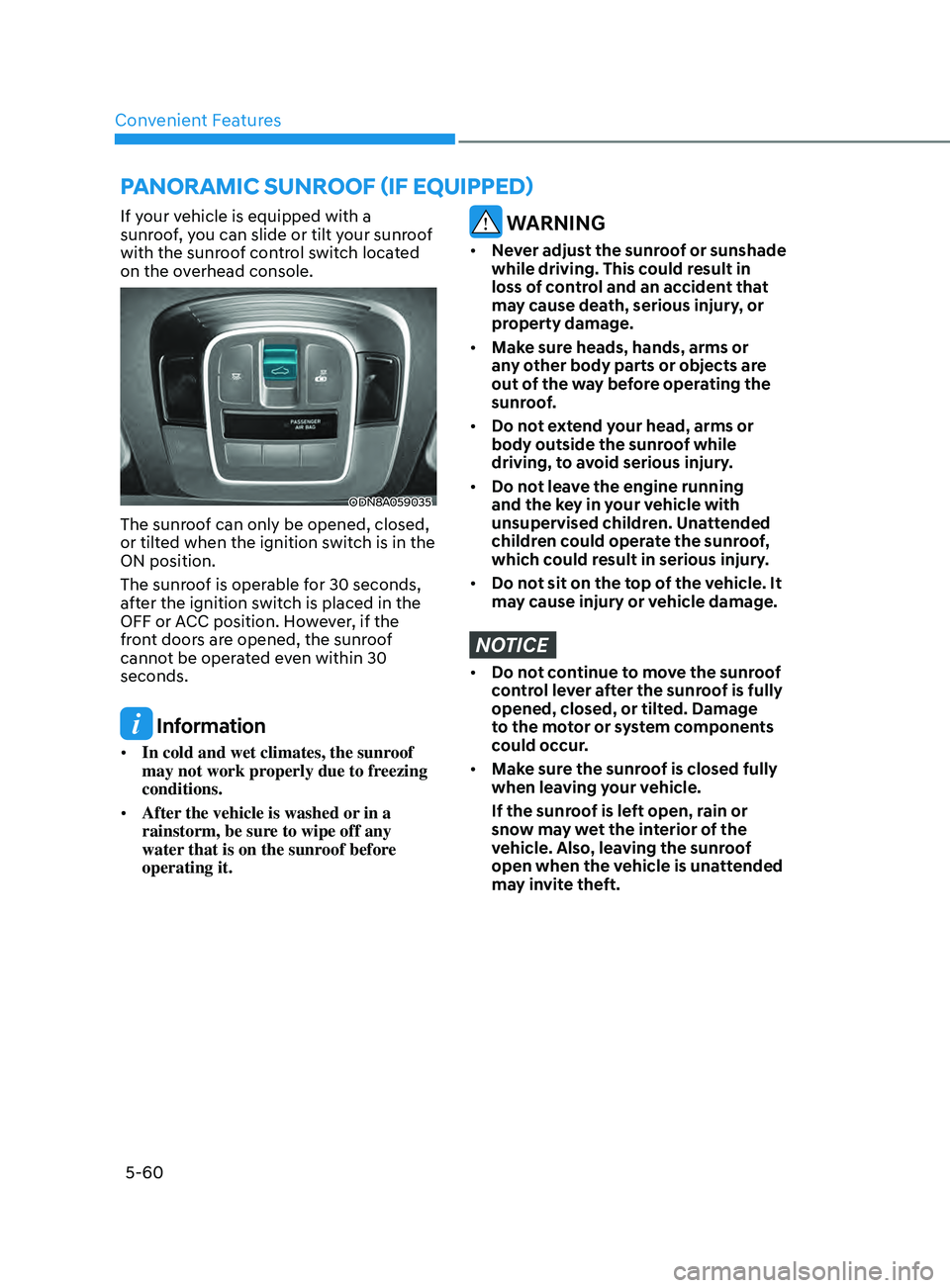
If your vehicle is equipped with a
sunroof, you can slide or tilt your sunroof
with the sunroof control switch located
on the overhead console.
ODN8A059035
The sunroof can only be opened, closed,
or tilted when the ignition switch is in the
ON position.
The sunroof is operable for 30 seconds,
after the ignition switch is placed in the
OFF or ACC position. However, if the
front doors are opened, the sunroof
cannot be operated even within 30
seconds.
Information
• In cold and wet climates, the sunroof
may not work properly due to freezing
conditions.
• After the vehicle is washed or in a
rainstorm, be sure to wipe off any
water that is on the sunroof before
operating it.
WARNING
• Never adjust the sunroof or sunshade
while driving. This could result in
loss of control and an accident that
may cause death, serious injury, or
property damage.
• Make sure heads, hands, arms or
any other body parts or objects are
out of the way before operating the
sunroof.
• Do not extend your head, arms or
body outside the sunroof while
driving, to avoid serious injury.
• Do not leave the engine running
and the key in your vehicle with
unsupervised children. Unattended
children could operate the sunroof,
which could result in serious injury.
• Do not sit on the top of the vehicle. It
may cause injury or vehicle damage.
NOTICE
• Do not continue to move the sunroof
control lever after the sunroof is fully
opened, closed, or tilted. Damage
to the motor or system components
could occur.
• Make sure the sunroof is closed fully
when leaving your vehicle.
If the sunroof is left open, rain or
snow may wet the interior of the
vehicle. Also, leaving the sunroof
open when the vehicle is unattended
may invite theft.
Page 192 of 546
Convenient Features
5-62
Closing the Sunroof
ODN8A059038
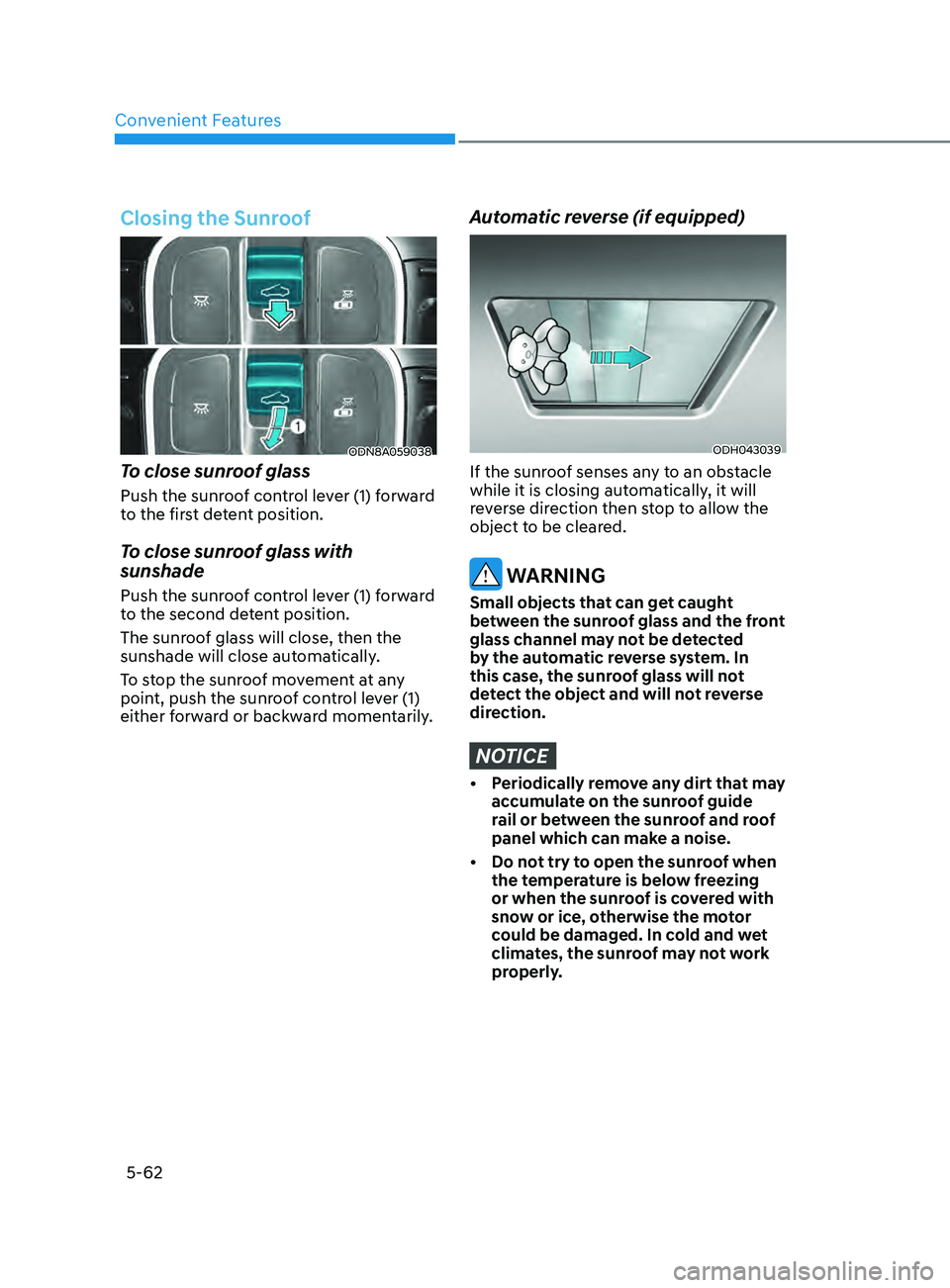
To close sunroof glass
Push the sunroof control lever (1) forward
to the first detent position.
To close sunroof glass with
sunshade
Push the sunroof control lever (1) forward
to the second detent position.
The sunroof glass will close, then the
sunshade will close automatically.
To stop the sunroof movement at any
point, push the sunroof control lever (1)
either forward or backward momentarily.
Automatic reverse (if equipped)
ODH043039
If the sunroof senses any to an obstacle
while it is closing automatically, it will
reverse direction then stop to allow the
object to be cleared.
WARNING
Small objects that can get caught
between the sunroof glass and the front
glass channel may not be detected
by the automatic reverse system. In
this case, the sunroof glass will not
detect the object and will not reverse
direction.
NOTICE
• Periodically remove any dirt that may accumulate on the sunroof guide
rail or between the sunroof and roof
panel which can make a noise.
•
Do no
t try to open the sunroof when
the temperature is below freezing
or when the sunroof is covered with
snow or ice, otherwise the motor
could be damaged. In cold and wet
climates, the sunroof may not work
properly.
Page 193 of 546
05
5-63
Resetting the Sunroof
ODN8A059039
The sunroof may need to be reset if the
following conditions occur:
• The battery is discharged or
disconnect
ed or the sunroof fuse has
been replaced or disconnected
• The
sunroof control lever is not
oper
ating correctly
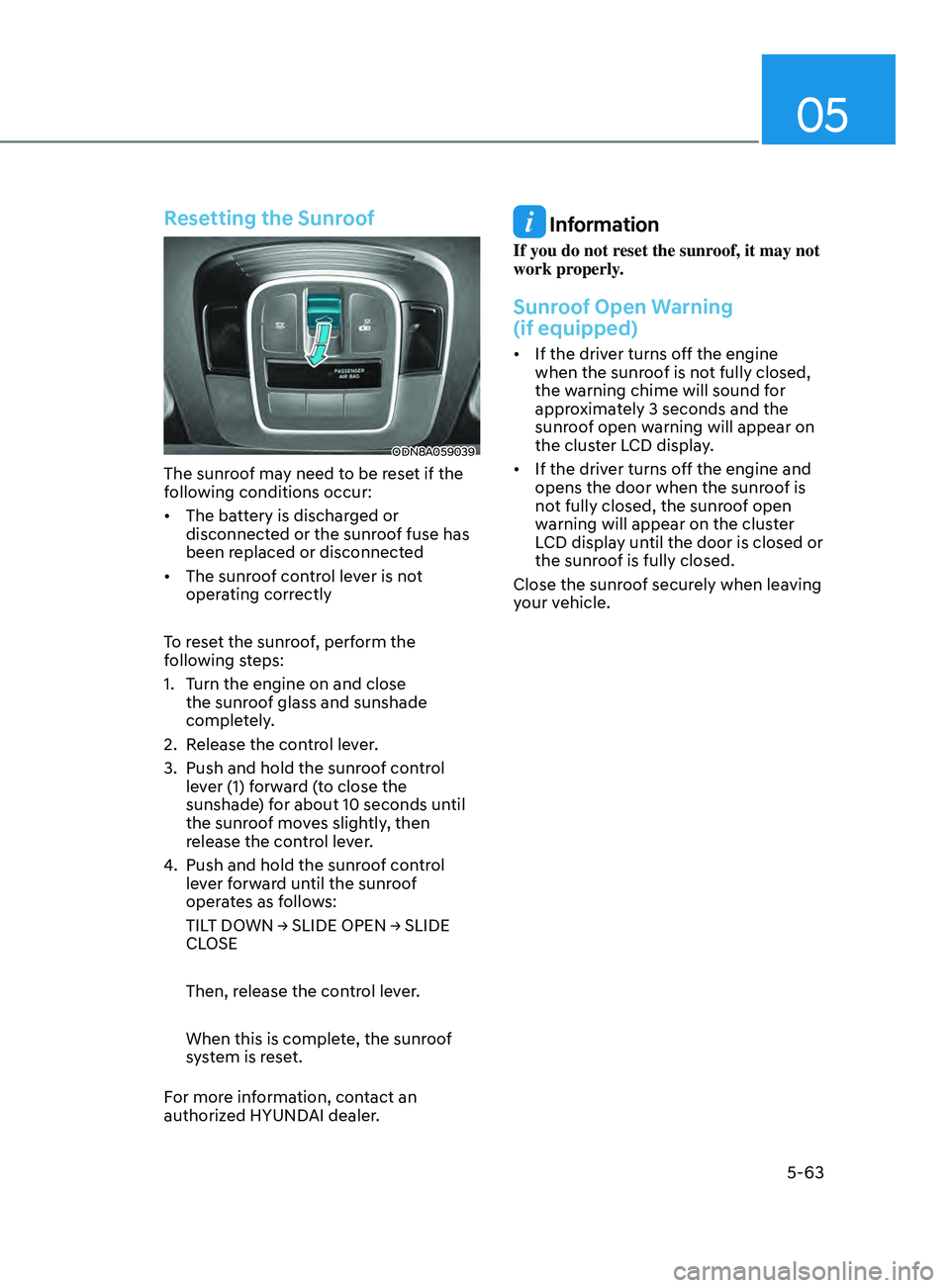
To reset the sunroof, perform the
following steps:
1.
T
urn the engine on and close
the sunroof glass and sunshade
completely.
2.
R
elease the control lever.
3.
Push and hold the sunr
oof control
lever (1) forward (to close the
sunshade) for about 10 seconds until
the sunroof moves slightly, then
release the control lever.
4.
Push and hold the sunr
oof control
lever forward until the sunroof
operates as follows:
TILT
DOWN → SLIDE OPEN → SLIDE
CL
OSE
Then, release the control lever.
When this is complete, the sunroof
system is reset.
For more information, contact an
authorized HYUNDAI dealer.
Information
If you do not reset the sunroof, it may not
work properly.
Sunroof Open Warning
(if equipped)
• If the driver turns off the engine when the sunr oof is not fully closed,
the warning chime will sound for
approximately 3 seconds and the
sunroof open warning will appear on
the cluster LCD display.
• If
the driver turns off the engine and
opens the door when the sunr
oof is
not fully closed, the sunroof open
warning will appear on the cluster
LCD display until the door is closed or
the sunroof is fully closed.
Close the sunroof securely when leaving
your vehicle.
Page 194 of 546
Convenient Features5-64
exterior FeAtures
Hood
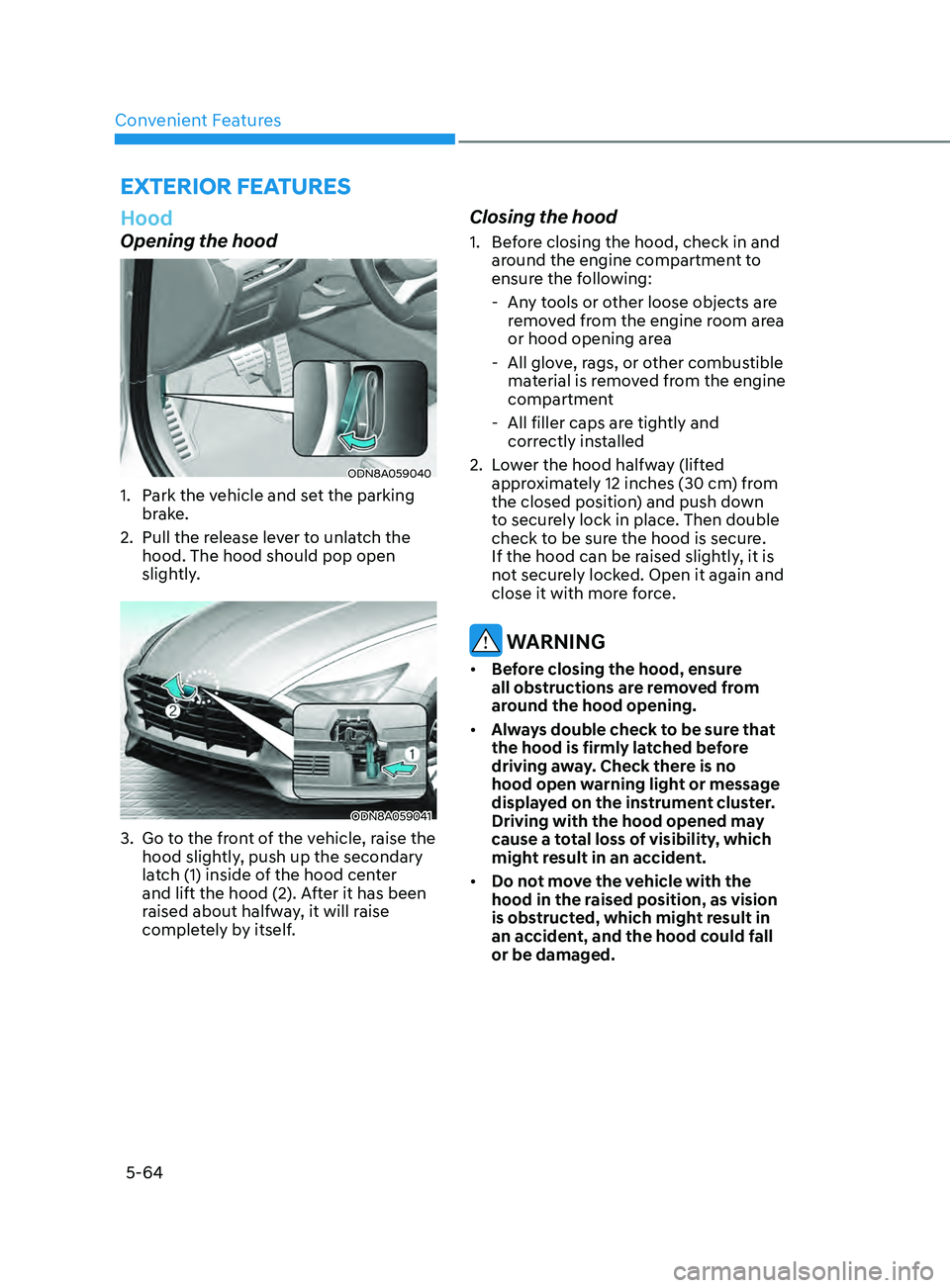
Opening the hood
ODN8A059040
1. Park the vehicle and set the parking brake.
2.
Pull the r
elease lever to unlatch the
hood. The hood should pop open
slightly.
ODN8A059041
3. Go to the front of the vehicle, raise the hood slightly, push up the secondary
latch (1) inside of the hood center
and lift the hood (2). After it has been
raised about halfway, it will raise
completely by itself.
Closing the hood
1. Before closing the hood, check in and around the engine compartment to
ensure the following:
- An
y tools or other loose objects are
removed from the engine room area
or hood opening area
- All glo
ve, rags, or other combustible
material is removed from the engine
compartment
- All filler caps ar
e tightly and
correctly installed
2.
L
ower the hood halfway (lifted
approximately 12 inches (30 cm) from
the closed position) and push down
to securely lock in place. Then double
check to be sure the hood is secure.
If the hood can be raised slightly, it is
not securely locked. Open it again and
close it with more force.
WARNING
• Before closing the hood, ensure
all obstructions are removed from
around the hood opening.
• Always double check to be sure that
the hood is firmly latched before
driving away. Check there is no
hood open warning light or message
displayed on the instrument cluster.
Driving with the hood opened may
cause a total loss of visibility, which
might result in an accident.
• Do not move the vehicle with the
hood in the raised position, as vision
is obstructed, which might result in
an accident, and the hood could fall
or be damaged.
Page 195 of 546
05
5-65
Trunk
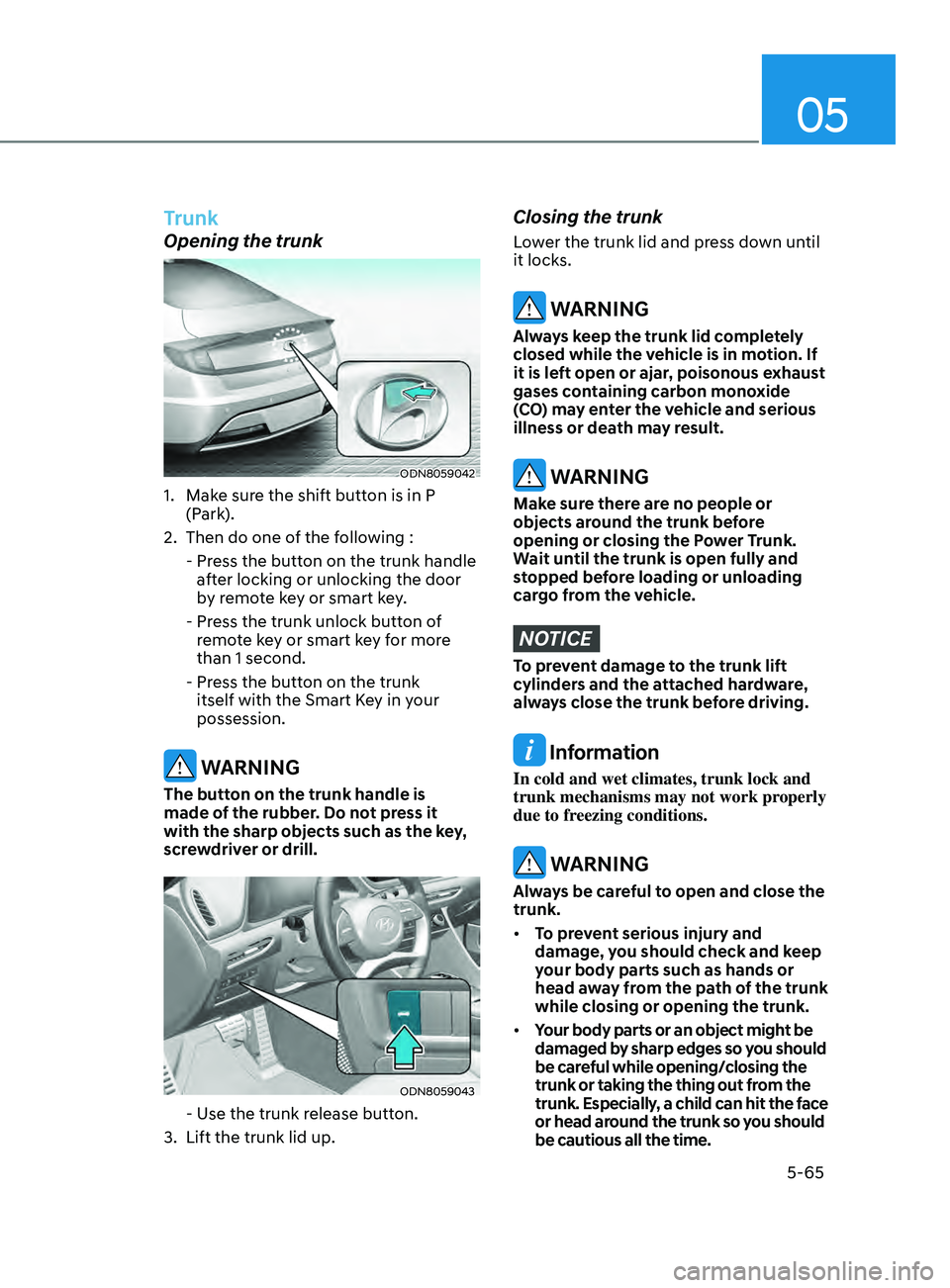
Opening the trunk
ODN8059042
1. Make sure the shift button is in P (Park).
2.
Then do one o
f the following :
-
Pr
ess the button on the trunk handle
after locking or unlocking the door
by remote key or smart key.
-
Pr
ess the trunk unlock button of
remote key or smart key for more
than 1 second.
-
Pr
ess the button on the trunk
itself with the Smart Key in your
possession.
WARNING
The button on the trunk handle is
made of the rubber. Do not press it
with the sharp objects such as the key,
screwdriver or drill.
ODN8059043
- Use the trunk release button.
3.
Lift the trunk lid up.
Closing the trunk
Lower the trunk lid and press down until
it locks.
WARNING
Always keep the trunk lid completely
closed while the vehicle is in motion. If
it is left open or ajar, poisonous exhaust
gases containing carbon monoxide
(CO) may enter the vehicle and serious
illness or death may result.
WARNING
Make sure there are no people or
objects around the trunk before
opening or closing the Power Trunk.
Wait until the trunk is open fully and
stopped before loading or unloading
cargo from the vehicle.
NOTICE
To prevent damage to the trunk lift
cylinders and the attached hardware,
always close the trunk before driving.
Information
In cold and wet climates, trunk lock and
trunk mechanisms may not work properly
due to freezing conditions.
WARNING
Always be careful to open and close the
trunk.
• To prevent serious injury and
damage, you should check and keep
your body parts such as hands or
head away from the path of the trunk
while closing or opening the trunk.
• Your body parts or an object might be
damaged by sharp edges so you should
be careful while opening/closing the
trunk or taking the thing out from the
trunk. Especially, a child can hit the face
or head around the trunk so you should
be cautious all the time.
Page 197 of 546
05
5-67
How to use the Smart Trunk with
Auto Open
The trunk can be opened with no-touch
activation satisfying all the conditions
below.
• After 15 seconds when all doors are
closed and lock
ed
• Positioned
in the detecting area for
mor
e than 3 seconds.
Information
• The Smart T runk with Auto Open does not operate when:
- The smart key is detected within 15
seconds after
the doors are closed and
locked, and is continuously detected.
- The smart key is detected within 15
seconds after
the doors are closed
and locked, and within 60 inches
(1.5 m) from the front door handles.
(for vehicles equipped with Welcome
Light)
- A
door is not locked or closed.
- The smart key is in the vehicl
e.
1. Setting
To activate the Smart Trunk with Auto
Open, go to User Settings Mode and
select Smart Trunk on the LCD display.
For more information, refer to the “LCD
Display” section in this chapter. If your
vehicle is equipped with additional
navigation, please refer to the
infotainment system manual separately
supplied.
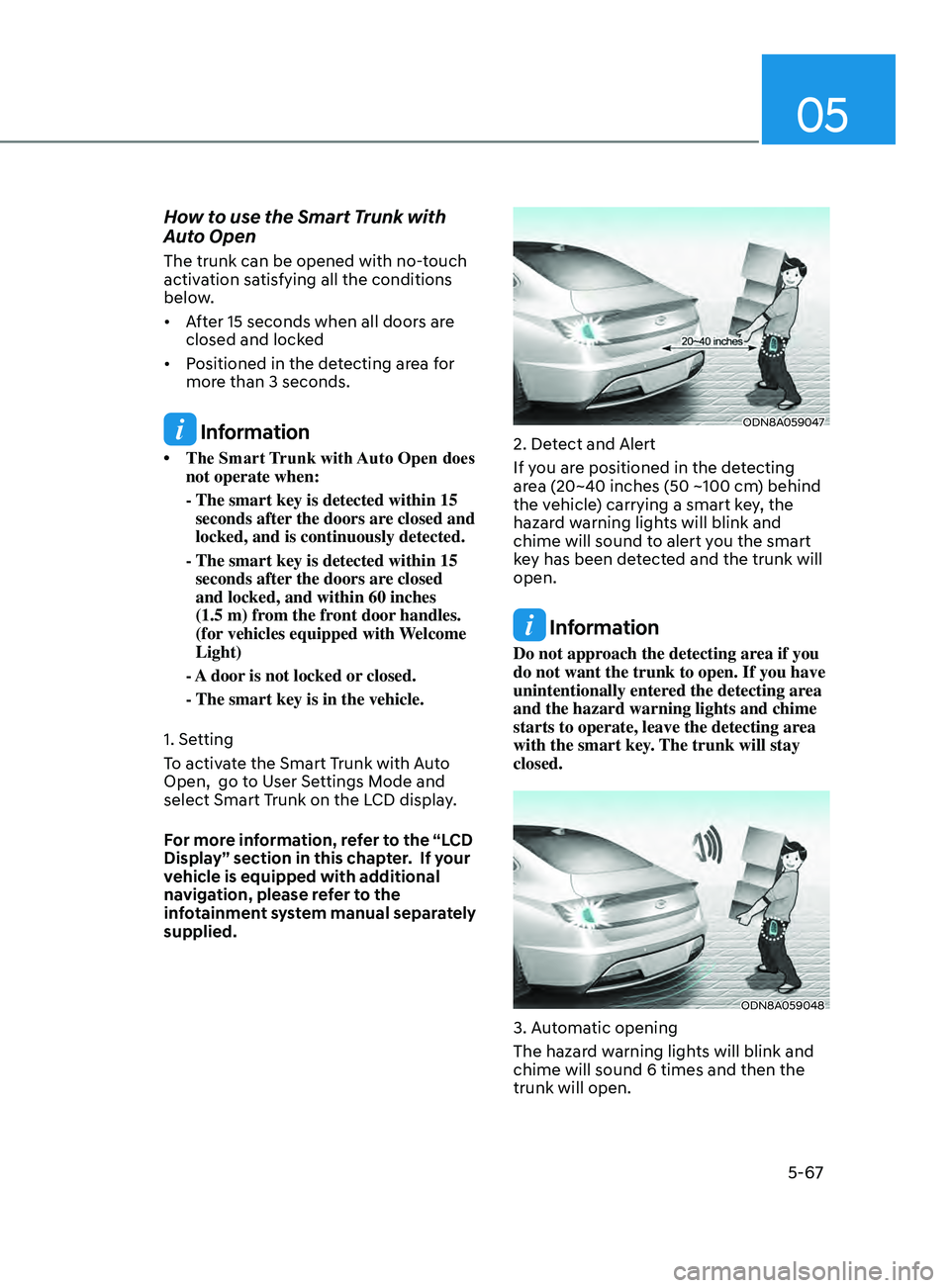
ODN8A059047
2. Detect and Alert
If you are positioned in the detecting
area (20~40 inches (50 ~100 cm) behind
the vehicle) carrying a smart key, the
hazard warning lights will blink and
chime will sound to alert you the smart
key has been detected and the trunk will
open.
Information
Do not approach the detecting area if you
do not want the trunk to open. If you have
unintentionally entered the detecting area
and the hazard warning lights and chime
starts to operate, leave the detecting area
with the smart key. The trunk will stay
closed.
ODN8A059048
3. Automatic opening
The hazard warning lights will blink and
chime will sound 6 times and then the
trunk will open.
Page 199 of 546
05
5-69
Information
• If you press the door unlock button (2), the Smart
Trunk with Auto
Open function will be deactivated
temporarily. But, if you do not open
any door for 30 seconds, the Smart
Trunk with Auto Open function will be
activated again.
• If
you press the trunk open button
(3) for
more than 1 second, the trunk
opens.
• If
you press the door
lock button (1) or
trunk open button (3) when the Smart
T
runk with Auto Open in the Detect
and Alert stage, the Smart Trunk
with Auto Open function will not be
deactivated.
• In
case you have deactivated the Smart
T
runk with Auto Open function by
pressing the smart key button and
opened a door, the Smart Trunk with
Auto Open function can be activated
again by closing and locking all doors.
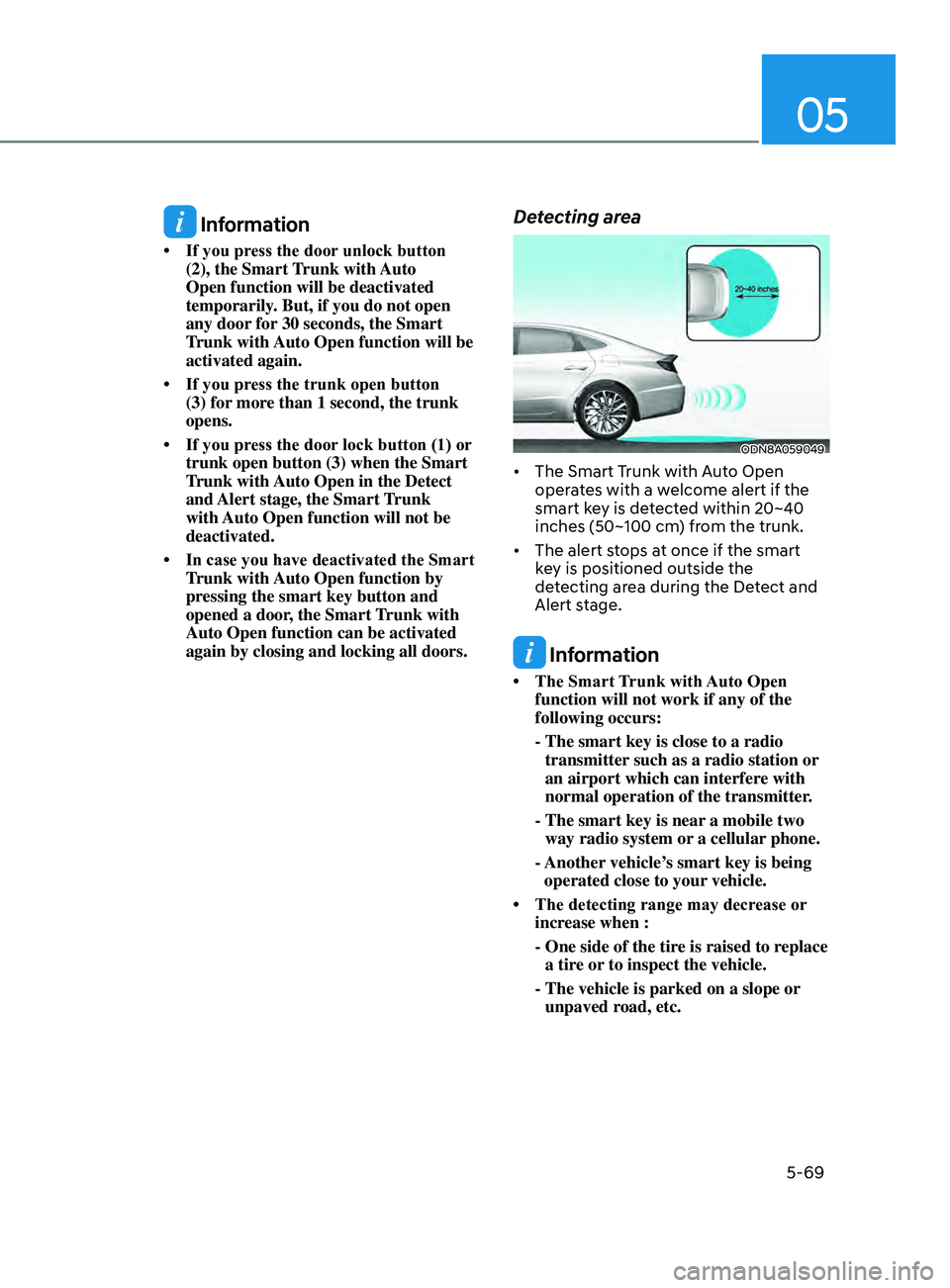
Detecting area
ODN8A059049
• The Smart Trunk with Auto Open oper ates with a welcome alert if the
smart key is detected within 20~40
inches (50~100 cm) from the trunk.
• The
alert stops at once if the smart
k
ey is positioned outside the
detecting area during the Detect and
Alert stage.
Information
• The Smart T runk with Auto Open function will not work if any of the
following occurs:
- The smart key is close to a radio
transmitter
such as a radio station or
an airport which can interfere with
normal operation of the transmitter.
- The smart key is near
a mobile two
way radio system or a cellular phone.
- Another
vehicle’s smart key is being
operated close to your vehicle.
• The
detecting
range
may decrease or
incr
ease when :
-
One side of the tir
e is raised to replace
a tire or to inspect the vehicle.
- The vehicle i
s parked on a slope or
unpaved road, etc.
Page 204 of 546
Convenient Features5 -74
lighting
Exterior Lights
Lighting control
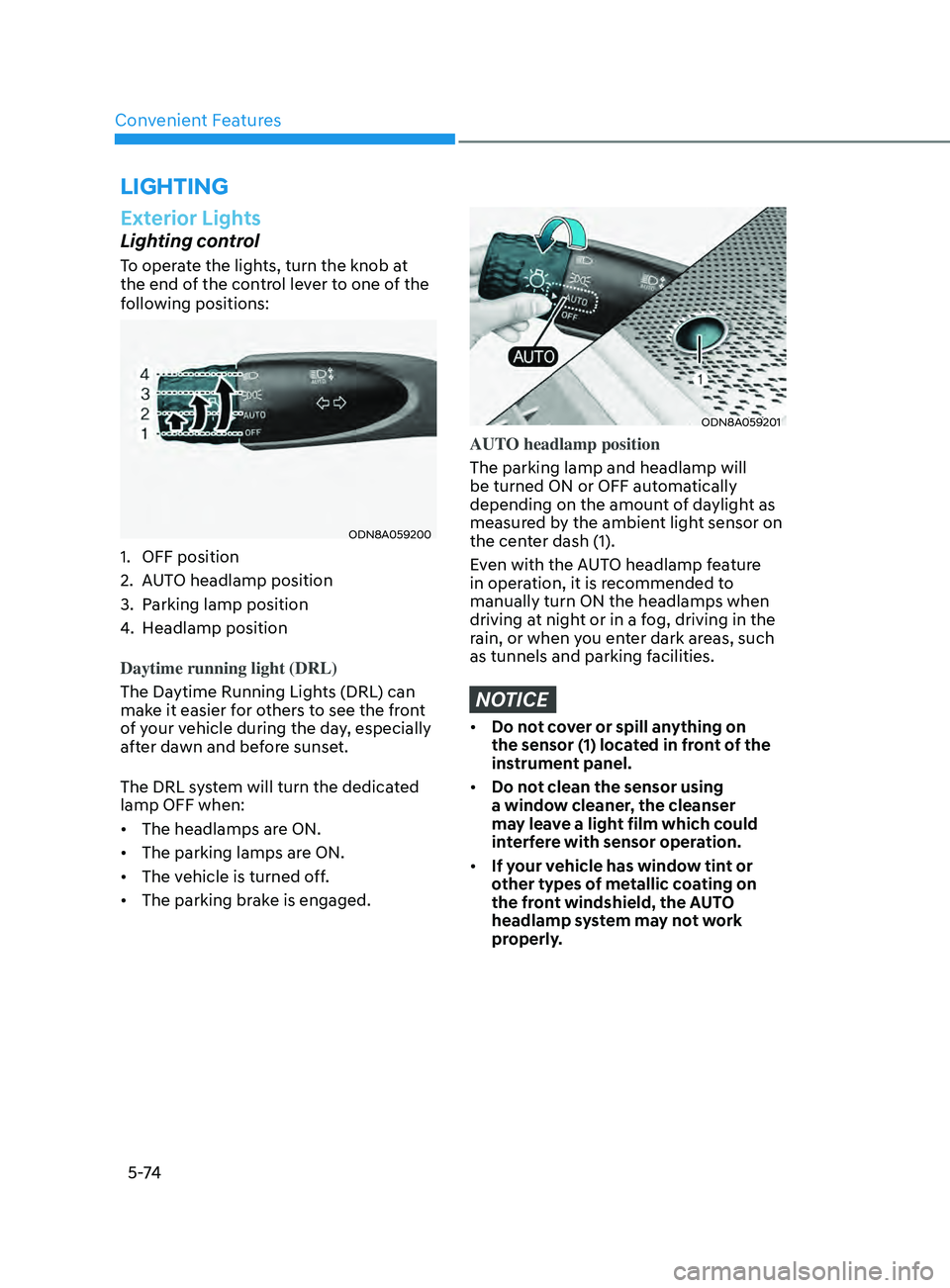
To operate the lights, turn the knob at
the end of the control lever to one of the
following positions:
ODN8A059200
1. OFF position
2.
A
UTO headlamp position
3.
P
arking lamp position
4.
H
eadlamp position
Daytime running light (DRL)
The Daytime Running Lights (DRL) can
make it easier for others to see the front
of your vehicle during the day, especially
after dawn and before sunset.
The DRL system will turn the dedicated
lamp OFF when:
• The headlamps are ON.
• The parking lamps are ON.
• The vehicle is turned off.
• The parking brake is engaged.
ODN8A059201
AUTO headlamp position
The parking lamp and headlamp will
be turned ON or OFF automatically
depending on the amount of daylight as
measured by the ambient light sensor on
the center dash (1).
Even with the AUTO headlamp feature
in operation, it is recommended to
manually turn ON the headlamps when
driving at night or in a fog, driving in the
rain, or when you enter dark areas, such
as tunnels and parking facilities.
NOTICE
• Do not cover or spill anything on
the sensor (1) located in front of the
instrument panel.
• Do not clean the sensor using
a window cleaner, the cleanser
may leave a light film which could
interfere with sensor operation.
• If your vehicle has window tint or
other types of metallic coating on
the front windshield, the AUTO
headlamp system may not work
properly.
Page 207 of 546
05
5-77
When High Beam Assist system is
operating, the high beam switches to low
beam if any of the following conditions
occur: - When the headlamp of an on-coming vehicle is detected.
- When the tail lamp of a vehicle in front
is detected.
- When the headlamp or tail lamp of a motorcycle or a bicycle is detected.
- When the surrounding ambient light is bright enough that high beams are not
required.
- When streetlights or other lights are detected.
- When the headlamp switch is not in the AUTO position.
- When High Beam Assist system is off.
- When vehicle speed is below 15 mph (24 km/h).
OIK047132N
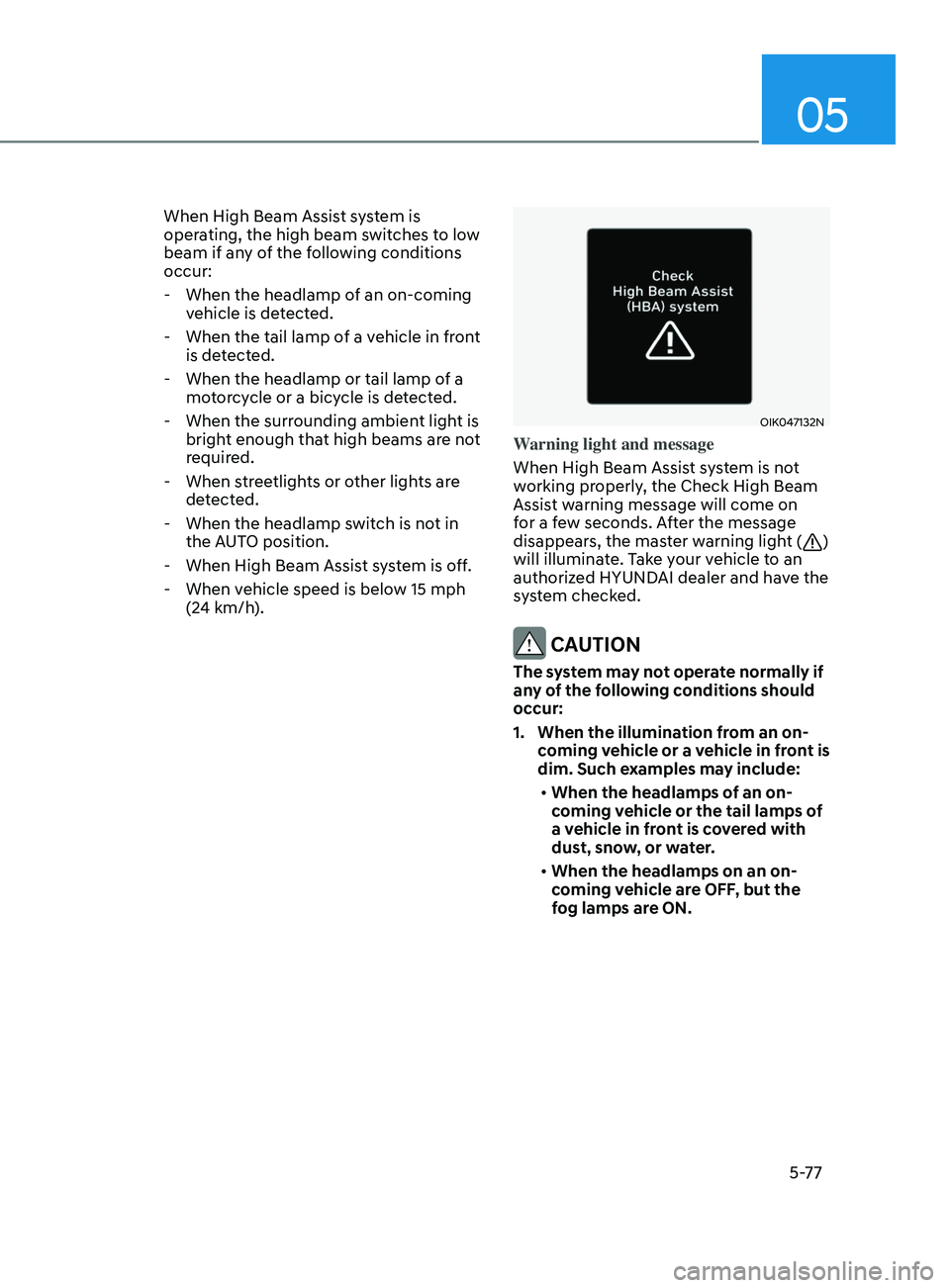
Warning light and message
When High Beam Assist system is not
working properly, the Check High Beam
Assist warning message will come on
for a few seconds. After the message
disappears, the master warning light (
)
will illuminate. Take your vehicle to an
authorized HYUNDAI dealer and have the
system checked.
CAUTION
The system may not operate normally if
any of the following conditions should
occur:
1. When the illumination from an on- coming vehicle or a vehicle in front is
dim. Such examples may include:
• When the headlamps of an on-
coming vehicle or the tail lamps of
a vehicle in front is covered with
dust, snow, or water.
• When the headlamps on an on-
coming vehicle are OFF, but the
fog lamps are ON.