Eco HYUNDAI SONATA 2021 Owners Manual
[x] Cancel search | Manufacturer: HYUNDAI, Model Year: 2021, Model line: SONATA, Model: HYUNDAI SONATA 2021Pages: 546, PDF Size: 51.21 MB
Page 341 of 546
06
6-57
ODN8H060228N
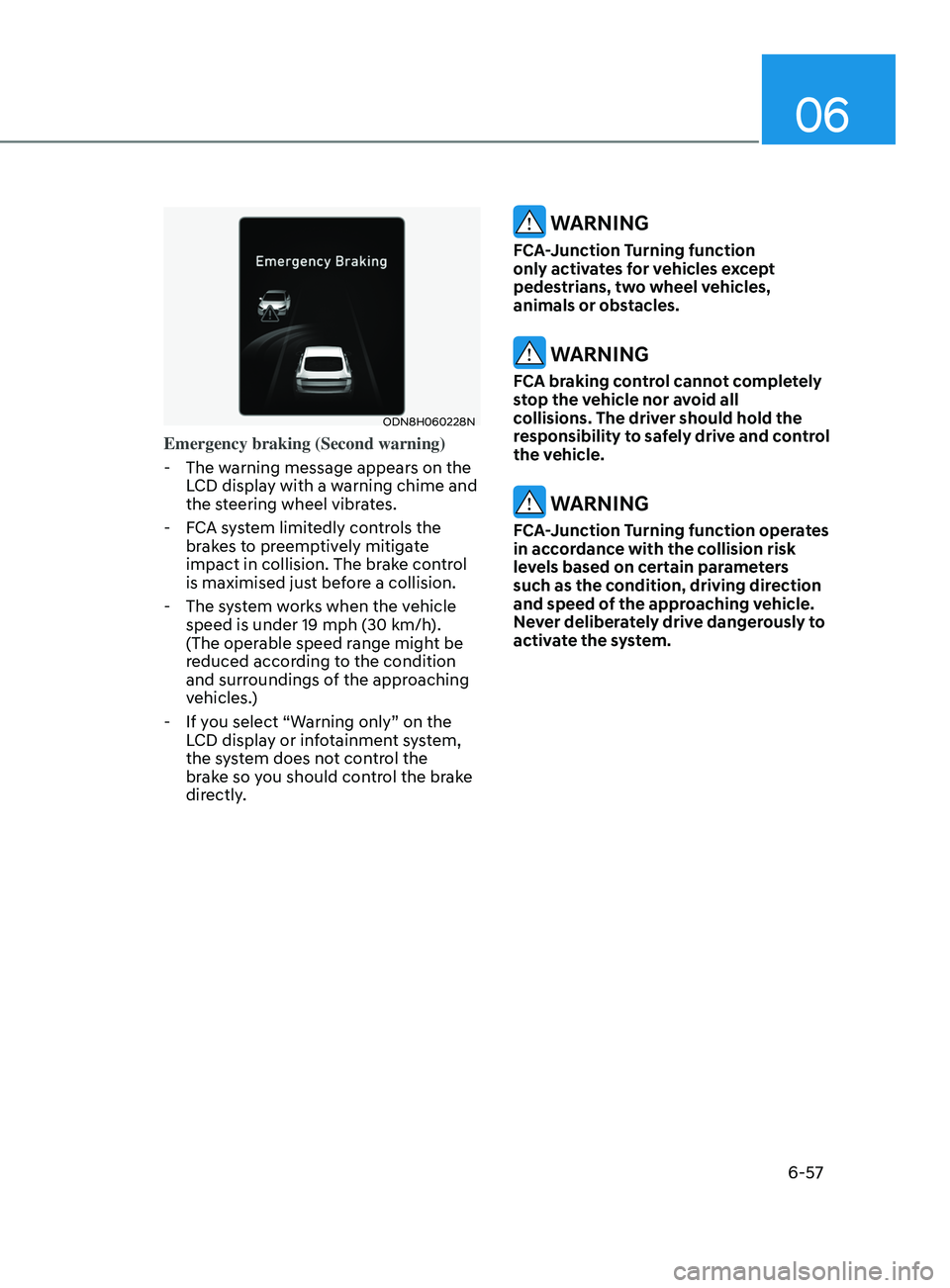
Emergency braking (Second warning)
- The w
arning message appears on the
LCD display with a warning chime and
the steering wheel vibrates.
- F
CA system limitedly controls the
brakes to preemptively mitigate
impact in collision. The brake control
is maximised just before a collision.
- The s
ystem works when the vehicle
speed is under 19 mph (30 km/h).
(The operable speed range might be
reduced according to the condition
and surroundings of the approaching
vehicles.)
- If y
ou select “Warning only” on the
LCD display or infotainment system,
the system does not control the
brake so you should control the brake
directly.
WARNING
FCA-Junction Turning function
only activates for vehicles except
pedestrians, two wheel vehicles,
animals or obstacles.
WARNING
FCA braking control cannot completely
stop the vehicle nor avoid all
collisions. The driver should hold the
responsibility to safely drive and control
the vehicle.
WARNING
FCA-Junction Turning function operates
in accordance with the collision risk
levels based on certain parameters
such as the condition, driving direction
and speed of the approaching vehicle.
Never deliberately drive dangerously to
activate the system.
Page 342 of 546
6-58
Limitations of the system
FCA-Junction Turning function is only a
supplemental system for driver’s safety
whilst turning left on the crossroads. The
driver should hold the responsibility to
control the vehicle. The system monitors
the oncoming vehicle ahead the road
through the front view camera and
radar. In certain situations, the front view
camera and radar may not be able to
detect the oncoming vehicles properly.
The driver must pay careful attention
in the following situations where the
system operation may be limited or it
may activate unintentionally.
The sensor may be limited when:
• The radar sensor or camera
recognizes the approaching vehicle
too late.
• The radar sensor or camera is blocked
with a foreign object or debris.
• The driving direction of the
approaching vehicle is irregular or
frontal.
• The approaching vehicle changes
lanes too late or decelerates suddenly.
• The angle of the approaching vehicle
is out of range.
• Whilst circling, the sensor (the front
view camera or front radar) does not
detect the approaching vehicle.
• The driving speed of the approaching
vehicle is too fast or slow.
• The head lamps of the approaching
vehicle are turned off or asymmetrical. •
The approaching vehicle stops whilst
turning left.
• The vehicle moves out of its lane or
returns to its lane.
• The vehicle changes lanes suddenly
at a low speed whilst there is an
approaching vehicle.
• The brightness outside is too so it
does not detect the vehicle.
• Inclement weather such as heavy rain
or snow obscures the field of view of
the front view camera or front radar.
• The approaching vehicle is covered
with snow.
• The field of view in front is obstructed
by sun glare.
• The shape of approaching vehicle is
unusual.
• Whilst driving upward or downward
on a slope.
For more information, refer to “Forward
Collision-Avoidance Assist (FCA)” in this
chapter.
While Driving
Page 347 of 546
06
6-63
ODN8069068L
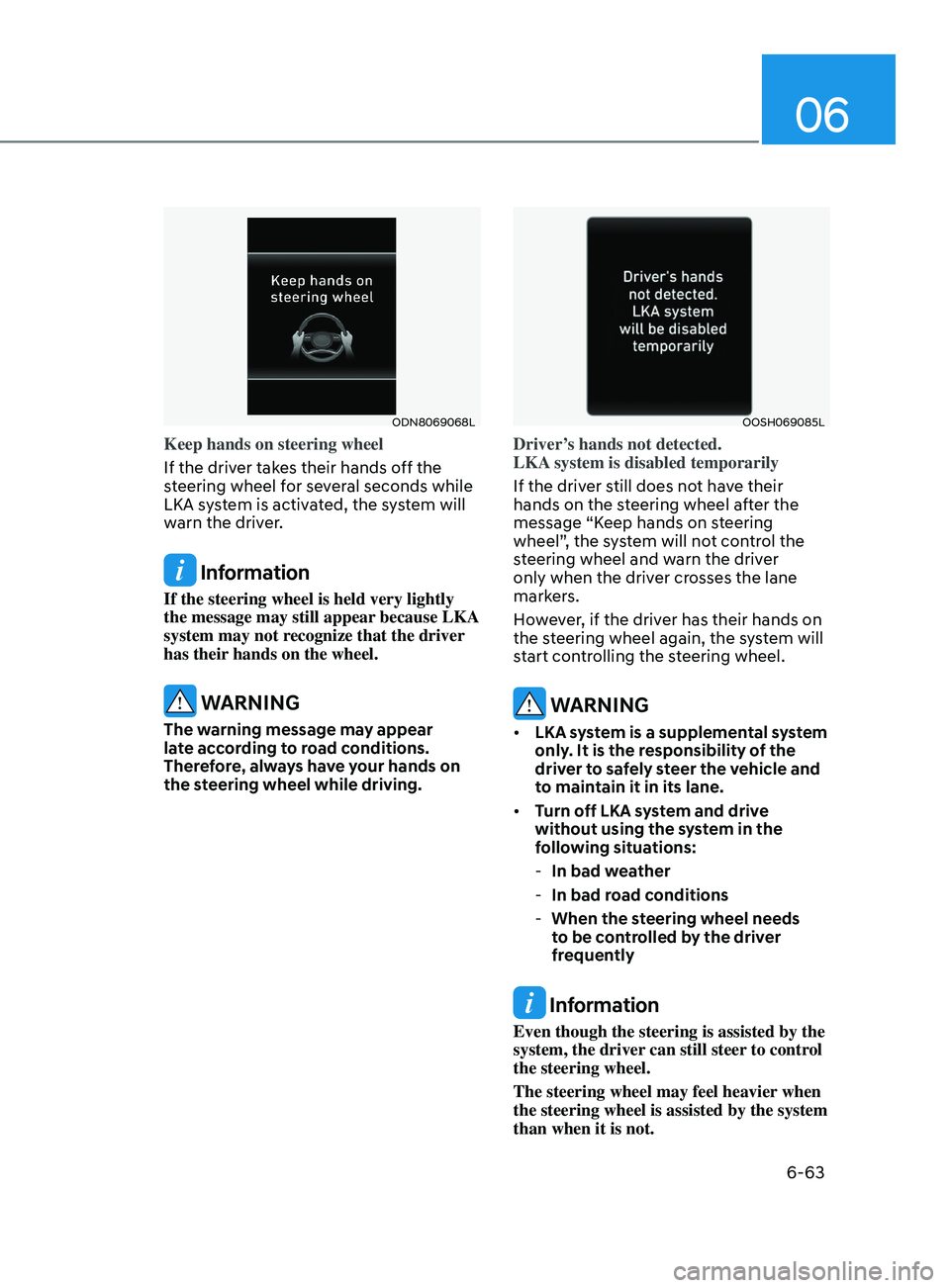
Keep hands on steering wheel
If the driver takes their hands off the
steering wheel for several seconds while
LKA system is activated, the system will
warn the driver.
Information
If the steering wheel is held very lightly
the message may still appear because LKA
system may not recognize that the driver
has their hands on the wheel.
WARNING
The warning message may appear
late according to road conditions.
Therefore, always have your hands on
the steering wheel while driving.
OOSH069085L
Driver’s hands not detected.
LKA system is disabled temporarily
If the driver still does not have their
hands on the steering wheel after the
message “Keep hands on steering
wheel”, the system will not control the
steering wheel and warn the driver
only when the driver crosses the lane
markers.
However, if the driver has their hands on
the steering wheel again, the system will
start controlling the steering wheel.
WARNING
• LKA system is a supplemental system
only. It is the responsibility of the
driver to safely steer the vehicle and
to maintain it in its lane.
• Turn off LKA system and drive
without using the system in the
following situations:
-In bad w
eather
-In bad r
oad conditions
-When the s
teering wheel needs
to be controlled by the driver
frequently
Information
Even though the steering is assisted by the
system, the driver can still steer to control
the steering wheel.
The steering wheel may feel heavier when
the steering wheel is assisted by the system
than when it is not.
Page 348 of 546
6-64
Warning Light and Message
•„Type A•„Type B
OIK057121NOIK057122N
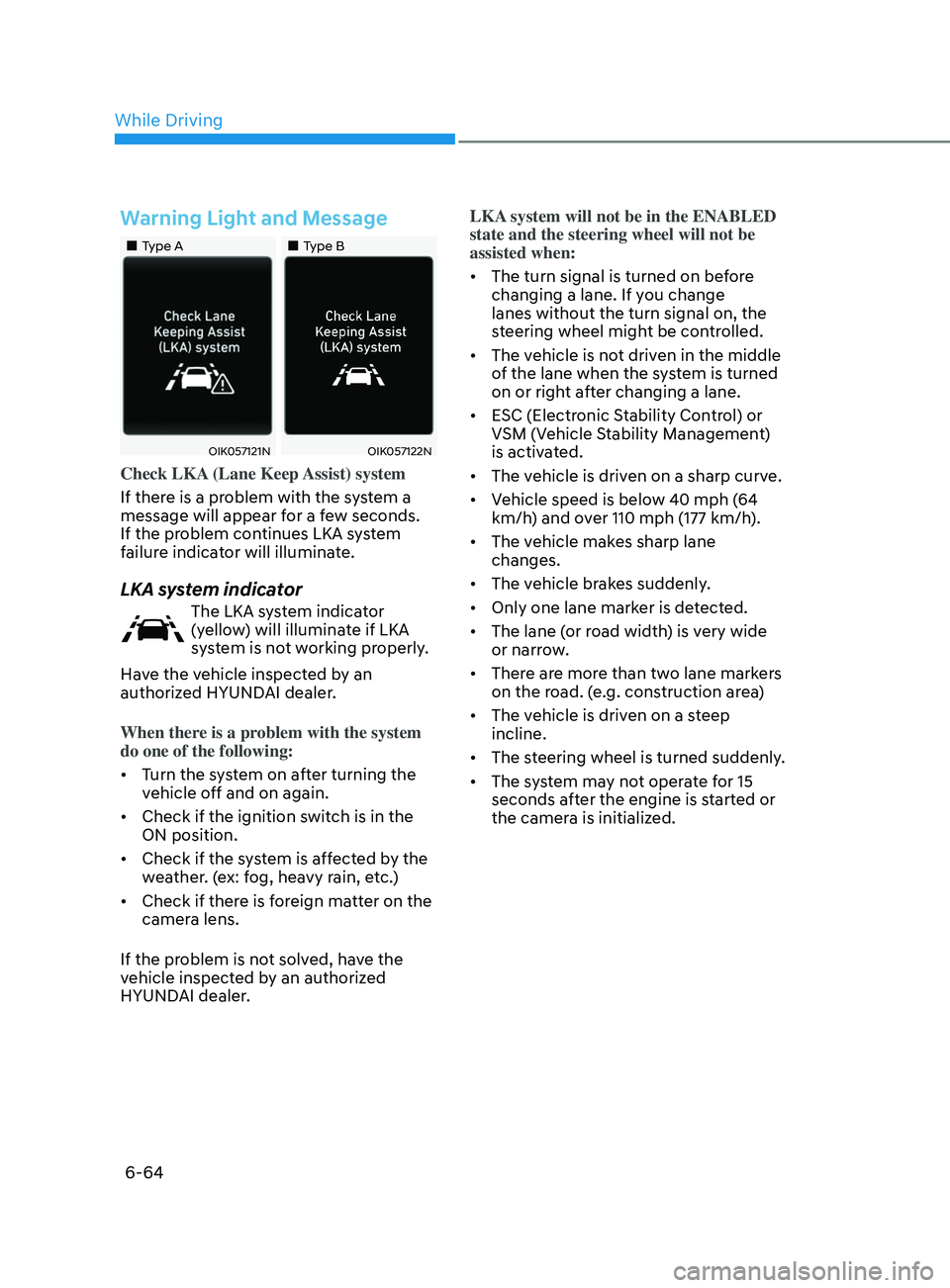
Check LKA (Lane Keep Assist) system
If there is a problem with the system a
message will appear for a few seconds.
If the problem continues LKA system
failure indicator will illuminate.
LKA system indicator
The LKA system indicator
(yellow) will illuminate if LKA
system is not working properly.
Have the vehicle inspected by an
authorized HYUNDAI dealer.
When there is a problem with the system
do one of the following:
• Turn the system on after turning the
vehicle off and on again.
• Check if the ignition switch is in the
ON position.
• Check if the system is affected by the
weather. (ex: fog, heavy rain, etc.)
• Check if there is foreign matter on the
camera lens.
If the problem is not solved, have the
vehicle inspected by an authorized
HYUNDAI dealer. LKA system will not be in the ENABLED
state and the steering wheel will not be
assisted when:
•
The turn signal is turned on before
changing a lane. If you change
lanes without the turn signal on, the
steering wheel might be controlled.
• The vehicle is not driven in the middle
of the lane when the system is turned
on or right after changing a lane.
• ESC (Electronic Stability Control) or
VSM (Vehicle Stability Management)
is activated.
• The vehicle is driven on a sharp curve.
• Vehicle speed is below 40 mph (64
km/h) and over 110 mph (177 km/h).
• The vehicle makes sharp lane
changes.
• The vehicle brakes suddenly.
• Only one lane marker is detected.
• The lane (or road width) is very wide
or narrow.
• There are more than two lane markers
on the road. (e.g. construction area)
• The vehicle is driven on a steep
incline.
• The steering wheel is turned suddenly.
• The system may not operate for 15
seconds after the engine is started or
the camera is initialized.
While Driving
Page 354 of 546
6-70
Warning and System Control
Blind-Spot Collision Warning
•„Left side
•„Right side
ODN8069028
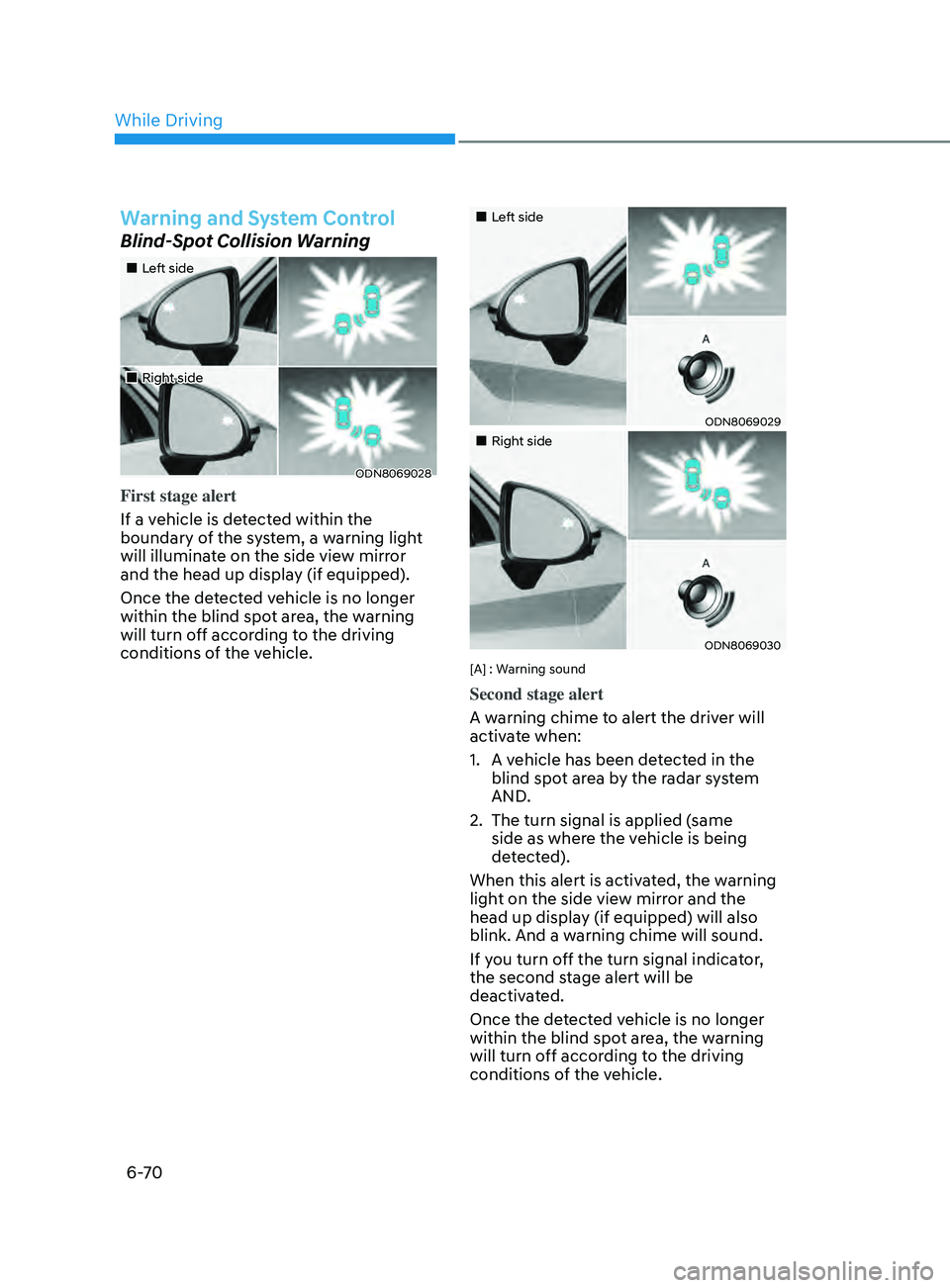
First stage alert
If a vehicle is detected within the
boundary of the system, a warning light
will illuminate on the side view mirror
and the head up display (if equipped).
Once the detected vehicle is no longer
within the blind spot area, the warning
will turn off according to the driving
conditions of the vehicle.
•„Left side
ODN8069029
•„Right side
ODN8069030
[A] : Warning sound
Second stage alert
A warning chime to alert the driver will
activate when:
1.
A v
ehicle has been detected in the
blind spot area by the radar system
AND.
2.
The turn signal is applied (
same
side as where the vehicle is being
detected).
When this alert is activated, the warning
light on the side view mirror and the
head up display (if equipped) will also
blink. And a warning chime will sound.
If you turn off the turn signal indicator,
the second stage alert will be
deactivated.
Once the detected vehicle is no longer
within the blind spot area, the warning
will turn off according to the driving
conditions of the vehicle.
While Driving
Page 359 of 546
06
6-75
•„Type A•„Type B
OTM058087LODN8059289L
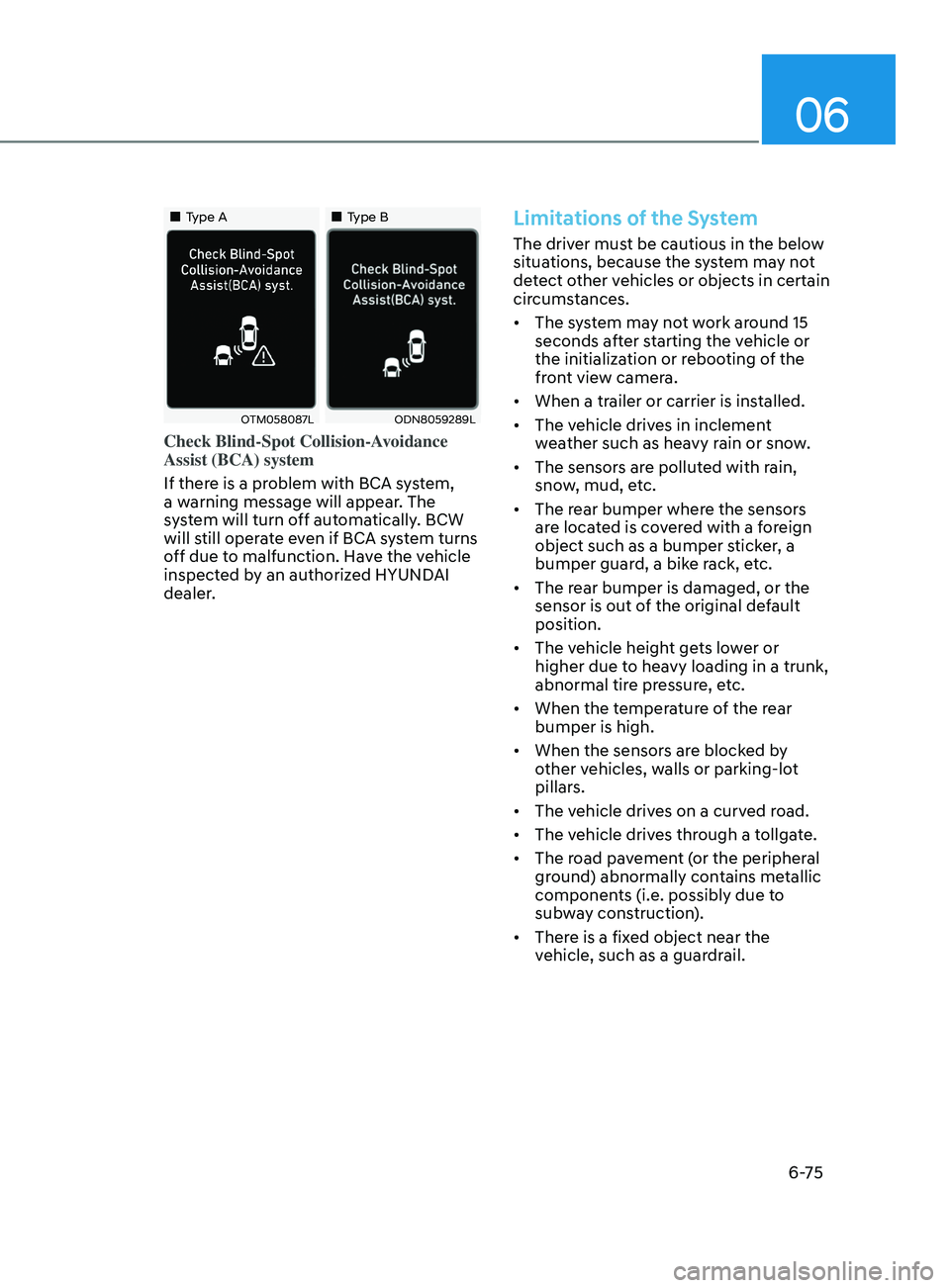
Check Blind-Spot Collision-Avoidance
Assist (BCA) system
If there is a problem with BCA system,
a warning message will appear. The
system will turn off automatically. BCW
will still operate even if BCA system turns
off due to malfunction. Have the vehicle
inspected by an authorized HYUNDAI
dealer.
Limitations of the System
The driver must be cautious in the below
situations, because the system may not
detect other vehicles or objects in certain
circumstances.
• The system may not work around 15
seconds after starting the vehicle or
the initialization or rebooting of the
front view camera.
• When a trailer or carrier is installed.
• The vehicle drives in inclement
weather such as heavy rain or snow.
• The sensors are polluted with rain,
snow, mud, etc.
• The rear bumper where the sensors
are located is covered with a foreign
object such as a bumper sticker, a
bumper guard, a bike rack, etc.
• The rear bumper is damaged, or the
sensor is out of the original default
position.
• The vehicle height gets lower or
higher due to heavy loading in a trunk,
abnormal tire pressure, etc.
• When the temperature of the rear
bumper is high.
• When the sensors are blocked by
other vehicles, walls or parking-lot
pillars.
• The vehicle drives on a curved road.
• The vehicle drives through a tollgate.
• The road pavement (or the peripheral
ground) abnormally contains metallic
components (i.e. possibly due to
subway construction).
• There is a fixed object near the
vehicle, such as a guardrail.
Page 361 of 546
06
6-77
ODN8H069208L
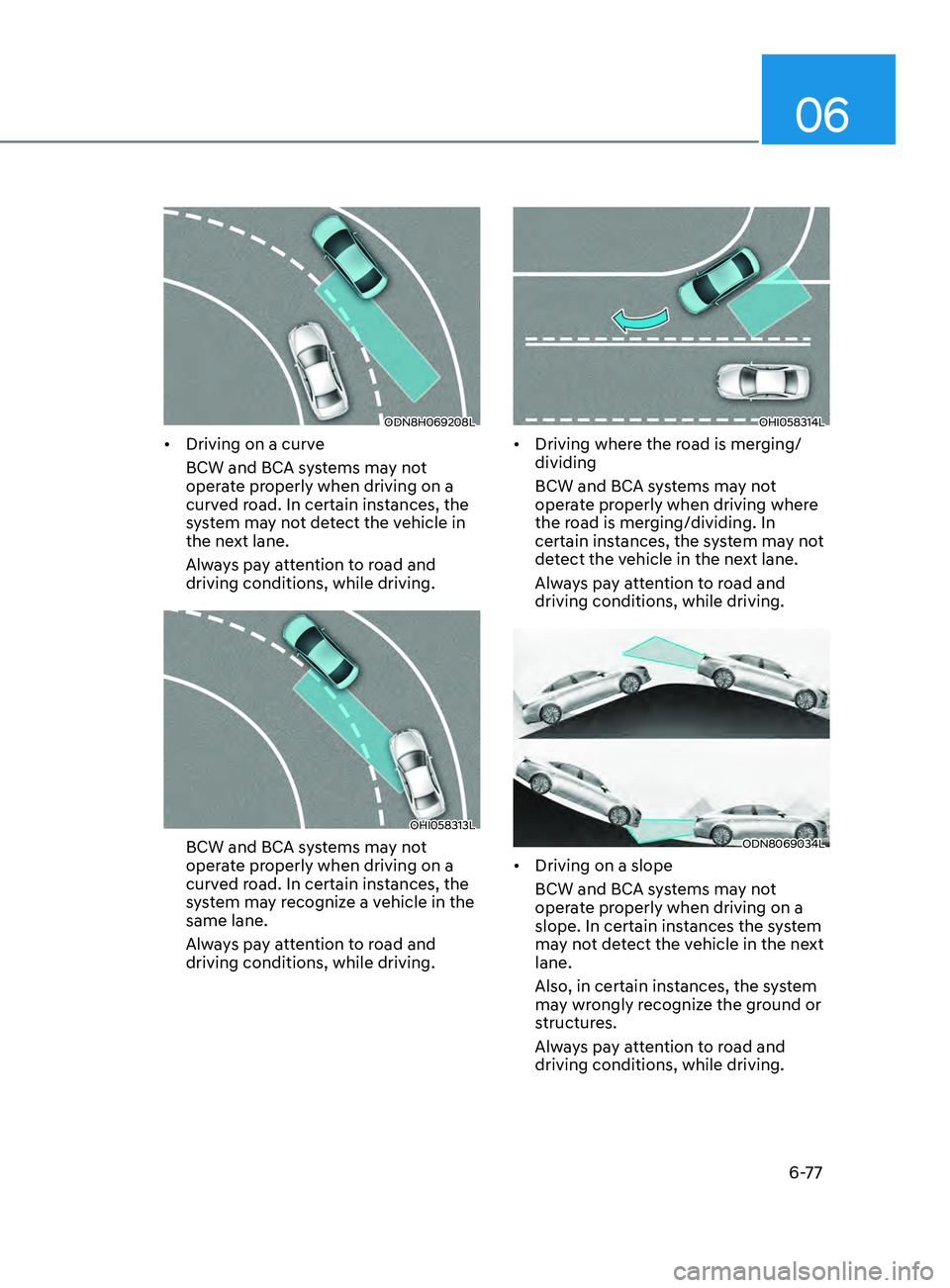
• Driving on a curve
BCW and BCA systems may not
operate properly when driving on a
curved road. In certain instances, the
system may not detect the vehicle in
the next lane.
Always pay attention to road and
driving conditions, while driving.
OHI058313L
BCW and BCA systems may not
operate properly when driving on a
curved road. In certain instances, the
system may recognize a vehicle in the
same lane.
Always pay attention to road and
driving conditions, while driving.
OHI058314L
• Driving where the road is merging/
dividing
BCW and BCA systems may not
operate properly when driving where
the road is merging/dividing. In
certain instances, the system may not
detect the vehicle in the next lane.
Always pay attention to road and
driving conditions, while driving.
ODN8069034L
• Driving on a slope
BCW and BCA systems may not
operate properly when driving on a
slope. In certain instances the system
may not detect the vehicle in the next
lane.
Also, in certain instances, the system
may wrongly recognize the ground or
structures.
Always pay attention to road and
driving conditions, while driving.
Page 362 of 546
6-78
ODN8A069033
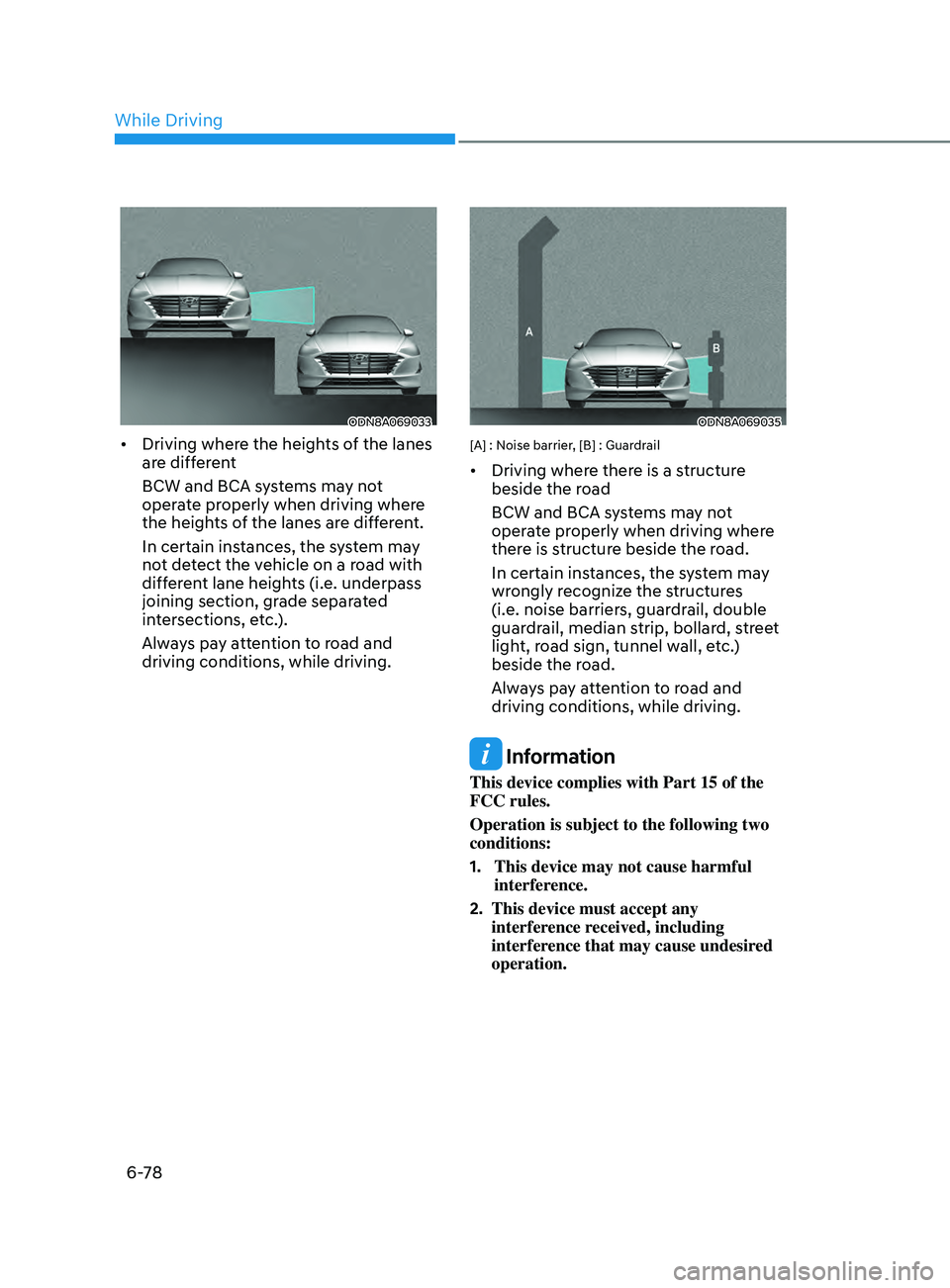
• Driving where the heights of the lanes
are different
BCW and BCA systems may not
operate properly when driving where
the heights of the lanes are different.
In certain instances, the system may
not detect the vehicle on a road with
different lane heights (i.e. underpass
joining section, grade separated
intersections, etc.).
Always pay attention to road and
driving conditions, while driving.
ODN8A069035
[A] : Noise barrier, [B] : Guardrail
• Driving where there is a structure
beside the road
BCW and BCA systems may not
operate properly when driving where
there is structure beside the road.
In certain instances, the system may
wrongly recognize the structures
(i.e. noise barriers, guardrail, double
guardrail, median strip, bollard, street
light, road sign, tunnel wall, etc.)
beside the road.
Always pay attention to road and
driving conditions, while driving.
Information
This device complies with Part 15 of the
FCC rules.
Operation is subject to the following two
conditions:
1.
This device may not cause harmful
interfer
ence.
2.
This device must accept any
interfer
ence received, including
interference that may cause undesired
operation.
While Driving
Page 368 of 546
6-84
Function malfunction and
limitations
Function malfunction
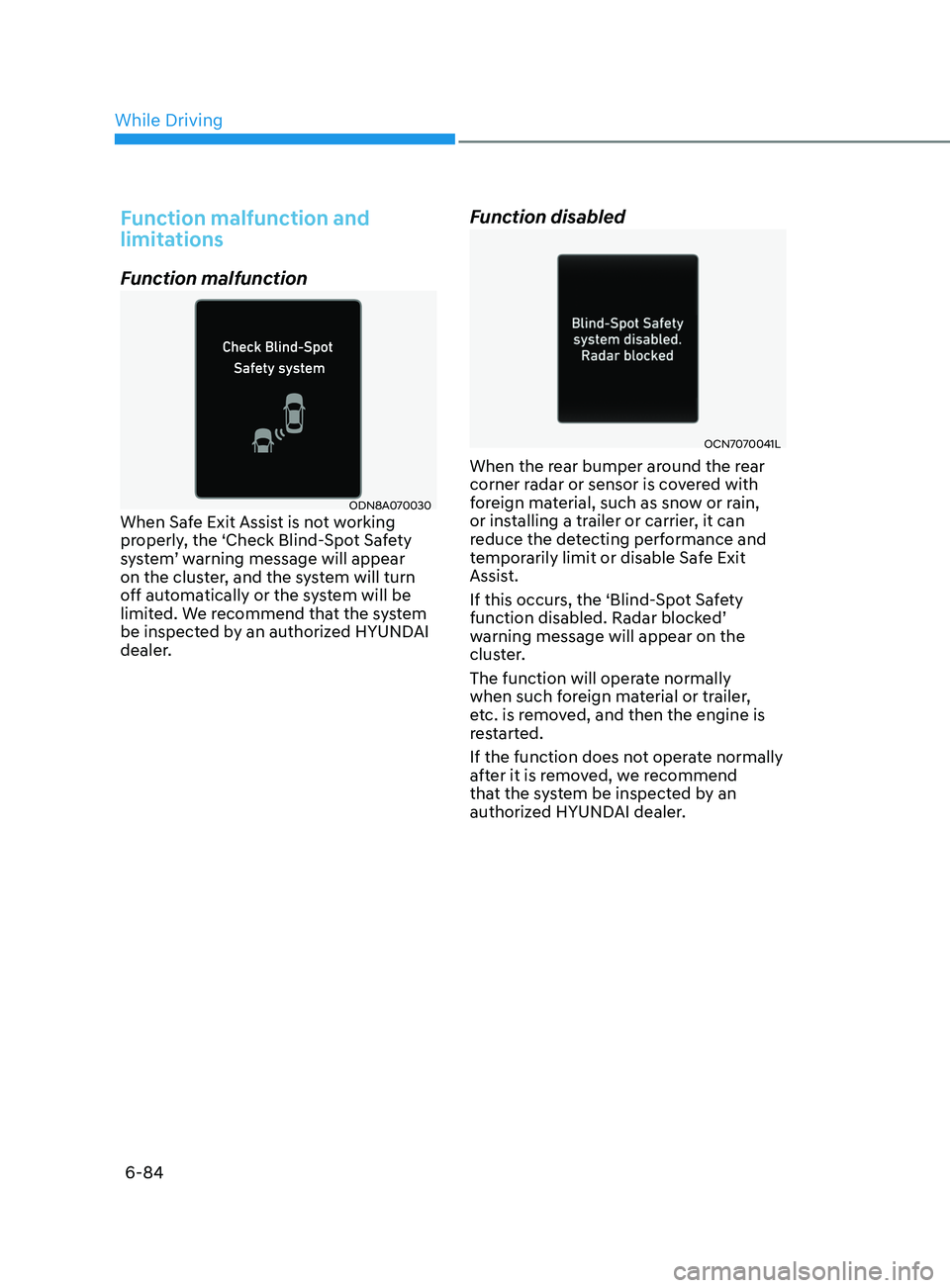
ODN8A070030When Safe Exit Assist is not working
properly, the ‘Check Blind-Spot Safety
system’ warning message will appear
on the cluster, and the system will turn
off automatically or the system will be
limited. We recommend that the system
be inspected by an authorized HYUNDAI
dealer.
Function disabled
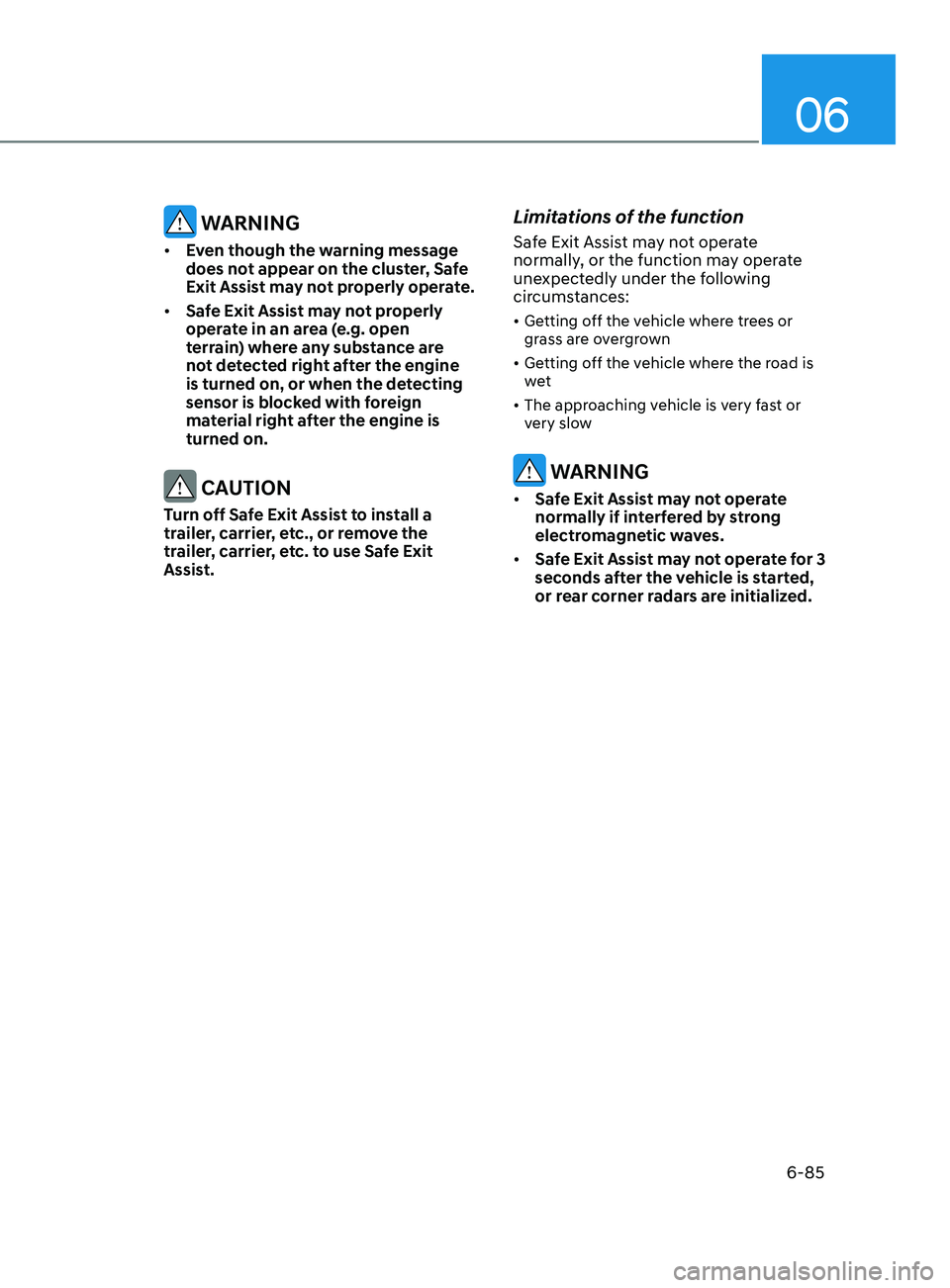
OCN7070041L
When the rear bumper around the rear
corner radar or sensor is covered with
foreign material, such as snow or rain,
or installing a trailer or carrier, it can
reduce the detecting performance and
temporarily limit or disable Safe Exit
Assist.
If this occurs, the ‘Blind-Spot Safety
function disabled. Radar blocked’
warning message will appear on the
cluster.
The function will operate normally
when such foreign material or trailer,
etc. is removed, and then the engine is
restarted.
If the function does not operate normally
after it is removed, we recommend
that the system be inspected by an
authorized HYUNDAI dealer.
While Driving
Page 369 of 546
06
6-85
WARNING
• Even though the warning message
does not appear on the cluster, Safe
Exit Assist may not properly operate.
• Safe Exit Assist may not properly
operate in an area (e.g. open
terrain) where any substance are
not detected right after the engine
is turned on, or when the detecting
sensor is blocked with foreign
material right after the engine is
turned on.
CAUTION
Turn off Safe Exit Assist to install a
trailer, carrier, etc., or remove the
trailer, carrier, etc. to use Safe Exit
Assist.
Limitations of the function
Safe Exit Assist may not operate
normally, or the function may operate
unexpectedly under the following
circumstances:
• Getting off the vehicle where trees or
grass are overgrown
• Getting off the vehicle where the road is
wet
• The approaching vehicle is very fast or
very slow
WARNING
• Safe Exit Assist may not operate
normally if interfered by strong
electromagnetic waves.
• Safe Exit Assist may not operate for 3
seconds after the vehicle is started,
or rear corner radars are initialized.