Systems HYUNDAI SONATA 2021 User Guide
[x] Cancel search | Manufacturer: HYUNDAI, Model Year: 2021, Model line: SONATA, Model: HYUNDAI SONATA 2021Pages: 546, PDF Size: 51.21 MB
Page 93 of 546
Instrument Cluster
4-8
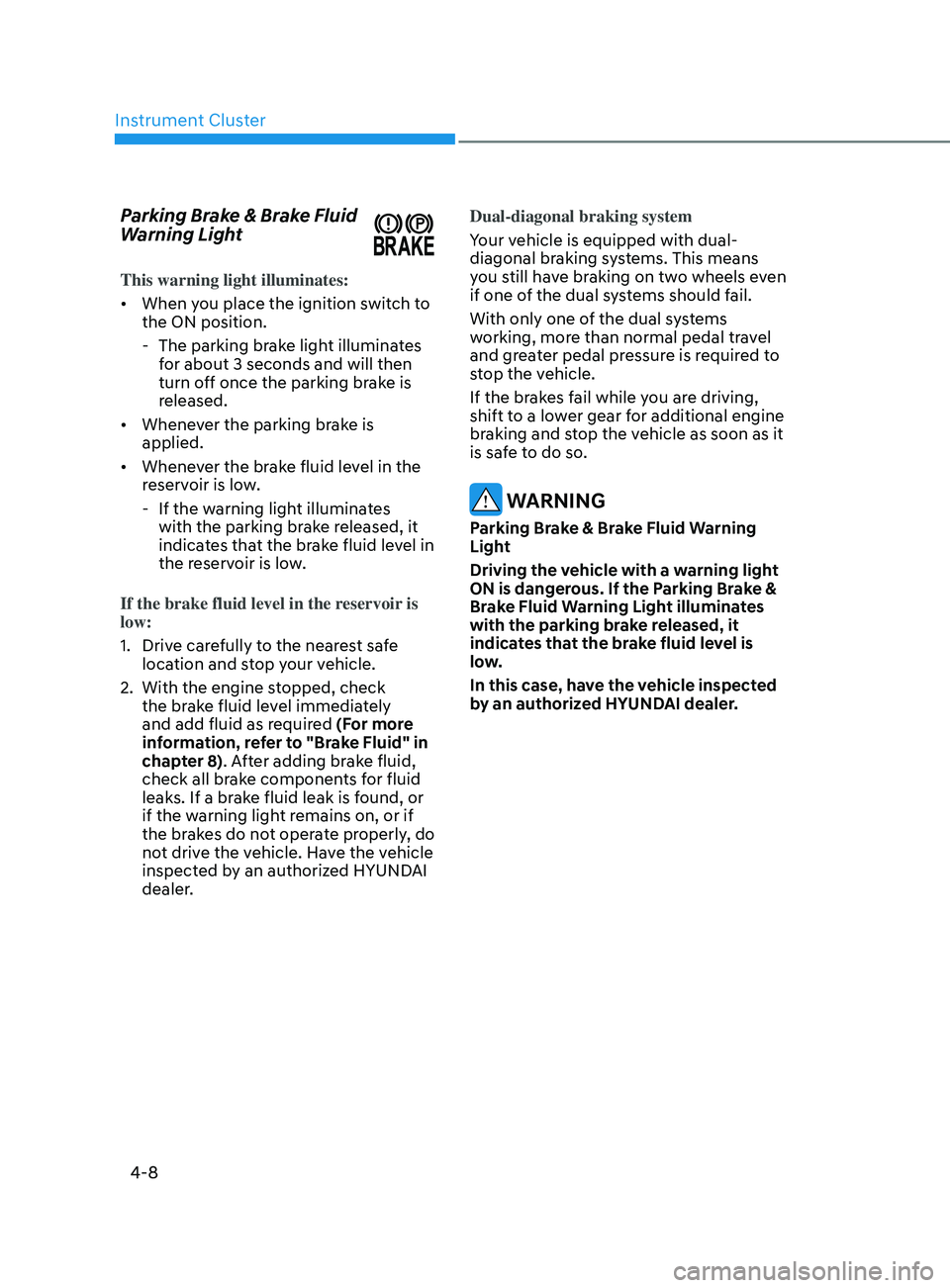
Parking Brake & Brake Fluid
Warning Light
This warning light illuminates:
• When you place the ignition switch to
the ON position.
- The parking br
ake light illuminates
for about 3 seconds and will then
turn off once the parking brake is
released.
• Whenever the parking brake is
applied.
• Whenever the brake fluid level in the
reservoir is low.
- If the w
arning light illuminates
with the parking brake released, it
indicates that the brake fluid level in
the reservoir is low.
If the brake fluid level in the reservoir is
low:
1.
Driv
e carefully to the nearest safe
location and stop your vehicle.
2.
With the engine s
topped, check
the brake fluid level immediately
and add fluid as required (For more
information, refer to "Brake Fluid" in
chapter 8). After adding brake fluid,
check all brake components for fluid
leaks. If a brake fluid leak is found, or
if the warning light remains on, or if
the brakes do not operate properly, do
not drive the vehicle. Have the vehicle
inspected by an authorized HYUNDAI
dealer. Dual-diagonal braking system
Your vehicle is equipped with dual-
diagonal braking systems. This means
you still have braking on two wheels even
if one of the dual systems should fail.
With only one of the dual systems
working, more than normal pedal travel
and greater pedal pressure is required to
stop the vehicle.
If the brakes fail while you are driving,
shift to a lower gear for additional engine
braking and stop the vehicle as soon as it
is safe to do so.
WARNING
Parking Brake & Brake Fluid Warning
Light
Driving the vehicle with a warning light
ON is dangerous. If the Parking Brake &
Brake Fluid Warning Light illuminates
with the parking brake released, it
indicates that the brake fluid level is
low.
In this case, have the vehicle inspected
by an authorized HYUNDAI dealer.
Page 97 of 546
Instrument Cluster
4-12
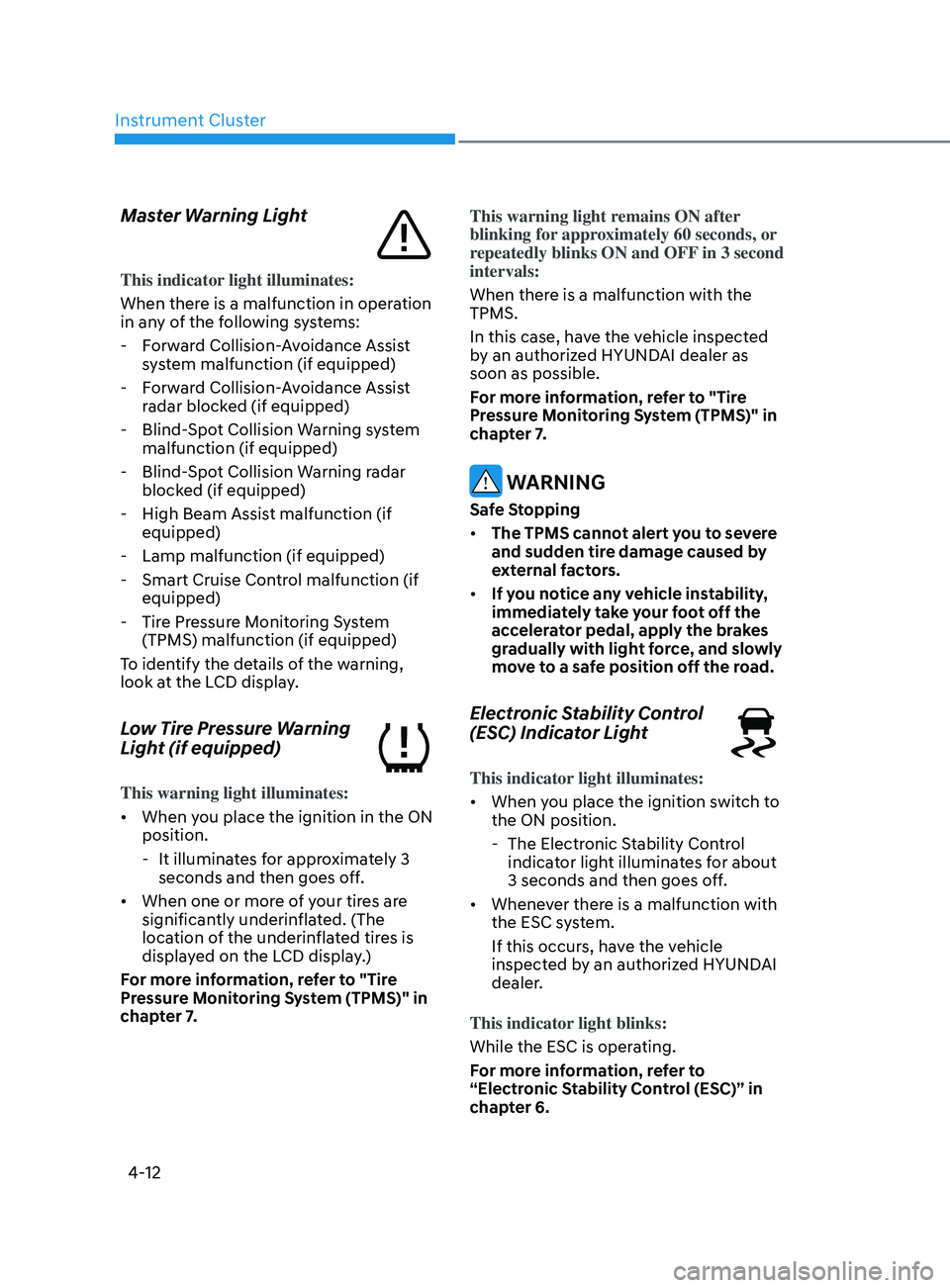
Master Warning Light
This indicator light illuminates:
When there is a malfunction in operation
in any of the following systems:
- F
orward Collision-Avoidance Assist
system malfunction (if equipped)
- F
orward Collision-Avoidance Assist
radar blocked (if equipped)
- Blind-
Spot Collision Warning system
malfunction (if equipped)
- Blind-
Spot Collision Warning radar
blocked (if equipped)
- High Beam Assis
t malfunction (if
equipped)
- Lamp malfunction (if equipped)
- Smart Cruise Con
trol malfunction (if
equipped)
- Tir
e Pressure Monitoring System
(TPMS) malfunction (if equipped)
To identify the details of the warning,
look at the LCD display.
Low Tire Pressure Warning
Light (if equipped)
This warning light illuminates:
• When you place the ignition in the ON
position.
- It illumina
tes for approximately 3
seconds and then goes off.
• When one or more of your tires are
significantly underinflated. (The
location of the underinflated tires is
displayed on the LCD display.)
For more information, refer to "Tire
Pressure Monitoring System (TPMS)" in
chapter 7. This warning light remains ON after
blinking for approximately 60 seconds, or
repeatedly blinks ON and OFF in 3 second
intervals:
When there is a malfunction with the
TPMS.
In this case, have the vehicle inspected
by an authorized HYUNDAI dealer as
soon as possible.
For more information, refer to "Tire
Pressure Monitoring System (TPMS)" in
chapter 7.
WARNING
Safe Stopping
•
The TPMS cannot alert you to severe
and sudden tire damage caused by
external factors.
• If you notice any vehicle instability,
immediately take your foot off the
accelerator pedal, apply the brakes
gradually with light force, and slowly
move to a safe position off the road.
Electronic Stability Control
(ESC) Indicator Light
This indicator light illuminates:
• When you place the ignition switch to
the ON position.
- The Electr
onic Stability Control
indicator light illuminates for about
3 seconds and then goes off.
• Whenever there is a malfunction with
the ESC system.
If this occurs, have the vehicle
inspected by an authorized HYUNDAI
dealer.
This indicator light blinks:
While the ESC is operating.
For more information, refer to
“Electronic Stability Control (ESC)” in
chapter 6.
Page 105 of 546
Instrument Cluster
4-20
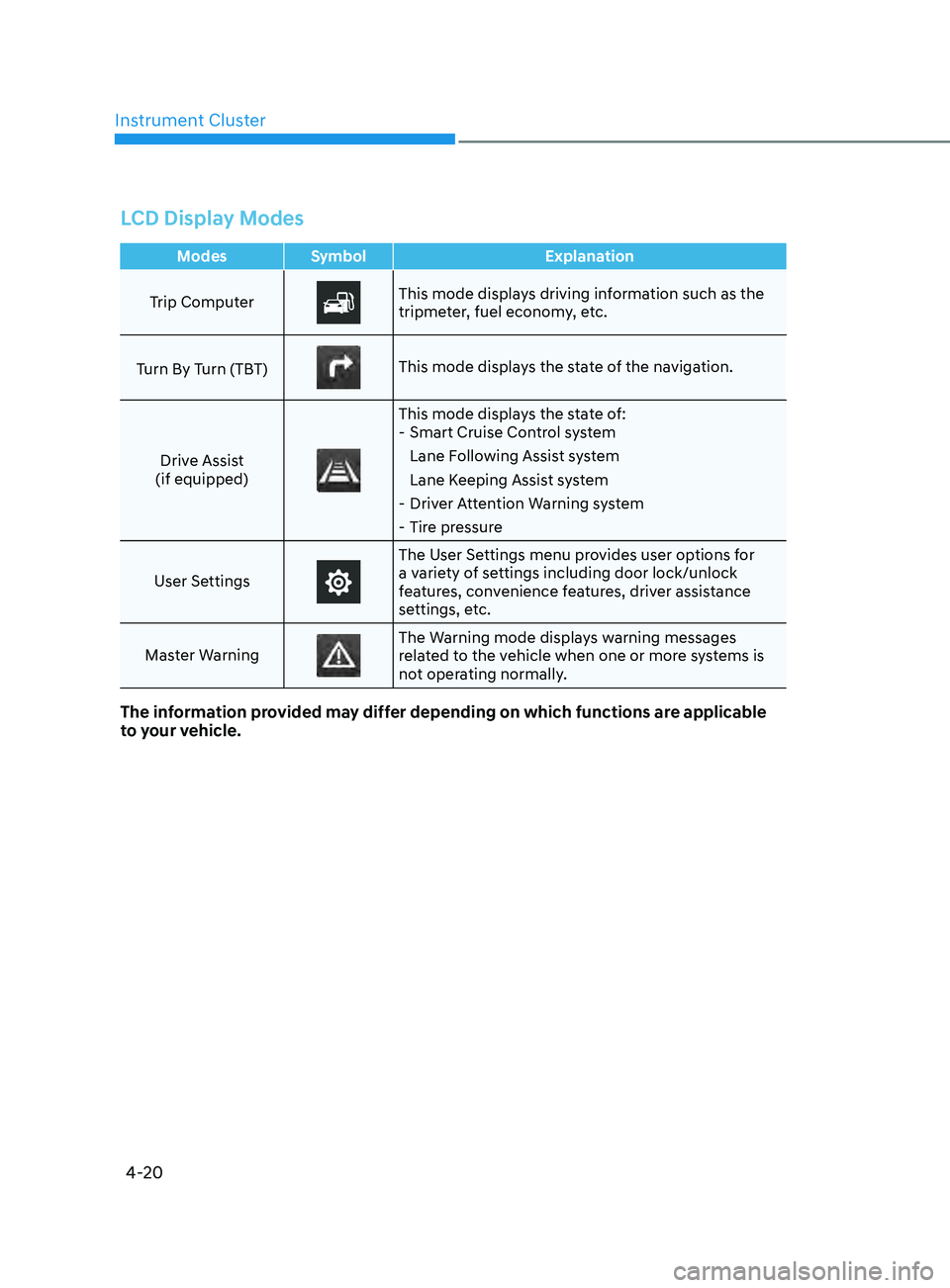
LCD Display Modes
ModesSymbol Explanation
Trip Computer
This mode displays driving information such as the
tripmeter, fuel economy, etc.
Turn By Turn (TBT)
This mode displays the state of the navigation.
Drive Assist
(if equipped)
This mode displays the state of: - Smart Cruise Con trol system
Lane Following Assist system
Lane Keeping Assist system
- Driv
er Attention Warning system
- Tir
e pressure
User Settings
The User Settings menu provides user options for
a variety of settings including door lock/unlock
features, convenience features, driver assistance
settings, etc.
Master Warning
The Warning mode displays warning messages
related to the vehicle when one or more systems is
not operating normally.
The information provided may differ depending on which functions are applicable
to your vehicle.
Page 108 of 546
04
4-23
OOSEV048172L
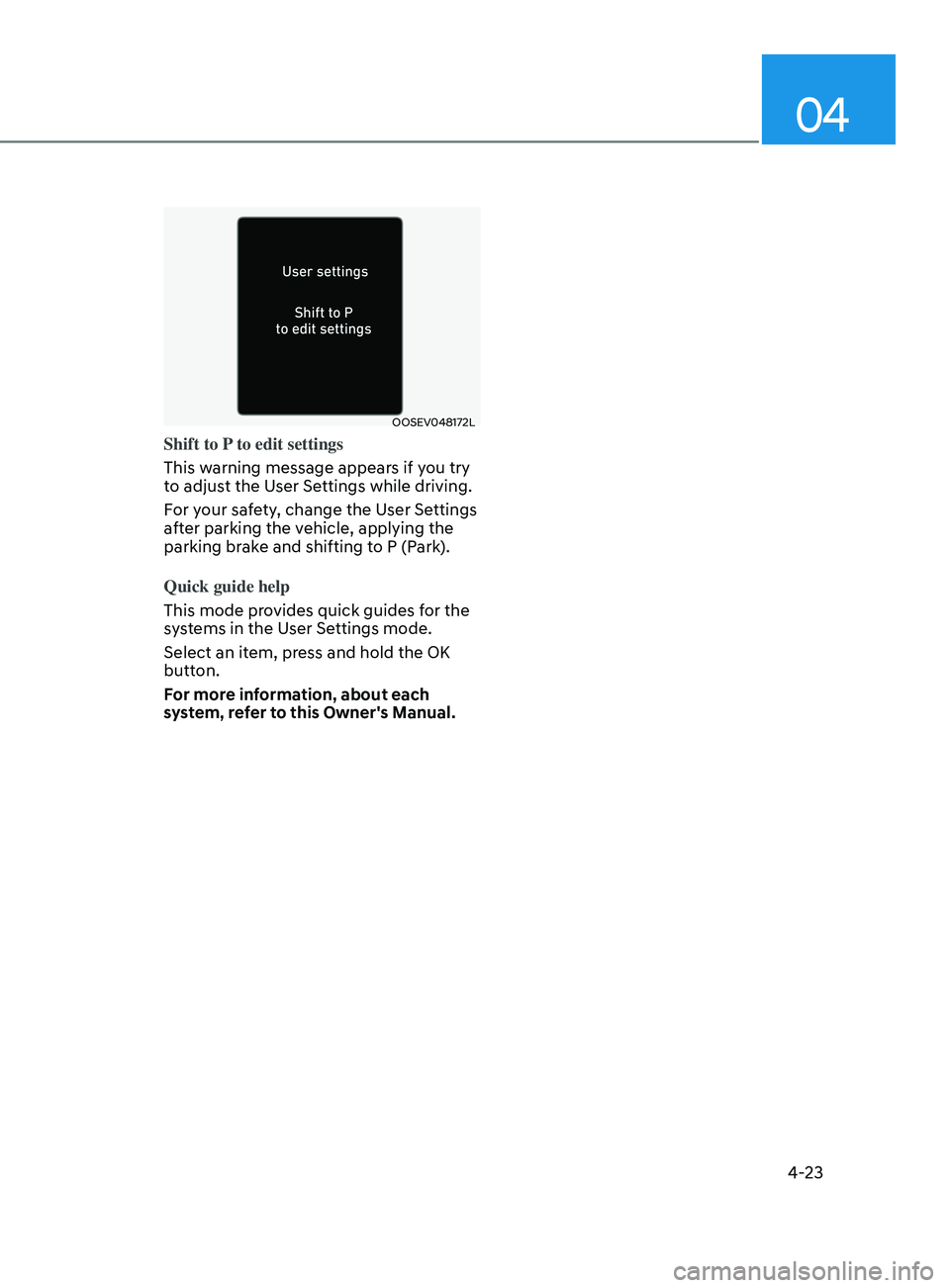
Shift to P to edit settings
This warning message appears if you try
to adjust the User Settings while driving.
For your safety, change the User Settings
after parking the vehicle, applying the
parking brake and shifting to P (Park).
Quick guide help
This mode provides quick guides for the
systems in the User Settings mode.
Select an item, press and hold the OK
button.
For more information, about each
system, refer to this Owner's Manual.
Page 122 of 546

04
4-37
Driving Assist view mode
ODN8A049035
LKA, DAW, LFA, SCC
This mode displays the state of Lane
Keeping Assist, Driver Attention Warning,
Lane Following Assist, Smart Cruise
Control systems.
For more information, refer to each
system information in chapter 6.
Turn By Turn (TBT) view mode
ODN8A049025
It shows the information by interworking
with the navigation
Parking Assist view mode
ODN8A049026
It displays the information related to the
parking assist system movement.
Page 124 of 546
04
4-39
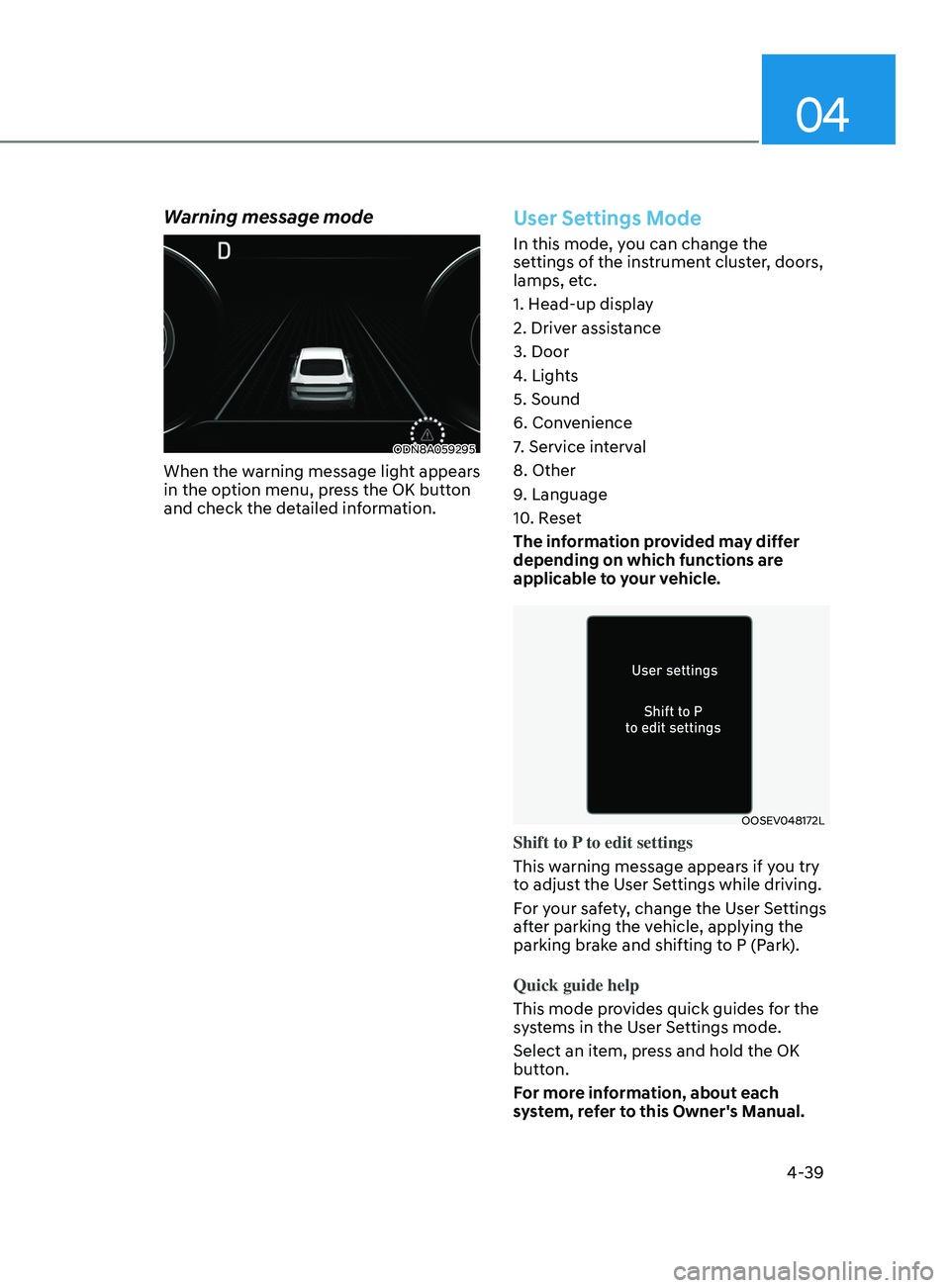
Warning message mode
ODN8A059295
When the warning message light appears
in the option menu, press the OK button
and check the detailed information.
User Settings Mode
In this mode, you can change the
settings of the instrument cluster, doors,
lamps, etc.
1. Head-up display
2. Driver assistance
3. Door
4. Lights
5. Sound
6. Convenience
7. Service interval
8. Other
9. Language
10. Reset
The information provided may differ
depending on which functions are
applicable to your vehicle.
OOSEV048172L
Shift to P to edit settings
This warning message appears if you try
to adjust the User Settings while driving.
For your safety, change the User Settings
after parking the vehicle, applying the
parking brake and shifting to P (Park).
Quick guide help
This mode provides quick guides for the
systems in the User Settings mode.
Select an item, press and hold the OK
button.
For more information, about each
system, refer to this Owner's Manual.
Page 178 of 546
Convenient Features5-48
Automatic-Dimming Night Vision Safety™
(NVS®) Mirror (if equipped)
The NVS® Mirror automatically reduces
glare by monitoring light levels in the
front and the rear of the vehicle. Any
object that obstructs either light sensor
will degrade the automatic dimming
control feature.
For more information regarding NVS®
mirrors and other applications, please
refer to the Gentex website:
www.gentex.com
Your mirror will automatically dim
upon detecting glare from the vehicles
traveling behind you.
The mirror defaults to the ON position
each time the vehicle is started.
Integrated HomeLink
® Wireless Control
System
The HomeLink® Wireless Control System
can replace up to three hand-held
radio-frequency (RF) transmitters with
a single built-in device. This innovative
feature will learn the radio frequency
codes of most current transmitters to
operate devices such as gate operators,
garage door openers, entry door locks,
security systems, even home lighting.
Both standard and rolling code-equipped
transmitters can be programmed by
following the outlined procedures.
Additional HomeLink® information can
be found at: www.homelink.com, www.
youtube.com/HomeLinkGentex or by
calling 1-800-355-3515.
Retain the original transmitter of the
RF device you are programming for use
in other vehicles as well as for future
HomeLink® programming. It is also
suggested that upon the sale of the
vehicle, the programmed HomeLink®
buttons be erased for security purposes.
WARNING
Before programming HomeLink® to a
garage door opener or gate operator,
make sure people and objects are out
of the way of the device to prevent
potential harm or damage. Do not
use the HomeLink® with any garage
door opener that lacks the safety
stop and reverse features required
by U.S. federal safety standards (this
includes any garage door opener model
manufactured before April 1, 1982).
A garage door that cannot detect an
object - signaling the door to stop and
reverse - does not meet current U.S.
federal safety standards. Using a garage
door opener without these features
increases the risk of serious injury or
death.
Programming HomeLink
®
Please note the following:
• When
programming a garage door
opener
, it is advised to park the
vehicle outside of the garage.
• It
is recommended that a new battery
be placed in the hand-held tr
ansmitter
of the device being programmed to
HomeLink® for quicker training and
accurate transmission of the radio-
frequency signal.
• Some
vehicles may require the
E
ngine Start/Stop button to be in the
ACC (or “Accessories”) position for
programming and/or operation of
HomeLink®.
• In
the event that there are still
pr
ogramming difficulties or questions
after following the programming steps
listed below, contact HomeLink® at:
www.homelink.com, www.youtube.
com/HomeLinkGentex or by calling
1-800-355-3515.
Page 223 of 546
05
5-93
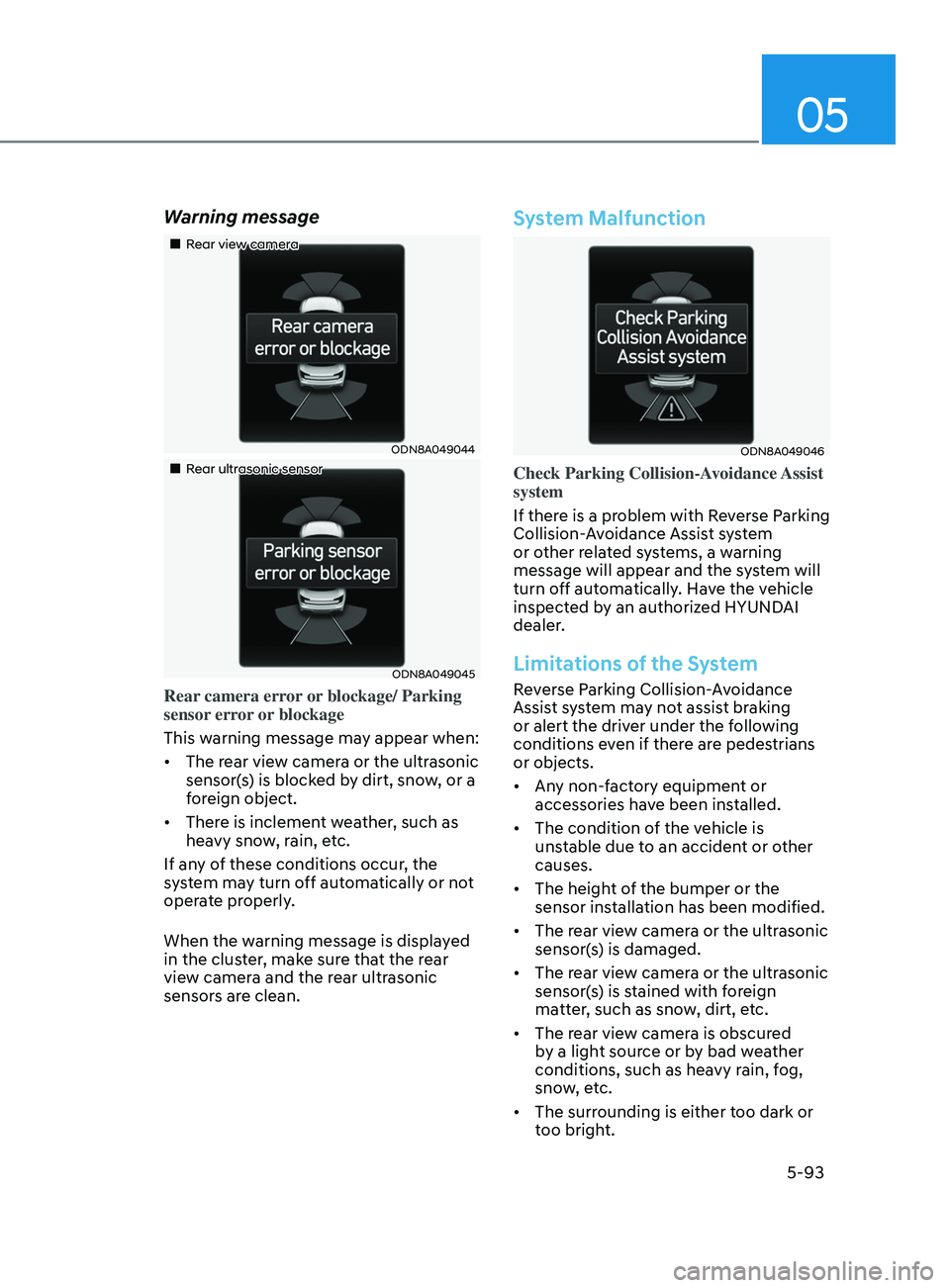
Warning message
„„Rear view camera
ODN8A049044
„„Rear ultrasonic sensor
ODN8A049045
Rear camera error or blockage/ Parking
sensor error or blockage
This warning message may appear when:
• The rear view camera or the ultrasonic
sensor(s) is blocked by dirt, snow, or a
foreign object.
• There is inclement weather, such as
heavy snow, rain, etc.
If any of these conditions occur, the
system may turn off automatically or not
operate properly.
When the warning message is displayed
in the cluster, make sure that the rear
view camera and the rear ultrasonic
sensors are clean.
System Malfunction
ODN8A049046
Check Parking Collision-Avoidance Assist
system
If there is a problem with Reverse Parking
Collision-Avoidance Assist system
or other related systems, a warning
message will appear and the system will
turn off automatically. Have the vehicle
inspected by an authorized HYUNDAI
dealer.
Limitations of the System
Reverse Parking Collision-Avoidance
Assist system may not assist braking
or alert the driver under the following
conditions even if there are pedestrians
or objects.
• Any non-factory equipment or
accessories have been installed.
• The condition of the vehicle is
unstable due to an accident or other
causes.
• The height of the bumper or the
sensor installation has been modified.
• The rear view camera or the ultrasonic
sensor(s) is damaged.
• The rear view camera or the ultrasonic
sensor(s) is stained with foreign
matter, such as snow, dirt, etc.
• The rear view camera is obscured
by a light source or by bad weather
conditions, such as heavy rain, fog,
snow, etc.
• The surrounding is either too dark or
too bright.
Page 245 of 546
05
5-115
Link with other systems
Activation of other systems may
be restricted according to the
circumstances while Remote Smart
Parking Assist system is in activation.
The systems linked to the Remote Smart
Parking Assist system are as follows:
1.
I
dle Stop & Go
(1)
While R
emote Smart Parking
Assist system is operating, ISG is
deactivated.
(2)
If R
emote Smart Parking Assist
system is completed or cancelled,
ISG can be activated.
2.
A
uto Hold
(1)
The activ
ated Auto Hold is
switched to deactivation status
when Remote Smart Parking Assist
system starts.
(2)
The A
uto Hold button will not
respond while Remote Smart
Parking Assist system is in
activation.
(3
)
A
fter Remote Smart Parking
Assist system is completed or
deactivated, the Auto Hold will
return to the status before Remote
Smart Parking Assist system was
activated.
3.
Electr
onic Stability Control (ESC)
(1)
Electr
onic Stability Control (ESC)
system switches from OFF to
activation status (ESC OFF button
turns off) when Remote Smart
Parking Assist system is activated.
(2)
The ESC OFF butt
on will not
respond while Remote Smart
Parking Assist system is in
activation.
(3
)
The ABS/T
CS/ESC system activates
while Remote Smart Parking Assist
system is in activation.
(
4)
A
fter Remote Smart Parking
Assist system is completed or
deactivated, the ESC maintains the
ON status.
How the Remote Moving
Forward/Backward System
Works
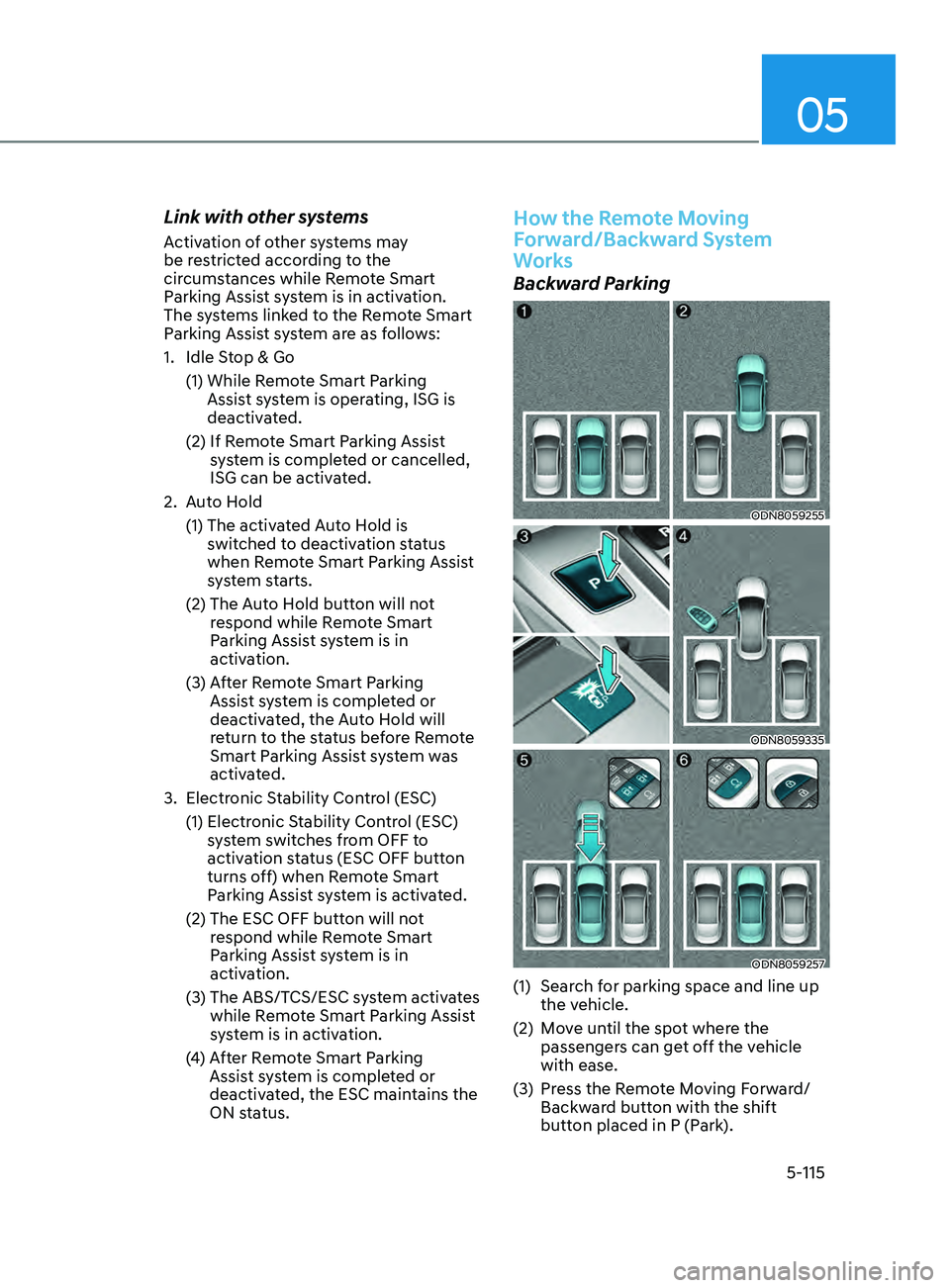
Backward Parking
ODN8059255
ODN8059335
ODN8059257
(1) Search for parking space and line up the vehicle.
(2)
M
ove until the spot where the
passengers can get off the vehicle
with ease.
(3)
Pr
ess the Remote Moving Forward/
Backward button with the shift
button placed in P (Park).
Page 276 of 546
Convenient Features5-146
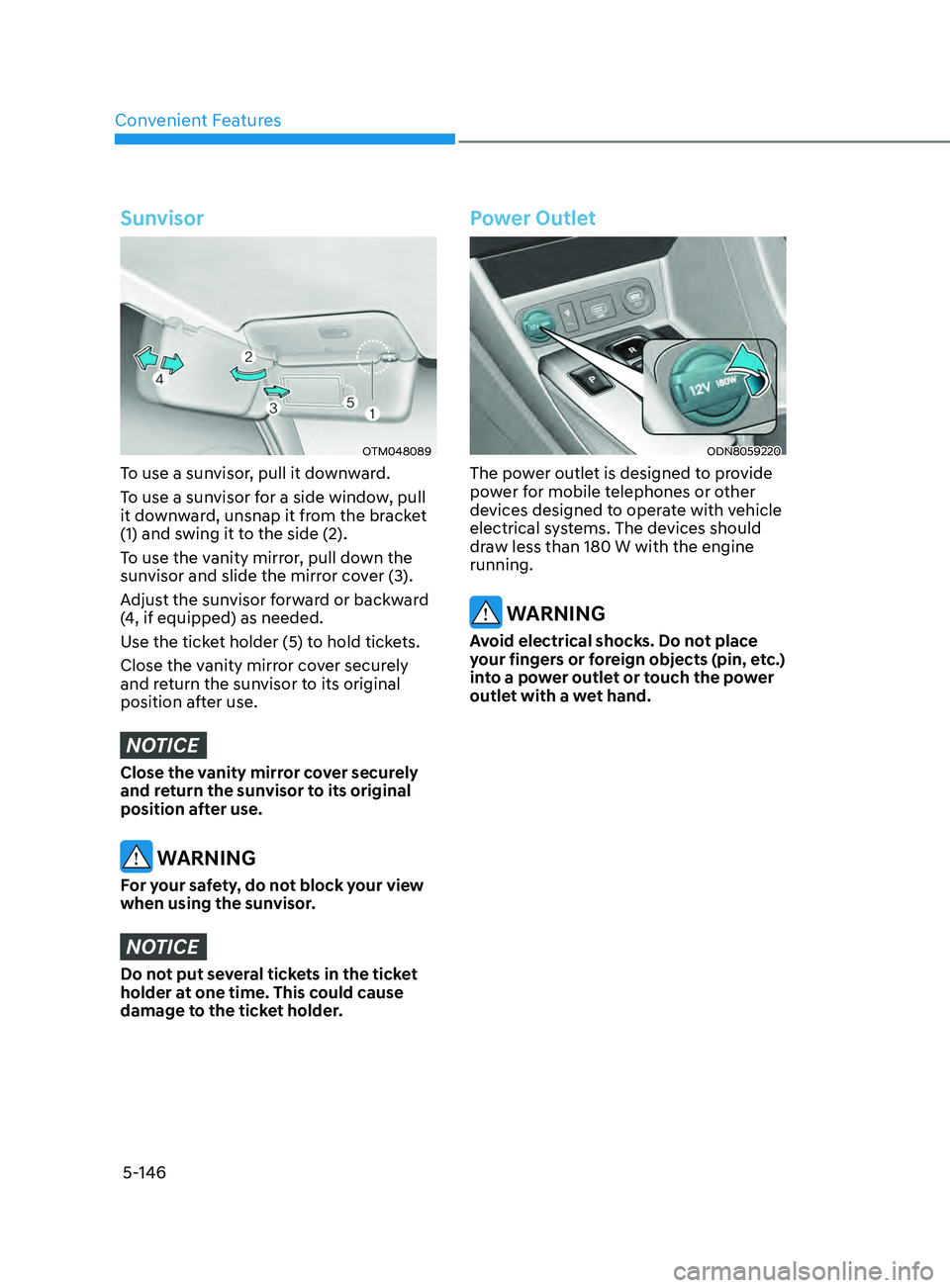
Sunvisor
OTM048089
To use a sunvisor, pull it downward.
To use a sunvisor for a side window, pull
it downward, unsnap it from the bracket
(1) and swing it to the side (2).
To use the vanity mirror, pull down the
sunvisor and slide the mirror cover (3).
Adjust the sunvisor forward or backward
(4, if equipped) as needed.
Use the ticket holder (5) to hold tickets.
Close the vanity mirror cover securely
and return the sunvisor to its original
position after use.
NOTICE
Close the vanity mirror cover securely
and return the sunvisor to its original
position after use.
WARNING
For your safety, do not block your view
when using the sunvisor.
NOTICE
Do not put several tickets in the ticket
holder at one time. This could cause
damage to the ticket holder.
Power Outlet
ODN8059220
The power outlet is designed to provide
power for mobile telephones or other
devices designed to operate with vehicle
electrical systems. The devices should
draw less than 180 W with the engine
running.
WARNING
Avoid electrical shocks. Do not place
your fingers or foreign objects (pin, etc.)
into a power outlet or touch the power
outlet with a wet hand.