Systems HYUNDAI SONATA 2021 Owner's Manual
[x] Cancel search | Manufacturer: HYUNDAI, Model Year: 2021, Model line: SONATA, Model: HYUNDAI SONATA 2021Pages: 546, PDF Size: 51.21 MB
Page 277 of 546
05
5-147
NOTICE
To prevent damage to the Power
Outlets:
• Use the power outlet only when the
engine is running and remove the
accessory plug after use. Using the
accessory plug for prolonged periods
of time with the engine off could
cause the battery to discharge.
• Only use 12V electric accessories
which are less than 180 W in electric
capacity.
• Adjust the air-conditioner or heater
to the lowest operating level when
using the power outlet.
• Close the cover when not in use.
• Some electronic devices can
cause electronic interference
when plugged into a vehicle’s
power outlet. These devices may
cause excessive audio static and
malfunctions in other electronic
systems or devices used in your
vehicle.
• Push the plug in as far as it will go. If
good contact is not made, the plug
may overheat and the fuse may open.
• Plug in battery equipped electrical/
electronic devices with reverse
current protection. The current
from the battery may flow into the
vehicle’s electrical/electronic system
and cause system malfunction.
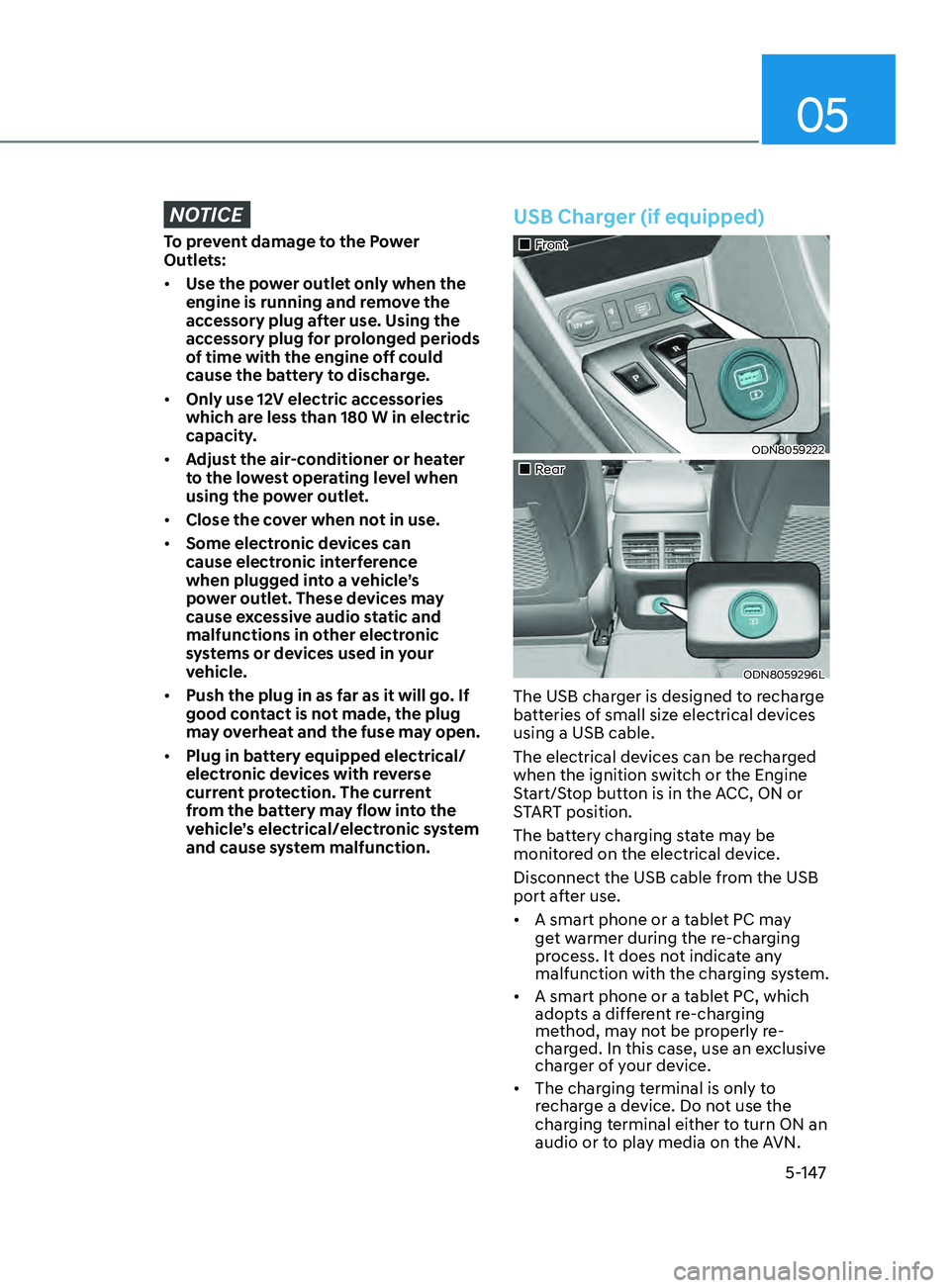
USB Charger (if equipped)
„„Front
ODN8059222
„„Rear
ODN8059296L
The USB charger is designed to recharge
batteries of small size electrical devices
using a USB cable.
The electrical devices can be recharged
when the ignition switch or the Engine
Start/Stop button is in the ACC, ON or
START position.
The battery charging state may be
monitored on the electrical device.
Disconnect the USB cable from the USB
port after use.
• A smart phone or a tablet PC may
get warmer during the re-charging
process. It does not indicate any
malfunction with the charging system.
• A smart phone or a tablet PC, which
adopts a different re-charging
method, may not be properly re-
charged. In this case, use an exclusive
charger of your device.
• The charging terminal is only to
recharge a device. Do not use the
charging terminal either to turn ON an
audio or to play media on the AVN.
Page 290 of 546
6-6
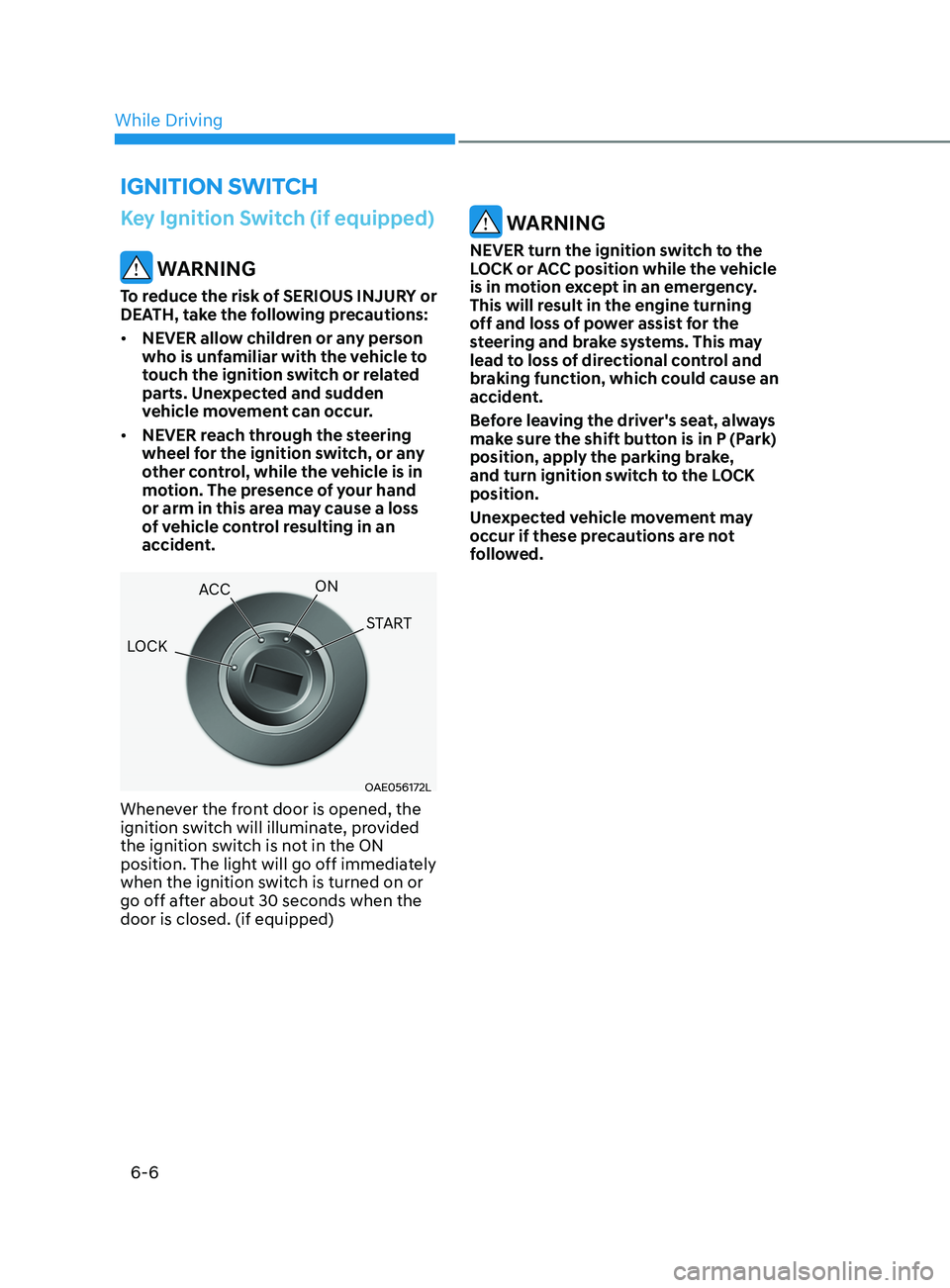
Key Ignition Switch (if equipped)
WARNING
To reduce the risk of SERIOUS INJURY or
DEATH, take the following precautions:
• NEVER allow children or any person
who is unfamiliar with the vehicle to
touch the ignition switch or related
parts. Unexpected and sudden
vehicle movement can occur.
• NEVER reach through the steering
wheel for the ignition switch, or any
other control, while the vehicle is in
motion. The presence of your hand
or arm in this area may cause a loss
of vehicle control resulting in an
accident.
OAE056172L
Whenever the front door is opened, the
ignition switch will illuminate, provided
the ignition switch is not in the ON
position. The light will go off immediately
when the ignition switch is turned on or
go off after about 30 seconds when the
door is closed. (if equipped)
WARNING
NEVER turn the ignition switch to the
LOCK or ACC position while the vehicle
is in motion except in an emergency.
This will result in the engine turning
off and loss of power assist for the
steering and brake systems. This may
lead to loss of directional control and
braking function, which could cause an
accident.
Before leaving the driver's seat, always
make sure the shift button is in P (Park)
position, apply the parking brake,
and turn ignition switch to the LOCK
position.
Unexpected vehicle movement may
occur if these precautions are not
followed.
ignition Switch
LOCK ACC
ON
START
While Driving
Page 293 of 546
06
6-9
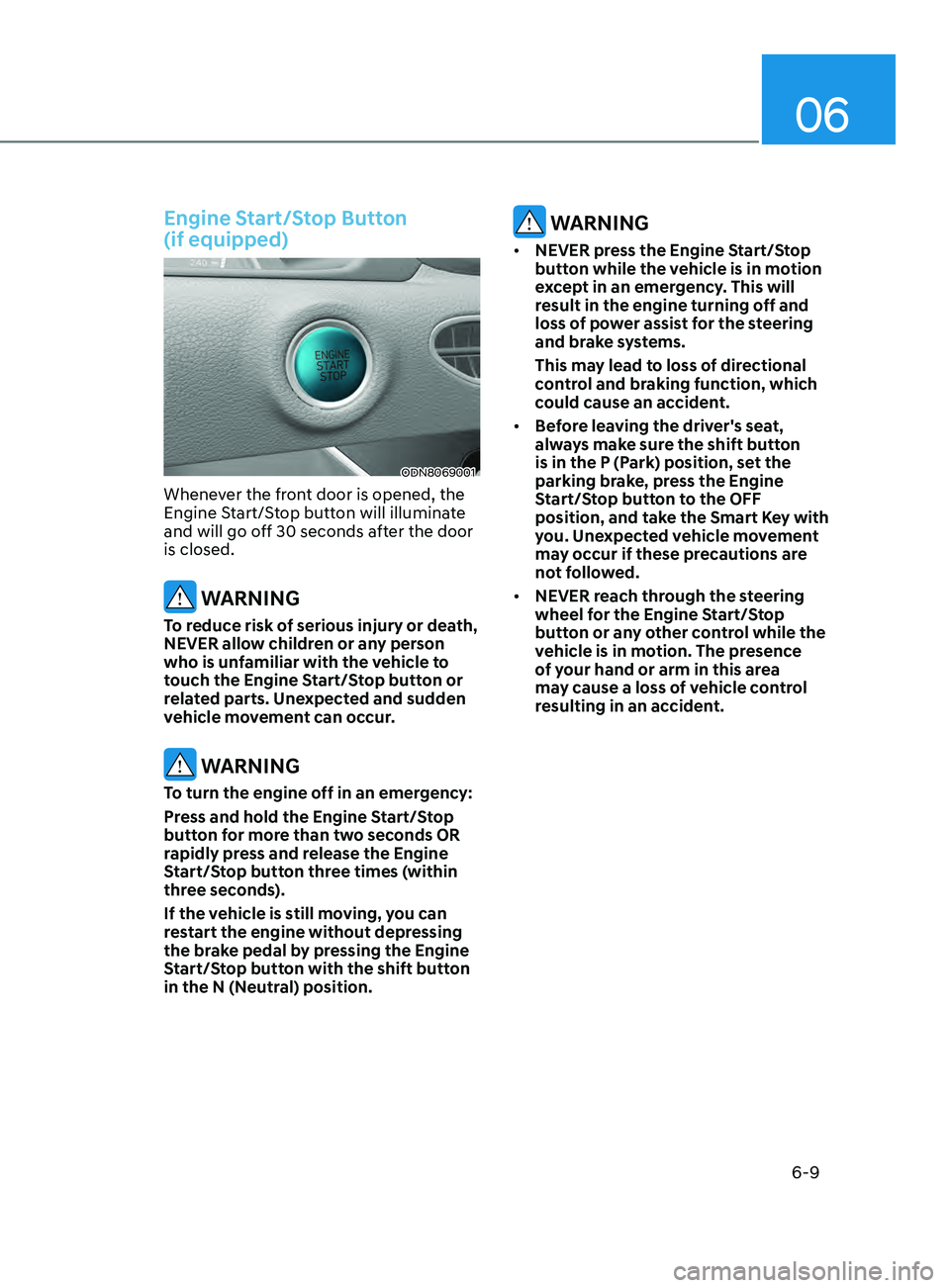
Engine Start/Stop Button
(if equipped)
ODN8069001
Whenever the front door is opened, the
Engine Start/Stop button will illuminate
and will go off 30 seconds after the door
is closed.
WARNING
To reduce risk of serious injury or death,
NEVER allow children or any person
who is unfamiliar with the vehicle to
touch the Engine Start/Stop button or
related parts. Unexpected and sudden
vehicle movement can occur.
WARNING
To turn the engine off in an emergency:
Press and hold the Engine Start/Stop
button for more than two seconds OR
rapidly press and release the Engine
Start/Stop button three times (within
three seconds).
If the vehicle is still moving, you can
restart the engine without depressing
the brake pedal by pressing the Engine
Start/Stop button with the shift button
in the N (Neutral) position.
WARNING
• NEVER press the Engine Start/Stop
button while the vehicle is in motion
except in an emergency. This will
result in the engine turning off and
loss of power assist for the steering
and brake systems.
This may lead to loss of directional
control and braking function, which
could cause an accident.
• Before leaving the driver's seat,
always make sure the shift button
is in the P (Park) position, set the
parking brake, press the Engine
Start/Stop button to the OFF
position, and take the Smart Key with
you. Unexpected vehicle movement
may occur if these precautions are
not followed.
• NEVER reach through the steering
wheel for the Engine Start/Stop
button or any other control while the
vehicle is in motion. The presence
of your hand or arm in this area
may cause a loss of vehicle control
resulting in an accident.
Page 306 of 546
6-22
EPB (Electronic Parking Brake) may be
automatically applied when:
• Requested by other systems
• The driver turns the engine off while
Auto Hold is operating.
• The vehicle is parked on the slope and
the Engine Start/Stop button is in the
OFF position.
• The Engine is turned off when the
driver tries to park but the vehicle still
moves a bit.
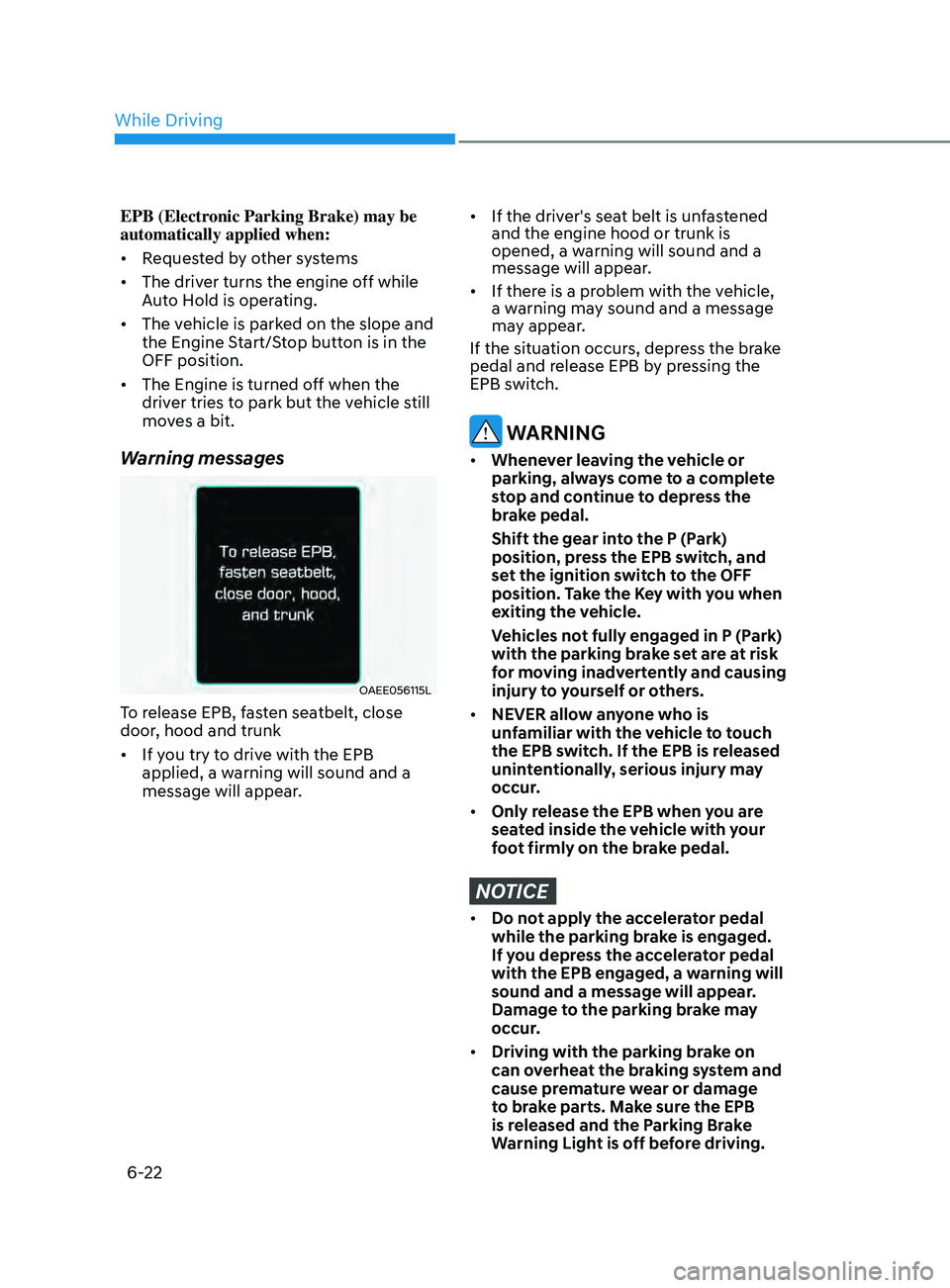
Warning messages
OAEE056115L
To release EPB, fasten seatbelt, close
door, hood and trunk
• If you try to drive with the EPB
applied, a warning will sound and a
message will appear.
• If the driver's seat belt is unfastened
and the engine hood or trunk is
opened, a warning will sound and a
message will appear.
• If there is a problem with the vehicle,
a warning may sound and a message
may appear.
If the situation occurs, depress the brake
pedal and release EPB by pressing the
EPB switch.
WARNING
• Whenever leaving the vehicle or
parking, always come to a complete
stop and continue to depress the
brake pedal.
Shift the gear in
to the P (Park)
position, press the EPB switch, and
set the ignition switch to the OFF
position. Take the Key with you when
exiting the vehicle.
V
ehicles not fully engaged in P (Park)
with the parking brake set are at risk
for moving inadvertently and causing
injury to yourself or others.
• NEVER allow anyone who is
unfamiliar with the vehicle to touch
the EPB switch. If the EPB is released
unintentionally, serious injury may
occur.
• Only release the EPB when you are
seated inside the vehicle with your
foot firmly on the brake pedal.
NOTICE
• Do not apply the accelerator pedal
while the parking brake is engaged.
If you depress the accelerator pedal
with the EPB engaged, a warning will
sound and a message will appear.
Damage to the parking brake may
occur.
• Driving with the parking brake on
can overheat the braking system and
cause premature wear or damage
to brake parts. Make sure the EPB
is released and the Parking Brake
Warning Light is off before driving.
While Driving
Page 311 of 546
![HYUNDAI SONATA 2021 Owners Manual 06
6-27
OIK057080L
Press brake pedal to deactivate AUTO
HOLD
If you did not apply the brake pedal when
you release the Auto Hold by pressing
the [AUTO HOLD] switch, a warning will
sound and a mess](/img/35/41164/w960_41164-310.png "HYUNDAI SONATA 2021 Owners Manual 06
6-27
OIK057080L
Press brake pedal to deactivate AUTO
HOLD
If you did not apply the brake pedal when
you release the Auto Hold by pressing
the [AUTO HOLD] switch, a warning will
sound and a mess")
06
6-27
OIK057080L
Press brake pedal to deactivate AUTO
HOLD
If you did not apply the brake pedal when
you release the Auto Hold by pressing
the [AUTO HOLD] switch, a warning will
sound and a message will appear.
OTM058159L
AUTO HOLD conditions not met. Close
door and hood.
When you press the [AUTO HOLD]
switch, if the driver's door and engine
hood are not closed, a warning will
sound and a message will appear on the
cluster LCD display.
Press the [AUTO HOLD] switch after
closing the driver's door and hood.
Anti-lock Brake System (ABS)
WARNING
An Anti-Lock Braking System (ABS) or
an Electronic Stability Control (ESC)
system will not prevent accidents
due to improper or dangerous driving
maneuvers. Even though vehicle
control is improved during emergency
braking, always maintain a safe
distance between you and objects
ahead of you. Vehicle speeds should
always be reduced during extreme
road conditions. The braking distance
for cars equipped with ABS or ESC
may be longer than for those without
these systems in the following road
conditions.
Drive your vehicle at reduced speeds
during the following conditions:
• Rough, gravel or snow-covered
roads.
• On roads where the road surface is
pitted or has different surface height.
• Tire chains are installed on your
vehicle.
The safety features of an ABS or ESC
equipped vehicle should not be tested
by high speed driving or cornering. This
could endanger the safety of yourself or
others.
ABS is an electronic braking system that
helps prevent a braking skid. ABS allows
the driver to steer and brake at the same
time.
Page 325 of 546
06
6-41
• The warning light illuminates
on the instrument cluster,
when you cancel FCA
system.
The driver can monitor the FCA ON/OFF
status on the LCD display or infotainment
system display (if equipped). Also, the
warning light illuminates when ESC
(Electronic Stability Control) is turned
off. If the warning light remains ON
when FCA is activated, have the vehicle
inspected by an authorized HYUNDAI
dealer.
OTMA058089
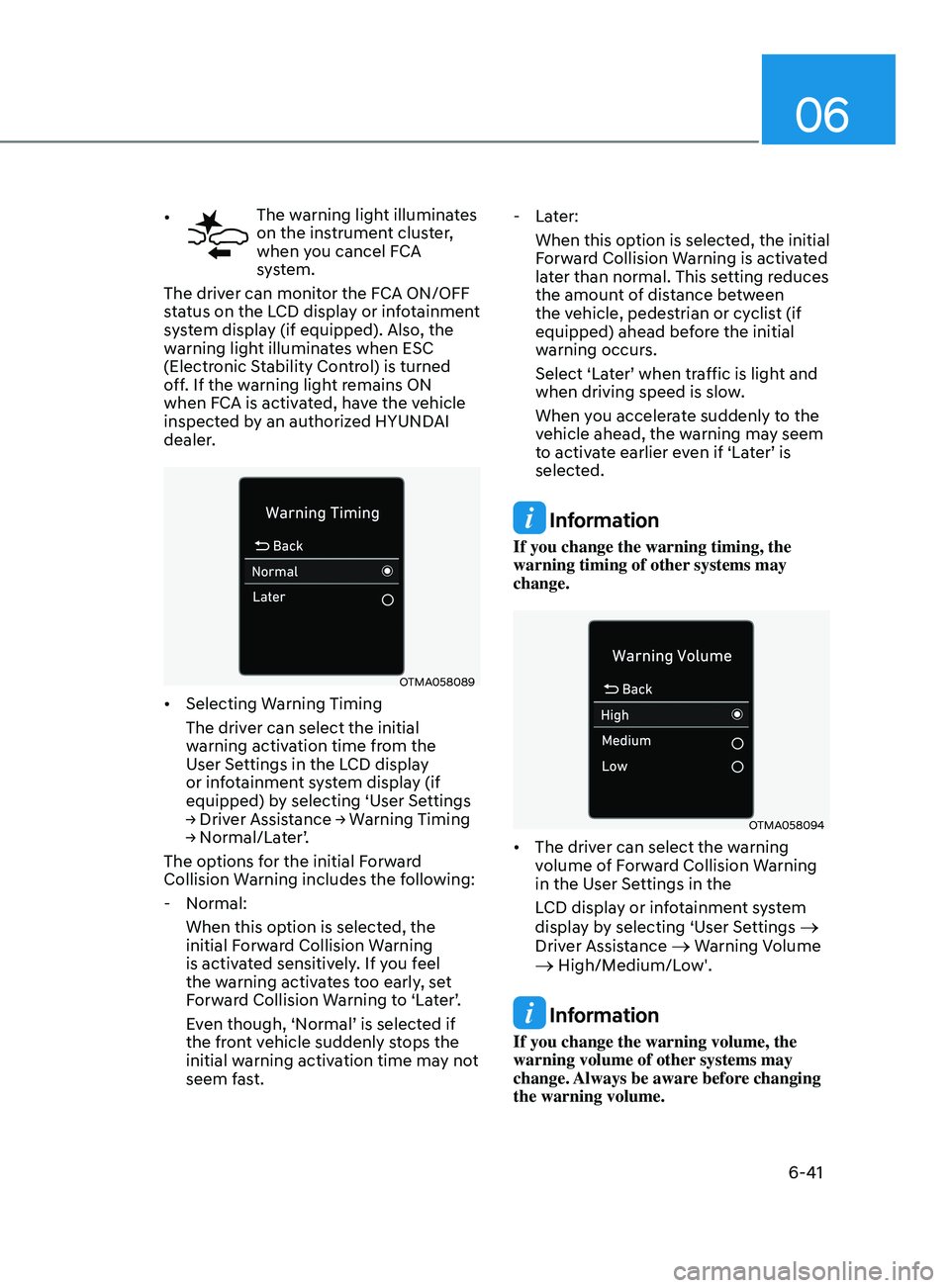
• Selecting Warning Timing
The driver can select the initial
warning activation time from the
User Settings in the LCD display
or infotainment system display (if
equipped) by selecting ‘User Settings
→
Driver Assistance → Warning Timing
→
Normal/Later’.
The options for the initial Forward
Collision Warning includes the following:
- N
ormal:
When this option is selected, the
initial Forward Collision Warning
is activated sensitively. If you feel
the warning activates too early, set
Forward Collision Warning to ‘Later’.
Even though, ‘Normal’ is selected if
the front vehicle suddenly stops the
initial warning activation time may not
seem fast.
- La
ter:
When this option is selected, the initial
Forward Collision Warning is activated
later than normal. This setting reduces
the amount of distance between
the vehicle, pedestrian or cyclist (if
equipped) ahead before the initial
warning occurs.
Select ‘Later’ when traffic is light and
when driving speed is slow.
When you accelerate suddenly to the
vehicle ahead, the warning may seem
to activate earlier even if ‘Later’ is
selected.
Information
If you change the warning timing, the
warning timing of other systems may
change.
OTMA058094
• The driver can select the warning
volume of Forward Collision Warning
in the User Settings in the
LCD display or infotainment system
display by selecting ‘User Settings
→
Driver Assistance → Warning Volume → High/Medium/Low'.
Information
If you change the warning volume, the
warning volume of other systems may
change. Always be aware before changing
the warning volume.
Page 352 of 546
6-68
Blind-Spot Collision-Avoidance Assist
system may activate the Electronic
Stability Control (ESC) in accordance
with a colliding possibility with an
approaching vehicle while changing
lanes. It is to lower the colliding risk or
help mitigate the colliding damage.
WARNING
• Always be aware of road conditions
while driving and be alert for
unexpected situations even though
the Blind-Spot Collision Warning
system and Blind-Spot Collision-
Avoidance Assist system are
operating.
• Blind-Spot Collision Warning system
and Blind-Spot Collision-Avoidance
Assist system are supplemental
systems to assist you. Always pay
attention, while driving, for your
safety. Do not entirely rely on the
systems or an accident may occur.
• Blind-Spot Collision Warning system
and Blind-Spot Collision-Avoidance
Assist system are not substitutes
for proper and safe driving. Always
drive safely and use caution when
changing lanes or backing up the
vehicle.
Blind-Spot Collision Warning system
and Blind-Spot Collision-Avoidance
Assist system may not detect every
object alongside the vehicle.
System Setting and Activation
System setting
• The driver can activate the system
by placing the ignition switch to the
ON position and by selecting ‘User
Settings
→ Driver Assistance → Blind-
Spot Safety’
- BCA and BCW turn on and ge
t
ready to be activated when ‘Active
assist’ is selected. Then, if a vehicle
approaches the driver’s blind spot
area a warning sounds or braking
power is applied.
- BCW turns on and ge
ts ready to
be activated when ‘Warning only’
is selected. Then, if a vehicle
approaches the driver’s blind spot
area a warning sounds. Braking
assist will not be applied in this
setting.
- If y
ou select “Off”, BCW system
deactivates.
• If the engine is turned off then on
again, the system maintains the
previous state.
• The driver can select the initial
warning activation time in the
User Settings in the LCD display
or infotainment system display by
selecting
‘User Settings → Driver
Assis
tance → Warning Timing’.
While Driving
Page 353 of 546
06
6-69
• The options for the initial Blind-
Spot Collision Warning includes the
following:
- N
ormal:
When this condition is selected, the
initial Blind-Spot Collision Warning
is activated normally. If this setting
feels sensitive change the option to
‘Later’.
The warning activation time may
feel late if a vehicle at the side or
rear abruptly accelerates.
- La
ter:
Select this warning activation time
when the traffic is light and you are
driving in a low speed.
Information
If you change the warning timing, the
warning time of other systems may
change. Always be aware before changing
the warning timing.
• The driver can select the warning
volume of Blind-Spot Collision
Warning in the User Settings in the
LCD display or infotainment system
display
by selecting ‘User Settings →
Driv
er Assistance → Warning Volume →
High/M
edium/Low’.
Information
If you change the warning volume, the
warning volume of other systems may
change. Always be aware before changing
the warning volume.
Operating Conditions
The system enters the ready status,
when ‘Active Assist’ or ‘Warning Only’ is
selected and the following conditions are
satisfied:
• Active Assist
(1)
Blind-
Spot Collision-Avoidance Assist
system will activate when:
- V
ehicle speed is between 40 mph
and 112 mph (60 km/h and 180
km/h).
- The s
ystem detects both of the lane
lines.
- An appr
oaching vehicle is detected
next to or behind your vehicle.
(2)
Blind-
Spot Collision Warning system
will activate when:
The vehicle speed is above about 20
mph (30 km/h).
• Warning Only
(1)
Blind-
Spot Collision Warning system
will activate when:
- The v
ehicle speed is above 20 mph
(30 km/h).
Blind-
Spot Collision-Avoidance Assist
system is not activated.
Page 361 of 546
06
6-77
ODN8H069208L
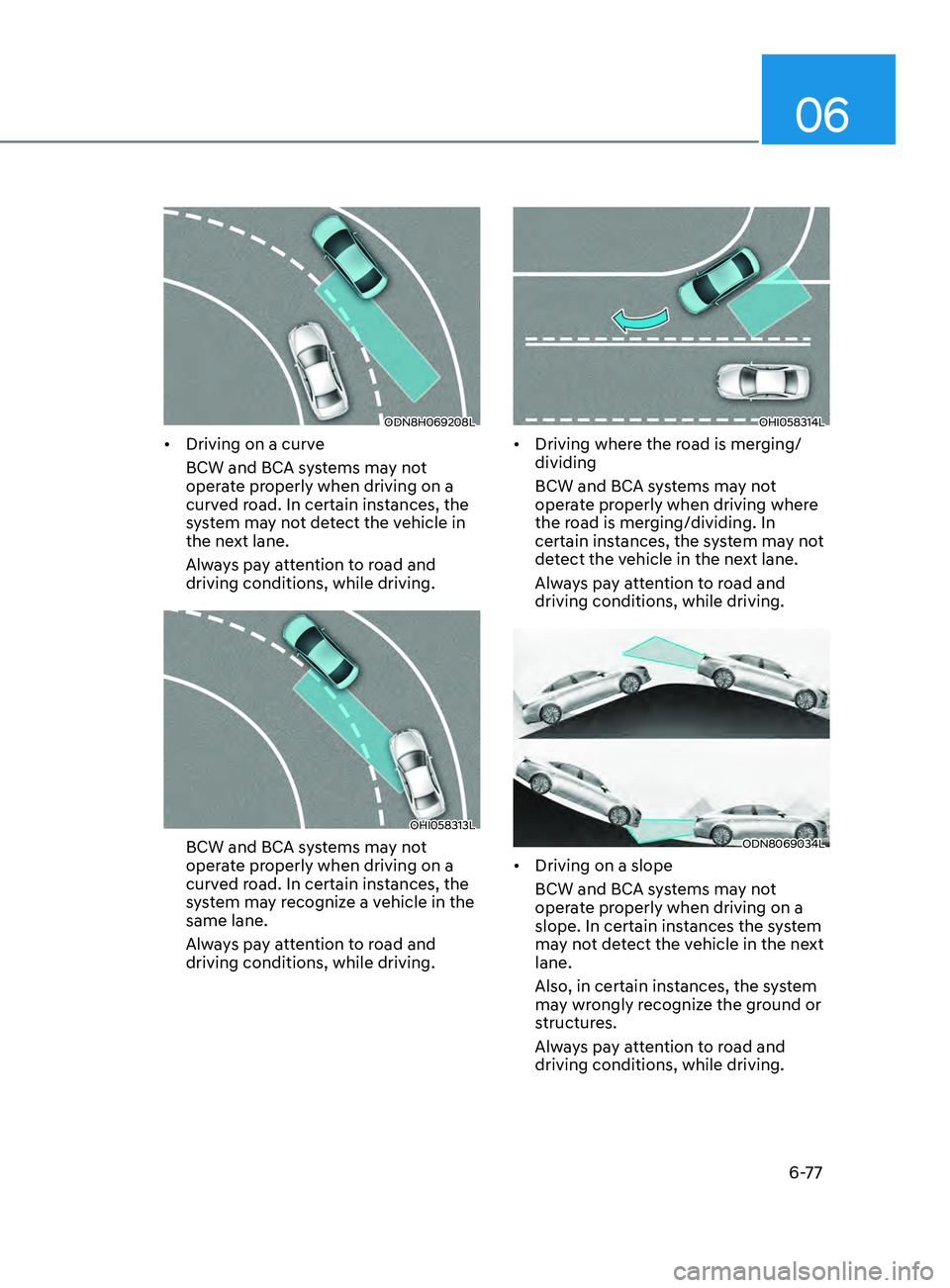
• Driving on a curve
BCW and BCA systems may not
operate properly when driving on a
curved road. In certain instances, the
system may not detect the vehicle in
the next lane.
Always pay attention to road and
driving conditions, while driving.
OHI058313L
BCW and BCA systems may not
operate properly when driving on a
curved road. In certain instances, the
system may recognize a vehicle in the
same lane.
Always pay attention to road and
driving conditions, while driving.
OHI058314L
• Driving where the road is merging/
dividing
BCW and BCA systems may not
operate properly when driving where
the road is merging/dividing. In
certain instances, the system may not
detect the vehicle in the next lane.
Always pay attention to road and
driving conditions, while driving.
ODN8069034L
• Driving on a slope
BCW and BCA systems may not
operate properly when driving on a
slope. In certain instances the system
may not detect the vehicle in the next
lane.
Also, in certain instances, the system
may wrongly recognize the ground or
structures.
Always pay attention to road and
driving conditions, while driving.
Page 362 of 546
6-78
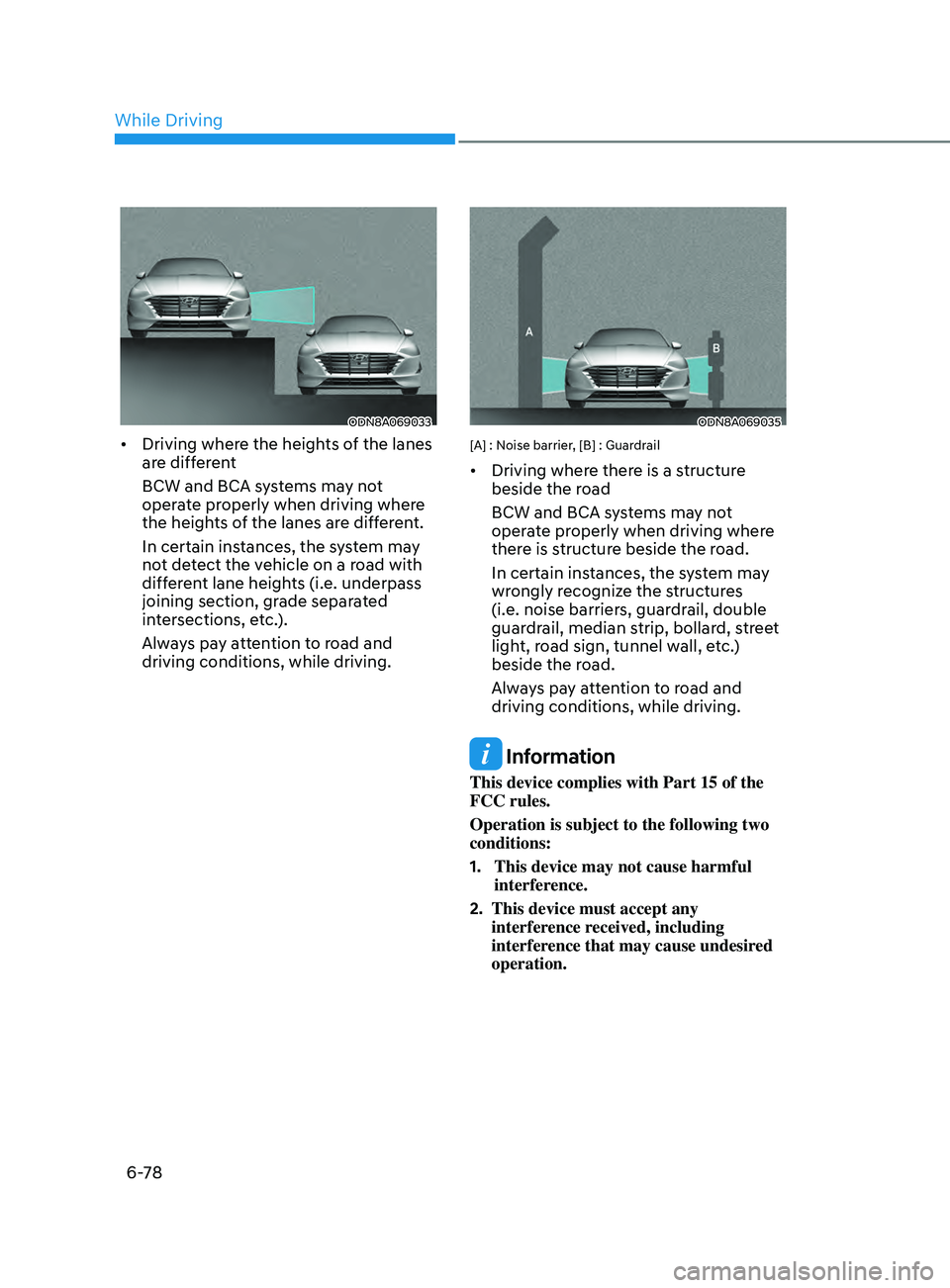
ODN8A069033
• Driving where the heights of the lanes
are different
BCW and BCA systems may not
operate properly when driving where
the heights of the lanes are different.
In certain instances, the system may
not detect the vehicle on a road with
different lane heights (i.e. underpass
joining section, grade separated
intersections, etc.).
Always pay attention to road and
driving conditions, while driving.
ODN8A069035
[A] : Noise barrier, [B] : Guardrail
• Driving where there is a structure
beside the road
BCW and BCA systems may not
operate properly when driving where
there is structure beside the road.
In certain instances, the system may
wrongly recognize the structures
(i.e. noise barriers, guardrail, double
guardrail, median strip, bollard, street
light, road sign, tunnel wall, etc.)
beside the road.
Always pay attention to road and
driving conditions, while driving.
Information
This device complies with Part 15 of the
FCC rules.
Operation is subject to the following two
conditions:
1.
This device may not cause harmful
interfer
ence.
2.
This device must accept any
interfer
ence received, including
interference that may cause undesired
operation.
While Driving