temperature HYUNDAI SONATA 2021 Owner's Manual
[x] Cancel search | Manufacturer: HYUNDAI, Model Year: 2021, Model line: SONATA, Model: HYUNDAI SONATA 2021Pages: 546, PDF Size: 51.21 MB
Page 227 of 546
05
5-97
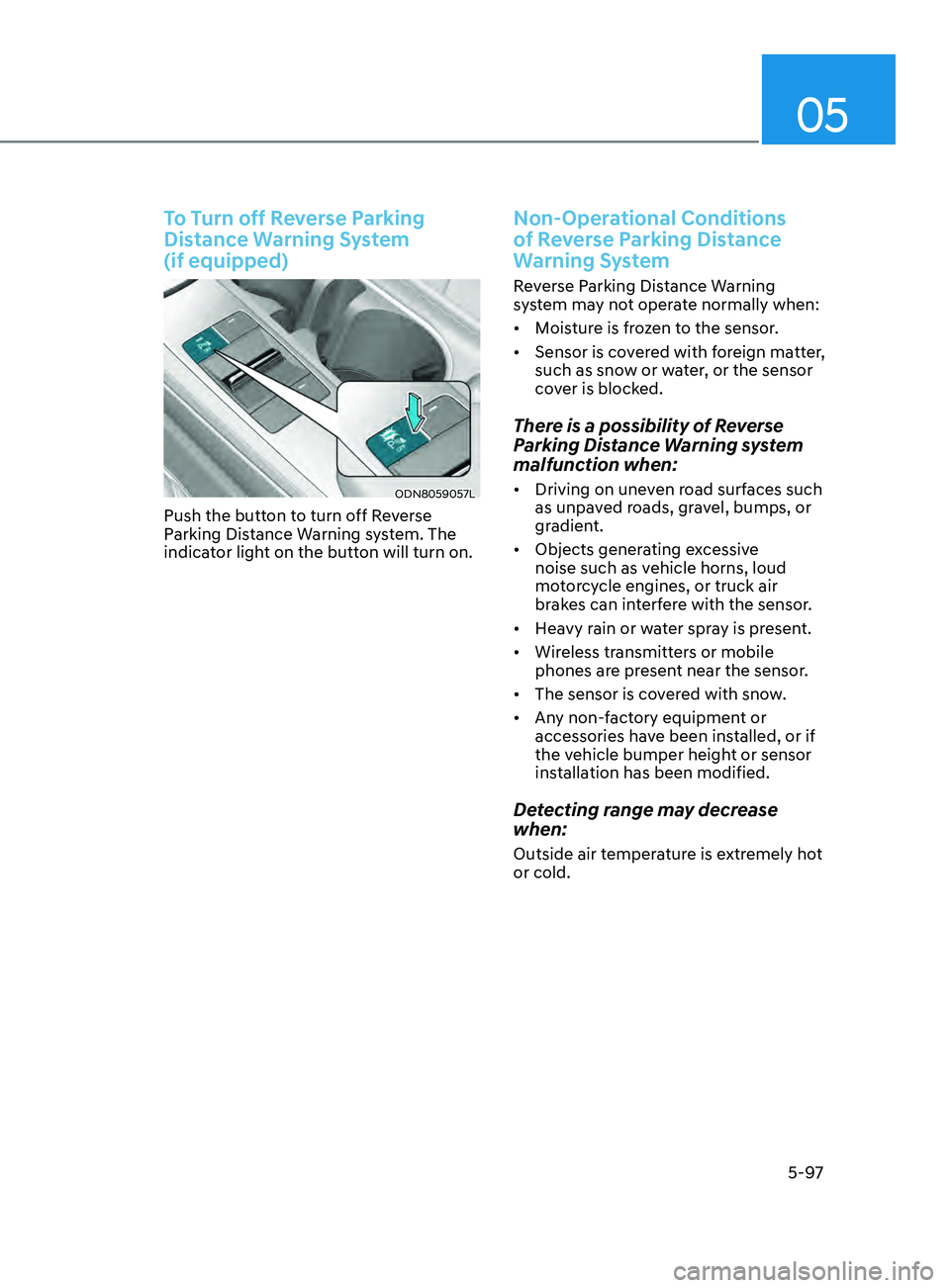
To Turn off Reverse Parking
Distance Warning System
(if equipped)
ODN8059057L
Push the button to turn off Reverse
Parking Distance Warning system. The
indicator light on the button will turn on.
Non-Operational Conditions
of Reverse Parking Distance
Warning System
Reverse Parking Distance Warning
system may not operate normally when:
• Moisture is frozen to the sensor.
• Sensor is covered with foreign matter,
such as snow or water, or the sensor
cover is blocked.
There is a possibility of Reverse
Parking Distance Warning system
malfunction when:
• Driving on uneven road surfaces such
as unpaved roads, gravel, bumps, or
gradient.
• Objects generating excessive
noise such as vehicle horns, loud
motorcycle engines, or truck air
brakes can interfere with the sensor.
• Heavy rain or water spray is present.
• Wireless transmitters or mobile
phones are present near the sensor.
• The sensor is covered with snow.
• Any non-factory equipment or
accessories have been installed, or if
the vehicle bumper height or sensor
installation has been modified.
Detecting range may decrease
when:
Outside air temperature is extremely hot
or cold.
Page 232 of 546
Convenient Features
5-102
Non-Operational Conditions
of Forward/Reverse Parking
Distance Warning System
Forward/Reverse Parking Distance
Warning system may not operate
normally when:
• Moisture is frozen to the sensor.
• Sensor is covered with foreign matter,
such as snow or water, or the sensor
cover is blocked.
There is a possibility of Forward/
Reverse Parking Distance Warning
system malfunction when:
• Driving on uneven road surfaces such
as unpaved roads, gravel, bumps, or
gradient.
• Objects generating excessive
noise such as vehicle horns, loud
motorcycle engines, or truck air
brakes can interfere with the sensor.
• Heavy rain or water spray is present.
• Wireless transmitters or mobile
phones are present near the sensor.
• The sensor is covered with snow.
• Any non-factory equipment or
accessories have been installed, or if
the vehicle bumper height or sensor
installation has been modified.
Detecting range may decrease
when:
Outside air temperature is extremely hot
or cold.
The following objects may not be
recognized by the sensor:
• Sharp or slim objects such as ropes,
chains or small poles.
• Objects, which tend to absorb sensor
frequency such as clothes, spongy
material or snow.
• Undetectable objects smaller than 40
in (100 cm) and narrower than 6 in (14
cm) in diameter.
WARNING
Your new vehicle warranty does not
cover any accidents or damage to the
vehicle or injuries to its occupants
related to Forward/Reverse Parking
Distance Warning system. Always drive
safely and cautiously.
Page 249 of 546
05
5-119
Heating and Air Conditioning
1. Start the engine.
2.
Se
t the mode to the desired position.
To improve the effectiveness of
heating and cooling, select the mode
according to the following:
- H
eating:
- Cooling:
3. Set the temperature control to the desired position.
4.
Se
t the air intake control to fresh
mode or recirculation mode position.
5.
Se
t the fan speed control to the
desired speed.
6.
If air conditioning is desir
ed, turn the
air conditioning system on.
When starting the vehicle in cold weather
a more efficient way to heat the passen-
ger compartment is to do the following.
- T
urn off or lower the blower, right
after starting the engine.
• Engine temperature is still low and the
air flow from the heater is still cold.
- After a few minutes of engine warm
up, turn on or set the fan to a higher
level and adjust the temperature
setting to hot.
Page 251 of 546
05
5-121
ODN8059106
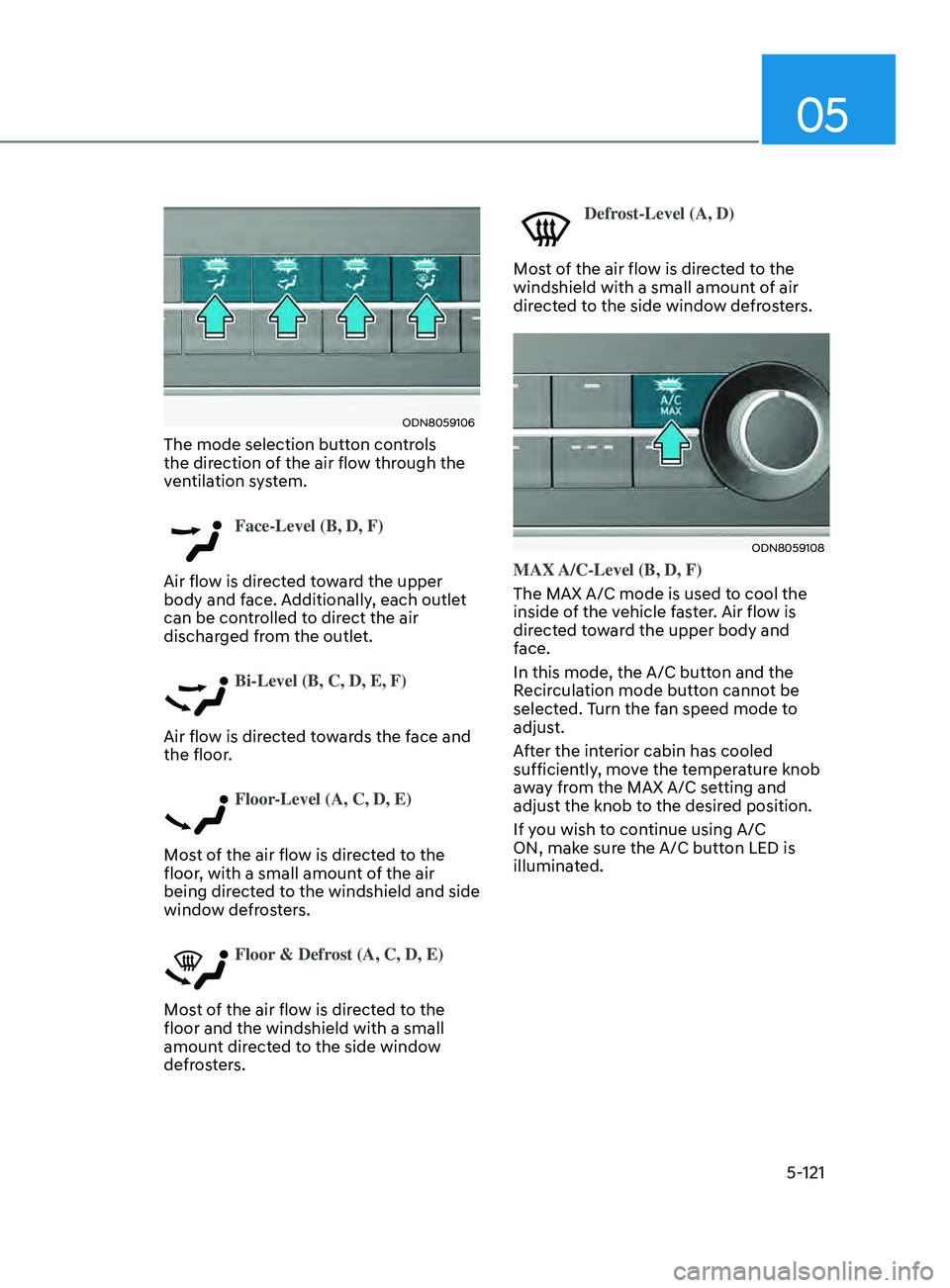
The mode selection button controls
the direction of the air flow through the
ventilation system.
Face-Level (B, D, F)
Air flow is directed toward the upper
body and face. Additionally, each outlet
can be controlled to direct the air
discharged from the outlet.
Bi-Level (B, C, D, E, F)
Air flow is directed towards the face and
the floor.
Floor-Level (A, C, D, E)
Most of the air flow is directed to the
floor, with a small amount of the air
being directed to the windshield and side
window defrosters.
Floor & Defrost (A, C, D, E)
Most of the air flow is directed to the
floor and the windshield with a small
amount directed to the side window
defrosters.
Defrost-Level (A, D)
Most of the air flow is directed to the
windshield with a small amount of air
directed to the side window defrosters.
ODN8059108
MAX A/C-Level (B, D, F)
The MAX A/C mode is used to cool the
inside of the vehicle faster. Air flow is
directed toward the upper body and
face.
In this mode, the A/C button and the
Recirculation mode button cannot be
selected. Turn the fan speed mode to
adjust.
After the interior cabin has cooled
sufficiently, move the temperature knob
away from the MAX A/C setting and
adjust the knob to the desired position.
If you wish to continue using A/C
ON, make sure the A/C button LED is
illuminated.
Page 252 of 546
Convenient Features
5-122
Instrument panel vents
ODN8059109
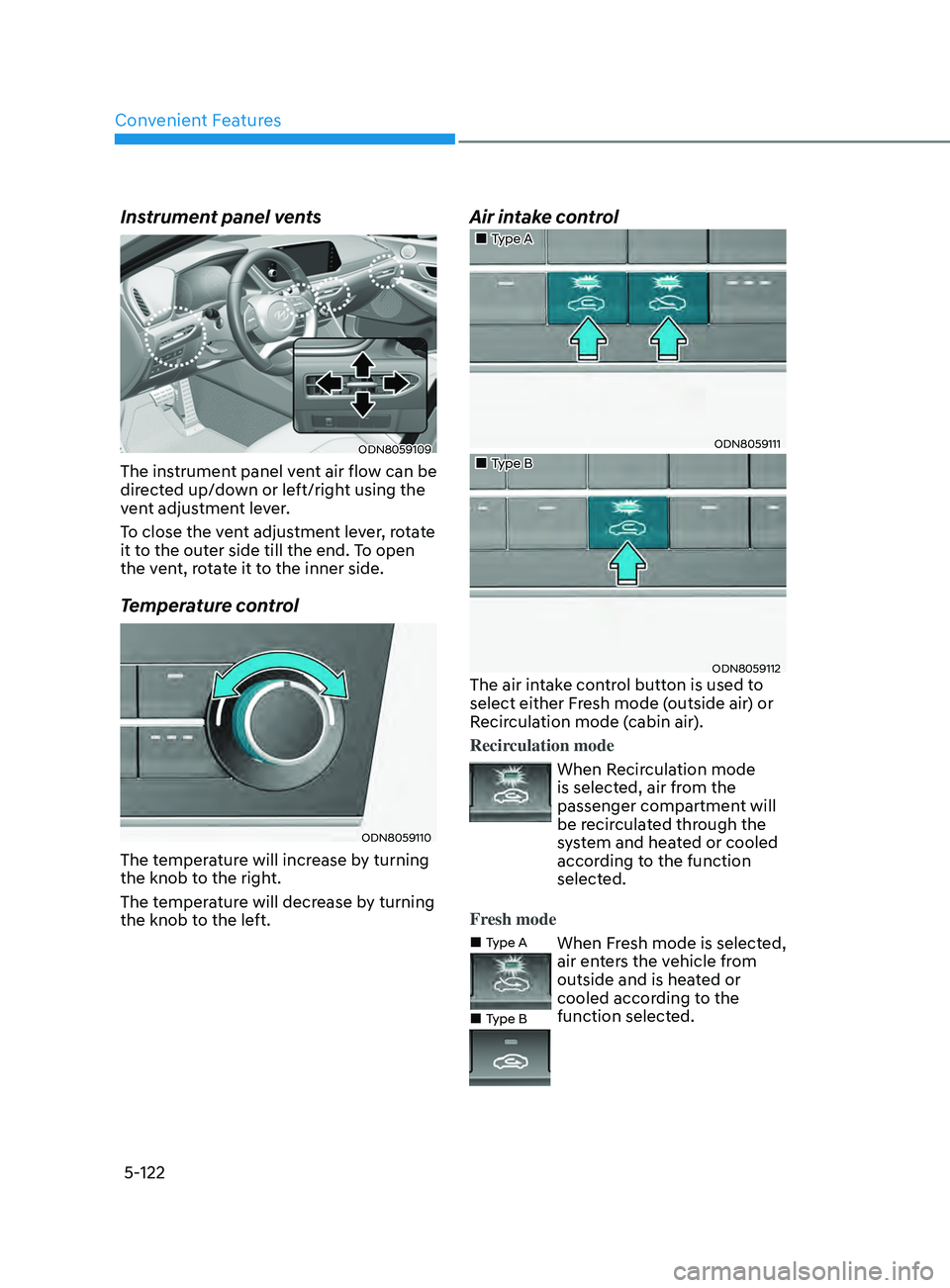
The instrument panel vent air flow can be
directed up/down or left/right using the
vent adjustment lever.
To close the vent adjustment lever, rotate
it to the outer side till the end. To open
the vent, rotate it to the inner side.
Temperature control
ODN8059110
The temperature will increase by turning
the knob to the right.
The temperature will decrease by turning
the knob to the left.
Air intake control
„„Type A
ODN8059111
„„Type B
ODN8059112The air intake control button is used to
select either Fresh mode (outside air) or
Recirculation mode (cabin air).
Recirculation mode
When Recirculation mode
is selected, air from the
passenger compartment will
be recirculated through the
system and heated or cooled
according to the function
selected.
Fresh mode
„„Type A
„
„Type B
When Fresh mode is selected,
air enters the vehicle from
outside and is heated or
cooled according to the
function selected.
Page 254 of 546
Convenient Features
5-124
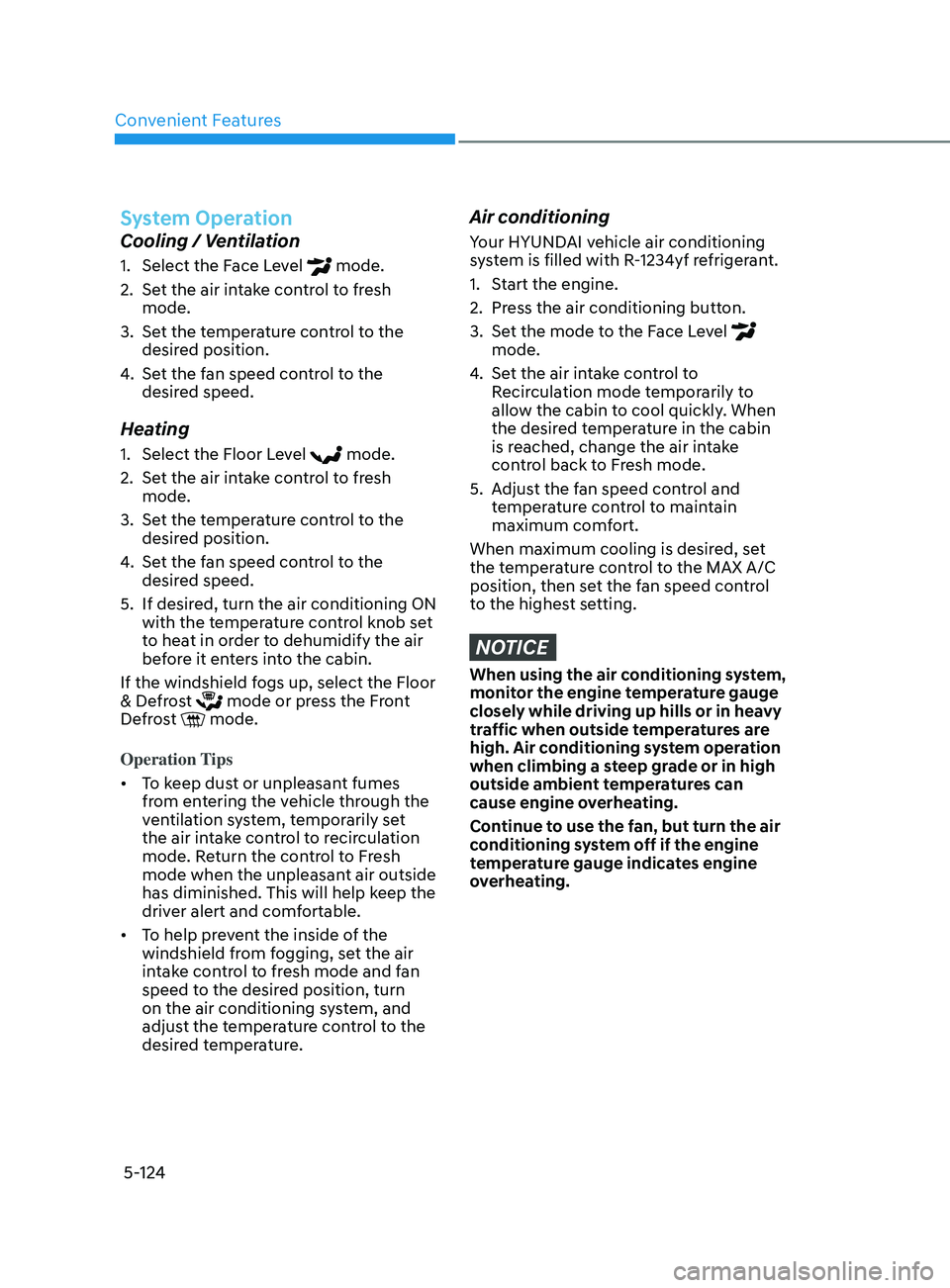
System Operation
Cooling / Ventilation
1. Select the Face Level mode.
2.
Se
t the air intake control to fresh
mode.
3.
Se
t the temperature control to the
desired position.
4.
Se
t the fan speed control to the
desired speed.
Heating
1. Select the Floor L evel mode.
2.
Se
t the air intake control to fresh
mode.
3.
Se
t the temperature control to the
desired position.
4.
Se
t the fan speed control to the
desired speed.
5.
If desir
ed, turn the air conditioning ON
with the temperature control knob set
to heat in order to dehumidify the air
before it enters into the cabin.
If the windshield fogs up, select the Floor
& Defrost
mode or press the Front
Defrost mode.
Operation Tips
• To keep dust or unpleasant fumes
from entering the vehicle through the
ventilation system, temporarily set
the air intake control to recirculation
mode. Return the control to Fresh
mode when the unpleasant air outside
has diminished. This will help keep the
driver alert and comfortable.
• To help prevent the inside of the
windshield from fogging, set the air
intake control to fresh mode and fan
speed to the desired position, turn
on the air conditioning system, and
adjust the temperature control to the
desired temperature.
Air conditioning
Your HYUNDAI vehicle air conditioning
system is filled with R-1234yf refrigerant.
1.
S
tart the engine.
2.
Pr
ess the air conditioning button.
3.
Se
t the mode to the Face Level
mode.
4.
Se
t the air intake control to
Recirculation mode temporarily to
allow the cabin to cool quickly. When
the desired temperature in the cabin
is reached, change the air intake
control back to Fresh mode.
5.
A
djust the fan speed control and
temperature control to maintain
maximum comfort.
When maximum cooling is desired, set
the temperature control to the MAX A/C
position, then set the fan speed control
to the highest setting.
NOTICE
When using the air conditioning system,
monitor the engine temperature gauge
closely while driving up hills or in heavy
traffic when outside temperatures are
high. Air conditioning system operation
when climbing a steep grade or in high
outside ambient temperatures can
cause engine overheating.
Continue to use the fan, but turn the air
conditioning system off if the engine
temperature gauge indicates engine
overheating.
Page 255 of 546
05
5-125
Air conditioning system operation tips
• If the vehicle has been parked in
direct sunlight during hot weather,
open the windows for a short time
to let the hot air inside the vehicle
escape.
• After sufficient cooling has been
achieved, switch back from the
recirculated air to the fresh outside air
position.
• To help reduce moisture inside of
the windows on rainy or humid
days, decrease the humidity inside
the vehicle by operating the air
conditioning system with the windows
and sunroof closed.
• Use the air conditioning system
every month only for a few minutes
to ensure maximum system
performance.
• If you operate air conditioner
excessively, the difference between
the temperature of the outside air and
that of the windshield could cause
the outer surface of the windshield
to fog up, causing loss of visibility. In
this case, set the mode selection knob
or button to the
position and fan
speed control to the lower speed.
System Maintenance
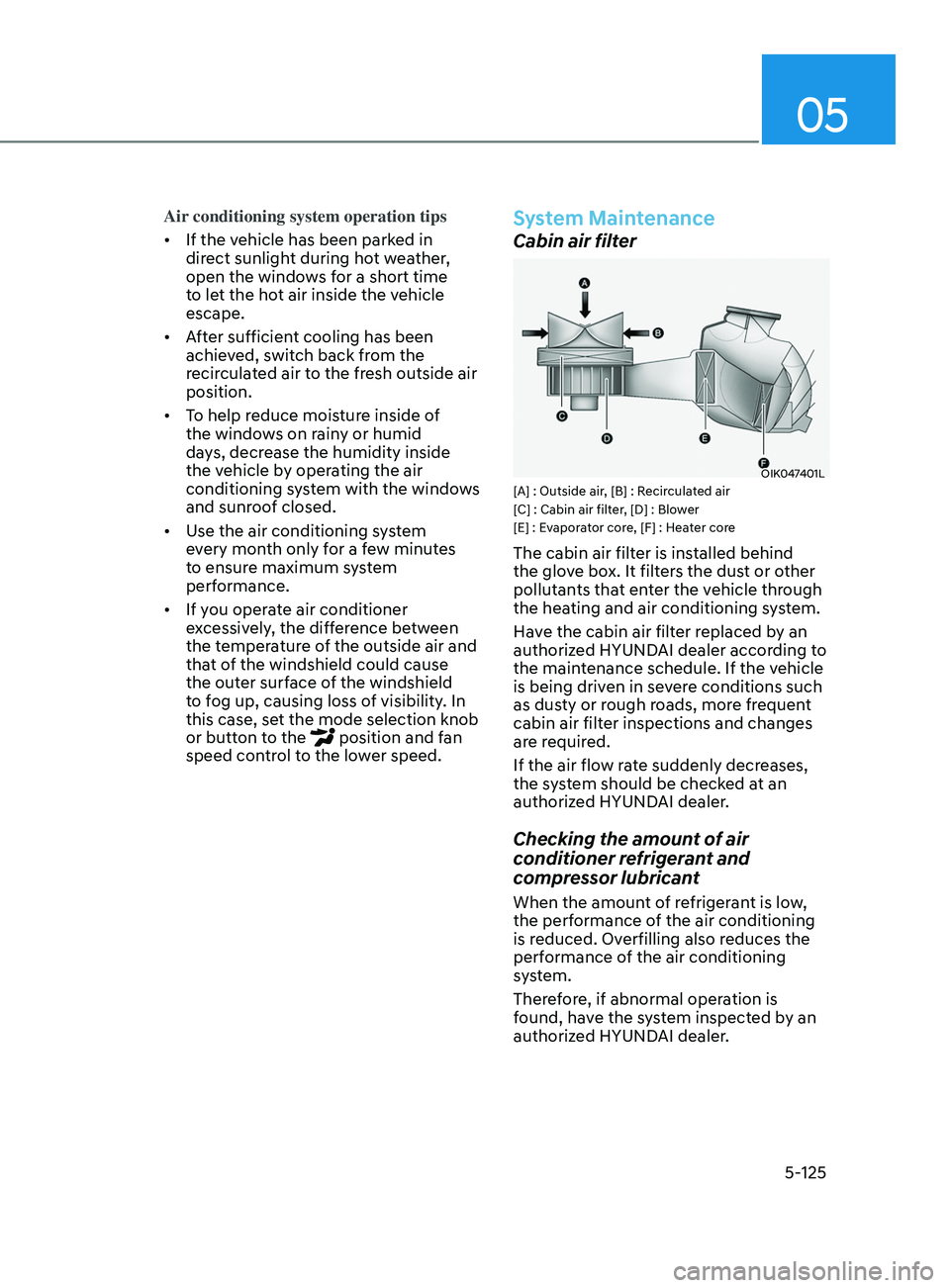
Cabin air filter
OIK047401L[A] : Outside air, [B] : Recirculated air
[C] : Cabin air filter, [D] : Blower
[E] : Evaporator core, [F] : Heater core
The cabin air filter is installed behind
the glove box. It filters the dust or other
pollutants that enter the vehicle through
the heating and air conditioning system.
Have the cabin air filter replaced by an
authorized HYUNDAI dealer according to
the maintenance schedule. If the vehicle
is being driven in severe conditions such
as dusty or rough roads, more frequent
cabin air filter inspections and changes
are required.
If the air flow rate suddenly decreases,
the system should be checked at an
authorized HYUNDAI dealer.
Checking the amount of air
conditioner refrigerant and
compressor lubricant
When the amount of refrigerant is low,
the performance of the air conditioning
is reduced. Overfilling also reduces the
performance of the air conditioning
system.
Therefore, if abnormal operation is
found, have the system inspected by an
authorized HYUNDAI dealer.
Page 257 of 546
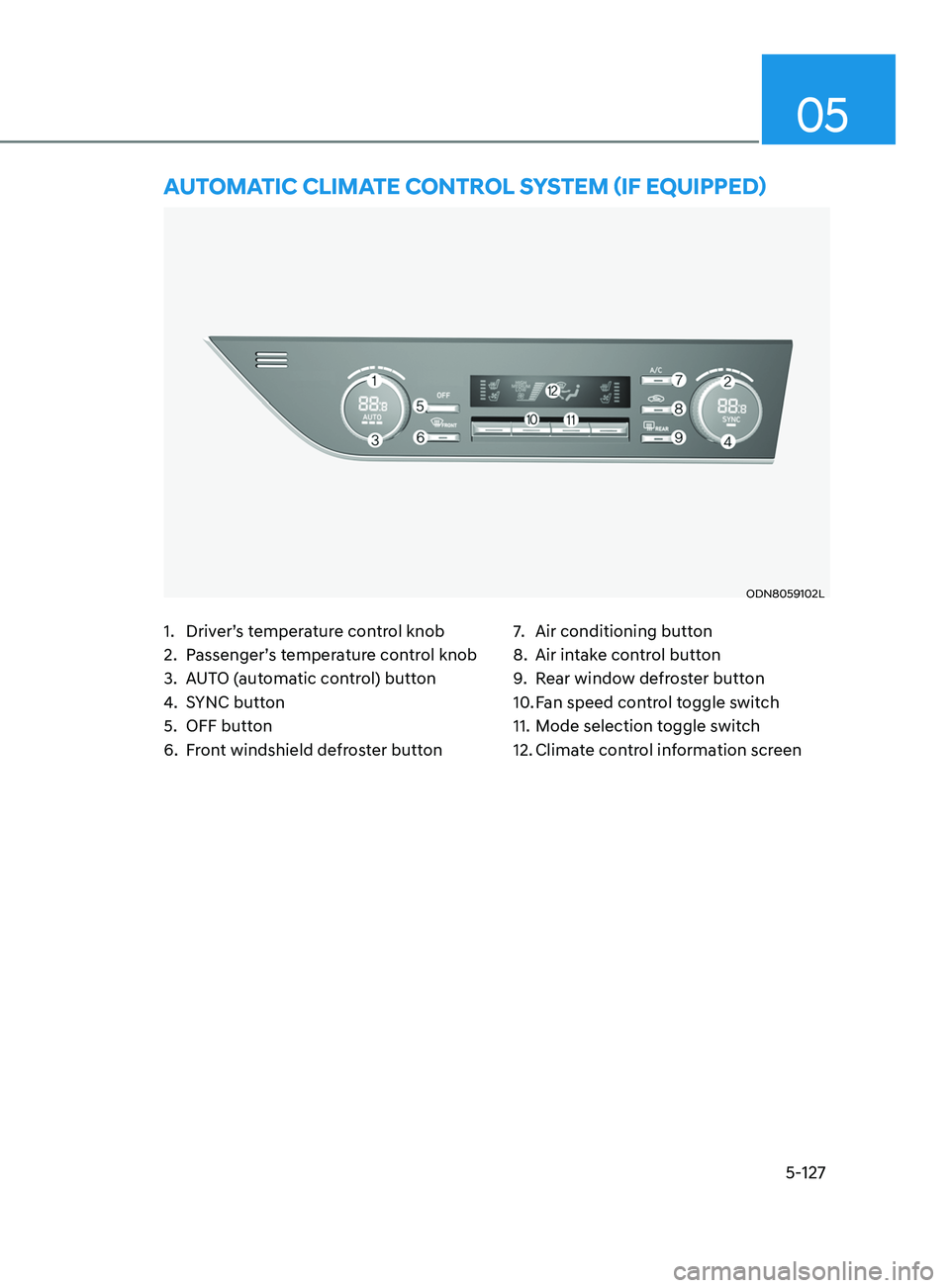
5-127
05
1. Driver’s temperature control knob
2.
P
assenger’s temperature control knob
3.
A
UTO (automatic control) button
4.
S
YNC button
5.
OFF butt
on
6.
F
ront windshield defroster button 7. Air conditioning butt
on
8.
Air in
take control button
9.
R
ear window defroster button
10.
F
an speed control toggle switch
11.
M
ode selection toggle switch
12.
Clima
te control information screen
AUTomAT ic c lim AT e con T rol SyS T em ( if eQU ippe D)
ODN8059102L
Page 258 of 546
Convenient Features
5-128
Automatic Heating and Air
Conditioning
ODN8059115
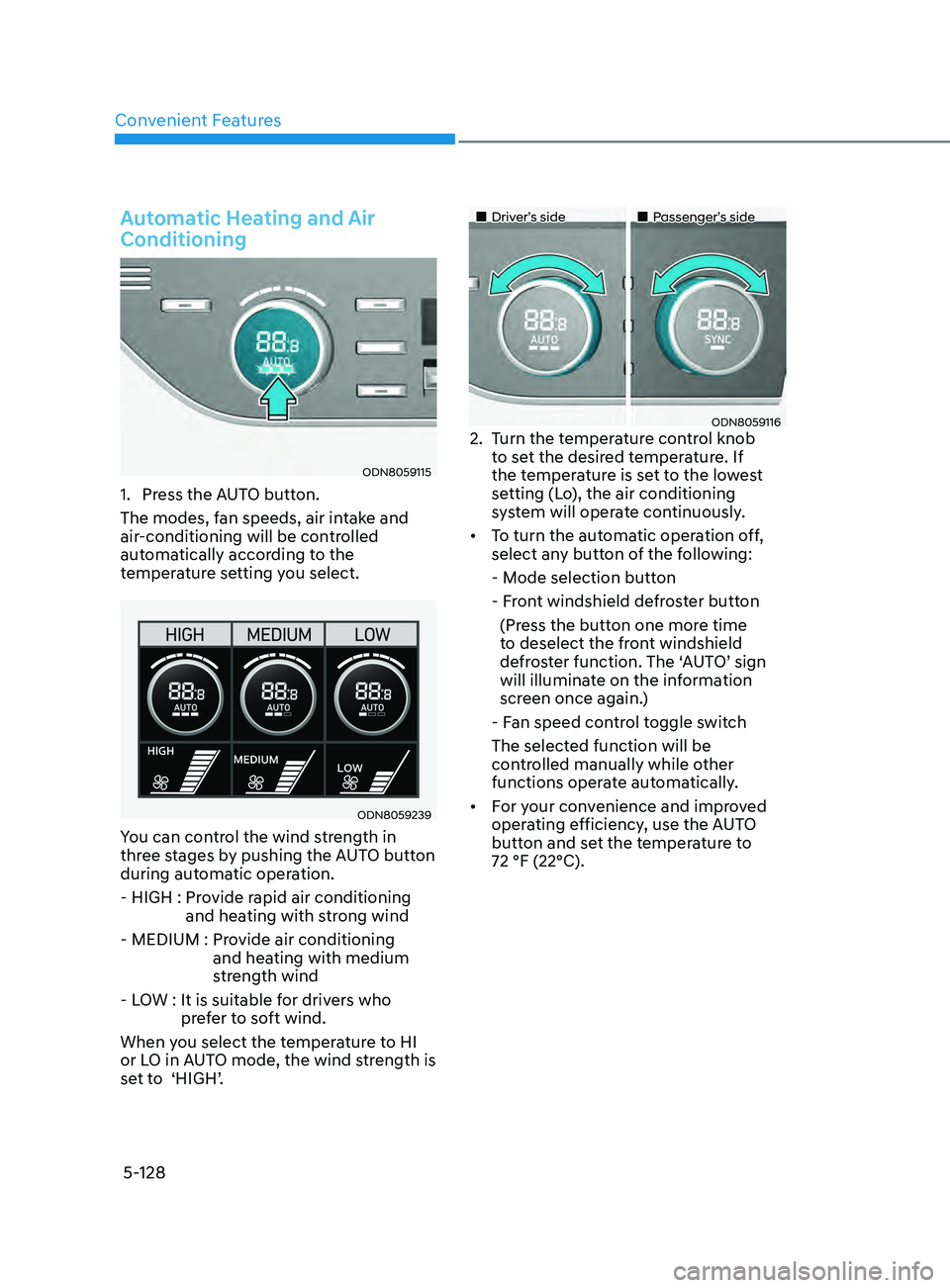
1. Press the AUTO button.
The modes, fan speeds, air intake and
air-conditioning will be controlled
automatically according to the
temperature setting you select.
ODN8059239
You can control the wind strength in
three stages by pushing the AUTO button
during automatic operation.
- HIGH :
Pr
ovide rapid air conditioning
and heating with strong wind
- MEDIUM :
Pr
ovide air conditioning
and heating with medium
strength wind
- LOW :
It is suitable f
or drivers who
prefer to soft wind.
When you select the temperature to HI
or LO in AUTO mode, the wind strength is
set to ‘HIGH’.
„„Driver’s side „„Passenger’s side
ODN80591162. Turn the temperature control knob
to set the desired temperature. If
the temperature is set to the lowest
setting (Lo), the air conditioning
system will operate continuously.
• To
turn the automatic operation off,
select an
y button of the following:
- M
ode selection button
- F
ront windshield defroster button
(Pr
ess the button one more time
to deselect the front windshield
defroster function. The ‘AUTO’ sign
will illuminate on the information
screen once again.)
- F
an speed control toggle switch
The select
ed function will be
controlled manually while other
functions operate automatically.
• For
your convenience and improved
oper
ating efficiency, use the AUTO
button and set the temperature to
72 °F (22°C).
Page 259 of 546
05
5-129
ODN8059214
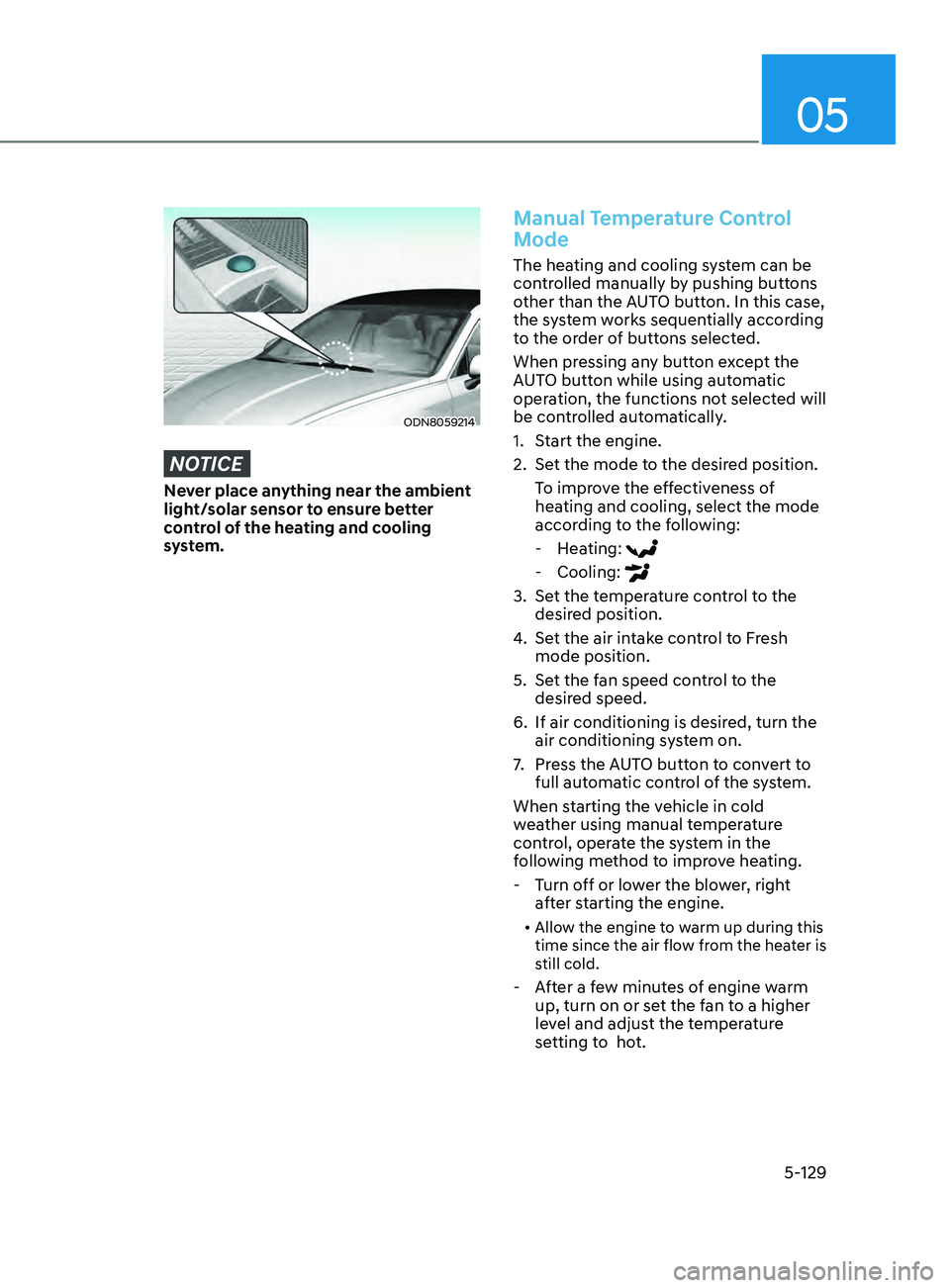
NOTICE
Never place anything near the ambient
light/solar sensor to ensure better
control of the heating and cooling
system.
Manual Temperature Control
Mode
The heating and cooling system can be
controlled manually by pushing buttons
other than the AUTO button. In this case,
the system works sequentially according
to the order of buttons selected.
When pressing any button except the
AUTO button while using automatic
operation, the functions not selected will
be controlled automatically.
1.
S
tart the engine.
2.
Se
t the mode to the desired position.
To improve the effectiveness of
heating and cooling, select the mode
according to the following:
- H
eating:
- Cooling:
3. Set the temperature control to the desired position.
4.
Se
t the air intake control to Fresh
mode position.
5.
Se
t the fan speed control to the
desired speed.
6.
If air conditioning is desir
ed, turn the
air conditioning system on.
7.
Pr
ess the AUTO button to convert to
full automatic control of the system.
When starting the vehicle in cold
weather using manual temperature
control, operate the system in the
following method to improve heating.
- T
urn off or lower the blower, right
after starting the engine.
• Allow the engine to warm up during this
time since the air flow from the heater is
still cold.
- After a few minutes of engine warm
up, turn on or set the fan to a higher
level and adjust the temperature
setting to hot.