ISG HYUNDAI SONATA 2022 Owners Manual
[x] Cancel search | Manufacturer: HYUNDAI, Model Year: 2022, Model line: SONATA, Model: HYUNDAI SONATA 2022Pages: 546, PDF Size: 51.21 MB
Page 17 of 546
2-4
Vehicle Information
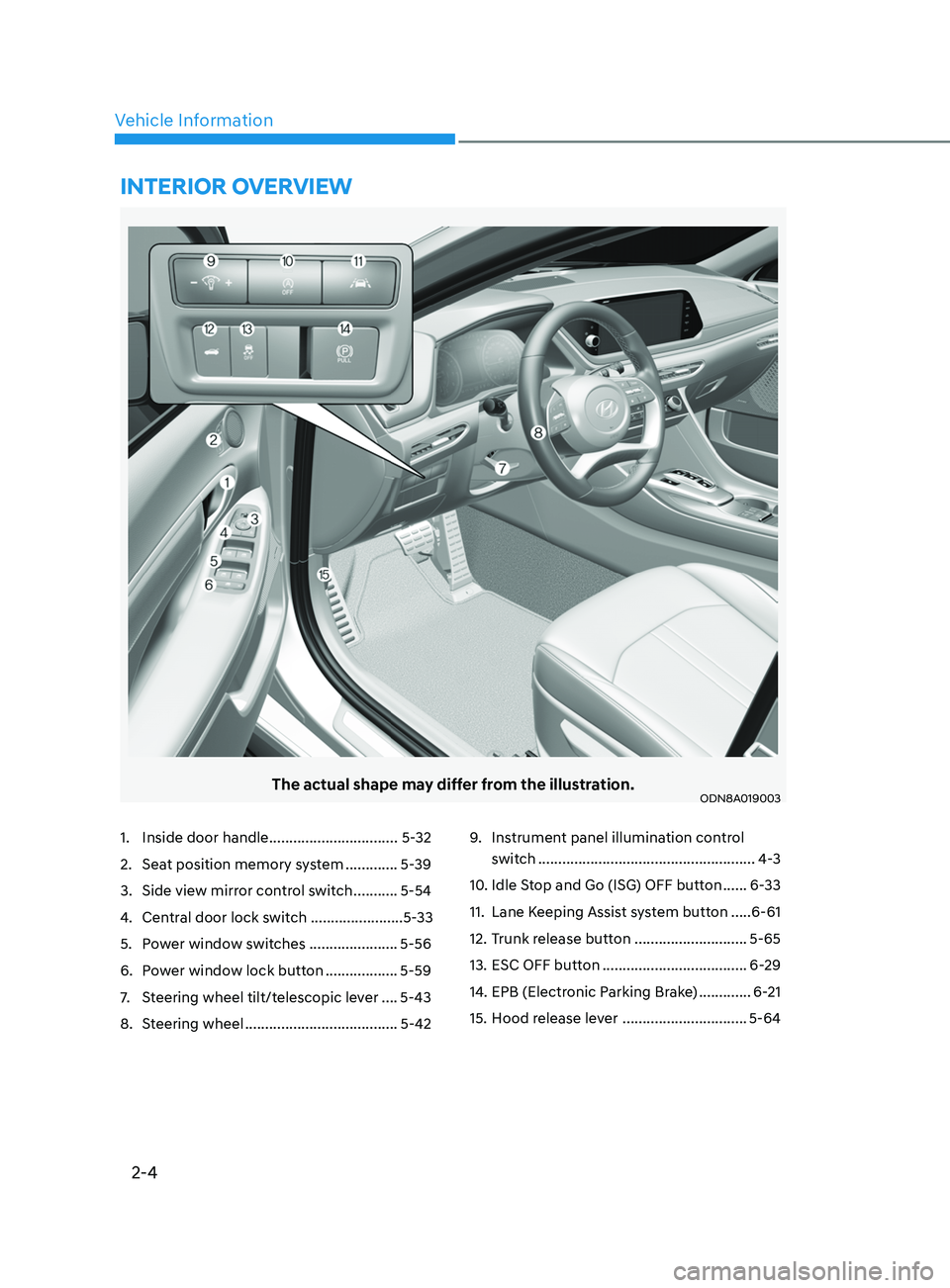
The actual shape may differ from the illustration.ODN8A019003
1. Inside door handle ................................ 5-32
2.
Sea
t position memory system .............5-39
3.
Side vie
w mirror control switch ...........5-54
4.
Cen
tral door lock switch .......................5-33
5.
P
ower window switches ......................5-56
6.
P
ower window lock button ..................5-59
7.
S
teering wheel tilt/telescopic lever ....5-43
8.
S
teering wheel ...................................... 5-429. Ins
trument panel illumination control
switch
......................................................4
-3
10.
I
dle Stop and Go (ISG) OFF button ......6-33
11.
Lane K
eeping Assist system button .....6-61
12.
T
runk release button ............................5-65
13.
ESC OFF butt
on ....................................6-29
14.
EPB (Electr
onic Parking Brake) .............6-21
15.
H
ood release lever ...............................5-64
intErior ovE rvi E w
Page 118 of 546
04
4-33
Information
The vehicle must be driven for a minimum
of 0.19 miles (300 meters) since the last
ignition key cycle before the average fuel
economy will be recalculated.
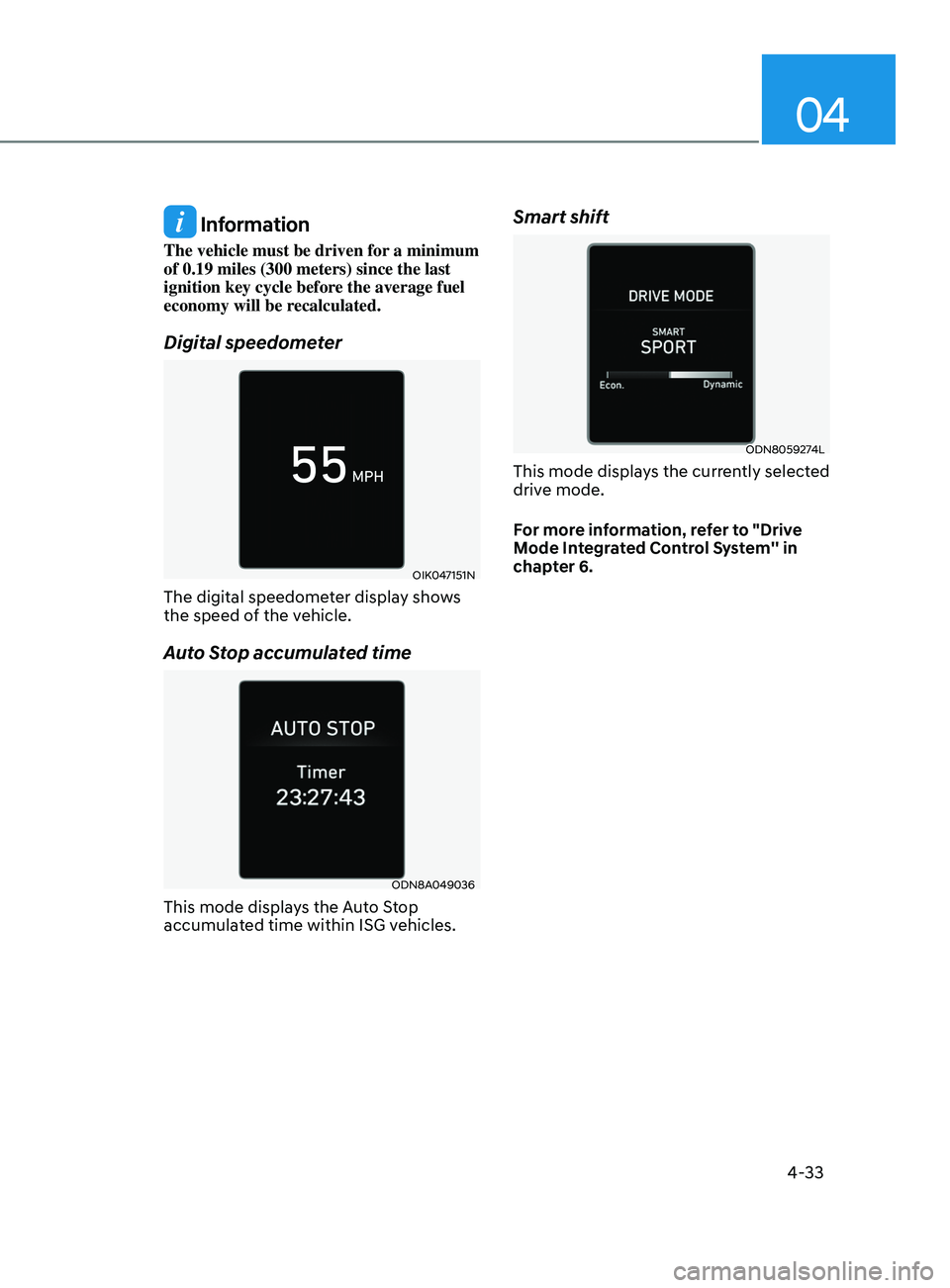
Digital speedometer
OIK047151N
The digital speedometer display shows
the speed of the vehicle.
Auto Stop accumulated time
ODN8A049036
This mode displays the Auto Stop
accumulated time within ISG vehicles.
Smart shift
ODN8059274L
This mode displays the currently selected
drive mode.
For more information, refer to "Drive
Mode Integrated Control System'' in
chapter 6.
Page 245 of 546
05
5-115
Link with other systems
Activation of other systems may
be restricted according to the
circumstances while Remote Smart
Parking Assist system is in activation.
The systems linked to the Remote Smart
Parking Assist system are as follows:
1.
I
dle Stop & Go
(1)
While R
emote Smart Parking
Assist system is operating, ISG is
deactivated.
(2)
If R
emote Smart Parking Assist
system is completed or cancelled,
ISG can be activated.
2.
A
uto Hold
(1)
The activ
ated Auto Hold is
switched to deactivation status
when Remote Smart Parking Assist
system starts.
(2)
The A
uto Hold button will not
respond while Remote Smart
Parking Assist system is in
activation.
(3
)
A
fter Remote Smart Parking
Assist system is completed or
deactivated, the Auto Hold will
return to the status before Remote
Smart Parking Assist system was
activated.
3.
Electr
onic Stability Control (ESC)
(1)
Electr
onic Stability Control (ESC)
system switches from OFF to
activation status (ESC OFF button
turns off) when Remote Smart
Parking Assist system is activated.
(2)
The ESC OFF butt
on will not
respond while Remote Smart
Parking Assist system is in
activation.
(3
)
The ABS/T
CS/ESC system activates
while Remote Smart Parking Assist
system is in activation.
(
4)
A
fter Remote Smart Parking
Assist system is completed or
deactivated, the ESC maintains the
ON status.
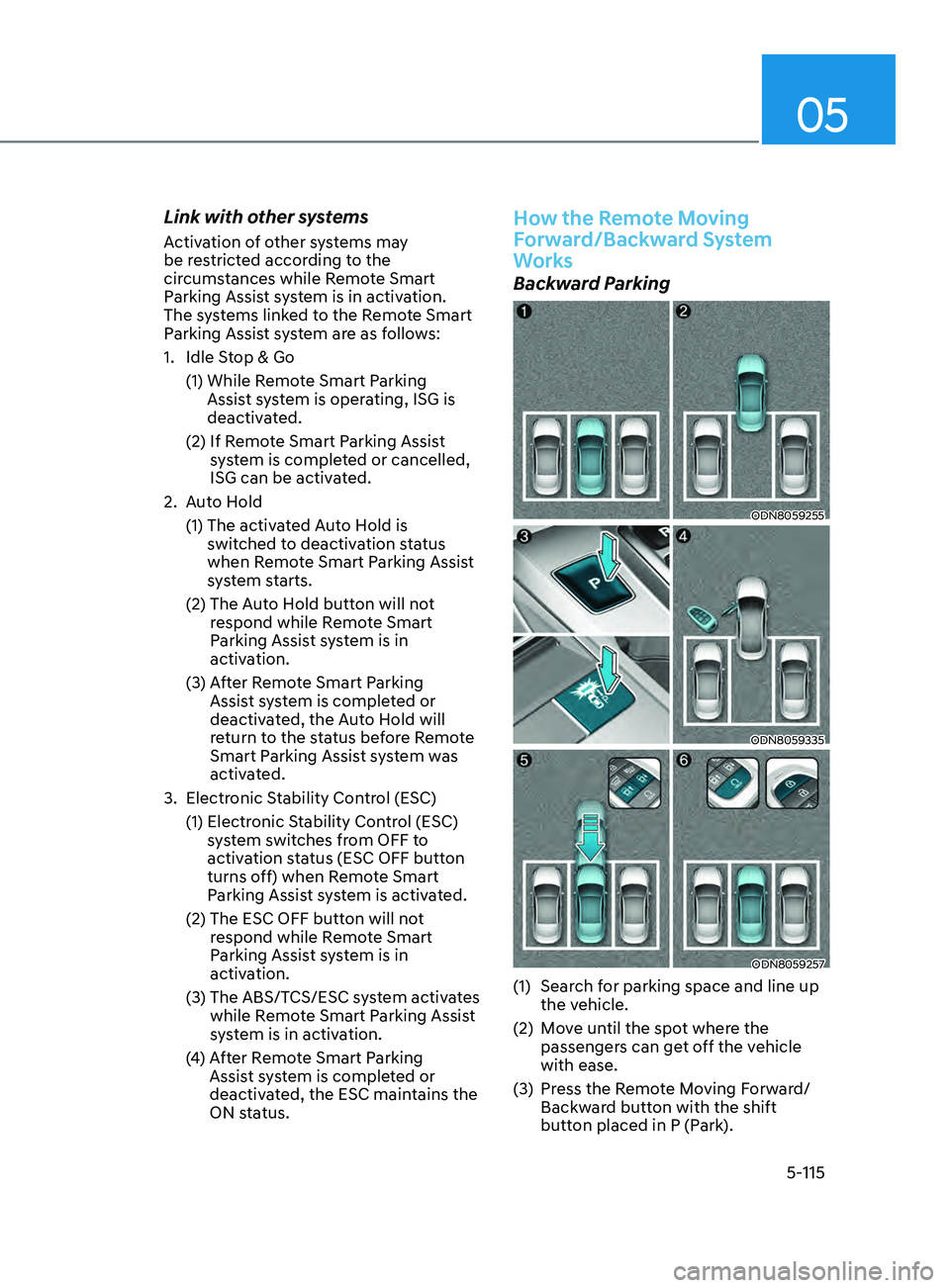
How the Remote Moving
Forward/Backward System
Works
Backward Parking
ODN8059255
ODN8059335
ODN8059257
(1) Search for parking space and line up the vehicle.
(2)
M
ove until the spot where the
passengers can get off the vehicle
with ease.
(3)
Pr
ess the Remote Moving Forward/
Backward button with the shift
button placed in P (Park).
Page 285 of 546

6
6. While Driving
Before Driving ........................................................................\
........................6-5Before Entering the Vehicle ........................................................................\
.............6-5
Be fore Starting ........................................................................\
................................. 6-5
Ignition Switch ........................................................................\
.......................6-6Key Ignition Switch ........................................................................\
........................... 6-6
E ngine Start/Stop Button ........................................................................\
................ 6-9
Remote Start
........................................................................\
.................................... 6-12
Automatic Transmission ........................................................................\
.......6- 13Automatic Transmission Operation ........................................................................\
6- 13
Parking ........................................................................\
............................................. 6-16
LCD Display Message
........................................................................\
...................... 6-17
Good Driving Practices
........................................................................\
.................. 6-18
Paddle Shifter (Manual Shift Mode)
......................................................................
6-19
Brake System ........................................................................\
........................6- 20Power Brakes ........................................................................\
..................................6- 20
Disc Brakes Wear Indicator........................................................................\
............ 6-20
Electronic Parking Brake (EPB)
........................................................................\
....... 6-21
Auto Hold
........................................................................\
........................................ 6-24
Anti-lock Brake System (ABS) .....................................................................6- 27Electronic Stability Control (ESC) ........................................................................\
.6- 29
Vehicle Stability Management (VSM) .................................................................... 6-31
Hill-Start Assist Control (HAC)
........................................................................\
....... 6-32
Good Braking Practices
........................................................................\
................. 6-32
ISG (Idle Stop and Go) system..................................................................... 6-33To Activate the ISG System ........................................................................\
............6- 33
To Deactivate the ISG System ........................................................................\
....... 6-35
ISG System Malfunction
........................................................................\
................ 6-35
Battery Sensor Deactivation
........................................................................\
.......... 6-36
Drive Mode Integrated Control System ......................................................6- 37Drive Mode ........................................................................\
.....................................6- 37
Forward Collision – Avoidance Assist (FCA) - Sensor Fusion ..................6-40System Setting and Activation ........................................................................\
..... 6-40
F CA Warning Message and Brake Control ............................................................6-42
FCA Sensor
........................................................................\
..................................... 6-45
System Malfunction
........................................................................\
....................... 6-47
Limitations of the System
........................................................................\
.............. 6-48
Forward Collision-Avoidance Assist - Junction Turning
......................................6-55
Page 317 of 546
06
6-33
The Idle Stop and Go (ISG) system
automatically and temporarily shuts
down the engine when the vehicle
is stopped and idling to improve fuel
efficiency and reduce exhaust gas
emissions. (i.e. red stop light, stop sign,
and traffic jam).
The engine is automatically started upon
satisfying the starting conditions.
The ISG system is always active, when
the engine is running.
Information
When the engine is automatically started
by the ISG system, some warning
lights (i.e. ABS, ESC, ESC OFF, EPS,
and parking brake warning light) may
illuminate for a few seconds due to the
low battery voltage. However, it does
not indicate a malfunction with the ISG
system.
To Activate the ISG System
Prerequisite for activation
The ISG system operates in the following
situations.
• The driver's seatbelt is fastened
• The driver's door and hood are closed
• The brake vacuum pressure is
adequate
• The battery sensor is activated and
the battery is sufficiently charged
• Outside temperature is not too low or
too high
• The vehicle is driven over a constant
speed and stops
• The climate control system satisfies
the conditions
• The vehicle is sufficiently warmed up
• The incline is gradual
• The steering wheel is turned less than
180 degrees and then the vehicle
stops
Information
• The ISG system is not
activated, when the
prerequisites to activate
the ISG system are
unsatisfied. In this case,
the ISG OFF button indicator
illuminates, and the auto stop indicator
(
) illuminates in yellow on the
instrument cluster.
• When the above indicator remains
illuminated on the instrument cluster,
have the IGS system checked by an
authorized HYUNDAI dealer.
Auto stop
To stop the engine in idle stop mode
1.
Decr
ease the vehicle speed to 0 mph.
2.
Depr
ess the brake pedal with the shift
button in D (Drive) or N (Neutral).
The auto stop indicator (
) illuminates
in green on the instrument cluster, when
the engine stops.
Information
The driving speed must reach at least 3
mph (5 km/h) after an idle stop to stop the
engine in idle stop mode again.
In auto stop mode, when the driver
opens the hood, the ISG system will be
deactivated.
ISG (Idle Stop and Go) SyStem ( I f equ I pped)
Page 318 of 546
6-34
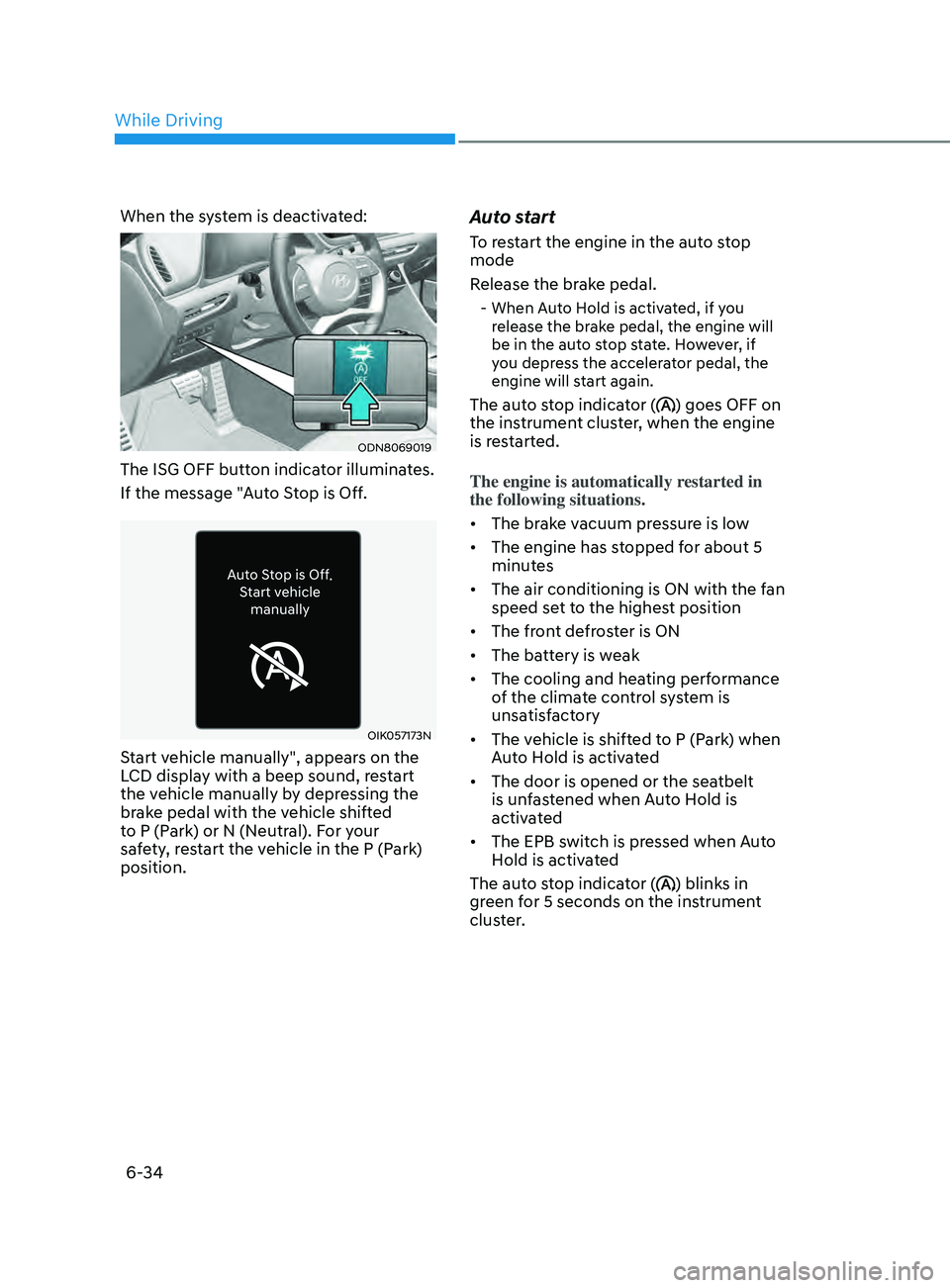
When the system is deactivated:
ODN8069019
The ISG OFF button indicator illuminates.
If the message "Auto Stop is Off.
OIK057173N
Start vehicle manually", appears on the
LCD display with a beep sound, restart
the vehicle manually by depressing the
brake pedal with the vehicle shifted
to P (Park) or N (Neutral). For your
safety, restart the vehicle in the P (Park)
position.
Auto start
To restart the engine in the auto stop
mode
Release the brake pedal.
- When Auto Hold is activated, if you release the brake pedal, the engine will
be in the auto stop state. However, if
you depress the accelerator pedal, the
engine will start again.
The auto stop indicator () goes OFF on
the instrument cluster, when the engine
is restarted.
The engine is automatically restarted in
the following situations.
• The brake vacuum pressure is low
• The engine has stopped for about 5
minutes
• The air conditioning is ON with the fan
speed set to the highest position
• The front defroster is ON
• The battery is weak
• The cooling and heating performance
of the climate control system is
unsatisfactory
• The vehicle is shifted to P (Park) when
Auto Hold is activated
• The door is opened or the seatbelt
is unfastened when Auto Hold is
activated
• The EPB switch is pressed when Auto
Hold is activated
The auto stop indicator (
) blinks in
green for 5 seconds on the instrument
cluster.
While Driving
Page 319 of 546
06
6-35
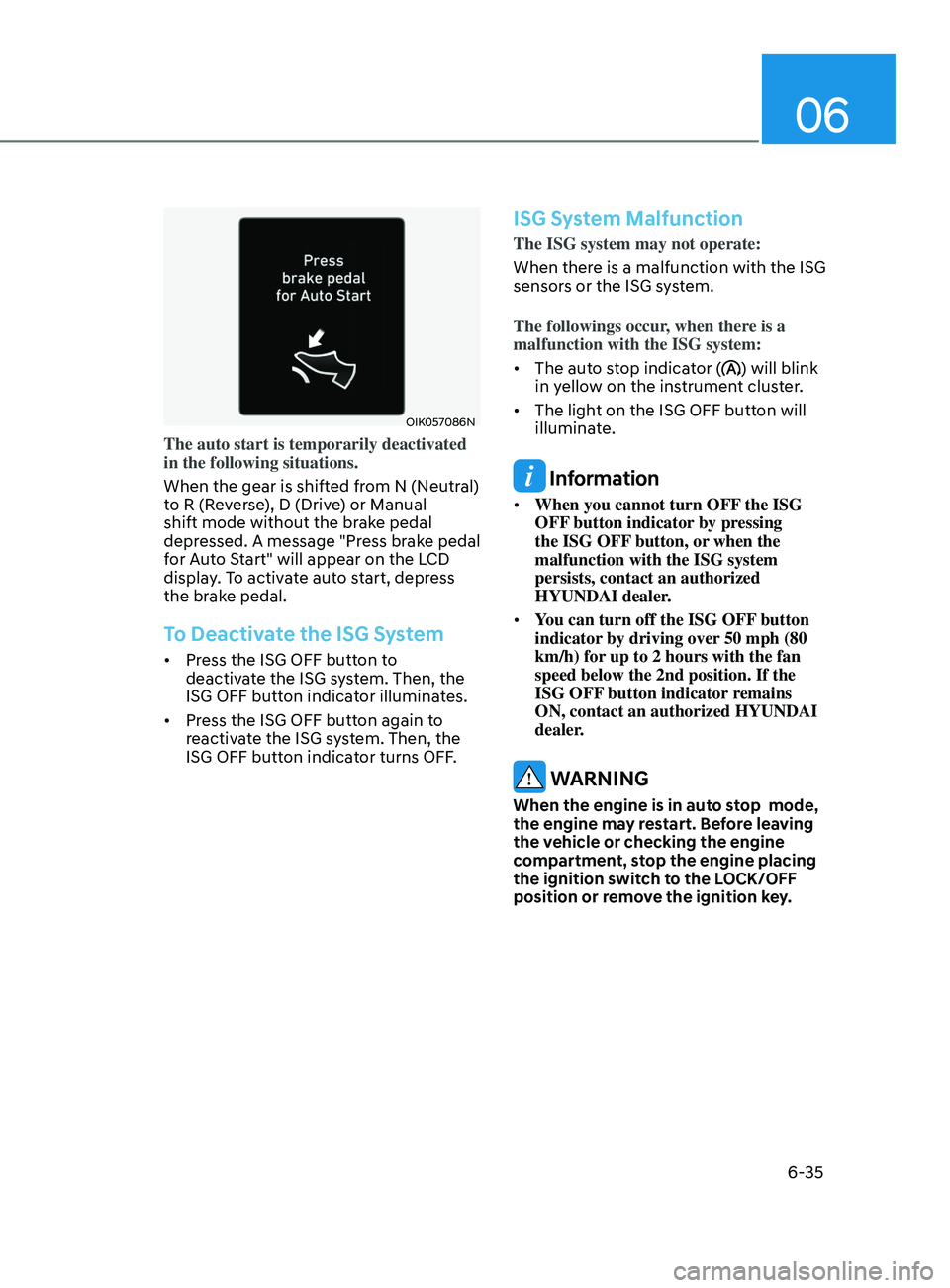
OIK057086N
The auto start is temporarily deactivated
in the following situations.
When the gear is shifted from N (Neutral)
to R (Reverse), D (Drive) or Manual
shift mode without the brake pedal
depressed. A message "Press brake pedal
for Auto Start" will appear on the LCD
display. To activate auto start, depress
the brake pedal.
To Deactivate the ISG System
• Press the ISG OFF button to
deactivate the ISG system. Then, the
ISG OFF button indicator illuminates.
• Press the ISG OFF button again to
reactivate the ISG system. Then, the
ISG OFF button indicator turns OFF.
ISG System Malfunction
The ISG system may not operate:
When there is a malfunction with the ISG
sensors or the ISG system.
The followings occur, when there is a
malfunction with the ISG system:
• The auto stop indicator (
) will blink
in yellow on the instrument cluster.
• The light on the ISG OFF button will
illuminate.
Information
• When you cannot turn OFF the ISG
OFF button indicator by pressing
the ISG OFF button, or when the
malfunction with the ISG system
persists, contact an authorized
HYUNDAI dealer.
• You can turn off the ISG OFF button
indicator by driving over 50 mph (80
km/h) for up to 2 hours with the fan
speed below the 2nd position. If the
ISG OFF button indicator remains
ON, contact an authorized HYUNDAI
dealer.
WARNING
When the engine is in auto stop mode,
the engine may restart. Before leaving
the vehicle or checking the engine
compartment, stop the engine placing
the ignition switch to the LOCK/OFF
position or remove the ignition key.
Page 320 of 546
![HYUNDAI SONATA 2022 Owners Manual 6-36
Battery Sensor Deactivation
ODN8A069204
[A] : Battery sensor
The battery sensor is deactivated, when
the battery is disconnected from the
negative pole for maintenance purpose.
In this case, t](/img/35/56194/w960_56194-319.png "HYUNDAI SONATA 2022 Owners Manual 6-36
Battery Sensor Deactivation
ODN8A069204
[A] : Battery sensor
The battery sensor is deactivated, when
the battery is disconnected from the
negative pole for maintenance purpose.
In this case, t")
6-36
Battery Sensor Deactivation
ODN8A069204
[A] : Battery sensor
The battery sensor is deactivated, when
the battery is disconnected from the
negative pole for maintenance purpose.
In this case, the ISG system is limitedly
operated due to the battery sensor
deactivation. Thus, the driver needs
to take the following procedures to
reactivate the battery sensor after
disconnecting the battery.
Prerequisites to reactivate the
battery sensor
Switch "ON" and "OFF" the ignition one
time. Park the vehicle for a minimum of 4
hours with the hood and all doors closed.
Pay extreme caution not to connect any
accessories (i.e. navigation and black
box) to the vehicle with the engine in the
OFF status. If not, the battery sensor may
not be reactivated.
Information
The ISG system may not operate in the
following situations.
-Ther
e is a malfunction with the ISG
system.
- The battery is weak.
-The brake vacuum pr
essure is low.
If this occurs, have the ISG system
checked by an authorized HYUNDAI
dealer.
NOTICE
• Use only a genuine HYUNDAI
Absorbent Glass Mat (AGM) battery
for replacement. If not, the ISG
system may not operate normally.
• Do not recharge the Absorbent Glass
Mat (AGM) battery with a general
battery charger. It may damage or
explode the Absorbent Glass Mat
(AGM) battery.
• Do not remove the battery cap. The
battery electrolyte, which is harmful
to the human body, may leak out.
While Driving
Page 384 of 546
6-100
• The vehicle is stopped for more than
5 minutes.
• The vehicle stops and goes repeatedly
for a long period of time.
• The accelerator pedal is continuously
depressed for a long period of time.
• The accelerator pedal is continuously
depressed for more than one minute.
• The engine performance is abnormal.
• Engine rpm is in the red zone.
• The driver starts driving by pushing
the toggle switch up (RES+)/down
(SET-) or depressing the accelerator
pedal, after the vehicle is stopped by
Smart Cruise Control system with no
other vehicle ahead.
• The driver starts driving by pushing
the toggle switch up (RES+)/down
(SET-) or depressing the accelerator
pedal, after stopping the vehicle with
a vehicle stopped far away in front.
• Forward Collision-Avoidance Assist is
activated.
• The engine speed is in dangerous
range.
• When engine is stopped by ISG (Idle
Stop & Go).
Each of these actions will cancel the
Smart Cruise Control operation. The Set
Speed and Vehicle-to-Vehicle Distance
on the LCD display will go off.
In a condition Smart Cruise Control is
cancelled automatically, Smart Cruise
Control will not resume even though the
RES+ or SET- toggle switch is pushed. Information
If Smart Cruise Control is cancelled by
other than the reasons mentioned, have
the vehicle inspected by an authorized
HYUNDAI dealer.
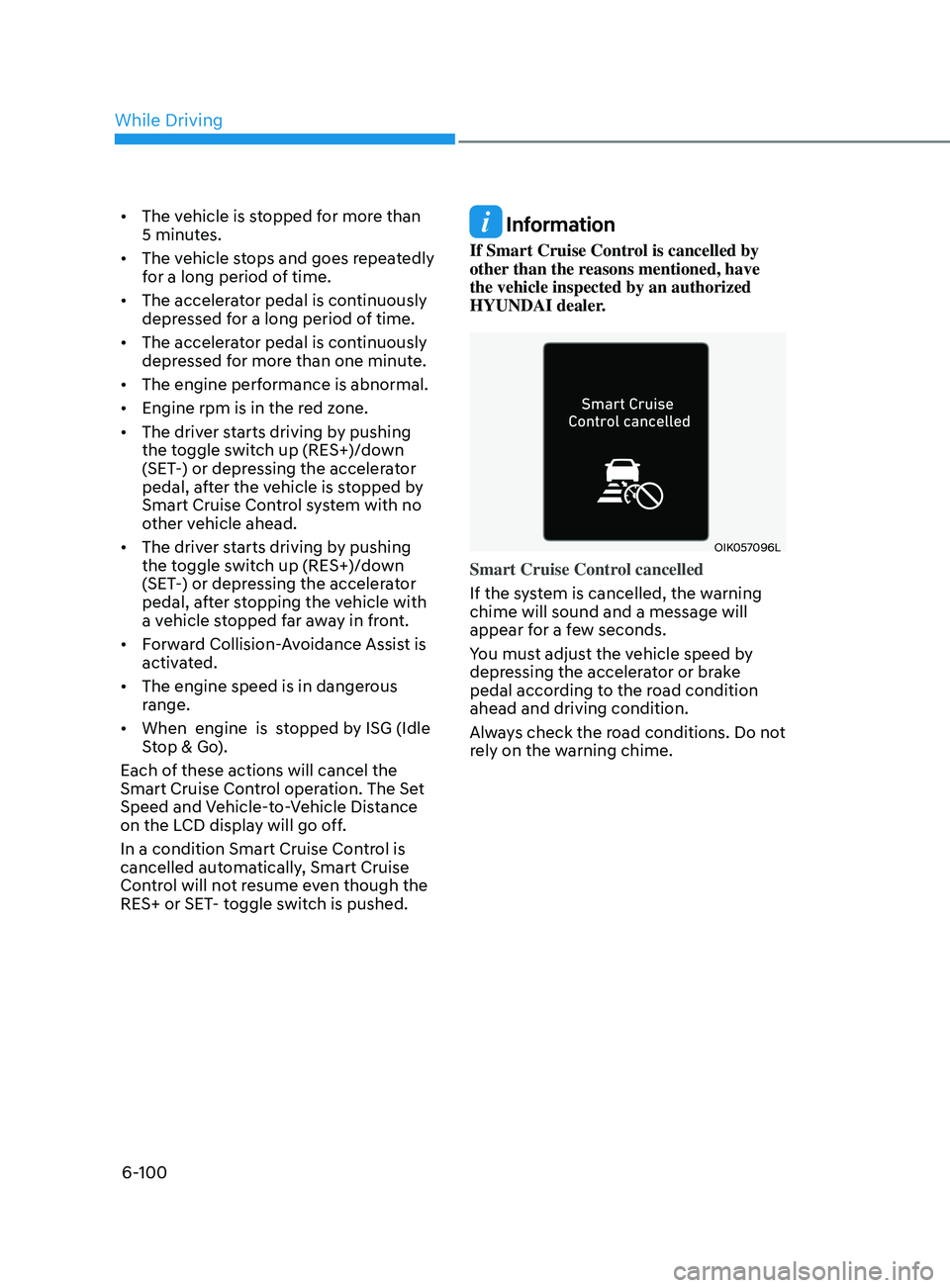
OIK057096L
Smart Cruise Control cancelled
If the system is cancelled, the warning
chime will sound and a message will
appear for a few seconds.
You must adjust the vehicle speed by
depressing the accelerator or brake
pedal according to the road condition
ahead and driving condition.
Always check the road conditions. Do not
rely on the warning chime.
While Driving
Page 537 of 546

I
I-9
Instrument cluster ........................................................................\
.......................... 4-2
Instrument cluster illumination
........................................................................\
. 4-3
Gauges and meters
........................................................................\
.................... 4-3
Transmission shift indicator
........................................................................\
...... 4-6
Warning and indicator lights
........................................................................\
..... 4-7
LCD display messages
........................................................................\
............ 4-15
LCD display (Type A, B)
........................................................................\
........ 4-19
LCD display (Type C)
........................................................................\
............. 4-34
Instrument panel fuse replacement
...................................................................... 8-49
Instrument panel overview
........................................................................\
............ 2-5
Interior care
........................................................................\
.................................. 8-67
Interior features
........................................................................\
.......................... 5-145
Cup holder
........................................................................\
............................. 5-145
Sunvisor........................................................................\
................................. 5-146
Power outlet
........................................................................\
.......................... 5-146
USB charger
........................................................................\
.......................... 5-147
Wireless cellular phone charging system
......................................................5-148
Clock
........................................................................\
..................................... 5-150
Clothes hanger
........................................................................\
....................... 5-150
Floor mat anchor(s)
........................................................................\
............... 5-151
Interior lights
........................................................................\
............................... 5-80
Front lamps........................................................................\
.............................. 5-81
Rear lamps
........................................................................\
............................... 5-81
Luggage compartment lamp
........................................................................\
.... 5-82
Vanity mirror lamp
........................................................................\
.................. 5-82
Interior overview
........................................................................\
........................... 2-4
ISG (Idle Stop and Go) system
........................................................................\
.... 6-33
J
Jack and tools
........................................................................\
............................... 7-12
Jump starting
........................................................................\
.................................. 7-4
K
Key ignition switch
........................................................................\
........................ 6-6