alarm HYUNDAI SONATA 2023 User Guide
[x] Cancel search | Manufacturer: HYUNDAI, Model Year: 2023, Model line: SONATA, Model: HYUNDAI SONATA 2023Pages: 555, PDF Size: 42.72 MB
Page 347 of 555
While Driving
6-60
OADAS014SD
OADAS016SD
OADAS018SD
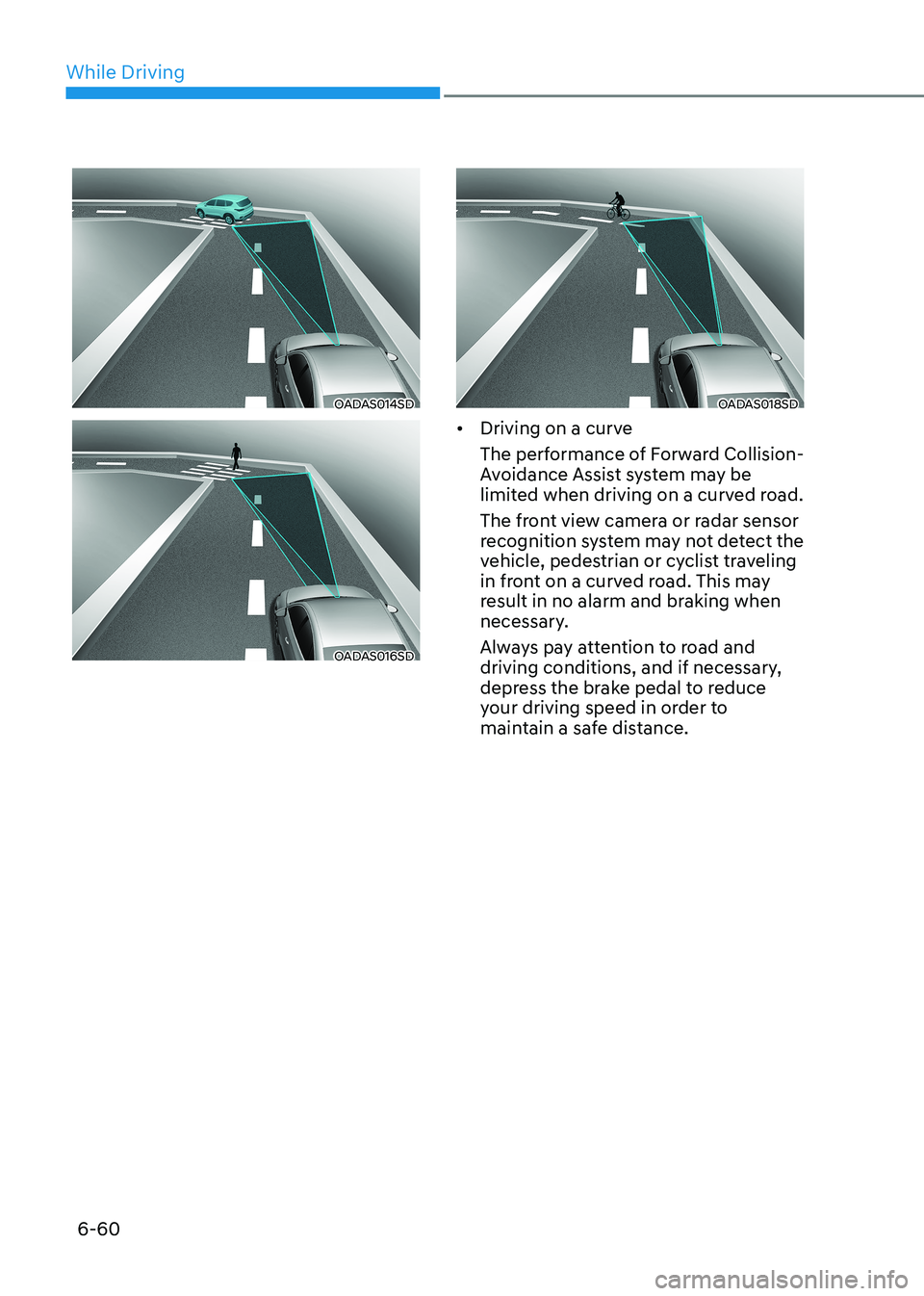
• Driving on a curve
The performance of Forward Collision-
Avoidance Assist system may be
limited when driving on a curved road.
The front view camera or radar sensor
recognition system may not detect the
vehicle, pedestrian or cyclist traveling
in front on a curved road. This may
result in no alarm and braking when
necessary.
Always pay attention to road and
driving conditions, and if necessary,
depress the brake pedal to reduce
your driving speed in order to
maintain a safe distance.
Page 348 of 555
06
6-61
OADAS015SD
OADAS017SD
OADAS019SD
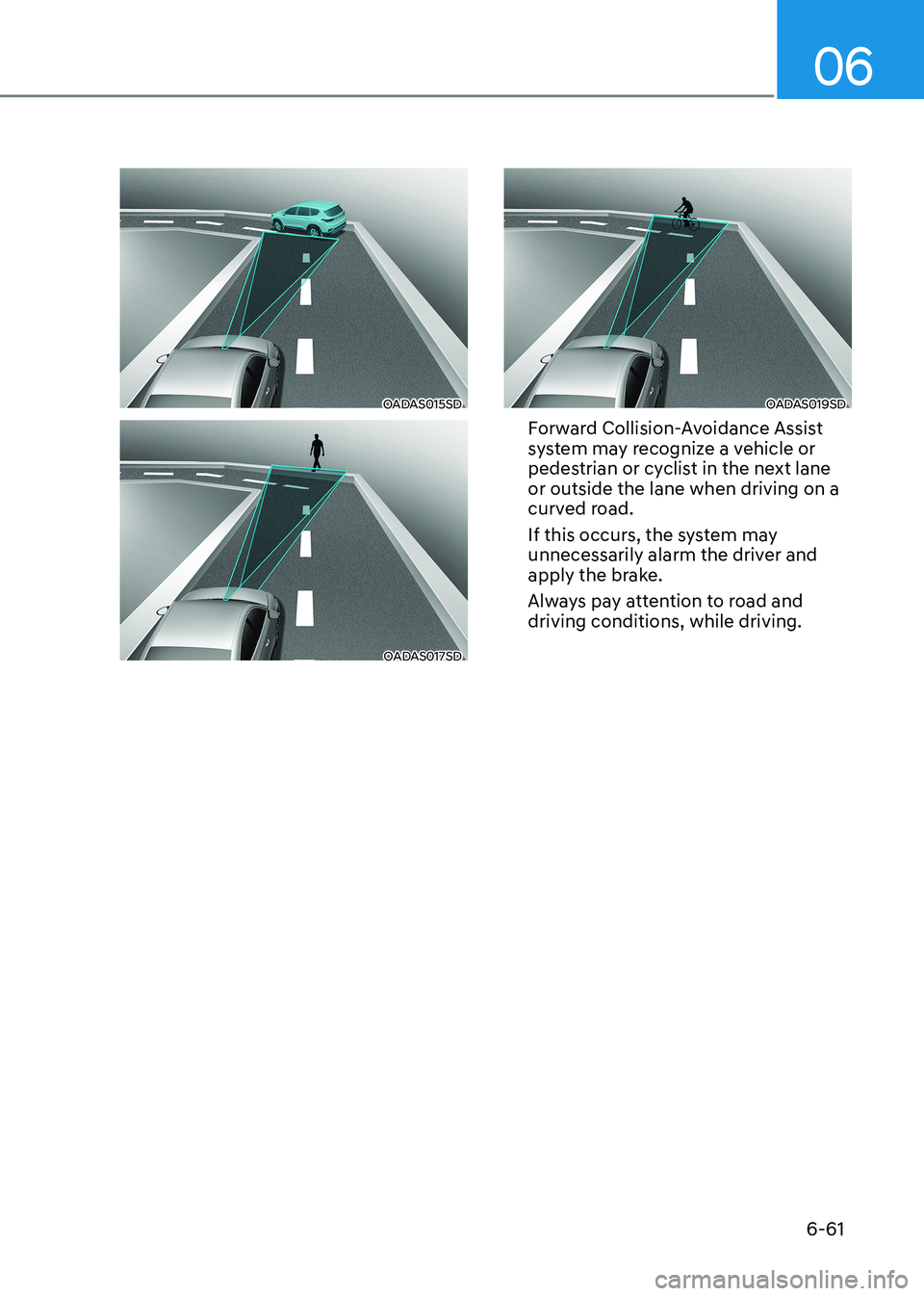
Forward Collision-Avoidance Assist
system may recognize a vehicle or
pedestrian or cyclist in the next lane or outside the lane when driving on a
curved road.
If this occurs, the system may
unnecessarily alarm the driver and
apply the brake.
Always pay attention to road and driving conditions, while driving.
Page 349 of 555
While Driving
6-62
OADAS012SD
OADAS011SD
OADAS010SD
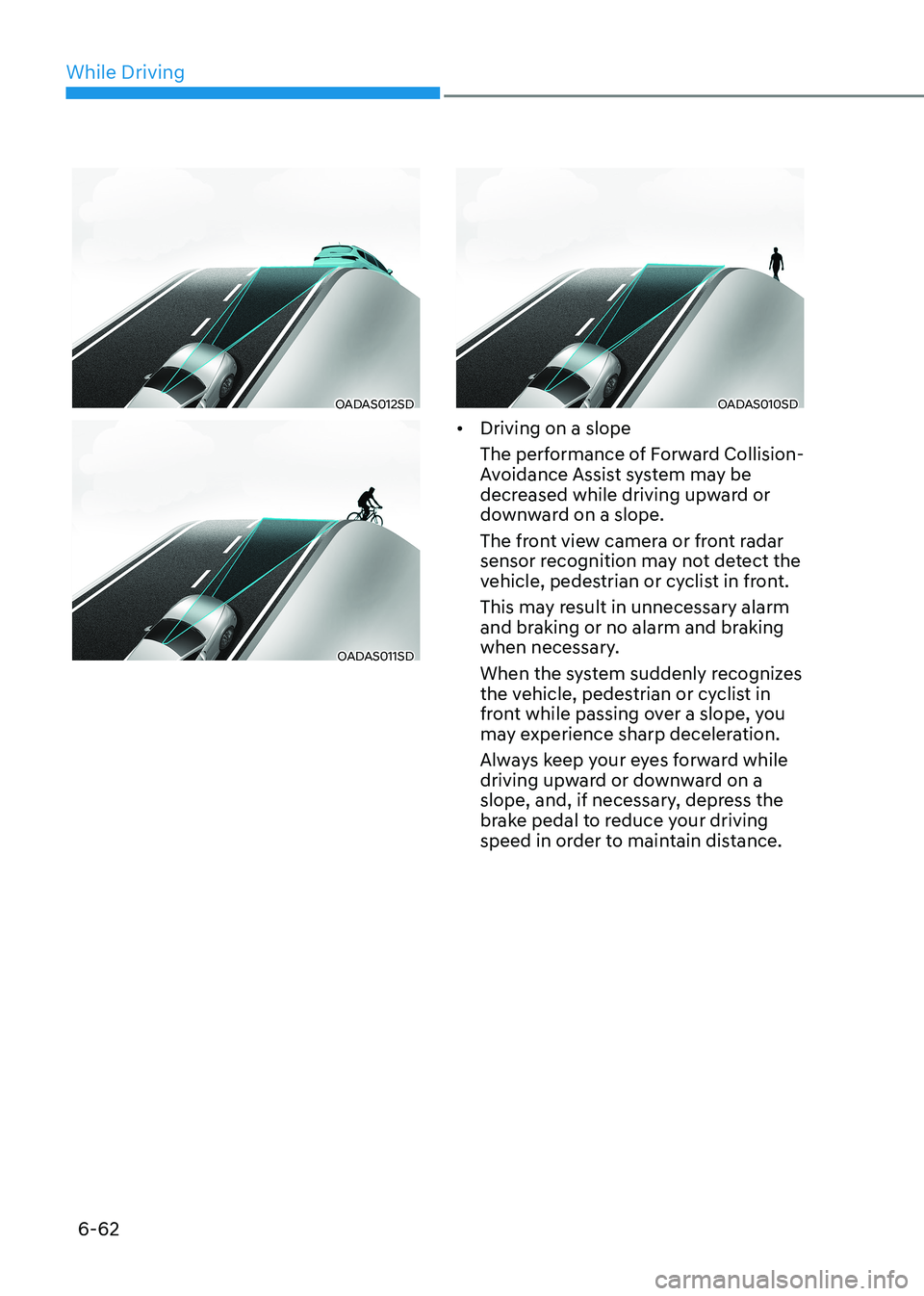
• Driving on a slope
The performance of Forward Collision-
Avoidance Assist system may be
decreased while driving upward or
downward on a slope.
The front view camera or front radar
sensor recognition may not detect the
vehicle, pedestrian or cyclist in front.
This may result in unnecessary alarm
and braking or no alarm and braking
when necessary.
When the system suddenly recognizes
the vehicle, pedestrian or cyclist in
front while passing over a slope, you
may experience sharp deceleration.
Always keep your eyes forward while
driving upward or downward on a
slope, and, if necessary, depress the
brake pedal to reduce your driving
speed in order to maintain distance.
Page 352 of 555
06
6-65
FCA system may work when it
recognizes objects similar in shape or
property to a vehicle, pedestrian or
cyclist.
FCA system is designed to help detect
and monitor the vehicle ahead or detect
a pedestrian or cyclist in the roadway
through radar signals and camera
recognition. It is not designed to detect
bicycles, motorcycles, or smaller wheeled objects such as luggage bags,
shopping carts, or strollers.
Never try to test the operation of FCA
system. Doing so may cause severe
injury or death.
If the front bumper, front glass, radar or
camera have been replaced or repaired,
have the vehicle inspected by an
authorized HYUNDAI dealer.
Information
In some instances, FCA system may be cancelled when subjected to
electromagnetic interference.
Information
This device complies with Industry Canada RSS-210 standard. Operation is subject to the following two conditions: 1. This device may not cause harmful
interference.
2. This device must accept any
interference received, including
interference that may cause undesired operation.
Forward Collision-Avoidance
Assist - Junction Turning (if equipped)
FCA-Junction Turning function is
designed to reduce the risk of collision
by detecting and monitoring the
oncoming vehicle ahead. When the
vehicle turns to the left at a junction, the
system recognises the oncoming vehicle
ahead in advance with the front view
camera and the front radar. It produces
warning messages or haptic warning
alarms in accordance with the collision
risk levels.
System setting
FCA-Junction Turning function can be
activated from the User Settings menu
by following the procedure below.
1. Set the Engine Start/Stop button to the
ON or START position.
2. Select ‘User settings →
Driver
assistance → Forward safety’.
For more details, refer to “Forward
Collision-Avoidance Assist (FCA)” in this
chapter.
Page 353 of 555
While Driving
6-66
Prerequisite for activation
FCA system is on and ready if you select
“Active assist” or “Warning only” on
the infotainment system and when the
following prerequisites are satisfied:
- The system detects a oncoming vehicle in front, which may collide
with your vehicle. It may be activated
when the system recognise the
collision risk at a junction in each
situation.
- The ESC (Electronic Stability Control) is on.
- The vehicle speed moving toward your vehicle exceeds approximately
30 km/h (19 mph) or decreases under
70 km/h (44 mph).
- Driving speed exceeds approximately 10 km/h (6 mph) or decreases under
30 km/h (19 mph)
- Direction signals turn on.
CAUTION
• FCA system may not work or only
some part of the warning system may
perform according to the condition,
driving direction or speed of the
vehicle moving toward your vehicle.
• If you select “Warning only”, FCA
system activates and produces only
warning alarms.
WARNING
• FCA system may not produce the
warning alarm or be activated too
late due to the unexpected driving
caused by the approaching vehicles.
• While turning left, only when the turn signal is on along with the driving
direction, FCA system is activated
toward the approaching vehicles.
FCA warning message and function
control
FCA produces warning messages and
warning alarms as well as vibrates the
steering wheel in accordance with the
collision risk levels whilst the vehicle
turns left at the crossroads. In addition,
the system controls the brakes according
to the collision risk levels.
Page 358 of 555
06
6-71
•
Do not place objects on the
dashboard that reflects light such as
mirrors, white paper, etc. This may
prevent LKA system from functioning
properly.
• Always have your hands on the
steering wheel while LKA system is
activated. If you continue to drive
with your hands off the steering
wheel after the “Keep hands on
steering wheel” warning message
appears, the system will stop
controlling the steering wheel.
• The steering wheel is not
continuously controlled so if the
vehicle speed is at a higher rate
when leaving a lane the vehicle may
not be controlled by the system. The
driver must always follow the speed
limit when using the system.
• If you attach objects to the steering
wheel, the system may not assist
steering or the hands off alarm may
not work properly.
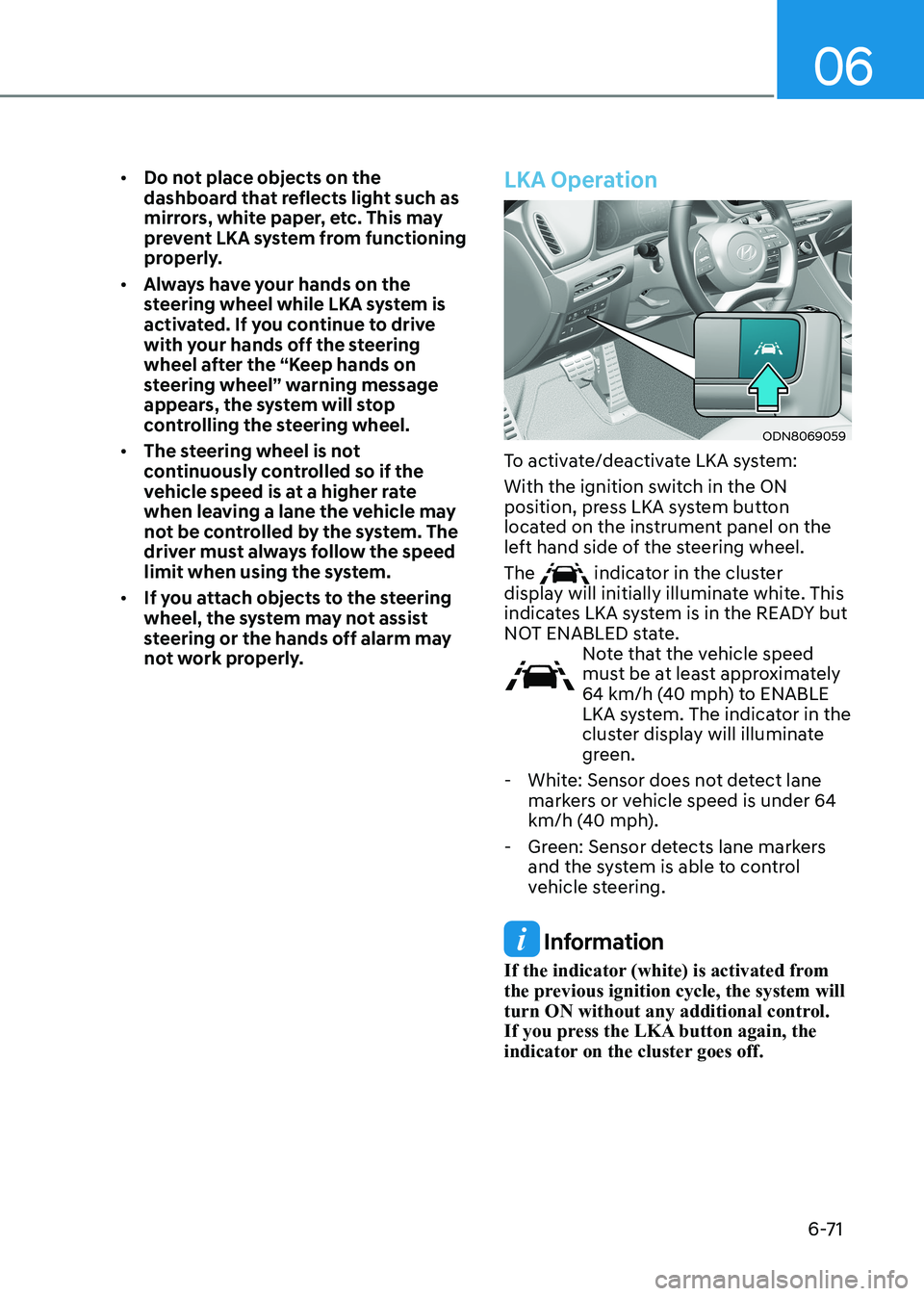
LKA Operation
ODN8069059
To activate/deactivate LKA system:
With the ignition switch in the ON
position, press LKA system button
located on the instrument panel on the
left hand side of the steering wheel. The
indicator in the cluster
display will initially illuminate white. This
indicates LKA system is in the READY but
NOT ENABLED state.
Note that the vehicle speed
must be at least approximately
64 km/h (40 mph) to ENABLE
LKA system. The indicator in the
cluster display will illuminate
green.
- White: Sensor does not detect lane markers or vehicle speed is under 64
km/h (40 mph).
- Green: Sensor detects lane markers and the system is able to control
vehicle steering.
Information
If the indicator (white) is activated from
the previous ignition cycle, the system will
turn ON without any additional control.
If you press the LKA button again, the
indicator on the cluster goes off.
Page 359 of 555
While Driving
6-72
LKA System Function Change
The driver can change LKA to
Lane Departure Warning or Lane
Keeping Assist from the LCD display
or infotainment system display(if
equipped). Go to the ‘User Settings →
Driver Assistance → Lane Safety → Lane
Keeping Assist/Lane Departure Warning/
Off'. The system is automatically set to
Lane Keeping Assist if a function is not changed.
Lane Keeping Assist
The LKA mode guides the driver to help
keep the vehicle within the lanes. It
rarely controls the steering wheel, when
the vehicle drives well inside the lanes.
However, it starts to control the steering
wheel, when the vehicle is about to
deviate out of the lanes.
Lane Departure Warning
LDW alerts the driver with a visual
warning and a warning alarm when the
system detects the vehicle departing
the lane. The steering wheel will not be
controlled.LKA system operation
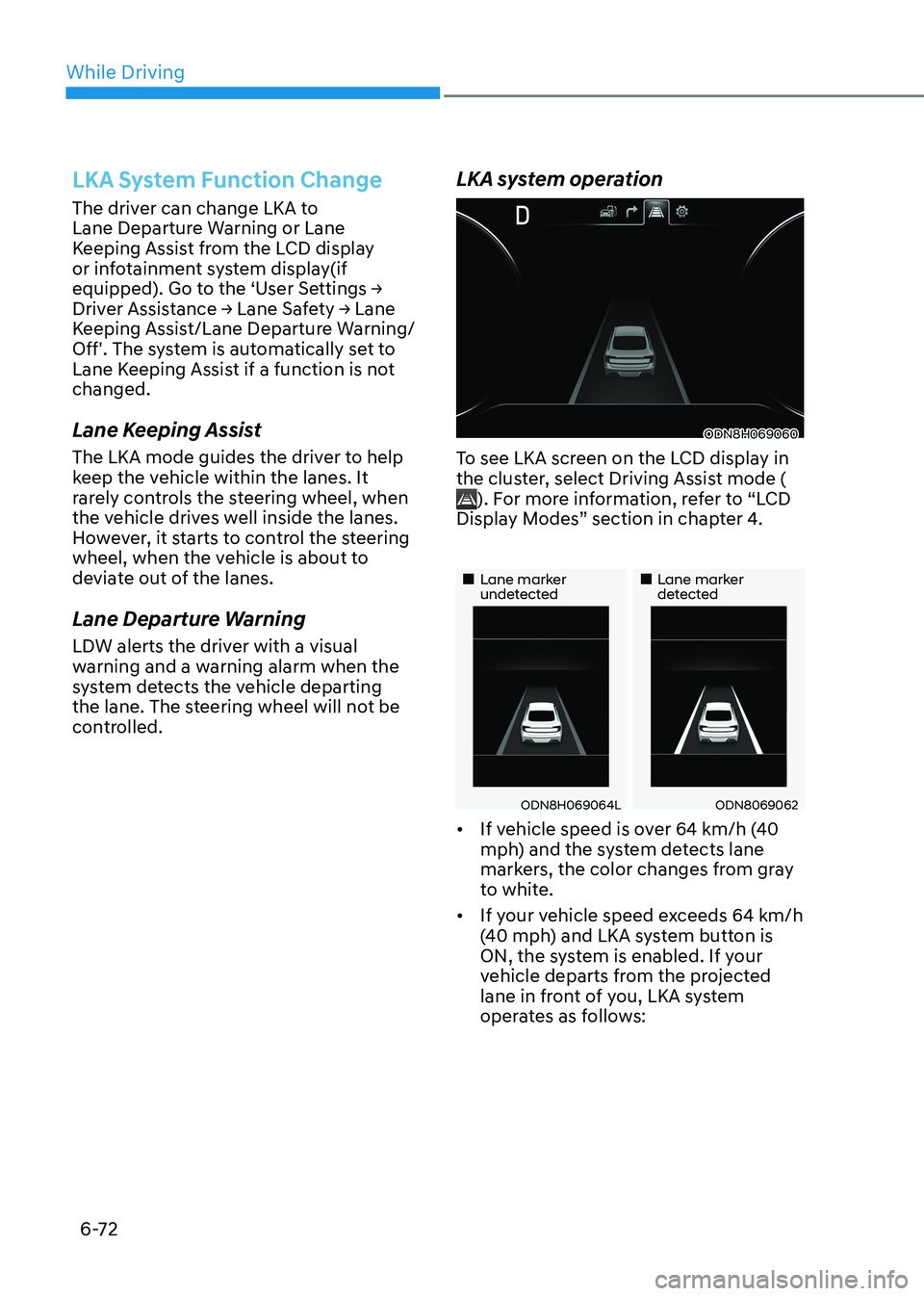
ODN8H069060
To see LKA screen on the LCD display in
the cluster, select Driving Assist mode (
). For more information, refer to “LCD
Display Modes” section in chapter 4.
„„Lane marker undetected „„Lane marker detected
ODN8H069064LODN8069062
• If vehicle speed is over 64 km/h (40
mph) and the system detects lane
markers, the color changes from gray
to white.
• If your vehicle speed exceeds 64 km/h
(40 mph) and LKA system button is
ON, the system is enabled. If your
vehicle departs from the projected
lane in front of you, LKA system
operates as follows:
Page 368 of 555
06
6-81
WARNING
• The warning light on the side view
mirror will illuminate whenever a
vehicle is detected at the rear side by
the system.
To help avoid accidents, do not focus
only on the warning light and neglect
to see the surrounding of the vehicle.
• Drive safely even though the
vehicle is equipped with Blind-Spot
Collision-Avoidance Assist system.
Do not solely rely on the system
but check your surrounding before changing lanes or backing the
vehicle up.
• The system may not alert the driver
in some conditions so always check
your surroundings while driving.
CAUTION
• The driver should always use
extreme caution while operating
the vehicle, whether or not the
warning light on the side view mirror
illuminates or there is a warning alarm.
• Playing the vehicle audio system at
high volume may offset the Blind-
Spot Collision Warning system
warning sounds.
• The warning of Blind-Spot Collision-
Avoidance Assist system may not
sound while other system’s warning sounds. Blind-Spot Collision-Avoidance
Assist
Blind-Spot Collision-Avoidance Assist
system may apply braking power, when
an approaching vehicle is detected
within a certain distance next to or
behind your vehicle.
It gently applies braking power on the
wheel, which is located in the opposite
side of the possibly-colliding point. The
instrument cluster will inform the driver
of the system activation.
Blind-Spot Collision-Avoidance Assist
system is automatically deactivated when:
- The vehicle drives a certain distance away
- The vehicle direction is changed against the possible-colliding point
- The steering wheel is abruptly moved
- The brake pedal is depressed
- After a certain period of time
The driver should drive the vehicle in the
middle of the vehicle lanes to keep the
system in the ready status.
When the vehicle drives too close to one
side of the vehicle lanes, the system may
not properly operate.
In addition, the system may not properly
control your vehicle in accordance with
driving situations. Thus, always pay close
attention to road situations.
Page 388 of 555
06
6-101
Leading Vehicle Departure Alert (if equipped)
After the vehicle in front departs an alert
informs the driver.
System setting
With the engine ON, Leading Vehicle
Departure Alert function turns on and
gets ready to be activated when the
‘User Settings → Driver Assistance →
Driver Attention Warning → Leading
Vehicle Departure Alert’ is selected on
the cluster. The function stops operation
when the setting is deactivated.
However, if the engine is turned off then
on again, the function maintains the
previous state.
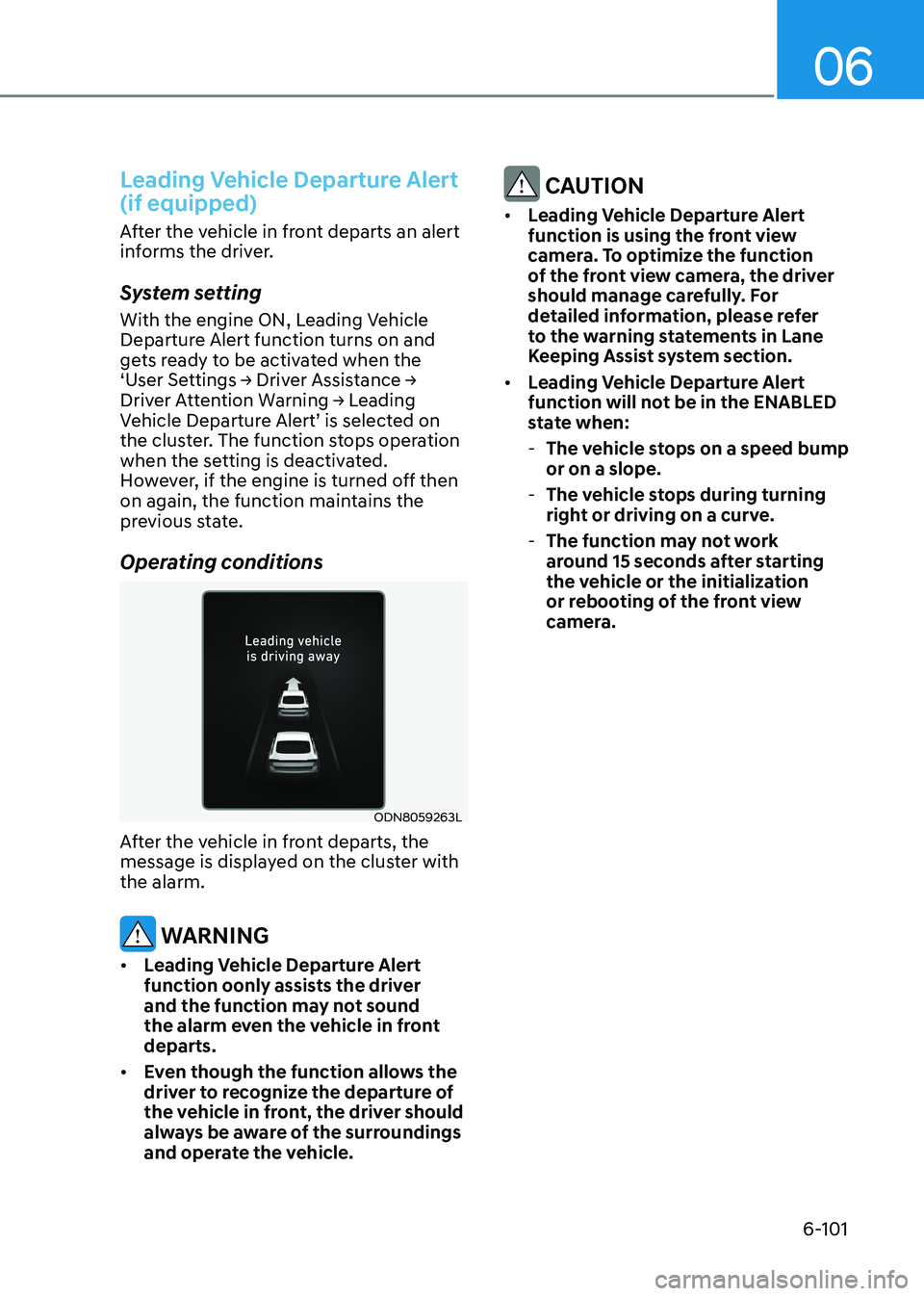
Operating conditions
ODN8059263L
After the vehicle in front departs, the
message is displayed on the cluster with the alarm.
WARNING
• Leading Vehicle Departure Alert
function oonly assists the driver
and the function may not sound
the alarm even the vehicle in front departs.
• Even though the function allows the
driver to recognize the departure of
the vehicle in front, the driver should
always be aware of the surroundings
and operate the vehicle.
CAUTION
• Leading Vehicle Departure Alert
function is using the front view
camera. To optimize the function
of the front view camera, the driver
should manage carefully. For
detailed information, please refer
to the warning statements in Lane
Keeping Assist system section.
• Leading Vehicle Departure Alert
function will not be in the ENABLED
state when:
- The vehicle stops on a speed bump or on a slope.
- The vehicle stops during turning
right or driving on a curve.
- The function may not work
around 15 seconds after starting
the vehicle or the initialization
or rebooting of the front view
camera.
Page 414 of 555
06
6-127
•
Do not place objects on the
dashboard that reflects light such as
mirrors, white paper, etc. This may
prevent LFA system from functioning
properly.
• Always have your hands on the
steering wheel while LFA system is
activated. If you continue to drive
with your hands off the steering
wheel after the “Keep hands on
steering wheel” warning message
appears, the system will turn off
automatically.
However, if the driver has their
hands on the steering wheel again,
the system will start controlling the
steering wheel.
• The steering wheel is not
continuously controlled so if the
vehicle speed is at a higher rate
when leaving a lane the vehicle may
not be controlled by the system. The
driver must always follow the speed
limit when using the system.
• If you attach objects to the steering
wheel, the system may not assist
steering or the hands off alarm may
not work properly.
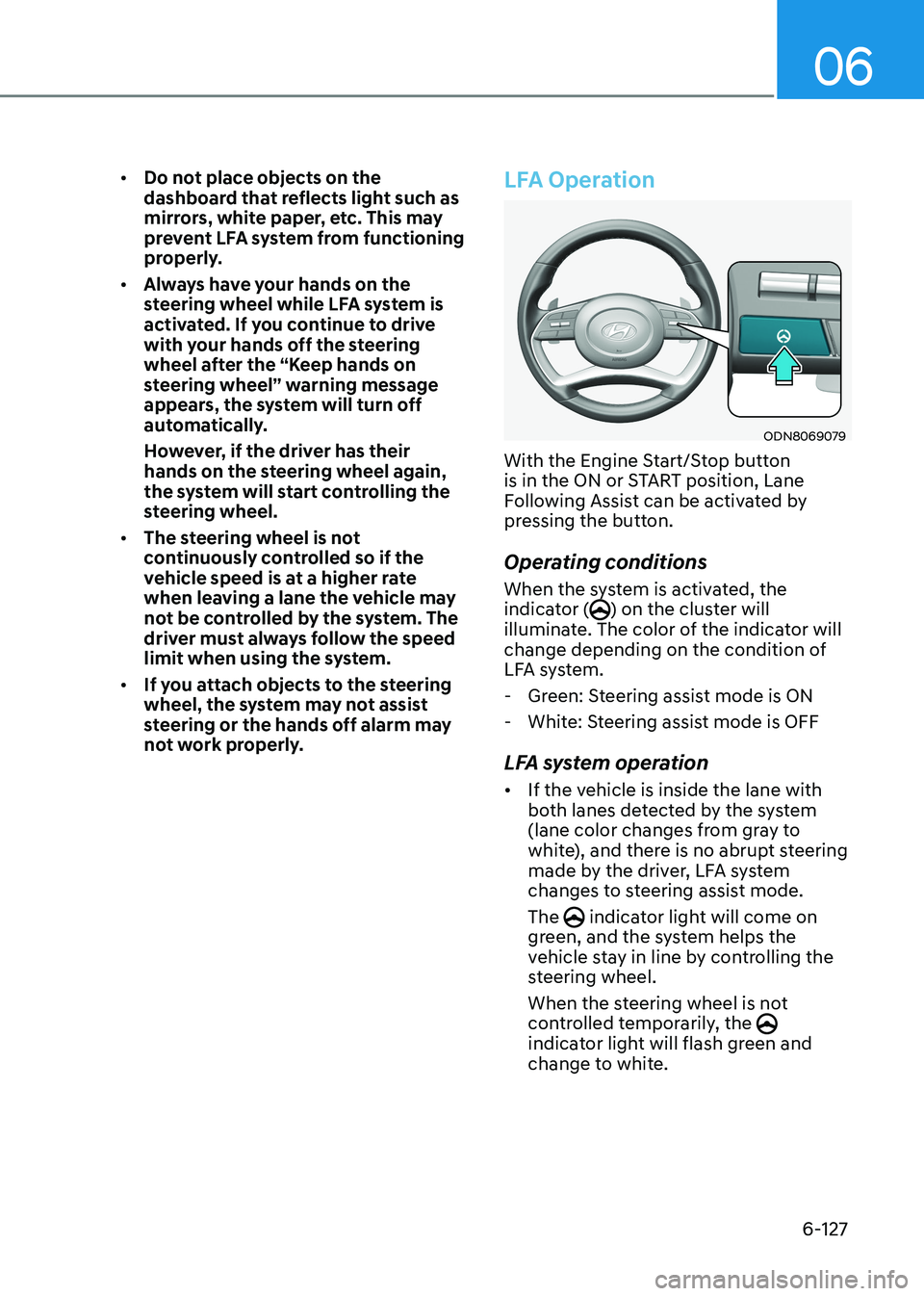
LFA Operation
ODN8069079
With the Engine Start/Stop button
is in the ON or START position, Lane
Following Assist can be activated by
pressing the button.
Operating conditions
When the system is activated, the
indicator (
) on the cluster will
illuminate. The color of the indicator will
change depending on the condition of
LFA system.
- Green: Steering assist mode is ON
- White: Steering assist mode is OFF
LFA system operation • If the vehicle is inside the lane with
both lanes detected by the system
(lane color changes from gray to
white), and there is no abrupt steering
made by the driver, LFA system
changes to steering assist mode. The
indicator light will come on
green, and the system helps the
vehicle stay in line by controlling the
steering wheel.
When the steering wheel is not
controlled temporarily, the
indicator light will flash green and
change to white.