fuel HYUNDAI SONATA 2023 User Guide
[x] Cancel search | Manufacturer: HYUNDAI, Model Year: 2023, Model line: SONATA, Model: HYUNDAI SONATA 2023Pages: 555, PDF Size: 42.72 MB
Page 88 of 555
4-2
Instrument Cluster
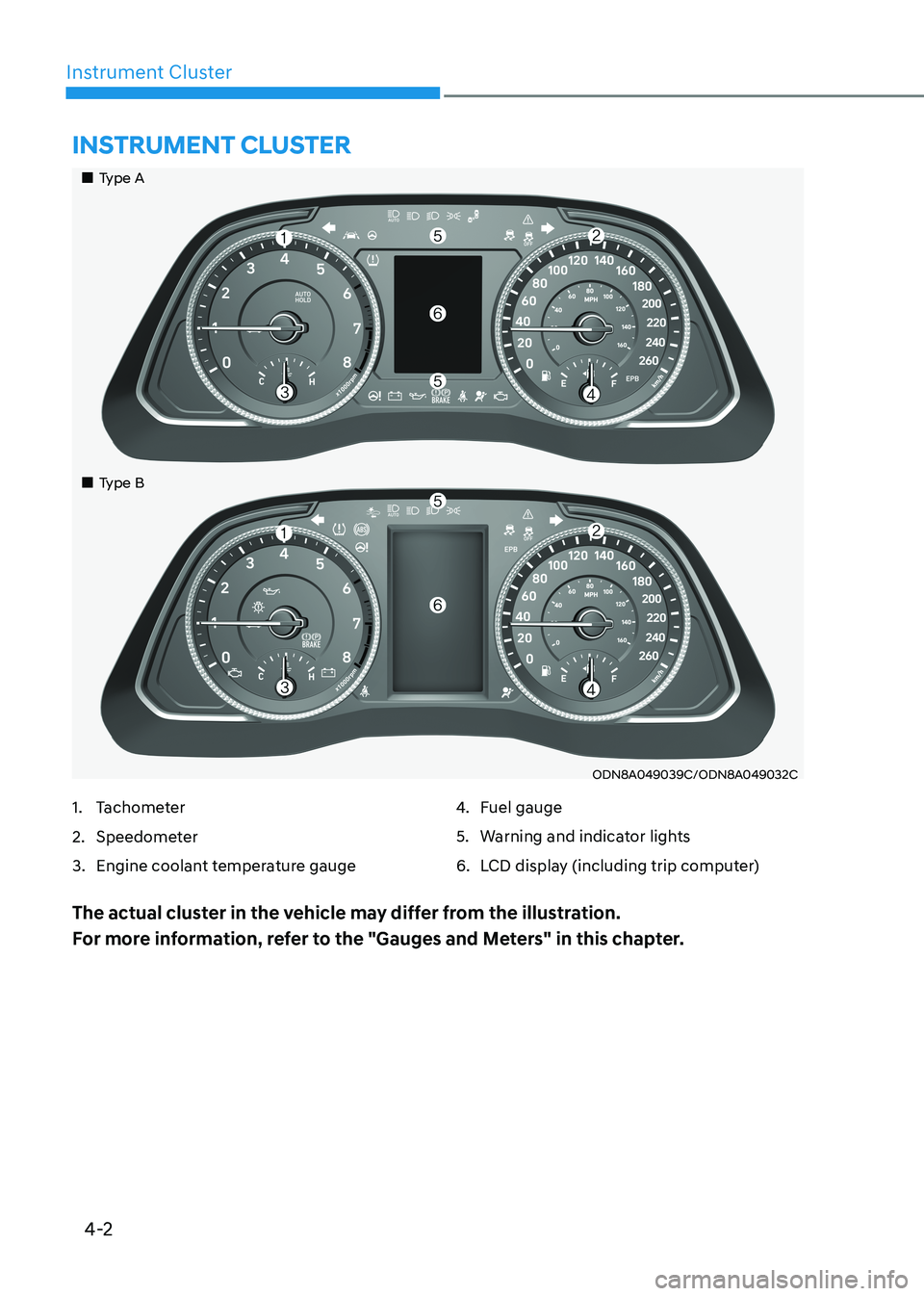
ODN8A049039C/ODN8A049032C
Instrument Cluster
1. Tachometer
2. Speedometer
3. Engine coolant temperature gauge4.
Fuel gauge
5. Warning and indicator lights
6. LCD display (including trip computer)
The actual cluster in the vehicle may differ from the illustration.
For more information, refer to the "Gauges and Meters" in this chapter.
„„Type A
„
„Type B
Page 89 of 555
4-3
04
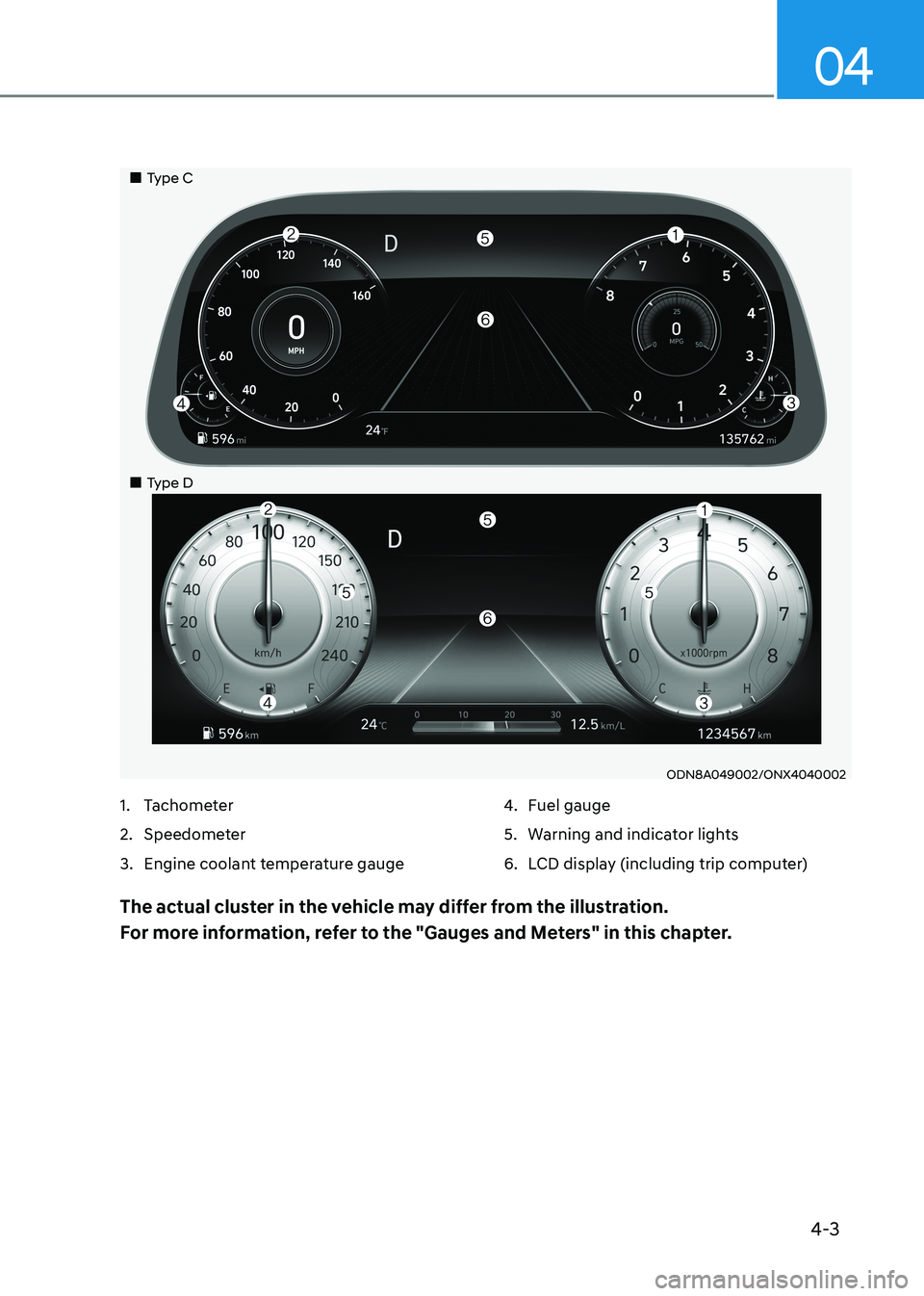
ODN8A049002/ONX4040002
1. Tachometer
2. Speedometer
3. Engine coolant temperature gauge 4.
Fuel gauge
5. Warning and indicator lights
6. LCD display (including trip computer)
The actual cluster in the vehicle may differ from the illustration.
For more information, refer to the "Gauges and Meters" in this chapter.
„„Type C
„
„Type D
Page 92 of 555
Instrument Cluster
4-6
NOTICE
If the gauge pointer moves beyond
the normal range area toward the "H"
position, it indicates overheating that
may damage the engine.
Do not continue driving with an
overheated engine. If your engine
overheats, refer to "If the Engine
Overheats" in chapter 7.
WARNING
Never remove the radiator cap or
reservoir cap when the engine is hot.
The engine coolant is under pressure
and could severely burn. Wait until the
engine is cool before adding coolant to
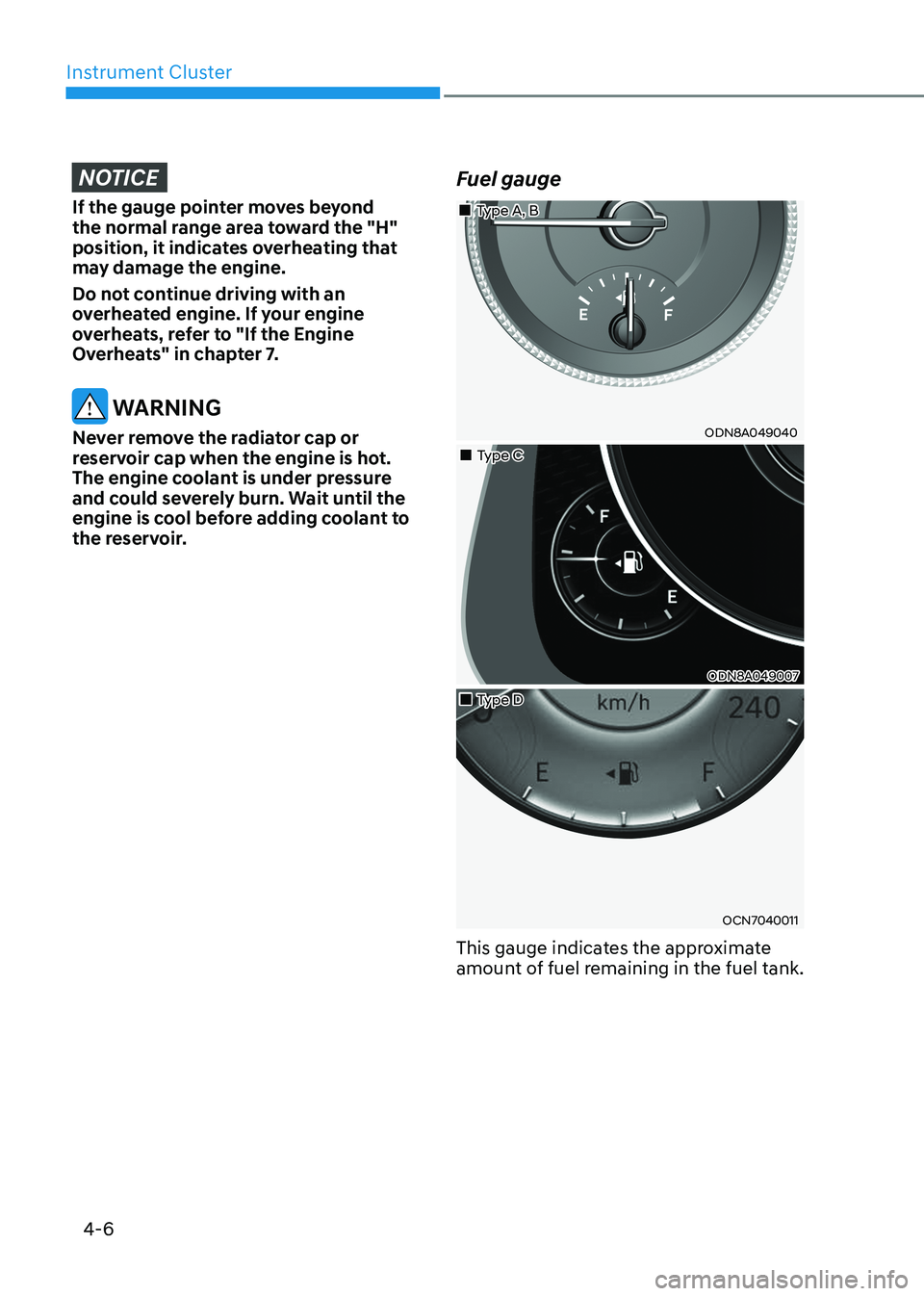
the reservoir. Fuel gauge
„„Type A, B
ODN8A049040
„„Type C
ODN8A049007
„„Type D
OCN7040011
This gauge indicates the approximate
amount of fuel remaining in the fuel tank.
Page 93 of 555
04
4 -7
Information
• The fuel tank capacity is given in
chapter 2.
• The fuel gauge is supplemented by a low fuel warning light, which will illuminate when the fuel tank is nearly
empty.
• On inclines or curves, the fuel gauge
pointer may fluctuate or the low fuel
warning light may come on earlier than usual due to the movement of fuel in the tank.
WARNING
Running out of fuel can expose vehicle
occupants to danger.
You must stop and obtain additional
fuel as soon as possible after the
warning light comes on or when the
gauge indicator comes close to the "E
(Empty)" level.
NOTICE
Avoid driving with an extremely low
fuel level. Running out of fuel could
cause the engine to misfire and damage
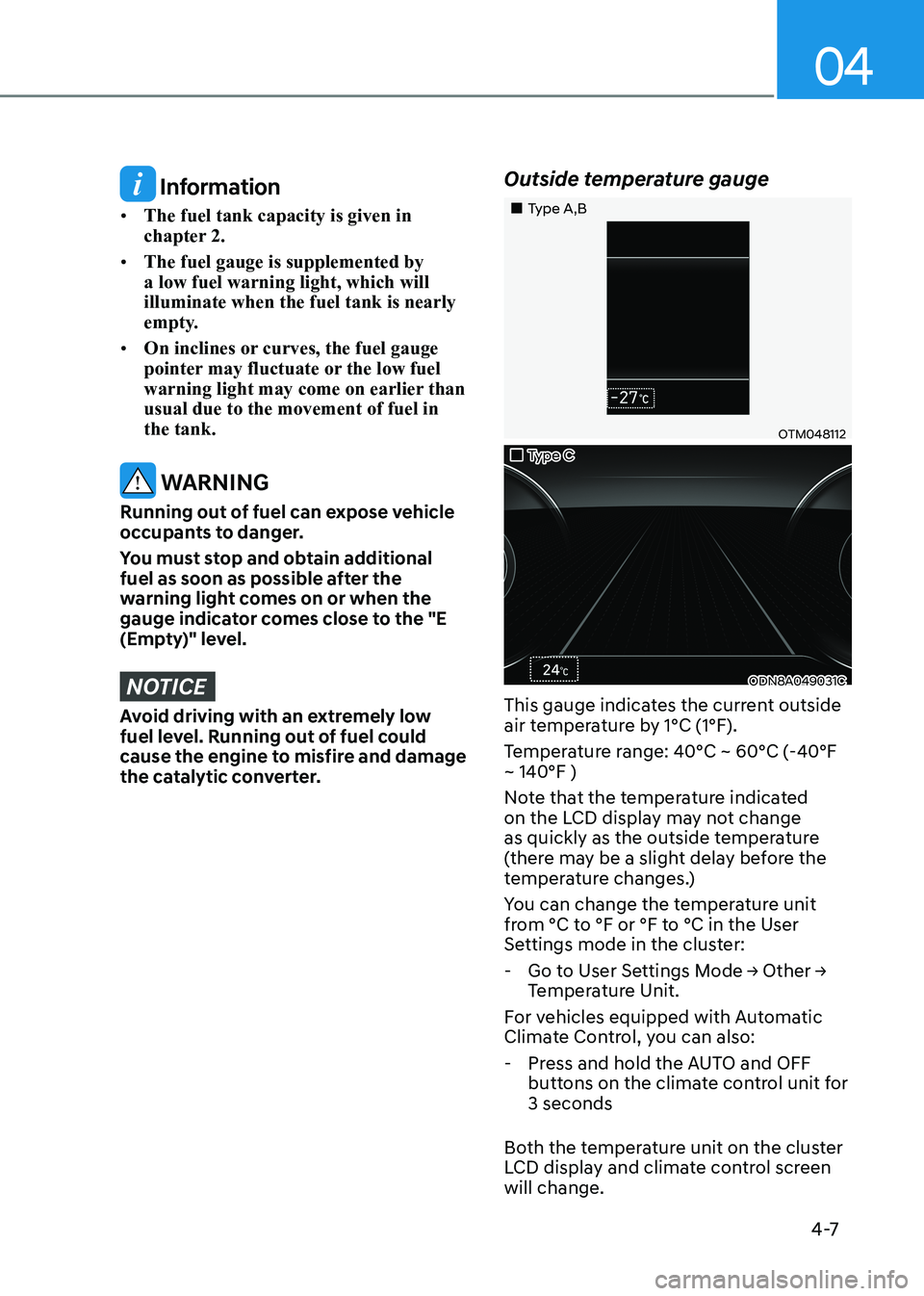
the catalytic converter. Outside temperature gauge
„„Type A,B
OTM048112
„„Type C
ODN8A049031C
This gauge indicates the current outside
air temperature by 1°C (1°F).
Temperature range: 40°C ~ 60°C (-40°F ~ 140°F )
Note that the temperature indicated
on the LCD display may not change
as quickly as the outside temperature
(there may be a slight delay before the
temperature changes.)
You can change the temperature unit
from °C to °F or °F to °C in the User
Settings mode in the cluster:
- Go to User Settings Mode → Other →
Temperature Unit.
For vehicles equipped with Automatic
Climate Control, you can also: - Press and hold the AUTO and OFF buttons on the climate control unit for 3 seconds
Both the temperature unit on the cluster
LCD display and climate control screen will change.
Page 94 of 555
Instrument Cluster
4-8
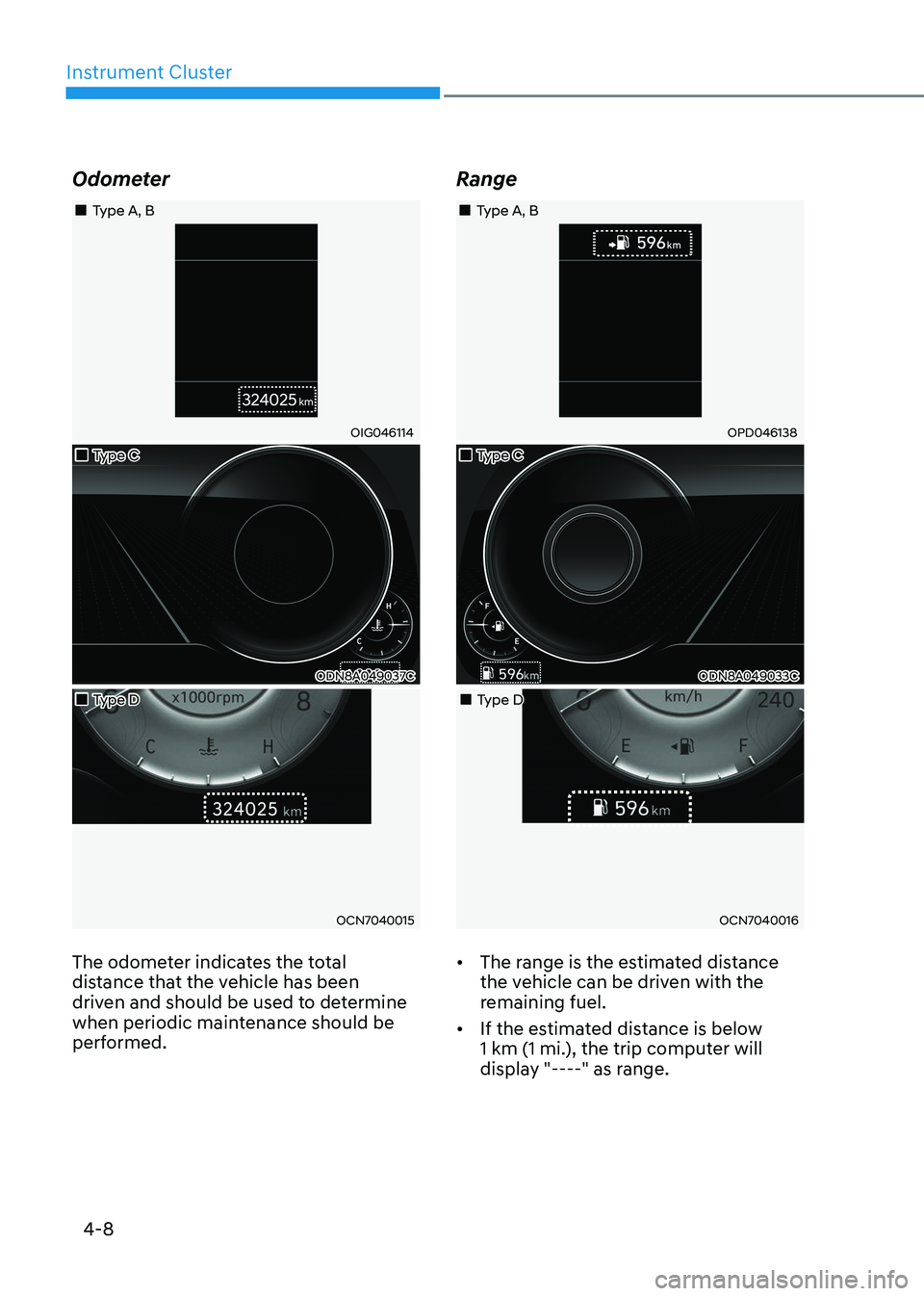
Odometer
„„Type A, B
OIG046114
„„Type C
ODN8A049037C
„„Type D
OCN7040015
The odometer indicates the total
distance that the vehicle has been
driven and should be used to determine
when periodic maintenance should be
performed. Range
„„Type A, B
OPD046138
„„Type C
ODN8A049033C
„„Type D
OCN7040016
• The range is the estimated distance
the vehicle can be driven with the
remaining fuel.
• If the estimated distance is below
1 km (1 mi.), the trip computer will
display "----" as range.
Page 95 of 555
04
4-9
Information
• If the vehicle is not on level ground or
the battery power has been interrupted, the range function may not operate
correctly.
• The range may differ from the actual driving distance as it is only an estimate
of the available driving range for the vehicle and driving conditions.
• The trip computer may not register additional fuel if less than 6 liters (1.6
gallon) of fuel are added to the vehicle.
• The range may vary significantly based on driving conditions, driving habits, and condition of the vehicle.
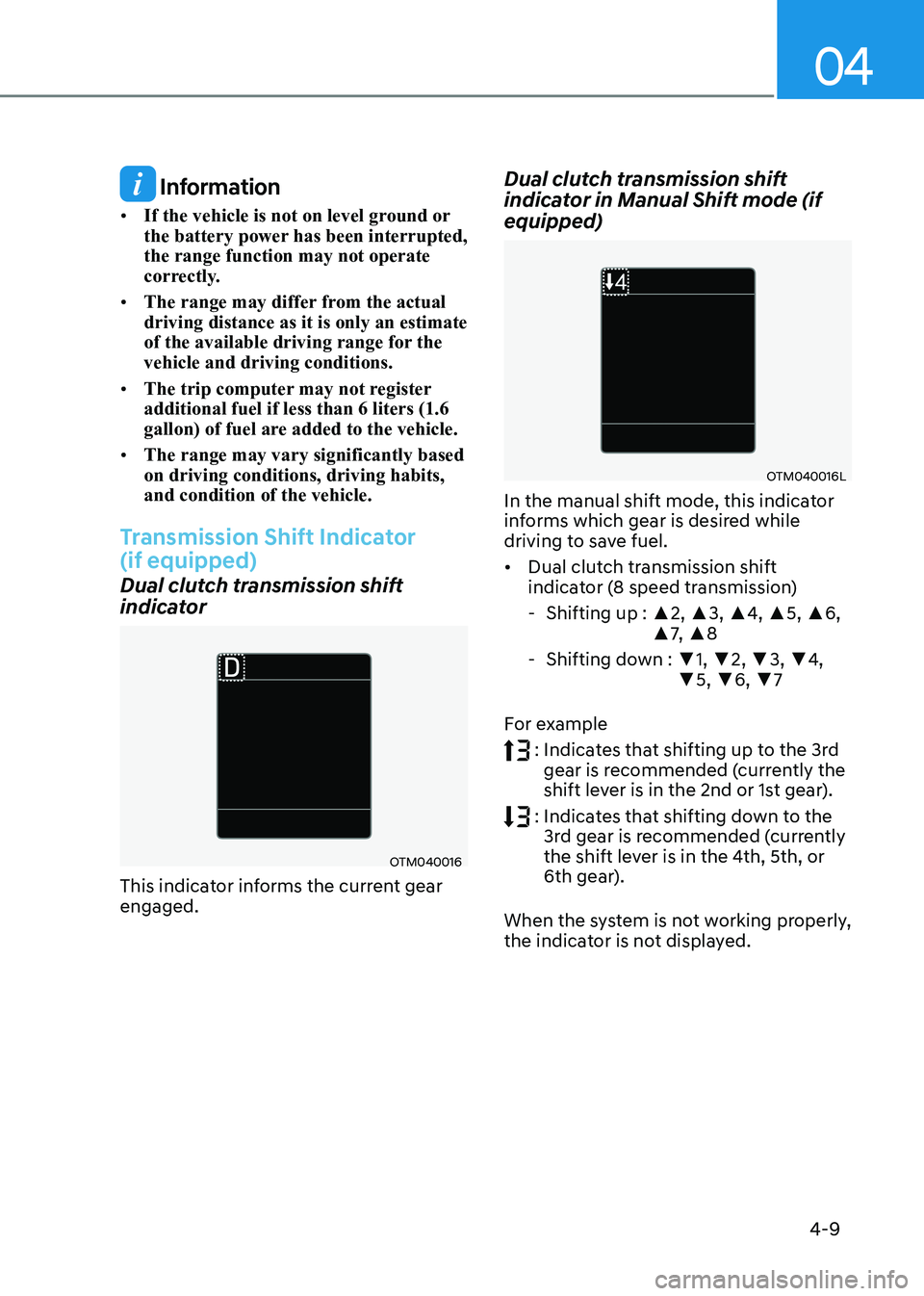
Transmission Shift Indicator (if equipped)
Dual clutch transmission shift
indicator
OTM040016
This indicator informs the current gear engaged. Dual clutch transmission shift
indicator in Manual Shift mode (if equipped)
OTM040016L
In the manual shift mode, this indicator
informs which gear is desired while
driving to save fuel. • Dual clutch transmission shift
indicator (8 speed transmission)
- Shifting up : ▲2, ▲3, ▲4, ▲5, ▲6,
▲ 7, ▲ 8
- Shifting down : ▼1, ▼ 2, ▼3, ▼4,
▼ 5, ▼6, ▼7
For example
: Indicates that shifting up to the 3rd
gear is recommended (currently the
shift lever is in the 2nd or 1st gear).
: Indicates that shifting down to the
3rd gear is recommended (currently
the shift lever is in the 4th, 5th, or
6th gear).
When the system is not working properly,
the indicator is not displayed.
Page 100 of 555
Instrument Cluster
4-14
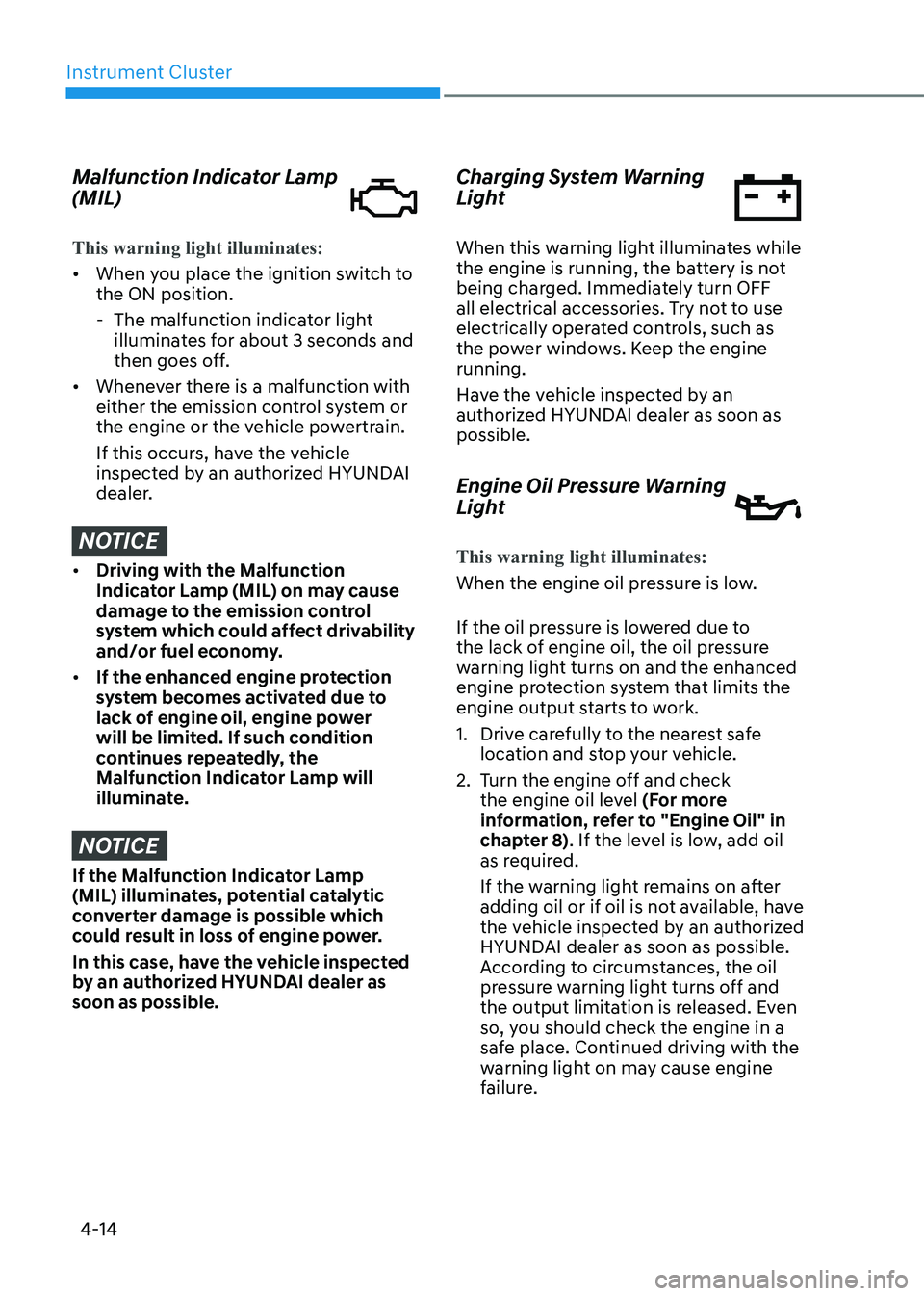
Malfunction Indicator Lamp (MIL)
This warning light illuminates:
• When you place the ignition switch to the ON position.
- The malfunction indicator light illuminates for about 3 seconds and
then goes off.
• Whenever there is a malfunction with
either the emission control system or
the engine or the vehicle powertrain.
If this occurs, have the vehicle
inspected by an authorized HYUNDAI
dealer.
NOTICE
• Driving with the Malfunction
Indicator Lamp (MIL) on may cause
damage to the emission control
system which could affect drivability
and/or fuel economy.
• If the enhanced engine protection
system becomes activated due to
lack of engine oil, engine power
will be limited. If such condition
continues repeatedly, the
Malfunction Indicator Lamp will
illuminate.
NOTICE
If the Malfunction Indicator Lamp
(MIL) illuminates, potential catalytic
converter damage is possible which
could result in loss of engine power.
In this case, have the vehicle inspected
by an authorized HYUNDAI dealer as soon as possible. Charging System Warning
Light
When this warning light illuminates while
the engine is running, the battery is not
being charged. Immediately turn OFF
all electrical accessories. Try not to use
electrically operated controls, such as
the power windows. Keep the engine running.
Have the vehicle inspected by an
authorized HYUNDAI dealer as soon as possible.
Engine Oil Pressure Warning
Light
This warning light illuminates:
When the engine oil pressure is low.
If the oil pressure is lowered due to
the lack of engine oil, the oil pressure
warning light turns on and the enhanced
engine protection system that limits the
engine output starts to work.
1. Drive carefully to the nearest safe
location and stop your vehicle.
2. Turn the engine off and check the engine oil level (For more
information, refer to "Engine Oil" in
chapter 8) . If the level is low, add oil
as required.
If the warning light remains on after
adding oil or if oil is not available, have
the vehicle inspected by an authorized
HYUNDAI dealer as soon as possible.
According to circumstances, the oil
pressure warning light turns off and
the output limitation is released. Even
so, you should check the engine in a
safe place. Continued driving with the
warning light on may cause engine
failure.
Page 101 of 555
04
4-15
Information
When engine oil pressure decreases due to insufficient engine oil, etc., the Engine Oil
Pressure warning light will illuminate. In
addition, the enhanced engine protection
system which limits engine power will
be activated. If the engine oil pressure is
restored, the Engine Oil Pressure warning
light and the enhanced engine protection
system will turn off. However, for gasoline 2.5 turbo engine, when the engine oil
pressure is restored, the warning light and
the enhanced engine protection system will
turn off after the engine is restarted.
NOTICE
• If the engine is not turned OFF
immediately after the Engine
Oil Pressure Warning Light is
illuminated, severe damage could
occur.
• If the warning light stays on while the
engine is running, it indicates that
there may be serious engine damage or malfunction. In this case:
1. Stop the vehicle as soon as it is safe to do so.
2. Turn off the engine and check the oil level. If the oil level is low, fill
the engine oil to the proper level.
3. Start the engine again. If the warning light stays on after the
engine has started, turn the
engine off immediately. In this
case, have the vehicle inspected
by an authorized HYUNDAI dealer.
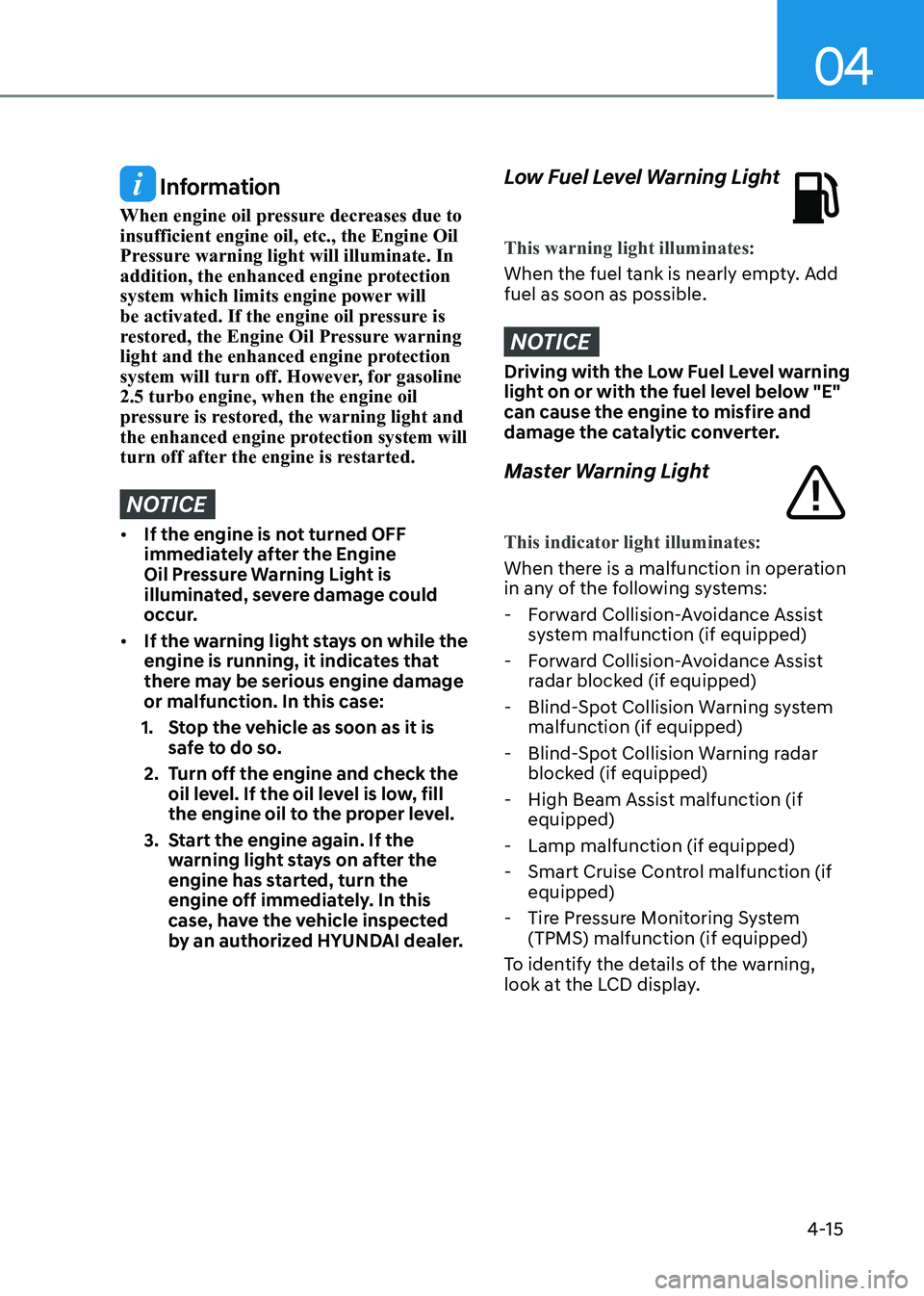
Low Fuel Level Warning Light
This warning light illuminates:
When the fuel tank is nearly empty. Add fuel as soon as possible.
NOTICE
Driving with the Low Fuel Level warning
light on or with the fuel level below "E"
can cause the engine to misfire and
damage the catalytic converter.
Master Warning Light
This indicator light illuminates:
When there is a malfunction in operation
in any of the following systems:
- Forward Collision-Avoidance Assist system malfunction (if equipped)
- Forward Collision-Avoidance Assist radar blocked (if equipped)
- Blind-Spot Collision Warning system malfunction (if equipped)
- Blind-Spot Collision Warning radar blocked (if equipped)
- High Beam Assist malfunction (if equipped)
- Lamp malfunction (if equipped)
- Smart Cruise Control malfunction (if equipped)
- Tire Pressure Monitoring System (TPMS) malfunction (if equipped)
To identify the details of the warning,
look at the LCD display.
Page 109 of 555
04
4-23
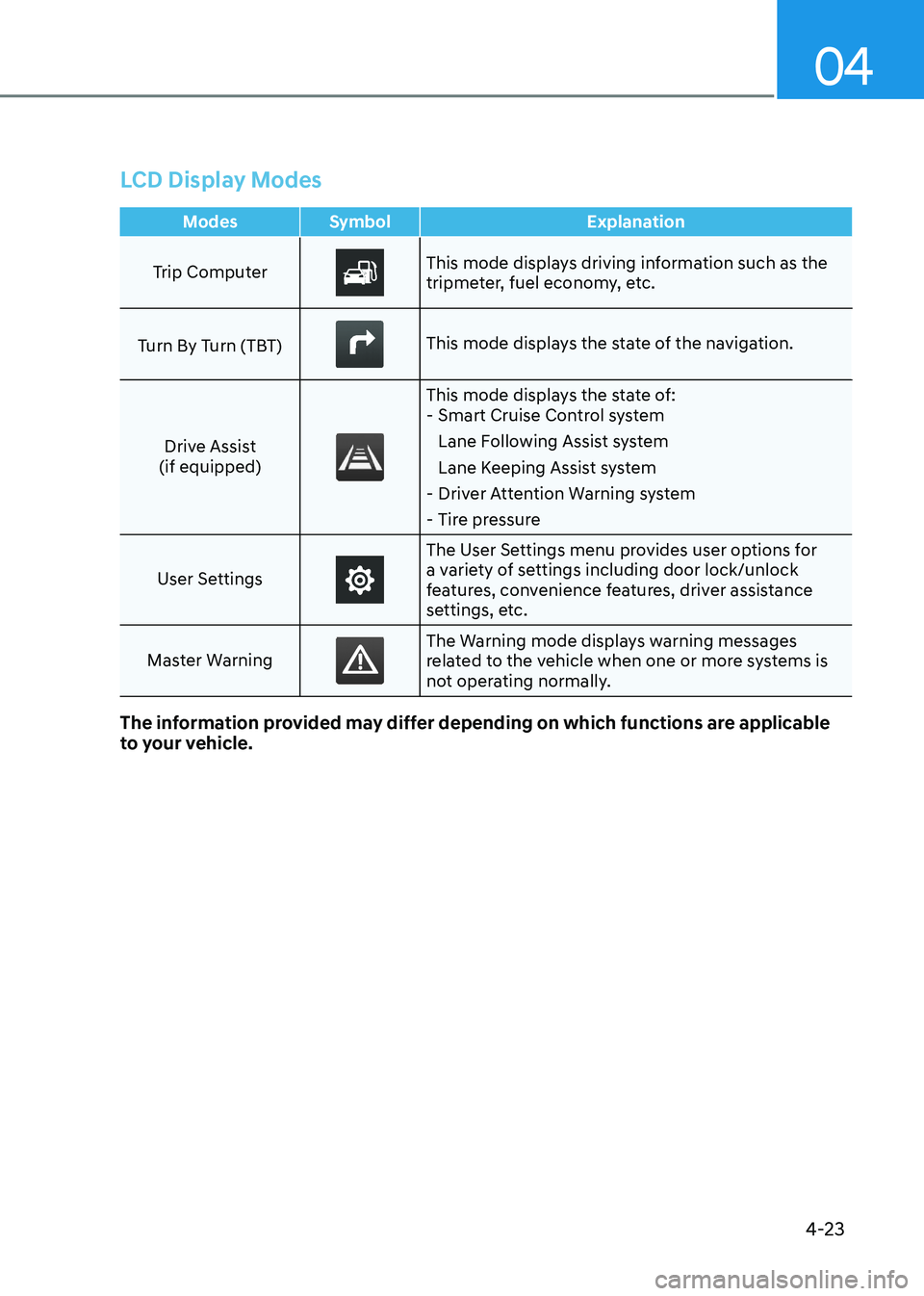
LCD Display Modes
Modes Symbol Explanation
Trip ComputerThis mode displays driving information such as the
tripmeter, fuel economy, etc.
Turn By Turn (TBT)
This mode displays the state of the navigation.
Drive Assist
(if equipped)
This mode displays the state of: - Smart Cruise Control system
Lane Following Assist system
Lane Keeping Assist system
- Driver Attention Warning system
- Tire pressure
User Settings
The User Settings menu provides user options for
a variety of settings including door lock/unlock
features, convenience features, driver assistance
settings, etc.
Master Warning
The Warning mode displays warning messages
related to the vehicle when one or more systems is
not operating normally.
The information provided may differ depending on which functions are applicable
to your vehicle.
Page 110 of 555
Instrument Cluster
4-24
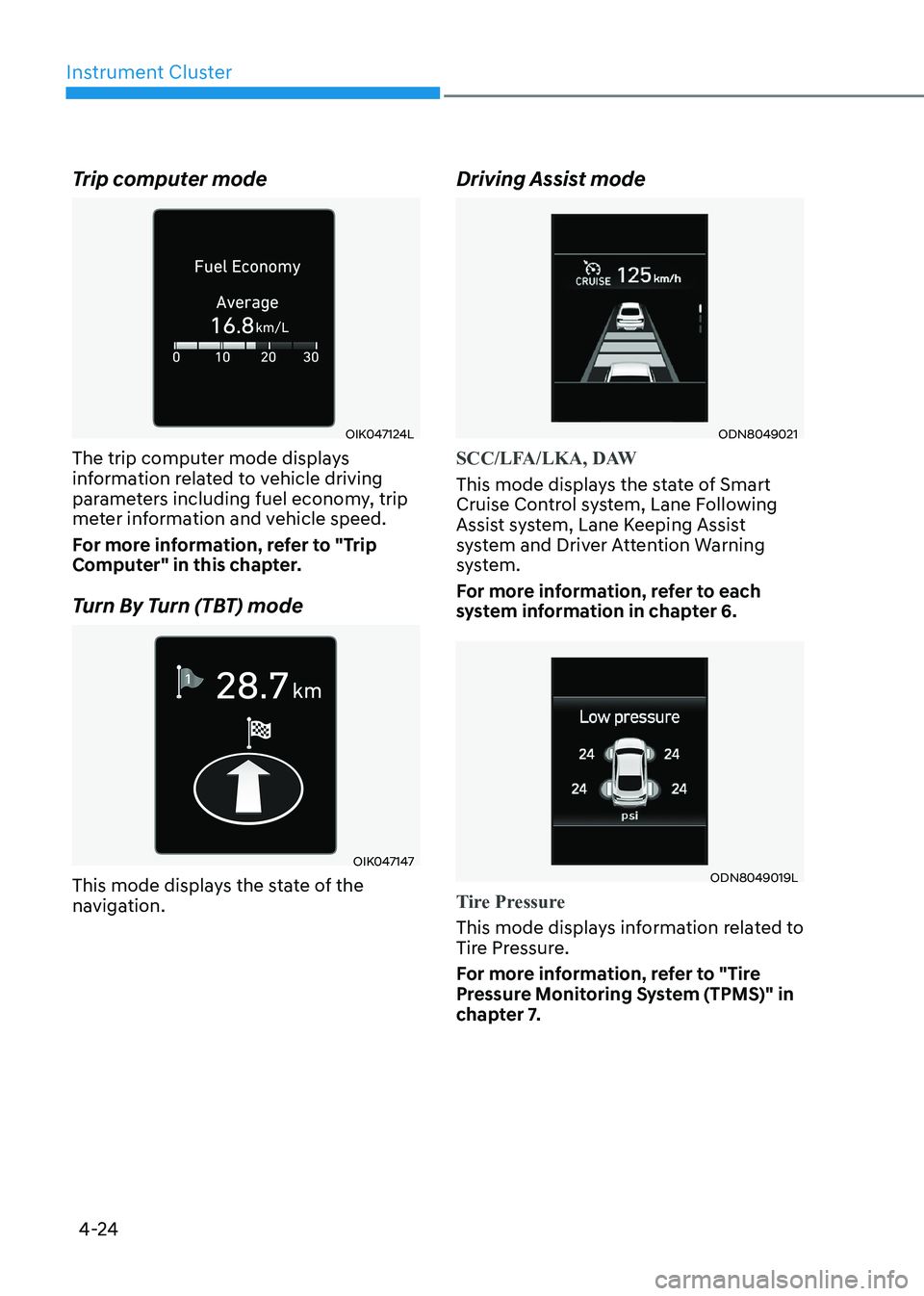
Trip computer mode
OIK047124L
The trip computer mode displays
information related to vehicle driving
parameters including fuel economy, trip
meter information and vehicle speed.
For more information, refer to "Trip
Computer" in this chapter.
Turn By Turn (TBT) mode
OIK047147
This mode displays the state of the
navigation. Driving Assist mode
ODN8049021
SCC/LFA/LKA, DAW
This mode displays the state of Smart
Cruise Control system, Lane Following
Assist system, Lane Keeping Assist
system and Driver Attention Warning
system.
For more information, refer to each
system information in chapter 6.
ODN8049019L
Tire Pressure
This mode displays information related to
Tire Pressure.
For more information, refer to "Tire
Pressure Monitoring System (TPMS)" in
chapter 7.