instrument cluster HYUNDAI SONATA 2023 Owner's Manual
[x] Cancel search | Manufacturer: HYUNDAI, Model Year: 2023, Model line: SONATA, Model: HYUNDAI SONATA 2023Pages: 555, PDF Size: 42.72 MB
Page 118 of 555
Instrument Cluster
4-32
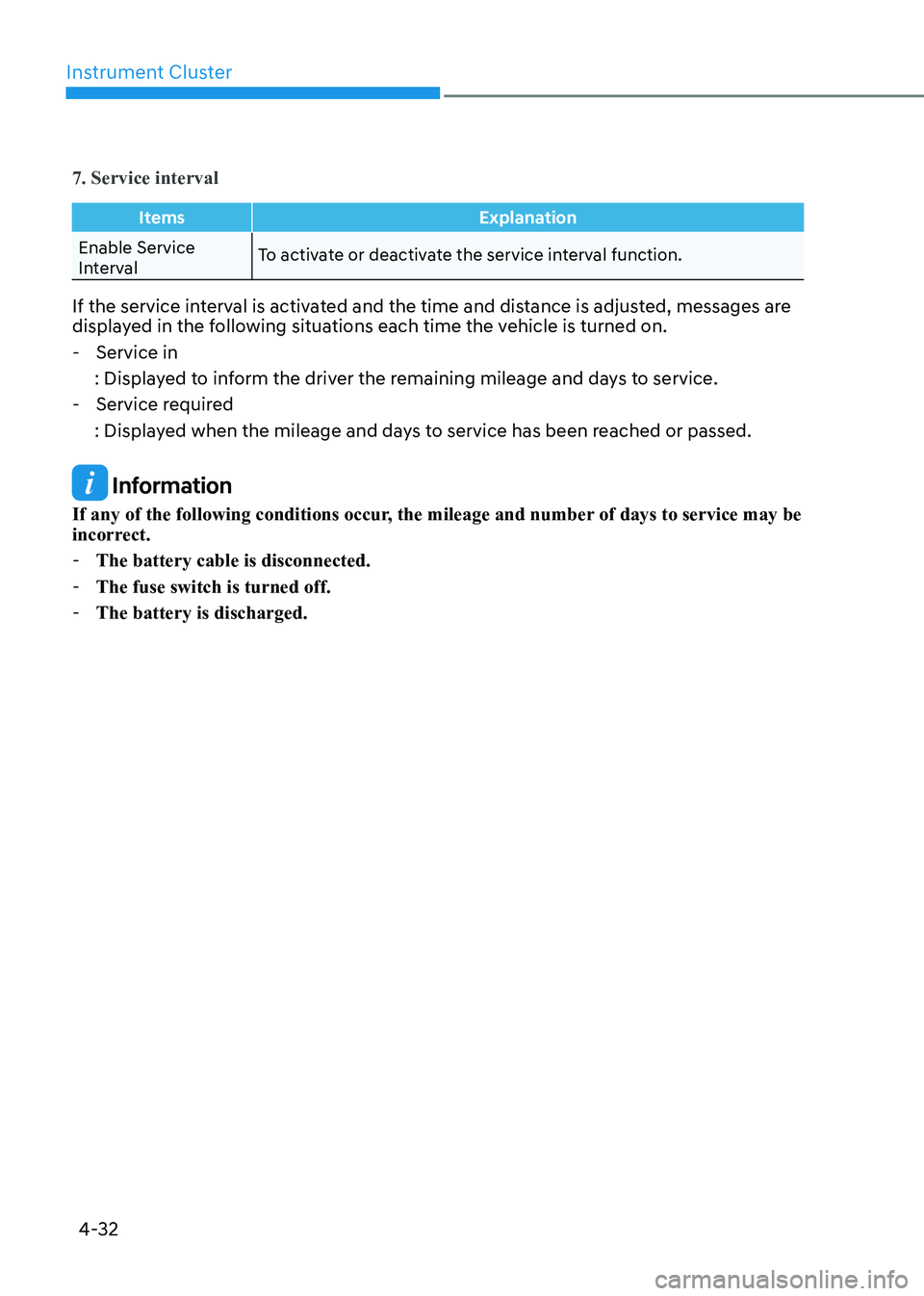
7. Service interval
ItemsExplanation
Enable Service
IntervalTo activate or deactivate the service interval function.
If the service interval is activated and the time and distance is adjusted, messages are
displayed in the following situations each time the vehicle is turned on. - Service in
: Displayed to inform the driver the remaining mileage and days to service. - Service required
: Displayed when the mileage and days to service has been reached or passed.
Information
If any of the following conditions occur, the mileage and number of days to service may be
incorrect. - The battery cable is disconnected.
- The fuse switch is turned off.
- The battery is discharged.
Page 120 of 555
Instrument Cluster
4-34
Trip Computer
The trip computer is a microcomputer-
controlled driver information system that
displays information related to driving.
Information
Some driving information stored in the
trip computer (for example Average
Vehicle Speed) resets if the battery is disconnected.
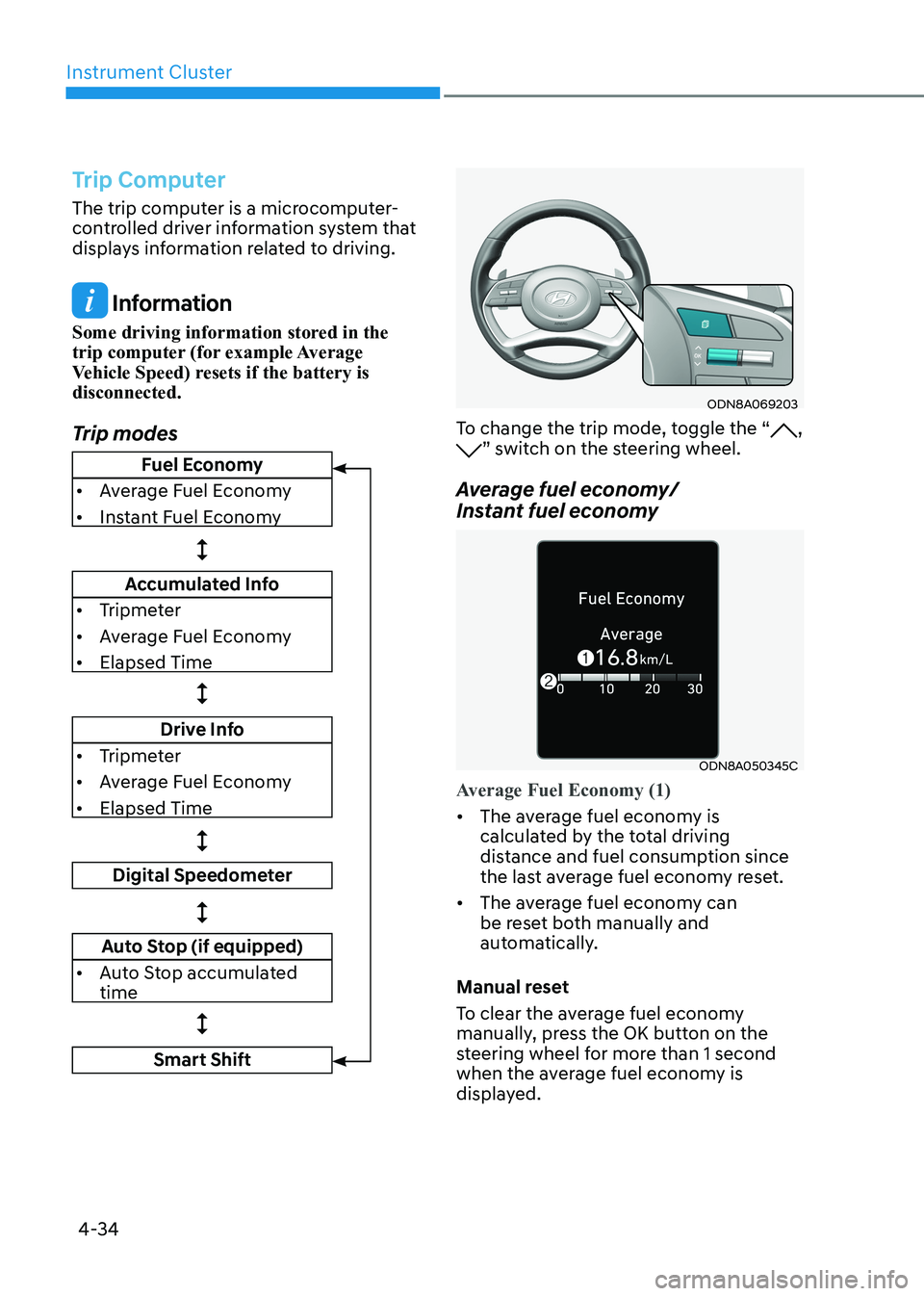
Trip modes
ODN8A069203
To change the trip mode, toggle the “, ” switch on the steering wheel.
Average fuel economy/
Instant fuel economy
ODN8A050345C
Average Fuel Economy (1)
• The average fuel economy is
calculated by the total driving
distance and fuel consumption since
the last average fuel econ omy reset.
• The average fuel economy can
be reset both manually and
automatically.
Manual reset
To clear the average fuel economy
manually, press the OK button on the
steering wheel for more than 1 second
when the average fuel economy is
displayed.
Fuel Economy
• Average Fuel Economy
• Instant Fuel Economy
Accumulated Info
• Tripmeter
• Average Fuel Economy
• Elapsed Time
Drive Info
• Tripmeter
• Average Fuel Economy
• Elapsed Time
Digital Speedometer
Auto Stop (if equipped)
• Auto Stop accumulated time
Smart Shift
Page 122 of 555
Instrument Cluster
4-36
Information
The vehicle must be driven for a minimum of 300 meters (0.19 miles) since the last
ignition key cycle before the average fuel
economy will be recalculated.
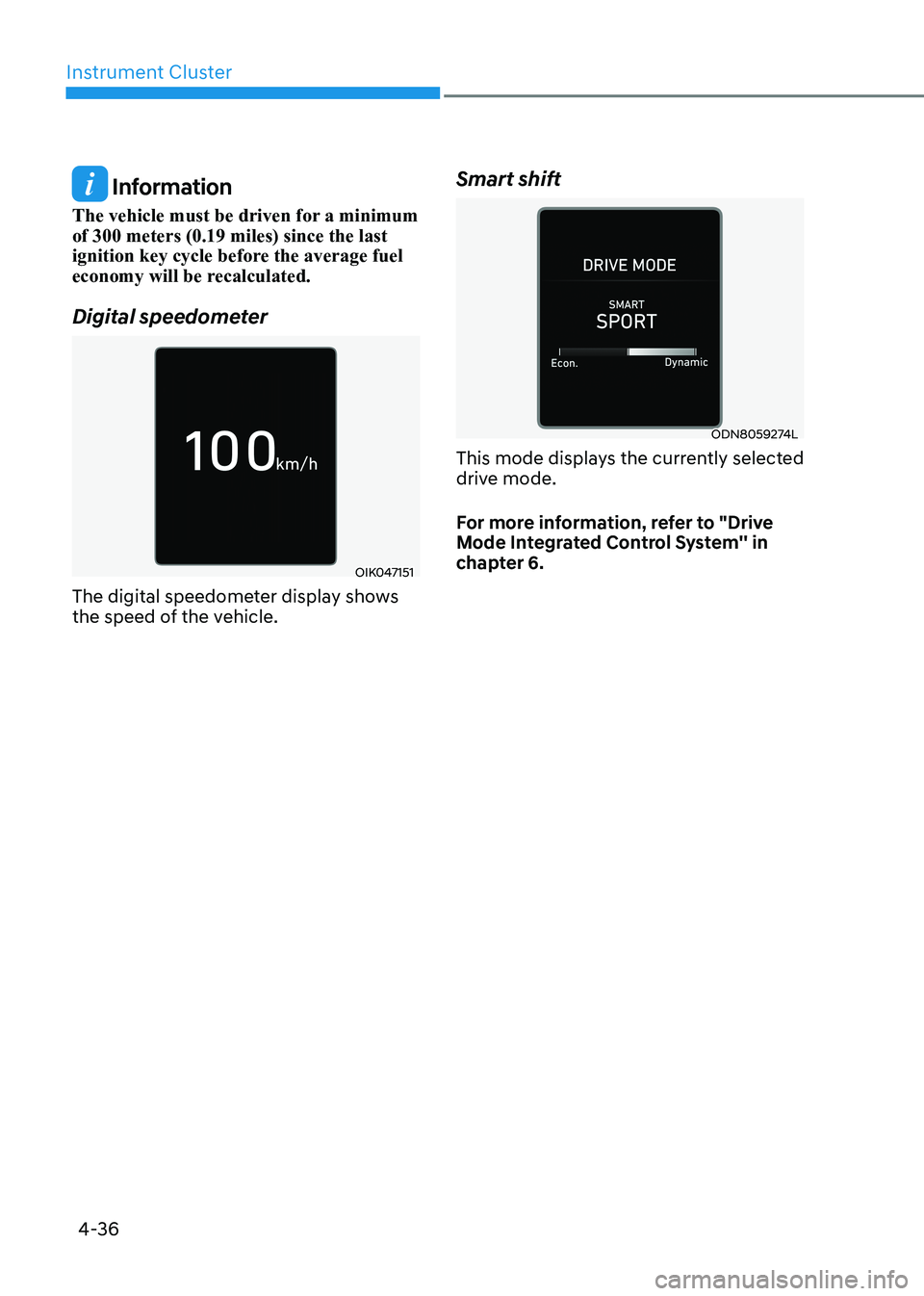
Digital speedometer
OIK047151
The digital speedometer display shows
the speed of the vehicle. Smart shift
ODN8059274L
This mode displays the currently selected
drive mode.
For more information, refer to "Drive
Mode Integrated Control System'' in
chapter 6.
Page 124 of 555
Instrument Cluster
4-38
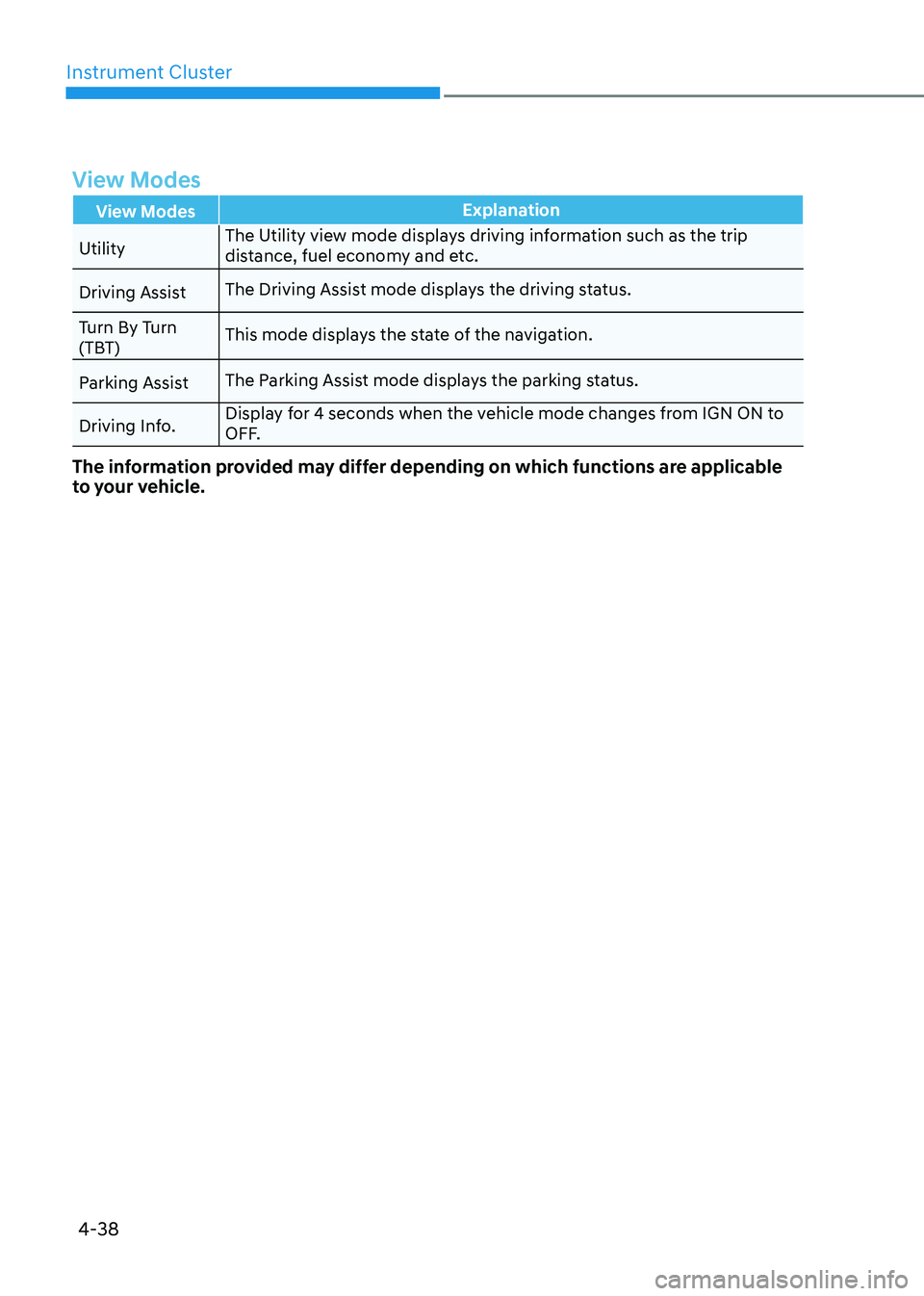
View Modes
View ModesExplanation
UtilityThe Utility view mode displays driving information such as the trip
distance, fuel economy and etc.
Driving Assist The Driving Assist mode displays the driving status.
Turn By Turn
(TBT) This mode displays the state of the navigation.
Parking Assist The Parking Assist mode displays the parking status.
Driving Info. Display for 4 seconds when the vehicle mode changes from IGN ON to
OFF.
The information provided may differ depending on which functions are applicable
to your vehicle.
Page 125 of 555
04
4-39
Utility View Mode
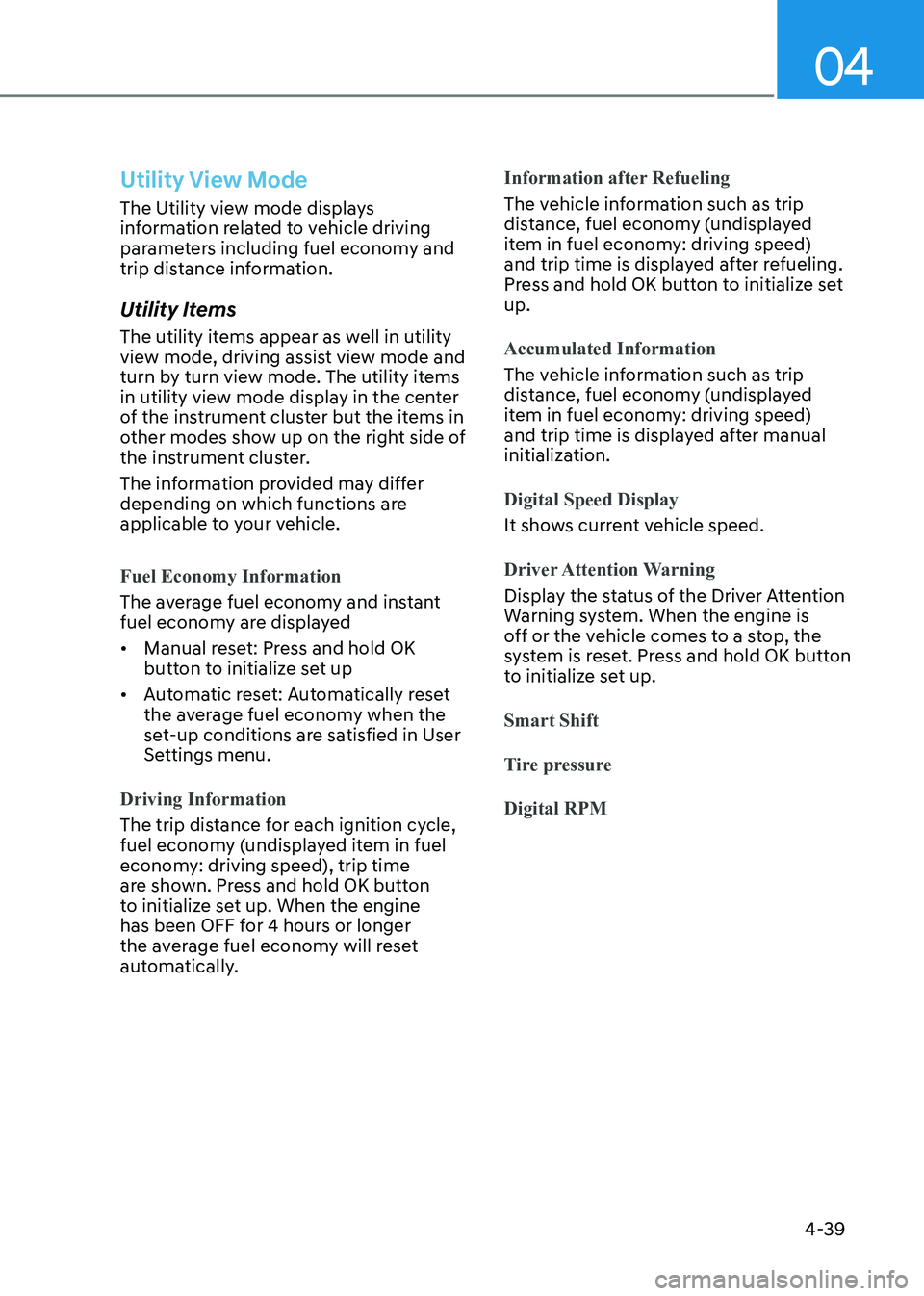
The Utility view mode displays
information related to vehicle driving
parameters including fuel economy and
trip distance information.
Utility Items
The utility items appear as well in utility
view mode, driving assist view mode and
turn by turn view mode. The utility items
in utility view mode display in the center
of the instrument cluster but the items in
other modes show up on the right side of
the instrument cluster.
The information provided may differ
depending on which functions are
applicable to your vehicle.
Fuel Economy Information
The average fuel economy and instant
fuel economy are displayed • Manual reset: Press and hold OK
button to initialize set up
• Automatic reset: Automatically reset
the average fuel economy when the
set-up conditions are satisfied in User
Settings menu.
Driving Information
The trip distance for each ignition cycle,
fuel economy (undisplayed item in fuel
economy: driving speed), trip time
are shown. Press and hold OK button
to initialize set up. When the engine
has been OFF for 4 hours or longer
the average fuel economy will reset
automatically.
Information after Refueling
The vehicle information such as trip
distance, fuel economy (undisplayed
item in fuel economy: driving speed)
and trip time is displayed after refueling.
Press and hold OK button to initialize set up.
Accumulated Information
The vehicle information such as trip
distance, fuel economy (undisplayed
item in fuel economy: driving speed)
and trip time is displayed after manual
initialization.
Digital Speed Display
It shows current vehicle speed.
Driver Attention Warning
Display the status of the Driver Attention
Warning system. When the engine is
off or the vehicle comes to a stop, the
system is reset. Press and hold OK button
to initialize set up.
Smart Shift
Tire pressureDigital RPM
Page 126 of 555
Instrument Cluster
4-40
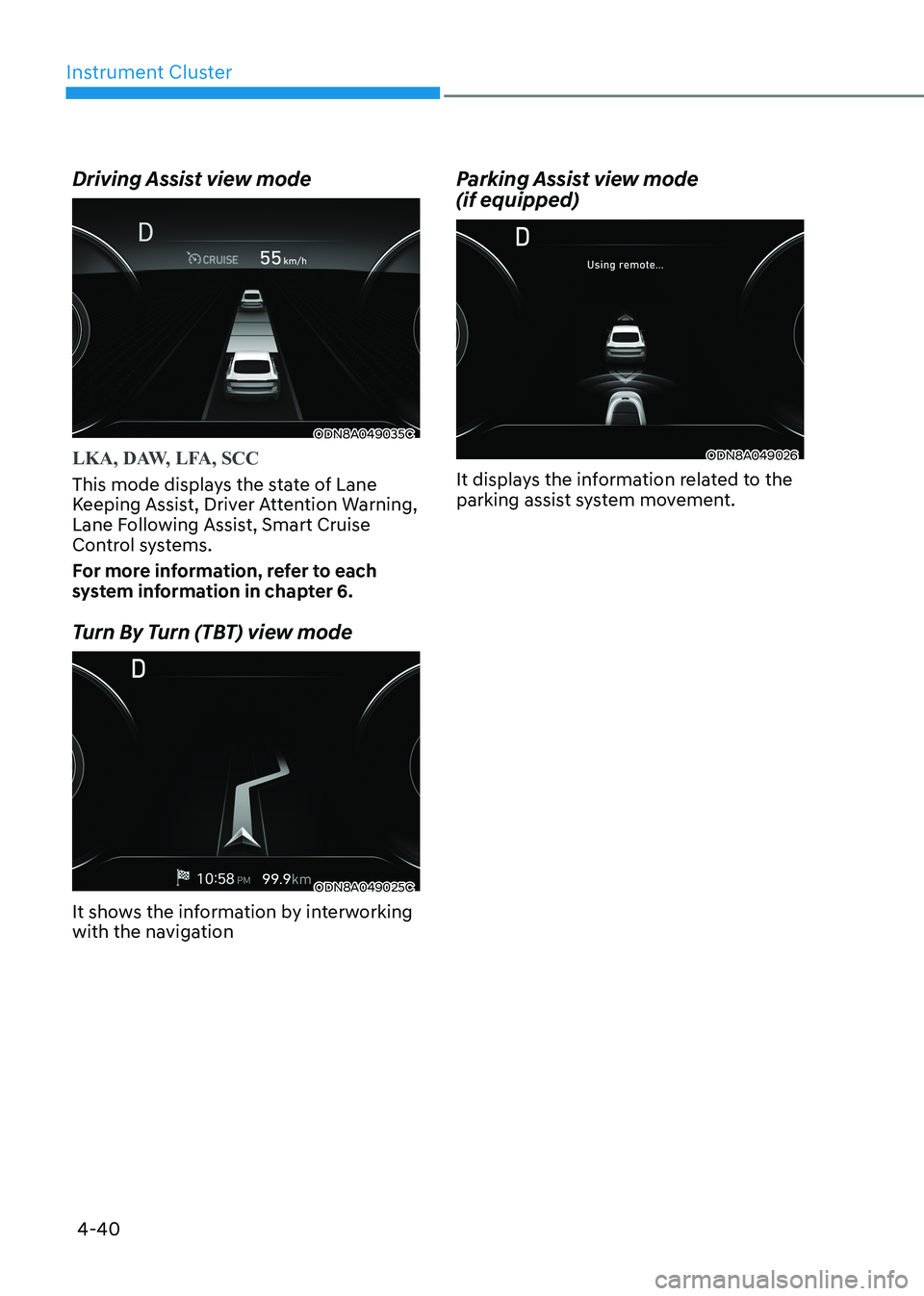
Driving Assist view mode
ODN8A049035C
LKA, DAW, LFA, SCC
This mode displays the state of Lane
Keeping Assist, Driver Attention Warning,
Lane Following Assist, Smart Cruise
Control systems.
For more information, refer to each
system information in chapter 6.
Turn By Turn (TBT) view mode
ODN8A049025C
It shows the information by interworking
with the navigation
Parking Assist view mode (if equipped)
ODN8A049026
It displays the information related to the
parking assist system movement.
Page 128 of 555
Instrument Cluster
4-42
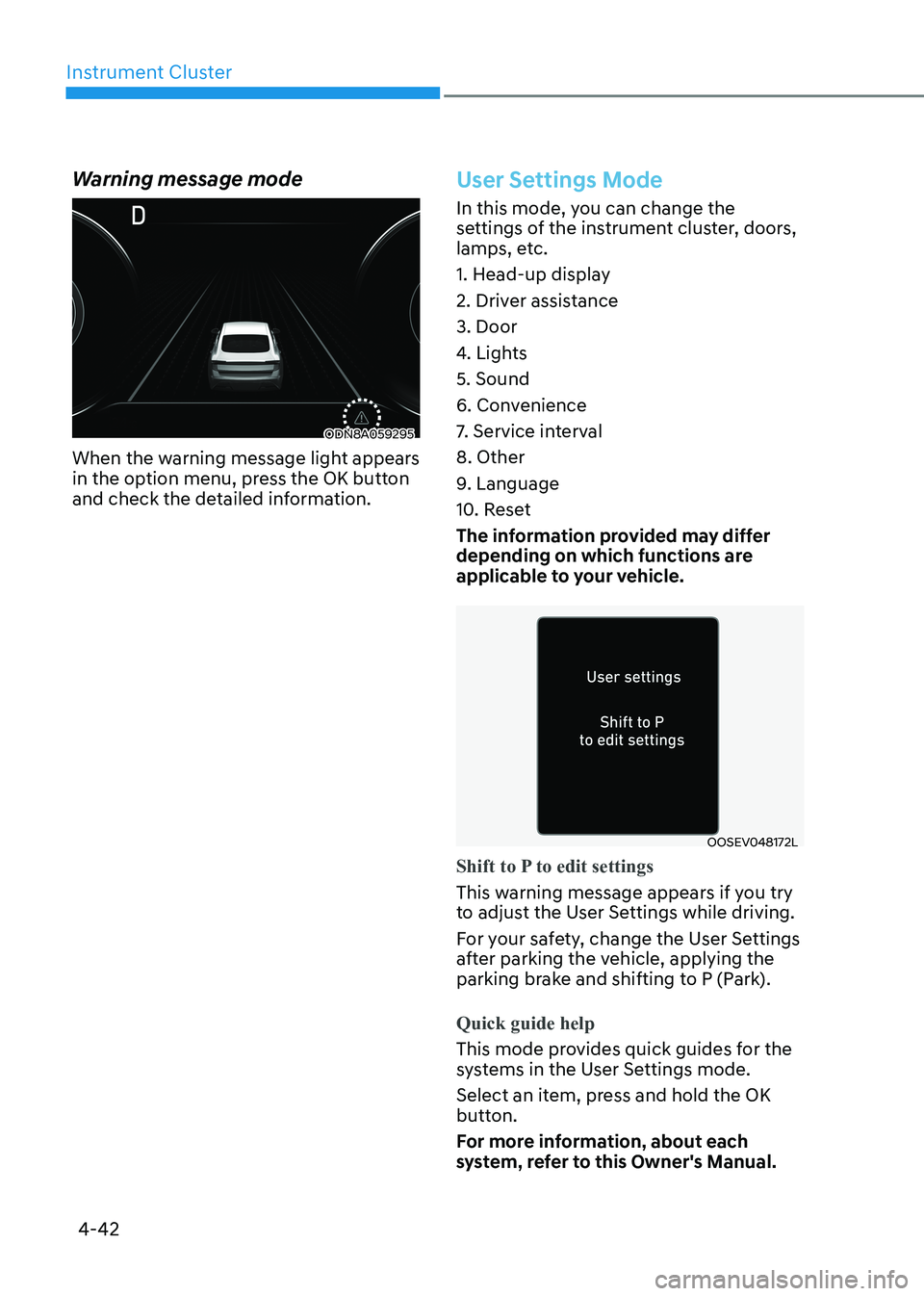
Warning message mode
ODN8A059295
When the warning message light appears
in the option menu, press the OK button
and check the detailed information.
User Settings Mode
In this mode, you can change the
settings of the instrument cluster, doors,
lamps, etc.
1. Head-up display
2. Driver assistance3. Door
4. Lights5. Sound
6. Convenience
7. Service interval8. Other
9. Language
10. Reset
The information provided may differ
depending on which functions are
applicable to your vehicle.
OOSEV048172L
Shift to P to edit settings
This warning message appears if you try
to adjust the User Settings while driving.
For your safety, change the User Settings
after parking the vehicle, applying the
parking brake and shifting to P (Park).
Quick guide help
This mode provides quick guides for the
systems in the User Settings mode.
Select an item, press and hold the OK
button.
For more information, about each
system, refer to this Owner's Manual.
Page 130 of 555
Instrument Cluster
4-44
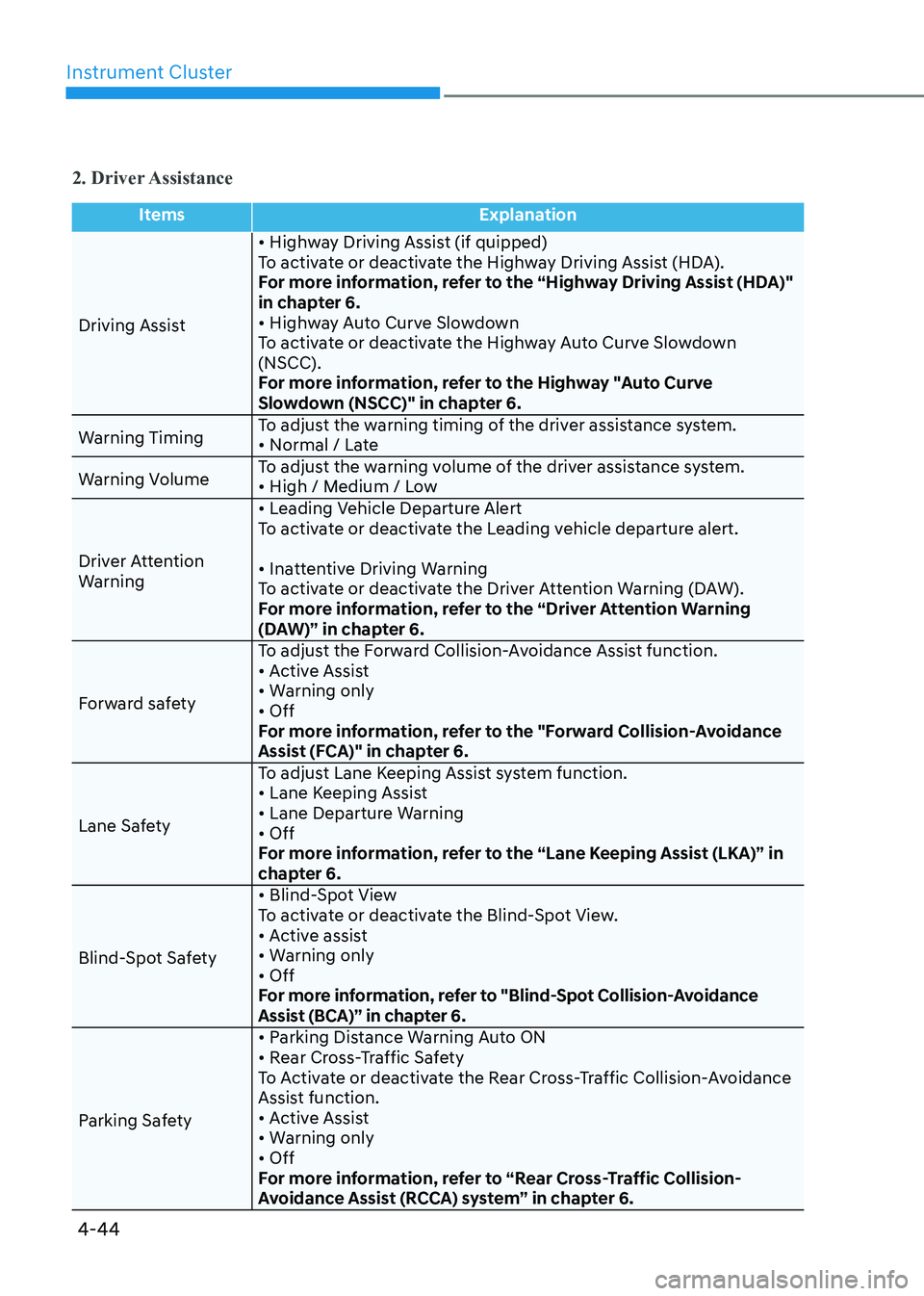
2. Driver Assistance
ItemsExplanation
Driving Assist • Highway Driving Assist (if quipped)
To activate or deactivate the Highway Driving Assist (HDA).
For more information, refer to the “Highway Driving Assist (HDA)"
in chapter 6.
• Highway Auto Curve Slowdown
To activate or deactivate the Highway Auto Curve Slowdown (NSCC).
For more information, refer to the Highway "Auto Curve
Slowdown (NSCC)" in chapter 6.
Warning Timing To adjust the warning timing of the driver assistance system.
• Normal / Late
Warning Volume To adjust the warning volume of the driver assistance system.
• High / Medium / Low
Driver Attention
Warning • Leading Vehicle Departure Alert
To activate or deactivate the Leading vehicle departure alert.
• Inattentive Driving Warning
To activate or deactivate the Driver Attention Warning (DAW).
For more information, refer to the “Driver Attention Warning
(DAW)” in chapter 6.
Forward safety To adjust the Forward Collision-Avoidance Assist function.
• Active Assist
• Warning only• Off
For more information, refer to the "Forward Collision-Avoidance
Assist (FCA)" in chapter 6.
Lane Safety To adjust Lane Keeping Assist system function.
• Lane Keeping Assist
• Lane Departure Warning• Off
For more information, refer to the “Lane Keeping Assist (LKA)” in
chapter 6.
Blind-Spot Safety • Blind-Spot View
To activate or deactivate the Blind-Spot View.
• Active assist
• Warning only• Off
For more information, refer to "Blind-Spot Collision-Avoidance
Assist (BCA)” in chapter 6.
Parking Safety • Parking Distance Warning Auto ON
• Rear Cross-Traffic Safety
To Activate or deactivate the Rear Cross-Traffic Collision-Avoidance
Assist function.
• Active Assist
• Warning only• Off
For more information, refer to “Rear Cross-Traffic Collision-
Avoidance Assist (RCCA) system” in chapter 6.
Page 132 of 555
Instrument Cluster
4-46
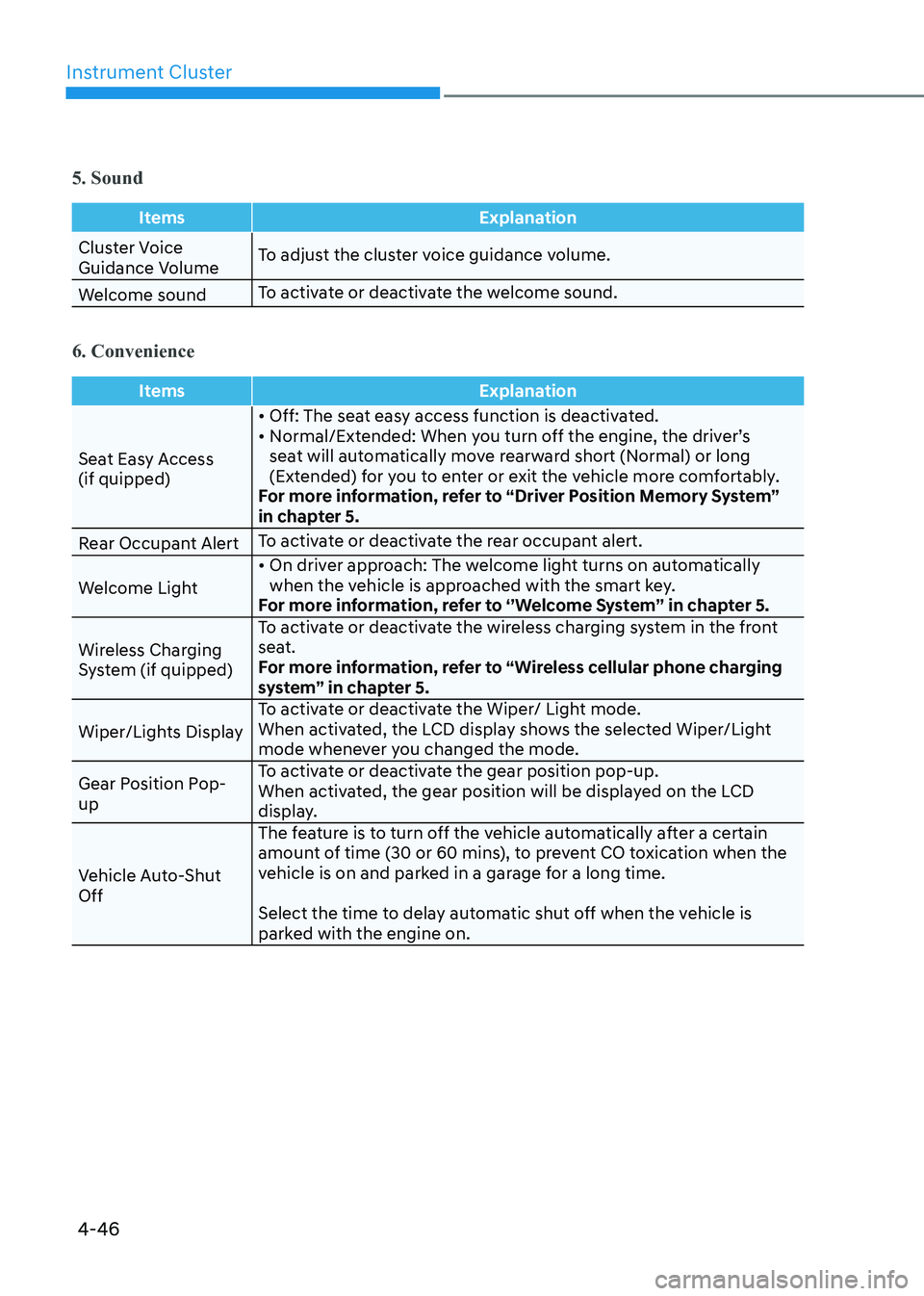
5. Sound
ItemsExplanation
Cluster Voice
Guidance VolumeTo adjust the cluster voice guidance volume.
Welcome sound To activate or deactivate the welcome sound.
6. Convenience
Items
Explanation
Seat Easy Access (if quipped)• Off: The seat easy access function is deactivated.
• Normal/Extended: When you turn off the engine, the driver’s
seat will automatically move rearward short (Normal) or long
(Extended) for you to enter or exit the vehicle more comfortably.
For more information, refer to “Driver Position Memory System”
in chapter 5.
Rear Occupant Alert To activate or deactivate the rear occupant alert.
Welcome Light • On driver approach: The welcome light turns on automatically
when the vehicle is approached with the smart key.
For more information, refer to ‘’Welcome System’’ in chapter 5.
Wireless Charging
System (if quipped) To activate or deactivate the wireless charging system in the front
seat.
For more information, refer to “Wireless cellular phone charging
system” in chapter 5.
Wiper/Lights Display To activate or deactivate the Wiper/ Light mode.
When activated, the LCD display shows the selected Wiper/Light
mode whenever you changed the mode.
Gear Position Pop-up To activate or deactivate the gear position pop-up.
When activated, the gear position will be displayed on the LCD
display.
Vehicle Auto-Shut Off The feature is to turn off the vehicle automatically after a certain
amount of time (30 or 60 mins), to prevent CO toxication when the
vehicle is on and parked in a garage for a long time.
Select the time to delay automatic shut off when the vehicle is
parked with the engine on.
Page 134 of 555
Instrument Cluster
4-48
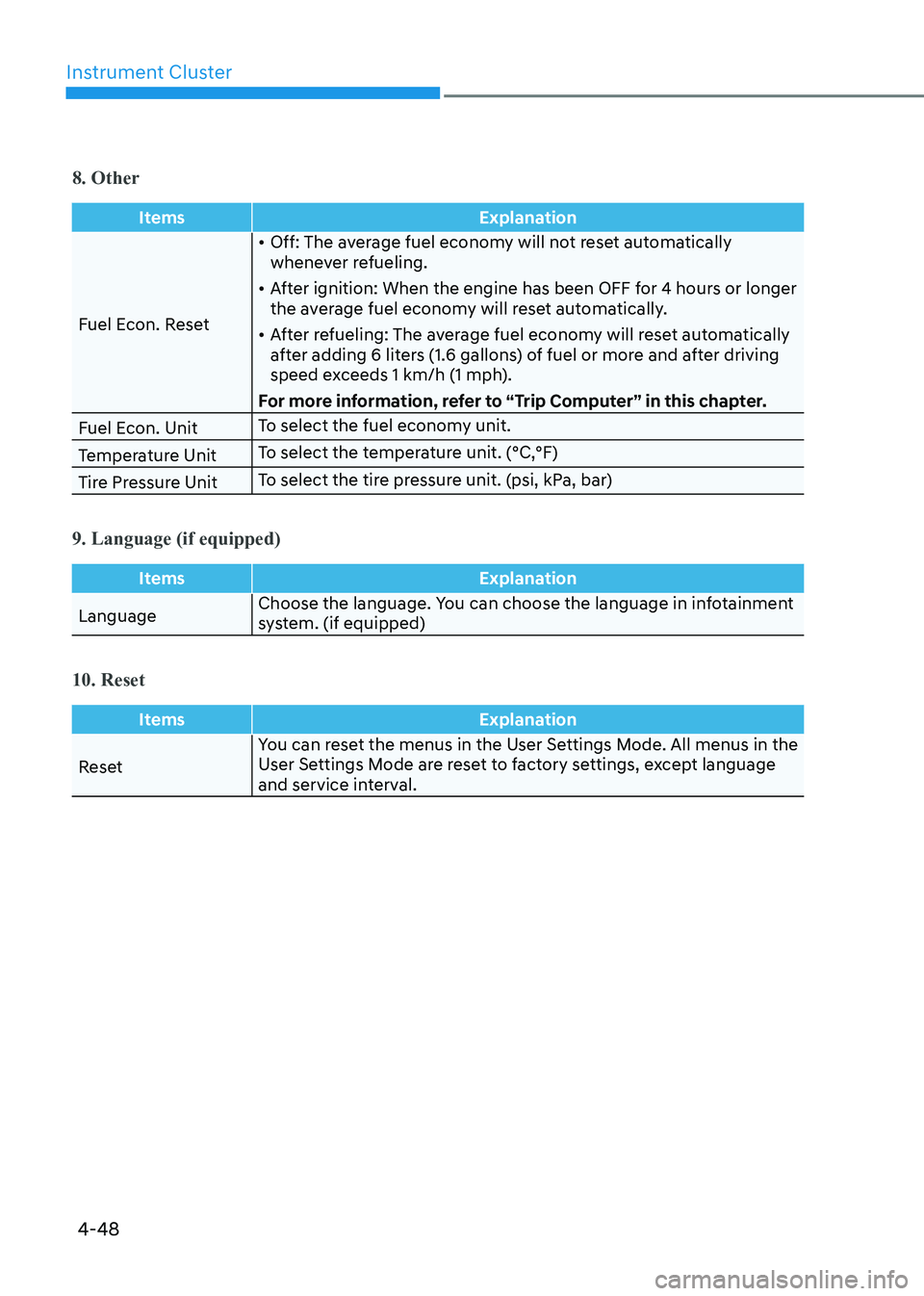
8. Other
ItemsExplanation
Fuel Econ. Reset•
Off: The average fuel economy will not reset automatically
whenever refueling.
• After ignition: When the engine has been OFF for 4 hours or longer
the average fuel economy will reset automatically.
• After refueling: The average fuel economy will reset automatically
after adding 6 liters (1.6 gallons) of fuel or more and after driving
speed exceeds 1 km/h (1 mph).
For more information, refer to “Trip Computer” in this chapter.
Fuel Econ. Unit To select the fuel economy unit.
Temperature Unit To select the temperature unit. (°C,°F)
Tire Pressure Unit To select the tire pressure unit. (psi, kPa, bar)
9. Language (if equipped)
Items
Explanation
LanguageChoose the language. You can choose the language in infotainment
system. (if equipped)
10. Reset
Items
Explanation
ResetYou can reset the menus in the User Settings Mode. All menus in the
User Settings Mode are reset to factory settings, except language
and service interval.