warning light HYUNDAI SONATA 2023 Workshop Manual
[x] Cancel search | Manufacturer: HYUNDAI, Model Year: 2023, Model line: SONATA, Model: HYUNDAI SONATA 2023Pages: 555, PDF Size: 42.72 MB
Page 226 of 555
Convenience Features
5-80
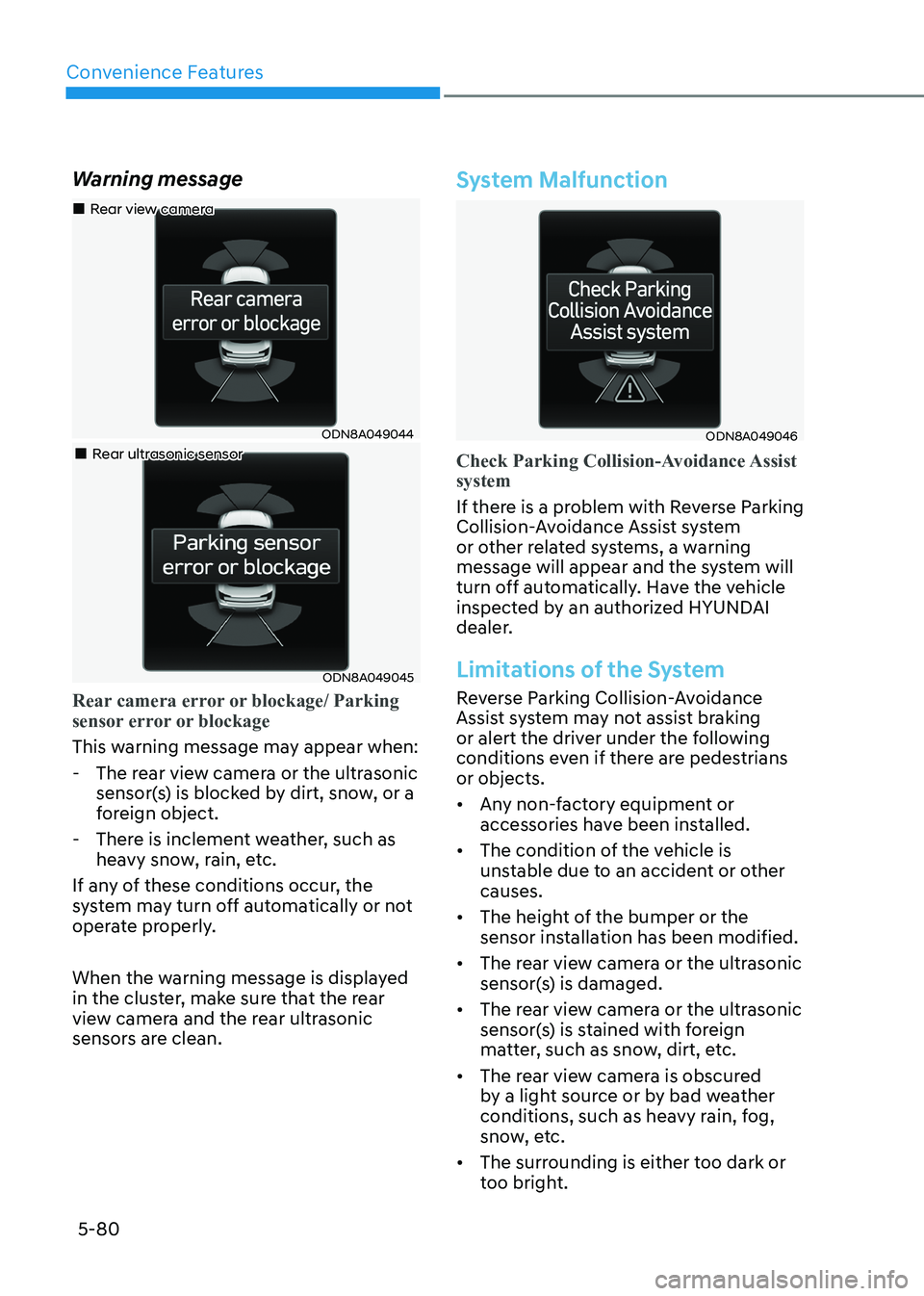
Warning message
ODN8A049044
„
„Rear view camera
„„Rear ultrasonic sensor
ODN8A049045
Rear camera error or blockage/ Parking
sensor error or blockage
This warning message may appear when:
- The rear view camera or the ultrasonic
sensor(s) is blocked by dirt, snow, or a
foreign object.
- There is inclement weather, such as heavy snow, rain, etc.
If any of these conditions occur, the
system may turn off automatically or not
operate properly.
When the warning message is displayed
in the cluster, make sure that the rear
view camera and the rear ultrasonic
sensors are clean.
System Malfunction
ODN8A049046
Check Parking Collision-Avoidance Assist system
If there is a problem with Reverse Parking
Collision-Avoidance Assist system
or other related systems, a warning
message will appear and the system will
turn off automatically. Have the vehicle
inspected by an authorized HYUNDAI
dealer.
Limitations of the System
Reverse Parking Collision-Avoidance
Assist system may not assist braking
or alert the driver under the following
conditions even if there are pedestrians or objects.
• Any non-factory equipment or accessories have been installed.
• The condition of the vehicle is unstable due to an accident or other causes.
• The height of the bumper or the sensor installation has been modified.
• The rear view camera or the ultrasonic sensor(s) is damaged.
• The rear view camera or the ultrasonic sensor(s) is stained with foreign
matter, such as snow, dirt, etc.
• The rear view camera is obscured by a light source or by bad weather
conditions, such as heavy rain, fog,
snow, etc.
• The surrounding is either too dark or too bright.
Page 230 of 555
Convenience Features
5-84
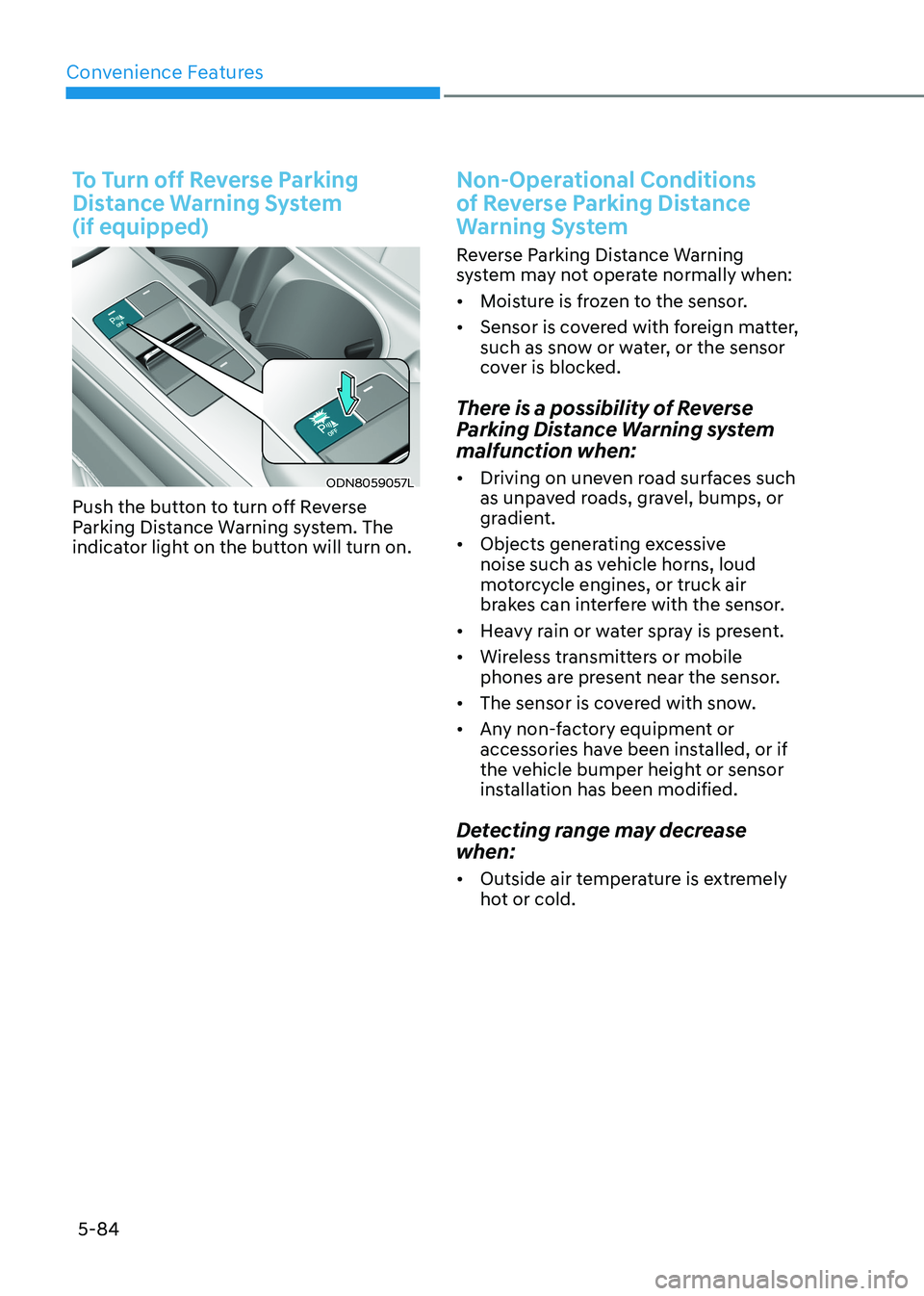
To Turn off Reverse Parking
Distance Warning System (if equipped)
ODN8059057L
Push the button to turn off Reverse
Parking Distance Warning system. The
indicator light on the button will turn on.
Non-Operational Conditions
of Reverse Parking Distance
Warning System
Reverse Parking Distance Warning
system may not operate normally when: • Moisture is frozen to the sensor.
• Sensor is covered with foreign matter,
such as snow or water, or the sensor
cover is blocked.
There is a possibility of Reverse
Parking Distance Warning system
malfunction when: • Driving on uneven road surfaces such
as unpaved roads, gravel, bumps, or
gradient.
• Objects generating excessive
noise such as vehicle horns, loud
motorcycle engines, or truck air
brakes can interfere with the sensor.
• Heavy rain or water spray is present.
• Wireless transmitters or mobile
phones are present near the sensor.
• The sensor is covered with snow.
• Any non-factory equipment or
accessories have been installed, or if
the vehicle bumper height or sensor
installation has been modified.
Detecting range may decrease when: • Outside air temperature is extremely
hot or cold.
Page 241 of 555
05
5-95
How Remote Smart Parking
Assist System Works
Remote Moving Forward/Backward
Remote Moving Forward/Backward is
available with the driver outside the
vehicle. Make sure the conditions are
met before activating Remote Moving
Forward/Backward function. With the
function, you can park or exit the vehicle
and the procedure is as follows.
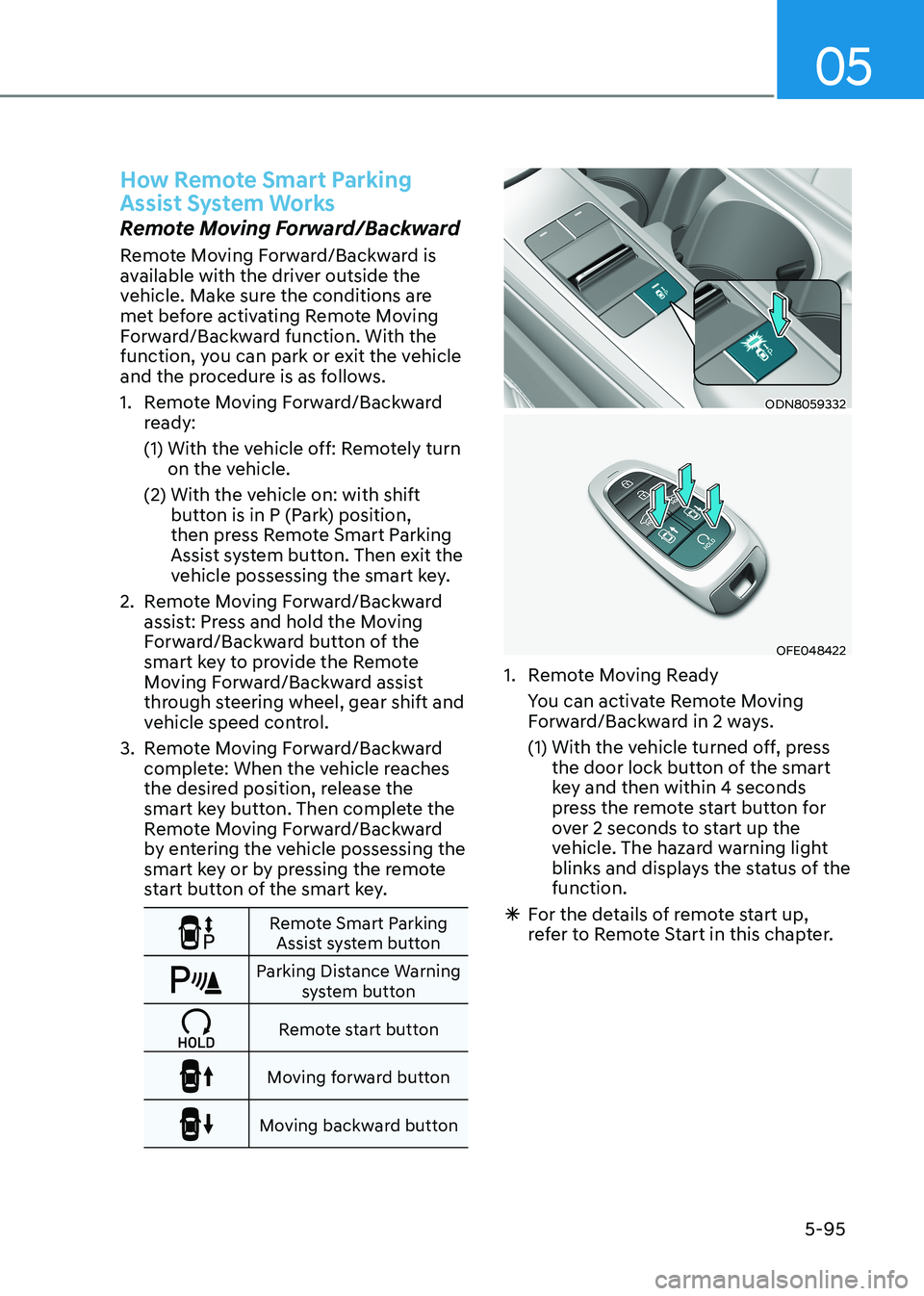
1. Remote Moving Forward/Backward ready:
(1) With the vehicle off: Remotely turn on the vehicle.
(2) With the vehicle on: with shift button is in P (Park) position,
then press Remote Smart Parking
Assist system button. Then exit the
vehicle possessing the smart key.
2. Remote Moving Forward/Backward assist: Press and hold the Moving
Forward/Backward button of the
smart key to provide the Remote
Moving Forward/Backward assist
through steering wheel, gear shift and
vehicle speed control.
3. Remote Moving Forward/Backward complete: When the vehicle reaches
the desired position, release the
smart key button. Then complete the
Remote Moving Forward/Backward
by entering the vehicle possessing the
smart key or by pressing the remote
start button of the smart key.
Remote Smart Parking Assist system button
Parking Distance Warning system button
Remote start button
Moving forward button
Moving backward button
ODN8059332
OFE048422
1. Remote Moving Ready
You can activate Remote Moving Forward/Backward in 2 ways.
(1) With the vehicle turned off, press the door lock button of the smart
key and then within 4 seconds
press the remote start button for
over 2 seconds to start up the
vehicle. The hazard warning light
blinks and displays the status of the function.
à For the details of remote start up,
refer to Remote Start in this chapter.
Page 242 of 555
Convenience Features
5-96
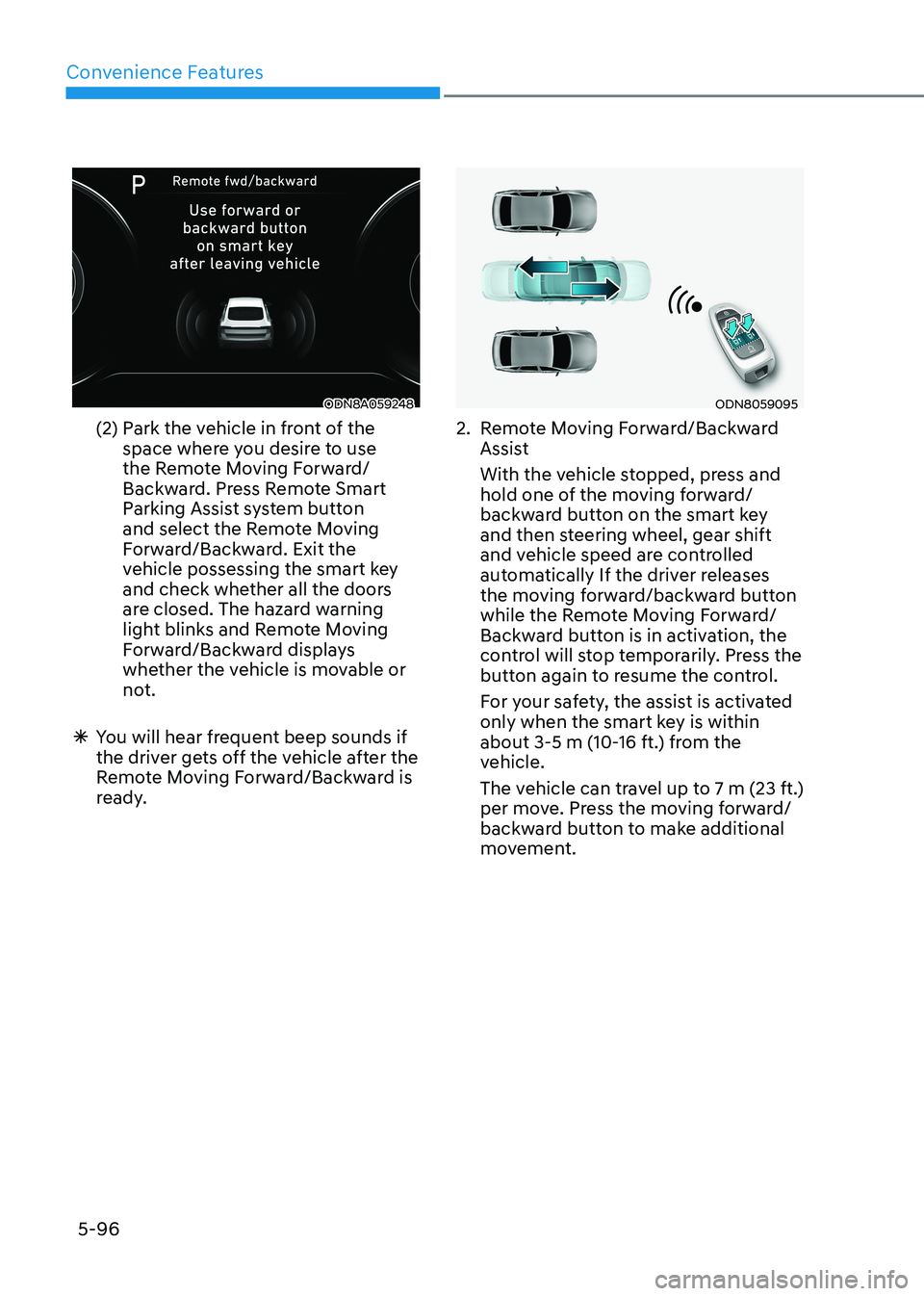
ODN8A059248
(2) Park the vehicle in front of the space where you desire to use
the Remote Moving Forward/
Backward. Press Remote Smart
Parking Assist system button
and select the Remote Moving
Forward/Backward. Exit the
vehicle possessing the smart key
and check whether all the doors
are closed. The hazard warning
light blinks and Remote Moving
Forward/Backward displays
whether the vehicle is movable or
not.
à You will hear frequent beep sounds if
the driver gets off the vehicle after the
Remote Moving Forward/Backward is
ready.ODN8059095
2. Remote Moving Forward/Backward Assist
With the vehicle stopped, press and hold one of the moving forward/
backward button on the smart key
and then steering wheel, gear shift
and vehicle speed are controlled
automatically If the driver releases
the moving forward/backward button
while the Remote Moving Forward/
Backward button is in activation, the
control will stop temporarily. Press the
button again to resume the control.
For your safety, the assist is activated only when the smart key is within
about 3-5 m (10-16 ft.) from the
vehicle.
The vehicle can travel up to 7 m (23 ft.) per move. Press the moving forward/
backward button to make additional
movement.
Page 243 of 555
05
5-97
à Press the moving forward/backward
button again after checking the
distance from the vehicles if the
vehicle didn’t move after pressing
and holding the smart key button for about 5 seconds.
à Under cold weather, take enough time
before pressing the moving forward/
backward button of the smart key
after turning on the vehicle remotely.
It may take more time until the vehicle
moves.
à When Remote Moving Forward is
ready by the above No. (1) method,
the vehicle recognizes the condition
as exit. After confirming the
surroundings within 4 m (13 ft.), it
allows to operate the steering wheel
up to the conditions ahead.
à When Remote Moving Forward is
ready by the above No. (2) method,
the vehicle recognizes the condition
as entering to the parking space.
According to the front condition, it
immediately allows the vehicle to
enter to the parking space and line
up with the steering wheel control.
However, the function performance
can be degraded up to the shape or
position of the surrounding objects.
à If you select the remote moving
backward, both of the No. (1) and (2)
methods make the vehicle go straight
after lining up.
à While Remote Moving Forward/
Backward assist is operating, the
brake light turns on.
ODN8A059249
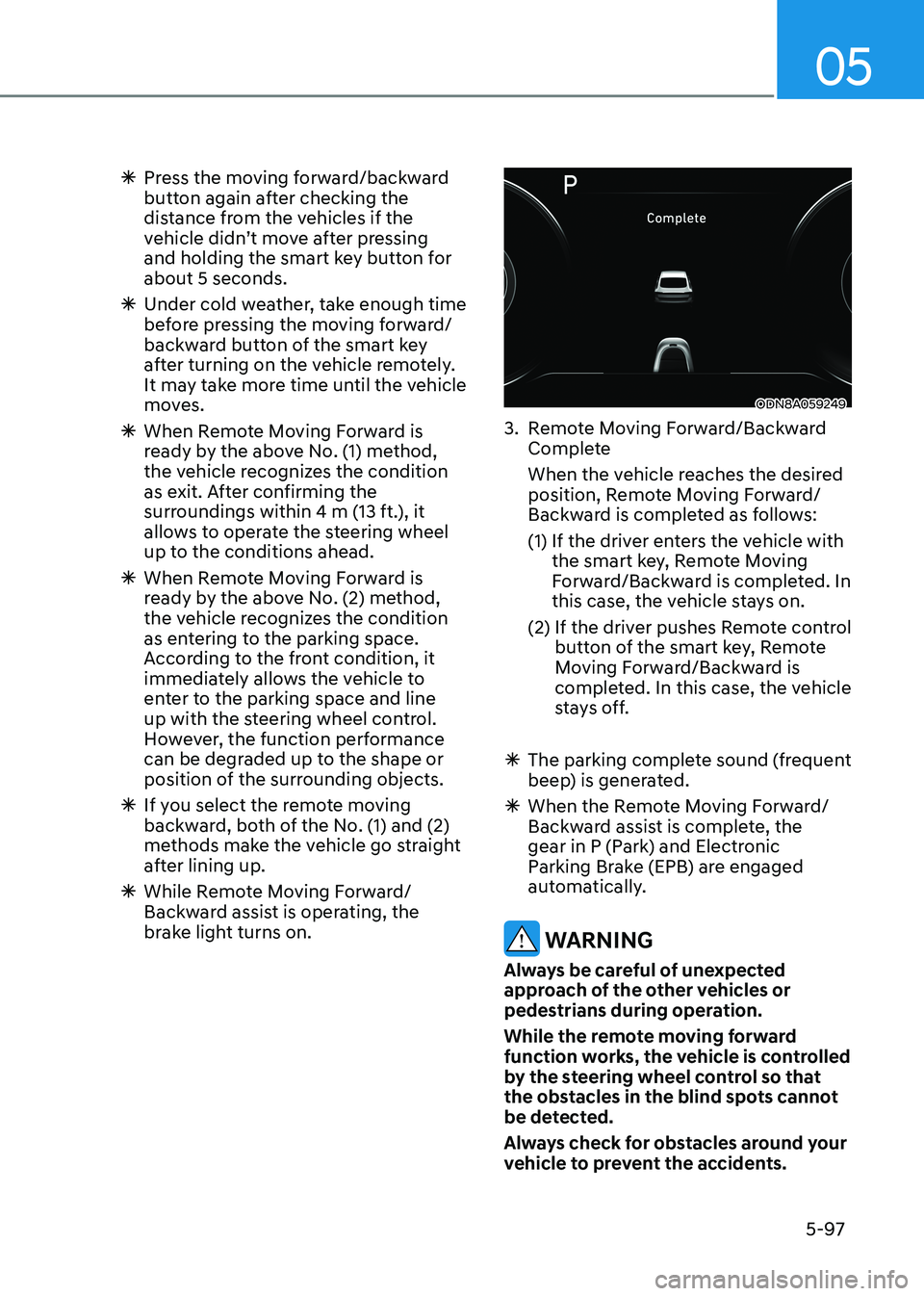
3. Remote Moving Forward/Backward Complete
When the vehicle reaches the desired position, Remote Moving Forward/
Backward is completed as follows:
(1) If the driver enters the vehicle with the smart key, Remote Moving
Forward/Backward is completed. In
this case, the vehicle stays on.
(2) If the driver pushes Remote control button of the smart key, Remote
Moving Forward/Backward is
completed. In this case, the vehicle
stays off.
à The parking complete sound (frequent
beep) is generated.
à When the Remote Moving Forward/
Backward assist is complete, the
gear in P (Park) and Electronic
Parking Brake (EPB) are engaged
automatically.
WARNING
Always be careful of unexpected
approach of the other vehicles or
pedestrians during operation.
While the remote moving forward
function works, the vehicle is controlled
by the steering wheel control so that
the obstacles in the blind spots cannot
be detected.
Always check for obstacles around your
vehicle to prevent the accidents.
Page 247 of 555
05
5-101
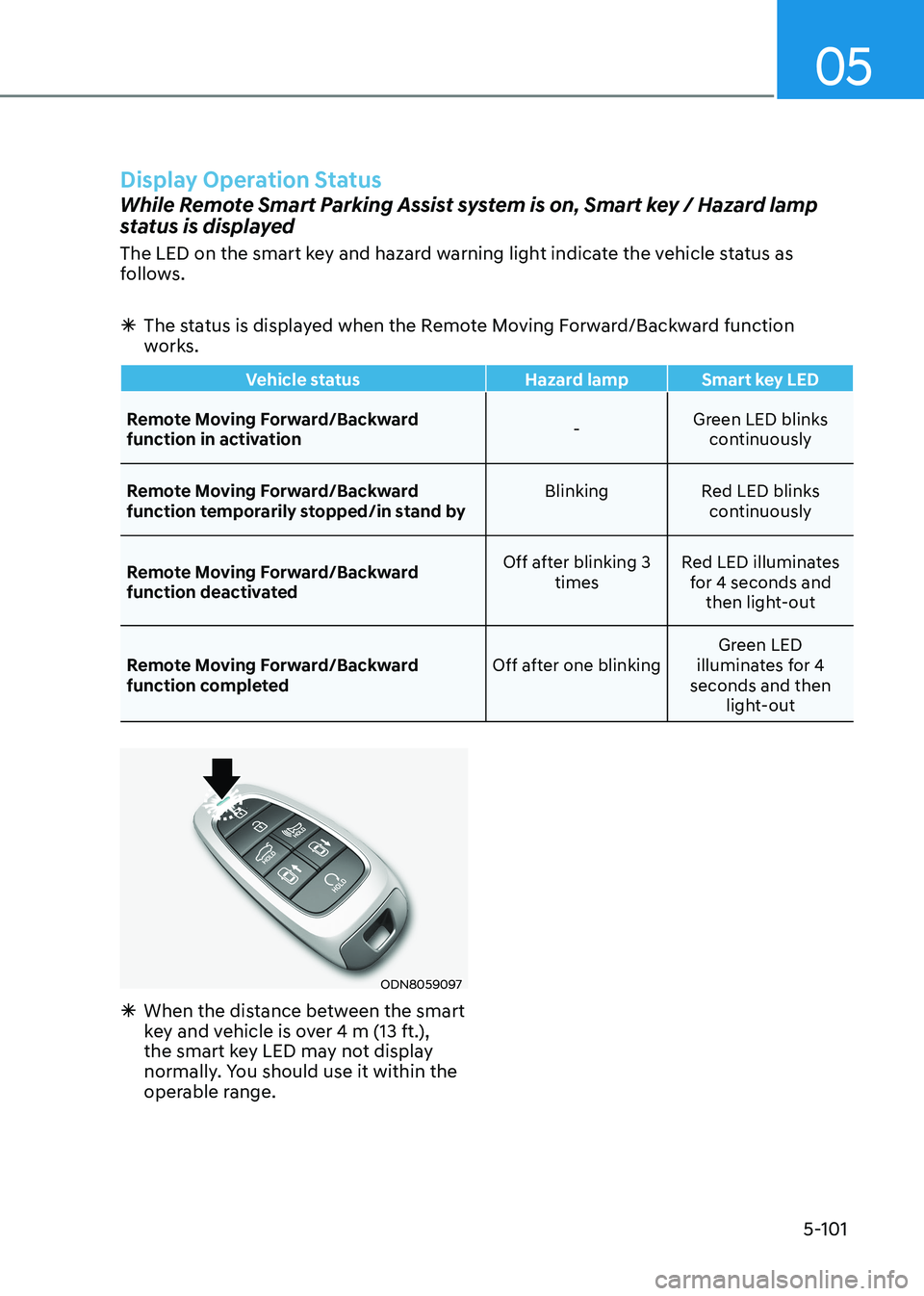
Display Operation Status
While Remote Smart Parking Assist system is on, Smart key / Hazard lamp
status is displayed
The LED on the smart key and hazard warning light indicate the vehicle status as
follows.
à The status is displayed when the Remote Moving Forward/Backward function
works.
Vehicle status Hazard lamp Smart key LED
Remote Moving Forward/Backward
function in activation -Green LED blinks
continuously
Remote Moving Forward/Backward
function temporarily stopped/in stand by Blinking Red LED blinks
continuously
Remote Moving Forward/Backward
function deactivated Off after blinking 3
times Red LED illuminates
for 4 seconds and then light-out
Remote Moving Forward/Backward
function completed Off after one blinkingGreen LED
illuminates for 4
seconds and then light-out
ODN8059097
à When the distance between the smart
key and vehicle is over 4 m (13 ft.),
the smart key LED may not display
normally. You should use it within the
operable range.
Page 256 of 555
Convenience Features
5-110
Information
Using the system primarily in Fresh mode
and Recirculation mode only when needed
is recommended for best results.
Prolonged operation of the heater in
Recirculation mode and without the A/C ON can cause fogging of the windshield.
In addition, prolonged use of the A/C
ON in Recirculation mode may result in
excessively dry, dehumidified air in the cabin.
WARNING
• Continued use of the climate control
system operation in Recirculation
mode for a prolonged period of
time may cause drowsiness to the
occupants in the cabin. This may lead
to loss of vehicle control which may
lead to an accident.
• Continued use of the climate control
system operation in Recirculation
mode with the A/C OFF may allow
humidity to increase inside the
cabin. This may cause condensation
to accumulate on the windshield and
obscure visibility.
• Do not sleep in your vehicle or
remain parked in your vehicle with
the windows up and either the
heater or the air conditioning ON for
prolonged periods of time. Doing so
may increase the levels of carbon
dioxide in the cabin which may lead
to serious injury or death.
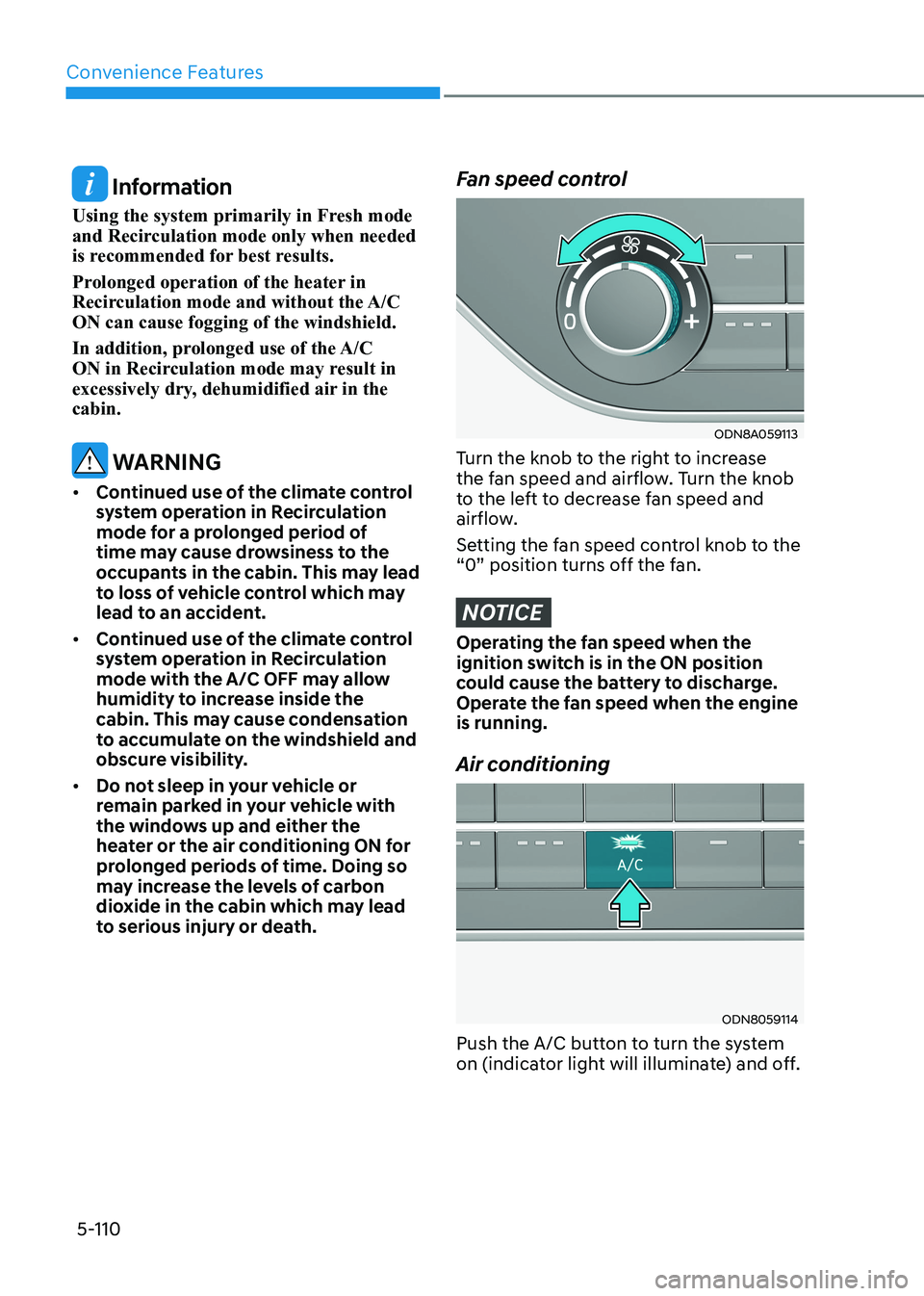
Fan speed control
ODN8A059113
Turn the knob to the right to increase
the fan speed and airflow. Turn the knob
to the left to decrease fan speed and
airflow.
Setting the fan speed control knob to the
“0” position turns off the fan.
NOTICE
Operating the fan speed when the
ignition switch is in the ON position
could cause the battery to discharge.
Operate the fan speed when the engine is running. Air conditioning
ODN8059114
Push the A/C button to turn the system
on (indicator light will illuminate) and off.
Page 277 of 555
05
5-131
WARNING
Never store cigarette lighters, propane
cylinders, or other flammable/explosive
materials in the vehicle. These items
may catch fire and/or explode if the
vehicle is exposed to hot temperatures
for extended periods.
WARNING
ALWAYS keep the storage compartment
covers closed securely while driving.
Items inside your vehicle are moving as
fast as the vehicle. If you have to stop
or turn quickly, or if there is a crash, the
items may fly out of the compartment
and may cause an injury if they strike
the driver or a passenger.
NOTICE
To avoid possible theft, do not leave
valuables in the storage compartments.
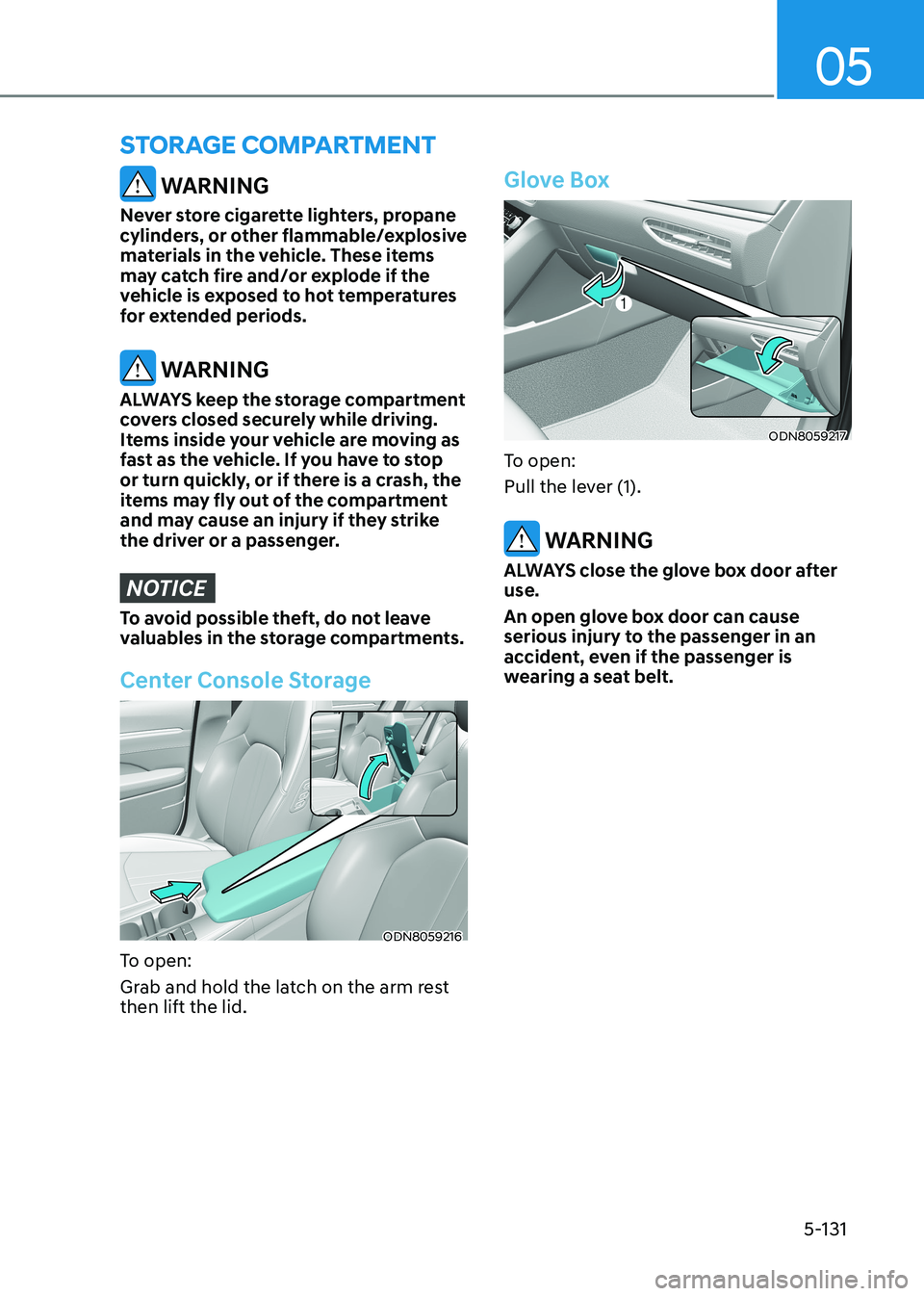
Center Console Storage
ODN8059216
To open:
Grab and hold the latch on the arm rest then lift the lid.
Glove Box
ODN8059217
To open:
Pull the lever (1).
WARNING
ALWAYS close the glove box door after use.
An open glove box door can cause
serious injury to the passenger in an
accident, even if the passenger is
wearing a seat belt.
STorAGe compArTmenT
Page 278 of 555
Convenience Features
5-132
interior FeAtures
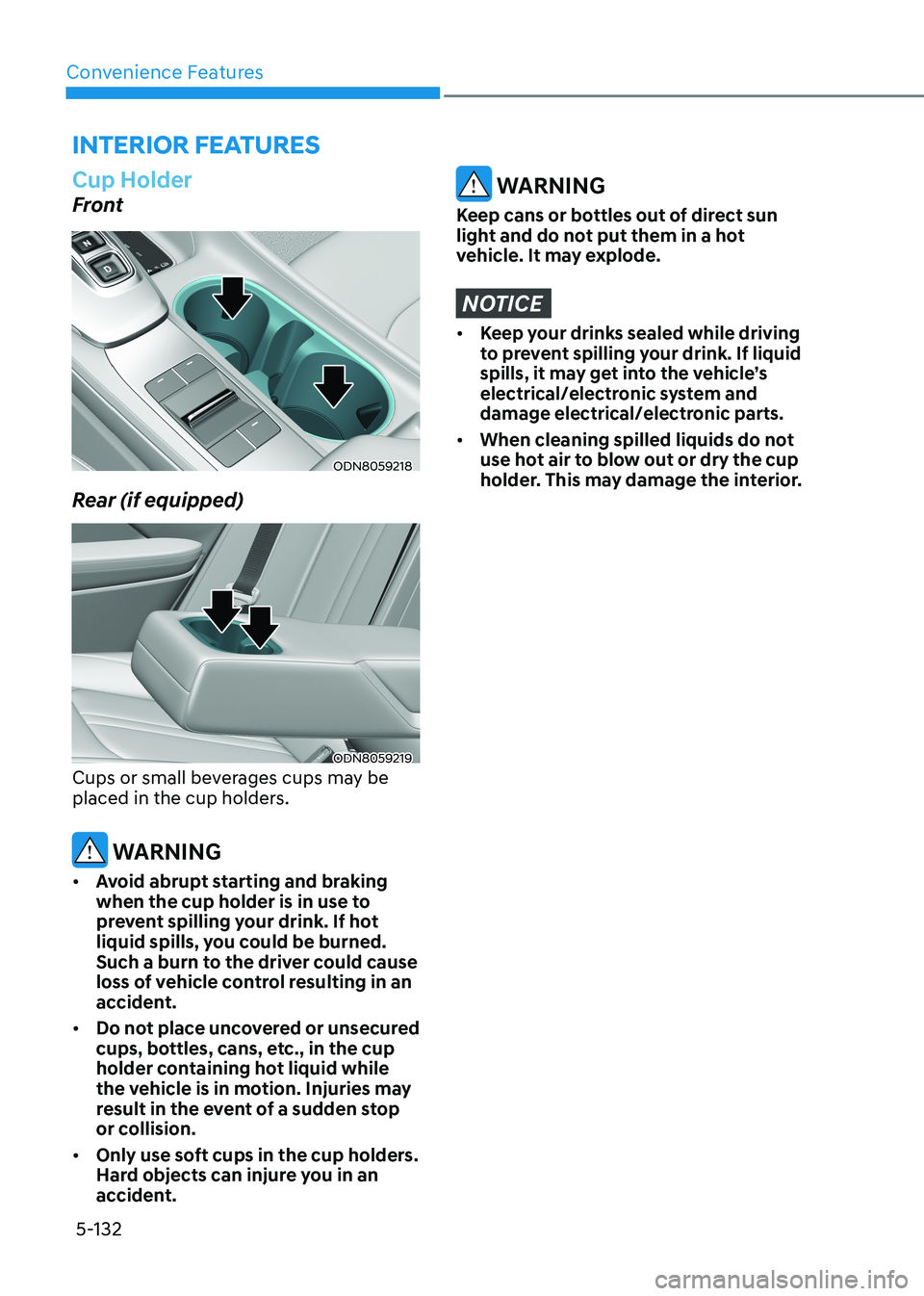
Cup Holder
Front
ODN8059218
Rear (if equipped)
ODN8059219
Cups or small beverages cups may be
placed in the cup holders.
WARNING
• Avoid abrupt starting and braking
when the cup holder is in use to
prevent spilling your drink. If hot
liquid spills, you could be burned.
Such a burn to the driver could cause
loss of vehicle control resulting in an
accident.
• Do not place uncovered or unsecured
cups, bottles, cans, etc., in the cup
holder containing hot liquid while
the vehicle is in motion. Injuries may
result in the event of a sudden stop
or collision.
• Only use soft cups in the cup holders.
Hard objects can injure you in an
accident.
WARNING
Keep cans or bottles out of direct sun
light and do not put them in a hot
vehicle. It may explode.
NOTICE
• Keep your drinks sealed while driving
to prevent spilling your drink. If liquid
spills, it may get into the vehicle’s
electrical/electronic system and
damage electrical/electronic parts.
• When cleaning spilled liquids do not
use hot air to blow out or dry the cup
holder. This may damage the interior.
Page 289 of 555
Forward Collision – Avoidance Assist (FCA) - Sensor Fusion ...................6-50
System Setting and Activation .............................................................................. 6-50
FCA Warning Message and Brake Control ............................................................6-52
FCA Sensor ............................................................................................................. 6-55
System Malfunction ............................................................................................... 6-57
Limitations of the System ...................................................................................... 6-58
Forward Collision-Avoidance Assist - Junction Turning .....................................6-65
Lane Keeping Assist (LKA) ........................................................................... 6-70
LKA Operation ......................................................................................................... 6-71
LKA System Function Change ............................................................................... 6-72
Warning Light and Message .................................................................................. 6 -74
Limitations of the System ...................................................................................... 6-75
Blind-Spot Collision Warning (BCW) /
Blind-Spot Collision-Avoidance Assist (BCA) .............................................6-77
System Description ................................................................................................. 6-77
System Setting and Activation .............................................................................. 6-78
Warning and System Control ................................................................................ 6-80
Detecting Sensors (Front View Camera and Rear Corner Radar) .......................6-82
Limitations of the System ...................................................................................... 6-85
Declaration of Conformity .......................................................................... 6-89
The Radio Frequency Components (Rear Corner Radar) Complies: ..................6-89
Safe Exit Warning (SEW) ............................................................................. 6-90
Function Settings ................................................................................................... 6-91
Function Operation ................................................................................................ 6-92
Function Malfunction and Limitations .................................................................. 6-94
Driver Attention Warning (DAW) ................................................................ 6-96
System Setting and Operation .............................................................................. 6-96
Resetting the System ............................................................................................. 6-98
System Standby ...................................................................................................... 6-99
System Malfunction ............................................................................................... 6-99
Leading Vehicle Departure Alert ......................................................................... 6-101
Blind View Monitor (BVM) ........................................................................ 6-104
Smart Cruise Control (SCC) ....................................................................... 6-105
Smart Cruise Control Switch ............................................................................... 6-106
To Convert to Cruise Control Mode .................................................................... 6-106
Smart Cruise Control Speed ................................................................................. 6-107
Smart Cruise Control Vehicle-to-Vehicle Distance .............................................6-113
Limitations of the System ..................................................................................... 6-118
6