display HYUNDAI SONATA 2023 Repair Manual
[x] Cancel search | Manufacturer: HYUNDAI, Model Year: 2023, Model line: SONATA, Model: HYUNDAI SONATA 2023Pages: 555, PDF Size: 42.72 MB
Page 220 of 555
Convenience Features
5 -74
WARNING
• Never rely solely on the rear camera
display when backing-up.
• ALWAYS look around your vehicle
to make sure there are no objects or
obstacles before moving the vehicle
in any direction to prevent a collision.
• Always pay close attention when the
vehicle is driven close to objects,
particularly pedestrians, and
especially children.
NOTICE
• Do not spray the camera or its
surrounding area directly with a high
pressure washer. Shock applied from
high pressure water may cause the
device to not operate normally.
• Do not use any cleanser containing
acid or alkaline detergents when
cleaning the lens. Use only a mild
soap or neutral detergent, and rinse
thoroughly with water.
• Always keep the rear view camera
lens clean. If the lens is covered with
foreign material, it may adversely
affect camera performance and
Rear View Monitor may not operate
normally. However, do not use
chemical solvents such as strong
detergents containing high alkaline
or volatile organic solvents (gasoline,
acetone etc.). This may damage the
camera lens.
Page 222 of 555
Convenience Features
5 -76
reverSe pArKinG colliSion-AvoiDAnce ASSiST
(if eQUippeD)
Reverse Parking Collision-Avoidance
Assist (PCA) is a supplemental system
that can warn the driver or apply braking
force to reduce the possibility of collision
with pedestrians when the vehicle is
reversing.
WARNING
• Always look around your vehicle to make sure there are no objects or
pedestrian before moving the vehicle
in any direction to prevent a collision.
• Do not solely rely on Reverse Parking Collision-Avoidance Assist system.
The system might not assist the
driver leading to pedestrian injury or
vehicle damage.
• Be aware that some objects may not be visible on the screen or be
detected by the rear ultrasonic
sensors, due to the objects’ distance,
size or material, all of which can limit
the effectiveness of the sensors.
System Setting and Operation
System setting
Parking Collision-Avoidance Assist-
Reverse (PCA-R) can be activated from
the Settings menu in the LCD display or
infotainment system display by following
the procedure below.
1. Set the Engine Start/Stop button to
the ON or START position.
2. Select ‘User Settings → Driver Assistance → Parking Safety → Active
Assist / Warning Only / Off’ in the
LCD display or infotainment system
display.
- The system is ready for operation when 'Active Assist' is selected. In
the event of an imminent collision
with a pedestrian or an object, the
system warns the driver or applies
braking force to help avoid the collision.
- The system is ready for operation when 'Warning Only' is selected. In
the event of an imminent collision
with a pedestrian, the system warns
the driver but does not assist in
braking.
- The system deactivates when 'Off' is selected.
Page 223 of 555
05
5-77
Operating conditions
Reverse Parking Collision-Avoidance
Assist system enters the ready status,
when 'Active Assist' or 'Warning Only' is
selected in the AVN system screen and
the following conditions are satisfied:
• The trunk is closed
• The shift lever is in R (Reverse)
• Vehicle speed is below 10 km/h (6 mph)
• System components such as the rear
view camera and the rear ultrasonic
sensors are in normal conditions
The driver needs to select 'Active Assist'
on the LCD display or infotainment
system display for collision-avoidance
assist.
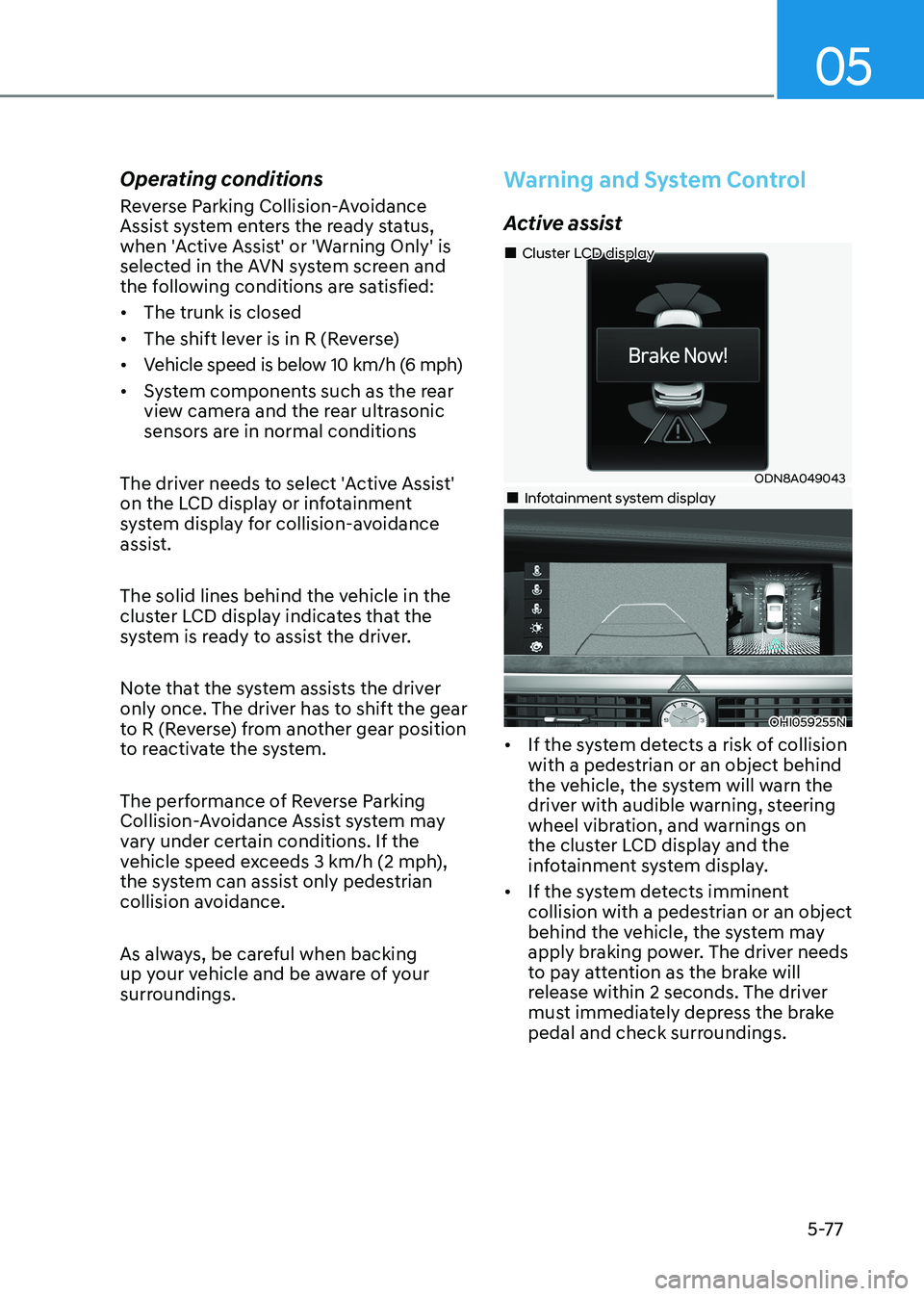
The solid lines behind the vehicle in the
cluster LCD display indicates that the
system is ready to assist the driver.
Note that the system assists the driver
only once. The driver has to shift the gear
to R (Reverse) from another gear position
to reactivate the system.
The performance of Reverse Parking
Collision-Avoidance Assist system may
vary under certain conditions. If the
vehicle speed exceeds 3 km/h (2 mph),
the system can assist only pedestrian
collision avoidance.
As always, be careful when backing
up your vehicle and be aware of your
surroundings.
Warning and System Control
Active assist
ODN8A049043
„
„Cluster LCD display
„„Infotainment system display
OHI059255N
• If the system detects a risk of collision with a pedestrian or an object behind
the vehicle, the system will warn the
driver with audible warning, steering
wheel vibration, and warnings on
the cluster LCD display and the
infotainment system display.
• If the system detects imminent collision with a pedestrian or an object
behind the vehicle, the system may
apply braking power. The driver needs
to pay attention as the brake will
release within 2 seconds. The driver
must immediately depress the brake
pedal and check surroundings.
Page 224 of 555
Convenience Features
5-78
The brake assist will turn off when:
- The driver shifts the gear to P (Park) or
D (Drive)
- The driver depresses the brake pedal with sufficient power
- The braking has been assisted for approximately 2 seconds
The warning will turn off when:
- The driver shifts the gear to P (Park), N (Neutral), or D (Drive)
The brake control may not operate
properly depending on the status of the
ESC (Electronic Stability Control). There
will only be a warning when:
- The ESC (Electronic Stability Control) warning light is on
- The ESC (Electronic Stability Control) is engaged in a different function
Warning only
• If the system detects a risk of collision with a pedestrian or an object, the
system will warn the driver with
audible warning and warnings on the
cluster LCD display or infotainment
system display.
• If ‘Warning Only’ is selected, braking will not be assisted.
The warning will turn off when:
- The driver shifts the gear to P (Park), N (Neutral), or D (Drive)
WARNING
• Reverse Parking Collision- Avoidance Assist system may
not operate properly or may
operate unnecessarily in some
circumstances.
• Always pay extreme caution while driving. The driver is responsible for
controlling the brake appropriately.
CAUTION
• Always pay attention to road and traffic conditions while driving, whether or not there is a warning.
• Playing the vehicle audio system at high volume may prevent occupants from hearing Reverse Parking Collision-Avoidance Assist system warning sounds.
• If any other warning sound, such as seat belt warning chime, is already generated, Reverse Parking Collision-Avoidance Assist system warning may not sound.
Information
The system can detect a pedestrian or an object when:
- A pedestrian is standing behind the vehicle.
- A large obstacle, such as a vehicle, is parked in the rear center of the vehicle.
Page 225 of 555
05
5-79
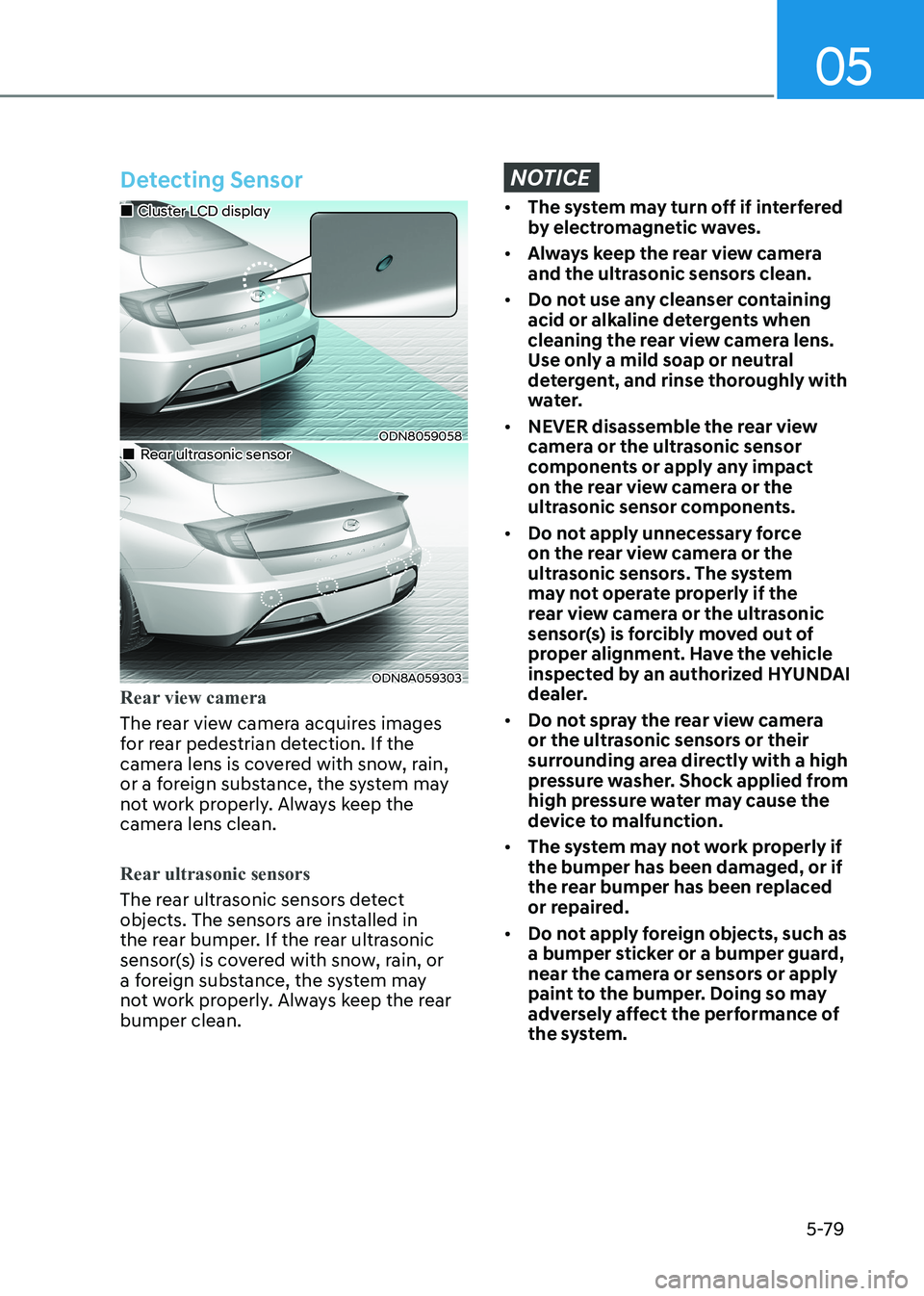
Detecting Sensor
ODN8059058
„
„Cluster LCD display
„„Rear ultrasonic sensor
ODN8A059303
Rear view camera
The rear view camera acquires images
for rear pedestrian detection. If the
camera lens is covered with snow, rain,
or a foreign substance, the system may
not work properly. Always keep the
camera lens clean.
Rear ultrasonic sensors
The rear ultrasonic sensors detect
objects. The sensors are installed in
the rear bumper. If the rear ultrasonic
sensor(s) is covered with snow, rain, or
a foreign substance, the system may
not work properly. Always keep the rear bumper clean.
NOTICE
•
The system may turn off if interfered
by electromagnetic waves.
• Always keep the rear view camera
and the ultrasonic sensors clean.
• Do not use any cleanser containing
acid or alkaline detergents when
cleaning the rear view camera lens.
Use only a mild soap or neutral
detergent, and rinse thoroughly with
water.
• NEVER disassemble the rear view
camera or the ultrasonic sensor
components or apply any impact
on the rear view camera or the
ultrasonic sensor components.
• Do not apply unnecessary force
on the rear view camera or the
ultrasonic sensors. The system
may not operate properly if the
rear view camera or the ultrasonic
sensor(s) is forcibly moved out of
proper alignment. Have the vehicle
inspected by an authorized HYUNDAI
dealer.
• Do not spray the rear view camera
or the ultrasonic sensors or their
surrounding area directly with a high
pressure washer. Shock applied from
high pressure water may cause the
device to malfunction.
• The system may not work properly if the bumper has been damaged, or if
the rear bumper has been replaced
or repaired.
• Do not apply foreign objects, such as
a bumper sticker or a bumper guard,
near the camera or sensors or apply
paint to the bumper. Doing so may
adversely affect the performance of
the system.
Page 226 of 555
Convenience Features
5-80
Warning message
ODN8A049044
„
„Rear view camera
„„Rear ultrasonic sensor
ODN8A049045
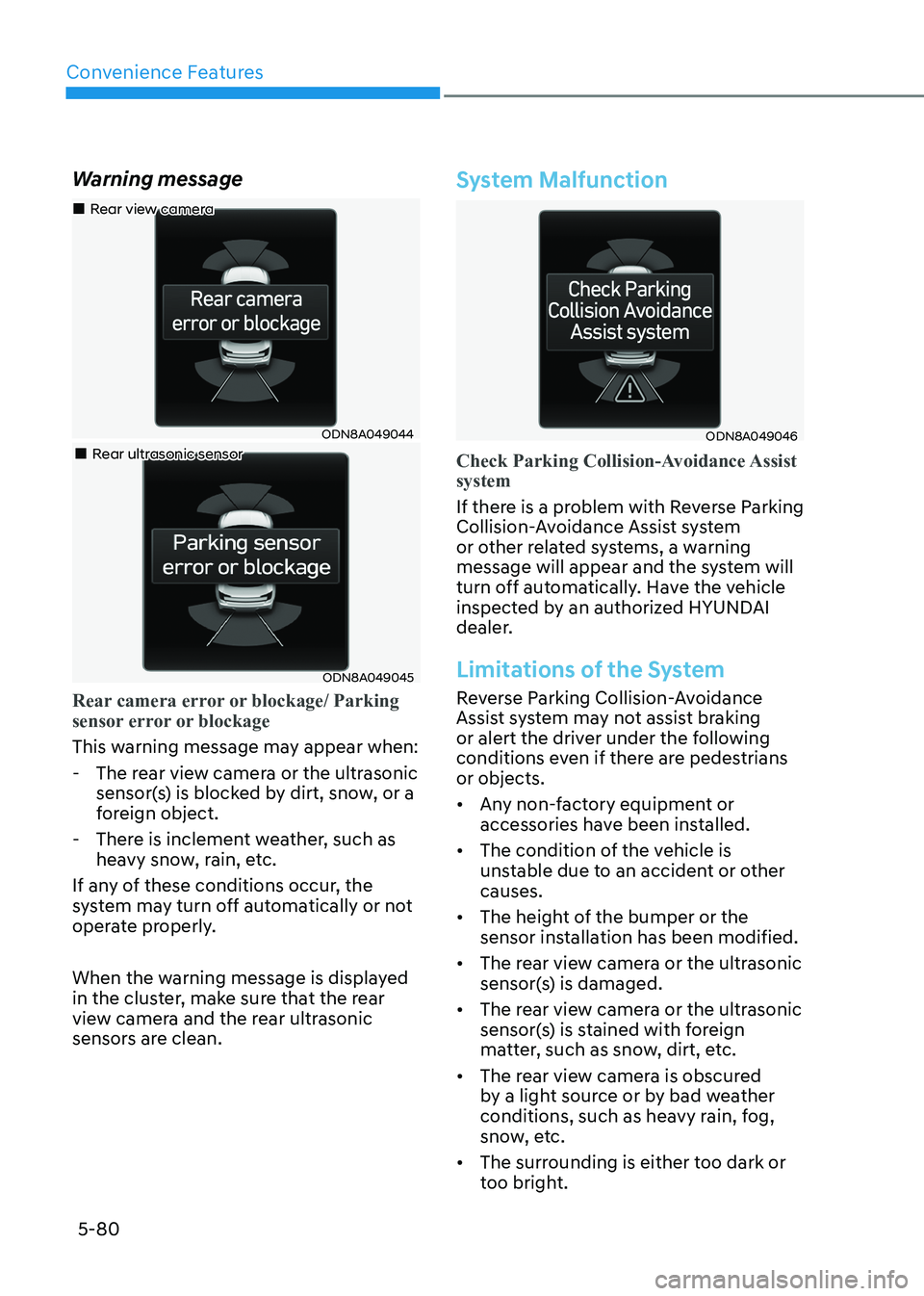
Rear camera error or blockage/ Parking
sensor error or blockage
This warning message may appear when:
- The rear view camera or the ultrasonic
sensor(s) is blocked by dirt, snow, or a
foreign object.
- There is inclement weather, such as heavy snow, rain, etc.
If any of these conditions occur, the
system may turn off automatically or not
operate properly.
When the warning message is displayed
in the cluster, make sure that the rear
view camera and the rear ultrasonic
sensors are clean.
System Malfunction
ODN8A049046
Check Parking Collision-Avoidance Assist system
If there is a problem with Reverse Parking
Collision-Avoidance Assist system
or other related systems, a warning
message will appear and the system will
turn off automatically. Have the vehicle
inspected by an authorized HYUNDAI
dealer.
Limitations of the System
Reverse Parking Collision-Avoidance
Assist system may not assist braking
or alert the driver under the following
conditions even if there are pedestrians or objects.
• Any non-factory equipment or accessories have been installed.
• The condition of the vehicle is unstable due to an accident or other causes.
• The height of the bumper or the sensor installation has been modified.
• The rear view camera or the ultrasonic sensor(s) is damaged.
• The rear view camera or the ultrasonic sensor(s) is stained with foreign
matter, such as snow, dirt, etc.
• The rear view camera is obscured by a light source or by bad weather
conditions, such as heavy rain, fog,
snow, etc.
• The surrounding is either too dark or too bright.
Page 241 of 555
05
5-95
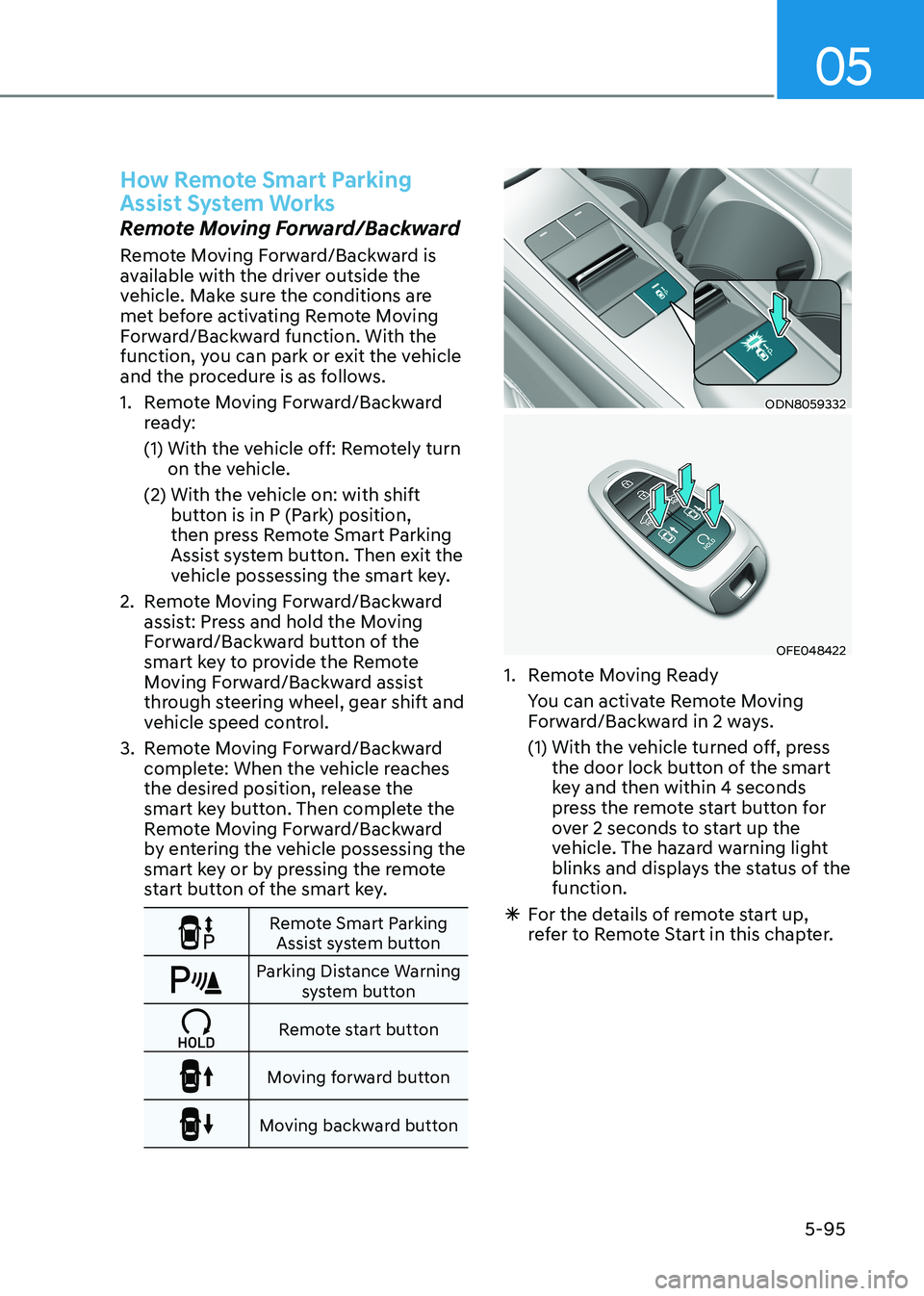
How Remote Smart Parking
Assist System Works
Remote Moving Forward/Backward
Remote Moving Forward/Backward is
available with the driver outside the
vehicle. Make sure the conditions are
met before activating Remote Moving
Forward/Backward function. With the
function, you can park or exit the vehicle
and the procedure is as follows.
1. Remote Moving Forward/Backward ready:
(1) With the vehicle off: Remotely turn on the vehicle.
(2) With the vehicle on: with shift button is in P (Park) position,
then press Remote Smart Parking
Assist system button. Then exit the
vehicle possessing the smart key.
2. Remote Moving Forward/Backward assist: Press and hold the Moving
Forward/Backward button of the
smart key to provide the Remote
Moving Forward/Backward assist
through steering wheel, gear shift and
vehicle speed control.
3. Remote Moving Forward/Backward complete: When the vehicle reaches
the desired position, release the
smart key button. Then complete the
Remote Moving Forward/Backward
by entering the vehicle possessing the
smart key or by pressing the remote
start button of the smart key.
Remote Smart Parking Assist system button
Parking Distance Warning system button
Remote start button
Moving forward button
Moving backward button
ODN8059332
OFE048422
1. Remote Moving Ready
You can activate Remote Moving Forward/Backward in 2 ways.
(1) With the vehicle turned off, press the door lock button of the smart
key and then within 4 seconds
press the remote start button for
over 2 seconds to start up the
vehicle. The hazard warning light
blinks and displays the status of the function.
à For the details of remote start up,
refer to Remote Start in this chapter.
Page 242 of 555
Convenience Features
5-96
ODN8A059248
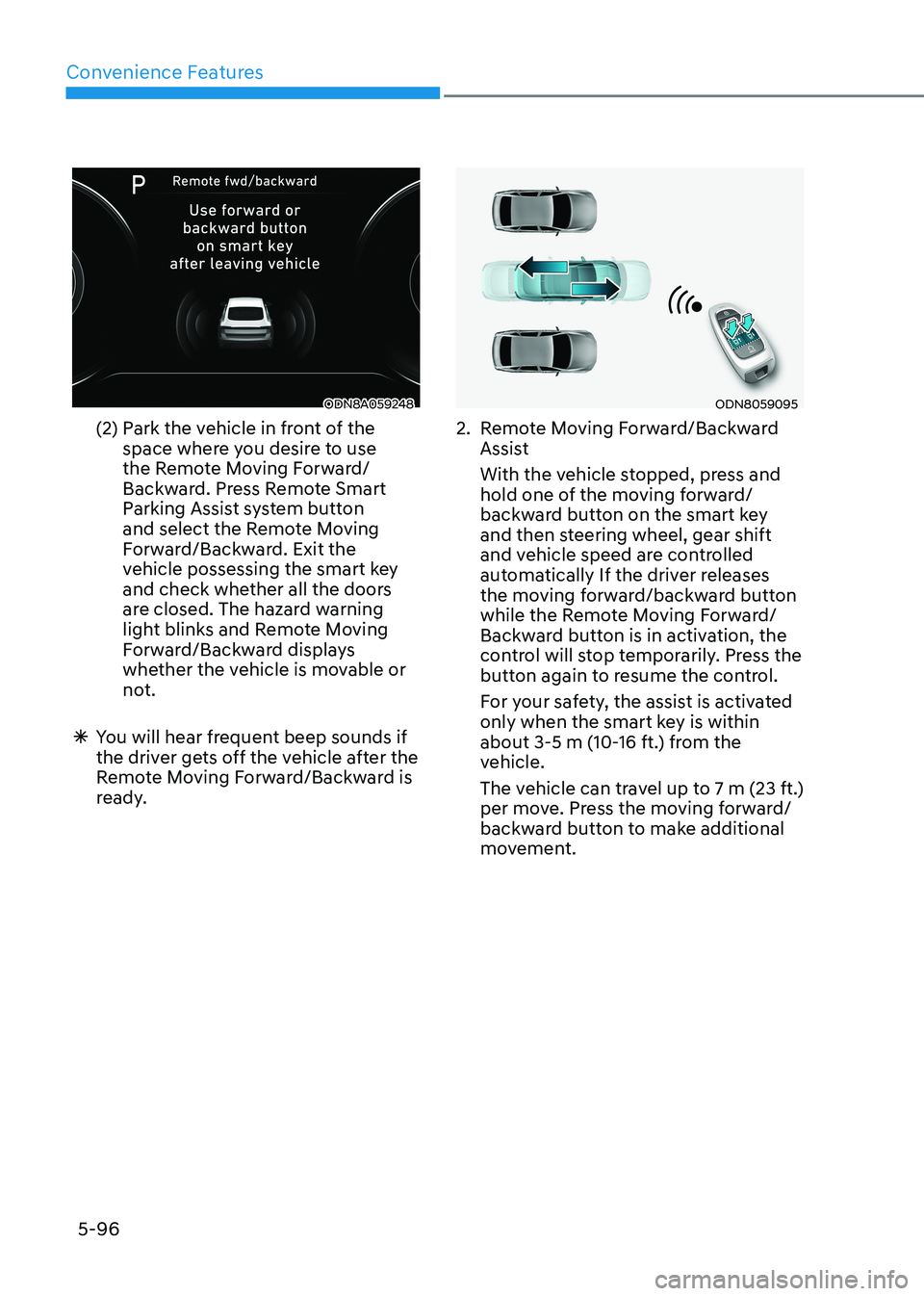
(2) Park the vehicle in front of the space where you desire to use
the Remote Moving Forward/
Backward. Press Remote Smart
Parking Assist system button
and select the Remote Moving
Forward/Backward. Exit the
vehicle possessing the smart key
and check whether all the doors
are closed. The hazard warning
light blinks and Remote Moving
Forward/Backward displays
whether the vehicle is movable or
not.
à You will hear frequent beep sounds if
the driver gets off the vehicle after the
Remote Moving Forward/Backward is
ready.ODN8059095
2. Remote Moving Forward/Backward Assist
With the vehicle stopped, press and hold one of the moving forward/
backward button on the smart key
and then steering wheel, gear shift
and vehicle speed are controlled
automatically If the driver releases
the moving forward/backward button
while the Remote Moving Forward/
Backward button is in activation, the
control will stop temporarily. Press the
button again to resume the control.
For your safety, the assist is activated only when the smart key is within
about 3-5 m (10-16 ft.) from the
vehicle.
The vehicle can travel up to 7 m (23 ft.) per move. Press the moving forward/
backward button to make additional
movement.
Page 246 of 555
Convenience Features
5-100
Additional Instructions
When the Remote Smart Parking Assist
system is in operation, the system may
be cancelled regardless of the instruction
order.
The appeared messages could be
differed according to the circumstances.
Follow the instructions provided while
driving your vehicle with the Remote
Smart Parking Assist system in activation.
When the function works, please follow
the displayed messages and the driver
should be cautious for safety.
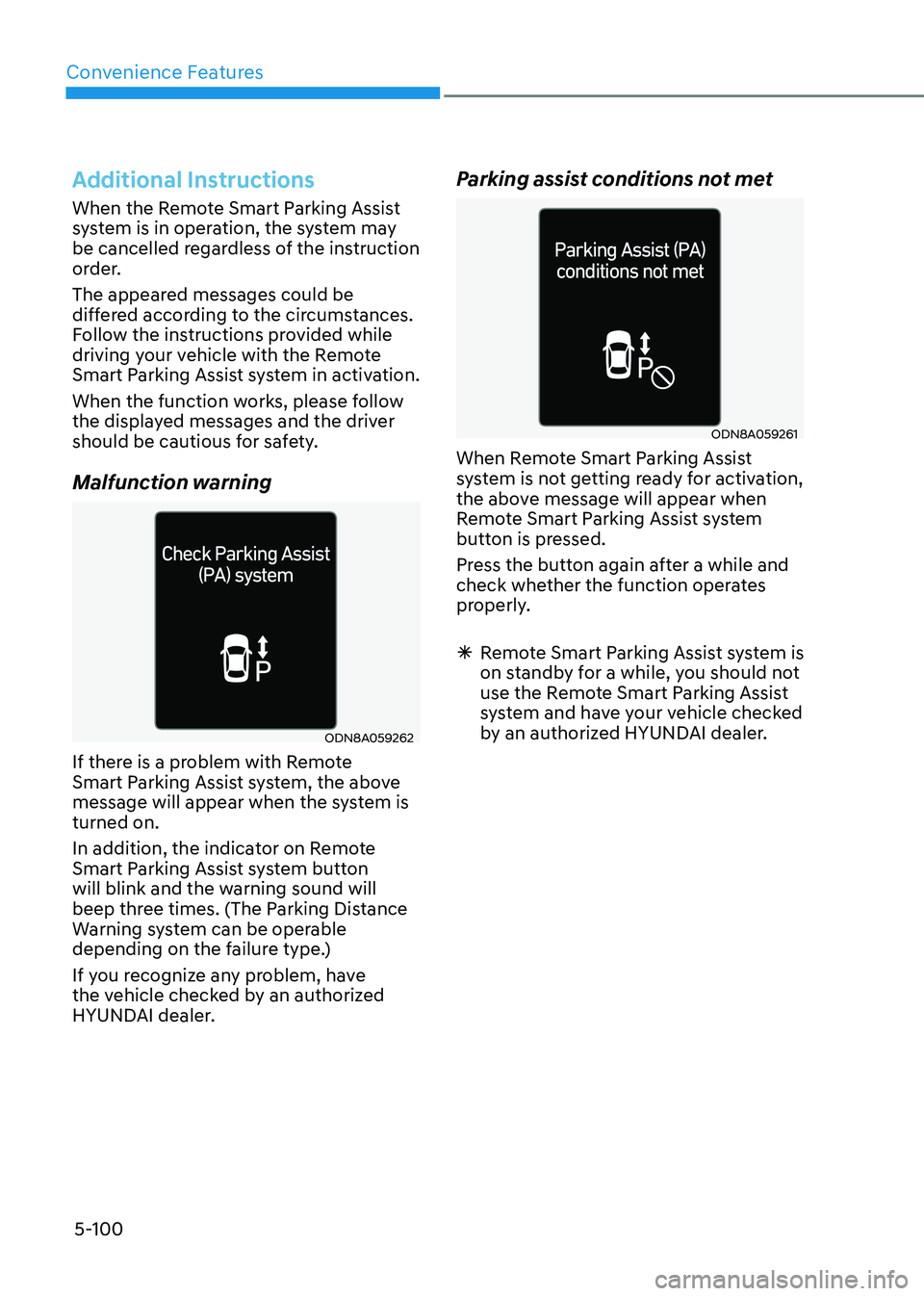
Malfunction warning
ODN8A059262
If there is a problem with Remote
Smart Parking Assist system, the above
message will appear when the system is turned on.
In addition, the indicator on Remote
Smart Parking Assist system button
will blink and the warning sound will
beep three times. (The Parking Distance
Warning system can be operable
depending on the failure type.)
If you recognize any problem, have
the vehicle checked by an authorized
HYUNDAI dealer. Parking assist conditions not met
ODN8A059261
When Remote Smart Parking Assist
system is not getting ready for activation,
the above message will appear when
Remote Smart Parking Assist system
button is pressed.
Press the button again after a while and
check whether the function operates
properly.
à Remote Smart Parking Assist system is
on standby for a while, you should not
use the Remote Smart Parking Assist
system and have your vehicle checked
by an authorized HYUNDAI dealer.
Page 247 of 555
05
5-101
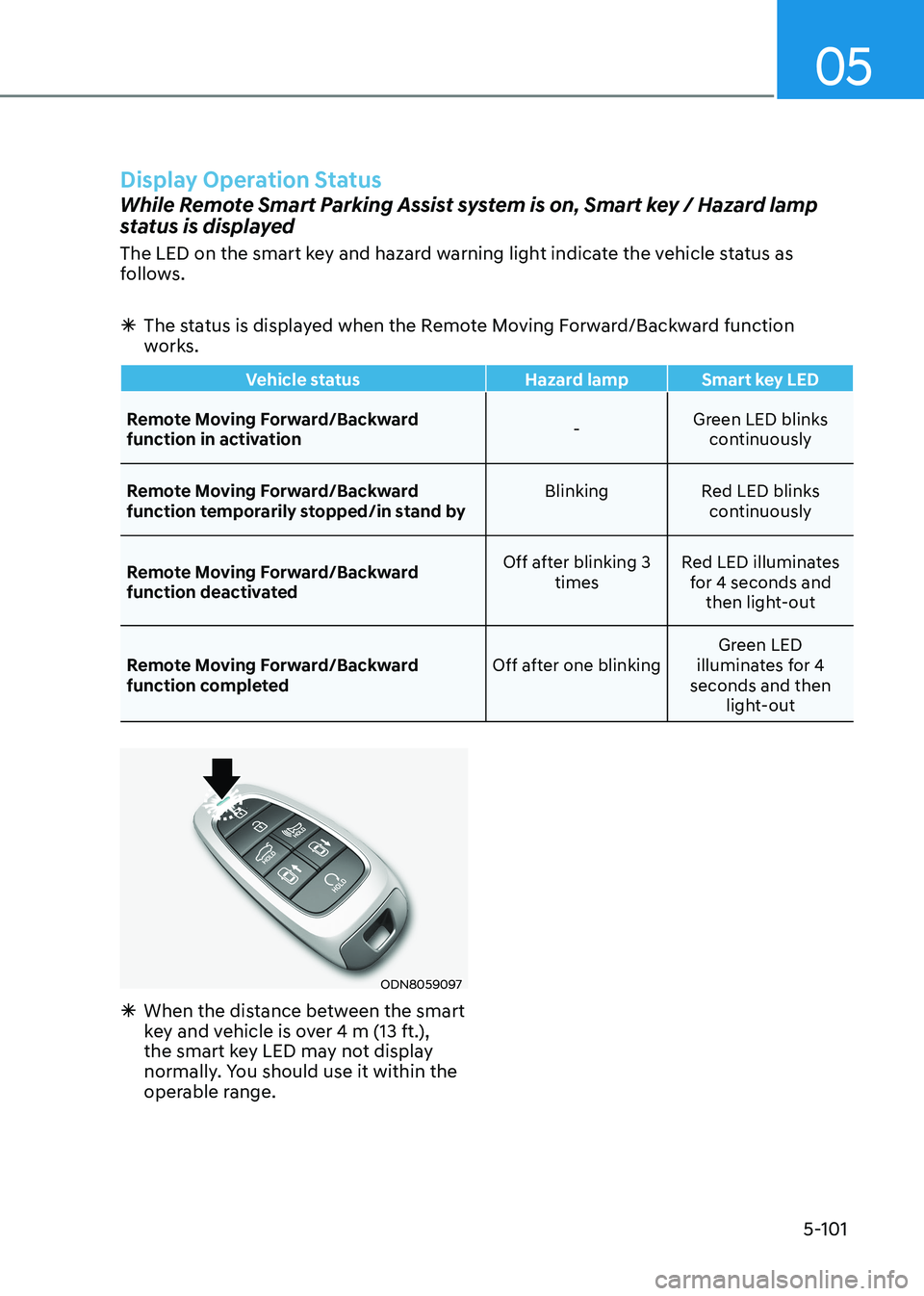
Display Operation Status
While Remote Smart Parking Assist system is on, Smart key / Hazard lamp
status is displayed
The LED on the smart key and hazard warning light indicate the vehicle status as
follows.
à The status is displayed when the Remote Moving Forward/Backward function
works.
Vehicle status Hazard lamp Smart key LED
Remote Moving Forward/Backward
function in activation -Green LED blinks
continuously
Remote Moving Forward/Backward
function temporarily stopped/in stand by Blinking Red LED blinks
continuously
Remote Moving Forward/Backward
function deactivated Off after blinking 3
times Red LED illuminates
for 4 seconds and then light-out
Remote Moving Forward/Backward
function completed Off after one blinkingGreen LED
illuminates for 4
seconds and then light-out
ODN8059097
à When the distance between the smart
key and vehicle is over 4 m (13 ft.),
the smart key LED may not display
normally. You should use it within the
operable range.