lock Hyundai Sonata
[x] Cancel search | Manufacturer: HYUNDAI, Model Year: , Model line: , Model:Pages: 283, PDF Size: 13.5 MB
Page 102 of 283
1FEATURES OF YOUR HYUNDAI88
!
WARNING:
o If a person becomes locked in the trunk,
pull the emergency trunk release lever of
the inside panel in the trunk to open the
trunk lid.
o Keep cars locked and keys out of the
reach of children. HYUNDAI recommends
parents teach children about the emer-
gency trunk release lever in their vehicle
and how to open the trunk lid if they are
accidentally locked in the trunk.
HNF2012-A B540C01Y-AAT
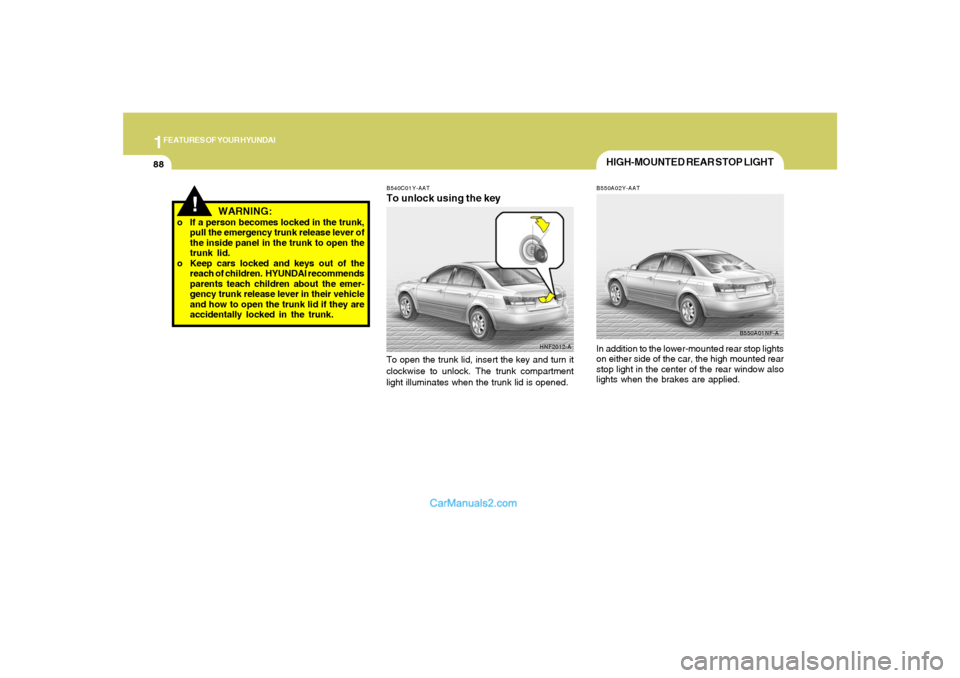
To unlock using the keyTo open the trunk lid, insert the key and turn it
clockwise to unlock. The trunk compartment
light illuminates when the trunk lid is opened.
HIGH-MOUNTED REAR STOP LIGHTB550A02Y-AATIn addition to the lower-mounted rear stop lights
on either side of the car, the high mounted rear
stop light in the center of the rear window also
lights when the brakes are applied.
B550A01NF-A
Page 105 of 283
1
FEATURES OF YOUR HYUNDAI
91
!
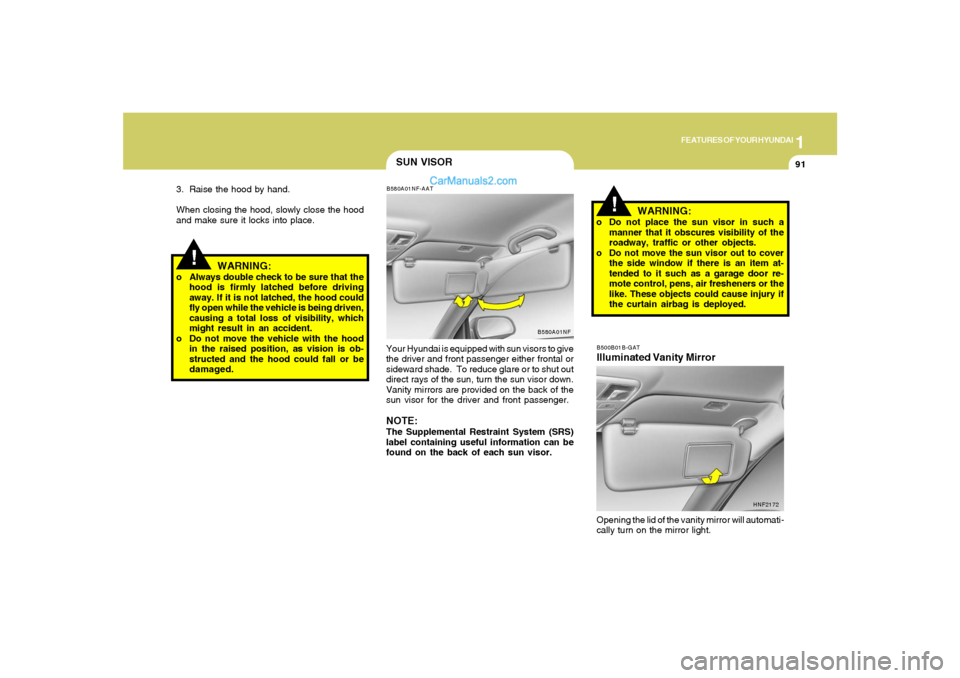
SUN VISORB580A01NF-AATYour Hyundai is equipped with sun visors to give
the driver and front passenger either frontal or
sideward shade. To reduce glare or to shut out
direct rays of the sun, turn the sun visor down.
Vanity mirrors are provided on the back of the
sun visor for the driver and front passenger.NOTE:The Supplemental Restraint System (SRS)
label containing useful information can be
found on the back of each sun visor.
B580A01NF
WARNING:
o Do not place the sun visor in such a
manner that it obscures visibility of the
roadway, traffic or other objects.
o Do not move the sun visor out to cover
the side window if there is an item at-
tended to it such as a garage door re-
mote control, pens, air fresheners or the
like. These objects could cause injury if
the curtain airbag is deployed.
!
3. Raise the hood by hand.
When closing the hood, slowly close the hood
and make sure it locks into place.
WARNING:
o Always double check to be sure that the
hood is firmly latched before driving
away. If it is not latched, the hood could
fly open while the vehicle is being driven,
causing a total loss of visibility, which
might result in an accident.
o Do not move the vehicle with the hood
in the raised position, as vision is ob-
structed and the hood could fall or be
damaged.
B500B01B-GATIlluminated Vanity MirrorOpening the lid of the vanity mirror will automati-
cally turn on the mirror light.
HNF2172
Page 106 of 283
1FEATURES OF YOUR HYUNDAI92
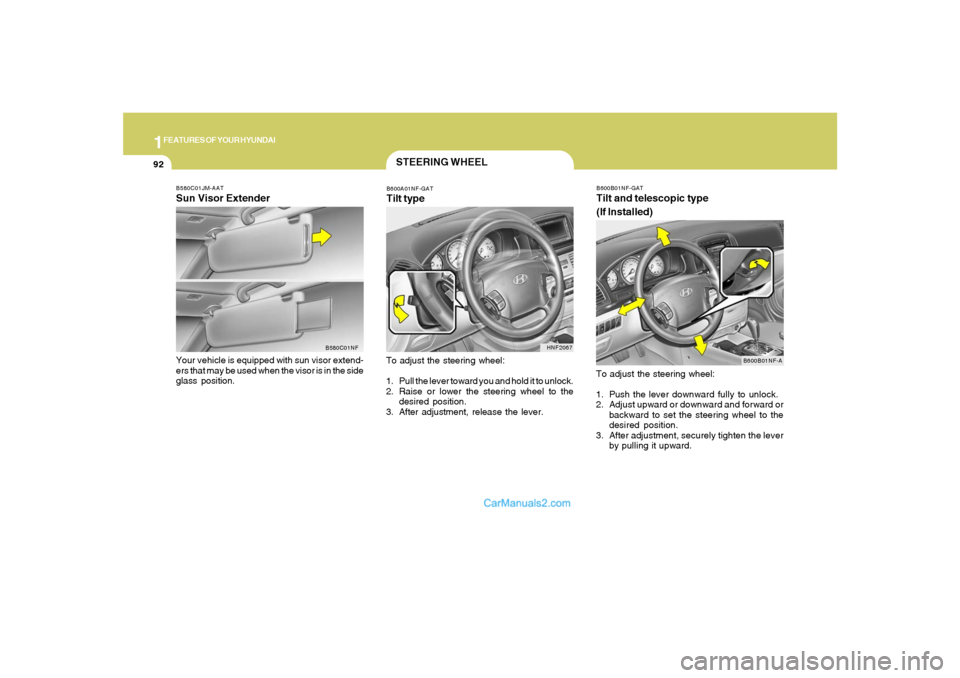
B600B01NF-GATTilt and telescopic type
(If Installed)To adjust the steering wheel:
1. Push the lever downward fully to unlock.
2. Adjust upward or downward and forward or
backward to set the steering wheel to the
desired position.
3. After adjustment, securely tighten the lever
by pulling it upward.
B600B01NF-A B580C01JM-AAT
Sun Visor ExtenderYour vehicle is equipped with sun visor extend-
ers that may be used when the visor is in the side
glass position.
B580C01NF
STEERING WHEELB600A01NF-GATTilt typeTo adjust the steering wheel:
1. Pull the lever toward you and hold it to unlock.
2. Raise or lower the steering wheel to the
desired position.
3. After adjustment, release the lever.
HNF2067
Page 107 of 283
1
FEATURES OF YOUR HYUNDAI
93
FRONT DOOR WARNING
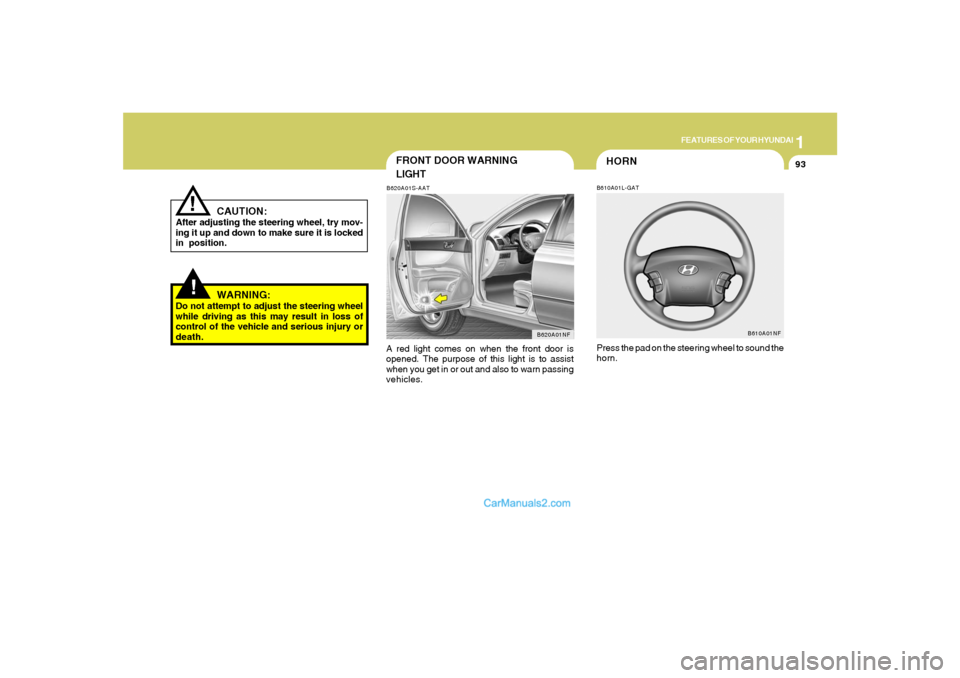
LIGHTB620A01S-AATA red light comes on when the front door is
opened. The purpose of this light is to assist
when you get in or out and also to warn passing
vehicles.
B620A01NF
!
CAUTION:
After adjusting the steering wheel, try mov-
ing it up and down to make sure it is locked
in position.
!
WARNING:
Do not attempt to adjust the steering wheel
while driving as this may result in loss of
control of the vehicle and serious injury or
death.
HORNB610A01L-GATPress the pad on the steering wheel to sound the
horn.
B610A01NF
Page 118 of 283
1FEATURES OF YOUR HYUNDAI
104
VENTILATION
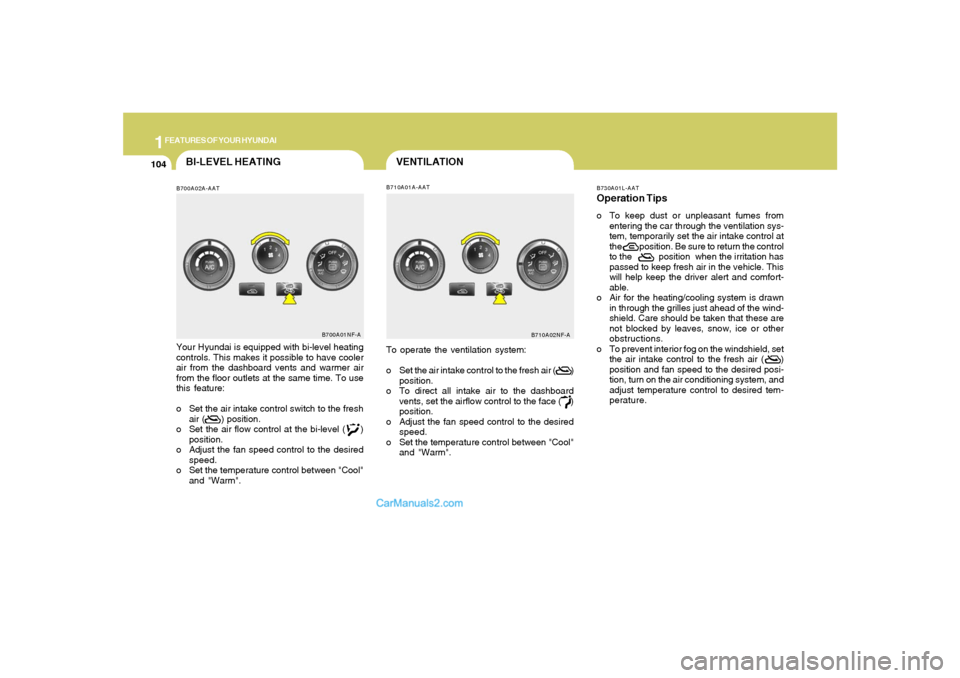
B700A02A-AATBI-LEVEL HEATING
B710A01A-AAT
Your Hyundai is equipped with bi-level heating
controls. This makes it possible to have cooler
air from the dashboard vents and warmer air
from the floor outlets at the same time. To use
this feature:
o Set the air intake control switch to the fresh
air ( ) position.
o Set the air flow control at the bi-level ( )
position.
o Adjust the fan speed control to the desired
speed.
o Set the temperature control between "Cool"
and "Warm".
B700A01NF-A
To operate the ventilation system:
o Set the air intake control to the fresh air ( )
position.
o To direct all intake air to the dashboard
vents, set the airflow control to the face ( )
position.
o Adjust the fan speed control to the desired
speed.
o Set the temperature control between "Cool"
and "Warm".
B710A02NF-AB730A01L-AAT
Operation Tipso To keep dust or unpleasant fumes from
entering the car through the ventilation sys-
tem, temporarily set the air intake control at
the position. Be sure to return the control
to the position when the irritation has
passed to keep fresh air in the vehicle. This
will help keep the driver alert and comfort-
able.
o Air for the heating/cooling system is drawn
in through the grilles just ahead of the wind-
shield. Care should be taken that these are
not blocked by leaves, snow, ice or other
obstructions.
o To prevent interior fog on the windshield, set
the air intake control to the fresh air ( )
position and fan speed to the desired posi-
tion, turn on the air conditioning system, and
adjust temperature control to desired tem-
perature.
Page 123 of 283
1
FEATURES OF YOUR HYUNDAI
109109
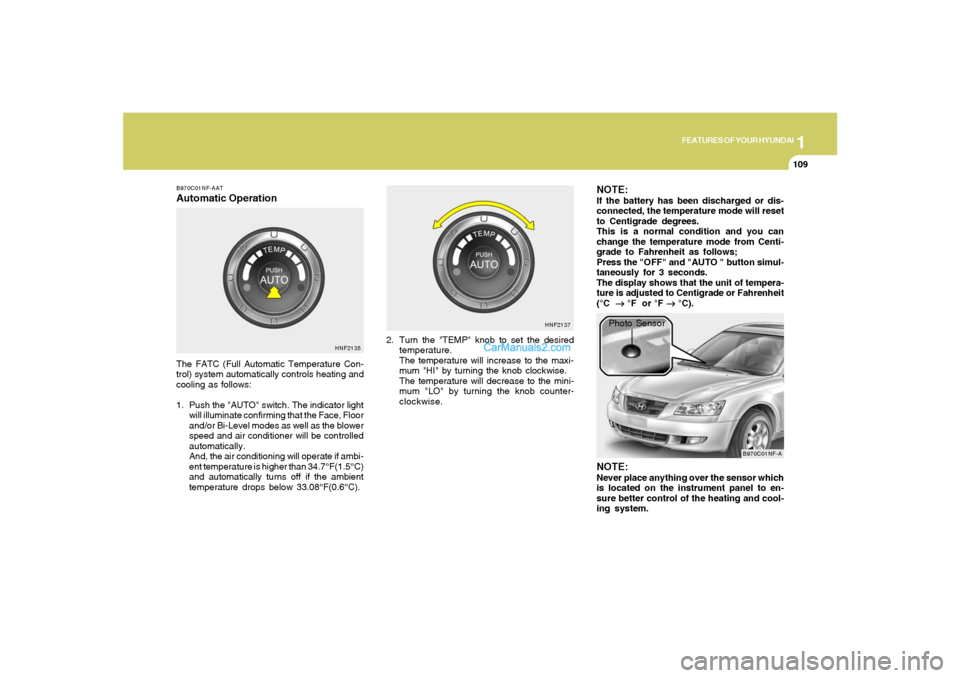
B970C01NF-AATAutomatic OperationThe FATC (Full Automatic Temperature Con-
trol) system automatically controls heating and
cooling as follows:
1. Push the "AUTO" switch. The indicator light
will illuminate confirming that the Face, Floor
and/or Bi-Level modes as well as the blower
speed and air conditioner will be controlled
automatically.
And, the air conditioning will operate if ambi-
ent temperature is higher than 34.7°F(1.5°C)
and automatically turns off if the ambient
temperature drops below 33.08°F(0.6°C).2. Turn the "TEMP" knob to set the desired
temperature.
The temperature will increase to the maxi-
mum "HI" by turning the knob clockwise.
The temperature will decrease to the mini-
mum "LO" by turning the knob counter-
clockwise.
NOTE:If the battery has been discharged or dis-
connected, the temperature mode will reset
to Centigrade degrees.
This is a normal condition and you can
change the temperature mode from Centi-
grade to Fahrenheit as follows;
Press the "OFF" and "AUTO " button simul-
taneously for 3 seconds.
The display shows that the unit of tempera-
ture is adjusted to Centigrade or Fahrenheit
(°C
→ →→ →
→ °F or °F
→ →→ →
→ °C).
HNF2135HNF2137
B970C01NF-A
Photo Sensor
NOTE:Never place anything over the sensor which
is located on the instrument panel to en-
sure better control of the heating and cool-
ing system.
Page 131 of 283
1
FEATURES OF YOUR HYUNDAI
117117
!
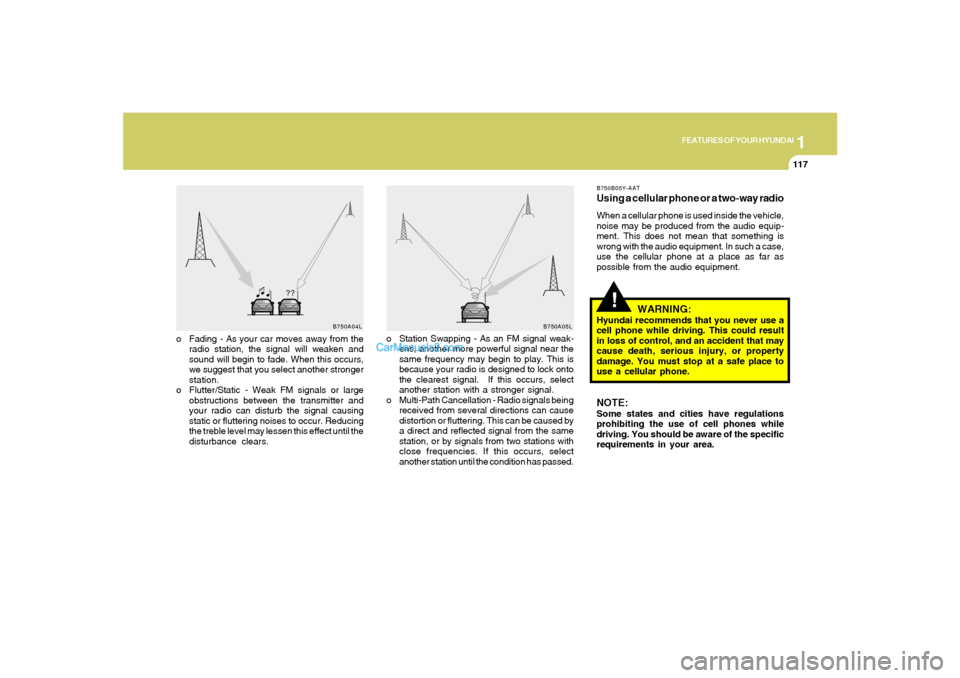
o Fading - As your car moves away from the
radio station, the signal will weaken and
sound will begin to fade. When this occurs,
we suggest that you select another stronger
station.
o Flutter/Static - Weak FM signals or large
obstructions between the transmitter and
your radio can disturb the signal causing
static or fluttering noises to occur. Reducing
the treble level may lessen this effect until the
disturbance clears.o Station Swapping - As an FM signal weak-
ens, another more powerful signal near the
same frequency may begin to play. This is
because your radio is designed to lock onto
the clearest signal. If this occurs, select
another station with a stronger signal.
o Multi-Path Cancellation - Radio signals being
received from several directions can cause
distortion or fluttering. This can be caused by
a direct and reflected signal from the same
station, or by signals from two stations with
close frequencies. If this occurs, select
another station until the condition has passed.
B750B05Y-AATUsing a cellular phone or a two-way radioWhen a cellular phone is used inside the vehicle,
noise may be produced from the audio equip-
ment. This does not mean that something is
wrong with the audio equipment. In such a case,
use the cellular phone at a place as far as
possible from the audio equipment.
WARNING:
Hyundai recommends that you never use a
cell phone while driving. This could result
in loss of control, and an accident that may
cause death, serious injury, or property
damage. You must stop at a safe place to
use a cellular phone.NOTE:Some states and cities have regulations
prohibiting the use of cell phones while
driving. You should be aware of the specific
requirements in your area.
B750A04L
B750A05L
Page 134 of 283
1FEATURES OF YOUR HYUNDAI
120
V480B03NF-AAT1. POWER ON-OFF / VOLUME Control
KnobPress the PUSH PWR Control Knob to turn the
audio system on or off.
Rotate the knob clockwise to increase the
volume and turn the knob counterclockwise to
decrease the volume.
If the volume is set above a certain level and the
ignition is turned off for greater than 15s, the
volume will come back on at a "nominal" listening
level when the ignition switch is turned back on.2. BAND SelectorThe AM/FM select control works in radio and
CD mode.o AM/FM select in radio modeThis control allows you to select AM or FM
frequency bands. Press the AM button to select
AM or the FM button to switch between FM1and
FM2 memory preset stations.o AM/FM select in CD modePress these buttons to stop CD play and begin
radio play.
3. Tune(manual) / Adjustment Mode Se-
lect Knobo Rotate counterclockwise to the next fre-
quency down the band (whether or not a
listenable station is located there).
o Rotate clockwise to move to the next fre-
quency up the band (whether or not a listen-
able station is located there).Adjustment Mode SelectPressing the AUDIO SEL knob will initiate Audio
Mode. Each subsequent press will select the
next adjustment in the following order:
1) EQ select
The EQ select control allows you to select
one of the five EQ modes: OFF, CLASSICAL,
POP, ROCK, and JAZZ by rotating the AUDIO
SEL knob. Radio and CD have independent
EQ settings.
2 ) Bass adjust
The bass adjust control allows you to in-
crease or decrease the audio system's
bass output. Rotate the AUDIO SEL knob to
change the bass setting.
3) Midrange adjust
The midrange adjust control allows you to
increase or decrease the audio system's
midrange output. Rotate the AUDIO SEL
knob to change the midrange setting.4) Treble adjust
The treble adjust control allows you to in-
crease or decrease the audio system's
treble output. Rotate the AUDIO SEL knob to
change the treble setting.
5) Speaker balance adjust
Speaker sound distribution can be adjusted
between the right and left speakers by rotat-
ing the AUDIO SEL knob.
6) Speaker fade adjust
Speaker sound can be adjusted between the
front and rear speakers by rotating the
AUDIO SEL knob.
4. SEEK Operation
(Automatic Channel Selection)o Press (down arrow) to find the next
listenable station down the frequency band.
SEEK DOWN will display.
o Press (up arrow) to find the next listenable
station up the frequency band. SEEK UP will
display.5. SCAN ButtonPress the SCAN button to hear a brief sampling
of all listenable stations on the frequency band.
Press the SCAN button again to stop the scan
mode.
Page 141 of 283
1
FEATURES OF YOUR HYUNDAI
127
V490B03NF-AAT1. POWER ON-OFF / VOLUME Control
KnobPress the PUSH PWR Control Knob to turn the
audio system on or off.
Rotate the knob clockwise to increase the
volume and turn the knob counterclockwise to
decrease the volume.
If the volume is set above a certain level and the
ignition is turned off for greater than 15 s, the
volume will come back on at a "nominal" listening
level when the ignition switch is turned back on.2. BAND SelectorThe AM/FM select control works in radio and
CD modes.o AM/FM select in radio modeThis control allows you to select AM or FM
frequency bands. Press the AM button to select
AM or the FM button to switch between FM1and
FM2 memory preset stations.o AM/FM select in CD modePress these buttons to stop CD play and begin
radio play.
3. Tune(manual) / Adjustment Mode Se-
lect Knobo Rotate counterclockwise to the next fre-
quency down the band (whether or not a
listenable station is located there).
o Rotate clockwise to move to the next fre-
quency up the band (whether or not a listen-
able station is located there).Adjustment Mode SelectPressing the AUDIO SEL knob will initiate Audio
Mode. Each subsequent press will select the
next adjustment in the following order:
1) EQ select
The EQ select control allows you to select
one of the five EQ modes: OFF, CLASSICAL,
POP, ROCK, and JAZZ by rotating the AUDIO
SEL knob. Radio and CD have independent
EQ settings.
2) Bass adjust
The bass adjust control allows you to in-
crease or decrease the audio system's
bass output. Rotate the AUDIO SEL knob to
change the bass setting.
3) Midrange adjust
The midrange adjust control allows you to
increase or decrease the audio system's
midrange output. Rotate the AUDIO SEL
knob to change the midrange setting.4) Treble adjust
The treble adjust control allows you to in-
crease or decrease the audio system's
treble output. Rotate the AUDIO SEL knob to
change the treble setting.
5) Speaker balance adjust
Speaker sound distribution can be adjusted
between the right and left speakers by rotat-
ing the AUDIO SEL knob.
6) Speaker fade adjust
Speaker sound can be adjusted between
the front and rear speakers by rotating the
AUDIO SEL knob.
4. SEEK Operation
(Automatic Channel Selection)o Press (down arrow) to find the next
listenable station down the frequency band.
SEEK DOWN will display.
o Press (up arrow) to find the next listenable
station up the frequency band. SEEK UP will
display.5. SCAN ButtonPress the SCAN button to hear a brief sampling
of all listenable stations on the frequency band.
Press the SCAN button again to stop the scan
mode.
Page 149 of 283
1
FEATURES OF YOUR HYUNDAI
135
V480F01NF-AAT1. XM Band SelectThis control allows you to select XM bands.
Press the button to enter XM from any other
mode. Press the button to select between XM1,
XM2 and XM3.2. Seek Operationo Press ( down arrow) to find the next
valid station down the XM band. The display
will cycle once through the Channel, Title,
Name and Category for the selected channel
o Press ( up arrow) to find the next
valid station up the XM band. The display will
cycle once through the Channel, Title, Name
and Category for the selected channel.
o Press and hold either the down arrow or up
arrow to tune down or up at a fast rate. The
display will show the Channel Name and Num-
ber while tuning at the fast rate.3. Tune/Enter-Select KnobRotate clockwise or counterclockwise to pre-
view the channel names and numbers above or
below the currently tuned station. Press the
knob to select the currently previewed channel.
4. Scan Button1) Channel Scan
Press the SCAN button to hear a brief sampling
of all valid stations on the XM band. Press the
SCAN button again to stop the scan mode.
2) Preset Scan
Press and hold the SCAN button to hear a brief
sampling of the stations stored in the current XM
band presets. Press the SCAN button again to
stop the scan mode.5. Preset Station Select ButtonsThe radio is equipped with six preset station
memory controls. These buttons can be used to
select up to 18 preset XM stations (six in XM1,
six in XM2, six in XM3).Setting memory preset stationso Select the XM band with the XM selector.
Press the XM selector to toggle between
XM1, XM2, or XM3.
o Select a station using the seek or tune
operations.
o Press and hold a memory preset control. You
will hear a beep and the station is held in
memory on the control you selected.
6. Category SelectPress the Category Select Buttons to select
stations based on Categories.
Press the CAT (up arow) or CAT (down
arrow) to scroll through the list of categories.
Use the Select Knob, Seek Up/Down arrows, or
SCAN button while the category name is dis-
played to select, seek, or scan within that
category.7. Info ButtonThe Info Button is used to temporarily display
information associated with the current station.
Press the Info to select between the Title, Name
and Category information for the current sta-
tion.8. Radio IDSeek or Tune to XM channel 0 to display the
Radio ID.