steering Hyundai Sonata
[x] Cancel search | Manufacturer: HYUNDAI, Model Year: , Model line: , Model:Pages: 276, PDF Size: 12.9 MB
Page 106 of 276
1FEATURES OF YOUR HYUNDAI92
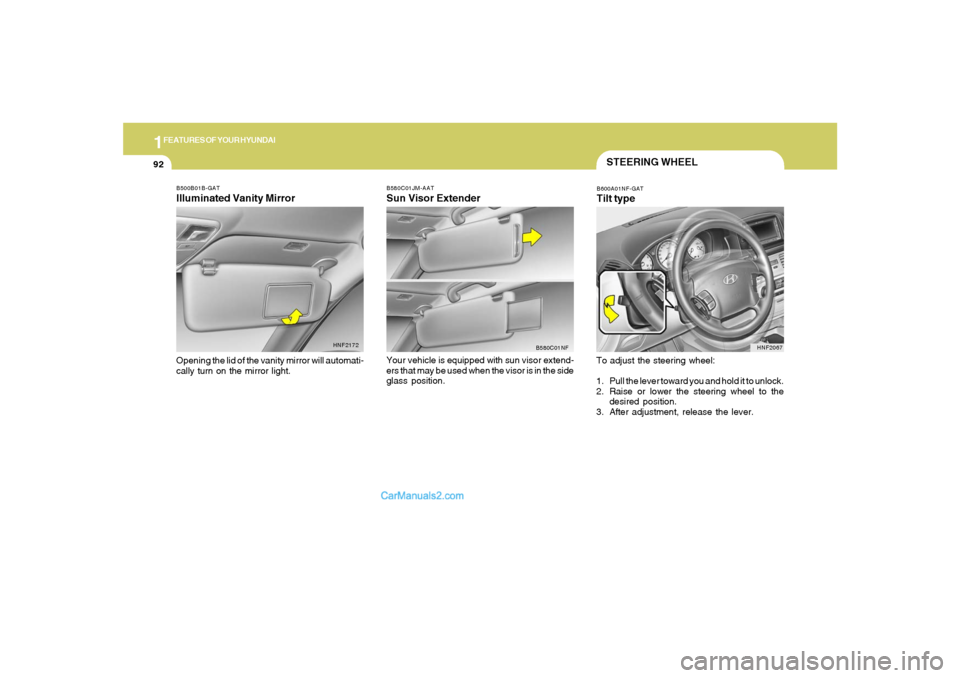
B500B01B-GATIlluminated Vanity MirrorOpening the lid of the vanity mirror will automati-
cally turn on the mirror light.
HNF2172B580C01JM-AAT
Sun Visor ExtenderYour vehicle is equipped with sun visor extend-
ers that may be used when the visor is in the side
glass position.
B580C01NF
STEERING WHEELB600A01NF-GATTilt typeTo adjust the steering wheel:
1. Pull the lever toward you and hold it to unlock.
2. Raise or lower the steering wheel to the
desired position.
3. After adjustment, release the lever.
HNF2067
Page 107 of 276
1
FEATURES OF YOUR HYUNDAI
93
FRONT DOOR WARNING
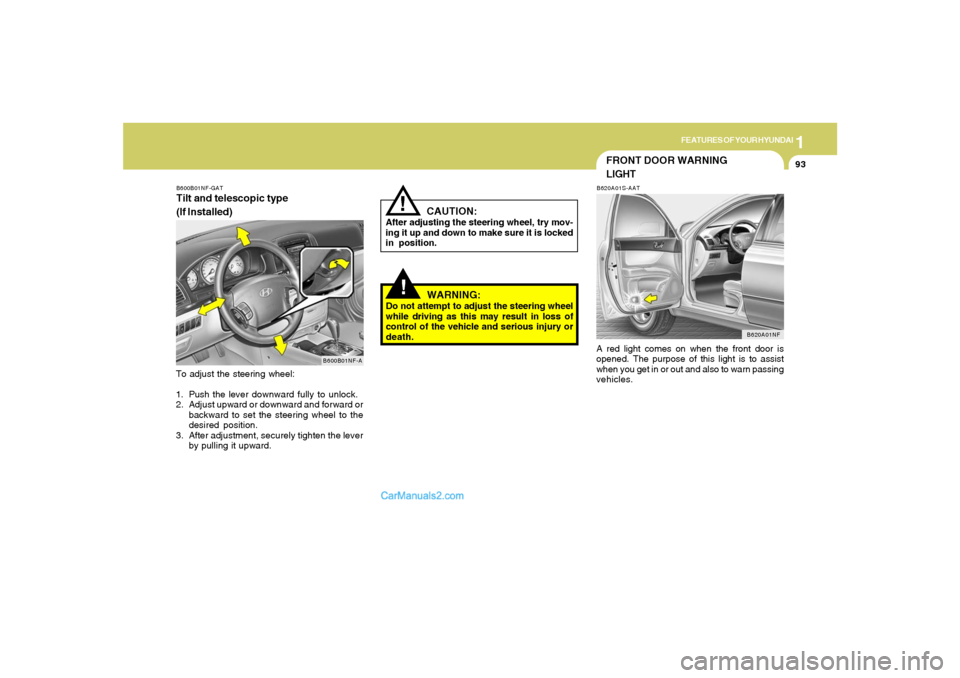
LIGHTB620A01S-AATA red light comes on when the front door is
opened. The purpose of this light is to assist
when you get in or out and also to warn passing
vehicles.
B620A01NF
!
CAUTION:
After adjusting the steering wheel, try mov-
ing it up and down to make sure it is locked
in position.
!
WARNING:
Do not attempt to adjust the steering wheel
while driving as this may result in loss of
control of the vehicle and serious injury or
death.
B600B01NF-GATTilt and telescopic type
(If Installed)To adjust the steering wheel:
1. Push the lever downward fully to unlock.
2. Adjust upward or downward and forward or
backward to set the steering wheel to the
desired position.
3. After adjustment, securely tighten the lever
by pulling it upward.
B600B01NF-A
Page 108 of 276
1FEATURES OF YOUR HYUNDAI94
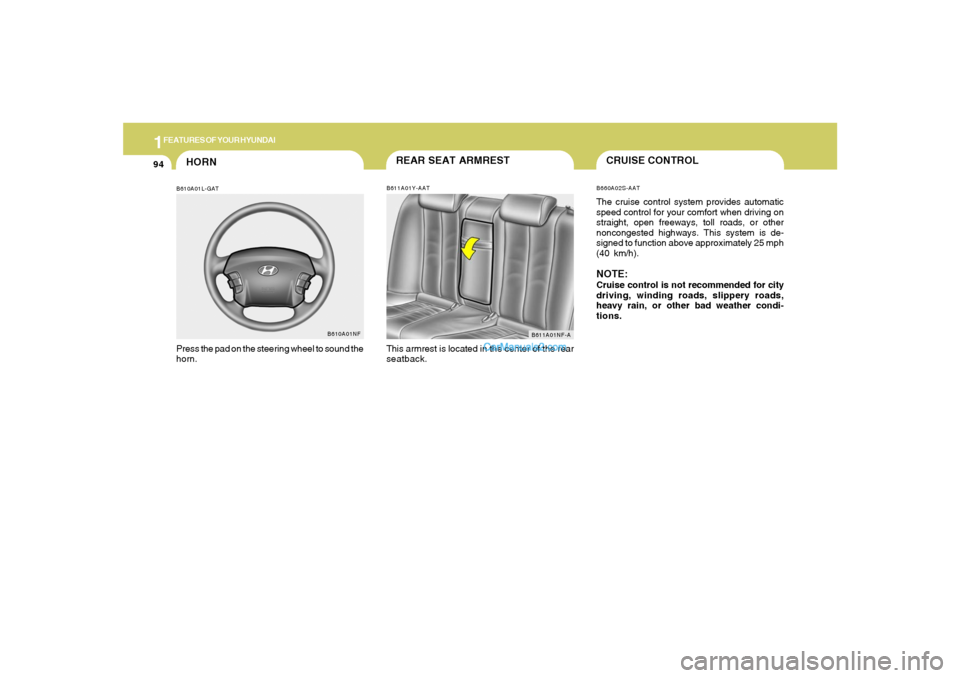
HORNB610A01L-GATPress the pad on the steering wheel to sound the
horn.
B610A01NF
REAR SEAT ARMRESTB611A01Y-AATThis armrest is located in the center of the rear
seatback.
B611A01NF-A
CRUISE CONTROLB660A02S-AATThe cruise control system provides automatic
speed control for your comfort when driving on
straight, open freeways, toll roads, or other
noncongested highways. This system is de-
signed to function above approximately 25 mph
(40 km/h).NOTE:Cruise control is not recommended for city
driving, winding roads, slippery roads,
heavy rain, or other bad weather condi-
tions.
Page 151 of 276
2
DRIVING YOUR HYUNDAI
4
NOTE:Do not hold the key in the "START" position
for more than 15 seconds.o "ON"When the key is in the "ON" position, the ignition
is on and all accessories may be turned on. If
the engine is not running, the key should not be
left in the "ON" position. This will discharge the
battery and may also damage the ignition sys-
tem.o "ACC"With the key in the "ACC" position, some elec-
trical accessories (radio, etc.) may be oper-
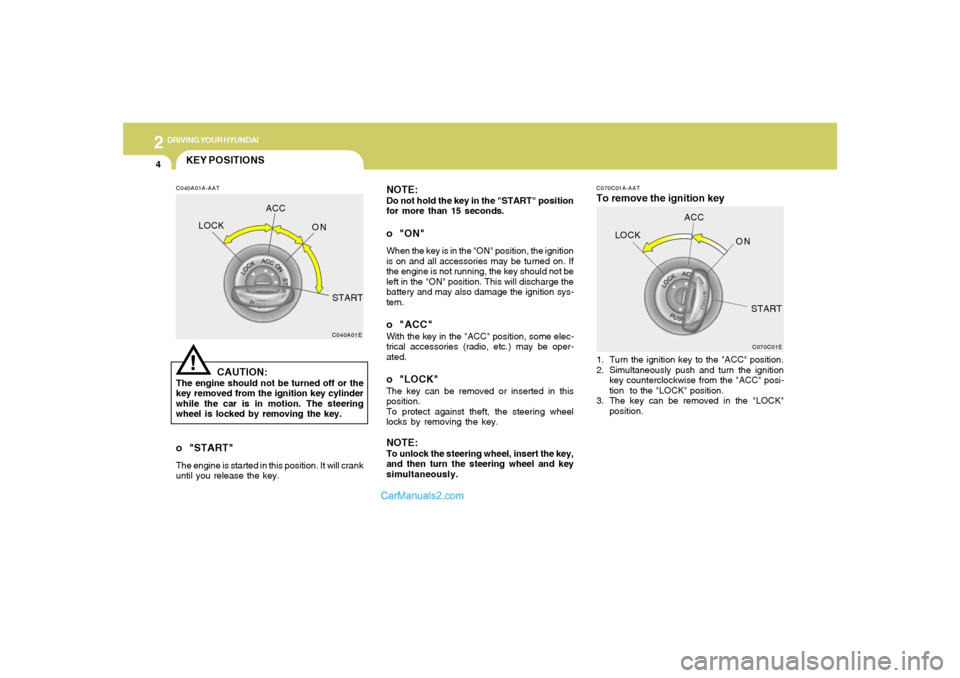
ated.o "LOCK"The key can be removed or inserted in this
position.
To protect against theft, the steering wheel
locks by removing the key.NOTE:To unlock the steering wheel, insert the key,
and then turn the steering wheel and key
simultaneously.
C070C01A-AATTo remove the ignition key1. Turn the ignition key to the "ACC" position.
2. Simultaneously push and turn the ignition
key counterclockwise from the "ACC" posi-
tion to the "LOCK" position.
3. The key can be removed in the "LOCK"
position.
C070C01E
LOCKACC
ON
START
KEY POSITIONSC040A01A-AAT
CAUTION:
The engine should not be turned off or the
key removed from the ignition key cylinder
while the car is in motion. The steering
wheel is locked by removing the key.
C040A01E
LOCKACC
ON
START!
o "START"The engine is started in this position. It will crank
until you release the key.
Page 154 of 276
2
DRIVING YOUR HYUNDAI
7
!
C070B02A-AATUsing the ClutchThe clutch should be pressed all the way to the
floor before shifting, then released slowly. The
clutch pedal should always be fully released
while driving. Do not rest your foot on the clutch
pedal while driving. This can cause unneces-
sary wear. Do not partially engage the clutch to
hold the car on an incline. This causes unnec-
essary wear. Use the foot brake or parking
brake to hold the car on an incline. Do not
operate the clutch pedal rapidly and repeatedly.
WARNING:
o Always buckle-up! In a collision, an
unbelted occupant is significantly more
likely to be seriously injured or killed
than a properly belted occupant.
o Avoid high speeds when cornering or
turning.
o Do not make quick steering wheel move-
ments, such as sharp lane changes or
fast, sharp turns.
o The risk of rollover is greatly increased if
you lose control of your vehicle at high-
way speeds.
o Loss of control often occurs if two or
more wheels drop off the roadway and
the driver oversteers to reenter the road-
way.
o In the event your vehicle leaves the road-
way, do not steer sharply. Instead, slow
down before pulling back into the travel
lanes.
o Never exceed posted speed limits.
C070D03O-AATGood Driving Practiceso Never take the car out of gear and coast
down a hill. This is extremely hazardous.
Always leave the car in gear.
o Don't "ride" the brakes. This can cause them
to overheat and malfunction. Instead, when
you are driving down a long hill, slow down
and shift to a lower gear. When you do this,
engine braking will help slow the car.
o Slow down before shifting to a lower gear.
This will help avoid over-revving the engine,
which can cause damage.
o Slow down when you encounter cross winds.
This gives you much better control of your
car.
o Be sure the car is completely stopped before
you attempt to shift into reverse. The
transaxle can be damaged if you do not. To
shift into reverse, depress the clutch, move
the shift lever to neutral, wait three seconds,
then shift to the reverse position.
o Exercise extreme caution when driving on a
slippery surface. Be especially careful when
braking, accelerating or shifting gears. On a
slippery surface, an abrupt change in ve-
hicle speed can cause the drive wheels to
lose traction and the vehicle to go out of
control.
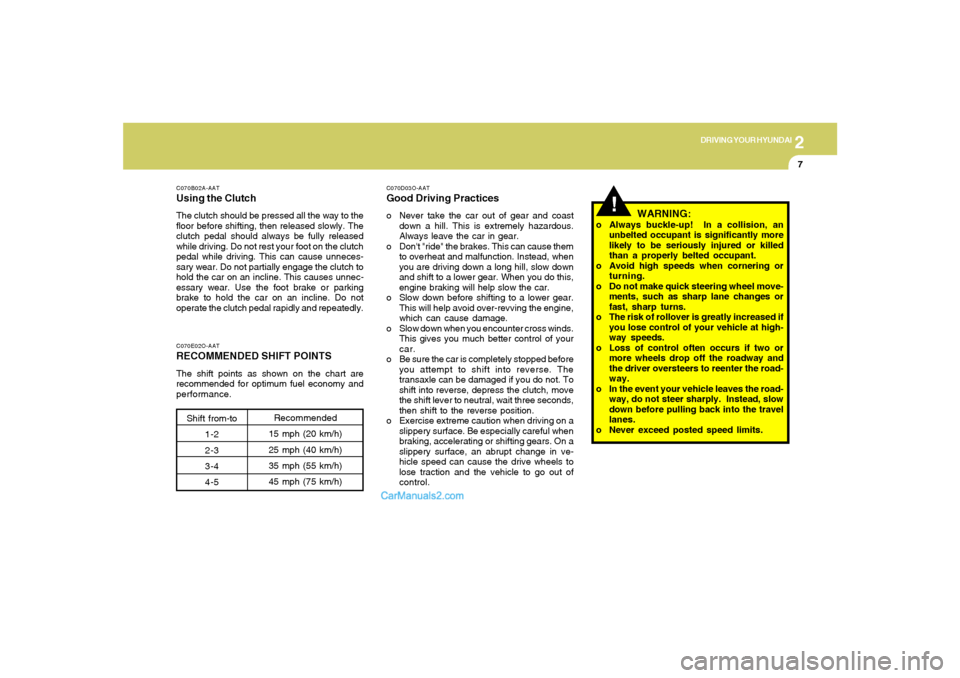
C070E02O-AATRECOMMENDED SHIFT POINTSThe shift points as shown on the chart are
recommended for optimum fuel economy and
performance.
Shift from-to
1-2
2-3
3-4
4-5Recommended
15 mph (20 km/h)
25 mph (40 km/h)
35 mph (55 km/h)
45 mph (75 km/h)
Page 158 of 276
2
DRIVING YOUR HYUNDAI
11
!
C090N05O-AATGood Driving Practiceso Never move the gear selector lever from "P"
or "N" to any other position with the accelera-
tor pedal depressed.
o Never move the gear selector lever into "P"
when the vehicle is in motion.
o Be sure the car is completely stopped before
you attempt to shift into "R".
o Never take the car out of gear and coast
down a hill. This may be extremely hazard-
ous. Always leave the car in gear when
moving.
o Do not "ride" the brakes. This can cause
them to overheat and malfunction. Instead,
when you are driving down a long hill, slow
down and shift to a lower gear. When you do
this, engine braking will help slow the car.
o Slow down before shifting to a lower gear.
Otherwise, the lower gear may not be en-
gaged.
o Always use the parking brake. Do not de-
pend on placing the transaxle in "P" to keep
the car from moving.
o Exercise extreme caution when driving on a
slippery surface. Be especially careful when
braking, accelerating or shifting gears. On a
slippery surface, an abrupt change in vehicle
speed can cause the drive wheels to lose
traction and the vehicle to go out of control.
o Optimum vehicle performance and economy
is obtained by smoothly depressing and
releasing the accelerator pedal.
WARNING:
o Always buckle-up! In a collision, an
unbelted occupant is significantly more
likely to be seriously injured or killed
than a properly belted occupant.
o Avoid high speeds when cornering or
turning.
o Do not make quick steering wheel move-
ments, such as sharp lane changes or
fast, sharp turns.
o The risk of rollover is greatly increased if
you lose control of your vehicle at high-
way speeds.
o Loss of control often occurs if two or
more wheels drop off the roadway and
the driver oversteers to reenter the road-
way.
o In the event your vehicle leaves the road-
way, do not steer sharply. Instead, slow
down before pulling back into the travel
lanes.
o Never exceed posted speed limits.
CAUTION:
If your vehicle becomes stuck in snow,
mud, sand, etc., then you may attempt to
rock the vehicle free by moving it forward
and backward. Do not attempt this proce-
dure if people or objects are anywhere near
the vehicle. During the rocking operation
the vehicle may suddenly move forward of
backward as it becomes unstuck, causing
injury or damage to nearby people or ob-
jects.
!
Page 159 of 276
2
DRIVING YOUR HYUNDAI
12
!
ANTI-LOCK BRAKE SYSTEM (ABS)C120A01NF-AATThe Anti-Lock Brake System (ABS) is designed
to prevent wheel lock-up during sudden braking
or on hazardous road surfaces. The ABS con-
trol module monitors the wheel speed and con-
trols the pressure applied to each brake. Thus,
in emergency situations or on slick roads, ABS
will increase vehicle control during braking.NOTE:o A click sound may be heard in the engine
compartment when the vehicle begins
to move after the engine is started. These
conditions are normal and indicate that
the anti-lock brake system (Electronic
Stability Control) is functioning prop-
erly.
o During ABS (ESC) operation, a pulsation
may be felt in the brake pedal when the
brakes are applied. Also, a noise may be
heard in the engine compartment while
braking. These conditions are normal
and indicate that the anti-lock brake
system (Electronic Stability Control Sys-
tem) is functioning properly.
Setting the driver's position1) Be sure the parking brake is engaged.
2) Move the accelerator and brake pedals to
the front most position by pushing the " "
portion of the switch.
3) Adjust the seat position and the steering
wheel angle properly.
4) Move the pedals toward you until you can
fully depress the brake pedal by pushing the
" " portion of the switch.
5) Depress the pedals a few times to get used
to the feel after adjusting.
WARNING:
o Adjust the pedals after parking the ve-
hicle on level ground. Never attempt to
adjust the pedals while the vehicle is
moving.
o Never adjust the pedals with your foot
on the accelerator pedal as this may
result in increasing the engine speed
and acceleration.
o Make sure that you can fully depress the
brake pedal before driving. Otherwise,
you may not be able to hold down the
brake pedal firmly in an emergency stop.
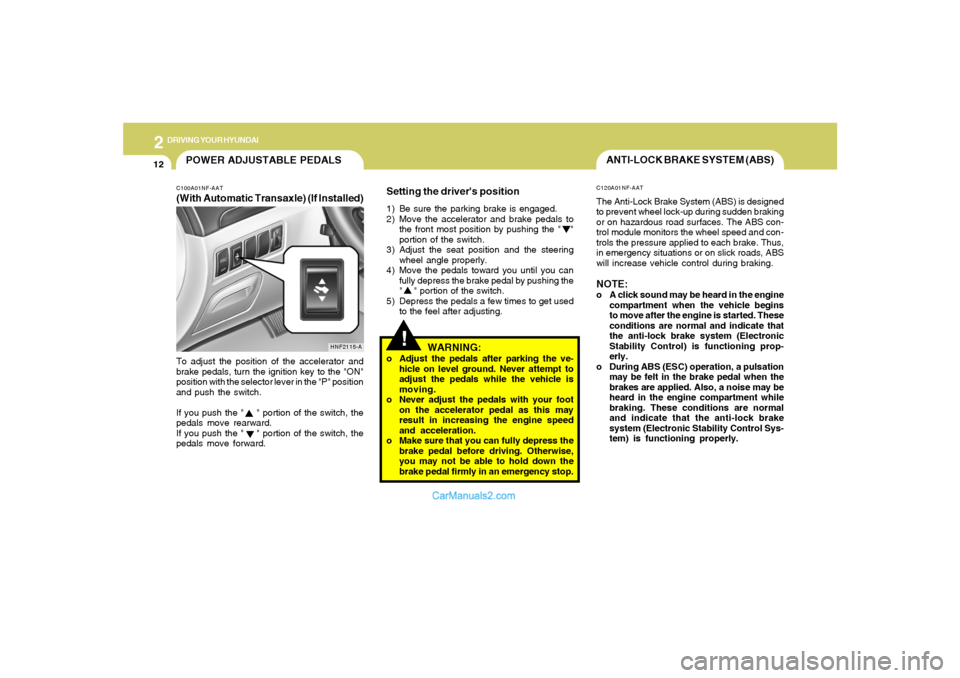
POWER ADJUSTABLE PEDALSC100A01NF-AAT(With Automatic Transaxle) (If Installed)To adjust the position of the accelerator and
brake pedals, turn the ignition key to the "ON"
position with the selector lever in the "P" position
and push the switch.
If you push the " " portion of the switch, the
pedals move rearward.
If you push the " " portion of the switch, the
pedals move forward.
HNF2115-A
Page 160 of 276
2
DRIVING YOUR HYUNDAI
13
!
!
WARNING:
ABS (ESC) will not prevent accidents due to
improper or dangerous driving maneuvers.
Even though vehicle control is improved
during emergency braking, always main-
tain a safe distance between you and ob-
jects ahead. Vehicle speeds should always
be reduced during extreme road condi-
tions.
The braking distance for cars equipped
with an anti-lock braking system (Elec-
tronic Stability Control System) may be
longer than for those without it in the
following road conditions.
During these conditions the vehicle should
be driven at reduced speeds:
o Rough, gravel or snow-covered roads.
o With tire chains installed.
o On roads where the road surface is pit-
ted or has different surface height.
The safety features of an ABS (ESC)
equipped vehicle should not be tested by
high speed driving or cornering. This could
endanger the safety of yourself or others.
ELECTRONIC STABILITY CONTROL
(ESC) SYSTEMC310A02NF-AAT
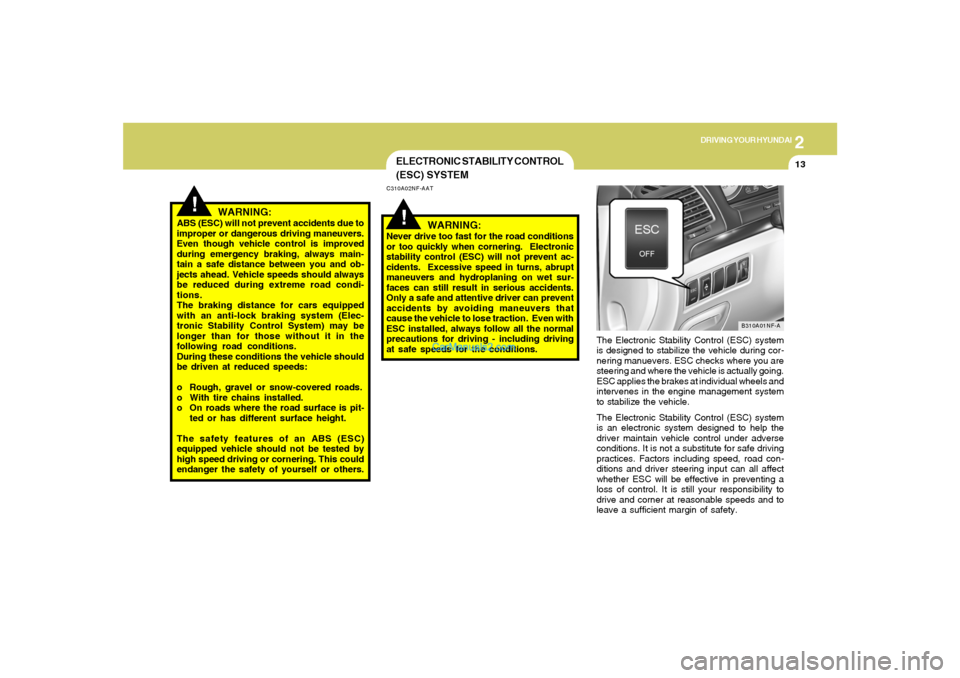
The Electronic Stability Control (ESC) system
is designed to stabilize the vehicle during cor-
nering manuevers. ESC checks where you are
steering and where the vehicle is actually going.
ESC applies the brakes at individual wheels and
intervenes in the engine management system
to stabilize the vehicle.
The Electronic Stability Control (ESC) system
is an electronic system designed to help the
driver maintain vehicle control under adverse
conditions. It is not a substitute for safe driving
practices. Factors including speed, road con-
ditions and driver steering input can all affect
whether ESC will be effective in preventing a
loss of control. It is still your responsibility to
drive and corner at reasonable speeds and to
leave a sufficient margin of safety.
B310A01NF-A
WARNING:
Never drive too fast for the road conditions
or too quickly when cornering. Electronic
stability control (ESC) will not prevent ac-
cidents. Excessive speed in turns, abrupt
maneuvers and hydroplaning on wet sur-
faces can still result in serious accidents.
Only a safe and attentive driver can prevent
accidents by avoiding maneuvers that
cause the vehicle to lose traction. Even with
ESC installed, always follow all the normal
precautions for driving - including driving
at safe speeds for the conditions.
Page 165 of 276
2
DRIVING YOUR HYUNDAI
18
C160J01A-AATDon't Let Ice and Snow Accumulate
UnderneathUnder some conditions, snow and ice can build
up under the fenders and interfere with the
steering. When driving in severe winter condi-
tions where this may happen, you should peri-
odically check underneath the car to be sure the
movement of the front wheels and the steering
components is not obstructed.C160I01A-AATDon't Let Your Parking Brake FreezeUnder some conditions your parking brake can
freeze in the engaged position. This is most
likely to happen when there is an accumulation
of snow or ice around or near the rear brakes
or if the brakes are wet. If there is a risk the
parking brake may freeze, apply it only tempo-
rarily while you put the gear selector lever in "P"
(automatic) or in first or reverse gear (manual
transaxle) and block the rear wheels so the car
cannot roll. Then release the parking brake.
C160H02A-AATUse Approved Window Washer Anti-
Freeze in SystemTo keep the water in the window washer system
from freezing, add an approved window washer
anti-freeze solution in accordance with instruc-
tions on the container. Window washer anti-
freeze is available from Hyundai dealers and
most auto parts outlets. Do not use engine
coolant or other types of anti-freeze as these
may damage the paint finish.C160G01A-AATTo Keep Locks from FreezingTo keep the locks from freezing, squirt an
approved de-icer fluid or glycerine into the key
opening. If a lock is covered with ice, squirt it with
an approved de-icing fluid to remove the ice. If
the lock is frozen internally, you may be able to
thaw it out by using a heated key. Handle the
heated key with care to avoid injury.
C160F01A-AATCheck Spark Plugs and Ignition
SystemInspect your spark plugs as described in Sec-
tion 6 and replace them if necessary. Also
check all ignition wiring and components to be
sure they are not cracked, worn or damaged in
any way.C160E01A-AATChange to "Winter Weight" Oil if
NecessaryIn some climates it is recommended that a lower
viscosity "winter weight" oil be used during cold
weather. See Section 9 for recommendations.
If you aren't sure what weight oil you should use,
consult your Hyundai dealer.
Page 169 of 276
2
DRIVING YOUR HYUNDAI
22
C190F01Y-GATTrailer or Vehicle Towing Tips1. Before towing, check hitch and safety chain
connections as well as proper operation of
the trailer running lights, brake lights, and
turn signals.
2. Always drive your vehicle at a moderate
speed. (Less than 60 mph)
3. Trailer towing requires more fuel than normal
conditions.
4. To maintain engine braking efficiency and
electrical charging performance, do not tow
a trailer with the transaxle in fifth gear (manual
transaxle).
5. Always secure items in the trailer to prevent
load shift while driving.
6. Check the condition and air pressure of all
tires on the trailer and your car. Low tire
pressure can seriously affect the handling.
Also check the spare tire.
7. The vehicle/trailer combination is more af-
fected by crosswind and buffeting.
When being passed by a large vehicle, keep
a constant speed and steer straight ahead.
If there is too much wind buffeting, slow down
to get out of the other vehicle's air turbulence.
!
lbs(kg)
!
Tongue
200 (90)
- With3.3L
Brake 2.4L
Without BrakeMaximum Towable Weight
Trailer
2000 (900)
1500 (675)
1000 (450)
CAUTION:
The following specifications are recom-
mended when towing a trailer. The loaded
trailer weight cannot safely exceed the val-
ues in the chart below.
WARNING:
o Improperly loading your vehicle and
trailer can seriously affect its steering
and braking performance causing a
crash which could cause serious injury
or death.
o Towing a trailer affects vehicle handling
and braking.
o Drive more slowly when towing a trailer
and allow more distance when braking.
o Be careful when driving in slippery and
windy conditions.
o Be careful when turning and while driv-
ing up and down hills. 3. The front or rear axle weight must not
exceed the Gross Axle Weight Rating
(GAWR) shown on the vehicle identifi-
cation plate (see page 8-2). It is possible
that your towing package does not ex-
ceed the GVWR but exceeds the GAWR.
Improper trailer loading and/or too much
luggage in the trunk can overload the
rear axle. Redistribute the load and check
the axle weight again.