ignition Hyundai Sonata
[x] Cancel search | Manufacturer: HYUNDAI, Model Year: , Model line: , Model:Pages: 271, PDF Size: 12.44 MB
Page 70 of 271
1
FEATURES OF YOUR HYUNDAI
57
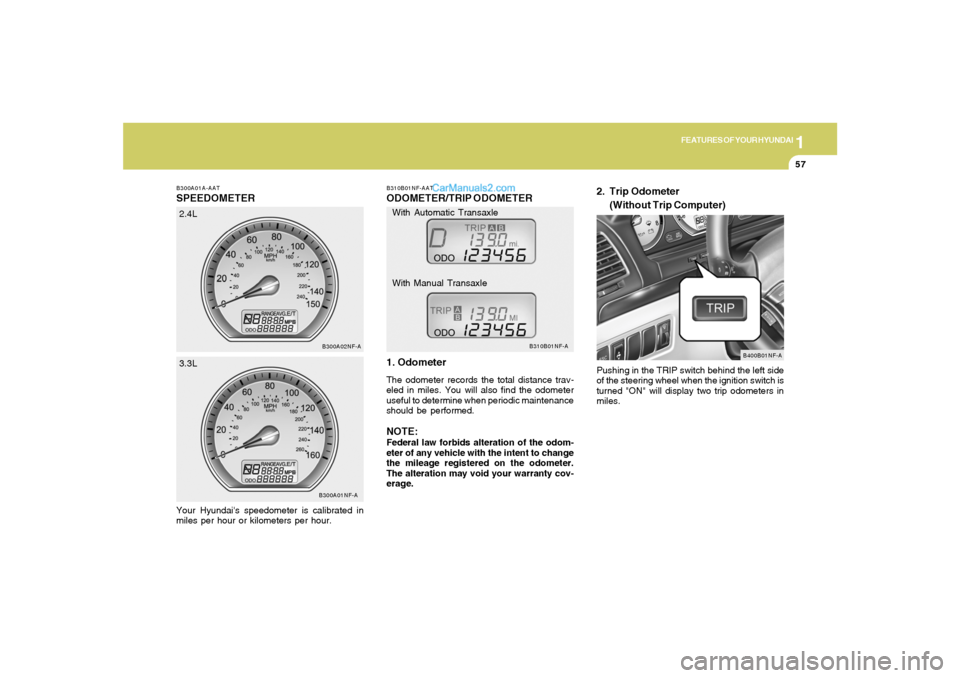
B300A01A-AATSPEEDOMETERYour Hyundai's speedometer is calibrated in
miles per hour or kilometers per hour.
B300A01NF-AB300A02NF-A
2.4L
3.3L
B310B01NF-AATODOMETER/TRIP ODOMETER
1. OdometerThe odometer records the total distance trav-
eled in miles. You will also find the odometer
useful to determine when periodic maintenance
should be performed.NOTE:Federal law forbids alteration of the odom-
eter of any vehicle with the intent to change
the mileage registered on the odometer.
The alteration may void your warranty cov-
erage.Pushing in the TRIP switch behind the left side
of the steering wheel when the ignition switch is
turned "ON" will display two trip odometers in
miles.
B310B01NF-A
B400B01NF-A
With Automatic Transaxle
With Manual Transaxle
2. Trip Odometer
(Without Trip Computer)
Page 72 of 271
1
FEATURES OF YOUR HYUNDAI
59
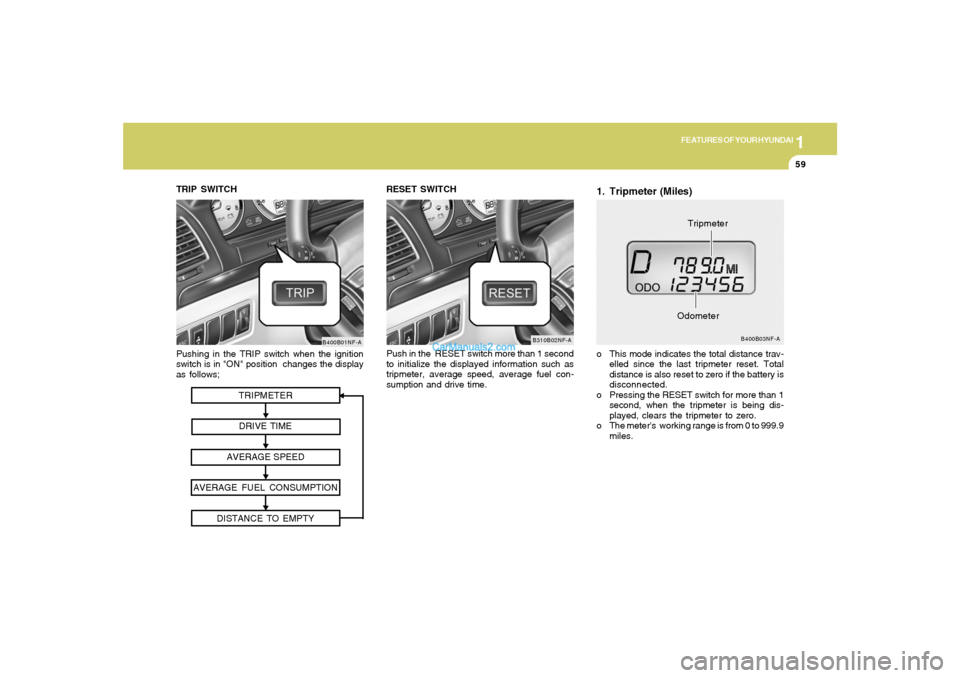
TRIPMETER
DRIVE TIME
AVERAGE SPEED
AVERAGE FUEL CONSUMPTION
DISTANCE TO EMPTY
Pushing in the TRIP switch when the ignition
switch is in "ON" position changes the display
as follows;
B400B01NF-A
TRIP SWITCH
1. Tripmeter (Miles)o This mode indicates the total distance trav-
elled since the last tripmeter reset. Total
distance is also reset to zero if the battery is
disconnected.
o Pressing the RESET switch for more than 1
second, when the tripmeter is being dis-
played, clears the tripmeter to zero.
o The meter's working range is from 0 to 999.9
miles.
B400B03NF-A
OdometerTripmeter RESET SWITCH
Push in the RESET switch more than 1 second
to initialize the displayed information such as
tripmeter, average speed, average fuel con-
sumption and drive time.
B310B02NF-A
Page 73 of 271
1FEATURES OF YOUR HYUNDAI60
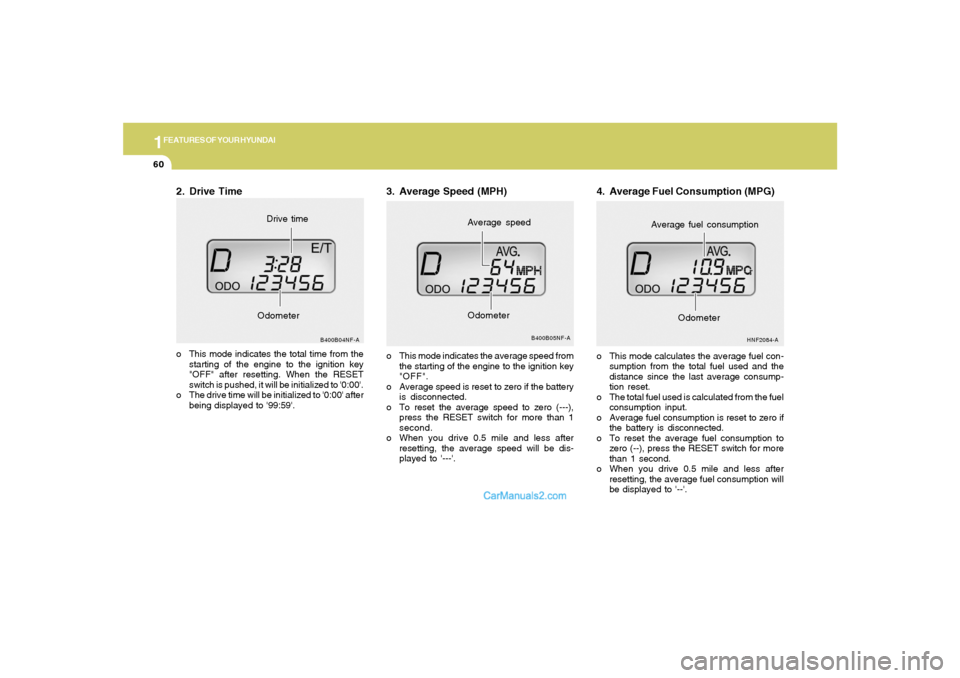
2. Drive Timeo This mode indicates the total time from the
starting of the engine to the ignition key
"OFF" after resetting. When the RESET
switch is pushed, it will be initialized to '0:00'.
o The drive time will be initialized to '0:00' after
being displayed to '99:59'.
B400B04NF-A
OdometerDrive time
3. Average Speed (MPH)o This mode indicates the average speed from
the starting of the engine to the ignition key
"OFF".
o Average speed is reset to zero if the battery
is disconnected.
o To reset the average speed to zero (---),
press the RESET switch for more than 1
second.
o When you drive 0.5 mile and less after
resetting, the average speed will be dis-
played to '---'.
B400B05NF-A
Average speed
Odometer
4. Average Fuel Consumption (MPG)o This mode calculates the average fuel con-
sumption from the total fuel used and the
distance since the last average consump-
tion reset.
o The total fuel used is calculated from the fuel
consumption input.
o Average fuel consumption is reset to zero if
the battery is disconnected.
o To reset the average fuel consumption to
zero (--), press the RESET switch for more
than 1 second.
o When you drive 0.5 mile and less after
resetting, the average fuel consumption will
be displayed to '--'.
HNF2084-A
Average fuel consumption
Odometer
Page 75 of 271
1FEATURES OF YOUR HYUNDAI62
B340D01A-AATHigh-beam Switch
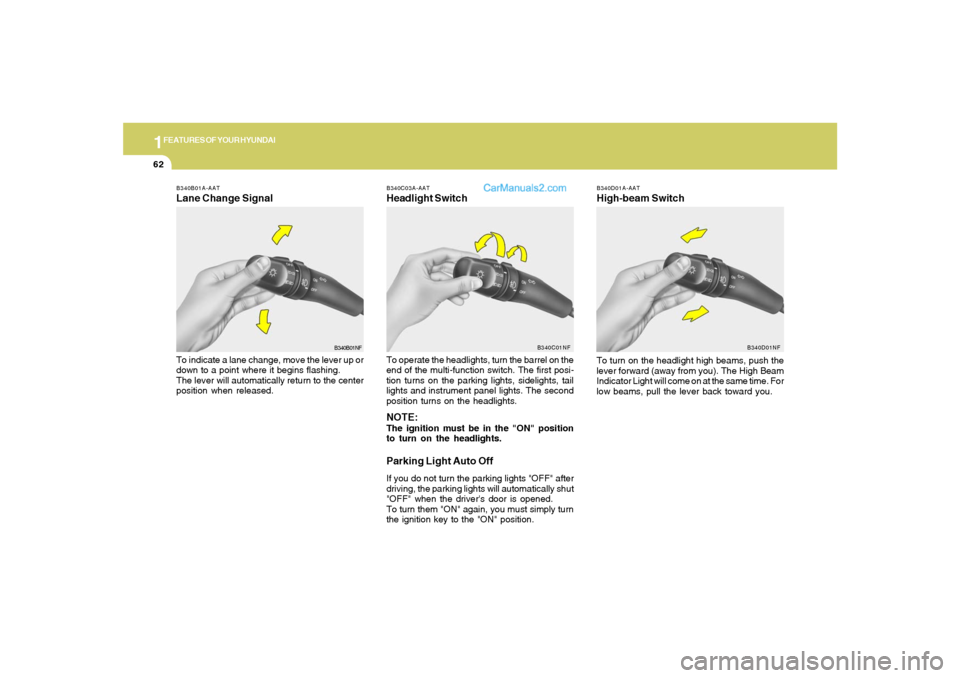
B340B01A-AATLane Change SignalTo indicate a lane change, move the lever up or
down to a point where it begins flashing.
The lever will automatically return to the center
position when released.
B340C03A-AATHeadlight SwitchTo operate the headlights, turn the barrel on the
end of the multi-function switch. The first posi-
tion turns on the parking lights, sidelights, tail
lights and instrument panel lights. The second
position turns on the headlights.NOTE:The ignition must be in the "ON" position
to turn on the headlights.Parking Light Auto OffIf you do not turn the parking lights "OFF" after
driving, the parking lights will automatically shut
"OFF" when the driver's door is opened.
To turn them "ON" again, you must simply turn
the ignition key to the "ON" position.
B340B01NFB340C01NF
To turn on the headlight high beams, push the
lever forward (away from you). The High Beam
Indicator Light will come on at the same time. For
low beams, pull the lever back toward you.
B340D01NF
Page 78 of 271
1
FEATURES OF YOUR HYUNDAI
65
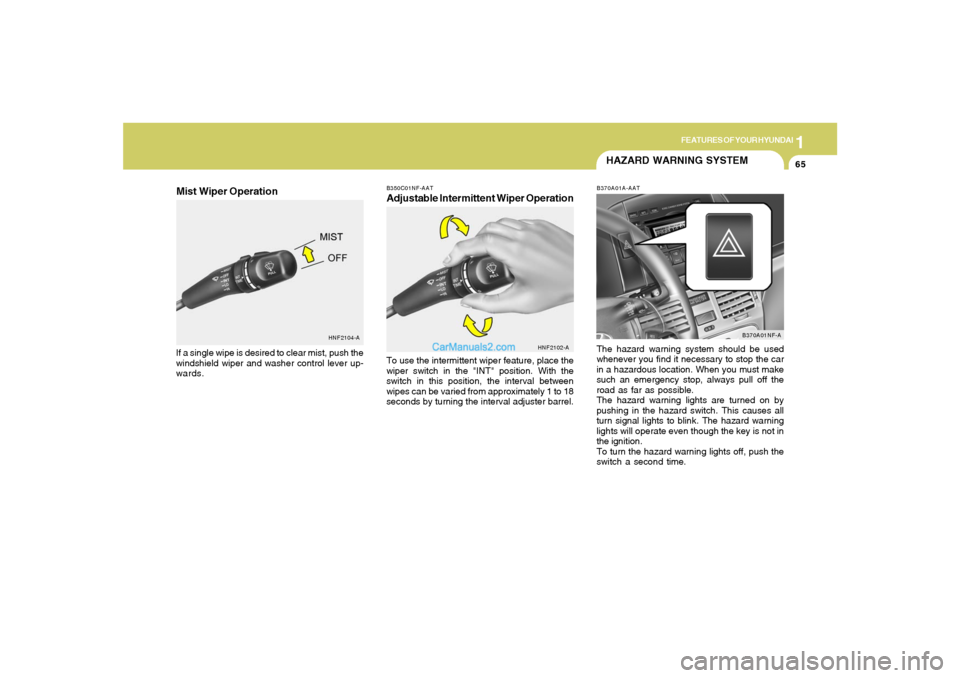
B350C01NF-AATAdjustable Intermittent Wiper OperationTo use the intermittent wiper feature, place the
wiper switch in the "INT" position. With the
switch in this position, the interval between
wipes can be varied from approximately 1 to 18
seconds by turning the interval adjuster barrel.
HNF2102-A
HAZARD WARNING SYSTEMB370A01A-AATThe hazard warning system should be used
whenever you find it necessary to stop the car
in a hazardous location. When you must make
such an emergency stop, always pull off the
road as far as possible.
The hazard warning lights are turned on by
pushing in the hazard switch. This causes all
turn signal lights to blink. The hazard warning
lights will operate even though the key is not in
the ignition.
To turn the hazard warning lights off, push the
switch a second time.
B370A01NF-A
HNF2104-A
Mist Wiper OperationIf a single wipe is desired to clear mist, push the
windshield wiper and washer control lever up-
wards.
Page 79 of 271
1FEATURES OF YOUR HYUNDAI66
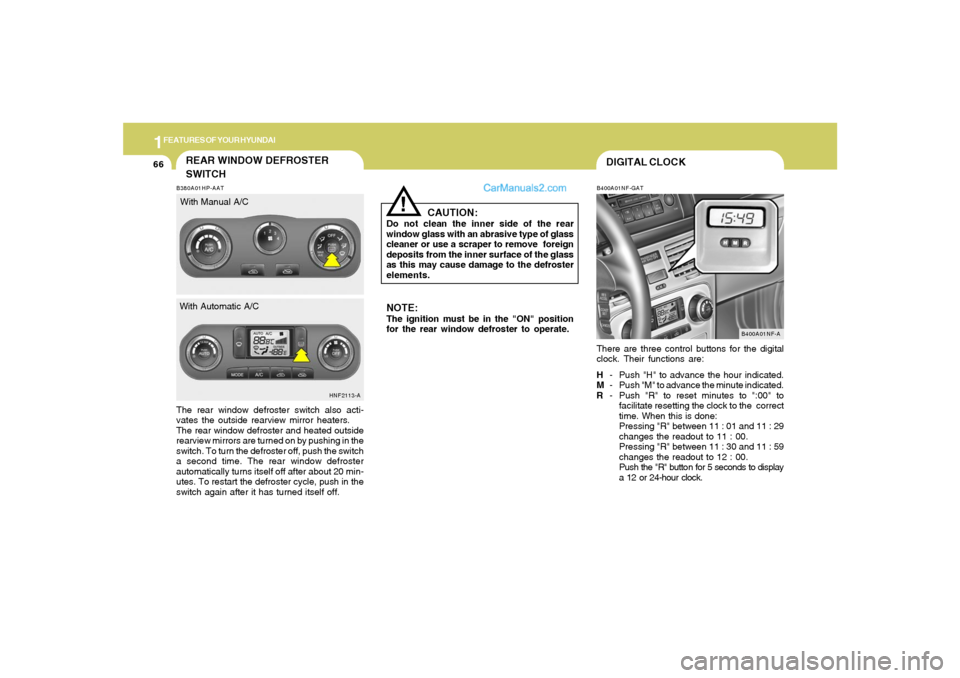
DIGITAL CLOCKB400A01NF-GATThere are three control buttons for the digital
clock. Their functions are:
H- Push "H" to advance the hour indicated.
M- Push "M" to advance the minute indicated.
R- Push "R" to reset minutes to ":00" to
facilitate resetting the clock to the correct
time. When this is done:
Pressing "R" between 11 : 01 and 11 : 29
changes the readout to 11 : 00.
Pressing "R" between 11 : 30 and 11 : 59
changes the readout to 12 : 00.
Push the "R" button for 5 seconds to display
a 12 or 24-hour clock.
B400A01NF-A
NOTE:The ignition must be in the "ON" position
for the rear window defroster to operate.
CAUTION:
Do not clean the inner side of the rear
window glass with an abrasive type of glass
cleaner or use a scraper to remove foreign
deposits from the inner surface of the glass
as this may cause damage to the defroster
elements.
!
B380A01HP-AATThe rear window defroster switch also acti-
vates the outside rearview mirror heaters.
The rear window defroster and heated outside
rearview mirrors are turned on by pushing in the
switch. To turn the defroster off, push the switch
a second time. The rear window defroster
automatically turns itself off after about 20 min-
utes. To restart the defroster cycle, push in the
switch again after it has turned itself off.
HNF2113-A
REAR WINDOW DEFROSTER
SWITCHWith Manual A/C
With Automatic A/C
Page 83 of 271
1FEATURES OF YOUR HYUNDAI70
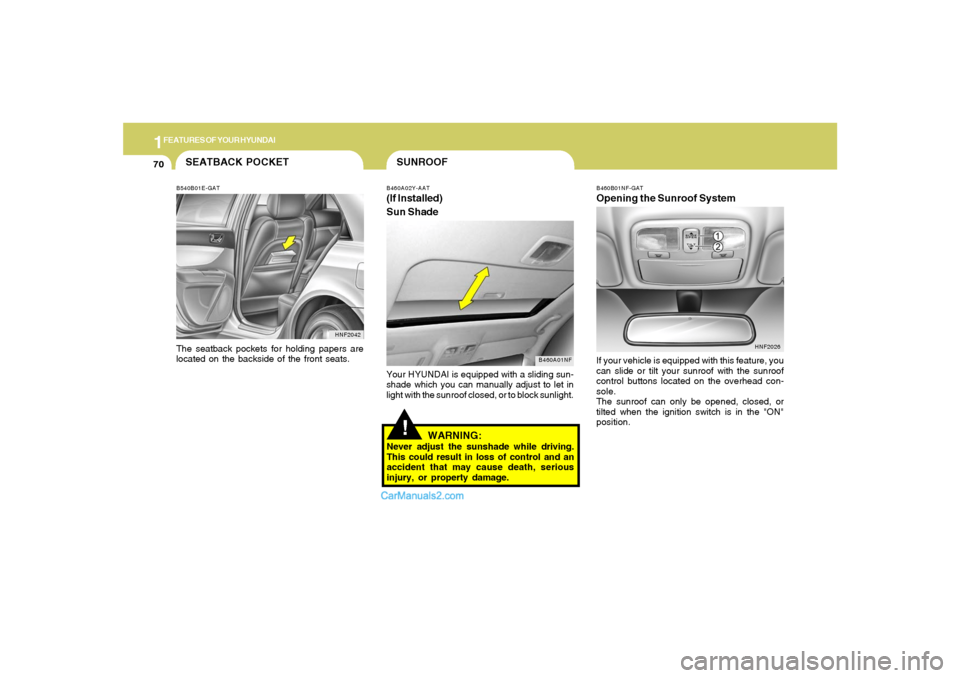
!SUNROOFB460A02Y-AAT(If Installed)
Sun Shade
B460A01NF
Your HYUNDAI is equipped with a sliding sun-
shade which you can manually adjust to let in
light with the sunroof closed, or to block sunlight.
WARNING:
Never adjust the sunshade while driving.
This could result in loss of control and an
accident that may cause death, serious
injury, or property damage.
B460B01NF-GATOpening the Sunroof SystemIf your vehicle is equipped with this feature, you
can slide or tilt your sunroof with the sunroof
control buttons located on the overhead con-
sole.
The sunroof can only be opened, closed, or
tilted when the ignition switch is in the "ON"
position.
HNF2026
SEATBACK POCKETB540B01E-GAT
HNF2042The seatback pockets for holding papers are
located on the backside of the front seats.
Page 86 of 271
1
FEATURES OF YOUR HYUNDAI
73
!
CAUTION:
If the sunroof is not reset, it may not operate
properly.B460E01NF-AATResetting the sunroofWhenever the vehicle battery is disconnected
or discharged, or you use the emergency handle
to operate the sunroof, you have to reset your
sunroof system as follows:
1. Turn the ignition key to the "ON" position.
2. According to the position of the sunroof, do
as follows.
1) In case that the sunroof has closed com-
pletely or been tilted : Press the TILT UP
button for 1 second.
2) In case that the sunroof has been opened:
Press and hold the TILT UP button for
more than 5 seconds until the sunroof
has closed completely. Then press the
TILT UP button for 1 second.
3. Then, release it.
4. Press and hold the TILT UP button once
again until the sunroof has returned to the
original TILT UP position after it raises a little
higher than the maximum TILT UP position.
When this is complete, the sunroof system
is reset.
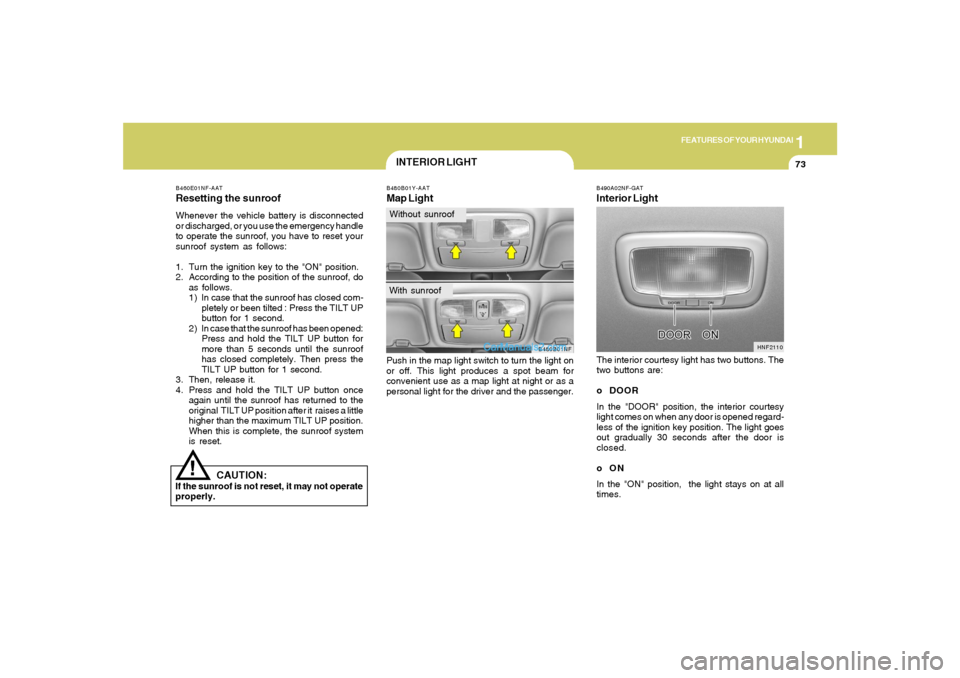
B480B01Y-AATMap LightPush in the map light switch to turn the light on
or off. This light produces a spot beam for
convenient use as a map light at night or as a
personal light for the driver and the passenger.
B480B01NF
INTERIOR LIGHTWithout sunroofWith sunroof
B490A02NF-GATInterior LightThe interior courtesy light has two buttons. The
two buttons are:
o DOOR
In the "DOOR" position, the interior courtesy
light comes on when any door is opened regard-
less of the ignition key position. The light goes
out gradually 30 seconds after the door is
closed.
oON
In the "ON" position, the light stays on at all
times.
HNF2110
Page 93 of 271
1FEATURES OF YOUR HYUNDAI80
Automatic-Dimming Night Vision
Safety™ (NVS
®) Mirror
The NVS
® Mirror in your vehicle is the most
advanced way to eliminate dangerous and an-
noying glare in the rearview mirror during any
driving situation. For more information regard-
ing NVS® mirrors and other applications, please
refer to the Gentex website:
www.gentex.com.CAUTION:
The NVS
® Mirror automatically reduces glare
during driving conditions based upon light
levels monitored in front of the vehicle and
from the rear of the vehicle. These light
sensors are visible through openings in the
front and rear of the mirror case. Any object
that would obstruct either light sensor will
degrade the automatic dimming control
feature.
!
Automatic-Dimming Function
To protect your vision during nighttime driving,
your mirror will automatically dim upon detecting
glare from the vehicles traveling behind you.
The auto-dimming function can be controlled by
the Dimming ON/OFF Button:
1. Pressing the button turns the auto-
dimming function OFF which is indicated by
the green Status Indicator LED turning off.
2. Pressing the button again turns the auto-
dimming function ON which is indicated by
the green Status Indicator LED turning on.NOTE:The mirror defaults to the "ON" position
each time the vehicle is started.Compass Function
The Compass can be turned ON and OFF and
will remember the last state when the ignition is
cycled. To turn the display feature ON/OFF:
1. Press and release the button to turn the
display feature OFF.
2. Press and release the button again to
turn the display back ON.
Additional options can be set with press and hold
sequences of the button and are detailed
below.
There is a difference between magnetic north
and true north. The compass in the mirror can
compensate for this difference when it knows
the Magnetic Zone in which it is operating. This
is set either by the dealer or by the user. The
operating Zone Numbers for North America are
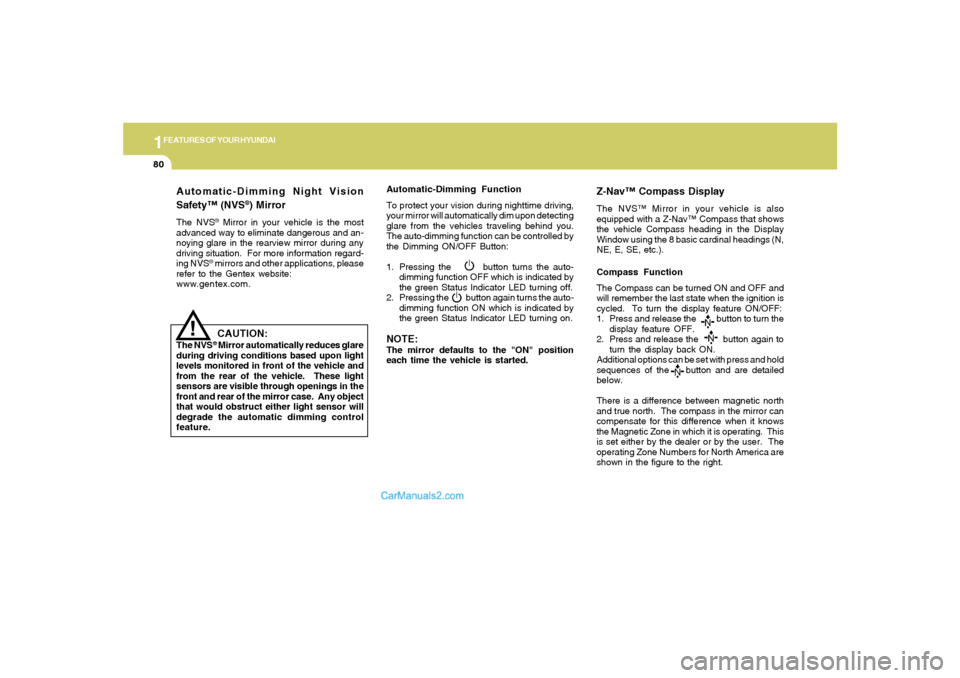
shown in the figure to the right.
Z-Nav™ Compass DisplayThe NVS™ Mirror in your vehicle is also
equipped with a Z-Nav™ Compass that shows
the vehicle Compass heading in the Display
Window using the 8 basic cardinal headings (N,
NE, E, SE, etc.).
Page 95 of 271
1FEATURES OF YOUR HYUNDAI82
!
Integrated HomeLink
® Wireless Control
System
The HomeLink
® Wireless Control System pro-
vides a convenient way to replace up to three
hand-held radio-frequency (RF) transmitters
with a single built-in device. This innovative
feature will learn the radio frequency codes of
most current transmitters to operate devices
such as gate operators, garage door openers,
entry door locks, security systems, even home
lighting. Both standard and rolling code-equipped
transmitters can be programmed by following
the outlined procedures. Additional HomeLink
®
information can be found at: www.homelink.com
or by calling 1-800-355-3515.
CAUTION:
Before programming HomeLink
® to a ga-
rage door opener or gate operator, make
sure that people and objects are out of the
way of the device to prevent potential harm
or damage. Do not use HomeLink® with any
garage door opener that lacks the safety
stop and reverse features as required by
U.S. federal safety standards (this includes
any garage door opener model manufac-
tured before April 1, 1982). A garage door
that cannot detect an object - signaling the
door to stop and reverse - does not meet
current U.S. federal safety standards. Using
a garage door opener without these fea-
tures increases the risk of serious injury or
death.Programming HomeLink
®
NOTE:o When programming a garage door
opener, it is advised to park the vehicle
outside of the garage.
o It is recommended that a new battery be
placed in the hand-held transmitter of
the device being programmed to
HomeLink
® for quicker training and ac-
curate transmission of the radio-fre-
quency signal.
o Some vehicles may require the ignition
switch to be turned to the second (or
"accessories") position for program-
ming and/or operation of HomeLink.
o In the event that there are still program-
ming difficulties or questions after fol-
lowing the programming steps listed
below, contact HomeLink
® at:
www.homelink.com or 1-800-355-3515.
Retain the original transmitter of the RF device
you are programming for use in other vehicles
as well as for future HomeLink
® programming.
It is also suggested that upon the sale of the
vehicle, the programmed HomeLink
® buttons
be erased for security purposes.