steering wheel Hyundai Sonata
[x] Cancel search | Manufacturer: HYUNDAI, Model Year: , Model line: , Model:Pages: 380, PDF Size: 7.97 MB
Page 78 of 380
361
Safety features of your vehicle
SRS CareThe SRS is virtually maintenance-free
and so there are no parts you can safely
service by yourself. If the SRS air bag
warning light " " does not illuminate,
when you turn the ignition on, or continu-
ously remains on, have your vehicle
immediately inspected by an authorized
HYUNDAI dealer.
Any work on the SRS system, such as
removing, installing, repairing, or any
work on the steering wheel, the front
passenger's panel, front seats and roof
rails must be performed by an authorized
HYUNDAI dealer. Improper handling of
the SRS system may result in serious
personal injury.
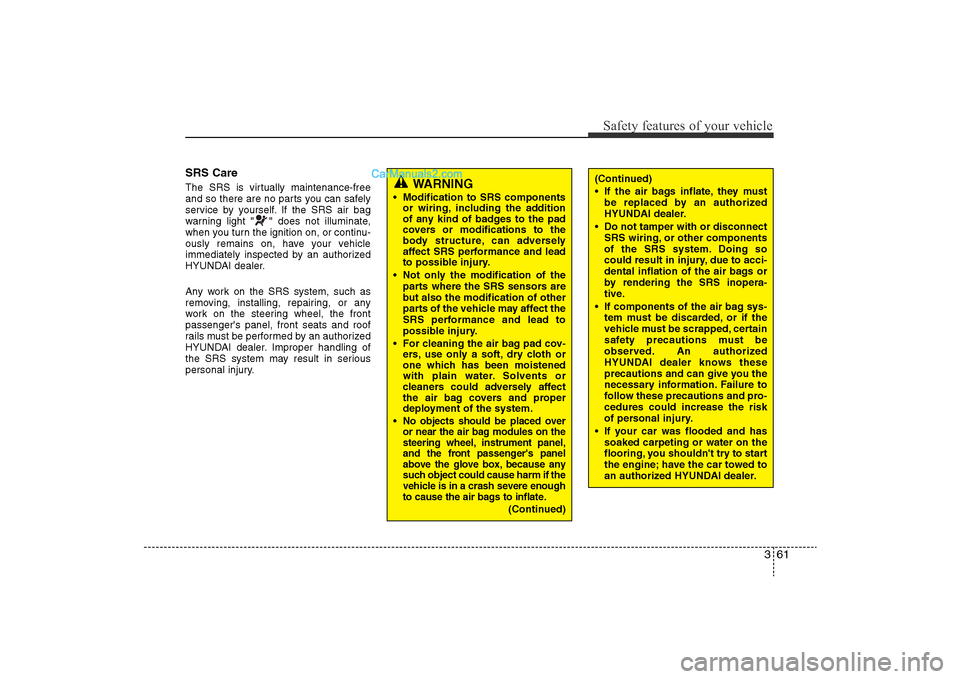
WARNING
• Modification to SRS componentsor wiring, including the addition
of any kind of badges to the pad
covers or modifications to the
body structure, can adversely
affect SRS performance and lead
to possible injury.
• Not only the modification of the parts where the SRS sensors are
but also the modification of other
parts of the vehicle may affect the
SRS performance and lead to
possible injury.
• For cleaning the air bag pad cov- ers, use only a soft, dry cloth or
one which has been moistened
with plain water. Solvents or
cleaners could adversely affect
the air bag covers and proper
deployment of the system.
•No objects should be placed over
or near the air bag modules on the
steering wheel, instrument panel,
and the front passenger's panel
above the glove box, because any
such object could cause harm if the
vehicle is in a crash severe enough
to cause the air bags to inflate.
(Continued)
(Continued)
• If the air bags inflate, they must be replaced by an authorized
HYUNDAI dealer.
• Do not tamper with or disconnect SRS wiring, or other components
of the SRS system. Doing so
could result in injury, due to acci-
dental inflation of the air bags or
by rendering the SRS inopera-
tive.
• If components of the air bag sys- tem must be discarded, or if the
vehicle must be scrapped, certain
safety precautions must be
observed. An authorized
HYUNDAI dealer knows these
precautions and can give you the
necessary information. Failure to
follow these precautions and pro-
cedures could increase the risk
of personal injury.
• If your car was flooded and has soaked carpeting or water on the
flooring, you shouldn't try to start
the engine; have the car towed to
an authorized HYUNDAI dealer.
YF hma 3.qxp 11/25/2009 5:02 PM Page 61
Page 81 of 380
4
Keys / 4-3
Smart key / 4-6
Remote keyless entry / 4-12
Theft-alarm system / 4-14
Door locks / 4-18
Trunk / 4-22
Windows / 4-24
Hood / 4-28
Fuel filler lid / 4-29
Sunroof / 4-32
Steering wheel / 4-35
Mirrors / 4-37
Instrument cluster / 4-46
Rear view camera / 4-67
Hazard warning flasher / 4-68
Lighting / 4-68
Wipers and washers / 4-73
Interior light / 4-75
Defroster / 4-78
Manual climate control system / 4-79
Automatic climate control system / 4-88
Features of your vehicle
YF HMA 4-103.QXP 12/24/2009 5:09 PM Page 1
Page 115 of 380
435
Features of your vehicle
Electric power steering (EPS)The power steering uses a motor to
assist you in steering the vehicle. If the
engine is off or if the power steering sys-
tem becomes inoperative, the vehicle
may still be steered, but it will require
increased steering effort.
The motor driven power steering is con-
trolled by a power steering control unit
which senses the steering wheel torque
and vehicle speed to command the
motor.
The steering becomes heavier as the
vehicle’s speed increases and becomes
lighter as the vehicle’s speed decreases
for optimum steering control.
Should you notice any change in the
effort required to steer during normal
vehicle operation, have the power steer-
ing checked by an authorized HYUNDAI
dealer.
✽NOTICEThe following symptoms may occur dur-
ing normal vehicle operation:
• The EPS warning light does not illumi-
nate.
• The steering effort is high immediately after turning the ignition switch on.
This happens as the system performs
the EPS system diagnostics. When the
diagnostics is completed, the steering
wheel will return to its normal condi-
tion.
• A click noise may be heard from the EPS relay after the ignition switch is
turned to the ON or LOCK position.
• A motor noise may be heard when the vehicle is at a stop or at a low driving
speed.
• If the Electric Power Steering System does not operate normally, the warn-
ing light will illuminate on the instru-
ment cluster. The steering wheel may
become difficult to control or operate
abnormally. Take your vehicle to an
authorized HYUNDAI dealer and
have the vehicle checked as soon as
possible.
• When you operate the steering wheel in low temperature, abnormal noise
could occur. If temperature rises, the
noise will disappear. This is a normal
condition.
STEERING WHEEL
CAUTION
• If the Electric Power Steering
System does not operate normal-ly, the warning light will illuminateon the instrument cluster. Thesteering wheel may become diffi-cult to control or operate abnor- mally. Take your vehicle to anauthorized HYUNDAI dealer and have the vehicle checked as soonas possible.
• When you operate the steering wheel in low temperature, abnor-mal noise could occur. If tempera-ture rises, the noise will disap-pear. This is a normal condition.
YF HMA 4-103.QXP 12/24/2009 5:11 PM Page 35
Page 116 of 380
Features of your vehicle36
4Tilt steering Tilt steering allows you to adjust the
steering wheel before you drive. You can
also raise it to give your legs more room
when you exit and enter the vehicle.
The steering wheel should be positioned
so that it is comfortable for you to drive,
while permitting you to see the instru-
ment panel warning lights and gauges.
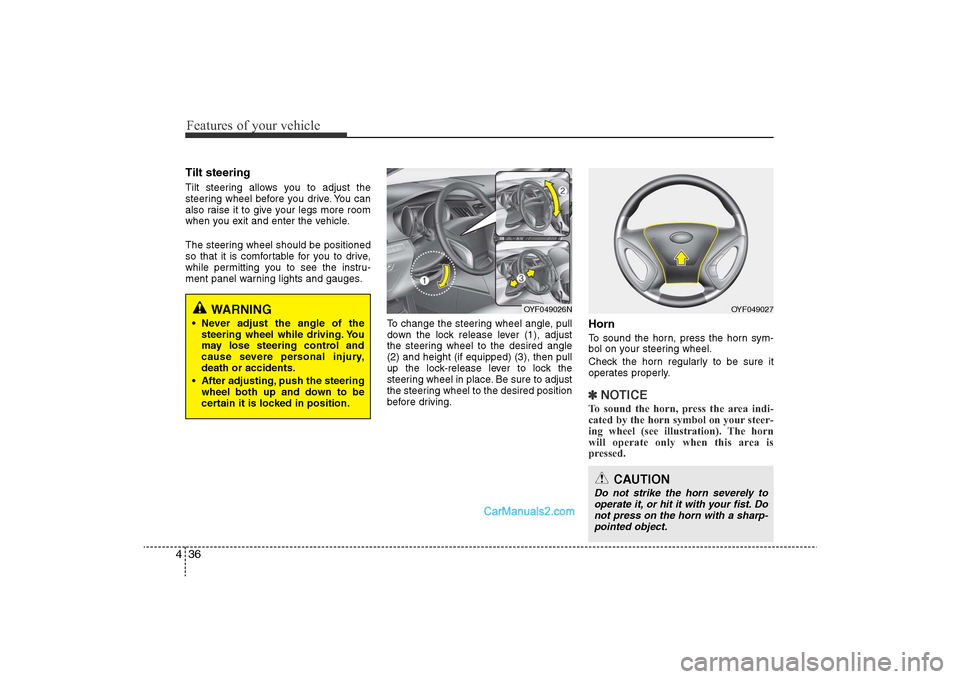
To change the steering wheel angle, pull
down the lock release lever (1), adjust
the steering wheel to the desired angle
(2) and height (if equipped) (3), then pull
up the lock-release lever to lock the
steering wheel in place. Be sure to adjust
the steering wheel to the desired position
before driving.
HornTo sound the horn, press the horn sym-
bol on your steering wheel.
Check the horn regularly to be sure it
operates properly.✽NOTICETo sound the horn, press the area indi-
cated by the horn symbol on your steer-
ing wheel (see illustration). The horn
will operate only when this area is
pressed.
OYF049026N
OYF049027
CAUTION
Do not strike the horn severely to
operate it, or hit it with your fist. Donot press on the horn with a sharp-pointed object.
WARNING
• Never adjust the angle of the steering wheel while driving. You
may lose steering control and
cause severe personal injury,
death or accidents.
• After adjusting, push the steering wheel both up and down to be
certain it is locked in position.
YF HMA 4-103.QXP 12/24/2009 5:12 PM Page 36
Page 142 of 380
Features of your vehicle62
4Engine coolant
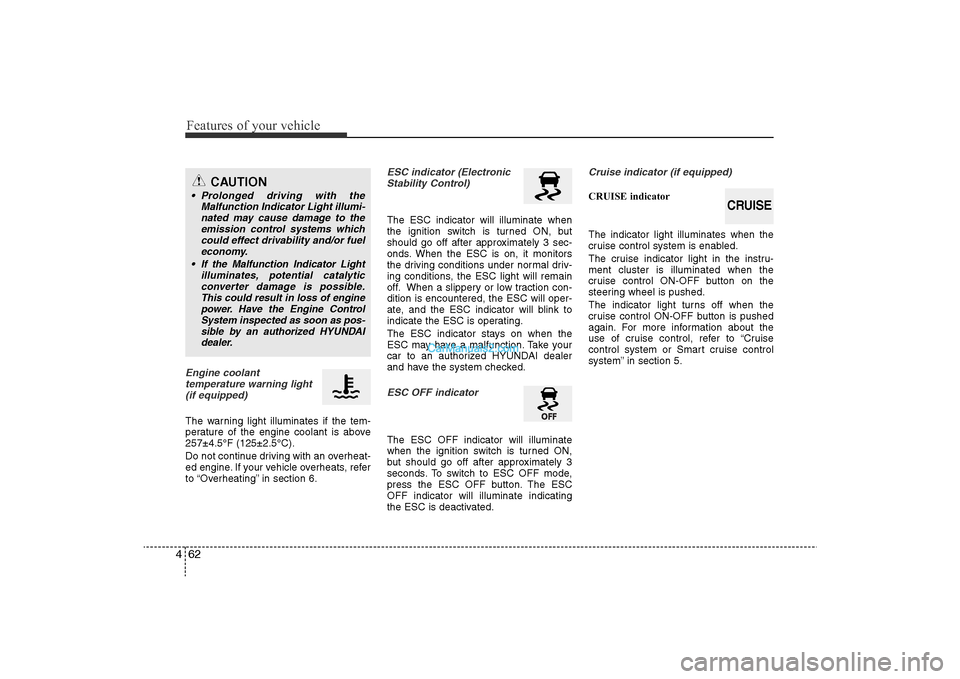
temperature warning light(if equipped)The warning light illuminates if the tem-
perature of the engine coolant is above
257±4.5°F (125±2.5°C).
Do not continue driving with an overheat-
ed engine. If your vehicle overheats, refer
to “Overheating” in section 6.
ESC indicator (ElectronicStability Control) The ESC indicator will illuminate when
the ignition switch is turned ON, but
should go off after approximately 3 sec-
onds. When the ESC is on, it monitors
the driving conditions under normal driv-
ing conditions, the ESC light will remain
off. When a slippery or low traction con-
dition is encountered, the ESC will oper-
ate, and the ESC indicator will blink to
indicate the ESC is operating.
The ESC indicator stays on when the
ESC may have a malfunction. Take your
car to an authorized HYUNDAI dealer
and have the system checked.ESC OFF indicator The ESC OFF indicator will illuminate
when the ignition switch is turned ON,
but should go off after approximately 3
seconds. To switch to ESC OFF mode,
press the ESC OFF button. The ESC
OFF indicator will illuminate indicating
the ESC is deactivated.
Cruise indicator (if equipped)CRUISE indicator
The indicator light illuminates when the
cruise control system is enabled.
The cruise indicator light in the instru-
ment cluster is illuminated when the
cruise control ON-OFF button on the
steering wheel is pushed.
The indicator light turns off when the
cruise control ON-OFF button is pushed
again. For more information about the
use of cruise control, refer to “Cruise
control system or Smart cruise control
system” in section 5.
CAUTION
• Prolonged driving with the Malfunction Indicator Light illumi-nated may cause damage to the emission control systems whichcould effect drivability and/or fuel economy.
•If the Malfunction Indicator Light illuminates, potential catalyticconverter damage is possible.This could result in loss of engine power. Have the Engine ControlSystem inspected as soon as pos- sible by an authorized HYUNDAIdealer.
CRUISE
YF HMA 4-103.QXP 12/24/2009 5:13 PM Page 62
Page 184 of 380
Features of your vehicle104
4AntennaGlass antenna (if equipped)When the radio power switch is turned on
while the ignition key is in either the “ON”
or “ACC” position, your car will receive
both AM and FM broadcast signals
through the antenna in the rear window
glass.
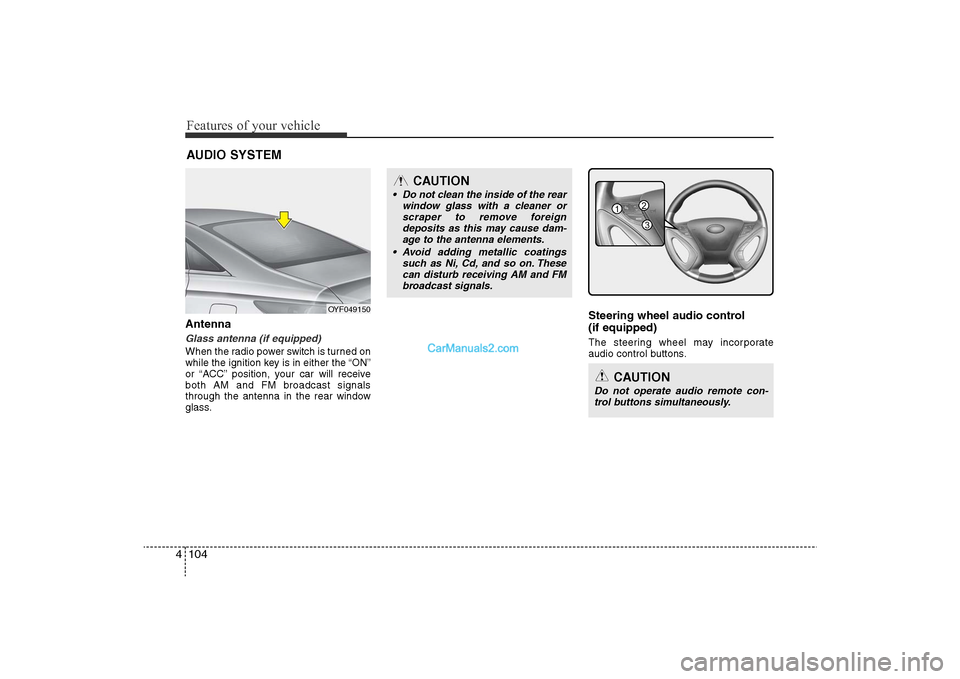
Steering wheel audio control
(if equipped) The steering wheel may incorporate
audio control buttons.
AUDIO SYSTEM
OYF049150
CAUTION
• Do not clean the inside of the rear
window glass with a cleaner orscraper to remove foreign deposits as this may cause dam-age to the antenna elements.
• Avoid adding metallic coatings such as Ni, Cd, and so on. Thesecan disturb receiving AM and FMbroadcast signals.
CAUTION
Do not operate audio remote con- trol buttons simultaneously.
1
3
2
YF HMA 4-104~(AUDIO).QXP 12/24/2009 5:21 PM Page 104
Page 209 of 380
4 129
Features of your vehicle
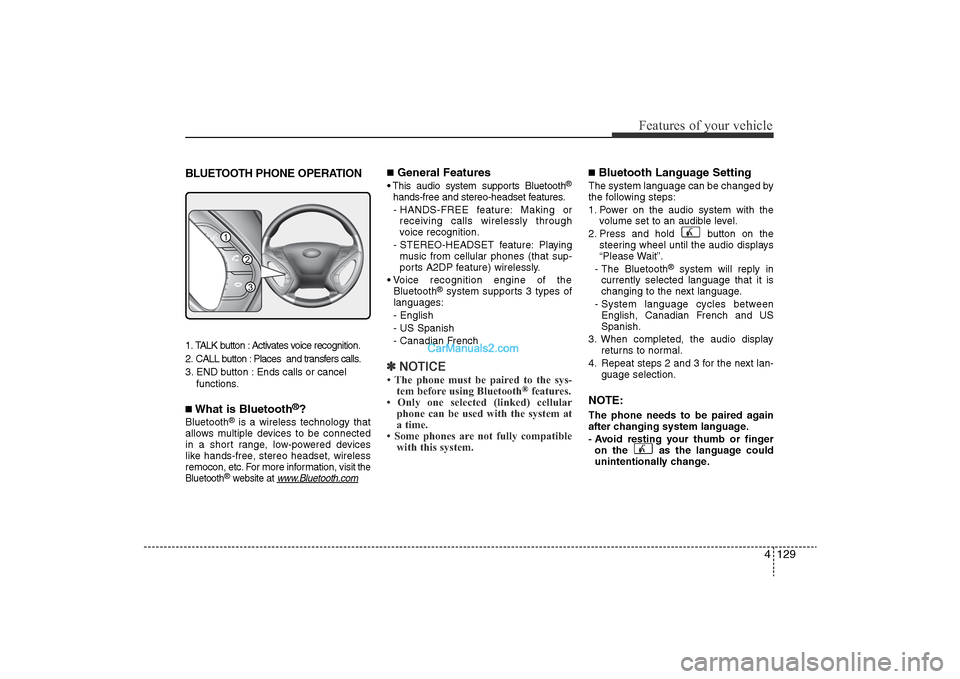
BLUETOOTH PHONE OPERATION1. TALK button : Activates voice recognition.
2. CALL button : Places and transfers calls.
3. END button : Ends calls or cancel functions.■What is Bluetooth
®?
Bluetooth
®is a wireless technology that
allows multiple devices to be connected
in a short range, low-powered devices
like hands-free, stereo headset, wireless
remocon, etc. For more information, visit
the
Bluetooth
®website at
www
.Bluetooth.com
■General Features• This audio system supports Bluetooth
®
hands-free and stereo-headset features.
- HANDS-FREE feature: Making or receiving calls wirelessly through
voice recognition.
- STEREO-HEADSET feature: Playing music from cellular phones (that sup-
ports A2DP feature) wirelessly.
• Voice recognition engine of the Bluetooth
®system supports 3 types of
languages:
- English
- US Spanish
- Canadian French
✽ NOTICE• The phone must be paired to the sys-
tem before using Bluetooth
®features.
• Only one selected (linked) cellular phone can be used with the system at
a time.
• Some phones are not fully compatible with this system.
■Bluetooth Language SettingThe system language can be changed by
the following steps:
1. Power on the audio system with the
volume set to an audible level.
2. Press and hold button on the steering wheel until the audio displays
“Please Wait”.
- The Bluetooth
®
system will reply in
currently selected language that it is
changing to the next language.
- System language cycles between English, Canadian French and US
Spanish.
3. When completed, the audio display returns to normal.
4. Repeat steps 2 and 3 for the next lan- guage selection.
NOTE:The phone needs to be paired again
after changing system language.
- Avoid resting your thumb or fingeron the as the language could
unintentionally change.
1
3
2
YF HMA 4-104~(AUDIO).QXP 12/24/2009 5:22 PM Page 129
Page 212 of 380
Features of your vehicle132
4■Phone SetupAll Bluetooth
®related operations can be
performed by voice command or by man-
ual operation.<
• By Voice Command: Press button on the steeringwheel to activate voice recognition.
Push the TUNE knob to enter SETUP
mode.
Select desired item by pressing the [
FOLDER ] button, then push the
[ENTER] button.
Select “BT” item by rotating the TUNE
knob, then push the knob.
Select desired item by rotating the TUNE
knob, then push the knob.
Press the [SET UP] button to enter
SETUP MODE.
Select "BLUETOOTH" item by pressing
the [ FOLDER ] button, then push
the [ENTER] button. • Pairing phone
Before using Bluetooth
®
features, the
phone must be paired (registered) to the
audio system. Up to 5 phones can be
paired in the system.
Note:• The pairing procedure of the phone varies according to each phone model.
Before attempting to pair phone, please
see your phone’s User’s Guide for
instructions.
• Once pairing with the phone is com- pleted, there is no need to pair with that
phone again unless the phone is delet-
ed manually from the audio system
(refer “Deleting Phone” section) or the
vehicle’s information is removed from
the phone.
1. Press button.
2. Say “Set Up”. - The system replies with availablecommands.
- To skip the information message, press again and then a beep is
heard.
3. Say “Pair Phone”
4. Say “Yes” to proceed.
5. Say the name of your phone when prompted. - Use any name to uniquely describe
your phone.
6. Bluetooth
®
system will repeat the
name you stated.
7. Say "Yes" to confirm.
8. The audio displays “searching ----
passkey: 0000” and asks you to initiate
pairing procedure from the phone.
9. Search the Bluetooth
®
system on your
phone. Your phone should display your [vehi-
cle model name] on the Bluetooth
®device
list. Then attempt pairing on your phone.
10. After Pairing is completed, your phone will start to transfer phone/contact list
to the audio system.
- This process may take from a few minutes to over 10 minutes depend-
ing on the phone model and number
of entries in the phone/contact list.
11. By manual operation: - Select “PAIR” in PHONE menu, then-proceed from step 5.
YF HMA 4-104~(AUDIO).QXP 12/24/2009 5:22 PM Page 132
Page 215 of 380
4 135
Features of your vehicle
• Adding Entry by Phone
1. Press button.
2. Say "Phonebook".
3. Say "Add Entry" after prompt.
4. Say "By Phone" to proceed.
5. Say “Yes” to confirm.
6. Your phone will start to transferphone/contact list to the audio system.
This process may take over 10 minutes
depending on the phone model and
number of entries
7. Wait till the audio displays “Transfer Complete” message.
• Changing Name
The registered names can be modified.
1. Press button.
2. Say “Phonebook”
3. Say “Change Name” after prompt.
4. Say the name of the entry (voice tag).
5. Say “Yes” to confirm.
6. Say new desired name.
• Deleting Name
The registered names can be deleted.
1. Press button.
2. Say “Phonebook”
3. Say “Delete Name” after prompt.
4. Say the name of the entry (voice tag)
5. Say “Yes” to confirm.
■Making a Phone Call• Calling by Name
A phone call can be made by speaking
names registered in the audio system.
1. Press button.
2. Say "Call".
3. Say “Name” when prompted.
4. Say desired name (voice tag).
5. Say desired location (phone number type). Only stored locations can be
selected.
6. Say “Yes” to confirm and make a call.
✽ TipA shortcut to each of the following func-
tions is available:
1. Say “Call Name”
2. Say “Call
3. Say “Call
A phone call can be made by dialing the
spoken numbers. The system can recog-
nize single digits from zero to nine.
1. Press button.
2. Say “Call”.
3. Say “Number” when prompted.
4. Say desired phone numbers.
5. Say “Dial” to complete the number and
make a call. ✽
Tip
A shortcut to each of the following func-
tions is available:
1. Say “Dial Number”
2. Say “Dial
is audible from speakers and the audio
system changes into telephone mode.
When receiving a phone call, “Incoming”
message and incoming phone number
(if available) are displayed on the audio.
• To Answer a Call:
- Press button on the steering wheel.
• To Reject a Call: - Press button on the steeringwheel.
• To Adjust Ring Volume: - Use VOLUME buttons on the steeringwheel.
• To Transfer a Call to the Phone (Secret Call): - Press and hold button on the steer-ing wheel until the audio system trans-
fers a call to the phone.
YF HMA 4-104~(AUDIO).QXP 12/24/2009 5:22 PM Page 135
Page 216 of 380
■Talking on the PhoneWhen talking on the phone, “Active Calls”
message and the other party’s phone
number (if available) are displayed on the
audio.
• To Mute the Microphone- Press button on the steeringwheel.
• To Finish a Call -
Press button on the steering wheel.
✽ NOTICEIn the following situations, you or the
other party may have difficulty hear-
ing each other:
1. Speaking at the same time, your voice may not reach the other party. (This is
not a malfunction.) Speak alternately
with the other party on the phone.
2. Keep the Bluetooth(R) volume to a low level. High-level volume may
result in distortion and echo.
3. When driving on a rough road.
4. When driving at high speeds.
5. When the window is open.
6. When the air conditioning vents are facing the microphone.
7. When the sound of the air condition- ing fan is loud.
■Using the head unit as Bluetooth
musicThe head unit supports A2DP (Audio
Advanced Distribution Profile) and
AVRCP(Audio Video Remote Control
Profile).
Both profiles are available for listening to
MP3 music via Bluetooth cellular phone
supporting above Bluetooth profiles.
To play MP3 music from the Bluetooth
cellular phone, press the [AUX] button
until “MP3 Play” is displayed on the LCD.
Then try playing music by phone.
When playing music from the Bluetooth
cellular phone, the head unit displays
MP3 MODE.NOTE:• Not only MP3 files, but all the sounds
that the phone supports can be heard
by the audio system.
• Bluetooth cellular phones must feature A2DP and AVRCP functions.
• Some A2DP and AVRCP Bluetooth cellular phones may not play music
through the head unit on the first try.
Please try the below;
i.e : Menu
➟Filemanager
➟Music
➟
Option
➟Play via Bluetooth • Please refer to the User’s Guide of
your phone for more informations. To
stop music, try stop music by the
phone change audio mode to
AM/FM/XM, CD, iPSod etc.
4 136Features of your vehicle
YF HMA 4-104~(AUDIO).QXP 12/24/2009 5:22 PM Page 136