start stop button Hyundai Sonata
[x] Cancel search | Manufacturer: HYUNDAI, Model Year: , Model line: , Model:Pages: 358, PDF Size: 30.14 MB
Page 15 of 358
23
Your vehicle at a glance
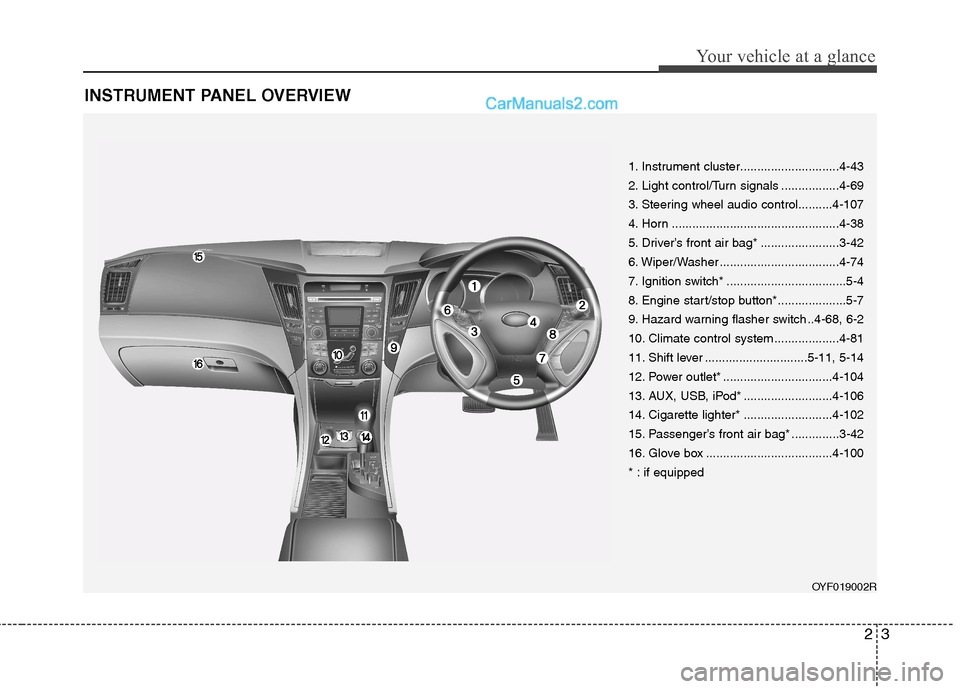
INSTRUMENT PANEL OVERVIEW
1. Instrument cluster.............................4-43
2. Light control/Turn signals .................4-69
3. Steering wheel audio control..........4-107
4. Horn .................................................4-38
5. Driver’s front air bag* .......................3-42
6. Wiper/Washer ...................................4-74
7. Ignition switch* ...................................5-4
8. Engine start/stop button*....................5-7
9. Hazard warning flasher switch ..4-68, 6-2
10. Climate control system ...................4-81
11. Shift lever ..............................5-11, 5-14
12. Power outlet* ................................4-104
13. AUX, USB, iPod* ..........................4-106
14. Cigarette lighter* ..........................4-102
15. Passenger’s front air bag* ..............3-42
16. Glove box .....................................4-100
* : if equippedOYF019002R
Page 79 of 358
47
Features of your vehicle
Using the button on the smart key
All doors are locked if the lock button(1)
is pressed. If all doors, trunk and bonnet
are closed, the hazard warning lights will
blink once to indicate that all doors are
locked.
However, if any door, trunk or engine
bonnet remains open, the hazard warn-
ing lights will not operate. If all doors,
trunk and engine bonnet are closed after
the lock button is pressed, the hazard
warning lights blink once.Unlocking
Using the door handle switch
Press the button of the front outside door
handles with all doors closed and locked,
unlocks all the doors. The hazard warn-
ing lights blink twice to indicate that all
doors are unlocked. The button will only
operate when the smart key is within0.7~1 m (28~40 in.) from the outside
door handle.
When the smart key is recognized in the area of 0.7~1 m (28~40 in.) from the front
outside door handle, other people canalso open the door without possession of
the smart key.
After pressing the button, the doors will
lock automatically unless you open any
door within 30 seconds.
Using the button on the smart key
All doors are unlocked if the unlock but-
ton(2) is pressed. The hazard warning
lights will blink twice to indicate that all
doors are unlocked.
After pressing this button, the doors will
lock automatically unless you open any
door within 30 seconds.
Trunk unlocking
Using the trunk handle switch
If you are within 0.7~1 m (28~40 in.) from
the outside trunk handle with your smart
key in your possession, the trunk will
unlock and open when you press the
trunk handle switch.
Also, once the trunk is opened and then
closed, the trunk will be locked automati-
cally.
Using the button on the smart key
The trunk is opened if the trunk unlock
button(3) is pressed for more than 1 sec-ond.
Once the trunk is opened and then
closed, the trunk will lock automatically.
Start-up
You can start the engine without inserting
the key. For detailed information refer to
“Engine start/stop button” in section 5.
Page 108 of 358
Features of your vehicle
36
4
Recalling positions from memory
1. Shift the shift lever into P whilst the
ignition switch is ON.
2. To recall the position in memory, press the desired memory button (1 or 2).
The system will beep once, then the
driver seat will automatically adjust to
the stored positions.
Adjusting the control switch for the driverseat whilst the system is recalling the
stored position will cause the movement
to stop and move in the direction that the
control switch is moved. Easy access function (if equipped)
With the shift lever in the P position, the
system will move the driver's seat auto-
matically as follows.
Without smart key system
- It will move the driver’s seat rearwardwhen the ignition key is removed.
- It will move the driver’s seat forward when the ignition key is inserted.
With smart key system
- It will move the driver’s seat rearwardwhen the engine start/stop button is
turned to the OFF position or the
smart key is removed from the smart
key holder.
- It will move the driver’s seat forward when the engine start/stop button is
turned to the ACC or START position
or the smart key is inserted into the
smart key holder.
Canceling/setting the easy access
function
To cancel or set the easy access func-
tion, do as follows.
1. Whilst ignition switch is in the ON posi- tion or engine is running, shift the shift
lever to the P position.
2. Press SET button for about 10 sec- onds.
3. If the function is canceled, the beep sound operates once. If the function is
set, the beep sound operates twice.
WARNING
Use caution when recalling adjust-
ment memory whilst sitting in the
vehicle. Push the seat position con-
trol knob to the desired position
immediately if the seat moves too
far in any direction.
Page 122 of 358
Features of your vehicle
50
4
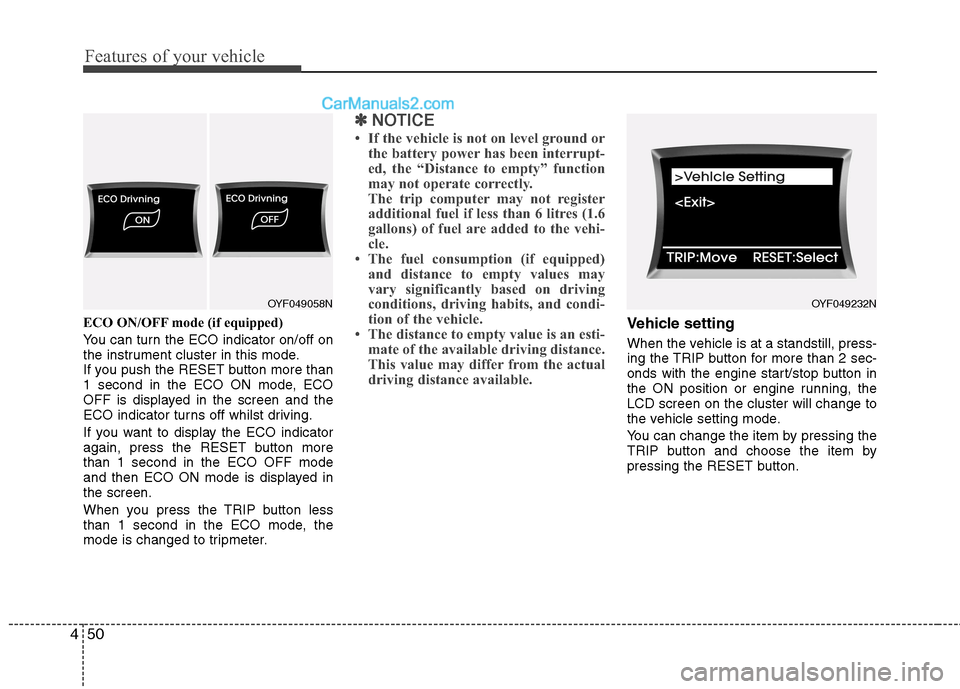
ECO ON/OFF mode (if equipped)
You can turn the ECO indicator on/off on
the instrument cluster in this mode.
If you push the RESET button more than
1 second in the ECO ON mode, ECO
OFF is displayed in the screen and the
ECO indicator turns off whilst driving.
If you want to display the ECO indicator
again, press the RESET button morethan 1 second in the ECO OFF mode
and then ECO ON mode is displayed inthe screen.
When you press the TRIP button less
than 1 second in the ECO mode, the
mode is changed to tripmeter.
✽✽
NOTICE
If the vehicle is not on level ground or the battery power has been interrupt-
ed, the “Distance to empty” function
may not operate correctly.
The trip computer may not register
additional fuel if less than 6 litres (1.6
gallons) of fuel are added to the vehi-
cle.
The fuel consumption (if equipped)
and distance to empty values may
vary significantly based on driving
conditions, driving habits, and condi-
tion of the vehicle.
The distance to empty value is an esti- mate of the available driving distance.
This value may differ from the actual
driving distance available.
Vehicle setting
When the vehicle is at a standstill, press-
ing the TRIP button for more than 2 sec-
onds with the engine start/stop button in
the ON position or engine running, theLCD screen on the cluster will change to
the vehicle setting mode.
You can change the item by pressing the
TRIP button and choose the item by
pressing the RESET button.
OYF049232NOYF049058N
Page 129 of 358
457
Features of your vehicle
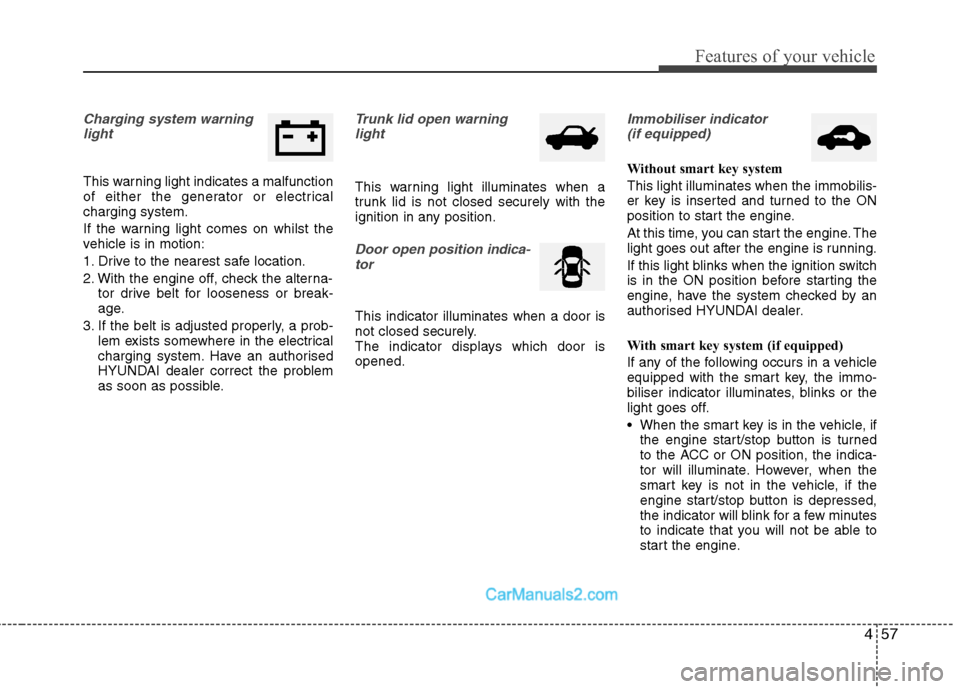
Charging system warninglight
This warning light indicates a malfunction
of either the generator or electricalcharging system.
If the warning light comes on whilst the
vehicle is in motion:
1. Drive to the nearest safe location.
2. With the engine off, check the alterna- tor drive belt for looseness or break-
age.
3. If the belt is adjusted properly, a prob- lem exists somewhere in the electrical
charging system. Have an authorised
HYUNDAI dealer correct the problem
as soon as possible.
Trunk lid open warning
light
This warning light illuminates when a
trunk lid is not closed securely with the
ignition in any position.
Door open position indica-
tor
This indicator illuminates when a door is
not closed securely.
The indicator displays which door isopened.
Immobiliser indicator (if equipped)
Without smart key system This light illuminates when the immobilis-
er key is inserted and turned to the ON
position to start the engine.
At this time, you can start the engine. The
light goes out after the engine is running.
If this light blinks when the ignition switch
is in the ON position before starting the
engine, have the system checked by an
authorised HYUNDAI dealer.
With smart key system (if equipped)
If any of the following occurs in a vehicle
equipped with the smart key, the immo-
biliser indicator illuminates, blinks or the
light goes off.
When the smart key is in the vehicle, if the engine start/stop button is turned
to the ACC or ON position, the indica-
tor will illuminate. However, when the
smart key is not in the vehicle, if the
engine start/stop button is depressed,
the indicator will blink for a few minutes
to indicate that you will not be able to
start the engine.
Page 130 of 358
Features of your vehicle
58
4
When the ignition switch is turned to
the ON position and the indicator turns
off after 2 seconds, the system may
have a problem. Have the vehicle
checked by an authorised HYUNDAI
dealer.
When the battery is weak, if the engine start/stop button is depressed, the indi-
cator will blink and you will not be able
to start the engine. However, you may
still be able to start the engine by
inserting the smart key in the smart
key holder. If smart key system related
parts have a problem, the indicator
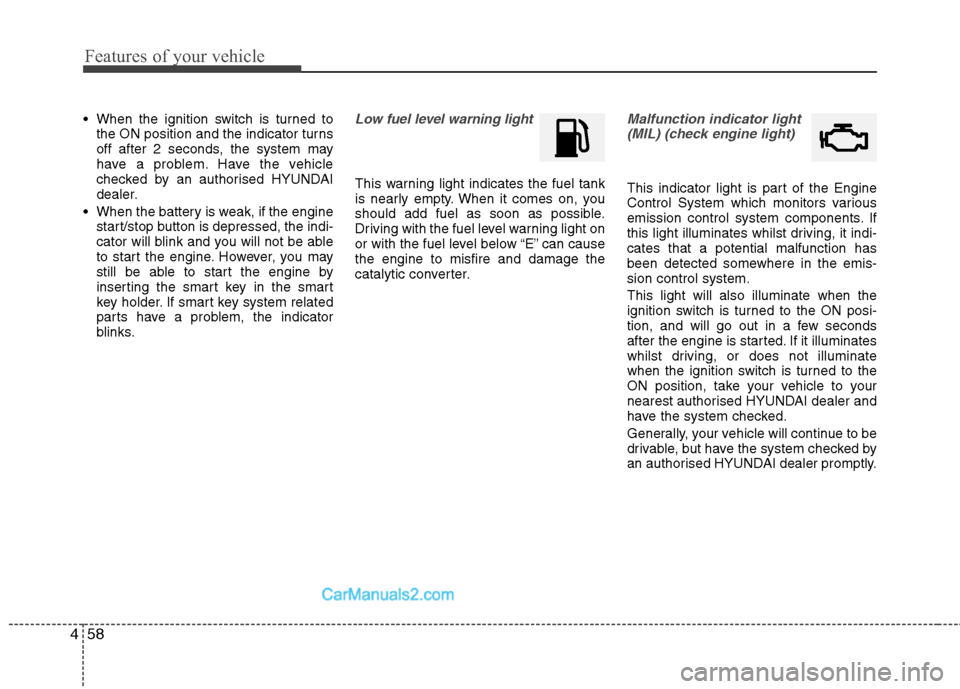
blinks.Low fuel level warning light
This warning light indicates the fuel tank
is nearly empty. When it comes on, you
should add fuel as soon as possible.
Driving with the fuel level warning light on
or with the fuel level below “E” can causethe engine to misfire and damage the
catalytic converter.
Malfunction indicator light
(MIL) (check engine light)
This indicator light is part of the Engine
Control System which monitors various
emission control system components. If
this light illuminates whilst driving, it indi-cates that a potential malfunction has
been detected somewhere in the emis-sion control system. This light will also illuminate when the
ignition switch is turned to the ON posi-
tion, and will go out in a few seconds
after the engine is started. If it illuminates
whilst driving, or does not illuminate
when the ignition switch is turned to the
ON position, take your vehicle to your
nearest authorised HYUNDAI dealer and
have the system checked.
Generally, your vehicle will continue to be
drivable, but have the system checked by
an authorised HYUNDAI dealer promptly.
Page 133 of 358
461
Features of your vehicle
Warning on the LCD screen (if equipped)
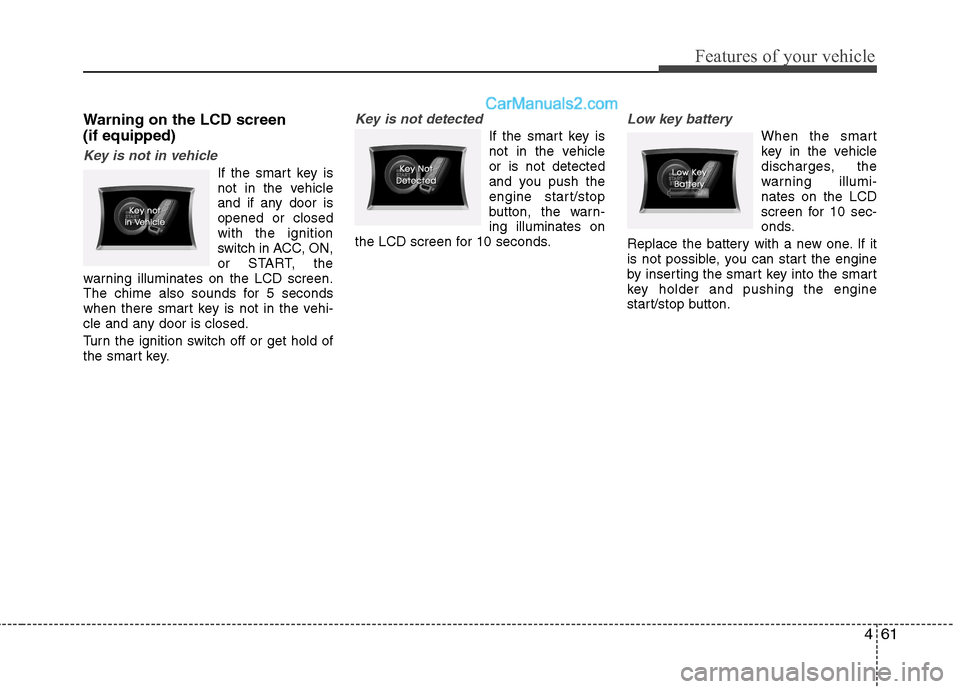
Key is not in vehicle
If the smart key is
not in the vehicle
and if any door isopened or closedwith the ignition
switch in ACC, ON,
or START, the
warning illuminates on the LCD screen.
The chime also sounds for 5 seconds
when there smart key is not in the vehi-
cle and any door is closed.
Turn the ignition switch off or get hold of
the smart key.
Key is not detected
If the smart key is
not in the vehicleor is not detected
and you push the
engine start/stop
button, the warn-ing illuminates on
the LCD screen for 10 seconds.
Low key battery
When the smart
key in the vehicle
discharges, the
warning illumi-nates on the LCD
screen for 10 sec-
onds.
Replace the battery with a new one. If it
is not possible, you can start the engine
by inserting the smart key into the smart
key holder and pushing the engine
start/stop button.
Page 134 of 358
Features of your vehicle
62
4
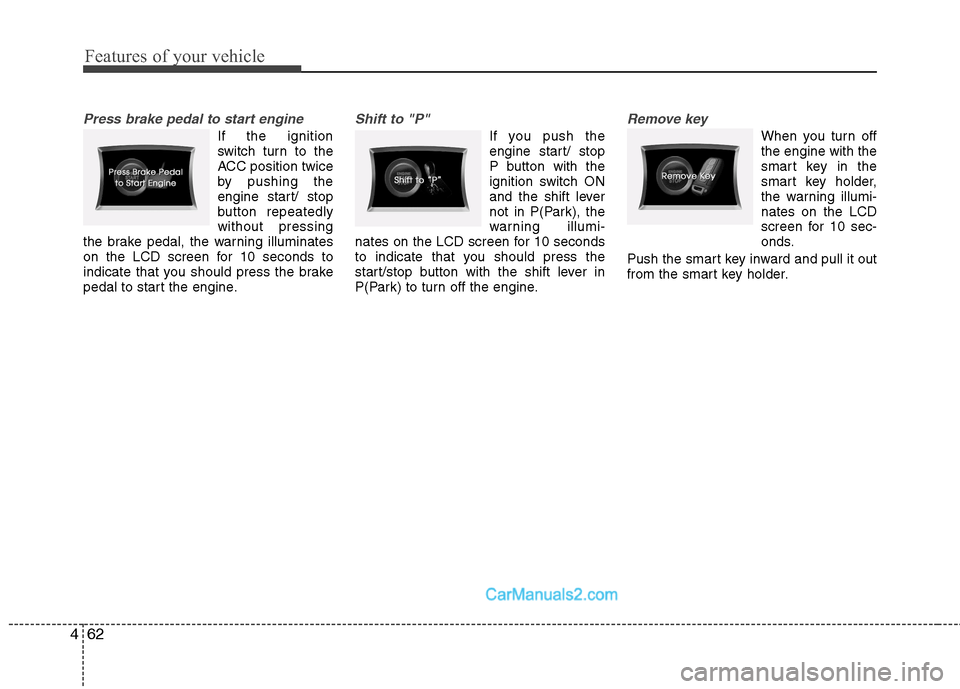
Press brake pedal to start engine
If the ignition
switch turn to the
ACC position twice
by pushing the
engine start/ stop
button repeatedlywithout pressing
the brake pedal, the warning illuminates
on the LCD screen for 10 seconds to
indicate that you should press the brake
pedal to start the engine.
Shift to "P"
If you push the
engine start/ stop
P button with the
ignition switch ON
and the shift lever
not in P(Park), the
warning illumi-
nates on the LCD screen for 10 seconds
to indicate that you should press the
start/stop button with the shift lever in
P(Park) to turn off the engine.
Remove key
When you turn off the engine with the
smart key in the
smart key holder,
the warning illumi-nates on the LCD
screen for 10 sec-
onds.
Push the smart key inward and pull it out
from the smart key holder.
Page 135 of 358
463
Features of your vehicle
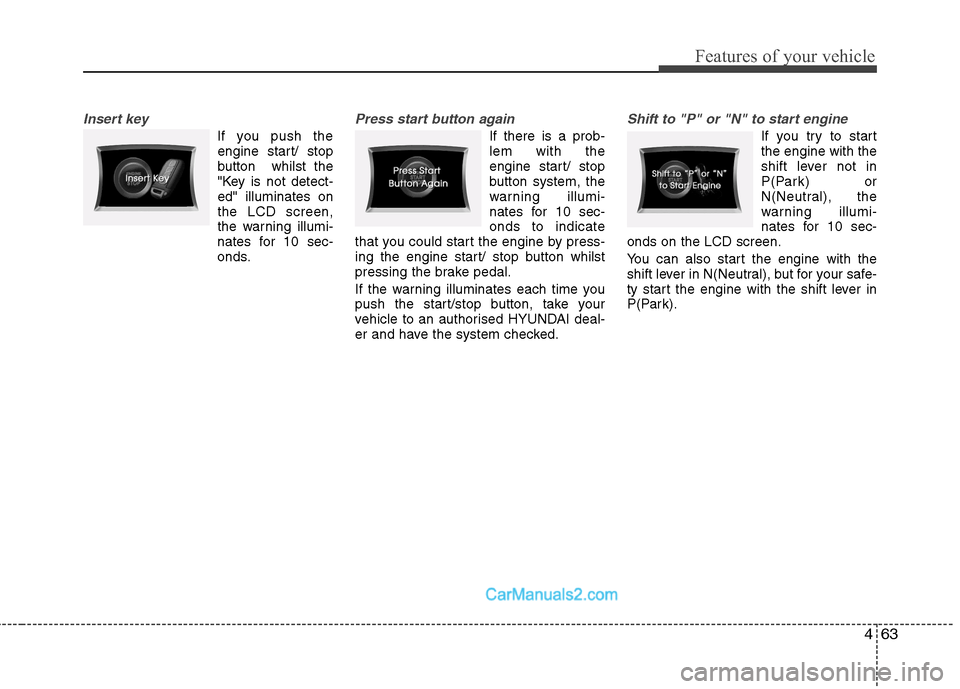
Insert key
If you push theengine start/ stop
button whilst the
"Key is not detect-ed" illuminates onthe LCD screen,
the warning illumi-
nates for 10 sec-
onds.
Press start button again
If there is a prob- lem with the
engine start/ stop
button system, the
warning illumi-
nates for 10 sec-onds to indicate
that you could start the engine by press-
ing the engine start/ stop button whilst
pressing the brake pedal.
If the warning illuminates each time you
push the start/stop button, take your
vehicle to an authorised HYUNDAI deal-
er and have the system checked.
Shift to "P" or "N" to start engine
If you try to start the engine with the
shift lever not in
P(Park) or
N(Neutral), the
warning illumi-
nates for 10 sec-
onds on the LCD screen.
You can also start the engine with the
shift lever in N(Neutral), but for your safe-
ty start the engine with the shift lever in
P(Park).
Page 151 of 358
479
Features of your vehicle
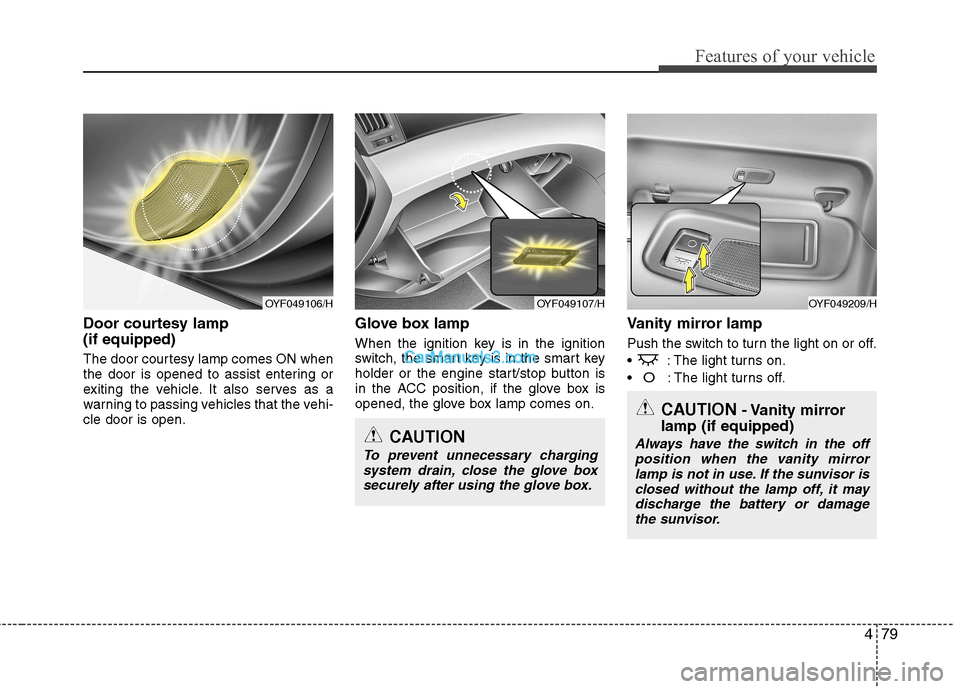
Door courtesy lamp (if equipped)
The door courtesy lamp comes ON when
the door is opened to assist entering or
exiting the vehicle. It also serves as a
warning to passing vehicles that the vehi-cle door is open.Glove box lamp
When the ignition key is in the ignition
switch, the smart key is in the smart key
holder or the engine start/stop button is
in the ACC position, if the glove box is
opened, the glove box lamp comes on.
Vanity mirror lamp
Push the switch to turn the light on or off.
: The light turns on.
O: The light turns off.
OYF049107/HOYF049209/H
CAUTION
To prevent unnecessary charging
system drain, close the glove box securely after using the glove box.
OYF049106/H
CAUTION - Vanity mirror
lamp (if equipped)
Always have the switch in the off position when the vanity mirror
lamp is not in use. If the sunvisor is closed without the lamp off, it maydischarge the battery or damage the sunvisor.