air condition Hyundai Sonata Hybrid 2012 User Guide
[x] Cancel search | Manufacturer: HYUNDAI, Model Year: 2012, Model line: Sonata Hybrid, Model: Hyundai Sonata Hybrid 2012Pages: 403, PDF Size: 7.86 MB
Page 86 of 403
45
Features of your vehicle
Smart key precautions
✽
✽NOTICE
• If, for some reason, you happen to lose
your smart key, you will not be able to
start the hybrid system. Tow the vehi-
cle, if necessary, and contact an
authorized HYUNDAI dealer.
• A maximum of 2 smart keys can be registered to a single vehicle. If you
lose a smart key, you should immedi-
ately take the vehicle and the second
key to your authorized HYUNDAI
dealer to protect it from potential
theft.
• The smart key will not work if any of the following occur:
- The smart key is close to a radiotransmitter such as a radio station or
an airport which can interfere with
normal operation of the smart key.
- The smart key near a mobile two- way radio system or a cellular
phone.
- Another vehicle’s smart key is being operated close to your vehicle.
When the smart key does not work
correctly, open and close the door with
the mechanical key. If you have a
problem with the smart key, contact
an authorized HYUNDAI dealer.
This device complies with Part 15 of
the FCC rules.
Operation is subject to the following two
conditions:
1. This device may not cause harmful
interference, and
2. This device must accept any interfer- ence received, including interference
that may cause undesired operation.
WARNING
Changes or modifications not
expressly approved by the party
responsible for compliance could
void the user’s authority to operate
the equipment. If the keyless entry
system is inoperative due to
changes or modifications not
expressly approved by the party
responsible for compliance, it will
not be covered by your manufactur-
er’s vehicle warranty.
CAUTION
Keep the smart key away fromwater or any liquid. If the keylessentry system is inoperative due toexposure to water or liquids, it willnot be covered by your manufactur- er’s vehicle warranty.
Page 115 of 403
Features of your vehicle
34
4
To adjust the Zone setting:
1. Determine the desired Zone Number
based upon your current location on
the Zone Map.
2. Press and hold the button for more than 3 but less than 6 seconds, the
current Zone Number will appear on
the display.
3. Pressing and holding the button again will cause the numbers to incre-
ment (Note: they will repeat …13, 14,
15, 1, 2, …). Releasing the button
when the desired Zone Number
appears on the display will set the new
Zone.
4. Within about 5 seconds the compass will start displaying a compass head-
ing again.
There are some conditions that can
cause changes to the vehicle magnets,
such as installing a ski rack or a CB
antenna. Body repair work on the vehicle
can also cause changes to the vehicle's
magnetic field. In these situations, the
compass will need to be re-calibrated to
quickly correct for these changes. To re-
calibrate the compass: 1. Press and hold the button for more
than 6 seconds. When the compass
memory is cleared a "C" will appear in
the display.
2. To calibrate the compass, drive the vehicle in 2 complete circles at less
than 5 mph (8 km/h).
Integrated HomeLink
®Wireless Control
System
The HomeLink® Wireless Control
System provides a convenient way to
replace up to three hand-held radio-fre-
quency (RF) transmitters with a single
built-in device. This innovative feature will
learn the radio frequency codes of most
current transmitters to operate devices
such as gate operators, garage door
openers, entry door locks, security sys-
tems, even home lighting. Both standard
and rolling code-equipped transmitters
can be programmed by following the out-
lined procedures. Additional HomeLink
®
information can be found at: www.home-
link.com or by calling 1-800-355-3515. Retain the original transmitter of the RF
device you are programming for use in
other vehicles as well as for future
HomeLink
®programming. It is also sug-
gested that upon the sale of the vehicle,
the programmed HomeLink
®buttons be
erased for security purposes.
CAUTION
Before programming HomeLink®to
a garage door opener or gate oper- ator, make sure that people and objects are out of the way of thedevice to prevent potential harm ordamage. Do not use HomeLink
®
with any garage door opener thatlacks the safety stop and reverse features required by U.S. federalsafety standards (this includes any garage door opener model manu-factured before April 1, 1982). Agarage door that cannot detect anobject - signaling the door to stop and reverse - does not meet currentU.S. federal safety standards. Using a garage door opener without thesefeatures increases the risk of seri- ous injury or death.
Page 137 of 403
Features of your vehicle
56
4
WARNING
Driving the vehicle with a warning
light on is dangerous. If the brake
warning light remains on, have the
brakes checked and repaired imme-
diately by an authorized HYUNDAI
dealer.
Brake system &
Parking brake & Brake fluid warning light
The brake warning light turned on when
the regenerative brake system is not
operated with brake system malfunction.
Have the system checked by an author-
ized HYUNDAI dealer as soon as possi-
ble.
When the brake function is not well or the
regenerative brake system is not operat-
ed with brake system malfunction, the
brake warning light turned on and 'check
brake' is displayed on the LCD. Have the
system checked by an authorized
HYUNDAI dealer as soon as possible.
Parking brake warning
This light illuminated when the parking
brake is applied with engine start/stop
button in the START or ON position. The
warning light should go off when the
parking brake is released. Low brake fluid level warning
If the warning light remains on, it may
indicate that the brake fluid level in the
reservoir is low.
If the warning light remains on:
1. Drive carefully to the nearest safe
location and stop your vehicle.
2. With the engine stopped, check the brake fluid level immediately and add
fluid as required. Then check all brake
components for fluid leaks.
3. Do not drive the vehicle if leaks are found, the warning light remains on or
the brakes do not operate properly.
Have the vehicle towed to any author-
ized HYUNDAI dealer for a brake sys-
tem inspection and necessary repairs.
Your vehicle is equipped with a dual-
diagonal braking system. This means you
still have braking on two wheels even if
one of the brake circuits is damaged or
malfunctions. With only one of the circuits
working, more than normal pedal travel
and greater pedal pressure are required
to stop the car. Also, the car will not stop
in as short a distance with only a portion
of the brake system working. If the
brakes fail while you are driving, shift to a
lower gear for additional engine braking
and stop the car as soon as it is safe to
do so. To check bulb operation, check whether
the parking brake and brake fluid warning
light illuminates when the engine
start/stop button is in the ON position.
CAUTION
When the brake function is not well
and the regenerative brake system isnot operated with brake system mal- function, the brake warning lightturned on with 'check brake' is dis- played on the LCD and warningchime will sound. In this conditionyou can stop your vehicle by apply- ing greater force to the brake pedalthan normal and the stopping dis- tance will be longer. Have the systemchecked by an authorized HYUNDAI dealer as soon as possible.
Page 147 of 403
Features of your vehicle
66
4
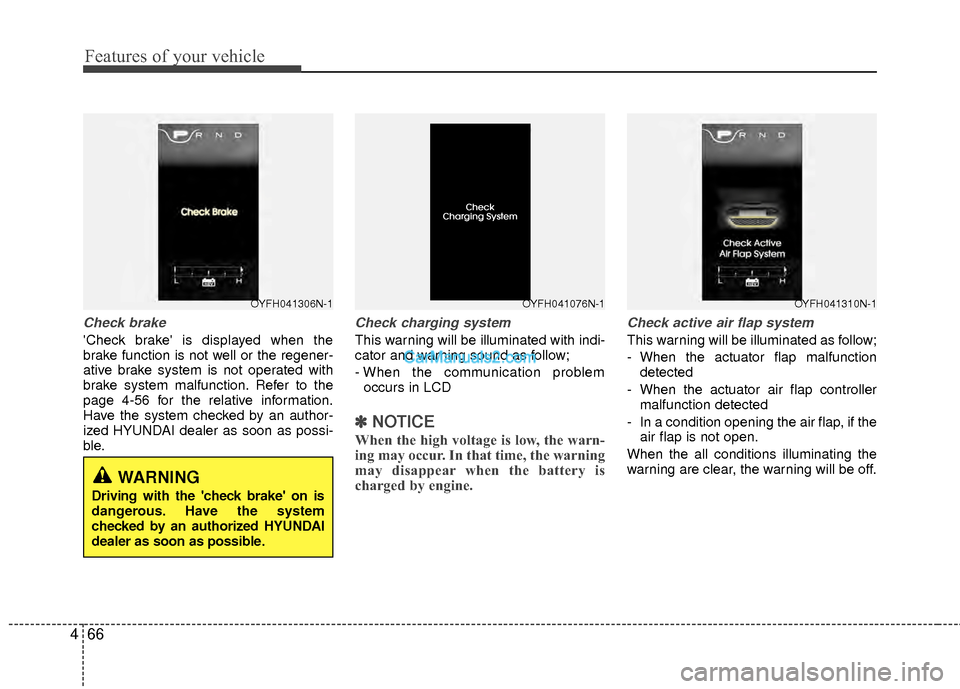
Check brake
'Check brake' is displayed when the
brake function is not well or the regener-
ative brake system is not operated with
brake system malfunction. Refer to the
page 4-56 for the relative information.
Have the system checked by an author-
ized HYUNDAI dealer as soon as possi-
ble.
Check charging system
This warning will be illuminated with indi-
cator and warning sound as follow;
- When the communication problem
occurs in LCD
✽ ✽ NOTICE
When the high voltage is low, the warn-
ing may occur. In that time, the warning
may disappear when the battery is
charged by engine.
Check active air flap system
This warning will be illuminated as follow;
- When the actuator flap malfunction
detected
- When the actuator air flap controller malfunction detected
- In a condition opening the air flap, if the air flap is not open.
When the all conditions illuminating the
warning are clear, the warning will be off.
OYFH041306N-1OYFH041076N-1OYFH041310N-1
WARNING
Driving with the 'check brake' on is
dangerous. Have the system
checked by an authorized HYUNDAI
dealer as soon as possible.
Page 148 of 403
467
Features of your vehicle
✽
✽NOTICE
In winter, the warning may not illumi-
nate immediately.
The active air flap system is even nor-
mal condition, the warning or warning
indicator(MIL) may be turned on. In
that time, check the flap frozen condi-
tion or attached materials.
If the flap is frozen in winter, the warn-
ing indicator(MIL) may be turned on
without warning contents.
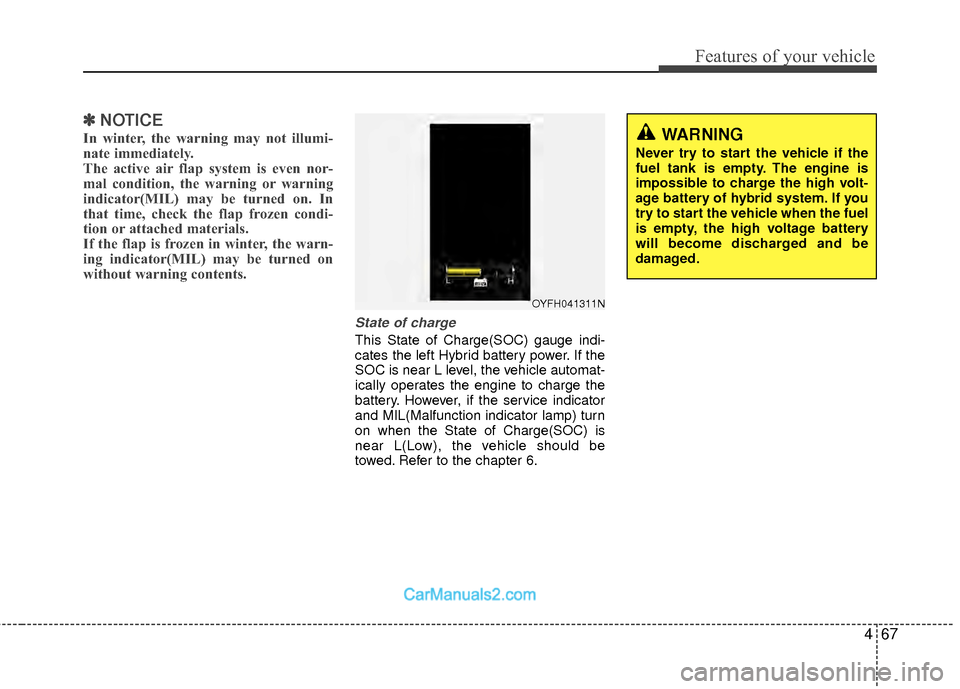
State of charge
This State of Charge(SOC) gauge indi-
cates the left Hybrid battery power. If the
SOC is near L level, the vehicle automat-
ically operates the engine to charge the
battery. However, if the service indicator
and MIL(Malfunction indicator lamp) turn
on when the State of Charge(SOC) is
near L(Low), the vehicle should be
towed. Refer to the chapter 6.
OYFH041311N
WARNING
Never try to start the vehicle if the
fuel tank is empty. The engine is
impossible to charge the high volt-
age battery of hybrid system. If you
try to start the vehicle when the fuel
is empty, the high voltage battery
will become discharged and be
damaged.
Page 161 of 403
Features of your vehicle
80
4
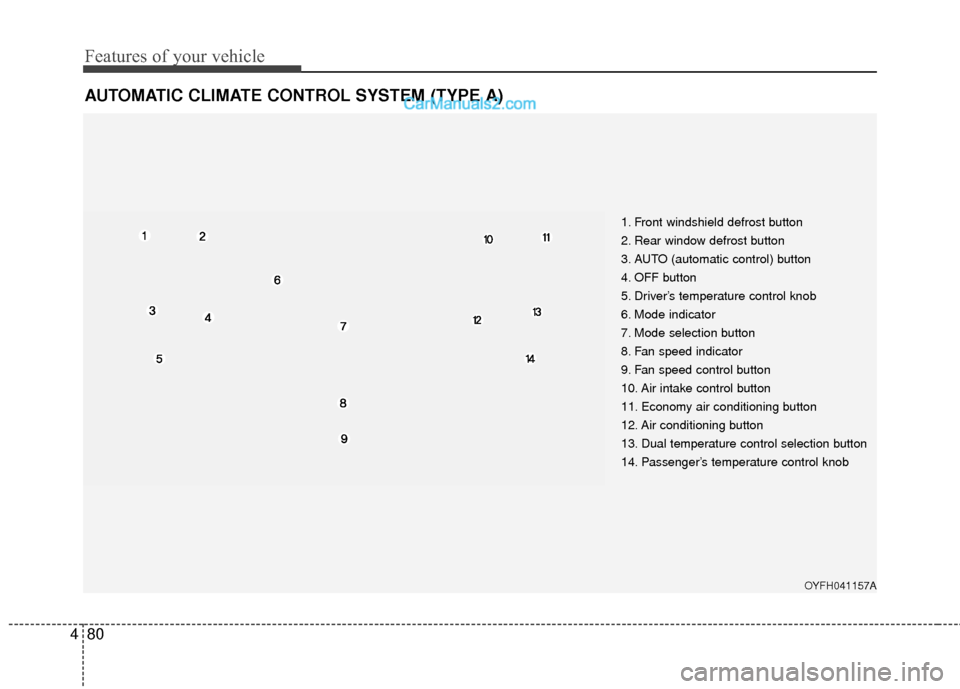
AUTOMATIC CLIMATE CONTROL SYSTEM (TYPE A)
1. Front windshield defrost button
2. Rear window defrost button
3. AUTO (automatic control) button
4. OFF button
5. Driver’s temperature control knob
6. Mode indicator
7. Mode selection button
8. Fan speed indicator
9. Fan speed control button
10. Air intake control button
11. Economy air conditioning button
12. Air conditioning button
13. Dual temperature control selection button
14. Passenger’s temperature control knob
OYFH041157A
Page 162 of 403
481
Features of your vehicle
Automatic heating and air condi-
tioning
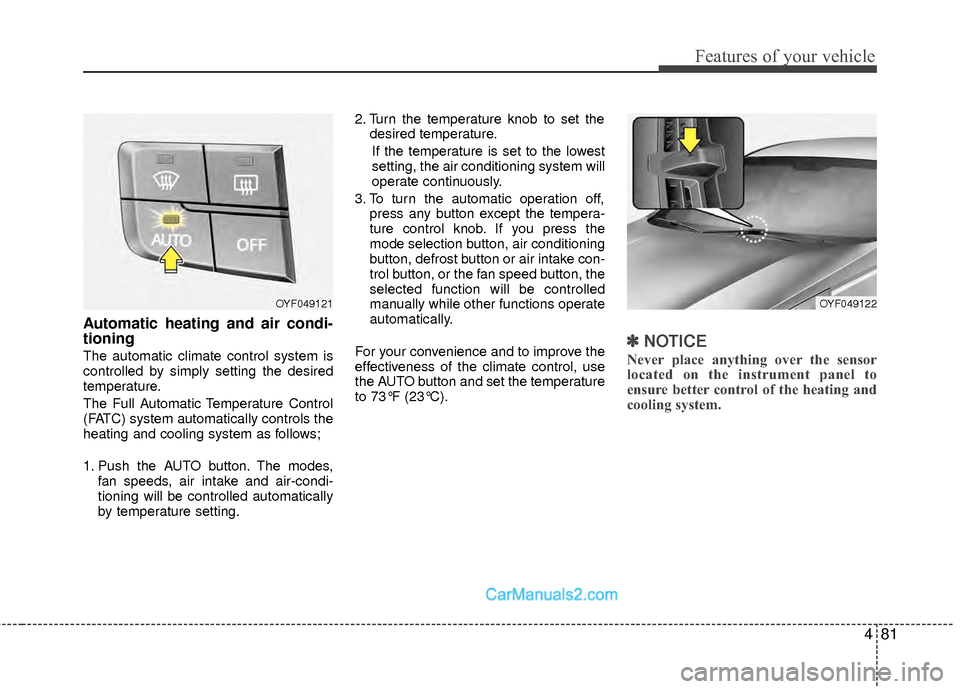
The automatic climate control system is
controlled by simply setting the desired
temperature.
The Full Automatic Temperature Control
(FATC) system automatically controls the
heating and cooling system as follows;
1. Push the AUTO button. The modes,fan speeds, air intake and air-condi-
tioning will be controlled automatically
by temperature setting. 2. Turn the temperature knob to set the
desired temperature.
If the temperature is set to the lowest
setting, the air conditioning system will
operate continuously.
3. To turn the automatic operation off, press any button except the tempera-
ture control knob. If you press the
mode selection button, air conditioning
button, defrost button or air intake con-
trol button, or the fan speed button, the
selected function will be controlled
manually while other functions operate
automatically.
For your convenience and to improve the
effectiveness of the climate control, use
the AUTO button and set the temperature
to 73°F (23°C).✽ ✽ NOTICE
Never place anything over the sensor
located on the instrument panel to
ensure better control of the heating and
cooling system.
OYF049122OYF049121
Page 163 of 403
Features of your vehicle
82
4
Manual heating and air condition-
ing
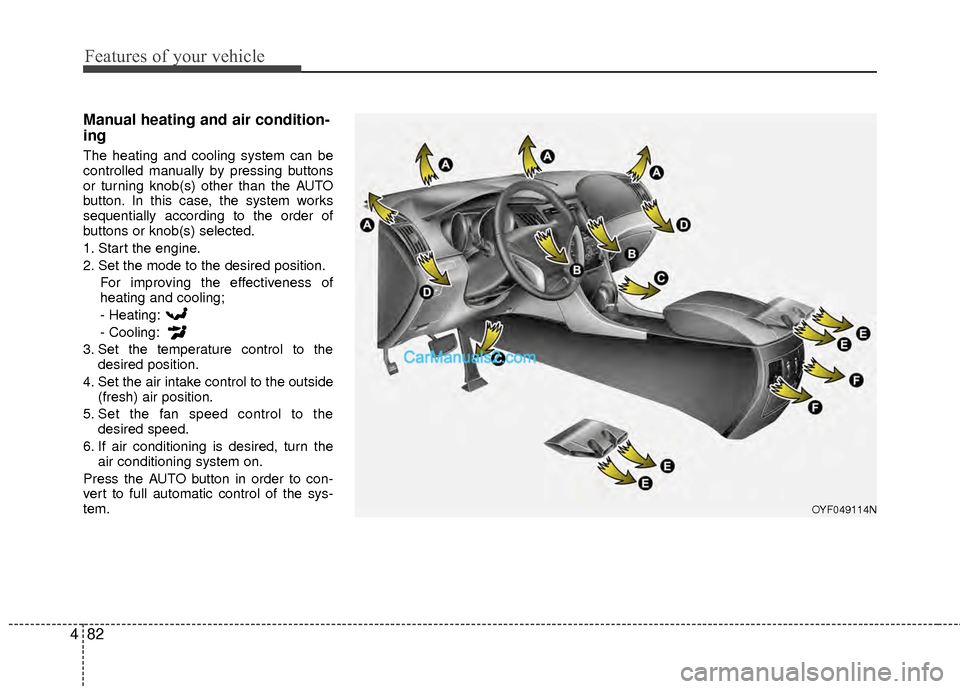
The heating and cooling system can be
controlled manually by pressing buttons
or turning knob(s) other than the AUTO
button. In this case, the system works
sequentially according to the order of
buttons or knob(s) selected.
1. Start the engine.
2. Set the mode to the desired position.
For improving the effectiveness of
heating and cooling;
- Heating:
- Cooling:
3. Set the temperature control to the desired position.
4. Set the air intake control to the outside (fresh) air position.
5. Set the fan speed control to the desired speed.
6. If air conditioning is desired, turn the air conditioning system on.
Press the AUTO button in order to con-
vert to full automatic control of the sys-
tem.
OYF049114N
Page 167 of 403
Features of your vehicle
86
4
✽
✽
NOTICE
Prolonged operation of the heater in the
recirculated air position (without air
conditioning selected) may cause fog-
ging of the windshield and side windows
and the air within the passenger com-
partment may become stale.
In addition, prolonged use of the air con-
ditioning with the recirculated air posi-
tion selected will result in excessively dry
air in the passenger compartment.
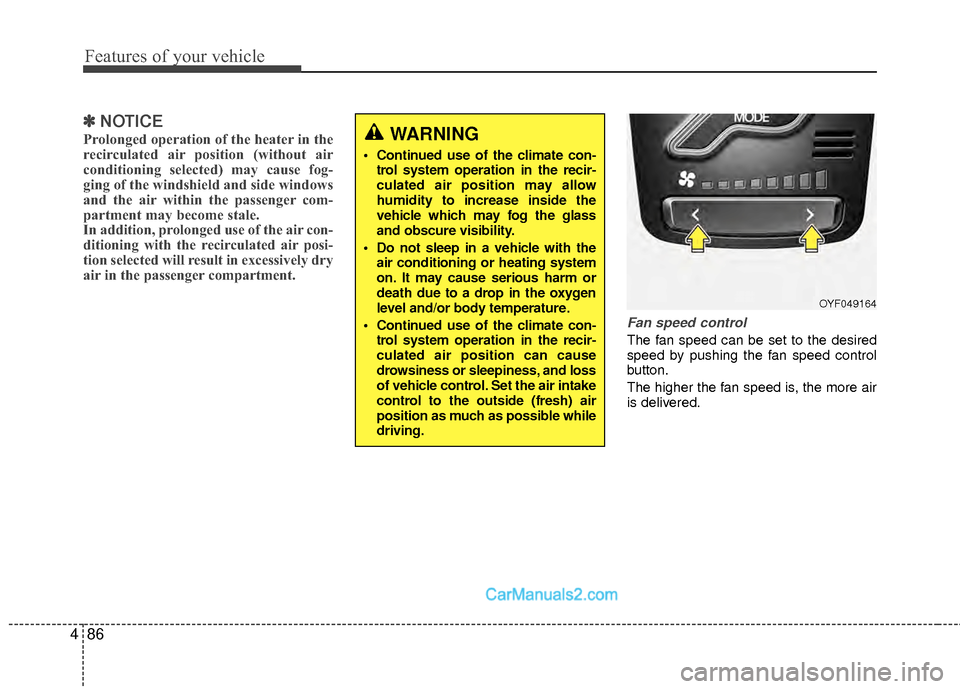
Fan speed control
The fan speed can be set to the desired
speed by pushing the fan speed control
button.
The higher the fan speed is, the more air
is delivered.
WARNING
Continued use of the climate con-
trol system operation in the recir-
culated air position may allow
humidity to increase inside the
vehicle which may fog the glass
and obscure visibility.
Do not sleep in a vehicle with the air conditioning or heating system
on. It may cause serious harm or
death due to a drop in the oxygen
level and/or body temperature.
Continued use of the climate con- trol system operation in the recir-
culated air position can cause
drowsiness or sleepiness, and loss
of vehicle control. Set the air intake
control to the outside (fresh) air
position as much as possible while
driving.
OYF049164
Page 168 of 403
487
Features of your vehicle
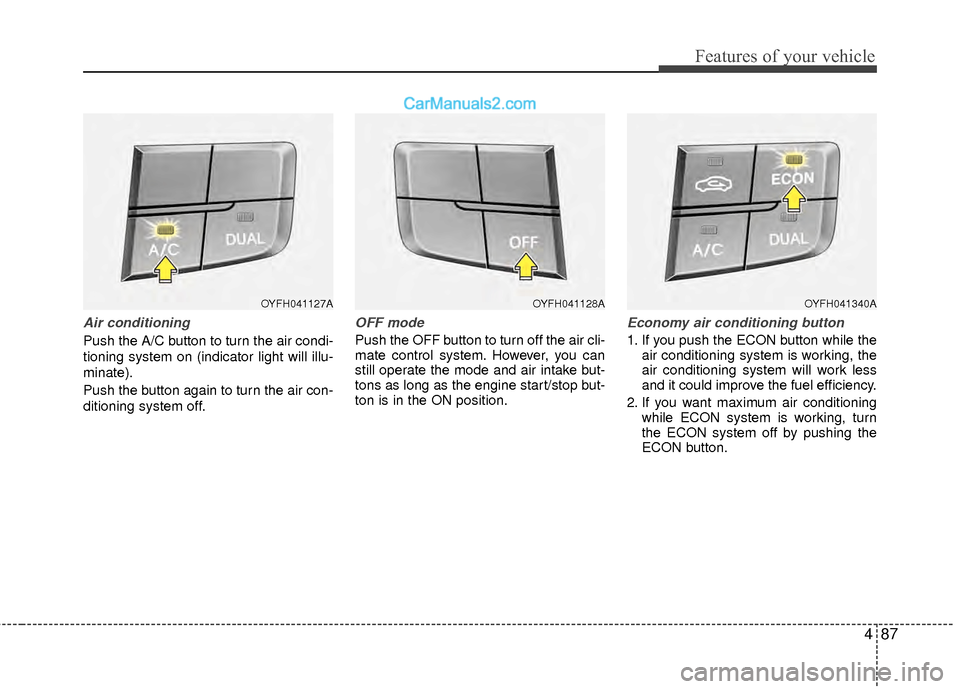
Air conditioning
Push the A/C button to turn the air condi-
tioning system on (indicator light will illu-
minate).
Push the button again to turn the air con-
ditioning system off.
OFF mode
Push the OFF button to turn off the air cli-
mate control system. However, you can
still operate the mode and air intake but-
tons as long as the engine start/stop but-
ton is in the ON position.
Economy air conditioning button
1. If you push the ECON button while theair conditioning system is working, the
air conditioning system will work less
and it could improve the fuel efficiency.
2. If you want maximum air conditioning while ECON system is working, turn
the ECON system off by pushing the
ECON button.
OYFH041127AOYFH041128AOYFH041340A