charging Hyundai Sonata Hybrid 2013 Owner's Manual
[x] Cancel search | Manufacturer: HYUNDAI, Model Year: 2013, Model line: Sonata Hybrid, Model: Hyundai Sonata Hybrid 2013Pages: 425, PDF Size: 36.95 MB
Page 13 of 425
17
Introduction
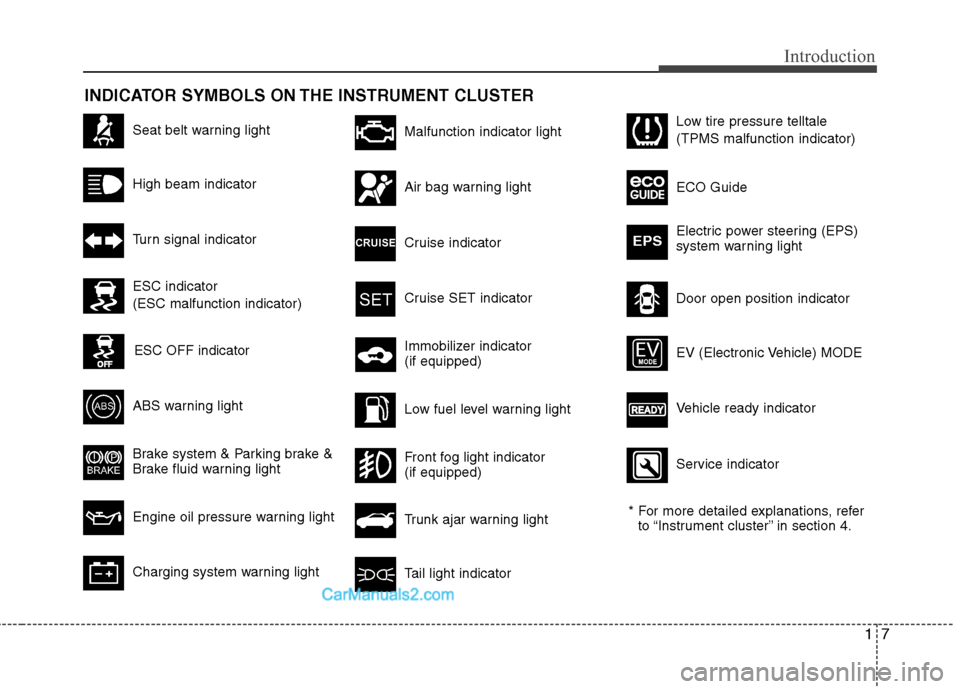
INDICATOR SYMBOLS ON THE INSTRUMENT CLUSTER
Seat belt warning light
High beam indicator
Turn signal indicator
ABS warning light
Brake system & Parking brake &
Brake fluid warning light
Engine oil pressure warning light
Malfunction indicator light
Air bag warning light
Cruise indicator
Cruise SET indicator
Immobilizer indicator
(if equipped)
Low fuel level warning light
* For more detailed explanations, refer
to “Instrument cluster” in section 4.
Charging system warning lightTail light indicator
Trunk ajar warning light
Front fog light indicator
(if equipped)
Door open position indicator Low tire pressure telltale
(TPMS malfunction indicator)
ECO Guide
Electric power steering (EPS)
system warning light
EPS
ESC indicator
(ESC malfunction indicator)
ESC OFF indicator
Vehicle ready indicator EV (Electronic Vehicle) MODE
Service indicator
Page 24 of 425
Safety features of your vehicle
6 3
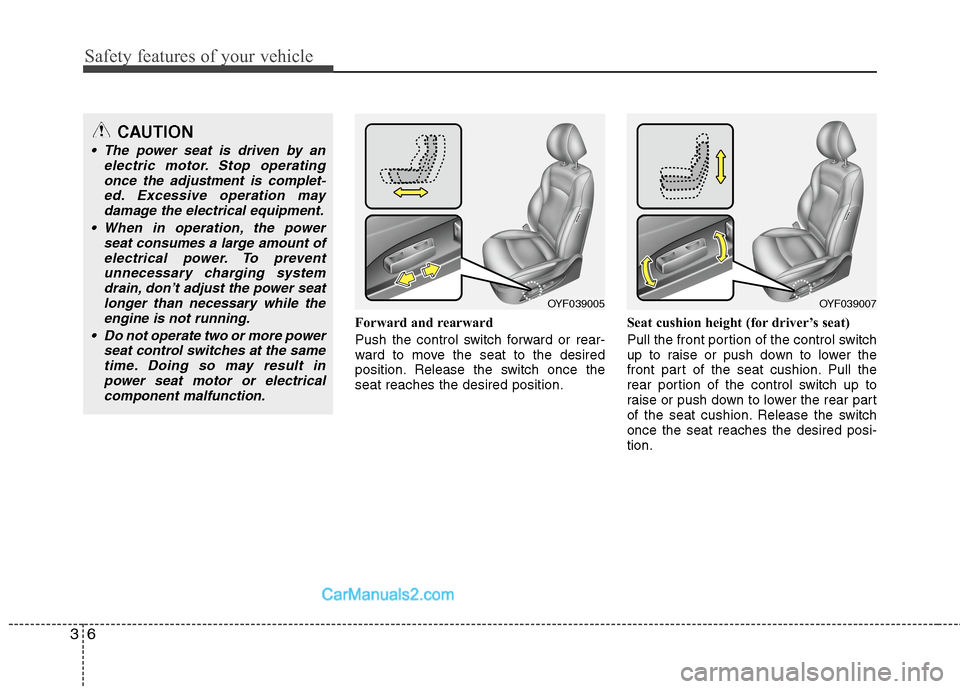
Forward and rearward
Push the control switch forward or rear-
ward to move the seat to the desired
position. Release the switch once the
seat reaches the desired position.Seat cushion height (for driver’s seat)
Pull the front portion of the control switch
up to raise or push down to lower the
front part of the seat cushion. Pull the
rear portion of the control switch up to
raise or push down to lower the rear part
of the seat cushion. Release the switch
once the seat reaches the desired posi-
tion.
CAUTION
The power seat is driven by an
electric motor. Stop operating
once the adjustment is complet-
ed. Excessive operation may
damage the electrical equipment.
When in operation, the power
seat consumes a large amount of
electrical power. To prevent
unnecessary charging system
drain, don’t adjust the power seat
longer than necessary while the
engine is not running.
Do not operate two or more power
seat control switches at the same
time. Doing so may result in
power seat motor or electrical
component malfunction.
OYF039005OYF039007
Page 138 of 425
Features of your vehicle
58 4
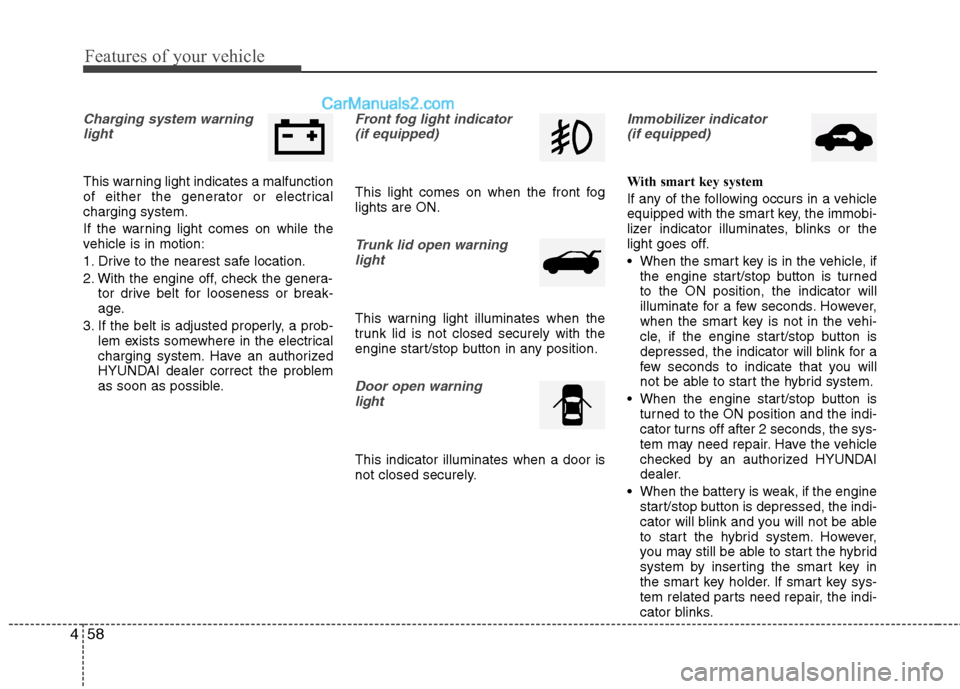
Charging system warning
light
This warning light indicates a malfunction
of either the generator or electrical
charging system.
If the warning light comes on while the
vehicle is in motion:
1. Drive to the nearest safe location.
2. With the engine off, check the genera-
tor drive belt for looseness or break-
age.
3. If the belt is adjusted properly, a prob-
lem exists somewhere in the electrical
charging system. Have an authorized
HYUNDAI dealer correct the problem
as soon as possible.
Front fog light indicator
(if equipped)
This light comes on when the front fog
lights are ON.
Trunk lid open warning
light
This warning light illuminates when the
trunk lid is not closed securely with the
engine start/stop button in any position.
Door open warning
light
This indicator illuminates when a door is
not closed securely.
Immobilizer indicator
(if equipped)
With smart key system
If any of the following occurs in a vehicle
equipped with the smart key, the immobi-
lizer indicator illuminates, blinks or the
light goes off.
When the smart key is in the vehicle, if
the engine start/stop button is turned
to the ON position, the indicator will
illuminate for a few seconds. However,
when the smart key is not in the vehi-
cle, if the engine start/stop button is
depressed, the indicator will blink for a
few seconds to indicate that you will
not be able to start the hybrid system.
When the engine start/stop button is
turned to the ON position and the indi-
cator turns off after 2 seconds, the sys-
tem may need repair. Have the vehicle
checked by an authorized HYUNDAI
dealer.
When the battery is weak, if the engine
start/stop button is depressed, the indi-
cator will blink and you will not be able
to start the hybrid system. However,
you may still be able to start the hybrid
system by inserting the smart key in
the smart key holder. If smart key sys-
tem related parts need repair, the indi-
cator blinks.
Page 146 of 425
Features of your vehicle
66 4
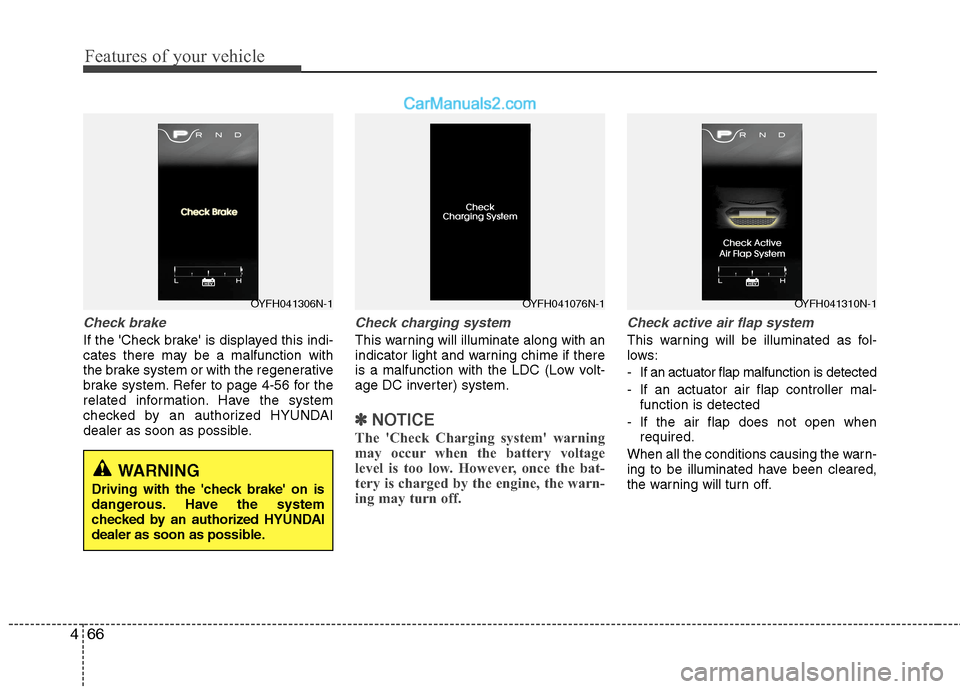
Check brake
If the 'Check brake' is displayed this indi-
cates there may be a malfunction with
the brake system or with the regenerative
brake system. Refer to page 4-56 for the
related information. Have the system
checked by an authorized HYUNDAI
dealer as soon as possible.
Check charging system
This warning will illuminate along with an
indicator light and warning chime if there
is a malfunction with the LDC (Low volt-
age DC inverter) system.
✽ ✽
NOTICE
The 'Check Charging system' warning
may occur when the battery voltage
level is too low. However, once the bat-
tery is charged by the engine, the warn-
ing may turn off.
Check active air flap system
This warning will be illuminated as fol-
lows:
- If an actuator flap malfunction is detected
- If an actuator air flap controller mal-
function is detected
- If the air flap does not open when
required.
When all the conditions causing the warn-
ing to be illuminated have been cleared,
the warning will turn off.
OYFH041306N-1OYFH041076N-1OYFH041310N-1
WARNING
Driving with the 'check brake' on is
dangerous. Have the system
checked by an authorized HYUNDAI
dealer as soon as possible.
Page 159 of 425
479
Features of your vehicle
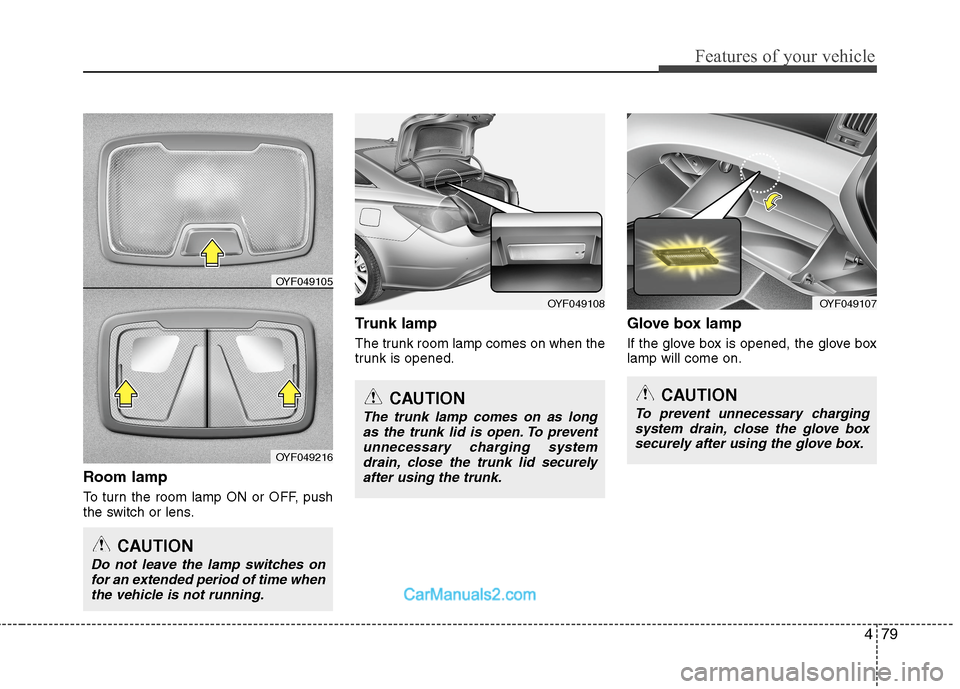
Room lamp
To turn the room lamp ON or OFF, push
the switch or lens.
Trunk lamp
The trunk room lamp comes on when the
trunk is opened.
Glove box lamp
If the glove box is opened, the glove box
lamp will come on.
OYF049108
CAUTION
Do not leave the lamp switches on
for an extended period of time when
the vehicle is not running.
CAUTION
The trunk lamp comes on as long
as the trunk lid is open. To prevent
unnecessary charging system
drain, close the trunk lid securely
after using the trunk.
OYF049105
OYF049216
OYF049107
CAUTION
To prevent unnecessary charging
system drain, close the glove box
securely after using the glove box.
Page 160 of 425
Features of your vehicle
80 4
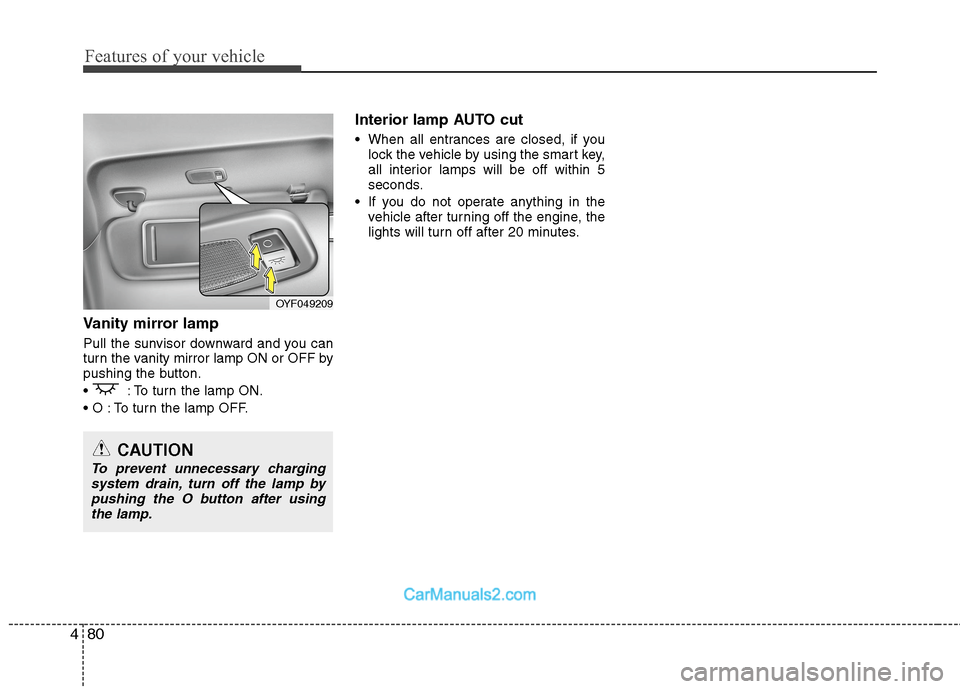
Vanity mirror lamp
Pull the sunvisor downward and you can
turn the vanity mirror lamp ON or OFF by
pushing the button.
: To turn the lamp ON.
To turn the lamp OFF.
Interior lamp AUTO cut
When all entrances are closed, if you
lock the vehicle by using the smart key,
all interior lamps will be off within 5
seconds.
If you do not operate anything in the
vehicle after turning off the engine, the
lights will turn off after 20 minutes.
OYF049209
CAUTION
To prevent unnecessary charging
system drain, turn off the lamp by
pushing the O button after using
the lamp.
Page 224 of 425
Features of your vehicle
144 4
✽
✽
NOTICE FOR USING THE
iPod®DEVICE
• Some iPod models may not support
communication protocol and files may
not properly play.
Supported iPod models:
- iPod Mini
- iPod 4th(Photo) ~ 6th(Classic)
generation
- iPod Nano 1st~4th generation
- iPod Touch 1st~2nd generation
• The order of search or playback of
songs in the iPod can be different
from the order searched in the audio
system.
• If the iPod disabled due to its own
malfunction, reset the iPod. (Reset:
Refer to iPod manual)
• An iPod may not operate normally on
low battery.
• Some iPod devices, such as the
iPhone, can be connected through the
Bluetooth
®Wireless Technology inter-
face. The device must have audio
Bluetooth
®Wireless Technology capa-
bility (such as for stereo headphone
Bluetooth
®Wireless Technology). The
device can play, but it will not be con-
trolled by the audio system.
(Continued)
(Continued)
Some USB flash memory readers
(such as CF, SD, micro SD, etc.) or
external-HDD type devices can be
unrecognizable.
Music files protected by DRM
(DIGITAL RIGHTS MANAGE-
MENT) are not recognizable.
The data in the USB memory may
be lost while using this audio.
Always back up important data on
a personal storage device.
Please avoid using USB memory
products which can be used as key
chains or cellular phone acces-
sories as they could cause dam-
age to the USB jack. Please make
certain only to use plug type con-
nector products as shown below.(Continued)
If you use devices such as a USB
hub purchased separately, the
vehicle’s audio system may not
recognize the USB device. In that
case, connect the USB device
directly to the multimedia terminal
of the vehicle.
If the USB device is divided by
logical drives, only the music files
on the highest-priority drive are
recognized by car audio.
Devices such as MP3 Player/
Cellular phone/Digital camera can
be unrecognizable by standard
USB I/F can be unrecognizable.
Charging through the USB may
not be supported in some mobile
devices.
USB HDD or USB types liable to
connection failures due to vehicle
vibrations are not supported.
(i-stick type)
Some non-standard USB devices
(METAL COVER TYPE USB) can
be unrecognizable.
(Continued)
Page 247 of 425
55
Driving your vehicle
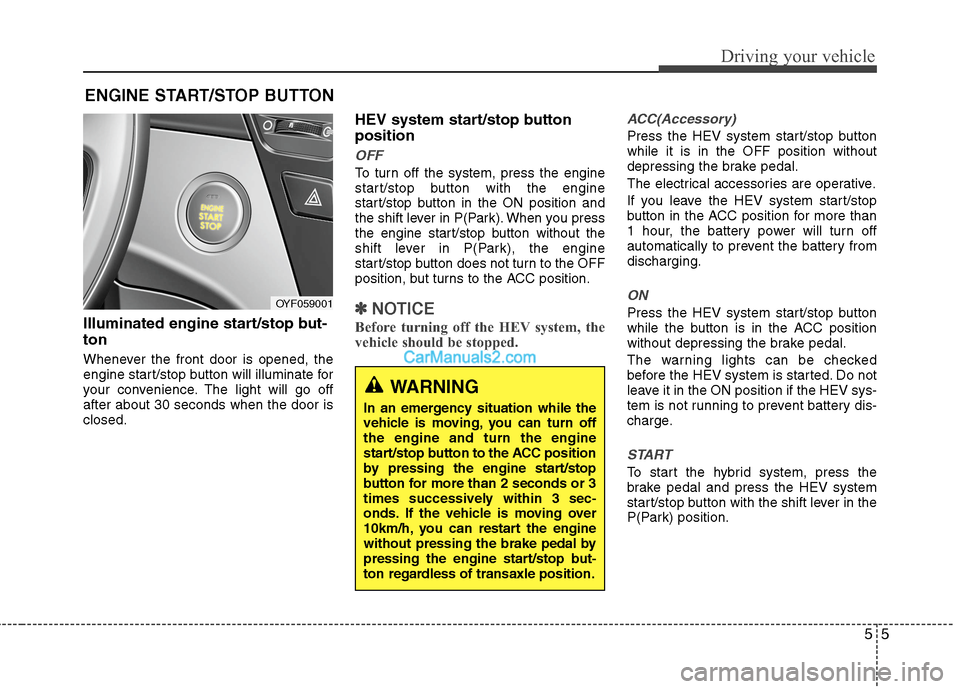
Illuminated engine start/stop but-
ton
Whenever the front door is opened, the
engine start/stop button will illuminate for
your convenience. The light will go off
after about 30 seconds when the door is
closed.
HEV system start/stop button
position
OFF
To turn off the system, press the engine
start/stop button with the engine
start/stop button in the ON position and
the shift lever in P(Park). When you press
the engine start/stop button without the
shift lever in P(Park), the engine
start/stop button does not turn to the OFF
position, but turns to the ACC position.
✽ ✽
NOTICE
Before turning off the HEV system, the
vehicle should be stopped.
ACC(Accessory)
Press the HEV system start/stop button
while it is in the OFF position without
depressing the brake pedal.
The electrical accessories are operative.
If you leave the HEV system start/stop
button in the ACC position for more than
1 hour, the battery power will turn off
automatically to prevent the battery from
discharging.
ON
Press the HEV system start/stop button
while the button is in the ACC position
without depressing the brake pedal.
The warning lights can be checked
before the HEV system is started. Do not
leave it in the ON position if the HEV sys-
tem is not running to prevent battery dis-
charge.
START
To start the hybrid system, press the
brake pedal and press the HEV system
start/stop button with the shift lever in the
P(Park) position.
ENGINE START/STOP BUTTON
OYF059001
WARNING
In an emergency situation while the
vehicle is moving, you can turn off
the engine and turn the engine
start/stop button to the ACC position
by pressing the engine start/stop
button for more than 2 seconds or 3
times successively within 3 sec-
onds. If the vehicle is moving over
10km/h, you can restart the engine
without pressing the brake pedal by
pressing the engine start/stop but-
ton regardless of transaxle position.
Page 293 of 425
67
What to do in an emergency
Jump starting procedure
1. Open the cover of battery in trunk room.
2. Make sure the booster battery is 12-
volt and that its negative terminal is
grounded.
3. If the booster battery is in another vehi-
cle, do not allow the vehicles to touch.
4. Turn off all unnecessary electrical loads.
5. Connect the jumper cables in the exact
sequence shown in the illustration.
First connect one end of a jumper
cable to the positive terminal of the
discharged battery (1), then connect
the other end to the positive terminal
on the booster battery (2). Proceed to
connect one end of the other jumper
cable to the negative terminal of the
booster battery (3), then the other end
to a solid, stationary, metallic point (for
example, the trunk latch) away from
the battery (4). Do not connect it to or
near any part that moves when the
engine is cranked.
Do not allow the jumper cables to con-
tact anything except the correct battery
terminals or the correct ground. Do not
lean over the battery when making
connections.6. Start the engine of the vehicle with the
booster battery and let it run at 2,000
rpm, then start the engine of the vehi-
cle with the discharged battery.
If the cause of your battery discharging is
not apparent, you should have your vehi-
cle checked by an authorized HYUNDAI
dealer.
Push-starting
Vehicles equipped with automatic
transaxles cannot be push-started.
Follow the directions in this section for
jump-starting.CAUTION- Battery cables
Do not connect the jumper cable
from the negative terminal of the
booster battery to the negative ter-
minal of the discharged battery.
This can cause the discharged bat-
tery to overheat and crack, releas-
ing battery acid.
WARNING
Never tow a vehicle to start it
because the sudden surge forward
when the engine starts could cause
a collision with the tow vehicle,
resulting in serious injury or death.
Page 348 of 425
Maintenance
34 7
For best 12V battery service
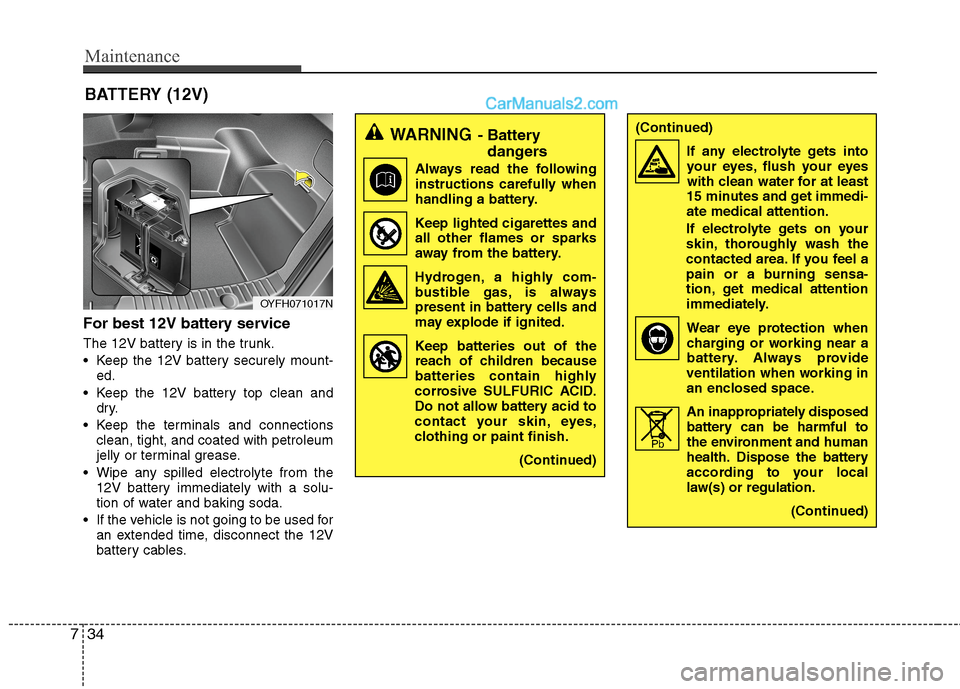
The 12V battery is in the trunk.
Keep the 12V battery securely mount-
ed.
Keep the 12V battery top clean and
dry.
Keep the terminals and connections
clean, tight, and coated with petroleum
jelly or terminal grease.
Wipe any spilled electrolyte from the
12V battery immediately with a solu-
tion of water and baking soda.
If the vehicle is not going to be used for
an extended time, disconnect the 12V
battery cables.
BATTERY (12V)
OYFH071017N
WARNING- Battery
dangers
Always read the following
instructions carefully when
handling a battery.
Keep lighted cigarettes and
all other flames or sparks
away from the battery.
Hydrogen, a highly com-
bustible gas, is always
present in battery cells and
may explode if ignited.
Keep batteries out of the
reach of children because
batteries contain highly
corrosive SULFURIC ACID.
Do not allow battery acid to
contact your skin, eyes,
clothing or paint finish.
(Continued)
(Continued)
If any electrolyte gets into
your eyes, flush your eyes
with clean water for at least
15 minutes and get immedi-
ate medical attention.
If electrolyte gets on your
skin, thoroughly wash the
contacted area. If you feel a
pain or a burning sensa-
tion, get medical attention
immediately.
Wear eye protection when
charging or working near a
battery. Always provide
ventilation when working in
an enclosed space.
An inappropriately disposed
battery can be harmful to
the environment and human
health. Dispose the battery
according to your local
law(s) or regulation.
(Continued)
Pb