start stop button HYUNDAI SONATA HYBRID 2014 User Guide
[x] Cancel search | Manufacturer: HYUNDAI, Model Year: 2014, Model line: SONATA HYBRID, Model: HYUNDAI SONATA HYBRID 2014Pages: 410, PDF Size: 17.26 MB
Page 243 of 410
5
Before driving / 5-3
Key / 5-4
Engine start/stop button / 5-7
Manual transaxle /5-11
Automatic transaxle / 5-14
Brake system / 5-21
Cruise control system / 5-31
Active ECO system / 5-35
Economical operation / 5-36
Special driving conditions / 5-38
Winter driving / 5-42
Vehicle load limit / 5-46
Vehicle weight / 5-51
Trailer towing / 5-52
Driving your vehicle
YF HMA 5.qxp 1/16/2012 6:22 PM Page 1
Page 249 of 410
57
Driving your vehicle
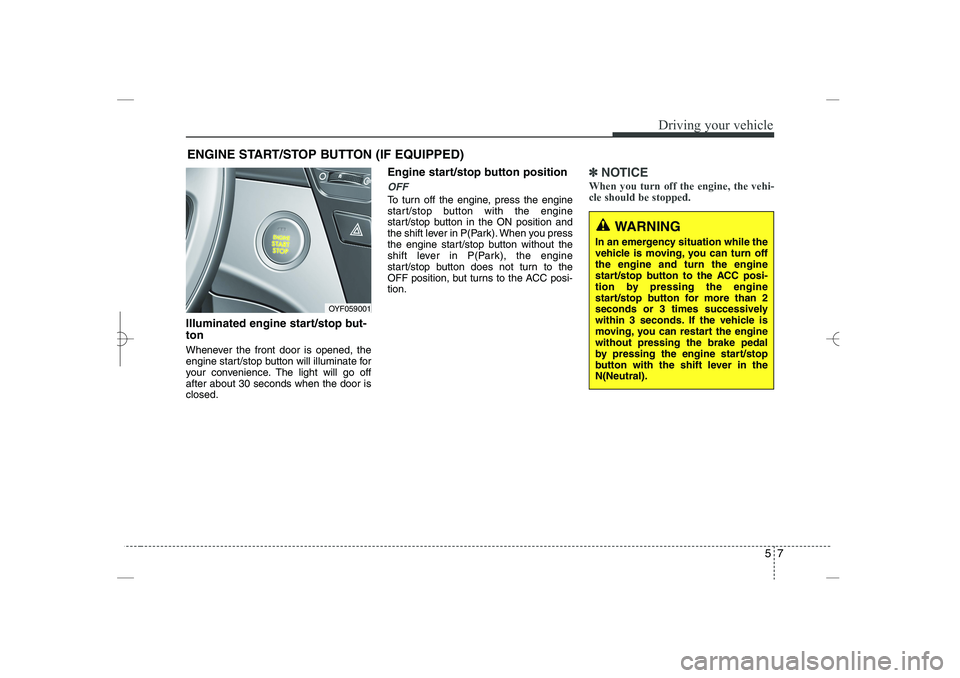
Illuminated engine start/stop but-
ton
Whenever the front door is opened, the
engine start/stop button will illuminate for
your convenience. The light will go off
after about 30 seconds when the door is
closed.
Engine start/stop button position
OFF
To turn off the engine, press the engine
start/stop button with the engine
start/stop button in the ON position and
the shift lever in P(Park). When you press
the engine start/stop button without the
shift lever in P(Park), the engine
start/stop button does not turn to the
OFF position, but turns to the ACC posi-
tion.
✽
✽
NOTICE
When you turn off the engine, the vehi-
cle should be stopped.
ENGINE START/STOP BUTTON (IF EQUIPPED)
OYF059001
WARNING
In an emergency situation while the
vehicle is moving, you can turn off
the engine and turn the engine
start/stop button to the ACC posi-
tion by pressing the engine
start/stop button for more than 2
seconds or 3 times successively
within 3 seconds. If the vehicle is
moving, you can restart the engine
without pressing the brake pedal
by pressing the engine start/stop
button with the shift lever in the
N(Neutral).
YF HMA 5.qxp 1/16/2012 6:23 PM Page 7
Page 250 of 410
Driving your vehicle
85
ACC(Accessory)
Press the engine start/stop button while it
is in the OFF position without depressing
the brake pedal.
The electrical accessories are operative.
If you leave the engine start/stop button
in the ACC position for more than 1 hour,
the battery power will turn off automati-
cally to prevent the battery from dis-
charging.
ON
Press the engine start/stop button while it
button is in the ACC position without
depressing the brake pedal.
The warning lights can be checked
before the engine is started. Do not leave
the ON position if the engine is not run-
ning to prevent battery discharge.
START
To start the engine, press the brake
pedal and press the engine start/stop
button with the shift lever in the P(Park)
or the N(Neutral) position.
For your safety, start the engine with the
shift lever in the P(Park) position.
✽
✽
NOTICE
• If you press the engine start/stop but-
ton without depressing the brake
pedal, the engine does not start and
the engine start/stop button changes
as follows :
OFF
→
→
ACC
→
→
ON
→
→
OFF
• If you leave the engine start/stop but-
ton in the ACC or the ON position for
a long time, the battery will be dis-
charged.
WARNING
Never press the engine start/stop
button while the vehicle is in
motion. This would result in loss
of directional control and braking
function, which could cause an
accident.
Before leaving the driver’s seat,
always make sure the shift lever
is engaged in P (Park), set the
parking brake fully and shut the
engine off. Unexpected and sud-
den vehicle movement may occur
if these precautions are not
taken.
Never reach for the engine
start/stop button, or any other
controls through the steering
wheel while the vehicle is in
motion. The presence of your
hand or arm in this area could
cause a loss of vehicle control,
an accident and serious bodily
injury or death.
Do not place any movable objects
around the driver’s seat as they
may move while driving, interfere
with the driver and lead to an
accident.
YF HMA 5.qxp 1/16/2012 6:23 PM Page 8
Page 251 of 410
59
Driving your vehicle
Starting the engine
1. Carry the smart key or leave it inside
the vehicle.
2. Make sure the parking brake is firmly
applied.
3. Place the shift lever in the P(Park)
position.
4. Depress the brake pedal.
5. Press the engine start/stop button.
6. In extremely cold weather (below -
18°C / 0°F) or after the vehicle has not
been operated for several days, let the
engine warm up without depressing
the accelerator.
Whether the engine is cold or warm, it
should be started without depressing
the accelerator.
Even if the smart key is in the vehicle,
if it is far away from you, the engine
may not start.
When the engine start/stop button is in
the ACC or ON position, if any door is
open, the system checks for the smart
key. If the smart key is not in the vehi-
cle, the warning, "Key is not in vehicle"
will come on, and if all doors are
closed, the chime will also sound for
about 5 seconds. The indicator will turn
off while the vehicle is moving. Keep
the smart key in the vehicle when
using the ACC position or if the vehicle
engine is on.
WARNING
Always wear appropriate shoes
when operating your vehicle.
Unsuitable shoes (high heels, ski
boots, etc.) may interfere with your
ability to use the brake and acceler-
ator pedal.
WARNING
The engine will start only when the
smart key is in the vehicle. Never
allow children or any person who is
unfamiliar with the vehicle to touch
the engine start/stop button or
related parts.
CAUTION
If the engine stalls while you are in
motion, do not attempt to move the
shift lever to the P (Park) position. If
traffic and road conditions permit,
you may put the shift lever in the
N(Neutral) position while the vehi-
cle is still moving and press the
engine start/stop button in an
attempt to restart the engine.
YF HMA 5.qxp 1/16/2012 6:23 PM Page 9
Page 252 of 410
Driving your vehicle
10
5
✽
✽
NOTICE
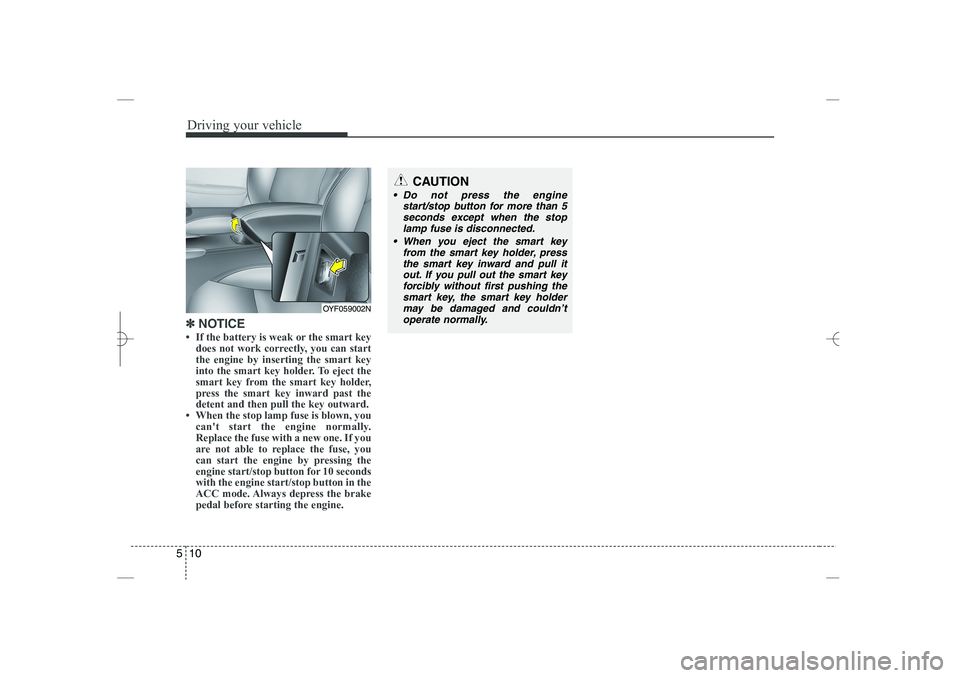
• If the battery is weak or the smart key
does not work correctly, you can start
the engine by inserting the smart key
into the smart key holder. To eject the
smart key from the smart key holder,
press the smart key inward past the
detent and then pull the key outward.
• When the stop lamp fuse is blown, you
can't start the engine normally.
Replace the fuse with a new one. If you
are not able to replace the fuse, you
can start the engine by pressing the
engine start/stop button for 10 seconds
with the engine start/stop button in the
ACC mode. Always depress the brake
pedal before starting the engine.
OYF059002N
CAUTION
Do not press the engine
start/stop button for more than 5
seconds except when the stop
lamp fuse is disconnected.
When you eject the smart key
from the smart key holder, press
the smart key inward and pull it
out. If you pull out the smart key
forcibly without first pushing the
smart key, the smart key holder
may be damaged and couldn’t
operate normally.
YF HMA 5.qxp 1/16/2012 6:23 PM Page 10
Page 370 of 410
755
Maintenance
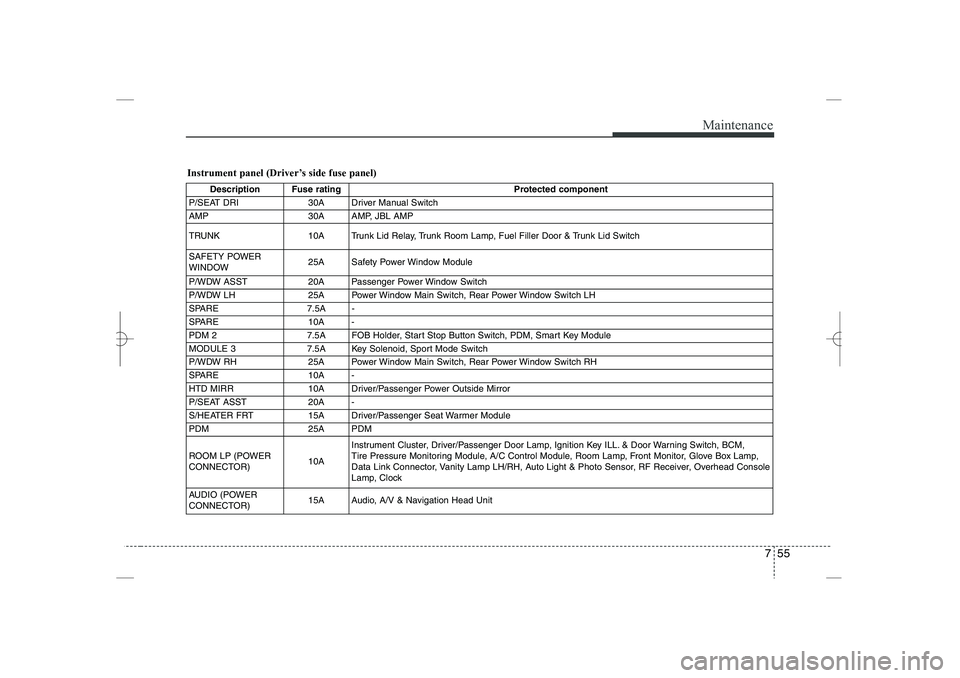
Instrument panel (Driver’s side fuse panel)
Description Fuse rating
Protected component
P/SEAT DRI
30A Driver Manual Switch
AMP
30A AMP, JBL AMP
TRUNK
10A Trunk Lid Relay, Trunk Room Lamp, Fuel Filler Door & Trunk Lid Switch
SAFETY POWER
WINDOW
25A Safety Power Window Module
P/WDW ASST
20A Passenger Power Window Switch
P/WDW LH
25A Power Window Main Switch, Rear Power Window Switch LH
SPARE
7.5A -
SPARE
10A -
PDM 2
7.5A FOB Holder, Start Stop Button Switch, PDM, Smart Key Module
MODULE 3
7.5A Key Solenoid, Sport Mode Switch
P/WDW RH
25A Power Window Main Switch, Rear Power Window Switch RH
SPARE
10A -
HTD MIRR
10A Driver/Passenger Power Outside Mirror
P/SEAT ASST
20A -
S/HEATER FRT
15A Driver/Passenger Seat Warmer Module
PDM
25A PDM
ROOM LP (POWER
CONNECTOR)
10A
Instrument Cluster, Driver/Passenger Door Lamp, Ignition Key ILL. & Door Warning Switch, BCM,
Tire Pressure Monitoring Module, A/C Control Module, Room Lamp, Front Monitor, Glove Box Lamp,
Data Link Connector, Vanity Lamp LH/RH, Auto Light & Photo Sensor, RF Receiver, Overhead Console
Lamp, Clock
AUDIO (POWER
CONNECTOR)
15A Audio, A/V & Navigation Head Unit
YF HMA 7.qxp 1/16/2012 6:20 PM Page 55
Page 402 of 410
Index
2
I
Active ECO system ·······················································5-35
Air bags··········································································3-37
Air bag warning label················································3-63
Air bag warning light ················································3-40
Curtain air bag···························································3-54
Driver's and passenger's front air bag ·······················3-49
Occupant classification system ·································3-44
Side impact air bag····················································3-53
SRS components and functions ································3-40
Air cleaner ·····································································7-29
Alarm system ·································································4-14
Antenna (glass) ····························································4-112
Anti-lock brake system (ABS) ······································5-24
Appearance care·····························································7-67
Exterior care ······························································7-67
Interior care ·······························································7-71
Armrest ··········································································3-13
Audio system ·······························································4-112
Glass antenna···························································4-112
Steering wheel audio control···································4-112
Automatic climate control system ·································4-93
Air conditioning ························································4-98
Automatic heating and air conditioning····················4-94
Manual heating and air conditioning ························4-95
Automatic transaxle ·······················································5-14
Ignition key interlock system ····································5-19
Paddle shifter·····························································5-17
Shift lock system ·······················································5-18
Sports mode·······························································5-17
Battery············································································7-34
Battery saver function····················································4-72
Before driving ··································································5-3
Binding arbitration ···························································8-9
Bottle holders, see cup holders ····································4-107
Brake system··································································5-21
Anti-lock brake system (ABS) ··································5-24
Electronic stability control (ESC) ·····························5-26
Parking brake ····························································5-22
Power brakes ·····························································5-21
Brakes/clutch fluid ·························································7-26
Bulb replacement ···························································7-59
Bulb wattage ····································································8-2
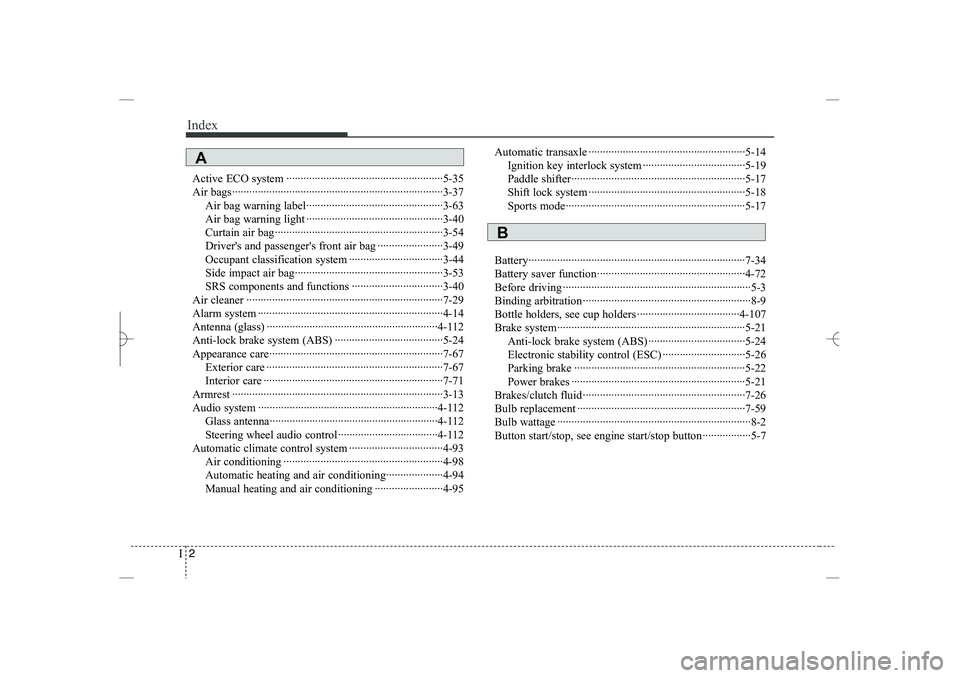
Button start/stop, see engine start/stop button·················5-7
A
B
YF HMA INDEX.QXP 5/16/2011 5:52 PM Page 2
Page 404 of 410
Index
4
I
Displays, see instrument cluster ····································4-50
Display illumination, see instrument panel
illumination ·······························································4-51
Door locks······································································4-18
Central door lock switch ···········································4-19
Child-protector rear door lock ··································4-21
Drink holders, see cup holders ····································4-107
Driver's 3-point system with emergency locking
retractor ·····································································3-19
Driver's air bag·······························································3-49
Driving at night······························································5-39
Driving in flooded areas ················································5-40
Driving in the rain ·························································5-40
Economical operation ····················································5-36
EDR, see Vehicle data collection and event data
recorders ······································································1-6
Electronic stability control (ESC) ·································5-26
Electric chromic mirror (ECM) with HomeLink system
and compass ······························································4-41
Electric power steering ··················································4-39
Emergency starting ··························································6-4
Jump starting ·······························································6-4
Push starting ································································6-5
Emergency while driving·················································6-2
Emission control system ················································7-73
Crankcase emission control system ··························7-73
Evaporative emission control System ·······················7-73
Exhaust emission control system ······························7-74
Engine compartment ················································2-4, 7-2
Engine coolant ·······························································7-24
Engine number ·································································8-7
Engine oil ·······································································7-22
Engine overheats······························································6-6
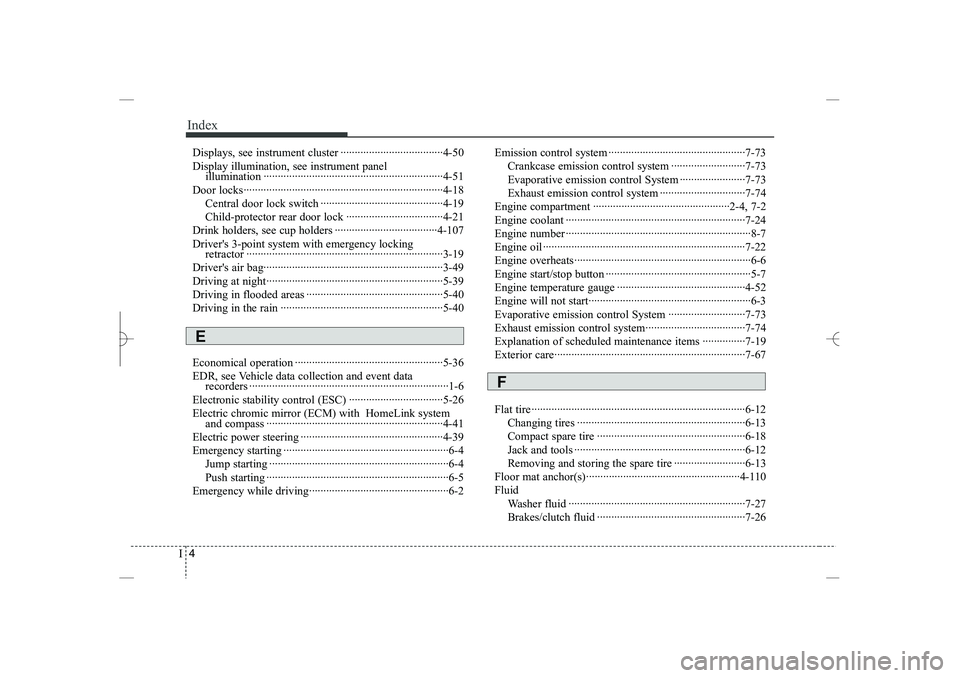
Engine start/stop button ···················································5-7
Engine temperature gauge ·············································4-52
Engine will not start·························································6-3
Evaporative emission control System ···························7-73
Exhaust emission control system···································7-74
Explanation of scheduled maintenance items ···············7-19
Exterior care···································································7-67
Flat tire ···········································································6-12
Changing tires ···························································6-13
Compact spare tire ····················································6-18
Jack and tools ····························································6-12
Removing and storing the spare tire ·························6-13
Floor mat anchor(s)······················································4-110
Fluid
Washer fluid ······························································7-27
Brakes/clutch fluid ····················································7-26
E
F
YF HMA INDEX.QXP 5/16/2011 5:52 PM Page 4