warning HYUNDAI SONATA HYBRID 2019 Owners Manual
[x] Cancel search | Manufacturer: HYUNDAI, Model Year: 2019, Model line: SONATA HYBRID, Model: HYUNDAI SONATA HYBRID 2019Pages: 546, PDF Size: 78.75 MB
Page 236 of 546
3-100
Convenient features of your vehicle
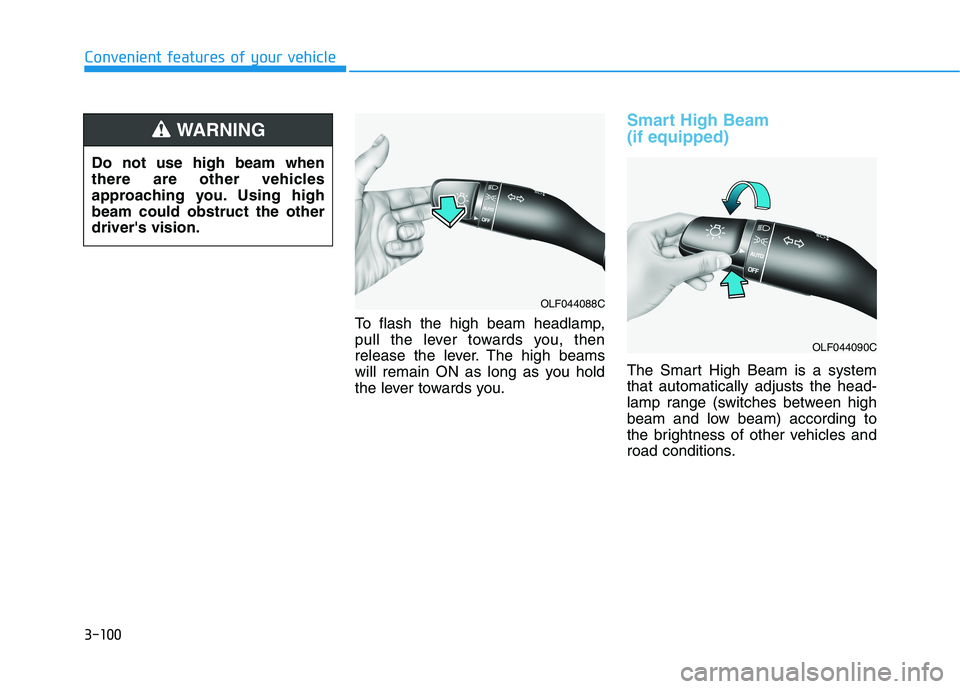
To flash the high beam headlamp,
pull the lever towards you, then
release the lever. The high beams
will remain ON as long as you hold
the lever towards you.
Smart High Beam (if equipped)
The Smart High Beam is a system that automatically adjusts the head-
lamp range (switches between high
beam and low beam) according to
the brightness of other vehicles and
road conditions.
OLF044088C
OLF044090C
Do not use high beam when
there are other vehicles
approaching you. Using highbeam could obstruct the otherdriver's vision.
WARNING
Page 237 of 546
3-101
Convenient features of your vehicle
3
Operating condition
1. Place the light switch in the AUTOposition.
2. Turn on the high beam by pushing the lever away from you.
The smart high beam ( ) indica- tor will illuminate.
3. The Smart High Beam will turn on when vehicle speed is above 45km/h (28 mph).
the Smart High Beam is operat-
ing, the Smart High Beam will
turn off and the high beam will
be on continuously. The smart
high beam ( ) indicator will
turn off.
when the Smart High Beam is
operating, the Smart High Beam
will turn off.
4. If the light switch is placed to the headlamp position, the Smart
High Beam will turn off and the
low beam will be on continuously. The high beam switches to low beam
in the below conditions.
- When the Smart High Beam is off.
- When the light switch is not in the
AUTO position.
- When the headlamp is detected from the on-coming vehicle.
- When the tail lamp is detected from the front vehicle.
- When the surrounding is bright enough high beams are not need- ed.
- When streetlights or other lights are detected.
- When vehicle speed is below 35 km/h (18 mph).
Warning light and message
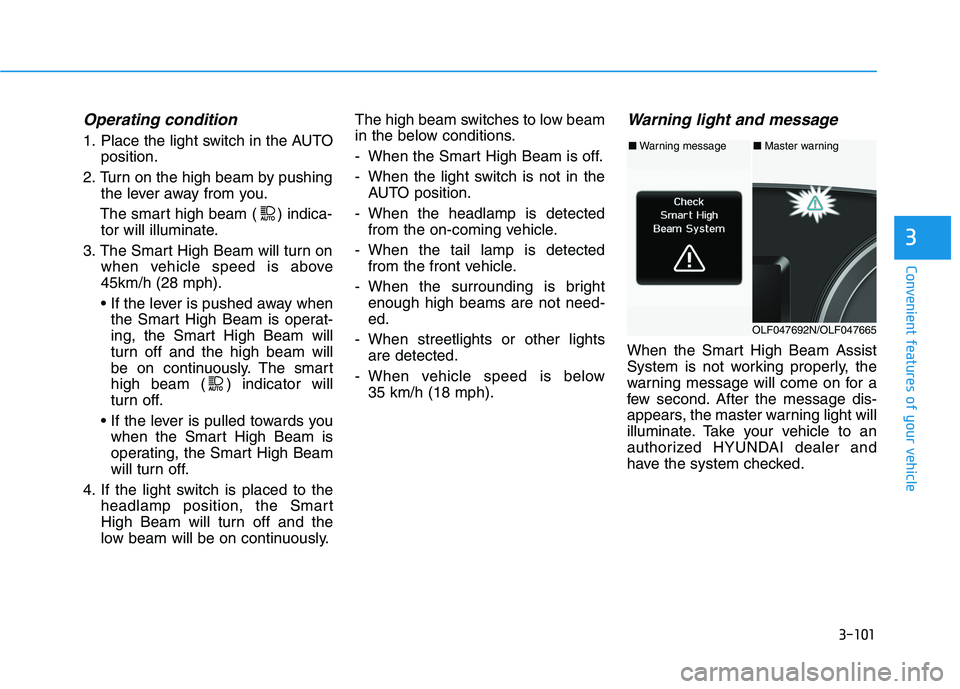
When the Smart High Beam Assist
System is not working properly, the
warning message will come on for a
few second. After the message dis-
appears, the master warning light will
illuminate. Take your vehicle to an
authorized HYUNDAI dealer and
have the system checked.
■Warning message■ Master warning
OLF047692N/OLF047665
Page 239 of 546
3-103
Convenient features of your vehicle
3
Turn signals and lane changesignals
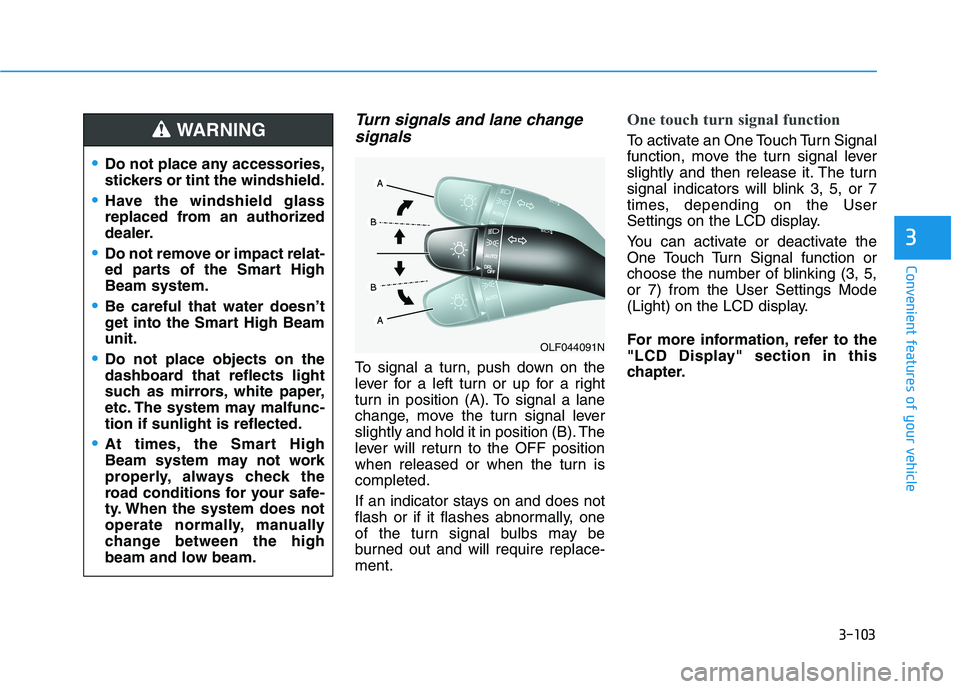
To signal a turn, push down on the
lever for a left turn or up for a right
turn in position (A). To signal a lane
change, move the turn signal lever
slightly and hold it in position (B). The
lever will return to the OFF position
when released or when the turn iscompleted.
If an indicator stays on and does not
flash or if it flashes abnormally, one
of the turn signal bulbs may be
burned out and will require replace-ment.
One touch turn signal function
To activate an One Touch Turn Signal
function, move the turn signal lever
slightly and then release it. The turn
signal indicators will blink 3, 5, or 7
times, depending on the User
Settings on the LCD display.
You can activate or deactivate the
One Touch Turn Signal function or
choose the number of blinking (3, 5,or 7) from the User Settings Mode
(Light) on the LCD display.
For more information, refer to the
"LCD Display" section in this
chapter.
OLF044091N
Do not place any accessories,
stickers or tint the windshield.
Have the windshield glass
replaced from an authorized
dealer.
Do not remove or impact relat-
ed parts of the Smart HighBeam system.
Be careful that water doesn’t
get into the Smart High Beamunit.
Do not place objects on the
dashboard that reflects light
such as mirrors, white paper,
etc. The system may malfunc-tion if sunlight is reflected.
At times, the Smart High
Beam system may not work
properly, always check the
road conditions for your safe-
ty. When the system does not
operate normally, manually
change between the high
beam and low beam.
WARNING
Page 243 of 546
3-107
Convenient features of your vehicle
3
Interior Lights
Do not use the interior lights for
extended periods when the engine
is turned off or the battery will dis-
charge.
Interior lamp AUTO cut
The interior lamps will automatically
go off approximately 20 minutes after
the engine is turned off and the
doors closed. If a door is opened, the
lamp will go off 40 minutes after the
engine is turned off. If the doors are
locked by the smart key and the vehi-
cle enters the armed stage of the
theft alarm system, the lamps will go
off five seconds later.
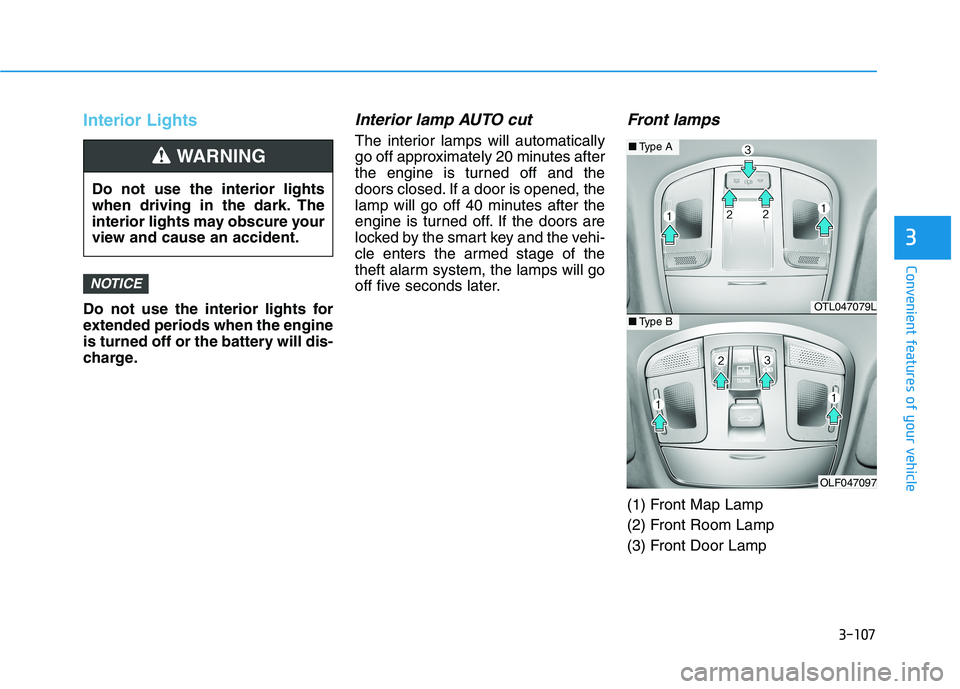
Front lamps
(1) Front Map Lamp
(2) Front Room Lamp
(3) Front Door Lamp
NOTICE
Do not use the interior lights
when driving in the dark. The
interior lights may obscure your
view and cause an accident.
WARNING
OTL047079L
OLF047097
■Type A
■Type B
Page 245 of 546
3-109
Convenient features of your vehicle
3
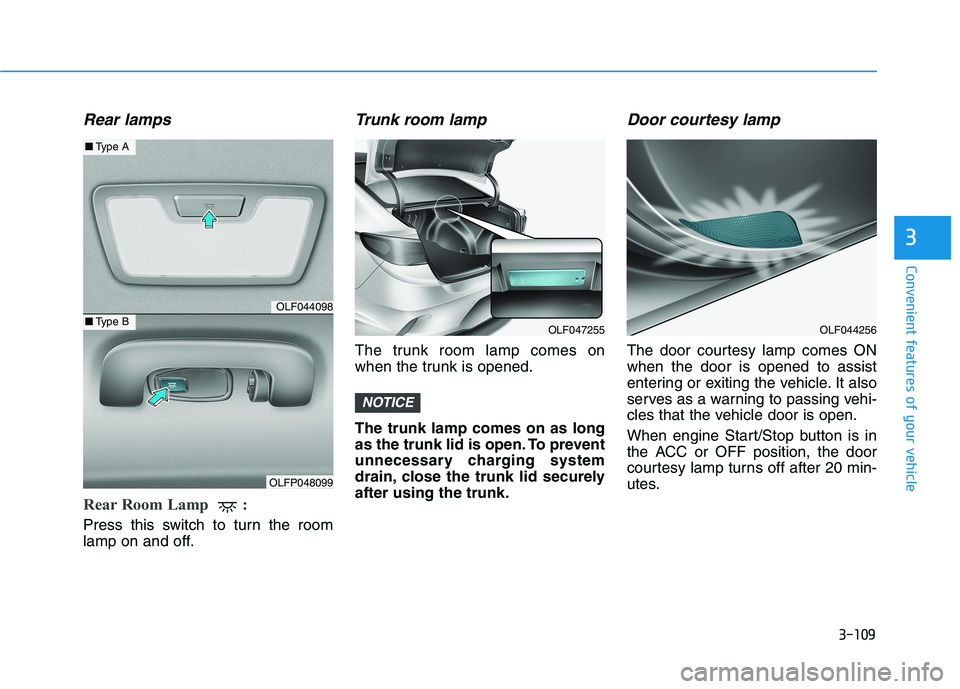
Rear lamps
Rear Room Lamp :
Press this switch to turn the room
lamp on and off.
Trunk room lamp
The trunk room lamp comes on
when the trunk is opened. The trunk lamp comes on as long
as the trunk lid is open. To prevent
unnecessary charging system
drain, close the trunk lid securelyafter using the trunk.
Door courtesy lamp
The door courtesy lamp comes ONwhen the door is opened to assist
entering or exiting the vehicle. It also
serves as a warning to passing vehi-
cles that the vehicle door is open.
When engine Start/Stop button is in
the ACC or OFF position, the door
courtesy lamp turns off after 20 min-
utes.
NOTICE
OLF044256OLF047255
OLF044098
OLFP048099
■Type A
■Type B
Page 248 of 546
3-112
Convenient features of your vehicle
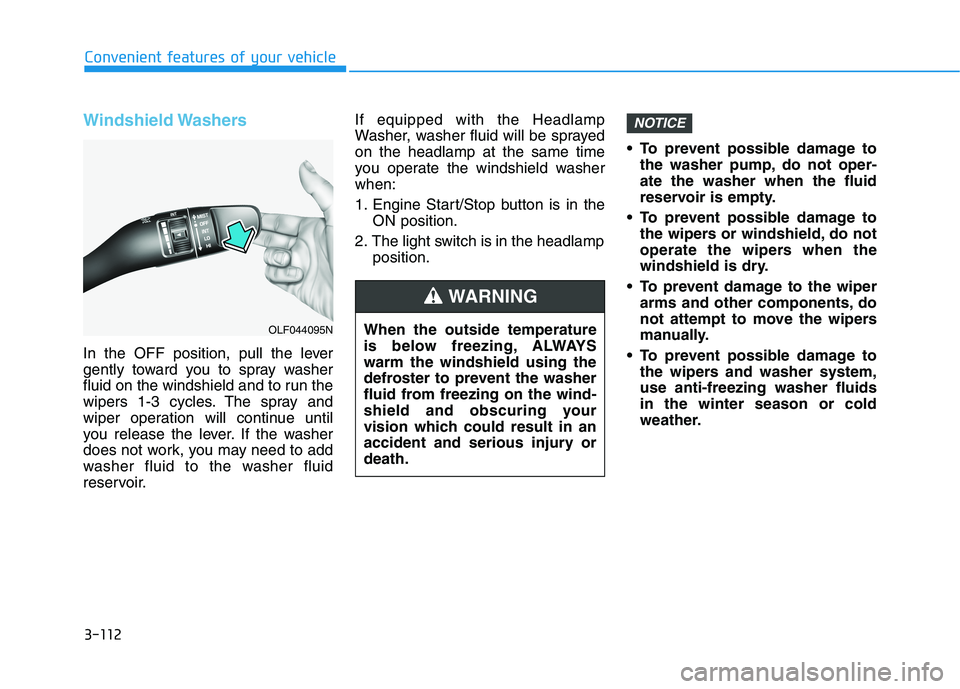
Windshield Washers
In the OFF position, pull the lever
gently toward you to spray washer
fluid on the windshield and to run the
wipers 1-3 cycles. The spray and
wiper operation will continue until
you release the lever. If the washer
does not work, you may need to add
washer fluid to the washer fluid
reservoir.If equipped with the Headlamp
Washer, washer fluid will be sprayedon the headlamp at the same time
you operate the windshield washerwhen:
1. Engine Start/Stop button is in the
ON position.
2. The light switch is in the headlamp position. To prevent possible damage to
the washer pump, do not oper- ate the washer when the fluid
reservoir is empty.
To prevent possible damage to the wipers or windshield, do not
operate the wipers when the
windshield is dry.
To prevent damage to the wiper arms and other components, do
not attempt to move the wipers
manually.
To prevent possible damage to the wipers and washer system,use anti-freezing washer fluidsin the winter season or cold
weather.
NOTICE
When the outside temperature
is below freezing, ALWAYSwarm the windshield using the
defroster to prevent the washer
fluid from freezing on the wind-
shield and obscuring your
vision which could result in an
accident and serious injury ordeath.
WARNING
OLF044095N
Page 249 of 546
3-113
Convenient features of your vehicle
3
DDRRIIVV EERR AA SSSSIISS TT SS YY SSTT EEMM
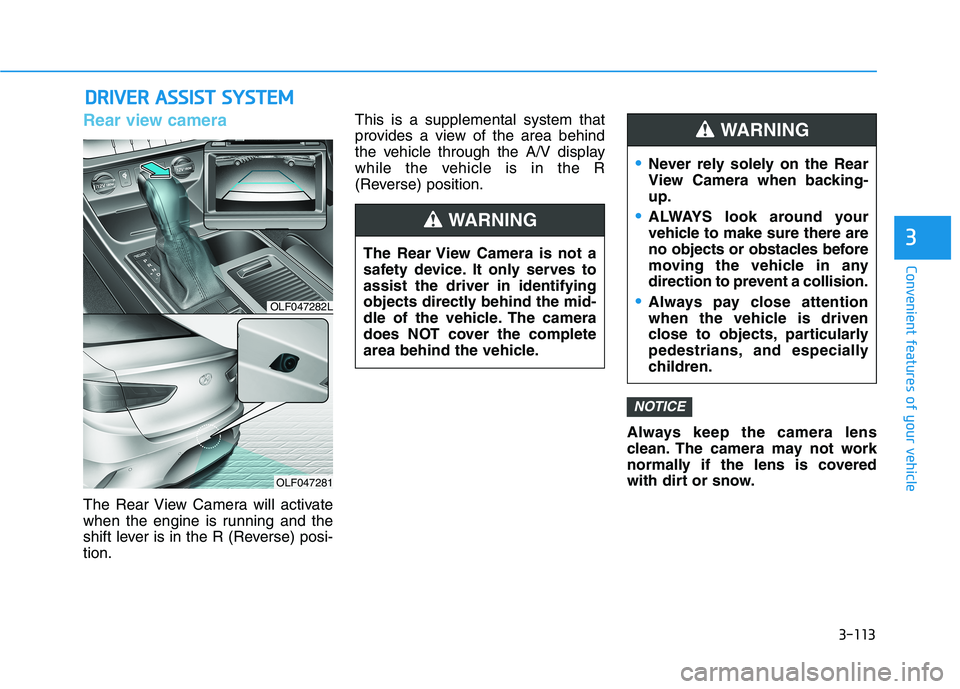
Rear view camera
The Rear View Camera will activate
when the engine is running and the
shift lever is in the R (Reverse) posi-tion. This is a supplemental system that
provides a view of the area behind
the vehicle through the A/V display
while the vehicle is in the R
(Reverse) position.
Always keep the camera lens
clean. The camera may not work
normally if the lens is covered
with dirt or snow.
NOTICE
The Rear View Camera is not a
safety device. It only serves toassist the driver in identifying
objects directly behind the mid-
dle of the vehicle. The camera
does NOT cover the complete
area behind the vehicle.
WARNING
Never rely solely on the Rear
View Camera when backing-up.
ALWAYS look around your
vehicle to make sure there are
no objects or obstacles before
moving the vehicle in any
direction to prevent a collision.
Always pay close attention
when the vehicle is driven
close to objects, particularly
pedestrians, and especially
children.
WARNING
OLF047282L
OLF047281
Page 250 of 546
3-114
Convenient features of your vehicle
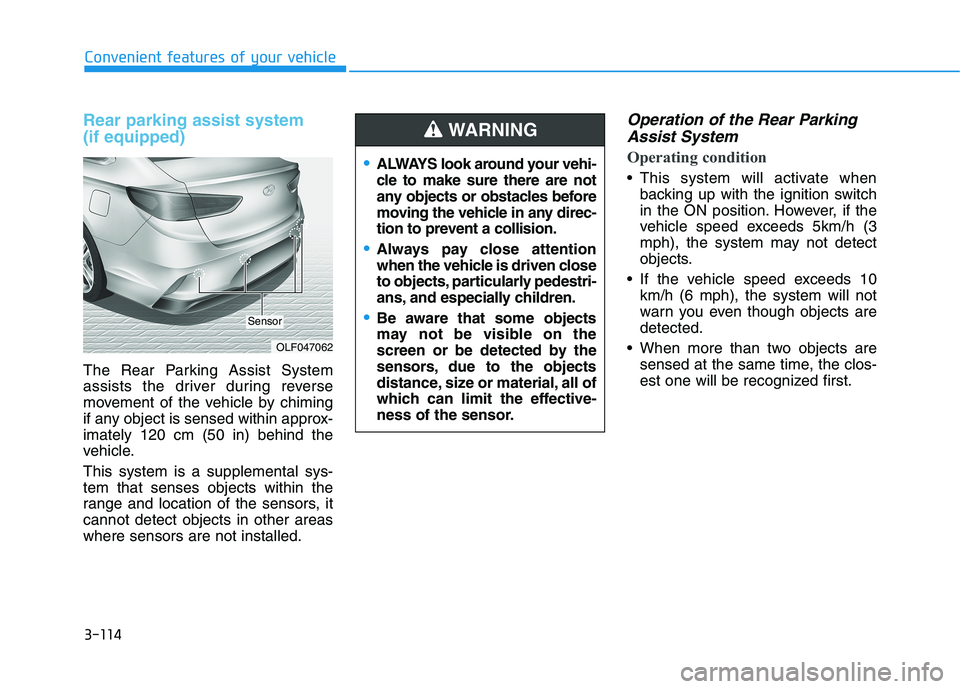
Rear parking assist system (if equipped)
The Rear Parking Assist System
assists the driver during reverse
movement of the vehicle by chiming
if any object is sensed within approx-imately 120 cm (50 in) behind the
vehicle. This system is a supplemental sys- tem that senses objects within the
range and location of the sensors, itcannot detect objects in other areaswhere sensors are not installed.
Operation of the Rear ParkingAssist System
Operating condition
This system will activate when backing up with the ignition switch
in the ON position. However, if the
vehicle speed exceeds 5km/h (3
mph), the system may not detect
objects.
If the vehicle speed exceeds 10 km/h (6 mph), the system will not
warn you even though objects aredetected.
When more than two objects are sensed at the same time, the clos-
est one will be recognized first.
OLF047062
Sensor
ALWAYS look around your vehi-
cle to make sure there are not
any objects or obstacles before
moving the vehicle in any direc-
tion to prevent a collision.
Always pay close attention
when the vehicle is driven close
to objects, particularly pedestri-
ans, and especially children.
Be aware that some objects
may not be visible on the
screen or be detected by the
sensors, due to the objects
distance, size or material, all of
which can limit the effective-
ness of the sensor.
WARNING
Page 251 of 546
3-115
Convenient features of your vehicle
3
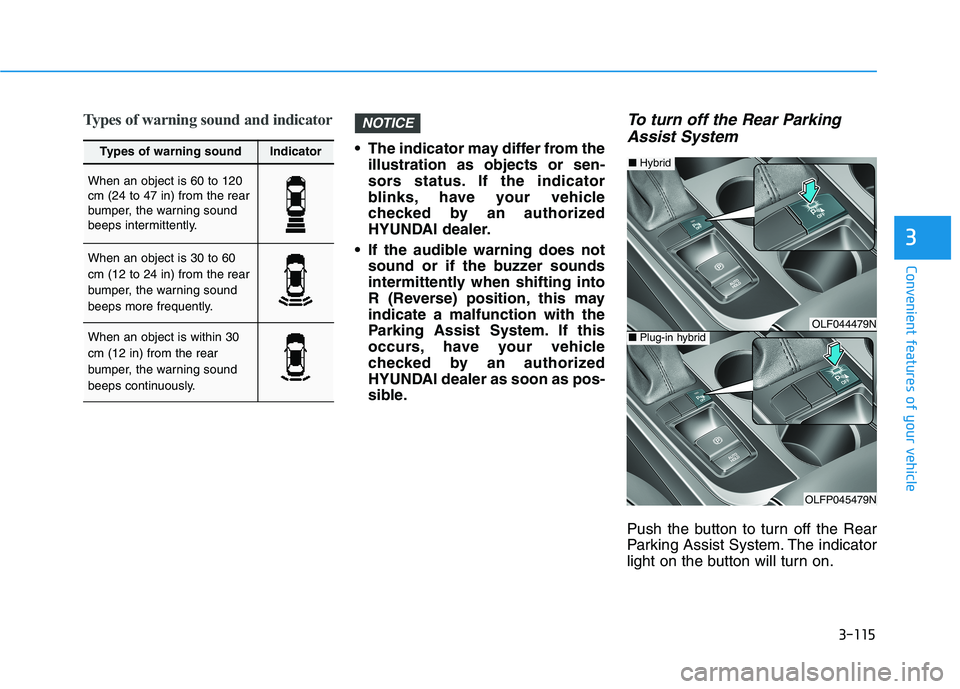
Types of warning sound and indicator
The indicator may differ from theillustration as objects or sen-
sors status. If the indicator
blinks, have your vehicle
checked by an authorized
HYUNDAI dealer.
If the audible warning does not sound or if the buzzer sounds
intermittently when shifting into
R (Reverse) position, this mayindicate a malfunction with the
Parking Assist System. If this
occurs, have your vehicle
checked by an authorized
HYUNDAI dealer as soon as pos-
sible.
To turn off the Rear Parking
Assist System
Push the button to turn off the Rear
Parking Assist System. The indicator
light on the button will turn on.
NOTICE
Types of warning soundIndicator
When an object is 60 to 120 cm (24 to 47 in) from the rear
bumper, the warning sound
beeps intermittently.
When an object is 30 to 60 cm (12 to 24 in) from the rear
bumper, the warning sound
beeps more frequently.
When an object is within 30 cm (12 in) from the rear
bumper, the warning sound
beeps continuously.OLF044479N
OLFP045479N
■ Plug-in hybrid
■Hybrid
Page 253 of 546
3-117
Convenient features of your vehicle
3
Rear parking assist system precautions
The rear parking assist systemmay not operate consistently in some circumstances depending on
the speed of the vehicle and theshapes of the objects detected.
The rear parking assist system may malfunction if the vehicle
bumper height or sensor installa-tion has been modified or dam-
aged. Any non-factory installed
equipment or accessories may
also interfere with the sensor per-
formance.
The sensor may not recognize objects less than 40 cm (15 in.)
from the sensor, or it may sense an
incorrect distance. Use caution.
When the sensor is blocked with snow, dirt, debris, or ice, the rear
parking assist system may be inop-
erative until the snow or ice melts,
or the debris is removed. Use a
soft cloth to wipe debris away from
the sensor. Do not push, scratch or strike the
sensor with any hard objects that
could damage the surface of the
sensor. Sensor damage could
occur.
Do not spray the sensors or its sur- rounding area directly with a high
pressure washer. Doing so may
cause the sensors to fail to operate
normally.
Your new vehicle warranty does
not cover any accidents or dam-
age to the vehicle or injuries toits occupants related to a Rear
Parking Assist System. Always
drive safely and cautiously.
WARNING