air condition HYUNDAI SONATA HYBRID 2019 User Guide
[x] Cancel search | Manufacturer: HYUNDAI, Model Year: 2019, Model line: SONATA HYBRID, Model: HYUNDAI SONATA HYBRID 2019Pages: 546, PDF Size: 78.75 MB
Page 159 of 546
3-23
Convenient features of your vehicle
3
To adjust the Zone setting:
1. Determine the desired ZoneNumber based upon your current
location on the Zone Map.
2. Press and hold the button for more than 3 but less than 6 sec-
onds, the current Zone Number
will appear on the display.
3. Pressing and holding the button again will cause the numbers to
increment (Note: they will repeat
…13, 14, 15, 1, 2, …). Releasing
the button when the desired Zone
Number appears on the display
will set the new Zone.
4. Within about 5 seconds the com- pass will start displaying a com-pass heading again.
There are some conditions that can
cause changes to the vehicle mag-
nets, such as installing a ski rack or
a CB antenna. Body repair work on
the vehicle can also cause changes
to the vehicle’s magnetic field. In
these situations, the compass will
need to be re-calibrated to quickly
correct these changes. If you need to recalibrate the com-pass:
1. Press and hold the button for
more than 6 seconds. When the
compass memory is cleared a "C"
will appear in the display.
2. Drive the vehicle in 2 complete cir- cles at less than 8 km/h (5 mph).Integrated HomeLink ®
Wireless
Control System
The HomeLink ®
Wireless Control
System can replace up to three hand-
held radio-frequency (RF) transmit-
ters with a single built-in device. This
innovative feature will learn the radiofrequency codes of most current
transmitters to operate devices such
as gate operators, garage door open-
ers, entry door locks, security sys-
tems, even home lighting. Both stan-
dard and rolling code-equipped trans-
mitters can be programmed by fol-
lowing the outlined procedures. Additional HomeLink ®
information
can be found at: www.homelink.com
or by calling 1-800-355-3515.
Retain the original transmitter of the
RF device you are programming for
use in other vehicles as well as forfuture HomeLink ®
programming. It is
also suggested that upon the sale of
the vehicle, the programmedHomeLink ®
buttons be erased for
security purposes.
Page 215 of 546
3-79
Convenient features of your vehicle
3
Check Auton. EmergencyBraking system (if equipped)
This warning message is displayed if there is a malfunction with the
Autonomous Emergency Braking
(AEB) system. Have the vehicle
inspected by an authorized
HYUNDAI dealer.
For more details, refer to
"Autonomous Emergency Braking
(AEB) system" in chapter 5.
Check Driver Attention AlertSystem (if equipped)
This warning message is displayed if
there is a problem with the Driver
Attention Alert System. Have the
vehicle inspected by an authorized
HYUNDAI dealer.
For more information, refer to
"Driver Attention Alert (DAA)" in
chapter 5.
Check BSD System (if equipped)
This warning message is displayed if
there is a problem with the Blind Spot
Detection (BSD) system. Have the
vehicle inspected by an authorized
HYUNDAI dealer.
For more information, refer to "Blind Spot Detection (BSD)
System" in chapter 5.
Check Lane Keep AssistSystem (if equipped)
This warning message is displayed if
there is a problem with the Lane
Keeping Assist System (LKAS).
Have the vehicle inspected by an
authorized HYUNDAI dealer.
For more information, refer to
"Lane Keeping Assist System
(LKAS)" in chapter 5.
Check Active Air Flap System
This warning message is displayed
in the following situations:
- There is a malfunction with the actuator flap
- There is a malfunction with the actuator air flap controller
- The air flap does not open
When all of the above conditions are
fixed, the warning will disappear.
Page 238 of 546
3-102
Convenient features of your vehicle
(Continued)
When there is a similar shape
lamp with the front vehicle’slamps.
When it is hard to see
because of fog, heavy rain or
snow.
When the headlamp is not repaired or replaced at an
authorized dealer.
When headlamp aiming is not
properly adjusted.
When driving on a narrow
curved road or rough road.
When driving downhill or uphill.
When only part of the vehicle
in front is visible on a cross-
road or curved road.
When there is a traffic light,
reflecting sign, flashing sign
or mirror.(Continued)
(Continued)
When the road conditions are
bad such as being wet or cov-
ered with snow.
When the front vehicle’s head-
lamps are off but the foglamps on.
When a vehicle suddenly
appears from a curve.
When the vehicle is tilted from
a flat tire or being towed.
When the LKAS (Lane
Keeping Assist System) warn-
ing light illuminates. (ifequipped)
The system may not operate
normally in the below condi-tions.
When the light from the on-
coming or front vehicle is notdetected because of lamp
damage, hidden from sight,etc.
When the lamp of the on-com-
ing or front vehicle is covered
with dust, snow or water.
When the light from the on-
coming or front vehicle is not
detected because of exhaust
fume, smoke, fog, snow, etc.
When the front window is cov-
ered with foreign matters
such as ice, dust, fog, or is
damaged.
(Continued)
CAUTION
Page 252 of 546
3-116
Convenient features of your vehicle
Non-operational conditions ofParking Assist System
The Rear Parking Assist System
may not operate normally when:
Moisture is frozen to the sensor.
The sensor is covered with dirt or debris such as snow or ice, or the
sensor cover is blocked.
There is a possibility of the Rear
Parking Assist System malfunction
when:
Driving on uneven road surfacessuch as unpaved roads, gravel,
bumps, or gradient.
Objects generating excessive noise such as vehicle horns, loud
motorcycle engines, or truck air
brakes can interfere with the sen-
sor.
Heavy rain or water spray is pres- ent.
Wireless transmitters or mobile phones are present near the sen-
sor.
The sensor is covered with snow.
Any non-factory equipment or accessories have been installed,
or if the vehicle bumper height orsensor installation has been modi-fied.
Detecting range may decrease
when:
Outside air temperature isextremely hot or cold.
Undetectable objects smaller than 1 m (40 inches) and narrower than
14 cm (6 inches) in diameter.
The following objects may not be
recognized by the sensor:
Sharp or slim objects such asropes, chains or small poles.
Objects, which tend to absorb sen- sor frequency such as clothes,
spongy material or snow.
Page 255 of 546
3-119
Convenient features of your vehicle
3
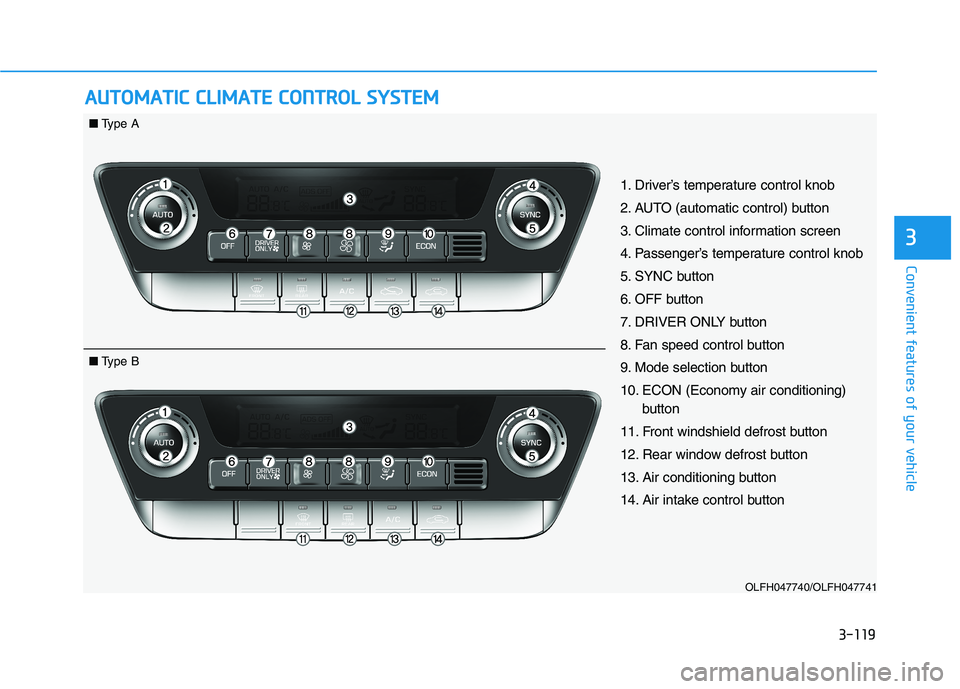
AAUU TTOO MM AATTIICC CC LLIIMM AATTEE CC OO NNTTRR OO LL SS YY SSTT EEMM
OLFH047740/OLFH047741
1. Driver’s temperature control knob
2. AUTO (automatic control) button
3. Climate control information screen
4. Passenger’s temperature control knob
5. SYNC button
6. OFF button
7. DRIVER ONLY button
8. Fan speed control button
9. Mode selection button
10. ECON (Economy air conditioning)
button
11. Front windshield defrost button
12. Rear window defrost button
13. Air conditioning button
14. Air intake control button
■ Type A
■ Type B
Page 256 of 546
3-120
Convenient features of your vehicle
Automatic heating and air con- ditioning
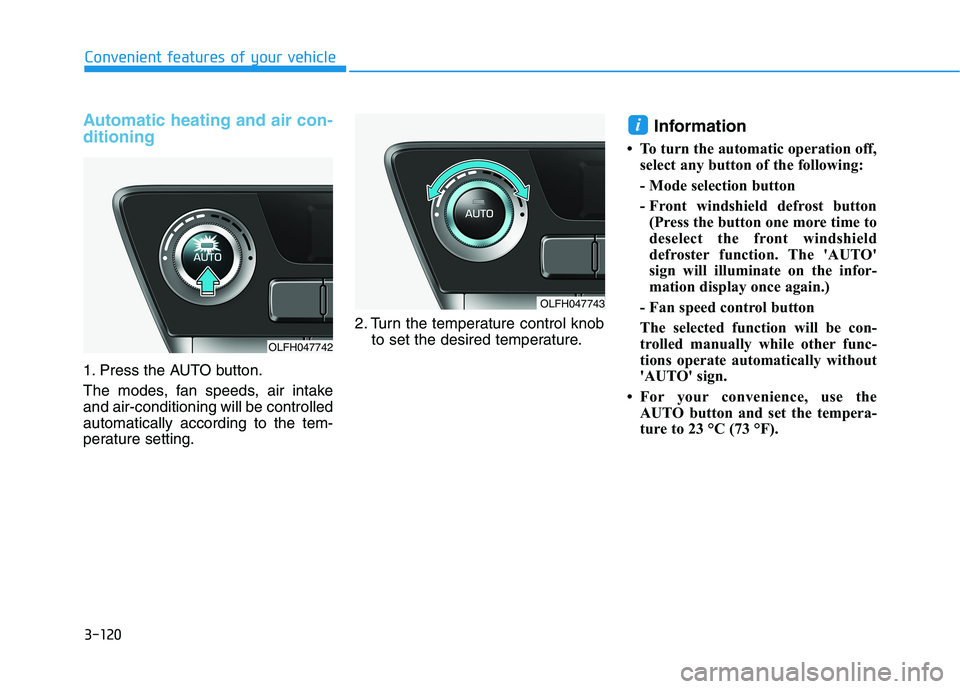
1. Press the AUTO button.
The modes, fan speeds, air intake and air-conditioning will be controlledautomatically according to the tem-
perature setting.2. Turn the temperature control knob
to set the desired temperature. Information
To turn the automatic operation off, select any button of the following:
- Mode selection button
- Front windshield defrost button(Press the button one more time to
deselect the front windshield
defroster function. The 'AUTO'
sign will illuminate on the infor-
mation display once again.)
- Fan speed control button
The selected function will be con-
trolled manually while other func-
tions operate automatically without
'AUTO' sign.
For your convenience, use the AUTO button and set the tempera-
ture to 23 °C (73 °F).
i
OLFH047742
OLFH047743
Page 257 of 546
3-121
Convenient features of your vehicle
3
Information
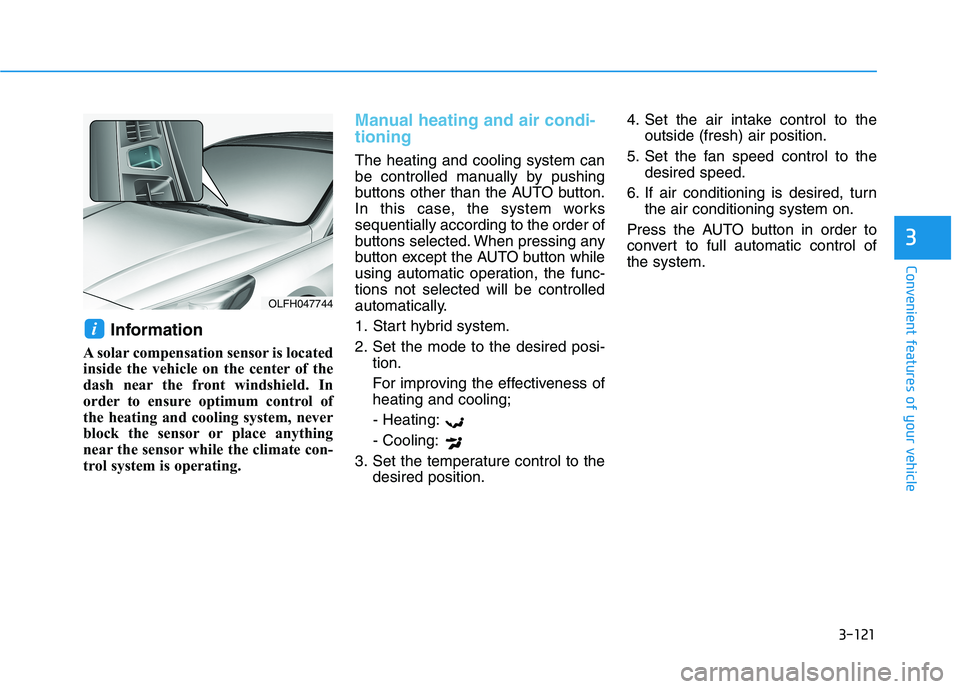
A solar compensation sensor is located
inside the vehicle on the center of the
dash near the front windshield. In
order to ensure optimum control of
the heating and cooling system, never
block the sensor or place anything
near the sensor while the climate con-
trol system is operating.
Manual heating and air condi- tioning
The heating and cooling system can
be controlled manually by pushing
buttons other than the AUTO button.
In this case, the system workssequentially according to the order of
buttons selected. When pressing any
button except the AUTO button while
using automatic operation, the func-tions not selected will be controlled
automatically.
1. Start hybrid system.
2. Set the mode to the desired posi- tion.
For improving the effectiveness of heating and cooling;
- Heating: - Cooling:
3. Set the temperature control to the desired position. 4. Set the air intake control to the
outside (fresh) air position.
5. Set the fan speed control to the desired speed.
6. If air conditioning is desired, turn the air conditioning system on.
Press the AUTO button in order to
convert to full automatic control ofthe system.
i
OLFH047744
Page 262 of 546
3-126
Convenient features of your vehicle
Information
Prolonged operation of the heater in
the recirculated air position (without
air conditioning selected) may cause
fogging of the windshield and side
windows and the air within the pas-
senger compartment may become
stale.
In addition, prolonged use of the air
conditioning with the recirculated air
position selected will result in exces-
sively dry air in the passenger com-
partment.Fan speed control
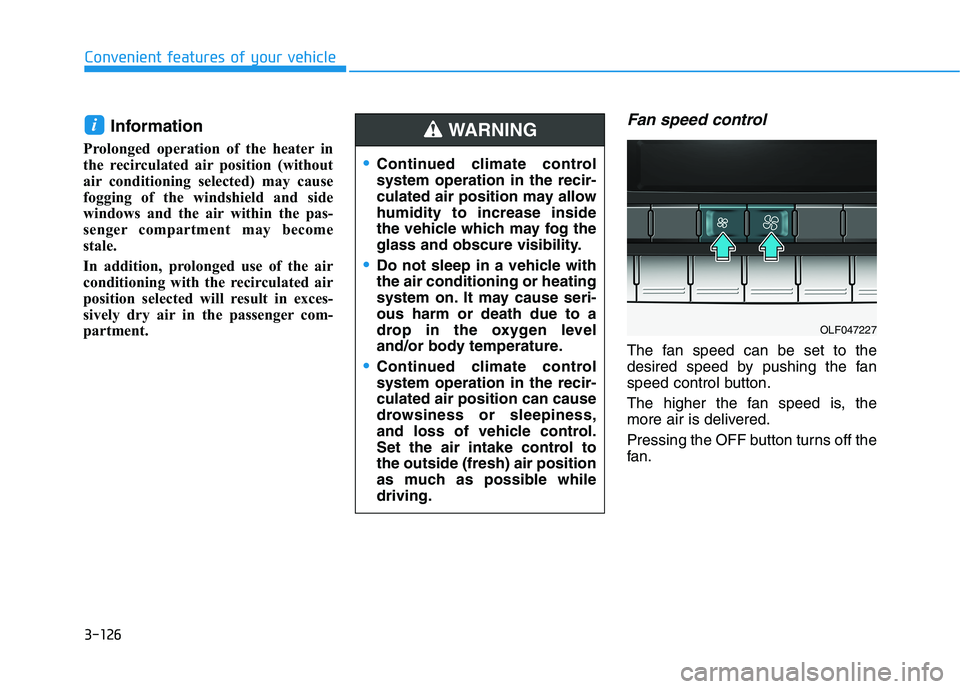
The fan speed can be set to the
desired speed by pushing the fan
speed control button.
The higher the fan speed is, the
more air is delivered.
Pressing the OFF button turns off the
fan.
i
Continued climate control system operation in the recir-
culated air position may allowhumidity to increase inside
the vehicle which may fog the
glass and obscure visibility.
Do not sleep in a vehicle with the air conditioning or heating
system on. It may cause seri-ous harm or death due to a
drop in the oxygen level
and/or body temperature.
Continued climate control system operation in the recir-culated air position can cause
drowsiness or sleepiness,
and loss of vehicle control.
Set the air intake control tothe outside (fresh) air position
as much as possible whiledriving.
WARNING
OLF047227
Page 263 of 546
3-127
Convenient features of your vehicle
3
Operating the fan speed when the
Engine Start/Stop button is in theON position could cause the bat-
tery to discharge. Operate the fan
speed when hybrid system is run-ning.
Driver Only
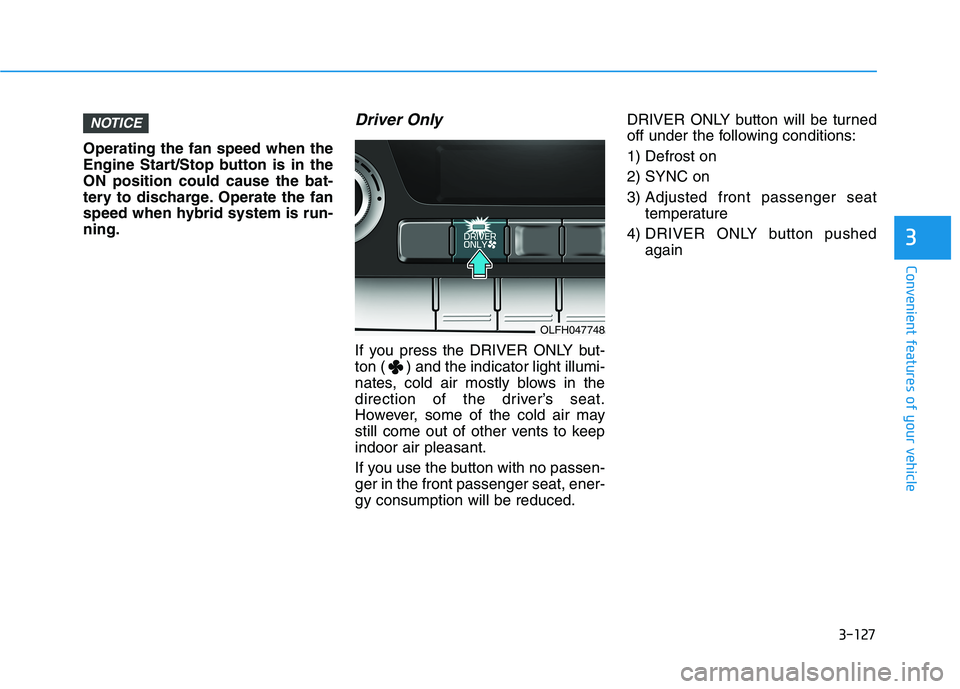
If you press the DRIVER ONLY but-
ton ( ) and the indicator light illumi-
nates, cold air mostly blows in the
direction of the driver’s seat.
However, some of the cold air may
still come out of other vents to keepindoor air pleasant.
If you use the button with no passen- ger in the front passenger seat, ener-gy consumption will be reduced.DRIVER ONLY button will be turned
off under the following conditions: 1) Defrost on2) SYNC on
3) Adjusted front passenger seat
temperature
4) DRIVER ONLY button pushed again
NOTICE
OLFH047748
Page 264 of 546
3-128
Convenient features of your vehicle
Air conditioning
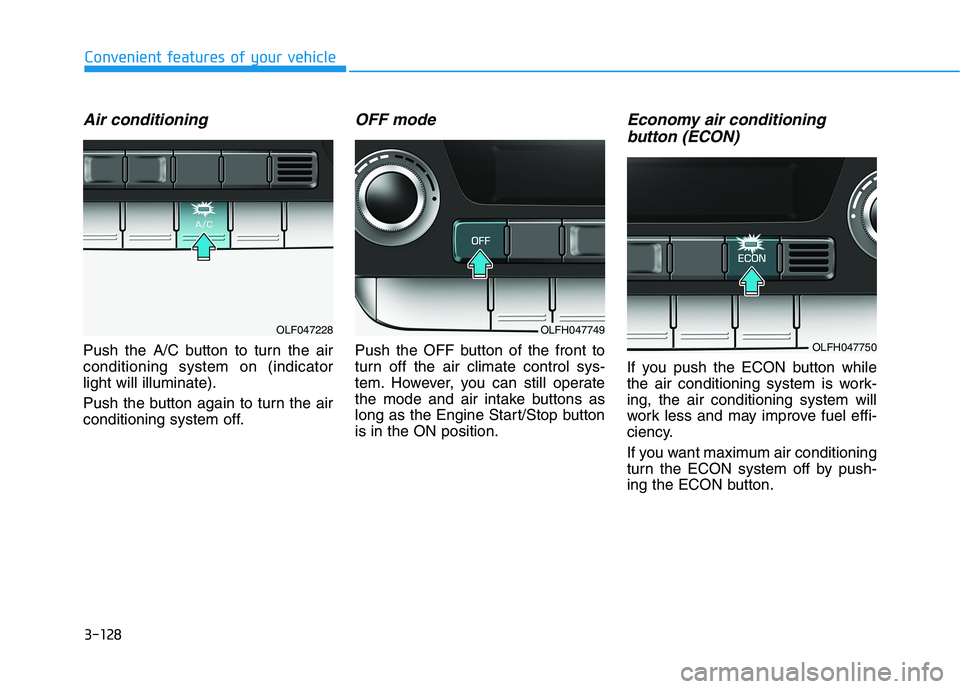
Push the A/C button to turn the air conditioning system on (indicatorlight will illuminate).
Push the button again to turn the air
conditioning system off.
OFF mode
Push the OFF button of the front to
turn off the air climate control sys-
tem. However, you can still operate
the mode and air intake buttons as
long as the Engine Start/Stop buttonis in the ON position.
Economy air conditioning button (ECON)
If you push the ECON button while
the air conditioning system is work-ing, the air conditioning system will
work less and may improve fuel effi-
ciency.
If you want maximum air conditioning
turn the ECON system off by push-
ing the ECON button.
OLFH047749
OLFH047750
OLF047228