lights HYUNDAI SONATA HYBRID 2019 User Guide
[x] Cancel search | Manufacturer: HYUNDAI, Model Year: 2019, Model line: SONATA HYBRID, Model: HYUNDAI SONATA HYBRID 2019Pages: 546, PDF Size: 78.75 MB
Page 153 of 546
3-17
Convenient features of your vehicle
3
Tilt Steering / Telescope Steering
When adjusting the steering wheel to
a comfortable position, adjust the
steering wheel so that it points
toward your chest, not toward your
face. Make sure you can see the
instrument panel warning lights and
gauges. After adjusting, push the
steering wheel both up and down to
be certain it is locked in position.
Always adjust the position of the
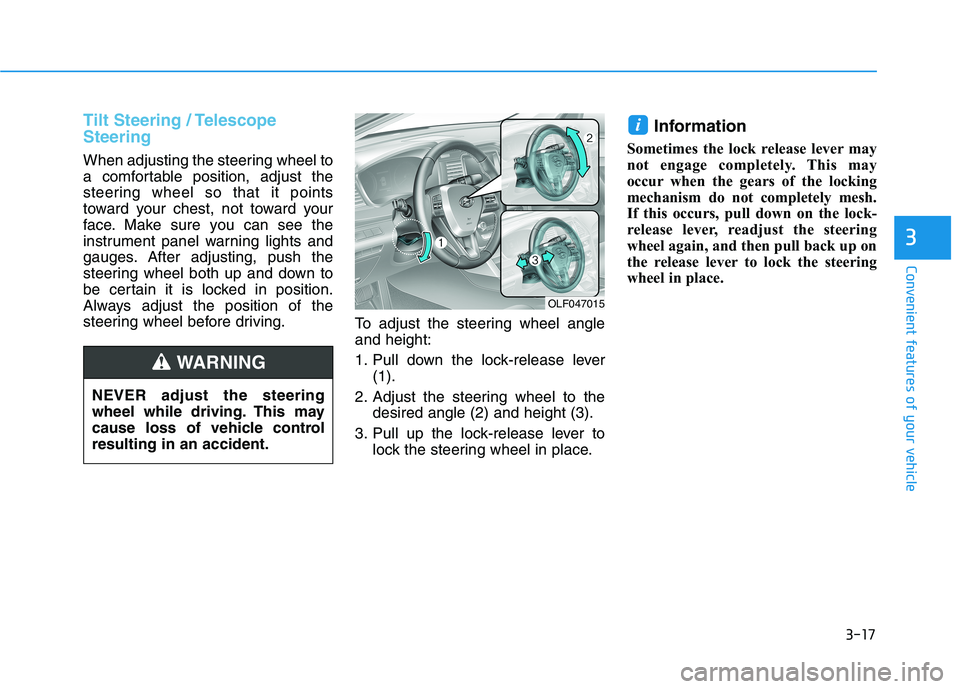
steering wheel before driving.To adjust the steering wheel angleand height:
1. Pull down the lock-release lever
(1).
2. Adjust the steering wheel to the desired angle (2) and height (3).
3. Pull up the lock-release lever to lock the steering wheel in place. Information
Sometimes the lock release lever may
not engage completely. This may
occur when the gears of the locking
mechanism do not completely mesh.
If this occurs, pull down on the lock-
release lever, readjust the steering
wheel again, and then pull back up on
the release lever to lock the steering
wheel in place.
i
OLF047015
NEVER adjust the steering
wheel while driving. This may
cause loss of vehicle controlresulting in an accident.
WARNING
Page 180 of 546
3-44
Convenient features of your vehicle
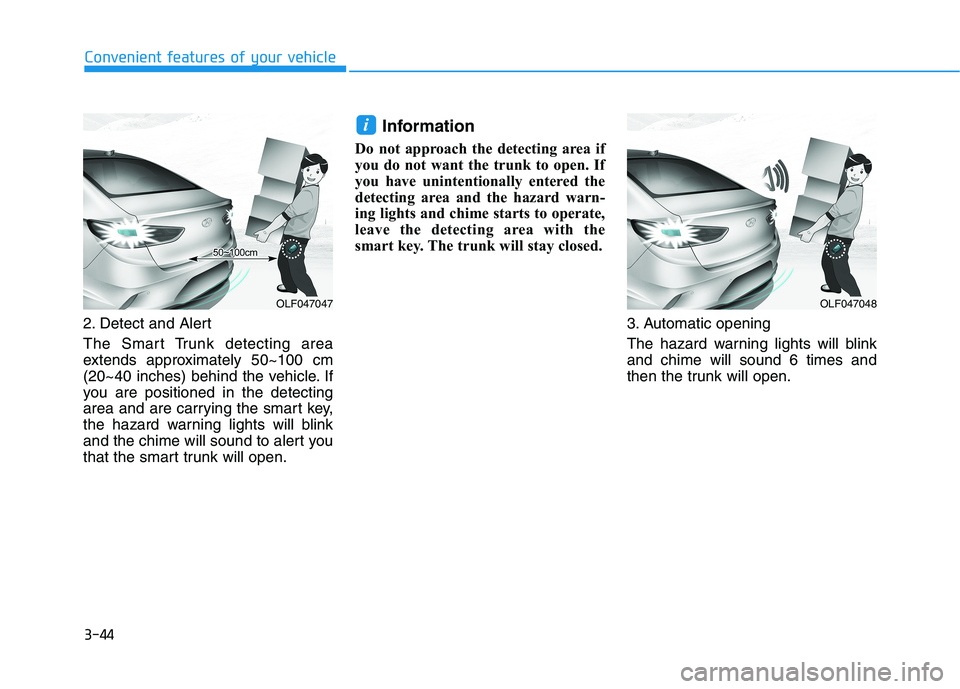
2. Detect and Alert
The Smart Trunk detecting area
extends approximately 50~100 cm
(20~40 inches) behind the vehicle. If
you are positioned in the detecting
area and are carrying the smart key,
the hazard warning lights will blink
and the chime will sound to alert you
that the smart trunk will open.Information
Do not approach the detecting area if
you do not want the trunk to open. If
you have unintentionally entered the
detecting area and the hazard warn-
ing lights and chime starts to operate,
leave the detecting area with the
smart key. The trunk will stay closed.
3. Automatic opening
The hazard warning lights will blink and chime will sound 6 times and
then the trunk will open.
i
OLF047048OLF047047
Page 182 of 546
3-46
Convenient features of your vehicle
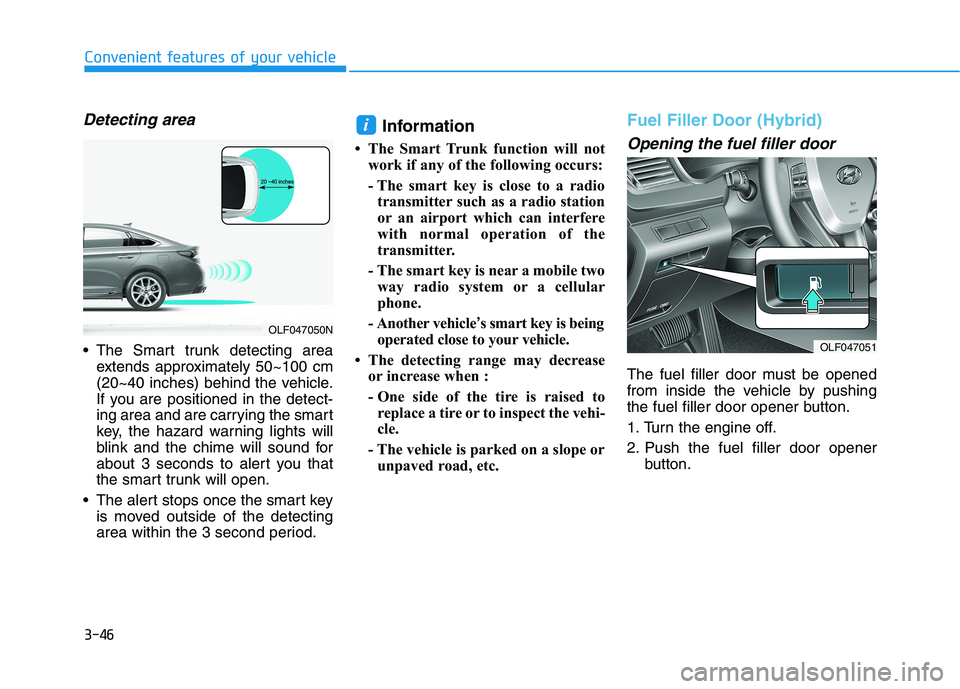
Detecting area
The Smart trunk detecting areaextends approximately 50~100 cm
(20~40 inches) behind the vehicle.
If you are positioned in the detect-
ing area and are carrying the smart
key, the hazard warning lights will
blink and the chime will sound for
about 3 seconds to alert you that
the smart trunk will open.
The alert stops once the smart key is moved outside of the detecting
area within the 3 second period. Information
The Smart Trunk function will not work if any of the following occurs:
- The smart key is close to a radiotransmitter such as a radio station
or an airport which can interfere
with normal operation of the
transmitter.
- The smart key is near a mobile two way radio system or a cellular
phone.
- Another vehicle ’s smart key is being
operated close to your vehicle.
The detecting range may decrease or increase when :
- One side of the tire is raised toreplace a tire or to inspect the vehi-
cle.
- The vehicle is parked on a slope or unpaved road, etc.
Fuel Filler Door (Hybrid)
Opening the fuel filler door
The fuel filler door must be opened
from inside the vehicle by pushing
the fuel filler door opener button.
1. Turn the engine off.
2. Push the fuel filler door opener button.
i
OLF047051
OLF047050N
Page 190 of 546
3-54
Convenient features of your vehicleI
I NN SSTT RR UU MM EENN TT CC LLUU SSTT EERR
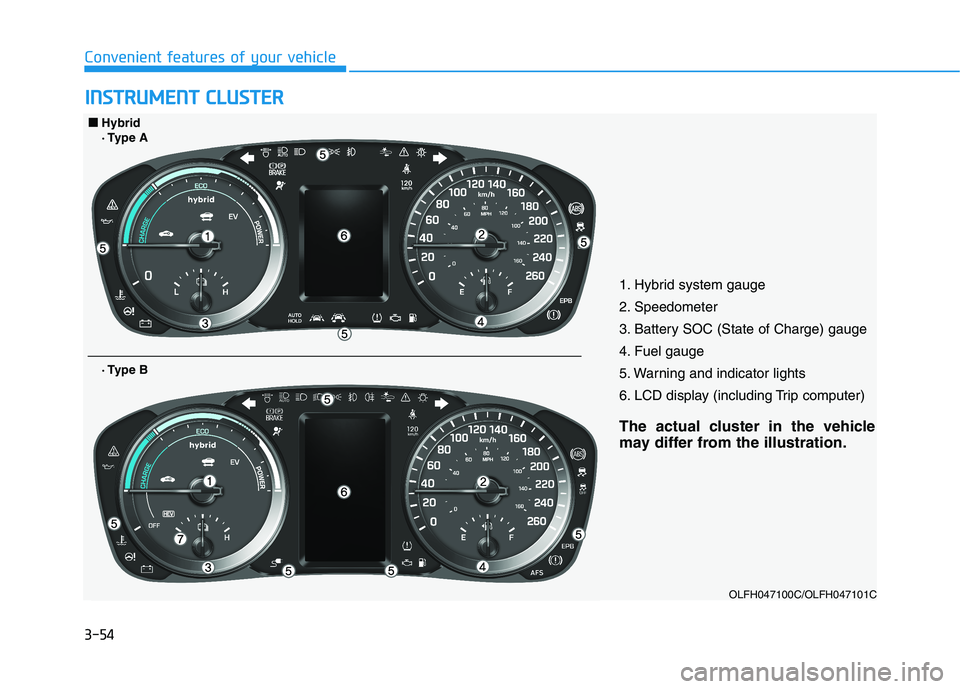
1. Hybrid system gauge
2. Speedometer
3. Battery SOC (State of Charge) gauge
4. Fuel gauge
5. Warning and indicator lights
6. LCD display (including Trip computer)
The actual cluster in the vehicle
may differ from the illustration.
OLFH047100C/OLFH047101C
■■Hybrid
· Type A
· Type B
Page 191 of 546
3-55
Convenient features of your vehicle
3
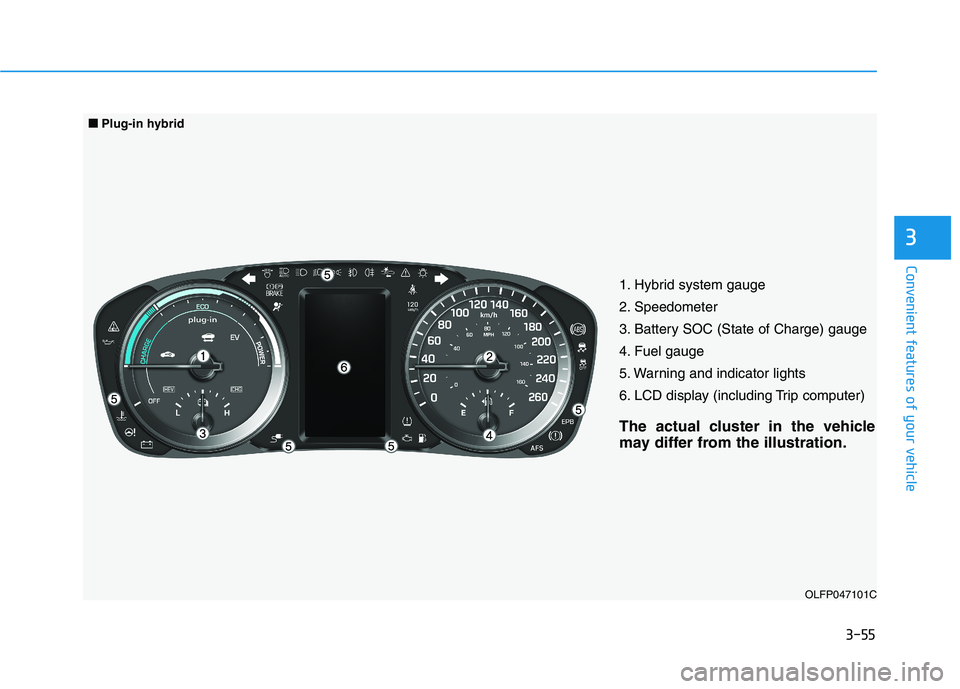
1. Hybrid system gauge
2. Speedometer
3. Battery SOC (State of Charge) gauge
4. Fuel gauge
5. Warning and indicator lights
6. LCD display (including Trip computer)
The actual cluster in the vehicle
may differ from the illustration.OLFP047101C
■■Plug-in hybrid
Page 192 of 546
3-56
Convenient features of your vehicle
Instrument cluster control
Adjusting Instrument PanelIllumination
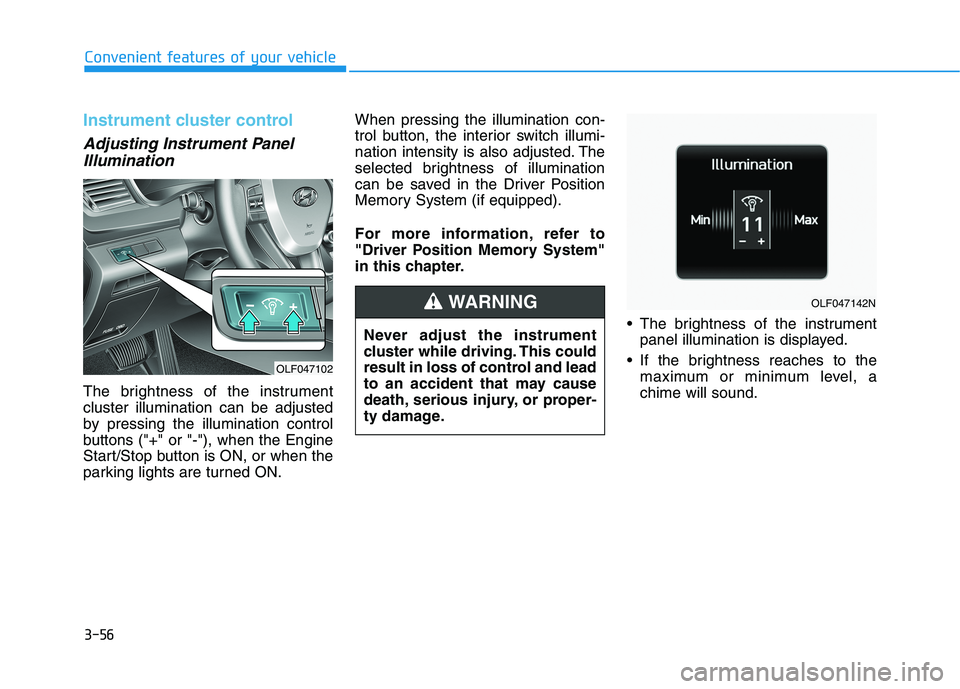
The brightness of the instrument cluster illumination can be adjusted
by pressing the illumination control
buttons ("+" or "-"), when the Engine
Start/Stop button is ON, or when the
parking lights are turned ON. When pressing the illumination con-
trol button, the interior switch illumi-
nation intensity is also adjusted. The
selected brightness of illumination
can be saved in the Driver Position
Memory System (if equipped).
For more information, refer to
"Driver Position Memory System"
in this chapter.
The brightness of the instrumentpanel illumination is displayed.
If the brightness reaches to the maximum or minimum level, achime will sound.
Never adjust the instrument
cluster while driving. This could
result in loss of control and lead
to an accident that may cause
death, serious injury, or proper-
ty damage.
WARNING
OLF047102
OLF047142N
Page 197 of 546
3-61
Convenient features of your vehicle
3
Warning and indicator lights
Ready Indicator
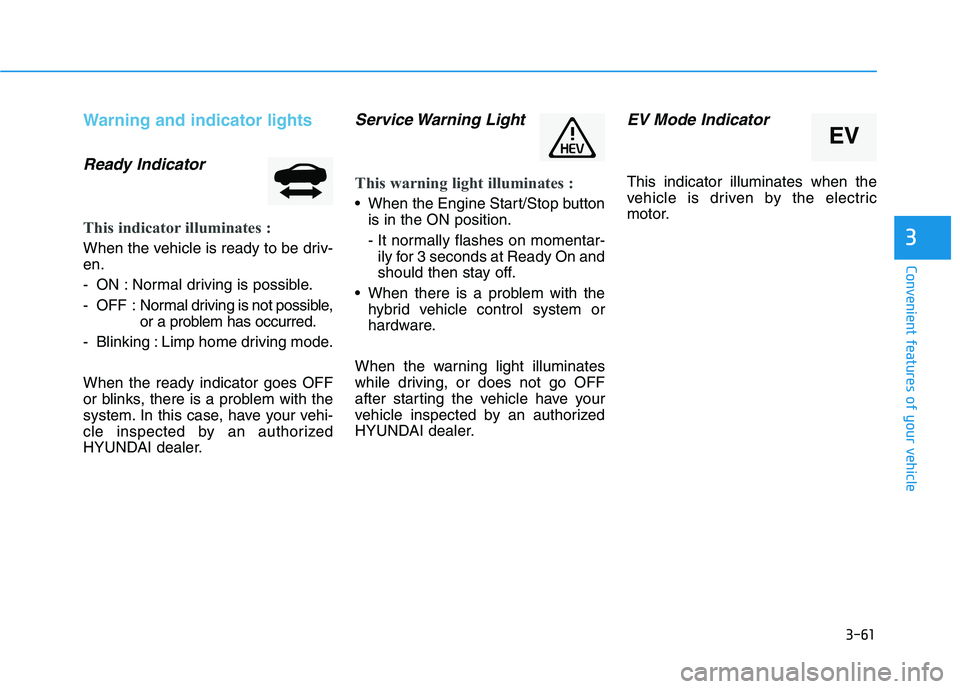
This indicator illuminates :
When the vehicle is ready to be driv- en.
- ON : Normal driving is possible.
- OFF : Normal driving is not possible,
or a problem has occurred.
- Blinking : Limp home driving mode. When the ready indicator goes OFF
or blinks, there is a problem with the
system. In this case, have your vehi-
cle inspected by an authorized
HYUNDAI dealer.
Service Warning Light
This warning light illuminates :
When the Engine Start/Stop button is in the ON position.
- It normally flashes on momentar-ily for 3 seconds at Ready On and
should then stay off.
When there is a problem with the hybrid vehicle control system or
hardware.
When the warning light illuminates
while driving, or does not go OFF
after starting the vehicle have your
vehicle inspected by an authorized
HYUNDAI dealer.
EV Mode Indicator
This indicator illuminates when the
vehicle is driven by the electric
motor.
EV
Page 200 of 546
3-64
Convenient features of your vehicle
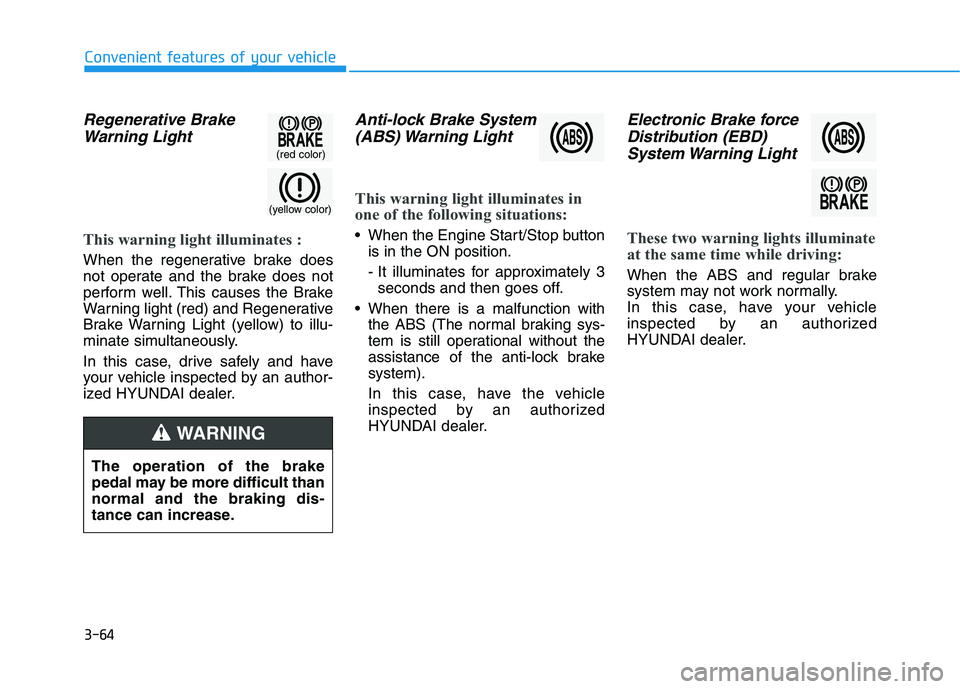
Regenerative BrakeWarning Light
This warning light illuminates :
When the regenerative brake does
not operate and the brake does not
perform well. This causes the Brake
Warning light (red) and Regenerative
Brake Warning Light (yellow) to illu-
minate simultaneously.
In this case, drive safely and have
your vehicle inspected by an author-
ized HYUNDAI dealer.
Anti-lock Brake System(ABS) Warning Light
This warning light illuminates in
one of the following situations:
When the Engine Start/Stop button is in the ON position.
- It illuminates for approximately 3seconds and then goes off.
When there is a malfunction with the ABS (The normal braking sys-
tem is still operational without the
assistance of the anti-lock brakesystem).
In this case, have the vehicle
inspected by an authorized
HYUNDAI dealer.
Electronic Brake force
Distribution (EBD)
System Warning Light
These two warning lights illuminate
at the same time while driving:
When the ABS and regular brake
system may not work normally.
In this case, have your vehicle
inspected by an authorized
HYUNDAI dealer.
(yellow color)
(red color)
The operation of the brake
pedal may be more difficult thannormal and the braking dis-
tance can increase.
WARNING
Page 201 of 546
3-65
Convenient features of your vehicle
3
Information
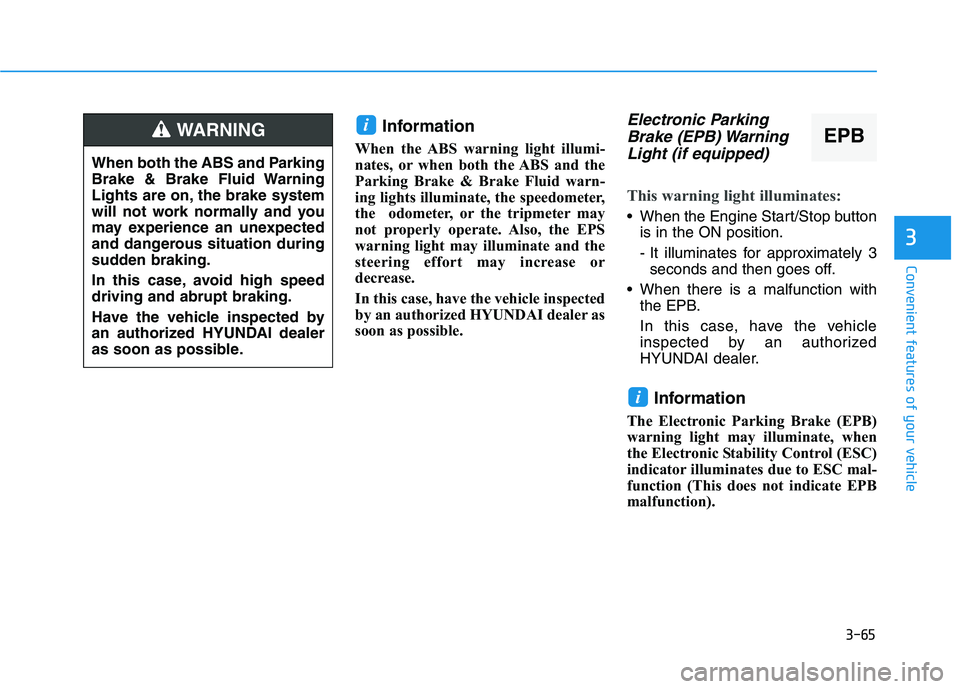
When the ABS warning light illumi-
nates, or when both the ABS and the
Parking Brake & Brake Fluid warn-
ing lights illuminate, the speedometer,
the odometer, or the tripmeter may
not properly operate. Also, the EPS
warning light may illuminate and the
steering effort may increase or
decrease.
In this case, have the vehicle inspected
by an authorized HYUNDAI dealer as
soon as possible.Electronic Parking Brake (EPB) Warning
Light (if equipped)
This warning light illuminates:
When the Engine Start/Stop button is in the ON position.
- It illuminates for approximately 3seconds and then goes off.
When there is a malfunction with the EPB.
In this case, have the vehicle
inspected by an authorized
HYUNDAI dealer.
Information
The Electronic Parking Brake (EPB)
warning light may illuminate, when
the Electronic Stability Control (ESC)
indicator illuminates due to ESC mal-
function (This does not indicate EPB
malfunction).
i
i
When both the ABS and Parking
Brake & Brake Fluid Warning
Lights are on, the brake system
will not work normally and you
may experience an unexpected
and dangerous situation during
sudden braking.
In this case, avoid high speed driving and abrupt braking.
Have the vehicle inspected by
an authorized HYUNDAI dealer
as soon as possible.
WARNINGEPB
Page 207 of 546
3-71
Convenient features of your vehicle
3
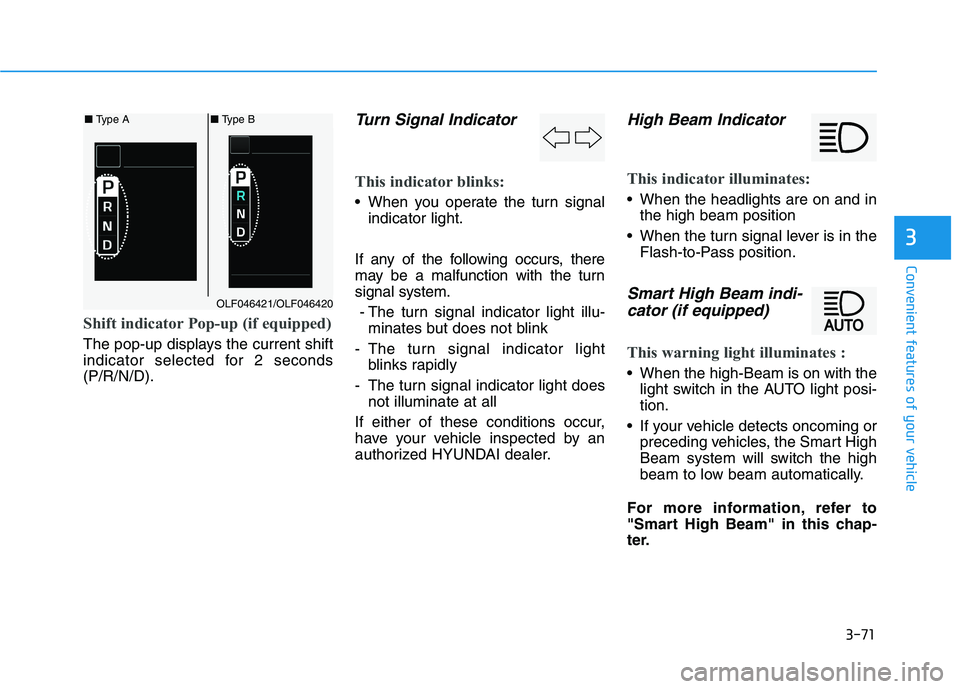
Shift indicator Pop-up (if equipped)
The pop-up displays the current shift
indicator selected for 2 seconds(P/R/N/D).
Turn Signal Indicator
This indicator blinks:
When you operate the turn signalindicator light.
If any of the following occurs, there
may be a malfunction with the turnsignal system. - The turn signal indicator light illu- minates but does not blink
- The turn signal indicator light blinks rapidly
- The turn signal indicator light does not illuminate at all
If either of these conditions occur,
have your vehicle inspected by an
authorized HYUNDAI dealer.
High Beam Indicator
This indicator illuminates:
When the headlights are on and in the high beam position
When the turn signal lever is in the Flash-to-Pass position.
Smart High Beam indi-
cator (if equipped)
This warning light illuminates :
When the high-Beam is on with the light switch in the AUTO light posi- tion.
If your vehicle detects oncoming or preceding vehicles, the Smart High
Beam system will switch the high
beam to low beam automatically.
For more information, refer to
"Smart High Beam" in this chap-
ter.
■ Type A■ Type B
OLF046421/OLF046420