navigation system HYUNDAI SONATA HYBRID 2020 Owner's Manual
[x] Cancel search | Manufacturer: HYUNDAI, Model Year: 2020, Model line: SONATA HYBRID, Model: HYUNDAI SONATA HYBRID 2020Pages: 527, PDF Size: 64.14 MB
Page 382 of 527
While Driving
6-106
Information
• Navigation-based Smart Cruise Control
is limited in other countries.
• The system may not operate due to the
existence of leading vehicles and the
driving situations of the vehicle.
• The system operates regardless of
whether the sharp curve warning
appears on the navigation, but the time
gap could occur between the warning
and system operation.
• The navigation only provides curve
information within permitted speed
ranges so that the system may not
decrease its speed during extreme over-
speed driving.
• The system is not designed to work on
highways other than mentioned as a
controlled access road.
• The system automatically cancels when
you leave the highway. •
Highway Driving Assist and
Navigation-based Smart Cruise
Control uses the same symbol that indicates the status of the system.
Therefore, even if Navigation-based
Cruise Control is off, the
symbol may be displayed.
• If there is a problem with Navigation-
based Smart Cruise Control, the system
cannot be activated in the AVN system
screen, and the
symbol will turn off. However, if Highway Driving Assist
is activated, the
symbol will be displayed.
• After you pass through a tollgate on a
highway, the system operates based
on the first lane. If you enter one of
the other lanes, the system might not
properly decelerate.
• If you over speed, the system may not
decelerate the vehicle in a curve.
• Deceleration by the system may not be
sufficient if the driver accelerates while
the system is operating,
• Deceleration by the system may not be
sufficient due to road conditions such
as uneven road surfaces, narrow lanes,
etc.
• If the road is controlled, due to
construction or holiday events, the
system might not work properly.
Page 383 of 527
06
6-107
CAUTION
Navigation-based Cruise Control
system may not function properly in the
following situations:
• The navigation is not working
properly.
• The navigation is not updated.
• The real-time GPS or map
information provided has errors.
• The navigation is overloaded by
performing functions such as route
search, video playback, voice
recognition, etc. are performing
simultaneously.
• GPS signals are blocked in areas such
as a tunnel.
• The driver goes off course or the
route to the destination is changed
or canceled by resetting the
navigation.
• The vehicle enters a service station
or rest area.
• A section of the highway’s shape has
changed.
• Android Auto or Car Play is operating.
• The navigation cannot detect the
current vehicle position (ex: elevated
roads including overpass adjacent to
general roads or nearby roads exist
in a parallel way).
• The navigation is being updated
while driving.
• The navigation is being reset while
driving.
• The road is slippery due to bad
weather such as rain or snow.
Information
This device complies with Part 15 of the
FCC rules.
Operation is subject to the following three
conditions:
1. This device may not cause harmful
interference, and
2. This device must accept any
interference received, including
interference that may cause undesired
operation.
3. Changes or modifications not expressly
approved by the party responsible
for compliance could void the user's
authority to operate the device.
Information
Radio frequency radiation exposure
information:
This equipment complies with FCC
radiation exposure limits set forth for an
uncontrolled environment.
This equipment should be installed and
operated with minimum distance of 8 in.
(20 cm) between the radiator (antenna)
and your body.
This transmitter must not be co-located or
operating in conjunction with any other
antenna or transmitter.
Page 390 of 527
While Driving
6-114
Highway Driving Assist system helps
keep the vehicle between lanes, maintain
a distance with the vehicle ahead, and
automatically adjusts the vehicle speed
to the speed limit while driving on the
highway.
WARNING
• Highway Driving Assist system is
not a substitute for safe driving
practices, but a convenience
function. It is the responsibility of
the driver to always be aware of the
surroundings and drive safely.
• Highway Driving Assist system relies
entirely on the road information
provided by the navigation system.
It is the responsibility of the driver
to follow traffic laws and avoid
accidents.
• For your safety, please read the
owner's manual before using the
system.
Information
• Highway Driving Assist system is
available only on controlled access road
of certain highways.
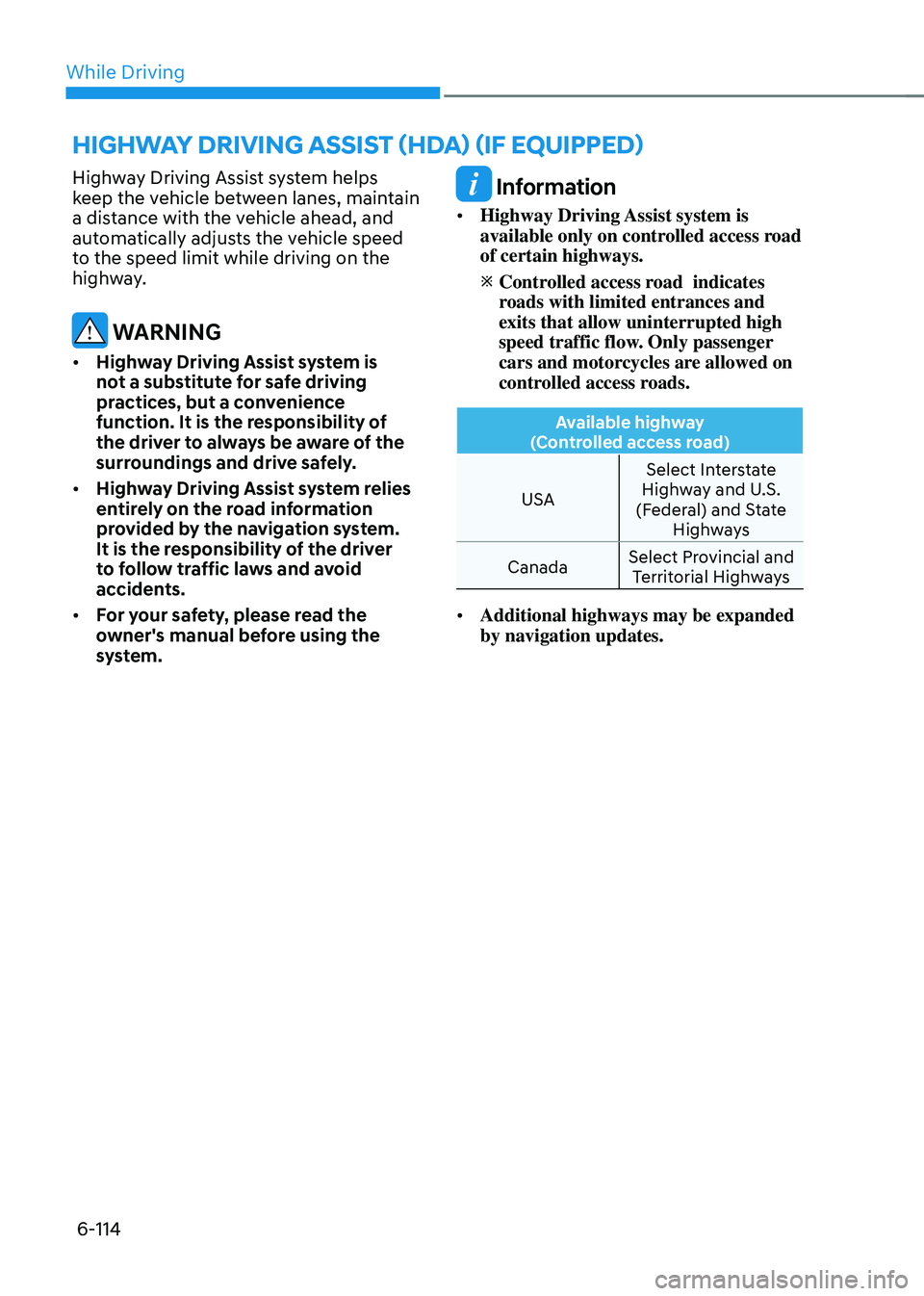
Controlled access road indicates roads with limited entrances and
exits that allow uninterrupted high
speed traffic flow. Only passenger
cars and motorcycles are allowed on
controlled access roads.
Available highway
(Controlled access road)
USA Select Interstate
Highway and U.S.
(Federal) and State Highways
Canada Select Provincial and
Territorial Highways
• Additional highways may be expanded
by navigation updates.
HIGHWAY DRIVING ASSIST (HDA) (IF EQUIPPED)
Page 394 of 527

While Driving
6-118
System malfunction
ODN8A069220
Check Highway Driving Assist (HDA)
system
If there is a problem with the system, a
message will appear for a few seconds. If
the problem continues, have the vehicle
inspected by an authorized HYUNDAI
dealer.
Information
• High Driving Assist is limited in other
countries.
• High Driving Assist only operates based
on the speed limits of the highway but it
does not work with the speed cameras.
• The time gap could occur between the
navigation speed warning and system
operation.
• The system is not designed to work
on highways other than mentioned as
a controlled access road. The system
automatically cancels when you leave
the highway. •
If there is a problem with Highway
Driving Assist, the system cannot be
activated in the infotainment system
screen.
• If your vehicle is 1640 ft. (500 m) ahead
and behind of an open tollgate, the
system is automatically canceled. Also,
it is converted to Smart Cruise Control
automatically with a pop-up message
on the navigation.
• In the automatic speed setting mode,
the vehicle automatically accelerates
or decelerates when the highway speed
limit changes.
• If your vehicle speed exceeds 95 mph
(153 km/h), Highway Driving Assist
is automatically canceled. Also, it is
converted to Smart Cruise Control
automatically with a pop-up message
on the navigation.
• If you enter a rest area on the highway
or a IC/JC (intersection/junction)
without a destination set, the system is
canceled later than when the vehicle
actually l eaves the highway.
Page 395 of 527

06
6-119
CAUTION
Highway Driving Assist system may
not function properly in the following
situations:
• The navigation is not working
properly.
• The navigation is not updated.
• The real-time GPS or map
information provided has errors.
• The navigation is overloaded by
performing functions such as route
search, video playback, voice
recognition, etc. are performing
simultaneously.
• GPS signals are blocked in areas such
as a tunnel.
• The driver goes off course or the
route to the destination is changed
or canceled by resetting the
navigation.
• The vehicle enters a service station
or rest area
• Android Auto or Car Play is operating.
• The navigation cannot detect the
current vehicle position (ex: elevated
roads including overpass adjacent to
general roads or nearby roads exist
in a parallel way).
• The navigation is being updated
while driving.
• The navigation is being reset while
driving.
• The road is slippery due to bad
weather such as rain or snow.
Information
• For information's on headway control
and the front radar, refer to "Smart
Cruise Control (SCC)" in this chapter.
• For information's on steering control
and distance control and the front
camera, refer to "Lane Following Assist
(LFA)" in this chapter.
Information
This device complies with Part 15 of the
FCC rules.
Operation is subject to the following three
conditions:
1. This device may not cause harmful
interference, and
2. This device must accept any
interference received, including
interference that may cause undesired
operation.
3. Changes or modifications not expressly
approved by the party responsible
for compliance could void the user's
authority to operate the device.
Information
Radio frequency radiation exposure
information:
This equipment complies with FCC
radiation exposure limits set forth for an
uncontrolled environment.
This equipment should be installed and
operated with minimum distance of 8 in.
(20 cm) between the radiator (antenna)
and your body.
This transmitter must not be co-located or
operating in conjunction with any other
antenna or transmitter.
Page 432 of 527
Emergency situations
7-12
TPMS (Tire Pressure
Monitoring System)
Malfunction Indicator
The TPMS Malfunction Indicator
will illuminate after it blinks for
approximately one minute when there
is a problem with the Tire Pressure
Monitoring System.
Have the system checked by an
authorized HYUNDAI dealer as soon as
possible.
NOTICE
If there is a malfunction with the TPMS,
the Low Tire Pressure Position Telltale
will not be displayed even though the
vehicle has an under-inflated tire.
NOTICE
The TPMS Malfunction Indicator may
illuminate after blinking for one minute
if the vehicle is near electric power
supply cables or radio transmitters
such as police stations, government
and public offices, broadcasting
stations, military installations, airports,
transmitting towers, etc.
Additionally, the TPMS Malfunction
Indicator may illuminate if snow chains
are used or electronic devices such as
computers, chargers, remote starters,
navigation, etc. This may interfere with
normal operation of the TPMS.
Changing a Tire with TPMS
If you have a flat tire, the Low Tire
Pressure and Position telltales will come
on. Have the flat tire repaired by an
authorized HYUNDAI dealer as soon as
possible or replace the flat tire with the
spare tire (if equipped).
NOTICE
It is recommended that you do not use a
puncture-repairing agent not approved
by a HYUNDAI dealer to repair and/or
inflate a low pressure tire. Tire sealant
not approved by a HYUNDAI dealer may
damage the tire pressure sensor.
The spare tire (if equipped) does not
come with a tire pressure monitoring
sensor. When the low pressure tire or
the flat tire is replaced with the spare
tire, the Low Tire Pressure LCD position
indicator will remain on. Also, the TPMS
Malfunction Indicator will illuminate after
blinking for one minute if the vehicle
is driven at speed above 15.5 mph (25
km/h) for approximately 20 minutes.
Once the original tire equipped with
a tire pressure monitoring sensor is
reinflated to the recommended pressure
and reinstalled on the vehicle, the
Low Tire Pressure Telltale and TPMS
Malfunction Indicator will go off within a
few minutes of driving.
If the indicators do not extinguish after a
few minutes, please visit an authorized
HYUNDAI dealer.
Each wheel is equipped with a tire
pressure sensor mounted inside the tire
behind the valve stem (except for the
spare tire). You must use TPMS specific
wheels. It is recommended that you
always have your tires serviced by an
authorized HYUNDAI dealer.
Page 510 of 527

Index
I-2
A
Air bag warning labels
........................................................................\
.................3-58
Air bag
........................................................................\
.........................................3-37
Driver’s air bag
........................................................................\
.......................3-39
Passenger’s front air bag
........................................................................\
.........3-39
Side air bags
........................................................................\
............................3-40
Curtain air bags
........................................................................\
.......................3-41
How does the air bags system operate? ...........................................................3-42
SRS warning light
........................................................................\
...................3-43
What to expect after an air bag inflates
...........................................................3-46
Occupant Classification System (OCS)
..........................................................3-47
Why didn’t my air bag go off in a collision
....................................................3-53
Air bag collision sensors
........................................................................\
.........3-54
Air bag inflation conditions
........................................................................\
....3-55
Air bag non-inflation conditions
.....................................................................3-55
SRS Care
........................................................................\
.................................3-57
Additional safety precautions
........................................................................\
..3-58
Air bag warning labels
........................................................................\
............3-58
Air cleaner
........................................................................\
...................................8-22
filter replacement
........................................................................\
...................8-22
Air conditioning system specification
................................................................2-10
Antenna
........................................................................\
......................................5-126
Anti-lock Brake System (ABS)
........................................................................\
..6-27
Appearance care ........................................................................\
........................... 8-50
Exterior care
........................................................................\
...........................8-50
Interior care
........................................................................\
............................8-54
Armrest
........................................................................\
.......................................3-11
Audio / Video / Navigation system
...................................................................5-129
Auto defogging system
........................................................................\
..............5-115
AUTO headlamp position
........................................................................\
...........5-72
Auto LOCK - Enable on shift
........................................................................\
.....5-31
Auto LOCK - Enable on speed
........................................................................\
...5-31
Auto UNLOCK - Enable on shift
.......................................................................5-31
Auto UNLOCK -Air bag deployment
................................................................5-31
Page 517 of 527

I
I-9
I
If the 12 volt battery is discharged
........................................................................\
7-4
If the engine overheats
........................................................................\
..................7-7
If the engine stalls at a crossroad or crossing
........................................................7-2
If the engine stalls while driving
........................................................................\
..7-2
If the engine will not start
........................................................................\
.............7-3
If you have a flat tire while driving
......................................................................7-3
Ignition switch
........................................................................\
..............................6-6
Engine Start/Stop button
........................................................................\
..........6-6
Remote start
........................................................................\
.............................6-9
Immobilizer system
........................................................................\
....................5-11
Important safety precautions ........................................................................\
.......... 3-2
Always wear your seat belt
........................................................................\
......3-2
Restrain all children
........................................................................\
.................3-2
Air bag hazards
........................................................................\
........................3-2
Driver distraction
........................................................................\
.....................3-2
Control your speed
........................................................................\
...................3-2
Keep your vehicle in safe condition
.................................................................3-2
In case of an emergency while driving
.................................................................7-2
Infotainment system ........................................................................\
................... 5-126
USB and iPod® port
........................................................................\
............5-126
Antenna
........................................................................\
................................5-126
Steering wheel audio controls
......................................................................5-127
Bluetooth® Wireless Technology hands-free ...............................................5-128
Audio / Video / Navigation system
..............................................................5-128
Blue Link® center
........................................................................\
................5-128
Inside rearview mirror
........................................................................\
................5-42
Instrument cluster
........................................................................\
.........................4-4
Adjusting instrument cluster illumination
........................................................4-5
Gauges and meters
........................................................................\
...................4-5
Transmission shift indicator
........................................................................\
.....4-9
Warning and indicator lights
........................................................................\
..4-10
LCD display messages
........................................................................\
...........4-19
LCD display (Type A, B)
........................................................................\
.......4-26
LCD display (Type C)
........................................................................\
............4-39
Page 521 of 527

I
I-13
M
Maintenance
........................................................................\
.......................................-
Maintenance services
........................................................................\
...............8-4
Owner maintenance
........................................................................\
..................8-5
Scheduled maintenance services
......................................................................8-7
Normal maintenance schedule
........................................................................\
.8-8
Maintenance under severe usage conditions
..................................................8-11
Explanation of scheduled maintenance items
................................................8-13
Tire maintenance
........................................................................\
....................8-30
Maintenance services
........................................................................\
....................8-4
Mirrors
........................................................................\
........................................5-42
Inside rearview mirror
........................................................................\
............5-42
HomeLink® system
........................................................................\
................5-43
Side view mirrors
........................................................................\
...................5-49
Adjusting the side view mirrors
.....................................................................5-49
Folding the side view mirrors
........................................................................\
5-50
Reverse parking aid function
........................................................................\
.5-50
N
Navigation-based Smart Cruise Control (NSCC)
..............................................6-104
O
Occupant Classification System (OCS)
..............................................................3-47
Odometer
........................................................................\
......................................4-5
Oil (Engine)
........................................................................\
................................8-15
Outside temperature gauge
........................................................................\
...........4-7
Owner maintenance
........................................................................\
......................8-5