service HYUNDAI SONATA LIMITED 2016 User Guide
[x] Cancel search | Manufacturer: HYUNDAI, Model Year: 2016, Model line: SONATA LIMITED, Model: HYUNDAI SONATA LIMITED 2016Pages: 708, PDF Size: 25.96 MB
Page 186 of 708
3-91
Convenient features of your vehicle
3
Information mode
This mode displays the service inter-
val (mileage and days).
For the setting of the service inter-
val, refer to "User Settings Mode"
of the LCD display.
Warning Message
If one of followings occurs, warning
messages will be displayed in the infor-
mation mode for about 10 seconds.
- Malfunction of the Forward CollisionWarning System (FCWS)
- Malfunction of the Smart Cruise Control (SCC)
- Malfunction of the Lane Departure Warning System (LDWS)
- Malfunction of the Blind Spot Detection (BSD)
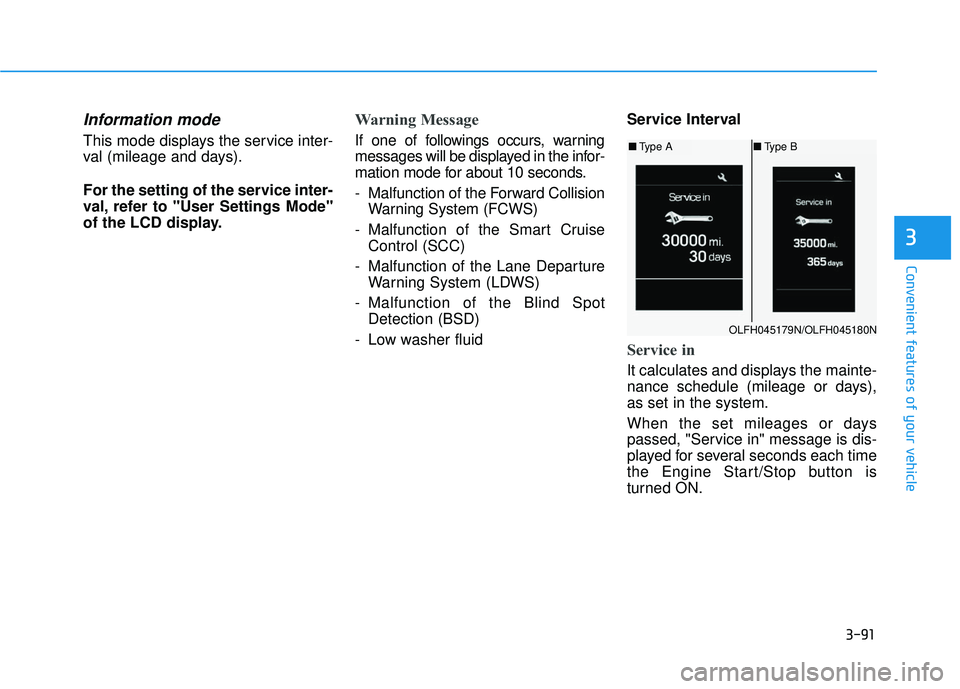
- Low washer fluid Service Interval
Service in
It calculates and displays the mainte-
nance schedule (mileage or days),
as set in the system.
When the set mileages or days
passed, "Service in" message is dis-
played for several seconds each time
the Engine Start/Stop button is
turned ON.
OLFH045179N/OLFH045180N
■
Type A ■Type B
Page 187 of 708
3-92
Convenient features of your vehicle
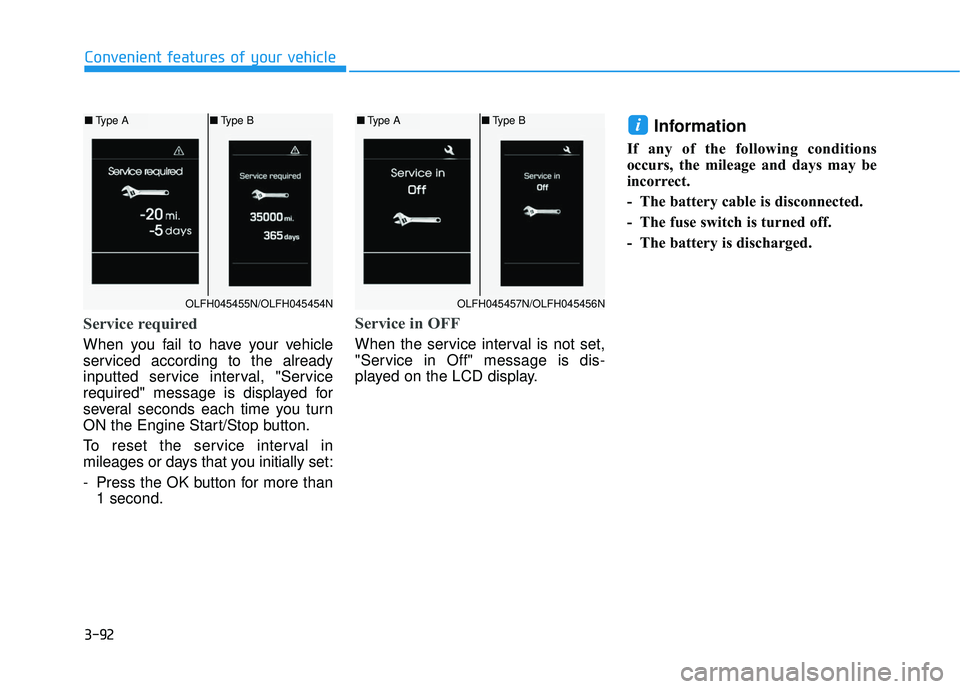
Service required
When you fail to have your vehicle
serviced according to the already
inputted service interval, "Service
required" message is displayed for
several seconds each time you turn
ON the Engine Start/Stop button.
To reset the service interval in
mileages or days that you initially set:
- Press the OK button for more than1 second.
Service in OFF
When the service interval is not set,
"Service in Off" message is dis-
played on the LCD display.
Information
If any of the following conditions
occurs, the mileage and days may be
incorrect.
- The battery cable is disconnected.
- The fuse switch is turned off.
- The battery is discharged.
i
OLFH045455N/OLFH045454N
■ Type A ■Type B
OLFH045457N/OLFH045456N
■Type A ■Type B
Page 191 of 708
3-96
Convenient features of your vehicle
ItemsExplanation
Seat Easy Access
The seat easy access function is deactivated.
- When you turn off the engine, the driver’s seat will automatically move rearward short (Normal)or long (Extended) for you to enter or exit the vehicle more comfortably.
- If you change the Engine Start/Stop button from OFF position to the ACC, ON, or START posi- tion, the driver’s seat will return to the original position.
For more information, refer to “Driver Position Memory System” in this chapter.
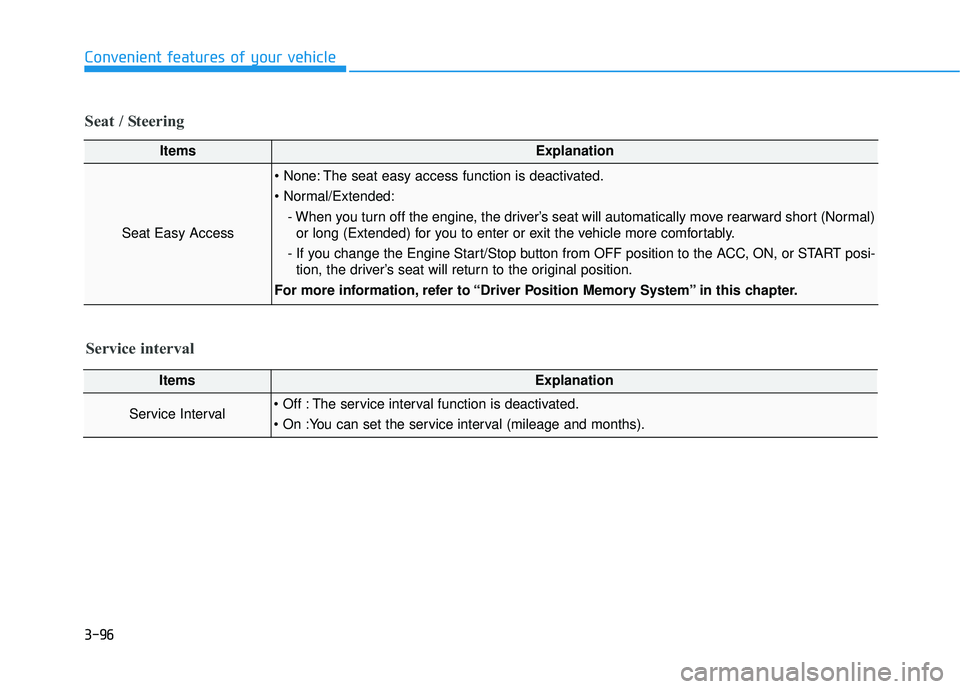
ItemsExplanation
Service Interval The service interval function is deactivated.
Service interval
Seat / Steering
Page 232 of 708
3-137
Convenient features of your vehicle
3
System operation
Ventilation
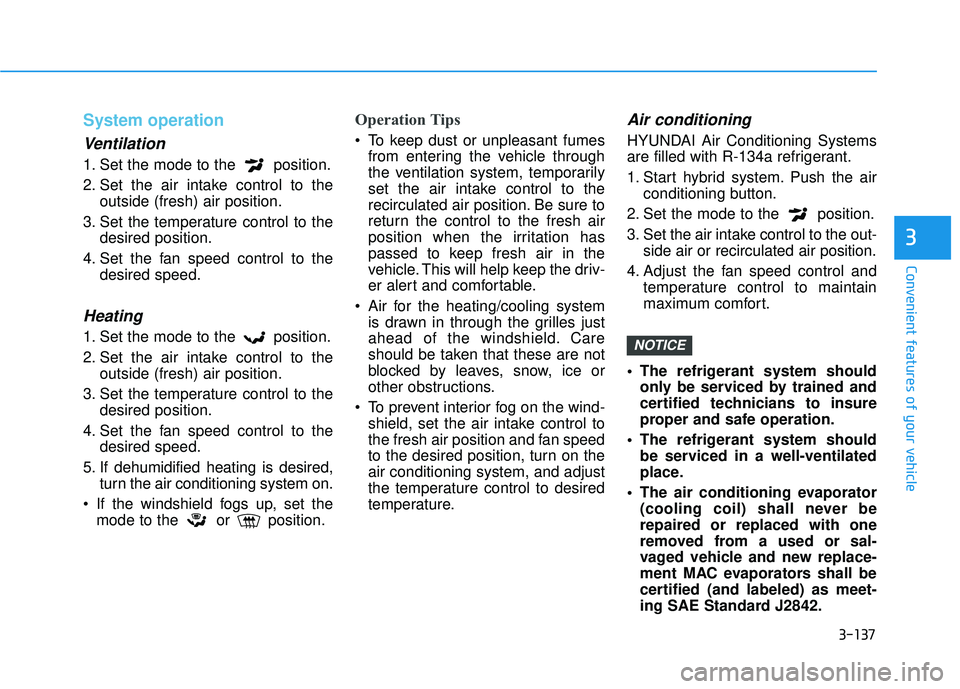
1. Set the mode to the position.
2. Set the air intake control to theoutside (fresh) air position.
3. Set the temperature control to the desired position.
4. Set the fan speed control to the desired speed.
Heating
1. Set the mode to the position.
2. Set the air intake control to theoutside (fresh) air position.
3. Set the temperature control to the desired position.
4. Set the fan speed control to the desired speed.
5. If dehumidified heating is desired, turn the air conditioning system on.
If the windshield fogs up, set the mode to the or position.
Operation Tips
To keep dust or unpleasant fumesfrom entering the vehicle through
the ventilation system, temporarily
set the air intake control to the
recirculated air position. Be sure to
return the control to the fresh air
position when the irritation has
passed to keep fresh air in the
vehicle. This will help keep the driv-
er alert and comfortable.
Air for the heating/cooling system is drawn in through the grilles just
ahead of the windshield. Care
should be taken that these are not
blocked by leaves, snow, ice or
other obstructions.
To prevent interior fog on the wind- shield, set the air intake control to
the fresh air position and fan speed
to the desired position, turn on the
air conditioning system, and adjust
the temperature control to desired
temperature.
Air conditioning
HYUNDAI Air Conditioning Systems
are filled with R-134a refrigerant.
1. Start hybrid system. Push the air conditioning button.
2. Set the mode to the position.
3. Set the air intake control to the out- side air or recirculated air position.
4. Adjust the fan speed control and temperature control to maintain
maximum comfort.
The refrigerant system should only be serviced by trained and
certified technicians to insure
proper and safe operation.
The refrigerant system should be serviced in a well-ventilated
place.
The air conditioning evaporator (cooling coil) shall never be
repaired or replaced with one
removed from a used or sal-
vaged vehicle and new replace-
ment MAC evaporators shall be
certified (and labeled) as meet-
ing SAE Standard J2842.
NOTICE
Page 258 of 708
4-10
Multimedia System
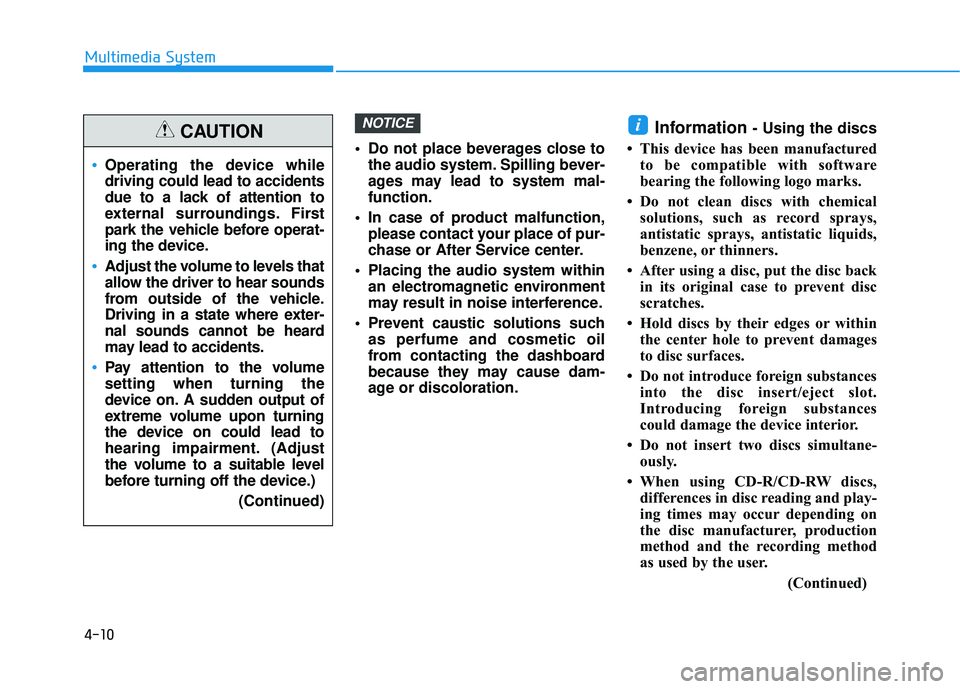
Do not place beverages close tothe audio system. Spilling bever-
ages may lead to system mal-
function.
In case of product malfunction, please contact your place of pur-
chase or After Service center.
Placing the audio system within an electromagnetic environment
may result in noise interference.
Prevent caustic solutions such as perfume and cosmetic oil
from contacting the dashboard
because they may cause dam-
age or discoloration.
Information - Using the discs
• This device has been manufactured to be compatible with software
bearing the following logo marks.
• Do not clean discs with chemical solutions, such as record sprays,
antistatic sprays, antistatic liquids,
benzene, or thinners.
• After using a disc, put the disc back in its original case to prevent disc
scratches.
• Hold discs by their edges or within the center hole to prevent damages
to disc surfaces.
• Do not introduce foreign substances into the disc insert/eject slot.
Introducing foreign substances
could damage the device interior.
• Do not insert two discs simultane- ously.
• When using CD-R/CD-RW discs, differences in disc reading and play-
ing times may occur depending on
the disc manufacturer, production
method and the recording method
as used by the user.
(Continued)iNOTICE
Operating the device while
driving could lead to accidents
due to a lack of attention to
external surroundings. First
park the vehicle before operat-
ing the device.
Adjust the volume to levels that
allow the driver to hear sounds
from outside of the vehicle.
Driving in a state where exter-
nal sounds cannot be heard
may lead to accidents.
Pay attention to the volume
setting when turning the
device on. A sudden output of
extreme volume upon turning
the device on could lead to
hearing impairment. (Adjust
the volume to a suitable level
before turning off the device.)(Continued)
CAUTION
Page 272 of 708
4-24
S
Si
ir
r i
iu
u s
sX
X M
M®
®S
SA
A T
TE
EL
LL
LI
IT
T E
E
R
R A
A D
DI
IO
O
I
I N
N F
FO
O R
RM
M A
AT
TI
IO
O N
N
Satellite Radio channels:
Enjoy SiriusXM Satellite Radio with a
3-month trial subscription to the
Sirius Select package. You’ll get over
140 channels, including commercial-
free music, plus all your favorite
sports, exclusive talk, entertainment,
and a selection of premium program-
ming. For more information and a
complete list of SiriusXM channels,
visit siriusxm.com in the United
States, siriusxm.ca in Canada, or call
SiriusXM at 1-888-539-7474.
Satellite Radio reception fac-
tors:
To receive the satellite signal, your
vehicle has been equipped with a
satellite radio antenna located on the
roof of your vehicle. The vehicle roof
provides the best location for an
unobstructed, open view of the sky, a
requirement of a satellite radio sys-
tem. Like AM/FM, there are several
factors that can affect satellite radio
reception performance:
Antenna obstructions: For optimal
reception performance, keep the
antenna clear of snow and ice
build-up and keep luggage and
other material as far away from the
antenna as possible.
Terrain: Hills, mountains, tall build- ings, bridges, tunnels, freeway
overpasses, parking garages,
dense tree foliage and thunder-
storms can interfere with your
reception.
SiriusXM Satellite Radio serv-
ice:
SiriusXM is a subscription-based
satellite radio service that broad-
casts music, sports, news and enter-
tainment programming to radio
receivers, which are available for
installation in motor vehicles or facto-
ry installed, as well as for the home,
portable and wireless devices, and
through an Internet connection on
personal computer.
Vehicles that are equipped with a
factory installed SiriusXM Satellite
Radio system include:
Hardware and an introductory trialsubscription term, which begins on
the date of sale or lease of the
vehicle.
For a small upgrade fee, access to SiriusXM music channels, and
other select channels over the
Internet using any computer con-
nected to the Internet (U.S. cus-
tomers only).
For information on extended sub-
scription terms, contact SiriusXM
at 1-888-539-7474.
Multimedia System
Page 273 of 708
4-25
Multimedia System
4
NOTE:
SiriusXM services require a sub-
scription sold separately, or as a
package, by Sirius XM Radio Inc. If
you decide to continue service
after your trial, the subscription
plan you choose will automatical-
ly renew thereafter and you will be
charged according to your chosen
payment method at then-current
rates. Fees and taxes apply. To
cancel you must call SiriusXM at
1-866-635-2349. See SiriusXM
Customer Agreement for com-
plete terms at www.siriusxm.com.
SiriusXM U.S. satellite and data
services are available only in the
48 contiguous USA, DC and PR
(with coverage limitations).
SiriusXM satellite service is also
available in Canada; see www.sir-
iusxm. ca. All fees and program-
ming subject to change. Sirius,
XM and all related marks and
logos are trademarks of Sirius XM
Radio Inc.
Page 302 of 708
4-54
Multimedia System
Information
iPod®is a registered trademark of
Apple Inc. iPod®mobile digital device
sold separately. The Bluetooth®word
mark and logos are registered trade-
marks owned by Bluetooth
®SIG, Inc.
and any use of such marks by
Hyundai is under license. SiriusXM
services require a subscription sold
separately, or as a package, by Sirius
XM Radio Inc. If you decide to con-
tinue service after your trial, the sub-
scription plan you choose will auto-
matically renew thereafter and you
will be charged according to your cho-
sen payment method at thencurrent
rates. Fees and taxes apply. To cancel
you must call SiriusXM at 1-866-635-
2349. See SiriusXM Customer
Agreement for complete terms at
www.siriusxm.com. SiriusXM U.S.
satellite and data services are avail-
able only in the 48 contiguous USA,
DC and PR (with coverage limita-
tions). SiriusXM satellite service is
also available in Canada; see www.sir-
iusxm.ca. All fees and programming
subject to change.
(Continued)(Continued)
Sirius, XM and all related marks and
logos are trademarks of Sirius XM
Radio Inc. Android™ is a trademark
of Google, Inc. BlackBerry is a regis-
tered trademark of Research In
Motion Limited (RIM). All other
marks, channel names and logos are
the property of their respective own-
ers. All rights reserved.
i
Page 309 of 708
4-61
Multimedia System
SiriusXM®Satellite Radio
information
Satellite Radio channels:
Enjoy SiriusXM Satellite Radio with a
3-month trial subscription to the
Sirius Select package. You’ll get over
140 channels, including commercial-
free music, plus all your favorite
sports, exclusive talk, entertainment,
and a selection of premium program-
ming. For more information and a
complete list of SiriusXM channels,
visit siriusxm.com in the United
States, siriusxm.ca in Canada, or call
SiriusXM at 1-888-539-7474.
Satellite Radio reception fac-
tors:
To receive the satellite signal, your
vehicle has been equipped with a
satellite radio antenna located on the
roof of your vehicle. The vehicle roof
provides the best location for an
unobstructed, open view of the sky, a
requirement of a satellite radio sys-
tem. Like AM/FM, there are several
factors that can affect satellite radio
reception performance:
Antenna obstructions: For optimal
reception performance, keep the
antenna clear of snow and ice
build-up and keep luggage and
other material as far away from the
antenna as possible.
Terrain: Hills, mountains, tall build- ings, bridges, tunnels, freeway
overpasses, parking garages,
dense tree foliage and thunder-
storms can interfere with your
reception.
SiriusXM Satellite Radio serv-ice:
SiriusXM is a subscription-based
satellite radio service that broad-
casts music, sports, news and enter-
tainment programming to radio
receivers, which are available for
installation in motor vehicles or facto-
ry installed, as well as for the home,
portable and wireless devices, and
through an Internet connection on
personal computer.
Vehicles that are equipped with a
factory installed SiriusXM Satellite
Radio system include:
Hardware and an introductory trial
subscription term, which begins on
the date of sale or lease of the
vehicle.
For a small upgrade fee, access to SiriusXM music channels, and
other select channels over the
Internet using any computer con-
nected to the Internet (U.S. cus-
tomers only).
For information on extended sub-
scription terms, contact SiriusXM
at 1-888-539-7474.
4
Page 310 of 708
4-62
Multimedia System
NOTE:
SiriusXM services require a sub-
scription sold separately, or as a
package, by Sirius XM Radio Inc. If
you decide to continue service
after your trial, the subscription
plan you choose will automatical-
ly renew thereafter and you will be
charged according to your chosen
payment method at then-current
rates. Fees and taxes apply. To
cancel you must call SiriusXM at
1-866-635-2349. See SiriusXM
Customer Agreement for com-
plete terms at www.siriusxm.com.
SiriusXM U.S. satellite and data
services are available only in the
48 contiguous USA, DC and PR
(with coverage limitations).
SiriusXM satellite service is also
available in Canada; see www.sir-
iusxm. ca. All fees and program-
ming subject to change. Sirius,
XM and all related marks and
logos are trademarks of Sirius XM
Radio Inc.