display HYUNDAI SONATA LIMITED 2016 Owner's Manual
[x] Cancel search | Manufacturer: HYUNDAI, Model Year: 2016, Model line: SONATA LIMITED, Model: HYUNDAI SONATA LIMITED 2016Pages: 708, PDF Size: 25.96 MB
Page 176 of 708
3-81
Convenient features of your vehicle
3
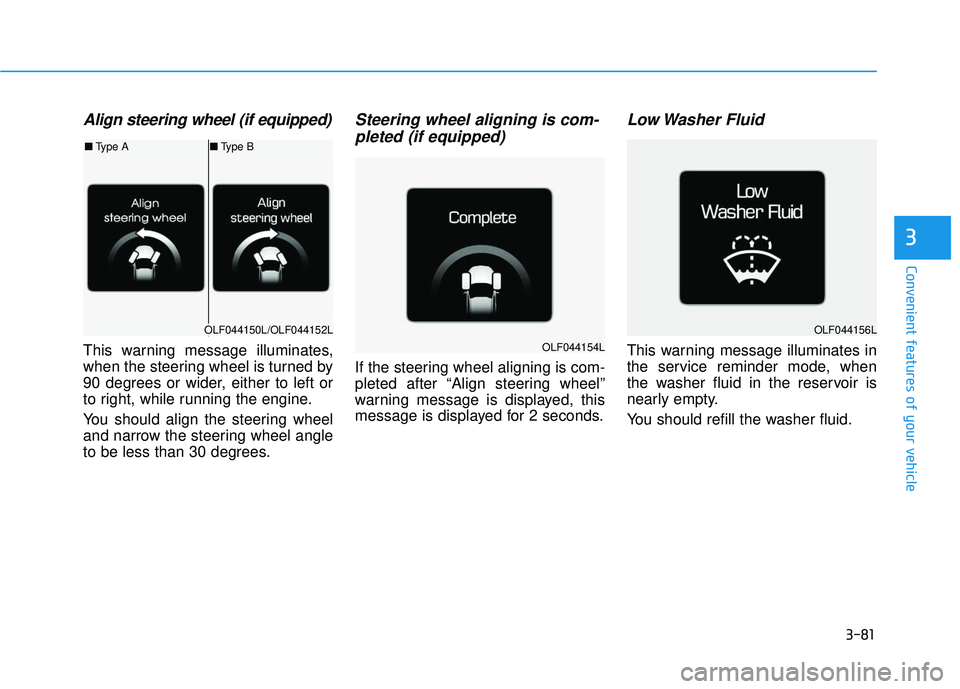
Align steering wheel (if equipped)
This warning message illuminates,
when the steering wheel is turned by
90 degrees or wider, either to left or
to right, while running the engine.
You should align the steering wheel
and narrow the steering wheel angle
to be less than 30 degrees.
Steering wheel aligning is com-pleted (if equipped)
If the steering wheel aligning is com-
pleted after “Align steering wheel”
warning message is displayed, this
message is displayed for 2 seconds.
Low Washer Fluid
This warning message illuminates in
the service reminder mode, when
the washer fluid in the reservoir is
nearly empty.
You should refill the washer fluid.
OLF044150L/OLF044152L
■ Type A ■Type B
OLF044154L
OLF044156L
Page 177 of 708
3-82
Convenient features of your vehicle
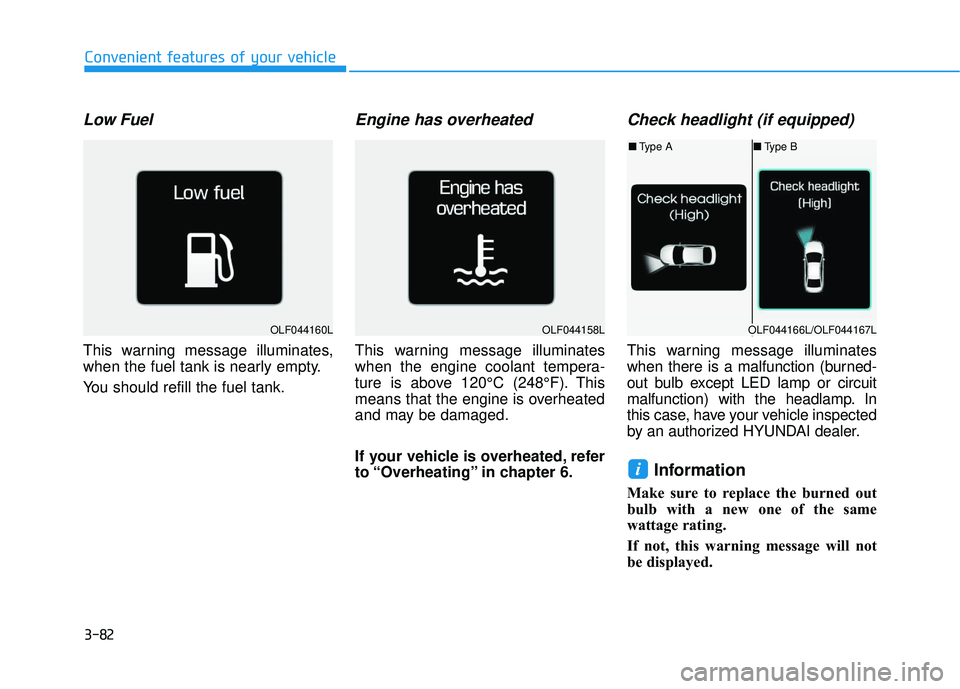
Low Fuel
This warning message illuminates,
when the fuel tank is nearly empty.
You should refill the fuel tank.
Engine has overheated
This warning message illuminates
when the engine coolant tempera-
ture is above 120°C (248°F). This
means that the engine is overheated
and may be damaged.
If your vehicle is overheated, refer
to “Overheating” in chapter 6.
Check headlight (if equipped)
This warning message illuminates
when there is a malfunction (burned-
out bulb except LED lamp or circuit
malfunction) with the headlamp. In
this case, have your vehicle inspected
by an authorized HYUNDAI dealer.
Information
Make sure to replace the burned out
bulb with a new one of the same
wattage rating.
If not, this warning message will not
be displayed.
i
OLF044160LOLF044158LOLF044166L/OLF044167L
■Type A ■Type B
Page 178 of 708
3-83
Convenient features of your vehicle
3
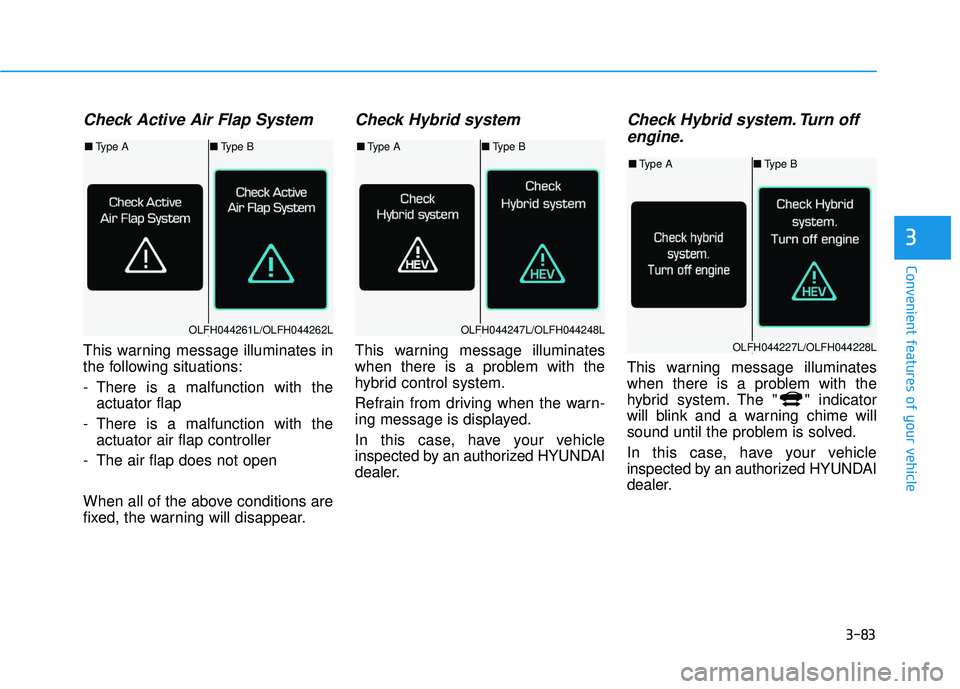
Check Active Air Flap System
This warning message illuminates in
the following situations:
- There is a malfunction with theactuator flap
- There is a malfunction with the actuator air flap controller
- The air flap does not open
When all of the above conditions are
fixed, the warning will disappear.
Check Hybrid system
This warning message illuminates
when there is a problem with the
hybrid control system.
Refrain from driving when the warn-
ing message is displayed.
In this case, have your vehicle
inspected by an authorized HYUNDAI
dealer.
Check Hybrid system. Turn off engine.
This warning message illuminates
when there is a problem with the
hybrid system. The " " indicator
will blink and a warning chime will
sound until the problem is solved.
In this case, have your vehicle
inspected by an authorized HYUNDAI
dealer.
OLFH044261L/OLFH044262L
■ Type A ■Type B
OLFH044247L/OLFH044248L
■Type A ■Type B
OLFH044227L/OLFH044228L
■Type A ■Type B
Page 182 of 708
3-87
Convenient features of your vehicle
3
Information
Coasting guide is only a supplemental
system to assist with fuel-efficient driv-
ing. Thus, the operating conditions
may be different in accordance with
traffic/road conditions (i.e. driving in a
traffic jam, driving on a slope, driving
on a curve). Thus, take the actual driv-
ing conditions into consideration, such
as distances from the vehicles ahead/
behind, while referring to the coasting
guide system as guidance.
i■Type B
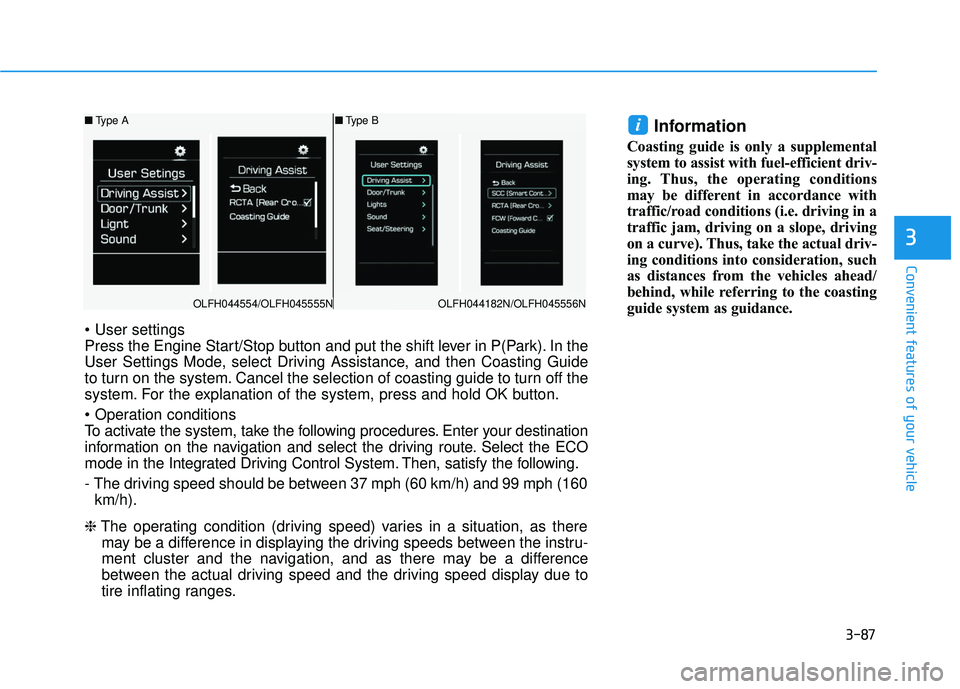
Press the Engine Start/Stop button and put the shift lever in P(Park). In the
User Settings Mode, select Driving Assistance, and then Coasting Guide
to turn on the system. Cancel the selection of coasting guide to turn off the
system. For the explanation of the system, press and hold OK button.
To activate the system, take the following procedures. Enter your destination
information on the navigation and select the driving route. Select the ECO
mode in the Integrated Driving Control System. Then, satisfy the following.
- The driving speed should be between 37 mph (60 km/h) and 99 mph (160
km/h).
❈ The operating condition (driving speed) varies in a situation, as there
may be a difference in displaying the driving speeds between the instru-
ment cluster and the navigation, and as there may be a difference
between the actual driving speed and the driving speed display due to
tire inflating ranges.
OLFH044554/OLFH045555N
■ Type A
OLFH044182N/OLFH045556N
Page 183 of 708
3-88
Convenient features of your vehicle
LCD Display
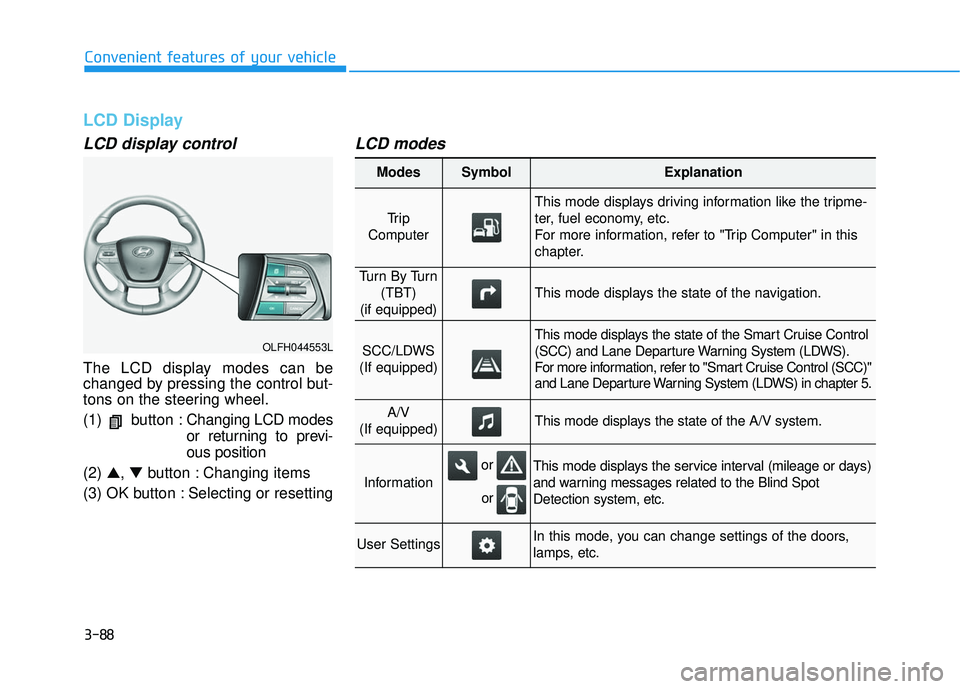
LCD display control
The LCD display modes can be
changed by pressing the control but-
tons on the steering wheel.
(1) button :Changing LCD modes
or returning to previ-
ous position
(2) ▲, ▼button : Changing items
(3) OK button : Selecting or resetting
LCD modes
OLFH044553L
Modes SymbolExplanation
Tr i p
Computer
This mode displays driving information like the tripme-
ter, fuel economy, etc.
For more information, refer to "Trip Computer" in this
chapter.
Tu r n B y Tu r n (TBT)
(if equipped)
This mode displays the state of the navigation.
SCC/LDWS
(If equipped)
This mode displays the state of the Smart Cruise Control
(SCC) and Lane Departure Warning System (LDWS).
For more information, refer to "Smart Cruise Control (SCC)"
and Lane Departure Warning System (LDWS) in chapter 5.
A/V
(If equipped)This mode displays the state of the A/V system.
Information
This mode displays the service interval (mileage or days)
and warning messages related to the Blind Spot
Detection system, etc.
User SettingsIn this mode, you can change settings of the doors,
lamps, etc.
or
or
Page 184 of 708
3-89
Convenient features of your vehicle
3
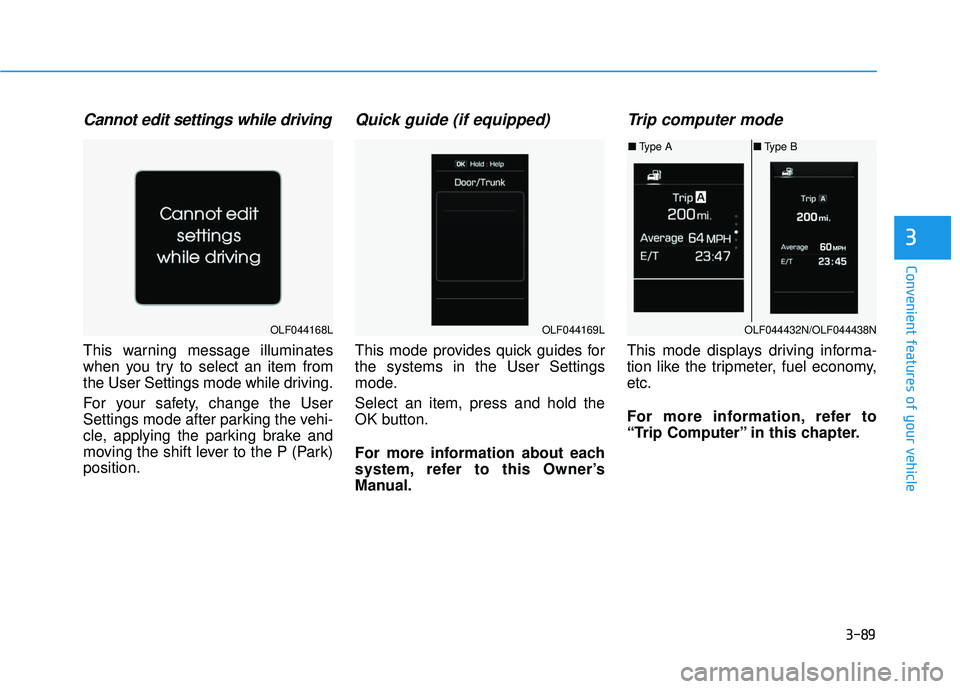
Cannot edit settings while driving
This warning message illuminates
when you try to select an item from
the User Settings mode while driving.
For your safety, change the User
Settings mode after parking the vehi-
cle, applying the parking brake and
moving the shift lever to the P (Park)
position.
Quick guide (if equipped)
This mode provides quick guides for
the systems in the User Settings
mode.
Select an item, press and hold the
OK button.
For more information about each
system, refer to this Owner’s
Manual.
Trip computer mode
This mode displays driving informa-
tion like the tripmeter, fuel economy,
etc.
For more information, refer to
“Trip Computer” in this chapter.
OLF044168LOLF044169LOLF044432N/OLF044438N
■Type A ■Type B
Page 185 of 708
3-90
Convenient features of your vehicle
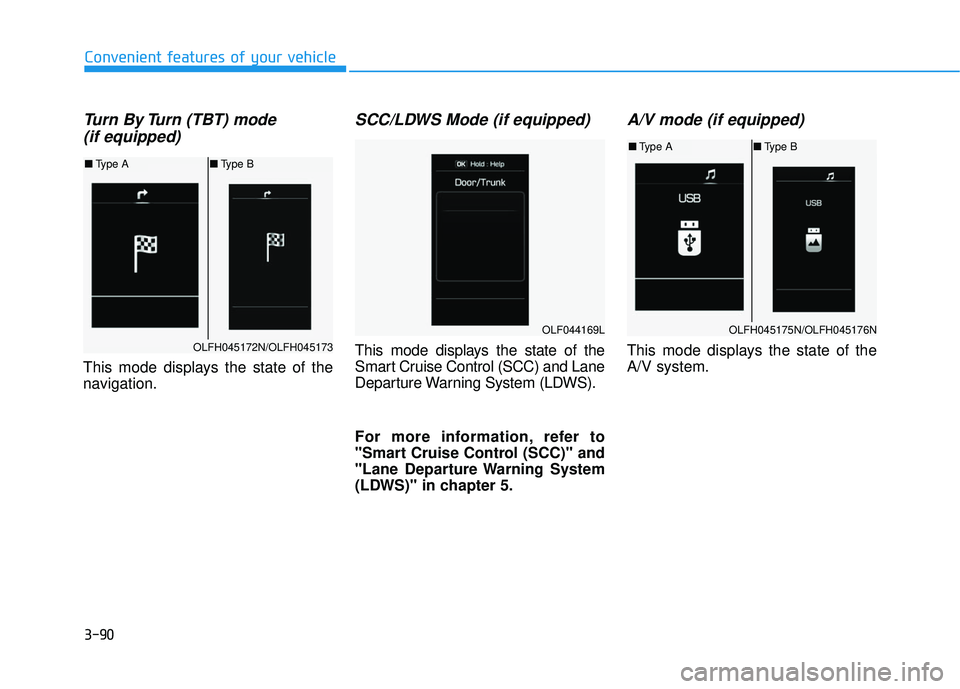
Turn By Turn (TBT) mode (if equipped)
This mode displays the state of the
navigation.
SCC/LDWS Mode (if equipped)
This mode displays the state of the
Smart Cruise Control (SCC) and Lane
Departure Warning System (LDWS).
For more information, refer to
"Smart Cruise Control (SCC)" and
"Lane Departure Warning System
(LDWS)" in chapter 5.
A/V mode (if equipped)
This mode displays the state of the
A/V system.OLFH045172N/OLFH045173
■ Type A ■Type B
OLFH045175N/OLFH045176N
■Type A ■Type B
OLF044169L
Page 186 of 708
3-91
Convenient features of your vehicle
3
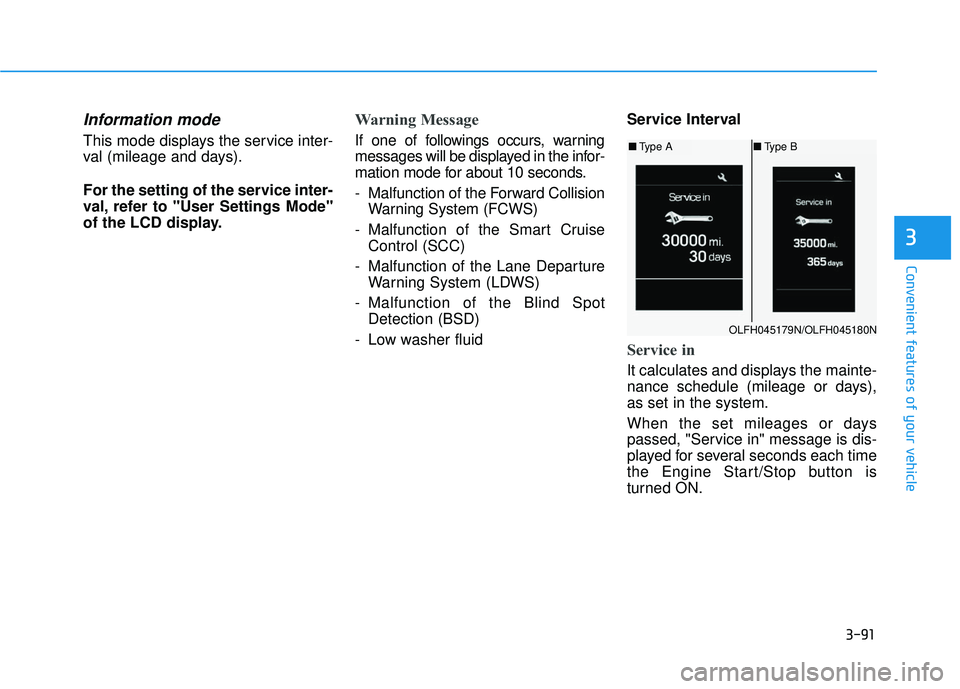
Information mode
This mode displays the service inter-
val (mileage and days).
For the setting of the service inter-
val, refer to "User Settings Mode"
of the LCD display.
Warning Message
If one of followings occurs, warning
messages will be displayed in the infor-
mation mode for about 10 seconds.
- Malfunction of the Forward CollisionWarning System (FCWS)
- Malfunction of the Smart Cruise Control (SCC)
- Malfunction of the Lane Departure Warning System (LDWS)
- Malfunction of the Blind Spot Detection (BSD)
- Low washer fluid Service Interval
Service in
It calculates and displays the mainte-
nance schedule (mileage or days),
as set in the system.
When the set mileages or days
passed, "Service in" message is dis-
played for several seconds each time
the Engine Start/Stop button is
turned ON.
OLFH045179N/OLFH045180N
■
Type A ■Type B
Page 187 of 708
3-92
Convenient features of your vehicle
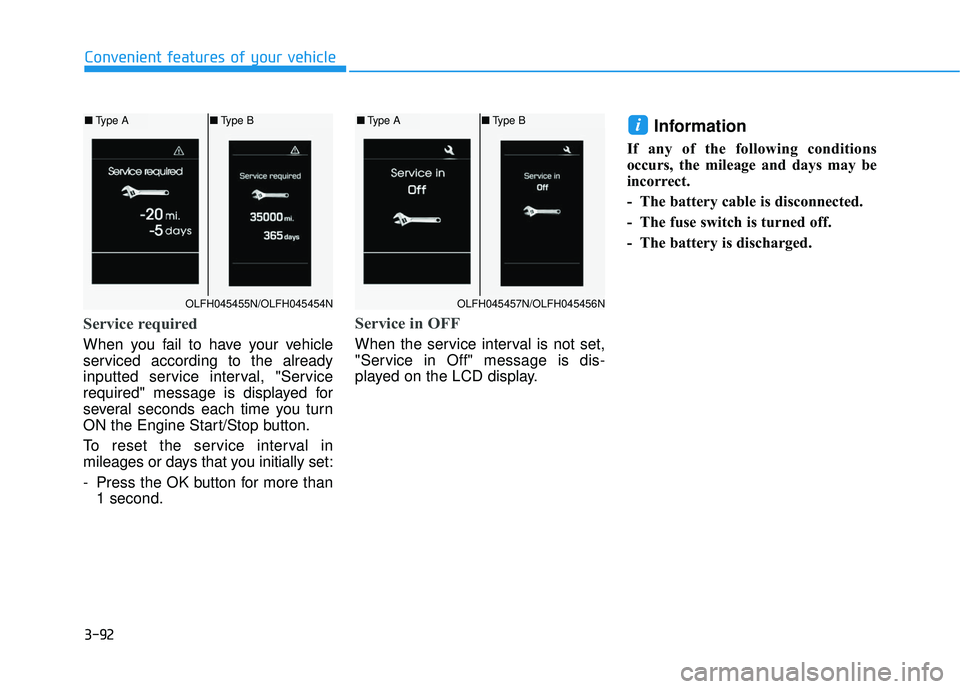
Service required
When you fail to have your vehicle
serviced according to the already
inputted service interval, "Service
required" message is displayed for
several seconds each time you turn
ON the Engine Start/Stop button.
To reset the service interval in
mileages or days that you initially set:
- Press the OK button for more than1 second.
Service in OFF
When the service interval is not set,
"Service in Off" message is dis-
played on the LCD display.
Information
If any of the following conditions
occurs, the mileage and days may be
incorrect.
- The battery cable is disconnected.
- The fuse switch is turned off.
- The battery is discharged.
i
OLFH045455N/OLFH045454N
■ Type A ■Type B
OLFH045457N/OLFH045456N
■Type A ■Type B
Page 193 of 708
3-98
Convenient features of your vehicle
Trip computer
The trip computer is a driving infor-
mation system controlled by a micro-
computer. This displays driving-relat-
ed information.
Information
Some driving information, stored in
the trip computer (i.e. average vehicle
speed) is reset when the battery is dis-
connected
One time driving informationmode
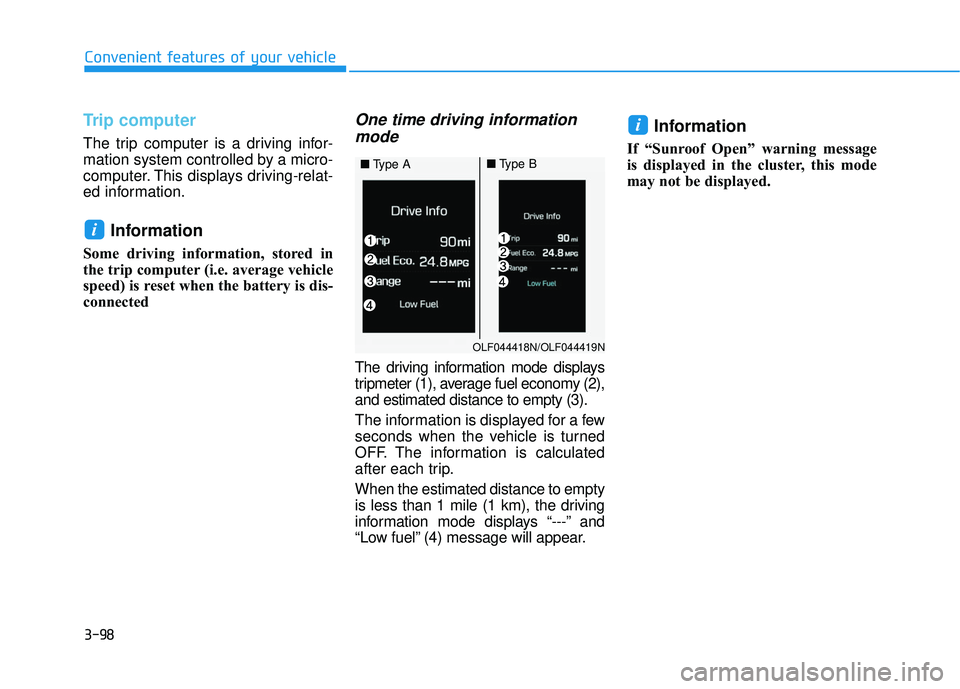
The driving information mode displays
tripmeter (1), average fuel economy (2),
and estimated distance to empty (3).
The information is displayed for a few
seconds when the vehicle is turned
OFF. The information is calculated
after each trip.
When the estimated distance to empty
is less than 1 mile (1 km), the driving
information mode displays “---” and
“Low fuel” (4) message will appear.
Information
If “Sunroof Open” warning message
is displayed in the cluster, this mode
may not be displayed.
i
i
OLF044418N/OLF044419N
■ Type A■Type B