ESP HYUNDAI SONATA LIMITED 2016 Workshop Manual
[x] Cancel search | Manufacturer: HYUNDAI, Model Year: 2016, Model line: SONATA LIMITED, Model: HYUNDAI SONATA LIMITED 2016Pages: 708, PDF Size: 25.96 MB
Page 451 of 708
5-5
Driving your vehicle
5
NEVER drink or take drugs and
drive.
Drinking or taking drugs and
driving is dangerous and may
result in an accident and SERI-
OUS INJURY or DEATH.
Drunk driving is the number
one contributor to the highway
death toll each year. Even a
small amount of alcohol will
affect your reflexes, percep-
tions and judgment. Just one
drink can reduce your ability to
respond to changing conditions
and emergencies and your reac-
tion time gets worse with each
additional drink.
Driving while under the influ-
ence of drugs is as dangerous
or more dangerous than driving
under the influence of alcohol.(Continued)
WARNING (Continued)
You are much more likely to have
a serious accident if you drink or
take drugs and drive. If you are
drinking or taking drugs, don’t
drive. Do not ride with a driver
who has been drinking or taking
drugs. Choose a designated
driver or call a taxi.
E EN
N G
GI
IN
N E
E
S
S T
T A
A R
RT
T/
/S
S T
T O
O P
P
B
B U
U T
T-
-
T
T O
O N
N
To reduce the risk of SERIOUS
INJURY or DEATH, take the fol-
lowing precautions:
NEVER allow children or any
person who is unfamiliar with
the vehicle to touch the
Engine Start/Stop button or
related parts. Unexpected and
sudden vehicle movement
can occur.
NEVER reach through the
steering wheel for the Engine
Start/Stop button, or any other
control, while the vehicle is in
motion. The presence of your
hand or arm in this area may
cause a loss of vehicle control
resulting in an accident.
WARNING
Page 459 of 708
5-13
Driving your vehicle
5
The indicator in the instrument clus-
ter displays the shift lever position
when the Engine Start/Stop button is
in the ON position.
P (Park)
Always come to a complete stop
before shifting into P (Park).
To shift from P (Park), you must
depress firmly on the brake pedal
and make sure your foot is off the
accelerator pedal.
If you have done all of the above
and still cannot shift the lever out of
P (Park), see "Shift-Lock Release"
in this chapter.
The shift lever must be in P (Park)
before turning the hybrid system off.
To reduce the risk of serious
injury or death:
ALWAYS check the surround-
ing areas near your vehicle for
people, especially children,
before shifting a vehicle into
D (Drive) or R (Reverse).
Before leaving the driver’s
seat, always make sure the
shift lever is in the P (Park)
position, then set the parking
brake, and place the Engine
Start/Stop button in the OFF
position. Unexpected and
sudden vehicle movement
can occur if these precautions
are not followed.
Do not use the engine brake
(shifting from a high gear to
lower gear) rapidly on slip-
pery roads. The vehicle may
slip causing an accident.
When using Sport Mode: Do
not shift from a high gear to
lower gear rapidly on slippery
roads. The vehicle may slip
causing an accident.
WARNING
Shifting into P (Park) while the
vehicle is in motion may
cause you to lose control of
the vehicle.
After the vehicle has stopped,
always make sure the shift
lever is in P (Park), apply the
parking brake, and turn the
hybrid system off.
Do not use the P (Park) posi-
tion in place of the parking
brake.
WARNING
Page 463 of 708
5-17
Driving your vehicle
5
Parking
Always come to a complete stop and
continue to depress the brake pedal.
Move the shift lever into the P (Park)
position, apply the parking brake,
and place the Engine Start/Stop but-
ton in the OFF position. Take the Key
with you when exiting the vehicle.
Good driving practices
Never move the shift lever from P(Park) or N (Neutral) to any other
position with the accelerator pedal
depressed.
Never move the shift lever into P (Park) when the vehicle is in
motion.
Be sure the vehicle is completely
stopped before you attempt to shift
into R (Reverse) or D (Drive).
Do not move the shift lever to N (Neutral) when driving. Doing so
may result in an accident because
of a loss of engine braking and the
transaxle could be damaged.
Do not drive with your foot resting on the brake pedal. Even light, but
consistent pedal pressure can
result in the brakes overheating,
brake wear and possibly even
brake failure.
Always apply the parking brake when leaving the vehicle. Do not
depend on placing the transaxle in
P (Park) to keep the vehicle from
moving. Exercise extreme caution when
driving on a slippery surface. Be
especially careful when braking,
accelerating or shifting gears. On a
slippery surface, an abrupt change
in vehicle speed can cause the
drive wheels to lose traction and
may cause loss of vehicle control
resulting in an accident
Optimum vehicle performance and economy is obtained by smoothly
depressing and releasing the
accelerator.
When you stay in the vehicle
with the engine running, be
careful not to depress the accel-
erator pedal for a long period of
time. The engine or exhaust
system may overheat and start
a fire.
The exhaust gas and the
exhaust system are very hot.
Keep away from the exhaust
system components.
Do not stop or park over flam-
mable materials, such as dry
grass, paper or leaves. They
may ignite and cause a fire.
WARNING
Page 479 of 708
5-33
Driving your vehicle
5
Using ABS
To obtain the maximum benefit from
your ABS in an emergency situation,
do not attempt to modulate your
brake pressure and do not try to
pump your brakes. Depress your
brake pedal as hard as possible.
When you apply your brakes under
conditions which may lock the
wheels, you may hear sounds from
the brakes, or feel a corresponding
sensation in the brake pedal. This is
normal and it means your ABS is
active.
ABS does not reduce the time or dis-
tance it takes to stop the vehicle.
Always maintain a safe distance from
the vehicle in front of you.
ABS will not prevent a skid that
results from sudden changes in
direction, such as trying to take a
corner too fast or making a sudden
lane change. Always drive at a safe
speed for the road and weather con-
ditions.ABS cannot prevent a loss of stabili-
ty. Always steer moderately when
braking hard. Severe or sharp steer-
ing wheel movement can still cause
your vehicle to veer into oncoming
traffic or off the road.
On loose or uneven road surfaces,
operation of the anti-lock brake sys-
tem may result in a longer stopping
distance than for vehicles equipped
with a conventional brake system.
The ABS warning light ( ) will stay
on for several seconds after the
Engine Start/Stop button is in the ON
position. During that time, the ABS
will go through self-diagnosis and the
light will go off if everything is nor-
mal. If the light stays on, you may
have a problem with your ABS.
Contact an authorized HYUNDAI
dealer as soon as possible.
If the ABS warning light ( ) is
on and stays on, you may have a
problem with the ABS. Your
power brakes will work normally.
To reduce the risk of serious
injury or death, contact your
HYUNDAI dealer as soon as pos-
sible.
WARNING
Page 481 of 708
5-35
Driving your vehicle
5
ESC operation
ESC ON condition
When the Engine Start/Stop button
is in the ON position, the ESC and
the ESC OFF indicator lights illumi-
nate for approximately three seconds
and goes off, then the ESC is turned
on.
When operating
When the ESC is in opera-
tion, the ESC indicator light
blinks:
conditions which may lock the
wheels, you may hear sounds from
the brakes, or feel a corresponding
sensation in the brake pedal. This is
normal and it means your ESC is
active.
engine may not respond to the
accelerator as it does under routine
conditions.
when the ESC activates, the Cruise
Control automatically disengages.
The Cruise Control can be reen-
gaged when the road conditions
allow. See “Cruise Control System”
later in this chapter.
driving on a slippery road, the
engine rpm (revolutions per minute)
may not increase even if you press
the accelerator pedal deeply. This is
to maintain the stability and traction
of the vehicle and does not indicate
a problem.
Page 484 of 708
5-38
Driving your vehicle
Vehicle Stability Management
Vehicle Stability Management (VSM)
helps ensure the vehicle stays stable
when accelerating or braking sud-
denly on wet, slippery and rough
roads where traction over the four
tires can suddenly become uneven.
VSM operation
VSM ON condition
The VSM operates when:
The Electronic Stability Control(ESC) is on.
Vehicle speed is approximately above 9 mph (15 km/h) on curve
roads.
Vehicle speed is approximately above 12 mph (20 km/h) when the
vehicle is braking on rough roads.
When operating
When you apply your brakes under
conditions which may activate the
ESC, you may hear sounds from the
brakes, or feel a corresponding sen-
sation in the brake pedal. This is nor-
mal and it means your VSM is active.
Information
The VSM does not operate when:
• Driving on bank road such as gradi-ent or incline
• Driving rearward.
• ESC OFF indicator light is on.
• EPS (Electric Power Steering) warn- ing light ( ) is on.
i
Take the following precautions
when using the Vehicle Stability
Management (VSM):
ALWAYS check the speed and
the distance to the vehicle
ahead. The VSM is not a sub-
stitute for safe driving prac-
tices.
Never drive too fast for the
road conditions. The VSM sys-
tem will not prevent acci-
dents. Excessive speed in bad
weather, slippery and uneven
roads can result in severe
accidents.
WARNING
Page 488 of 708
5-42
Driving your vehicle
When Active ECO is activated:
The acceleration response may be slightly reduced as the accelerator
pedal is depressed moderately.
The air conditioner performance may be limited.
The shift pattern of the automatic transaxle may change.
The engine noise may get louder.
The above situations are normal
conditions when the Active ECO sys-
tem is activated to improve fuel effi-
ciency.
SPORT mode
SPORT mode manages the driving dynamics by
automatically adjusting
the steering wheel and
hybrid system.
When the SPORT mode is select- ed by pressing the DRIVE MODE
button, the SPORT indicator (yel-
low color) will illuminate.
Restarting of the hybrid system in the SPORT mode resets the
DRIVE mode to the ECO mode.
Thus, when necessary, reselect
the SPORT mode.
Information
In the SPORT mode, the fuel efficien-
cy may decrease.
i
SPORT
Page 494 of 708
5-48
Driving your vehicle
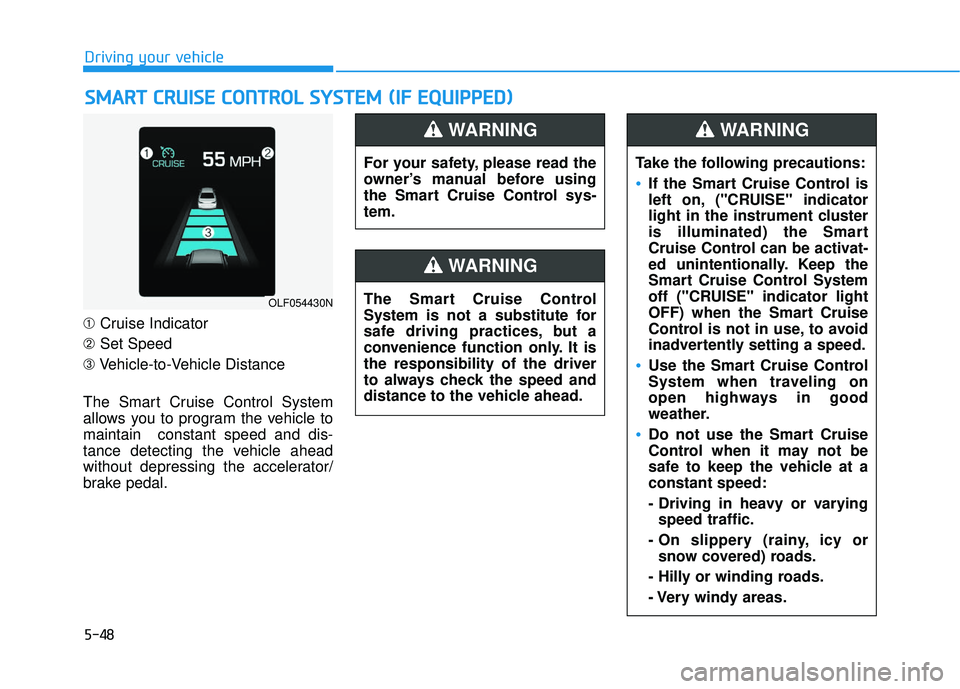
➀ Cruise Indicator
➁ Set Speed
➂ Vehicle-to-Vehicle Distance
The Smart Cruise Control System
allows you to program the vehicle to
maintain constant speed and dis-
tance detecting the vehicle ahead
without depressing the accelerator/
brake pedal.
S S M
M A
AR
RT
T
C
C R
R U
U I
IS
S E
E
C
C O
O N
NT
TR
R O
O L
L
S
S Y
Y S
ST
T E
EM
M
(
( I
IF
F
E
E Q
Q U
UI
IP
P P
PE
ED
D )
)
OLF054430N
For your safety, please read the
owner’s manual before using
the Smart Cruise Control sys-
tem.
WARNING
The Smart Cruise Control
System is not a substitute for
safe driving practices, but a
convenience function only. It is
the responsibility of the driver
to always check the speed and
distance to the vehicle ahead.
WARNING
Take the following precautions:
If the Smart Cruise Control is
left on, ("CRUISE" indicator
light in the instrument cluster
is illuminated) the Smart
Cruise Control can be activat-
ed unintentionally. Keep the
Smart Cruise Control System
off ("CRUISE" indicator light
OFF) when the Smart Cruise
Control is not in use, to avoid
inadvertently setting a speed.
Use the Smart Cruise Control
System when traveling on
open highways in good
weather.
Do not use the Smart Cruise
Control when it may not be
safe to keep the vehicle at a
constant speed:
- Driving in heavy or varying
speed traffic.
- On slippery (rainy, icy or snow covered) roads.
- Hilly or winding roads.
- Very windy areas.
WARNING
Page 508 of 708
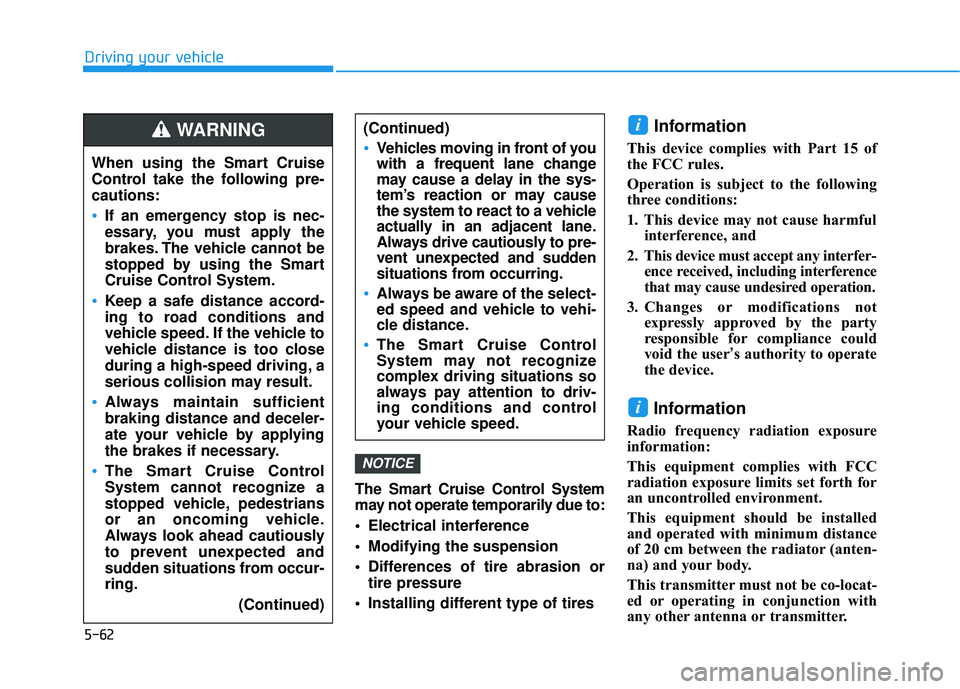
5-62
Driving your vehicleThe Smart Cruise Control System
may not operate temporarily due to:
Electrical interference
Modifying the suspension
Differences of tire abrasion ortire pressure
Installing different type of tires
Information
This device complies with Part 15 of
the FCC rules.
Operation is subject to the following
three conditions:
1. This device may not cause harmful interference, and
2. This device must accept any interfer- ence received, including interference
that may cause undesired operation.
3. Changes or modifications not expressly approved by the party
responsible for compliance could
void the user’s authority to operate
the device.
Information
Radio frequency radiation exposure
information:
This equipment complies with FCC
radiation exposure limits set forth for
an uncontrolled environment.
This equipment should be installed
and operated with minimum distance
of 20 cm between the radiator (anten-
na) and your body.
This transmitter must not be co-locat-
ed or operating in conjunction with
any other antenna or transmitter.
i
i
NOTICE
When using the Smart Cruise
Control take the following pre-
cautions:
If an emergency stop is nec-
essary, you must apply the
brakes. The vehicle cannot be
stopped by using the Smart
Cruise Control System.
Keep a safe distance accord-
ing to road conditions and
vehicle speed. If the vehicle to
vehicle distance is too close
during a high-speed driving, a
serious collision may result.
Always maintain sufficient
braking distance and deceler-
ate your vehicle by applying
the brakes if necessary.
The Smart Cruise Control
System cannot recognize a
stopped vehicle, pedestrians
or an oncoming vehicle.
Always look ahead cautiously
to prevent unexpected and
sudden situations from occur-
ring.
(Continued)
WARNING (Continued)
Vehicles moving in front of you
with a frequent lane change
may cause a delay in the sys-
tem’s reaction or may cause
the system to react to a vehicle
actually in an adjacent lane.
Always drive cautiously to pre-
vent unexpected and sudden
situations from occurring.
Always be aware of the select-
ed speed and vehicle to vehi-
cle distance.
The Smart Cruise Control
System may not recognize
complex driving situations so
always pay attention to driv-
ing conditions and control
your vehicle speed.
Page 510 of 708
5-64
Driving your vehicle
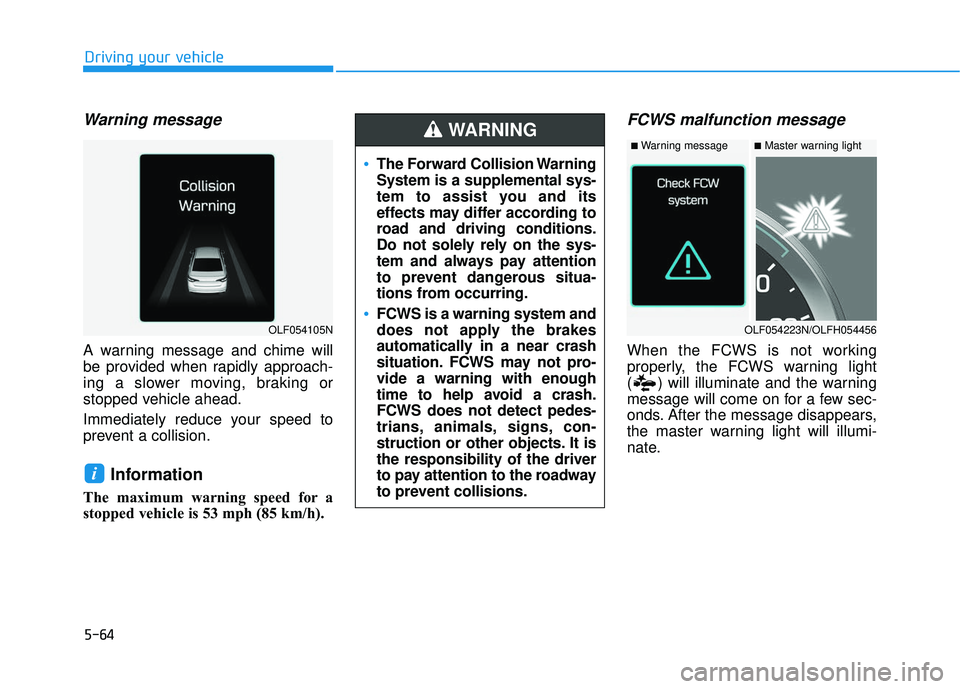
Warning message
A warning message and chime will
be provided when rapidly approach-
ing a slower moving, braking or
stopped vehicle ahead.
Immediately reduce your speed to
prevent a collision.
Information
The maximum warning speed for a
stopped vehicle is 53 mph (85 km/h).
FCWS malfunction message
When the FCWS is not working
properly, the FCWS warning light
( ) will illuminate and the warning
message will come on for a few sec-
onds. After the message disappears,
the master warning light will illumi-
nate.
i
The Forward Collision Warning
System is a supplemental sys-
tem to assist you and its
effects may differ according to
road and driving conditions.
Do not solely rely on the sys-
tem and always pay attention
to prevent dangerous situa-
tions from occurring.
FCWS is a warning system and
does not apply the brakes
automatically in a near crash
situation. FCWS may not pro-
vide a warning with enough
time to help avoid a crash.
FCWS does not detect pedes-
trians, animals, signs, con-
struction or other objects. It is
the responsibility of the driver
to pay attention to the roadway
to prevent collisions.
WARNING
OLF054223N/OLFH054456
■Master warning light■Warning message
OLF054105N