wheel HYUNDAI SONATA LIMITED 2016 Repair Manual
[x] Cancel search | Manufacturer: HYUNDAI, Model Year: 2016, Model line: SONATA LIMITED, Model: HYUNDAI SONATA LIMITED 2016Pages: 708, PDF Size: 25.96 MB
Page 479 of 708
5-33
Driving your vehicle
5
Using ABS
To obtain the maximum benefit from
your ABS in an emergency situation,
do not attempt to modulate your
brake pressure and do not try to
pump your brakes. Depress your
brake pedal as hard as possible.
When you apply your brakes under
conditions which may lock the
wheels, you may hear sounds from
the brakes, or feel a corresponding
sensation in the brake pedal. This is
normal and it means your ABS is
active.
ABS does not reduce the time or dis-
tance it takes to stop the vehicle.
Always maintain a safe distance from
the vehicle in front of you.
ABS will not prevent a skid that
results from sudden changes in
direction, such as trying to take a
corner too fast or making a sudden
lane change. Always drive at a safe
speed for the road and weather con-
ditions.ABS cannot prevent a loss of stabili-
ty. Always steer moderately when
braking hard. Severe or sharp steer-
ing wheel movement can still cause
your vehicle to veer into oncoming
traffic or off the road.
On loose or uneven road surfaces,
operation of the anti-lock brake sys-
tem may result in a longer stopping
distance than for vehicles equipped
with a conventional brake system.
The ABS warning light ( ) will stay
on for several seconds after the
Engine Start/Stop button is in the ON
position. During that time, the ABS
will go through self-diagnosis and the
light will go off if everything is nor-
mal. If the light stays on, you may
have a problem with your ABS.
Contact an authorized HYUNDAI
dealer as soon as possible.
If the ABS warning light ( ) is
on and stays on, you may have a
problem with the ABS. Your
power brakes will work normally.
To reduce the risk of serious
injury or death, contact your
HYUNDAI dealer as soon as pos-
sible.
WARNING
Page 481 of 708
5-35
Driving your vehicle
5
ESC operation
ESC ON condition
When the Engine Start/Stop button
is in the ON position, the ESC and
the ESC OFF indicator lights illumi-
nate for approximately three seconds
and goes off, then the ESC is turned
on.
When operating
When the ESC is in opera-
tion, the ESC indicator light
blinks:
conditions which may lock the
wheels, you may hear sounds from
the brakes, or feel a corresponding
sensation in the brake pedal. This is
normal and it means your ESC is
active.
engine may not respond to the
accelerator as it does under routine
conditions.
when the ESC activates, the Cruise
Control automatically disengages.
The Cruise Control can be reen-
gaged when the road conditions
allow. See “Cruise Control System”
later in this chapter.
driving on a slippery road, the
engine rpm (revolutions per minute)
may not increase even if you press
the accelerator pedal deeply. This is
to maintain the stability and traction
of the vehicle and does not indicate
a problem.
Page 483 of 708
5-37
Driving your vehicle
5
The ESC OFF indicator light comes
on when the ESC is turned off with
the button.
Driving with tires or wheels in var-
ious sizes may fail the normal
operation of the ESC system.
Before replacing tires, make sure
they are in the same size as oth-
ers. Never drive the vehicle, which
is installed with the tires of differ-
ent diameters.ESC OFF usage
When Driving
The ESC OFF mode should only be
used briefly to help free the vehicle if
stuck in snow or mud by temporarily
stopping operation of the ESC to
maintain wheel torque.
To turn ESC off while driving, press
the ESC OFF button while driving on
a flat road surface.To prevent damage to the
transaxle:
Do not allow wheel(s) of one
axle to spin excessively while
the ESC, ABS, and parking brake
warning ( , red color) lights
are displayed. The repairs would
not be covered by the vehicle
warranty. Reduce engine power
and do not spin the wheel(s)
excessively while these lights
are displayed.
When operating the vehicle on a dynamometer, make sure the
ESC is turned off (ESC OFF light
illuminated).
Information
Turning the ESC off does not affect
ABS or standard brake system opera-
tion.
i
NOTICE
NOTICE
When the ESC is blinking, this
indicates the ESC is active:
Drive slowly and NEVER
attempt to accelerate. NEVER
turn the ESC off while the ESC
indicator light is blinking or you
may lose control of the vehicle
resulting in an accident.
WARNING
Page 485 of 708
5-39
Driving your vehicle
5
VSM OFF condition
To cancel VSM operation, press the
ESC OFF button. ESC OFF indicator
light ( ) will illuminate.
To turn on VSM, press the ESC OFF
button again. The ESC OFF indicator
light will go out.
Driving with varying tire or wheel
sizes may cause the ESC system
to malfunction. When replacing
tires, make sure they are the same
size as your original tires for this
vehicle.
Hill-Start Assist Control (HAC)
A vehicle has the tendency to slide
backwards on a steep slope, before
depressing the accelerator after a
stop. The HAC helps prevent the
vehicle from sliding backwards by
automatically operating the brake
systems for about 2 seconds. The
brake systems are automatically
released, when the accelerator pedal
is depressed.
Information
• The HAC does not operate when theshift lever is in P (Park) or N (Neutral).
• The HAC activates even when the ESC (Electronic Stability Control) is
off. However, it does not activate,
when the ESC does not normally
operate.
i
NOTICE
If ESC indicator light ( ) or
EPS warning light ( ) stays
on, your vehicle may have a mal-
function with the VSM system.
When the warning light illumi-
nates have the vehicle checked
by an authorized HYUNDAI deal-
er as soon as possible.
WARNING
The HAC is activated only for
about 2 seconds, so always
depress the accelerator pedal
to begin driving upwards after a
stop.
WARNING
Page 488 of 708
5-42
Driving your vehicle
When Active ECO is activated:
The acceleration response may be slightly reduced as the accelerator
pedal is depressed moderately.
The air conditioner performance may be limited.
The shift pattern of the automatic transaxle may change.
The engine noise may get louder.
The above situations are normal
conditions when the Active ECO sys-
tem is activated to improve fuel effi-
ciency.
SPORT mode
SPORT mode manages the driving dynamics by
automatically adjusting
the steering wheel and
hybrid system.
When the SPORT mode is select- ed by pressing the DRIVE MODE
button, the SPORT indicator (yel-
low color) will illuminate.
Restarting of the hybrid system in the SPORT mode resets the
DRIVE mode to the ECO mode.
Thus, when necessary, reselect
the SPORT mode.
Information
In the SPORT mode, the fuel efficien-
cy may decrease.
i
SPORT
Page 490 of 708
5-44
Driving your vehicle
To set Cruise Control speed
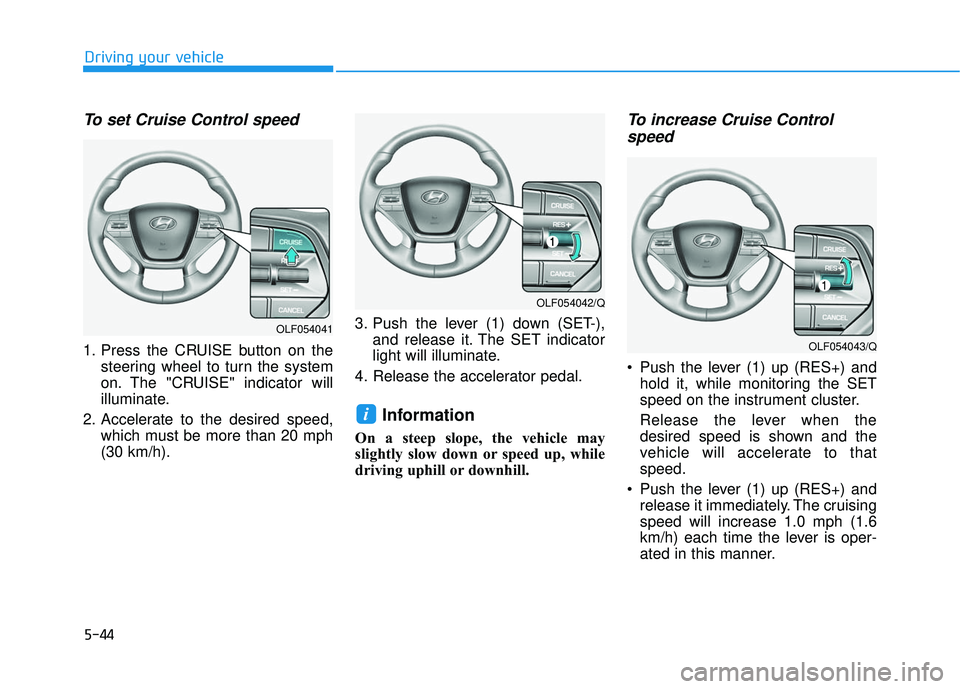
1. Press the CRUISE button on thesteering wheel to turn the system
on. The "CRUISE" indicator will
illuminate.
2. Accelerate to the desired speed, which must be more than 20 mph
(30 km/h). 3. Push the lever (1) down (SET-),
and release it. The SET indicator
light will illuminate.
4. Release the accelerator pedal.
Information
On a steep slope, the vehicle may
slightly slow down or speed up, while
driving uphill or downhill.
To increase Cruise Control speed
Push the lever (1) up (RES+) and
hold it, while monitoring the SET
speed on the instrument cluster.
Release the lever when the
desired speed is shown and the
vehicle will accelerate to that
speed.
Push the lever (1) up (RES+) and release it immediately. The cruising
speed will increase 1.0 mph (1.6
km/h) each time the lever is oper-
ated in this manner.
i
OLF054041
OLF054042/Q
OLF054043/Q
Page 492 of 708
5-46
Driving your vehicle
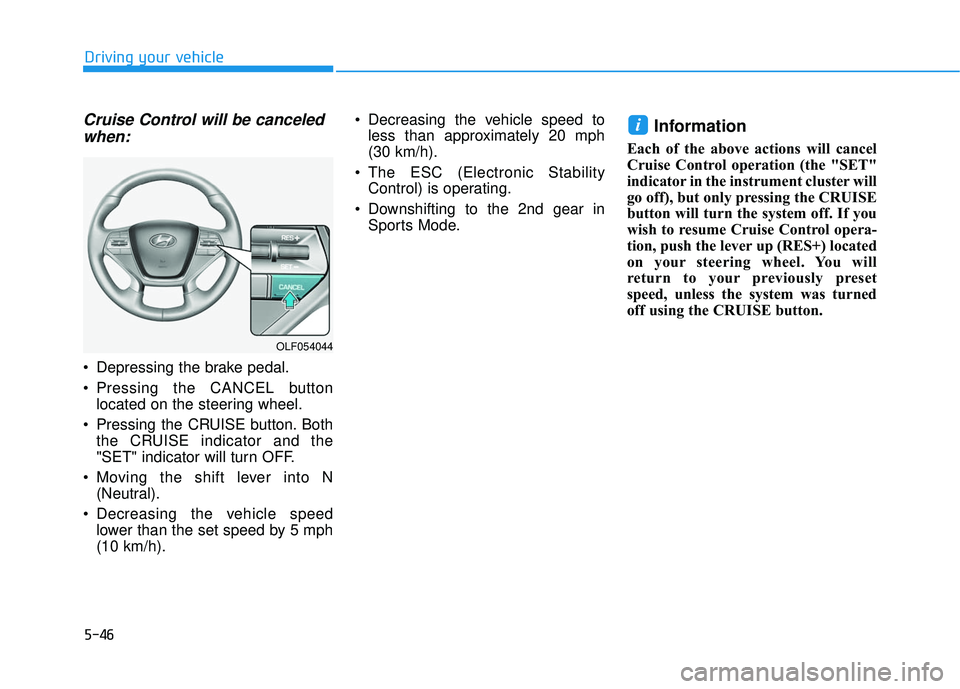
Cruise Control will be canceledwhen:
Depressing the brake pedal.
Pressing the CANCEL button
located on the steering wheel.
Pressing the CRUISE button. Both the CRUISE indicator and the
"SET" indicator will turn OFF.
Moving the shift lever into N (Neutral).
Decreasing the vehicle speed lower than the set speed by 5 mph
(10 km/h). Decreasing the vehicle speed to
less than approximately 20 mph
(30 km/h).
The ESC (Electronic Stability Control) is operating.
Downshifting to the 2nd gear in Sports Mode.
Information
Each of the above actions will cancel
Cruise Control operation (the "SET"
indicator in the instrument cluster will
go off), but only pressing the CRUISE
button will turn the system off. If you
wish to resume Cruise Control opera-
tion, push the lever up (RES+) located
on your steering wheel. You will
return to your previously preset
speed, unless the system was turned
off using the CRUISE button.
i
OLF054044
Page 496 of 708
5-50
Driving your vehicle
When the system is canceled using
the CRUISE button or the CRUISE
button is used after the engine is
turned on, the SCC Mode will turn
on.
Smart Cruise Control speed
To set Smart Cruise Control speed
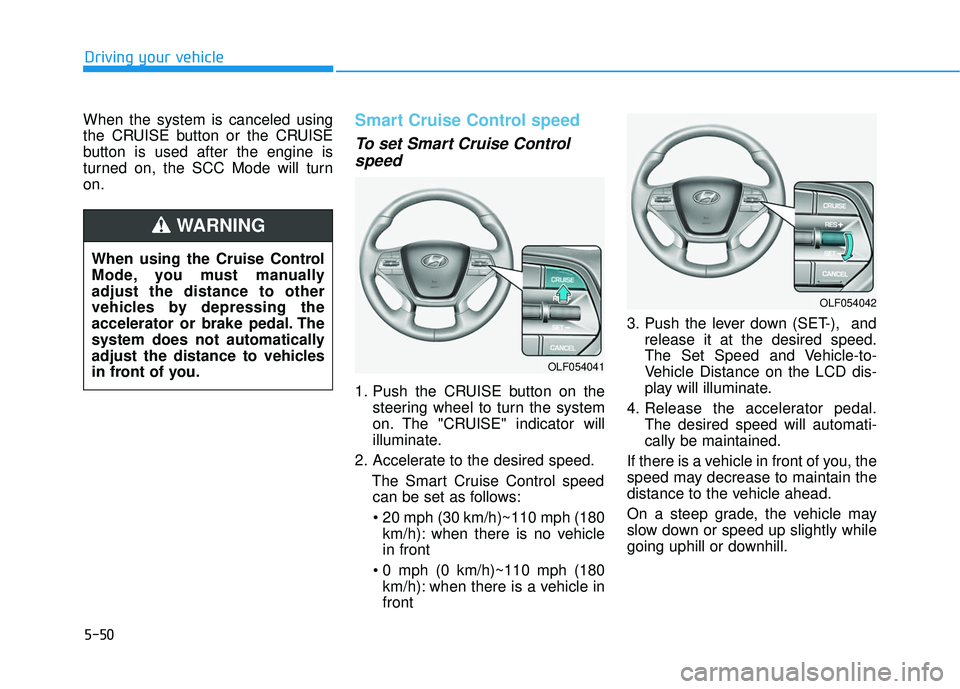
1. Push the CRUISE button on the
steering wheel to turn the system
on. The "CRUISE" indicator will
illuminate.
2. Accelerate to the desired speed. The Smart Cruise Control speedcan be set as follows:
km/h): when there is no vehicle
in front
km/h): when there is a vehicle in
front 3. Push the lever down (SET-), and
release it at the desired speed.
The Set Speed and Vehicle-to-
Vehicle Distance on the LCD dis-
play will illuminate.
4. Release the accelerator pedal. The desired speed will automati-
cally be maintained.
If there is a vehicle in front of you, the
speed may decrease to maintain the
distance to the vehicle ahead.
On a steep grade, the vehicle may
slow down or speed up slightly while
going uphill or downhill.
OLF054042
OLF054041
When using the Cruise Control
Mode, you must manually
adjust the distance to other
vehicles by depressing the
accelerator or brake pedal. The
system does not automatically
adjust the distance to vehicles
in front of you.
WARNING
Page 498 of 708
5-52
Driving your vehicle
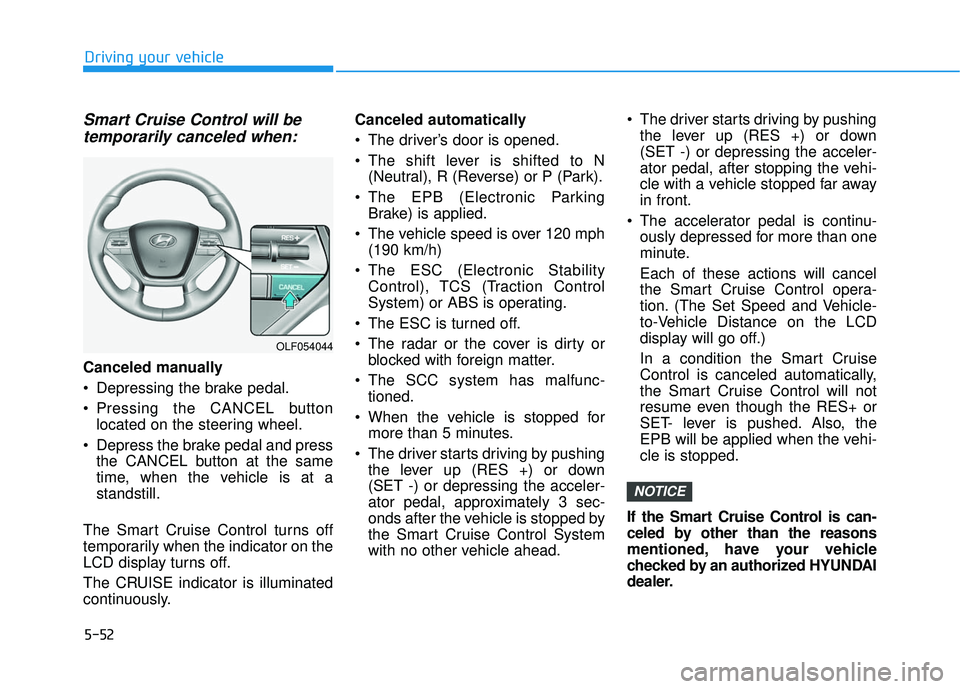
Smart Cruise Control will betemporarily canceled when:
Canceled manually
Depressing the brake pedal.
Pressing the CANCEL button
located on the steering wheel.
Depress the brake pedal and press the CANCEL button at the same
time, when the vehicle is at a
standstill.
The Smart Cruise Control turns off
temporarily when the indicator on the
LCD display turns off.
The CRUISE indicator is illuminated
continuously. Canceled automatically
The driver’s door is opened.
The shift lever is shifted to N
(Neutral), R (Reverse) or P (Park).
The EPB (Electronic Parking Brake) is applied.
The vehicle speed is over 120 mph (190 km/h)
The ESC (Electronic Stability Control), TCS (Traction Control
System) or ABS is operating.
The ESC is turned off.
The radar or the cover is dirty or blocked with foreign matter.
The SCC system has malfunc- tioned.
When the vehicle is stopped for more than 5 minutes.
The driver starts driving by pushing the lever up (RES +) or down
(SET -) or depressing the acceler-
ator pedal, approximately 3 sec-
onds after the vehicle is stopped by
the Smart Cruise Control System
with no other vehicle ahead. The driver starts driving by pushing
the lever up (RES +) or down
(SET -) or depressing the acceler-
ator pedal, after stopping the vehi-
cle with a vehicle stopped far away
in front.
The accelerator pedal is continu- ously depressed for more than one
minute.
Each of these actions will cancel
the Smart Cruise Control opera-
tion. (The Set Speed and Vehicle-
to-Vehicle Distance on the LCD
display will go off.)
In a condition the Smart Cruise
Control is canceled automatically,
the Smart Cruise Control will not
resume even though the RES+ or
SET- lever is pushed. Also, the
EPB will be applied when the vehi-
cle is stopped.
If the Smart Cruise Control is can-
celed by other than the reasons
mentioned, have your vehicle
checked by an authorized HYUNDAI
dealer.
NOTICE
OLF054044
Page 506 of 708
5-60
Driving your vehicle
Vehicle recognition
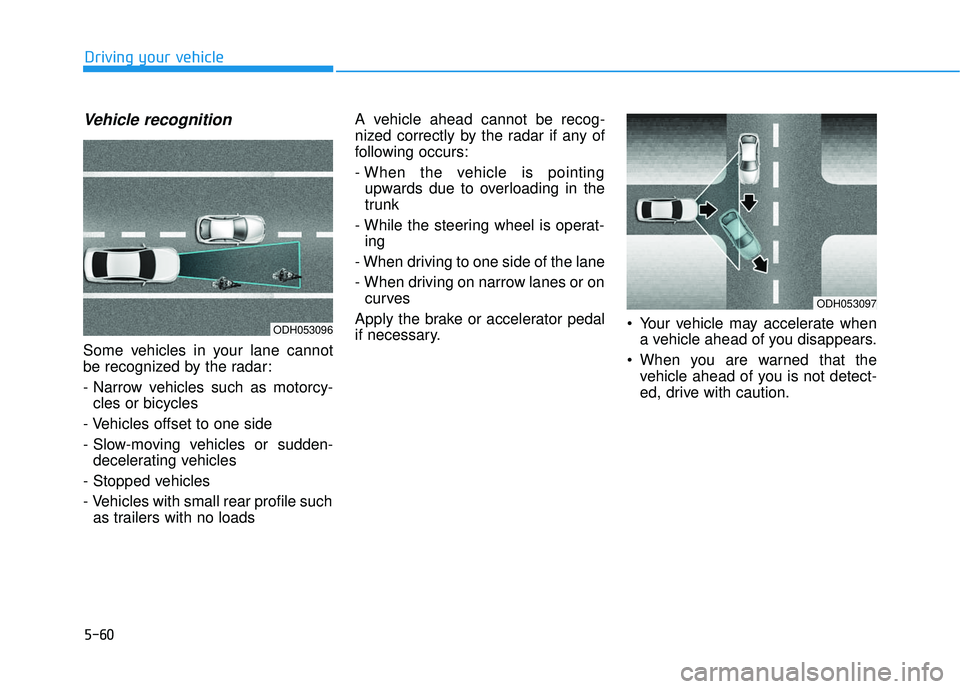
Some vehicles in your lane cannot
be recognized by the radar:
- Narrow vehicles such as motorcy-cles or bicycles
- Vehicles offset to one side
- Slow-moving vehicles or sudden- decelerating vehicles
- Stopped vehicles
- Vehicles with small rear profile such as trailers with no loads A vehicle ahead cannot be recog-
nized correctly by the radar if any of
following occurs:
- When the vehicle is pointing
upwards due to overloading in the
trunk
- While the steering wheel is operat- ing
- When driving to one side of the lane
- When driving on narrow lanes or on curves
Apply the brake or accelerator pedal
if necessary. Your vehicle may accelerate when
a vehicle ahead of you disappears.
When you are warned that the vehicle ahead of you is not detect-
ed, drive with caution.
ODH053096
ODH053097