instrument cluster Hyundai Terracan 2003 User Guide
[x] Cancel search | Manufacturer: HYUNDAI, Model Year: 2003, Model line: Terracan, Model: Hyundai Terracan 2003Pages: 349, PDF Size: 4.56 MB
Page 227 of 349
CONTROLS AND EQUIPMENT1- 33
B260A03HP-E
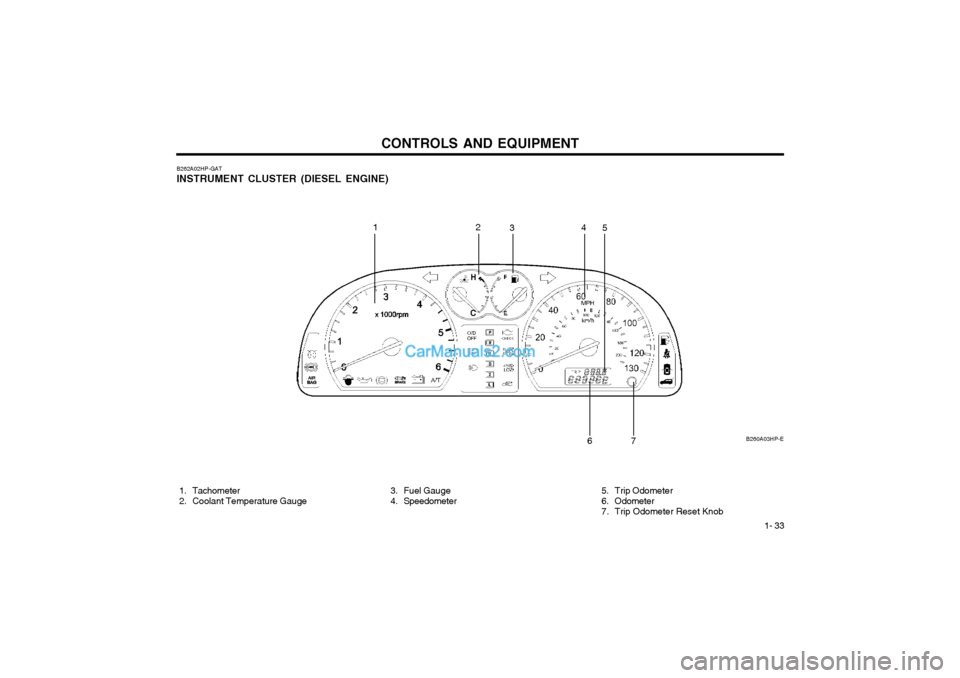
B262A02HP-GAT INSTRUMENT CLUSTER (DIESEL ENGINE)
1. Tachometer
2. Coolant Temperature Gauge 3. Fuel Gauge
4. Speedometer
12
34
5
6
7
5. Trip Odometer
6. Odometer
7. Trip Odometer Reset Knob
Page 235 of 349
CONTROLS AND EQUIPMENT1- 41
ZB120A1-E MULTI FUNCTION SWITCH Turn Signal Operation To signal an intention to turn right, the switch
lever should be pressed down. To signal an intention to turn left, the switch lever should bepushed upwards. In both instances, the turnsignal lamps on one side of the car will flashand the warning lamp located in the instrumentcluster will flash in sympathy. Upon completionof the manoeuvre, the lever will, under normalcircumstances, return to the "OFF" position.However, if the manoeuvre involved only asmall movement of the steering wheel, thesignal may need to be cancelled manually. Ifeither turn signal indicator flashes more rapidlythan normal or refuses to flash at all, a malfunc-tion of the turn signal system may exist.
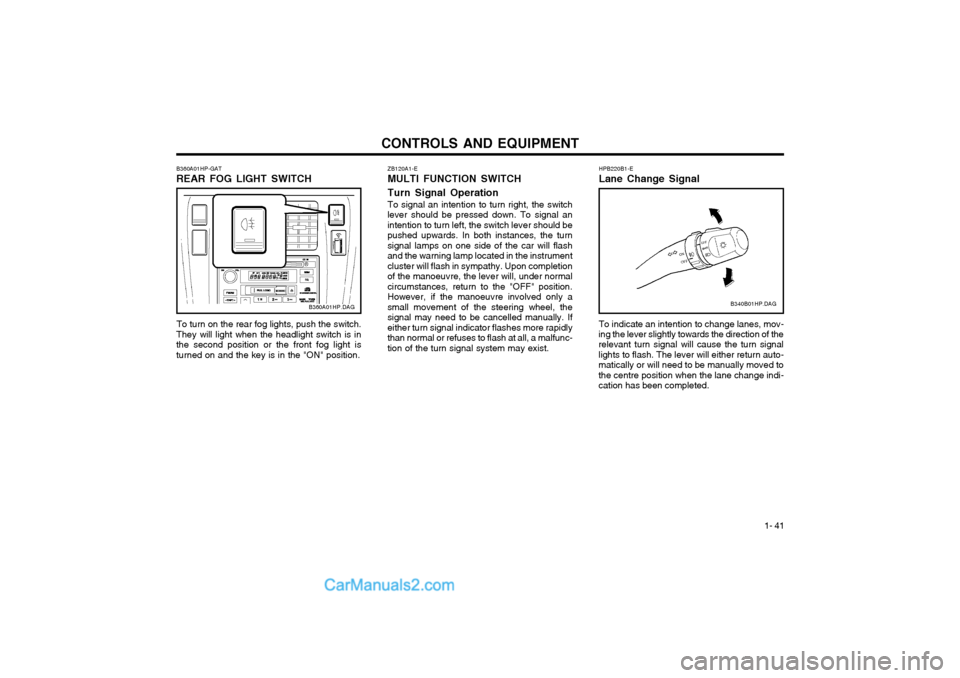
B360A01HP-GAT REAR FOG LIGHT SWITCH
B360A01HP.DAG
To turn on the rear fog lights, push the switch.
They will light when the headlight switch is in the second position or the front fog light isturned on and the key is in the "ON" position.HPB220B1-E Lane Change Signal To indicate an intention to change lanes, mov-
ing the lever slightly towards the direction of the relevant turn signal will cause the turn signal lights to flash. The lever will either return auto-matically or will need to be manually moved tothe centre position when the lane change indi-cation has been completed. B340B01HP.DAG
Page 238 of 349
CONTROLS AND EQUIPMENT
1- 44
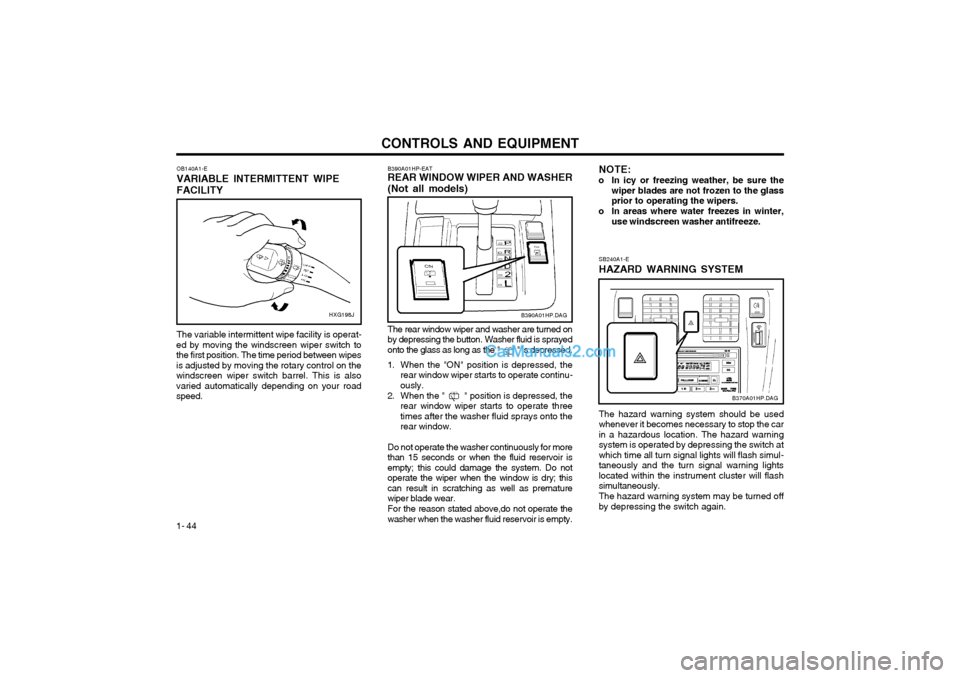
OB140A1-E VARIABLE INTERMITTENT WIPEFACILITY HXG198J
The variable intermittent wipe facility is operat-
ed by moving the windscreen wiper switch to the first position. The time period between wipesis adjusted by moving the rotary control on thewindscreen wiper switch barrel. This is alsovaried automatically depending on your roadspeed. NOTE:
o In icy or freezing weather, be sure the wiper blades are not frozen to the glassprior to operating the wipers.
o In areas where water freezes in winter, use windscreen washer antifreeze.
B390A01HP-EAT REAR WINDOW WIPER AND WASHER (Not all models)
B390A01HP.DAG
The rear window wiper and washer are turned on by depressing the button. Washer fluid is sprayedonto the glass as long as the " " is depressed.
1. When the "ON" position is depressed, the rear window wiper starts to operate continu-ously.
2. When the " " position is depressed, the rear window wiper starts to operate threetimes after the washer fluid sprays onto therear window.
Do not operate the washer continuously for morethan 15 seconds or when the fluid reservoir isempty; this could damage the system. Do notoperate the wiper when the window is dry; thiscan result in scratching as well as prematurewiper blade wear. For the reason stated above,do not operate the washer when the washer fluid reservoir is empty.
SB240A1-E HAZARD WARNING SYSTEM
B370A01HP.DAG
The hazard warning system should be used whenever it becomes necessary to stop the carin a hazardous location. The hazard warningsystem is operated by depressing the switch atwhich time all turn signal lights will flash simul-taneously and the turn signal warning lightslocated within the instrument cluster will flashsimultaneously. The hazard warning system may be turned off by depressing the switch again.
Page 254 of 349
CONTROLS AND EQUIPMENT
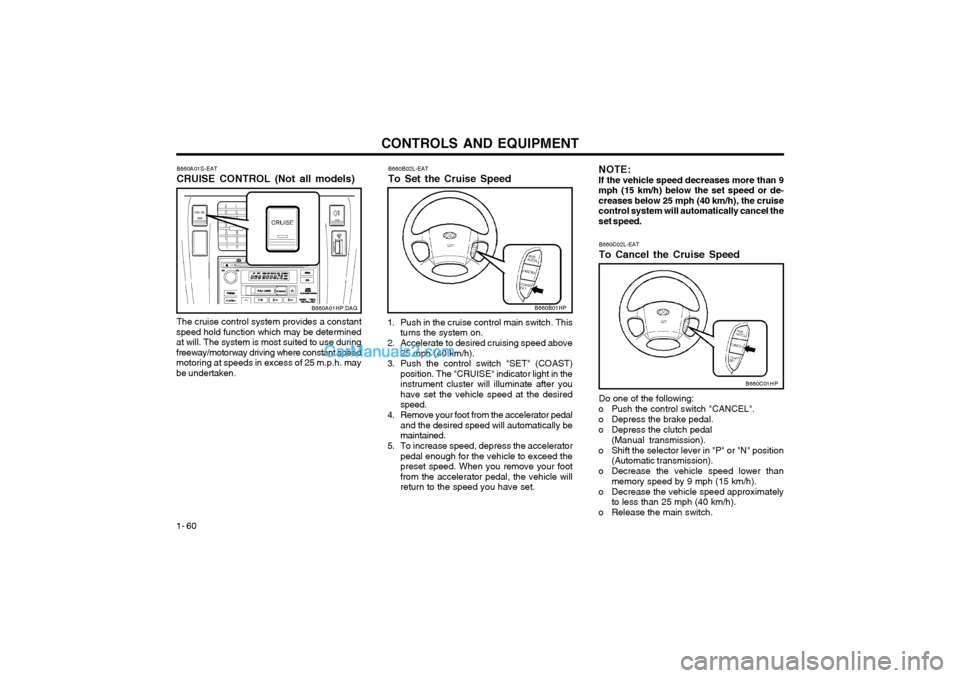
1- 60 B660A01S-EAT CRUISE CONTROL (Not all models)
B660C02L-EATTo Cancel the Cruise Speed
B660B02L-EATTo Set the Cruise Speed
The cruise control system provides a constant
speed hold function which may be determined at will. The system is most suited to use duringfreeway/motorway driving where constant speedmotoring at speeds in excess of 25 m.p.h. maybe undertaken.
B660A01HP.DAG
1. Push in the cruise control main switch. This turns the system on.
2. Accelerate to desired cruising speed above 25 mph (40 km/h).
3. Push the control switch "SET" (COAST) position. The "CRUISE" indicator light in the instrument cluster will illuminate after youhave set the vehicle speed at the desiredspeed.
4. Remove your foot from the accelerator pedal and the desired speed will automatically bemaintained.
5. To increase speed, depress the accelerator pedal enough for the vehicle to exceed thepreset speed. When you remove your footfrom the accelerator pedal, the vehicle willreturn to the speed you have set.
B660B01HP
NOTE: If the vehicle speed decreases more than 9mph (15 km/h) below the set speed or de-creases below 25 mph (40 km/h), the cruisecontrol system will automatically cancel theset speed.
Do one of the following:
o Push the control switch "CANCEL".
o Depress the brake pedal.
o Depress the clutch pedal (Manual transmission).
o Shift the selector lever in "P" or "N" position (Automatic transmission).
o Decrease the vehicle speed lower than memory speed by 9 mph (15 km/h).
o Decrease the vehicle speed approximately to less than 25 mph (40 km/h).
o Release the main switch.
B660C01HP
Page 279 of 349
DRIVING YOUR HYUNDAI
2- 8
HPC120D1-E General Operating Instructions
o The button in the selector handle must be depressed before the selector can be moved.
o The engine may only be started when the selector is at position "P" or "N".
o Ensure that the footbrake is firmly applied when shifting from "P" or "N" to "D", "2" or "L" and vice versa.
o Always engage the parking brake when the vehicle is unattended, never use the "P"position in place of the parking brake.
o Under normal circumstances, the selector should be placed in the "D" position and thetransmission allowed to select the most idealratio for the circumstances. In this positionmaximum fuel economy will be achieved.
o When descending steep gradients where engine braking is required, the selectorshould be placed at the "2" or "L" positiondepending upon the vehicle speed.
o When ascending steep gradients and using large throttle openings, the transmission mayrepeatedly change between two adjacentratios. This is a normal characteristic andmay be prevented by selecting "2" or "L"depending upon the vehicle speed.
o Never move the selector to or from the "P" or "N" position with the accelerator de-pressed.
o Only with the brake pedal fully depressed, the shift lever is shifted from "P" (parking)position to other position. (Not all models)
C090I01E-EAT
CAUTION:
o Shift into "R" and "P" only when the vehicle has completely stopped.
o Do not accelerate the engine in reverse or any of the forward positions with the brakes applied.
o Always apply the footbrake when shift- ing from "P" or "N", to "R", "D", "2" or"L" position.
o Do not use the "P" (Park) position in place of the parking brake. Always setthe parking brake, shift the transmissioninto "P" (Park) and turn off the ignitionwhen you leave the vehicle, even mo-mentarily. Never leave the vehicle unat-tended whilst the engine is running.
o Check the automatic transmission fluid level regularly, and add fluid as neces-sary. SC130A1-E OVERDRIVE SWITCH
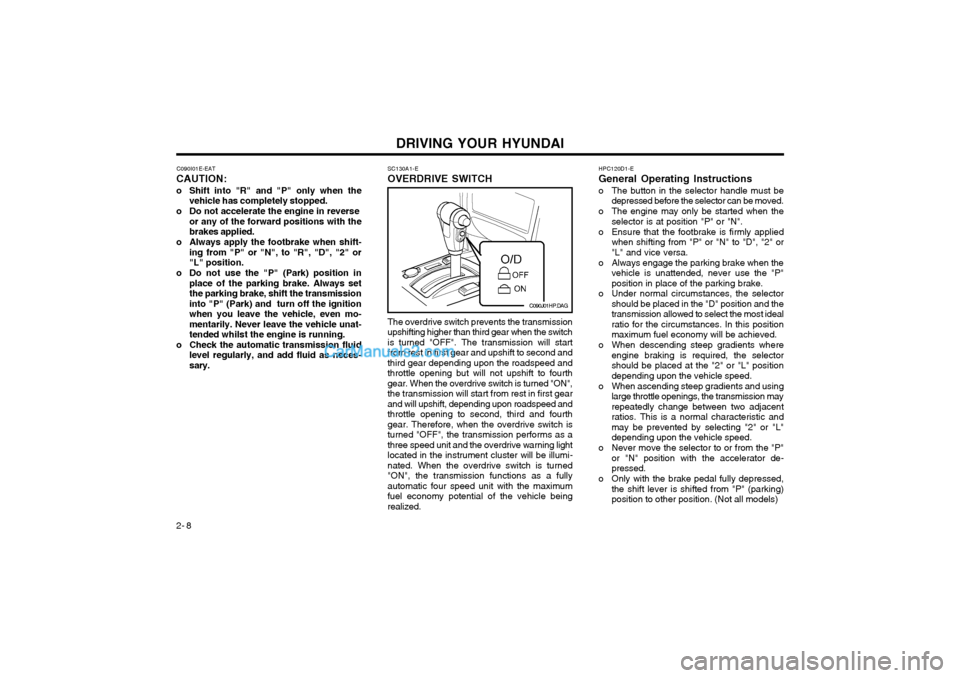
The overdrive switch prevents the transmission upshifting higher than third gear when the switchis turned "OFF". The transmission will startfrom rest in first gear and upshift to second andthird gear depending upon the roadspeed andthrottle opening but will not upshift to fourthgear. When the overdrive switch is turned "ON",the transmission will start from rest in first gearand will upshift, depending upon roadspeed andthrottle opening to second, third and fourthgear. Therefore, when the overdrive switch isturned "OFF", the transmission performs as athree speed unit and the overdrive warning lightlocated in the instrument cluster will be illumi-nated. When the overdrive switch is turned"ON", the transmission functions as a fullyautomatic four speed unit with the maximumfuel economy potential of the vehicle beingrealized.
C090J01HP.DAG
Page 347 of 349
INDEX10-3
M Maintenance Requirements
Explanation of scheduled maintenance items ........................ 5-6 ~ 5-8
Maintenance and servicing requirements ....................................... 5-1
Maintenance under severe usage conditions ................................. 5-5
Regular servicing ................................................................... 5-2 ~ 5-4
Mirrors Day/night inside rearview .............................................................. 1-53
Outside rearview ........................................................................... 1-51
Multi Function Switch
Headlight flash .............................................................................. 1-42
High and low beam ....................................................................... 1-42
Lane change signal ....................................................................... 1-41
Lighting switch ............................................................................... 1-42
Sidelight auto cut .......................................................................... 1-42
Turn signal operation .................................................................... 1-41
OOdometer .......................................................................................... 1-40
P Parking Brake ................................................................................... 1-53
Part-time 4WD Operation ......................................................... 2-9 ~ 2-11
Power Driver's Seat .......................................................................... 1-12
Power Outlet ..................................................................................... 1-46
Power Steering Fluid Level ............. ..................................................6-19
I Ignition Switch
..................................................................................... 2-2
Immobiliser System .................................................................... 1-2 ~ 1-4
Key ........................................................................................... 1-2, 1-4
Indicator and Warning Lights ................................................. 1-35 ~ 1-38
Instrument Cluster and Indicator ............................................ 1-31 ~ 1-34
Instruments and Controls ................ ..................................................1-30
Intermittent Wipe Facilit .................................................................... 1-44
J Jump Starting ...................................................................................... 3-2
K
Key ............................................................................................... 1-2, 1-4 If you lose your keys .................................................................... 3-11
Positions .......................................................................................... 2-2
LLimited-Slip Differential ..................................................................... 2-14
Luggage Compartment Cargo Security Screen .................................................................. 1-55
Light ............................................................................................... 1-54
Net ................................................................................................. 1-54