wheel Hyundai Terracan 2003 Service Manual
[x] Cancel search | Manufacturer: HYUNDAI, Model Year: 2003, Model line: Terracan, Model: Hyundai Terracan 2003Pages: 349, PDF Size: 4.56 MB
Page 224 of 349
CONTROLS AND EQUIPMENT
1- 30
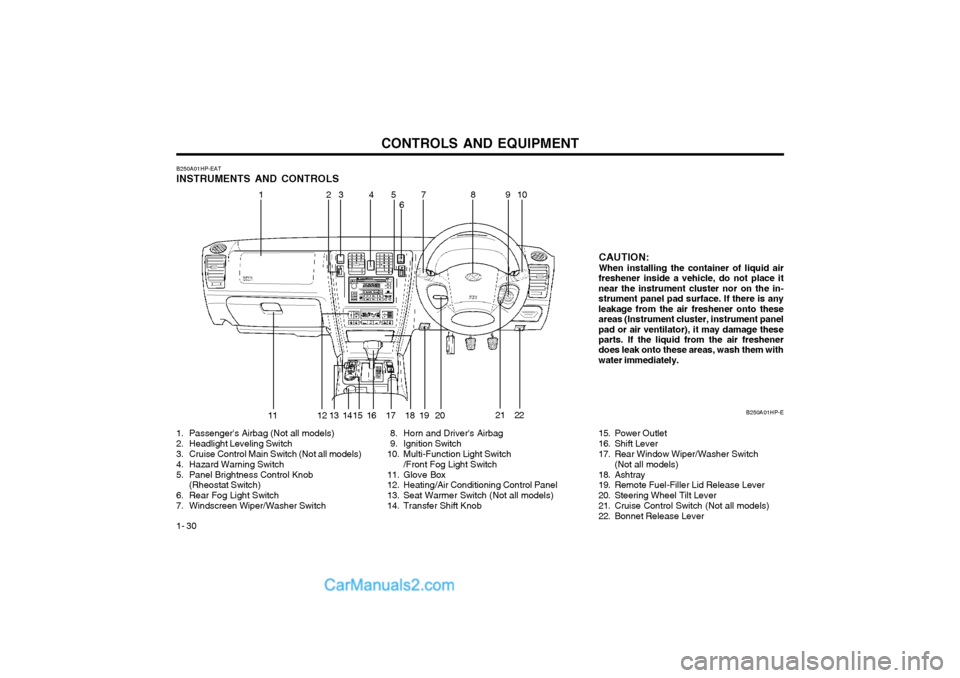
B250A01HP-EAT INSTRUMENTS AND CONTROLS
1. Passenger's Airbag (Not all models)
2. Headlight Leveling Switch
3. Cruise Control Main Switch (Not all models)
4. Hazard Warning Switch
5. Panel Brightness Control Knob (Rheostat Switch)
6. Rear Fog Light Switch
7. Windscreen Wiper/Washer Switch 8. Horn and Driver's Airbag
9. Ignition Switch
10. Multi-Function Light Switch
/Front Fog Light Switch
11. Glove Box
12. Heating/Air Conditioning Control Panel
13. Seat Warmer Switch (Not all models)
14. Transfer Shift Knob CAUTION:When installing the container of liquid air
freshener inside a vehicle, do not place it near the instrument cluster nor on the in-strument panel pad surface. If there is anyleakage from the air freshener onto theseareas (Instrument cluster, instrument panelpad or air ventilator), it may damage these parts. If the liquid from the air freshener does leak onto these areas, wash them withwater immediately.
B250A01HP-E
21
15. Power Outlet
16. Shift Lever
17. Rear Window Wiper/Washer Switch(Not all models)
18. Ashtray
19. Remote Fuel-Filler Lid Release Lever
20. Steering Wheel Tilt Lever
21. Cruise Control Switch (Not all models)
22. Bonnet Release Lever
11 910
13 45
6 78
12 13 14 16 17 18 19 2022
2
15
Page 230 of 349
CONTROLS AND EQUIPMENT
1- 36
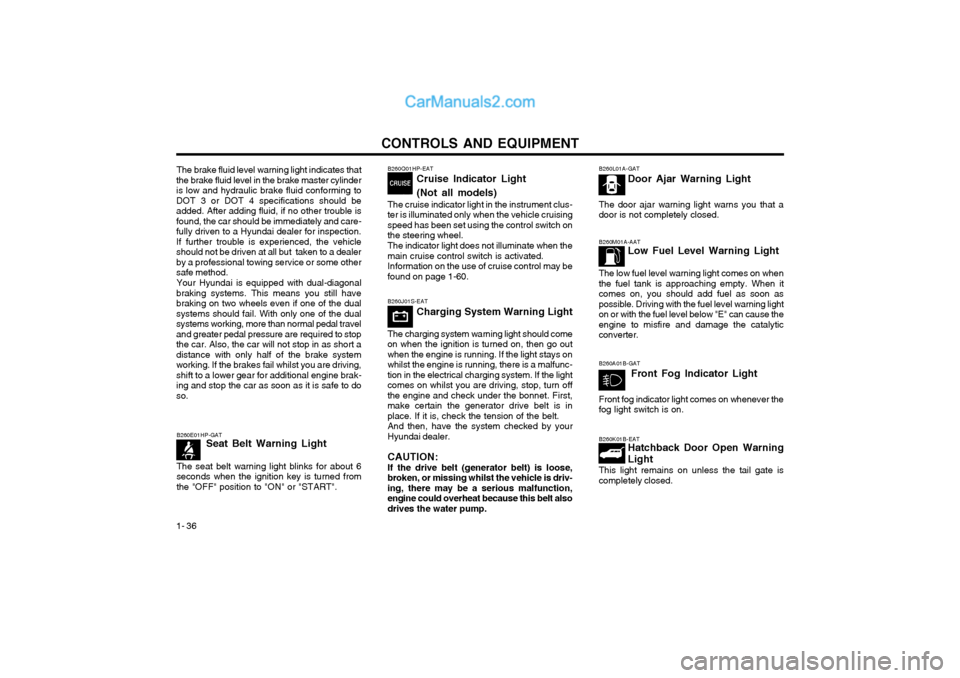
B260M01A-AAT Low Fuel Level Warning Light
The low fuel level warning light comes on when the fuel tank is approaching empty. When itcomes on, you should add fuel as soon aspossible. Driving with the fuel level warning lighton or with the fuel level below "E" can cause theengine to misfire and damage the catalyticconverter. B260K01B-EAT Hatchback Door Open Warning Light
This light remains on unless the tail gate is completely closed.
B260E01HP-GAT
Seat Belt Warning Light
The seat belt warning light blinks for about 6seconds when the ignition key is turned fromthe "OFF" position to "ON" or "START".
B260L01A-GAT Door Ajar Warning Light
The door ajar warning light warns you that a door is not completely closed.
B260A01B-GAT Front Fog Indicator Light
Front fog indicator light comes on whenever the fog light switch is on.
B260J01S-EAT Charging System Warning Light
The charging system warning light should come
on when the ignition is turned on, then go out when the engine is running. If the light stays onwhilst the engine is running, there is a malfunc-tion in the electrical charging system. If the lightcomes on whilst you are driving, stop, turn offthe engine and check under the bonnet. First,make certain the generator drive belt is inplace. If it is, check the tension of the belt. And then, have the system checked by your
Hyundai dealer.
CAUTION: If the drive belt (generator belt) is loose,
broken, or missing whilst the vehicle is driv- ing, there may be a serious malfunction,engine could overheat because this belt alsodrives the water pump.
B260Q01HP-EAT
Cruise Indicator Light (Not all models)
The cruise indicator light in the instrument clus- ter is illuminated only when the vehicle cruisingspeed has been set using the control switch onthe steering wheel. The indicator light does not illuminate when the main cruise control switch is activated.Information on the use of cruise control may befound on page 1-60.
The brake fluid level warning light indicates that
the brake fluid level in the brake master cylinderis low and hydraulic brake fluid conforming toDOT 3 or DOT 4 specifications should beadded. After adding fluid, if no other trouble isfound, the car should be immediately and care-fully driven to a Hyundai dealer for inspection.If further trouble is experienced, the vehicleshould not be driven at all but taken to a dealerby a professional towing service or some othersafe method.
Your Hyundai is equipped with dual-diagonal
braking systems. This means you still havebraking on two wheels even if one of the dualsystems should fail. With only one of the dualsystems working, more than normal pedal traveland greater pedal pressure are required to stopthe car. Also, the car will not stop in as short adistance with only half of the brake systemworking. If the brakes fail whilst you are driving,shift to a lower gear for additional engine brak-ing and stop the car as soon as it is safe to doso.
Page 231 of 349
CONTROLS AND EQUIPMENT1- 37
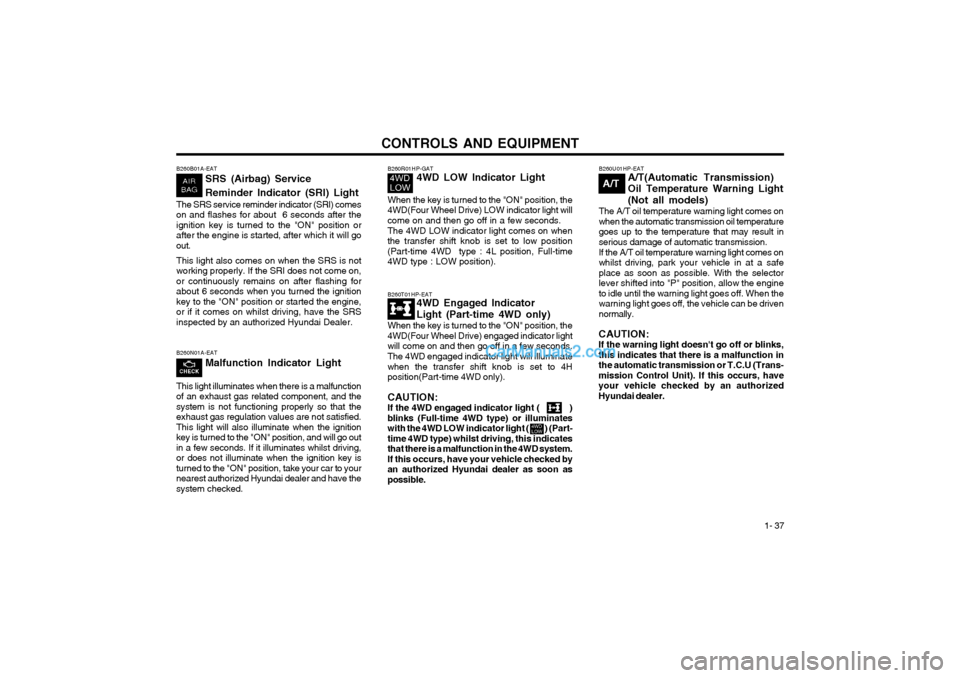
B260T01HP-EAT4WD Engaged Indicator Light (Part-time 4WD only)
When the key is turned to the "ON" position, the 4WD(Four Wheel Drive) engaged indicator lightwill come on and then go off in a few seconds. The 4WD engaged indicator light will illuminate when the transfer shift knob is set to 4Hposition(Part-time 4WD only). CAUTION: If the 4WD engaged indicator light ( )blinks (Full-time 4WD type) or illuminates
with the 4WD LOW indicator light ( ) (Part-time 4WD type) whilst driving, this indicatesthat there is a malfunction in the 4WD system.If this occurs, have your vehicle checked byan authorized Hyundai dealer as soon aspossible. B260U01HP-EAT
A/T(Automatic Transmission)
Oil Temperature Warning Light(Not all models)
The A/T oil temperature warning light comes on when the automatic transmission oil temperaturegoes up to the temperature that may result inserious damage of automatic transmission. If the A/T oil temperature warning light comes on
whilst driving, park your vehicle in at a safe
place as soon as possible. With the selectorlever shifted into "P" position, allow the engineto idle until the warning light goes off. When thewarning light goes off, the vehicle can be driven
normally.
CAUTION:If the warning light doesn't go off or blinks,this indicates that there is a malfunction inthe automatic transmission or T.C.U (Trans-mission Control Unit). If this occurs, haveyour vehicle checked by an authorizedHyundai dealer.
A/T
B260N01A-EAT Malfunction Indicator Light
This light illuminates when there is a malfunction of an exhaust gas related component, and thesystem is not functioning properly so that theexhaust gas regulation values are not satisfied.This light will also illuminate when the ignitionkey is turned to the "ON" position, and will go out
in a few seconds. If it illuminates whilst driving,or does not illuminate when the ignition key isturned to the "ON" position, take your car to yournearest authorized Hyundai dealer and have thesystem checked.
B260R01HP-GAT 4WD LOW Indicator Light
When the key is turned to the "ON" position, the
4WD(Four Wheel Drive) LOW indicator light willcome on and then go off in a few seconds.
The 4WD LOW indicator light comes on when the transfer shift knob is set to low position(Part-time 4WD type : 4L position, Full-time
4WD type : LOW position).B260B01A-EAT SRS (Airbag) Service Reminder Indicator (SRI) Light
The SRS service reminder indicator (SRI) comes on and flashes for about 6 seconds after theignition key is turned to the "ON" position orafter the engine is started, after which it will goout. This light also comes on when the SRS is not working properly. If the SRI does not come on,or continuously remains on after flashing forabout 6 seconds when you turned the ignitionkey to the "ON" position or started the engine,or if it comes on whilst driving, have the SRSinspected by an authorized Hyundai Dealer.
Page 235 of 349
CONTROLS AND EQUIPMENT1- 41
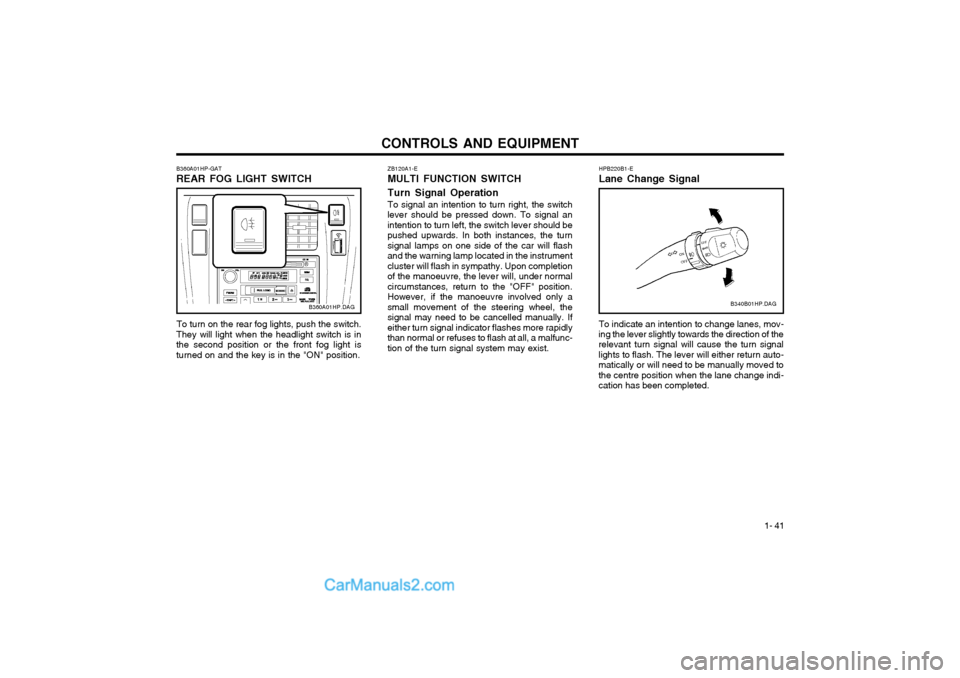
ZB120A1-E MULTI FUNCTION SWITCH Turn Signal Operation To signal an intention to turn right, the switch
lever should be pressed down. To signal an intention to turn left, the switch lever should bepushed upwards. In both instances, the turnsignal lamps on one side of the car will flashand the warning lamp located in the instrumentcluster will flash in sympathy. Upon completionof the manoeuvre, the lever will, under normalcircumstances, return to the "OFF" position.However, if the manoeuvre involved only asmall movement of the steering wheel, thesignal may need to be cancelled manually. Ifeither turn signal indicator flashes more rapidlythan normal or refuses to flash at all, a malfunc-tion of the turn signal system may exist.
B360A01HP-GAT REAR FOG LIGHT SWITCH
B360A01HP.DAG
To turn on the rear fog lights, push the switch.
They will light when the headlight switch is in the second position or the front fog light isturned on and the key is in the "ON" position.HPB220B1-E Lane Change Signal To indicate an intention to change lanes, mov-
ing the lever slightly towards the direction of the relevant turn signal will cause the turn signal lights to flash. The lever will either return auto-matically or will need to be manually moved tothe centre position when the lane change indi-cation has been completed. B340B01HP.DAG
Page 236 of 349
CONTROLS AND EQUIPMENT
1- 42 ZB120D1-E HIGH AND LOW BEAMTo turn on the headlight high beams, push the lever forward (away from you). For low beams,pull the lever back (toward you). The appropri-ate headlight beam indicator light will come onat the same time.
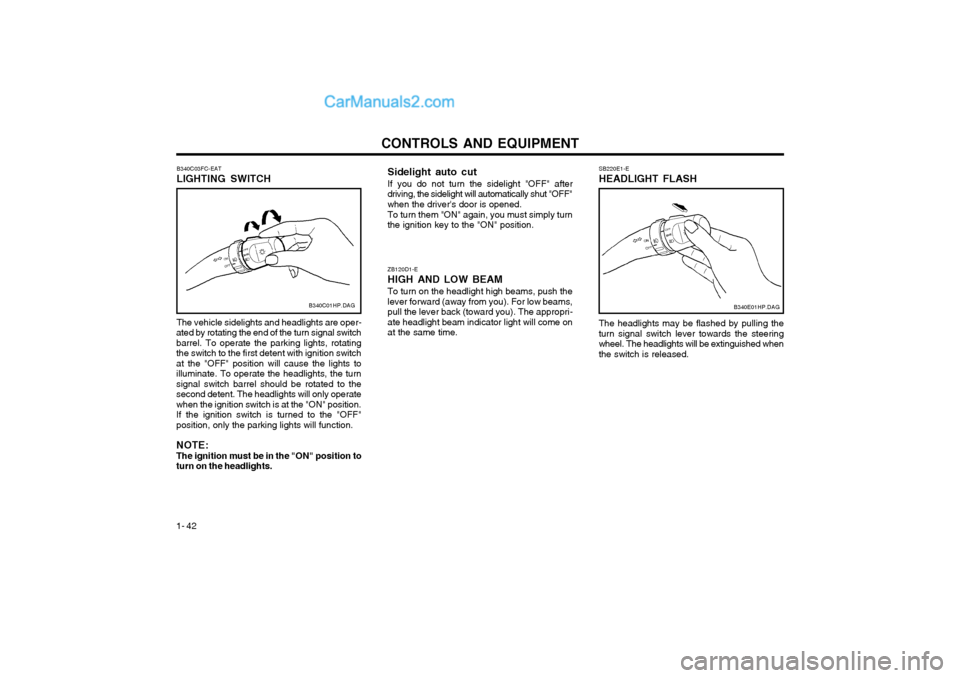
B340C03FC-EAT LIGHTING SWITCH The vehicle sidelights and headlights are oper-
ated by rotating the end of the turn signal switch barrel. To operate the parking lights, rotatingthe switch to the first detent with ignition switchat the "OFF" position will cause the lights toilluminate. To operate the headlights, the turnsignal switch barrel should be rotated to thesecond detent. The headlights will only operatewhen the ignition switch is at the "ON" position.If the ignition switch is turned to the "OFF"position, only the parking lights will function. NOTE: The ignition must be in the "ON" position toturn on the headlights. B340C01HP.DAG
Sidelight auto cut If you do not turn the sidelight "OFF" after
driving, the sidelight will automatically shut "OFF" when the driver's door is opened.
To turn them "ON" again, you must simply turn
the ignition key to the "ON" position. SB220E1-E HEADLIGHT FLASH The headlights may be flashed by pulling the turn signal switch lever towards the steeringwheel. The headlights will be extinguished whenthe switch is released.
B340E01HP.DAG
Page 237 of 349
CONTROLS AND EQUIPMENT1- 43
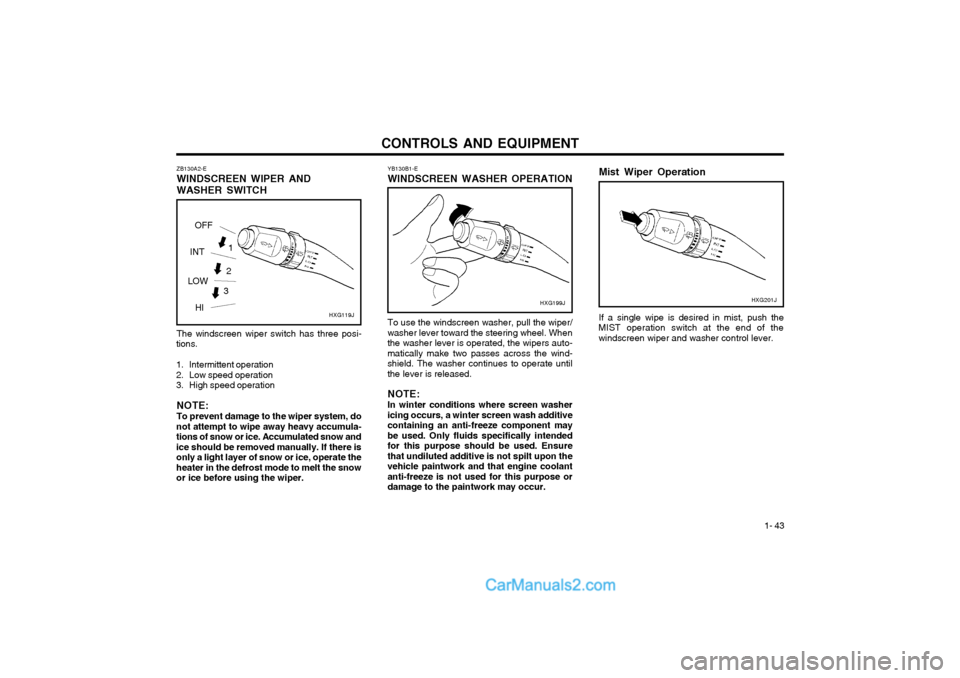
ZB130A2-E WINDSCREEN WIPER ANDWASHER SWITCH The windscreen wiper switch has three posi-
tions.
1. Intermittent operation
2. Low speed operation
3. High speed operation
NOTE: To prevent damage to the wiper system, do
not attempt to wipe away heavy accumula- tions of snow or ice. Accumulated snow andice should be removed manually. If there isonly a light layer of snow or ice, operate theheater in the defrost mode to melt the snowor ice before using the wiper. YB130B1-E WINDSCREEN WASHER OPERATION
To use the windscreen washer, pull the wiper/
washer lever toward the steering wheel. When the washer lever is operated, the wipers auto-matically make two passes across the wind-shield. The washer continues to operate untilthe lever is released.
NOTE: In winter conditions where screen washer
icing occurs, a winter screen wash additive containing an anti-freeze component maybe used. Only fluids specifically intendedfor this purpose should be used. Ensurethat undiluted additive is not spilt upon thevehicle paintwork and that engine coolantanti-freeze is not used for this purpose ordamage to the paintwork may occur. HXG199J
3
2
HXG119J
1
OFF
INT
LOW HI Mist Wiper Operation If a single wipe is desired in mist, push the
MIST operation switch at the end of the windscreen wiper and washer control lever. HXG201J
Page 252 of 349
CONTROLS AND EQUIPMENT
1- 58 HPB830A1-E PACKAGE ARM REST (Not all models)
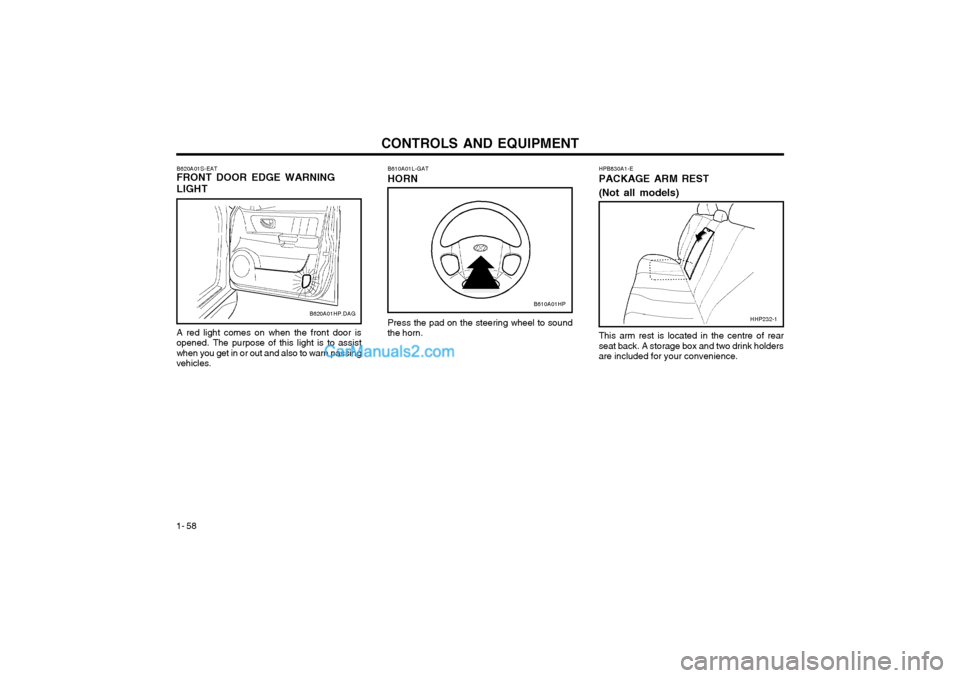
Press the pad on the steering wheel to sound the horn.
B610A01L-GAT HORN
This arm rest is located in the centre of rear seat back. A storage box and two drink holdersare included for your convenience.HHP232-1
A red light comes on when the front door isopened. The purpose of this light is to assistwhen you get in or out and also to warn passingvehicles.
B620A01S-EAT FRONT DOOR EDGE WARNING LIGHTB620A01HP.DAGB610A01HP
Page 253 of 349
CONTROLS AND EQUIPMENT1- 59
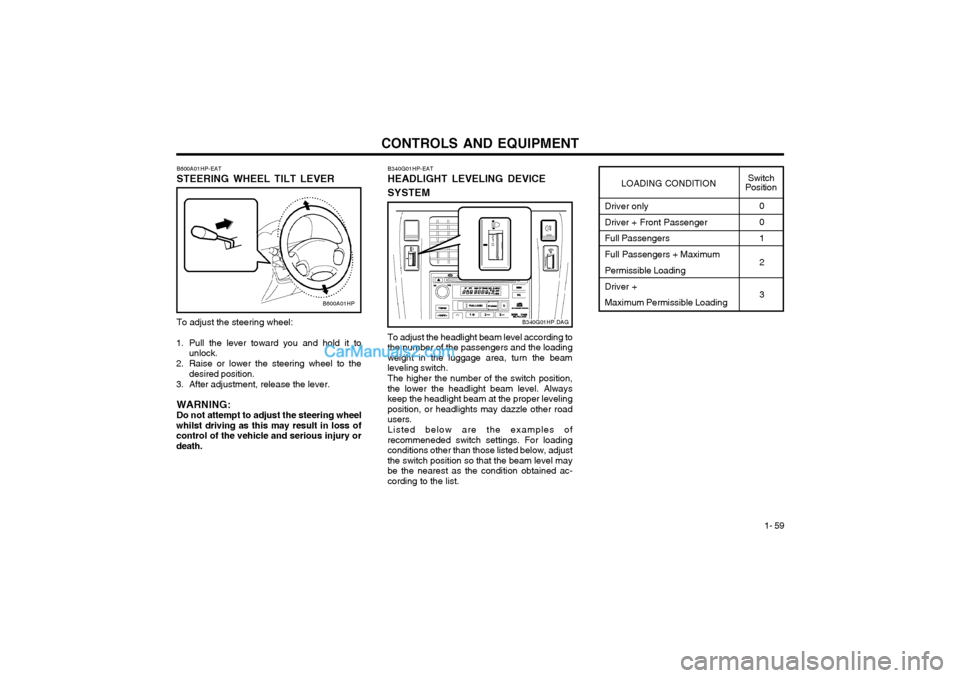
To adjust the steering wheel:
1. Pull the lever toward you and hold it to unlock.
2. Raise or lower the steering wheel to the desired position.
3. After adjustment, release the lever.
WARNING: Do not attempt to adjust the steering wheel
whilst driving as this may result in loss ofcontrol of the vehicle and serious injury ordeath. B600A01HP-EAT STEERING WHEEL TILT LEVER
B600A01HP
Driver only Driver + Front Passenger Full Passengers Full Passengers + Maximum Permissible Loading Driver + Maximum Permissible Loading0 0 1 2 3
LOADING CONDITION
Switch
Position
To adjust the headlight beam level according to
the number of the passengers and the loading weight in the luggage area, turn the beamleveling switch.
The higher the number of the switch position,
the lower the headlight beam level. Alwayskeep the headlight beam at the proper levelingposition, or headlights may dazzle other roadusers.
Listed below are the examples of
recommeneded switch settings. For loadingconditions other than those listed below, adjustthe switch position so that the beam level maybe the nearest as the condition obtained ac-cording to the list. B340G01HP-EAT HEADLIGHT LEVELING DEVICE SYSTEM
B340G01HP.DAG
Page 274 of 349
DRIVING YOUR HYUNDAI 2- 3
YC030A1-E
STEERING WHEEL LOCK
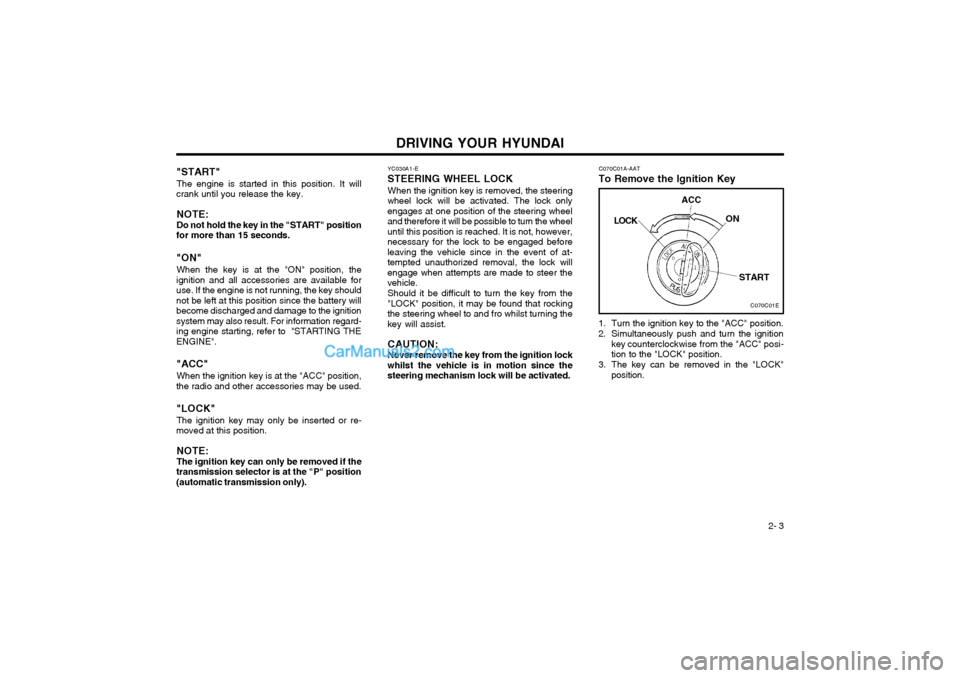
When the ignition key is removed, the steering
wheel lock will be activated. The lock only engages at one position of the steering wheeland therefore it will be possible to turn the wheeluntil this position is reached. It is not, however,necessary for the lock to be engaged beforeleaving the vehicle since in the event of at-tempted unauthorized removal, the lock willengage when attempts are made to steer thevehicle.
Should it be difficult to turn the key from the
"LOCK" position, it may be found that rockingthe steering wheel to and fro whilst turning thekey will assist.
CAUTION: Never remove the key from the ignition lock
whilst the vehicle is in motion since the steering mechanism lock will be activated.
"START"
The engine is started in this position. It will
crank until you release the key.
NOTE: Do not hold the key in the "START" position
for more than 15 seconds. "ON"
When the key is at the "ON" position, the
ignition and all accessories are available for use. If the engine is not running, the key shouldnot be left at this position since the battery willbecome discharged and damage to the ignitionsystem may also result. For information regard-ing engine starting, refer to "STARTING THEENGINE". "ACC"
When the ignition key is at the "ACC" position,
the radio and other accessories may be used."LOCK"
The ignition key may only be inserted or re-
moved at this position.
NOTE: The ignition key can only be removed if the
transmission selector is at the "P" position (automatic transmission only). C070C01A-AAT
To Remove the Ignition Key
1. Turn the ignition key to the "ACC" position.
2. Simultaneously push and turn the ignition key counterclockwise from the "ACC" posi- tion to the "LOCK" position.
3. The key can be removed in the "LOCK" position.
C070C01E
LOCK
ACC
ON
START
Page 278 of 349
DRIVING YOUR HYUNDAI 2- 7
DC110D1-E
o N (Neutral):
With the selector in this position, no gear is
selected and no drive is transmitted from the engine. The engine may be started with theselector in this position.
CAUTION: Do not coast with the selector at the "N"
position.
DC110C1-E
o R (Reverse):
With the selector in this position, reverse gear
will be engaged. The engine may not be started with the selector in this position.
CAUTION:The selector must NEVER be shifted to the
"R" position whilst the vehicle is in motion. HPC090A1-E
SELECTOR POSITIONS o P (Park): With the selector in this position, no drive is
transmitted from the engine and the transmis- sion output and therefore the front wheels locked.The engine may be started with the selector inthis position.
CAUTION:The selector must NEVER be shifted to the
"P" position whilst the vehicle is in motion,otherwise serious transmission damage willresult. C090E01O-AAT
o D(Drive): Use for normal driving. The transmission will
automatically shift through a four gear sequence.
For optimum fuel economy, accelerate gradu-ally. The transmission will automatically shift tothe second, third and overdrive gears.
C090H01A-EAT
NOTE:
o The brake pedal should be depressed when shifting from NEUTRAL to a for- ward or reverse gear.
o The brake pedal fully depressed in order to move the shift lever from the "P"(Park) position to any of the other posi-tions.
o It is always possible to shift from "R", "N", "D", "2", "L" positions to "P" posi-tion.
DC110F1-E
o 2 (Second Gear):
With the selector in this position, first gear will
be engaged from rest. The transmission willupshift to second gear depending upon thevehicle speed and throttle position. No upshiftto third or fourth will occur. The engine may notbe started with the selector in this position.
CAUTION: Do not move the selector to the 2 position
when the vehicle speed is in excess of 60 m.p.h. DC110G2-E
o L (Low Gear):
With the selector in this position, first gear will
be engaged from rest. No upshift will occurregardless of vehicle speed and throttle open-ing. The engine may not be started with theselector in this position.
CAUTION: Do not move the selector to the L position
when the vehicle speed is in excess of 50 m.p.h.