ignition Hyundai Terracan 2005 Owner's Guide
[x] Cancel search | Manufacturer: HYUNDAI, Model Year: 2005, Model line: Terracan, Model: Hyundai Terracan 2005Pages: 539, PDF Size: 18.03 MB
Page 88 of 539
1FEATURES OF YOUR HYUNDAI
74
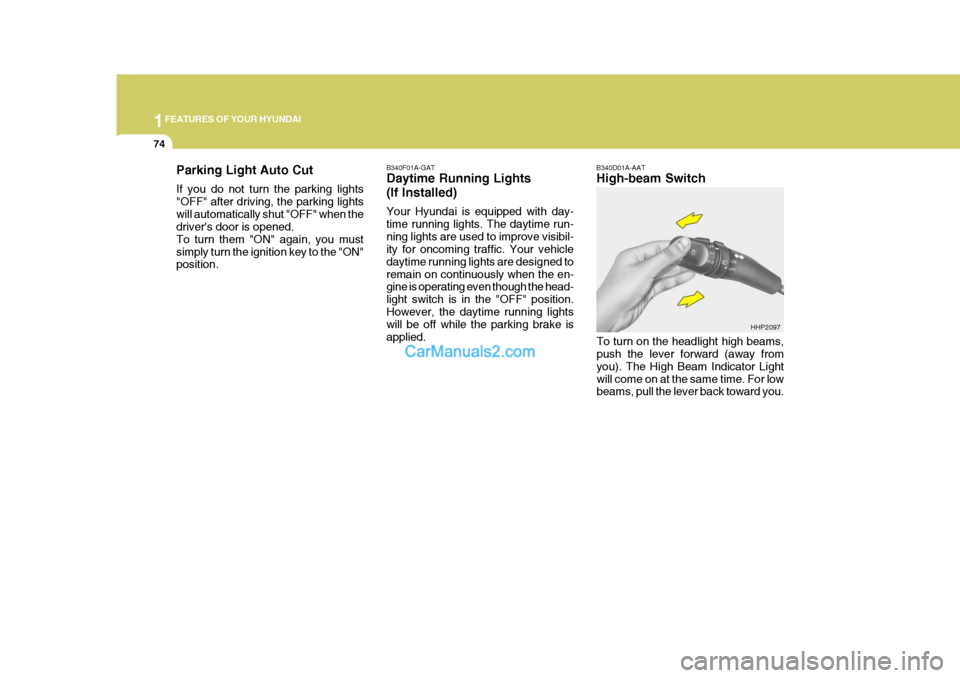
B340F01A-GAT Daytime Running Lights (If Installed) Your Hyundai is equipped with day- time running lights. The daytime run-ning lights are used to improve visibil- ity for oncoming traffic. Your vehicle daytime running lights are designed toremain on continuously when the en- gine is operating even though the head- light switch is in the "OFF" position.However, the daytime running lights will be off while the parking brake is applied. B340D01A-AAT High-beam Switch
Parking Light Auto Cut If you do not turn the parking lights "OFF" after driving, the parking lightswill automatically shut "OFF" when the driver's door is opened. To turn them "ON" again, you mustsimply turn the ignition key to the "ON" position.
To turn on the headlight high beams,push the lever forward (away from you). The High Beam Indicator Lightwill come on at the same time. For low beams, pull the lever back toward you.HHP2097
Page 92 of 539
1FEATURES OF YOUR HYUNDAI
78FRONT/REAR WINDOW DE- FROSTER SWITCHHAZARD WARNING SYSTEM
!
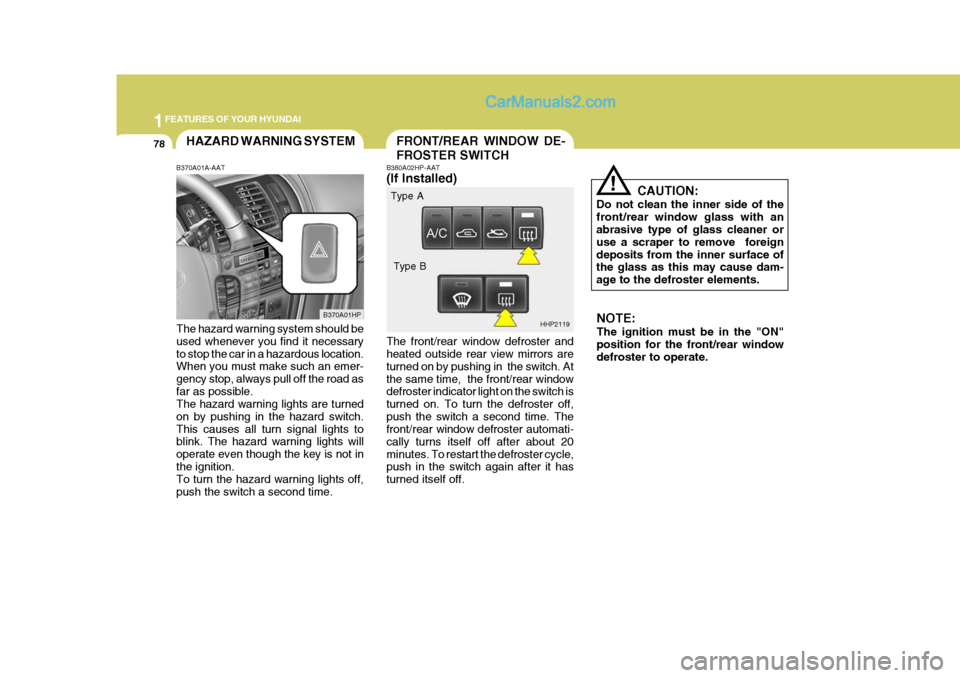
B380A02HP-AAT (If Installed) The front/rear window defroster and heated outside rear view mirrors are turned on by pushing in the switch. Atthe same time, the front/rear window defroster indicator light on the switch is turned on. To turn the defroster off,push the switch a second time. The front/rear window defroster automati- cally turns itself off after about 20minutes. To restart the defroster cycle, push in the switch again after it has turned itself off. CAUTION:
Do not clean the inner side of thefront/rear window glass with an abrasive type of glass cleaner or use a scraper to remove foreigndeposits from the inner surface of the glass as this may cause dam- age to the defroster elements.
B370A01A-AAT The hazard warning system should be used whenever you find it necessary to stop the car in a hazardous location. When you must make such an emer- gency stop, always pull off the road asfar as possible. The hazard warning lights are turned on by pushing in the hazard switch.This causes all turn signal lights to blink. The hazard warning lights will operate even though the key is not inthe ignition. To turn the hazard warning lights off, push the switch a second time. B370A01HP
HHP2119NOTE: The ignition must be in the "ON" position for the front/rear window defroster to operate.
Type A
Type B
Page 98 of 539
1FEATURES OF YOUR HYUNDAI
84
!
!WARNING:
o Do not close a sunroof if anyone's hands, arms or body are between the sliding glass and the sunroof sash, as this could result in an injury.
o Do not place your head or arms out of the sunroof opening at anytime.
CAUTION:
o Do not open the sunroof in se- verely cold temperature or when it is covered with ice or snow.
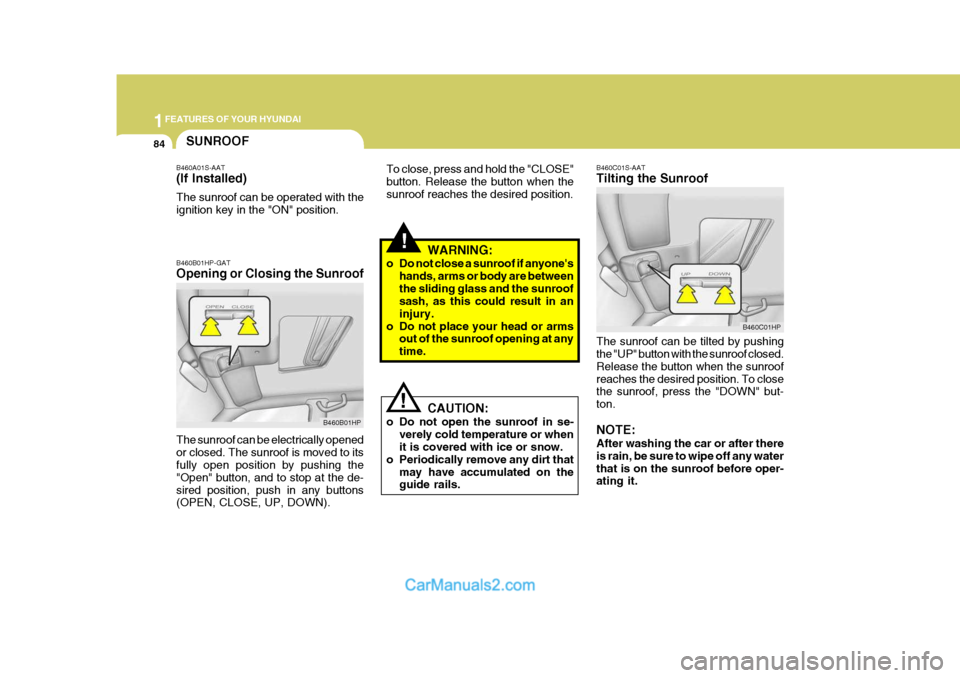
o Periodically remove any dirt that may have accumulated on theguide rails. B460C01S-AAT Tilting the Sunroof The sunroof can be tilted by pushing the "UP" button with the sunroof closed. Release the button when the sunroofreaches the desired position. To close the sunroof, press the "DOWN" but- ton. NOTE: After washing the car or after there is rain, be sure to wipe off any waterthat is on the sunroof before oper- ating it.
B460B01HP-GAT Opening or Closing the Sunroof The sunroof can be electrically opened or closed. The sunroof is moved to its fully open position by pushing the "Open" button, and to stop at the de-sired position, push in any buttons (OPEN, CLOSE, UP, DOWN).
B460B01HP B460C01HP
SUNROOF
B460A01S-AAT (If Installed) The sunroof can be operated with the ignition key in the "ON" position. To close, press and hold the "CLOSE"button. Release the button when thesunroof reaches the desired position.
Page 106 of 539
1FEATURES OF YOUR HYUNDAI
92TAIL GATECD AUTO CHANGER
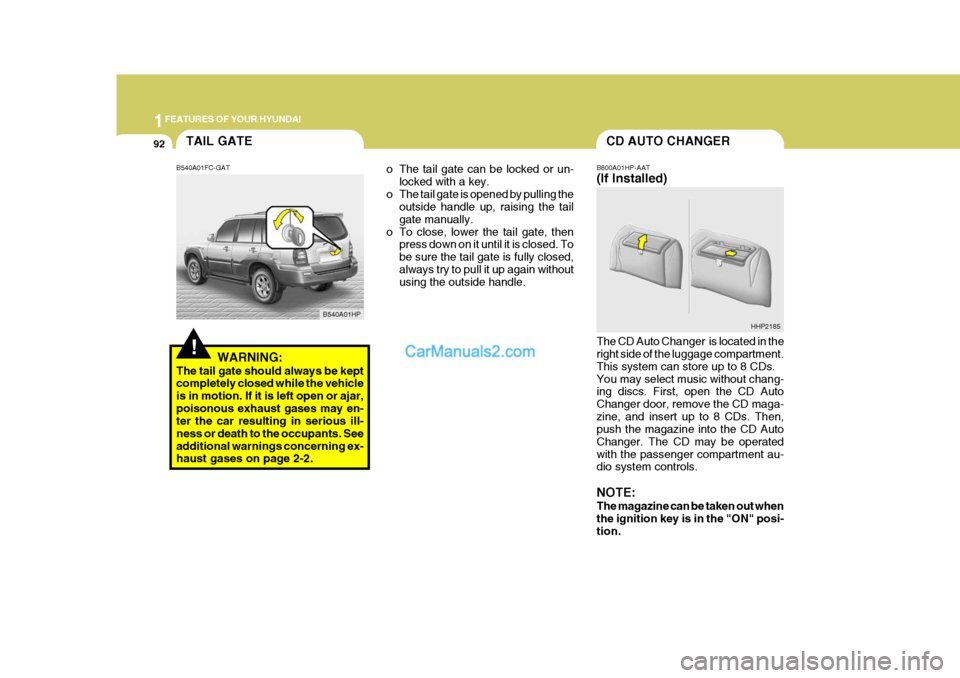
o The tail gate can be locked or un- locked with a key.
o The tail gate is opened by pulling the outside handle up, raising the tail gate manually.
o To close, lower the tail gate, then press down on it until it is closed. Tobe sure the tail gate is fully closed,always try to pull it up again without using the outside handle. B800A01HP-AAT (If Installed) The CD Auto Changer is located in the right side of the luggage compartment. This system can store up to 8 CDs.You may select music without chang- ing discs. First, open the CD Auto Changer door, remove the CD maga-zine, and insert up to 8 CDs. Then, push the magazine into the CD Auto Changer. The CD may be operatedwith the passenger compartment au- dio system controls. NOTE: The magazine can be taken out when the ignition key is in the "ON" posi- tion.HHP2185
!
B540A01FC-GAT
WARNING:
The tail gate should always be kept completely closed while the vehicle is in motion. If it is left open or ajar,poisonous exhaust gases may en- ter the car resulting in serious ill- ness or death to the occupants. Seeadditional warnings concerning ex- haust gases on page 2-2. B540A01HP
Page 119 of 539
1
FEATURES OF YOUR HYUNDAI
105
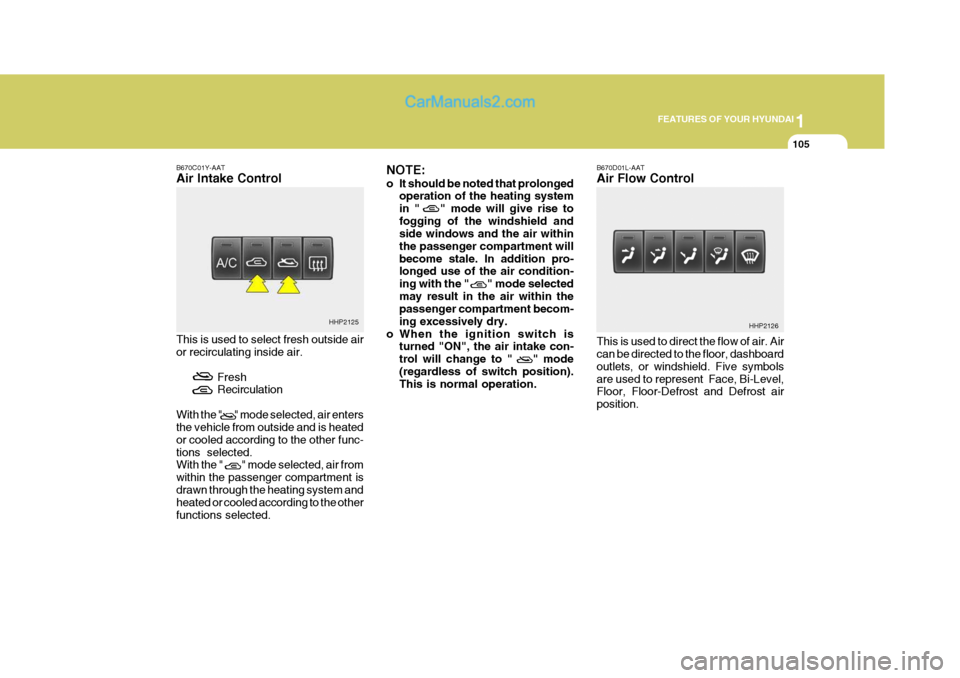
B670C01Y-AAT Air Intake Control This is used to select fresh outside air or recirculating inside air.
FreshRecirculation
With the " " mode selected, air entersthe vehicle from outside and is heated or cooled according to the other func-tions selected. With the " " mode selected, air from within the passenger compartment isdrawn through the heating system and heated or cooled according to the other functions selected. NOTE:
o It should be noted that prolonged
operation of the heating system in " " mode will give rise tofogging of the windshield and side windows and the air within the passenger compartment willbecome stale. In addition pro- longed use of the air condition- ing with the " " mode selectedmay result in the air within the passenger compartment becom- ing excessively dry.
o When the ignition switch is turned "ON", the air intake con-trol will change to " " mode(regardless of switch position). This is normal operation. B670D01L-AAT Air Flow Control This is used to direct the flow of air. Air can be directed to the floor, dashboard outlets, or windshield. Five symbolsare used to represent Face, Bi-Level, Floor, Floor-Defrost and Defrost air position.
HHP2125
HHP2126
Page 130 of 539
1FEATURES OF YOUR HYUNDAI
116
o When the ignition switch is
turned "ON", the air intake con- trol will change to ( ) mode (regardless of the switch posi- tion). This is normal operation.The air intake control operates in "AUTO" mode when turning the ignition to the "ON" positionif the "AUTO" mode was used before shutting off the engine.
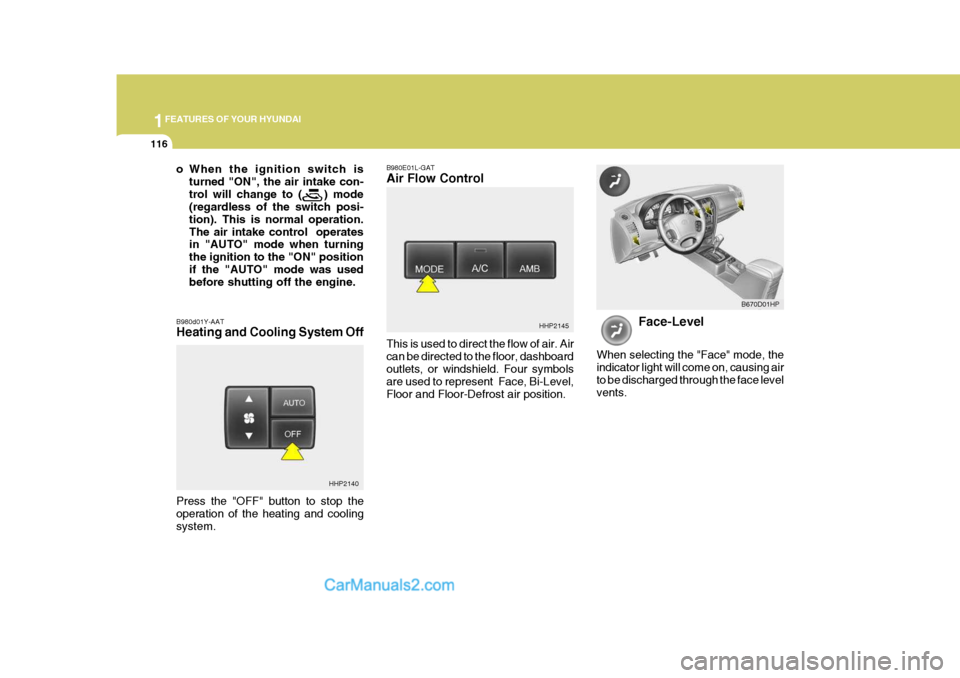
B980d01Y-AAT Heating and Cooling System Off B980E01L-GAT Air Flow Control This is used to direct the flow of air. Air can be directed to the floor, dashboardoutlets, or windshield. Four symbols are used to represent Face, Bi-Level, Floor and Floor-Defrost air position.
HHP2145
Face-Level
When selecting the "Face" mode, the indicator light will come on, causing airto be discharged through the face level vents. B670D01HP
HHP2140
Press the "OFF" button to stop the operation of the heating and coolingsystem.
Page 136 of 539
1FEATURES OF YOUR HYUNDAI
122
H240B03O-AAT
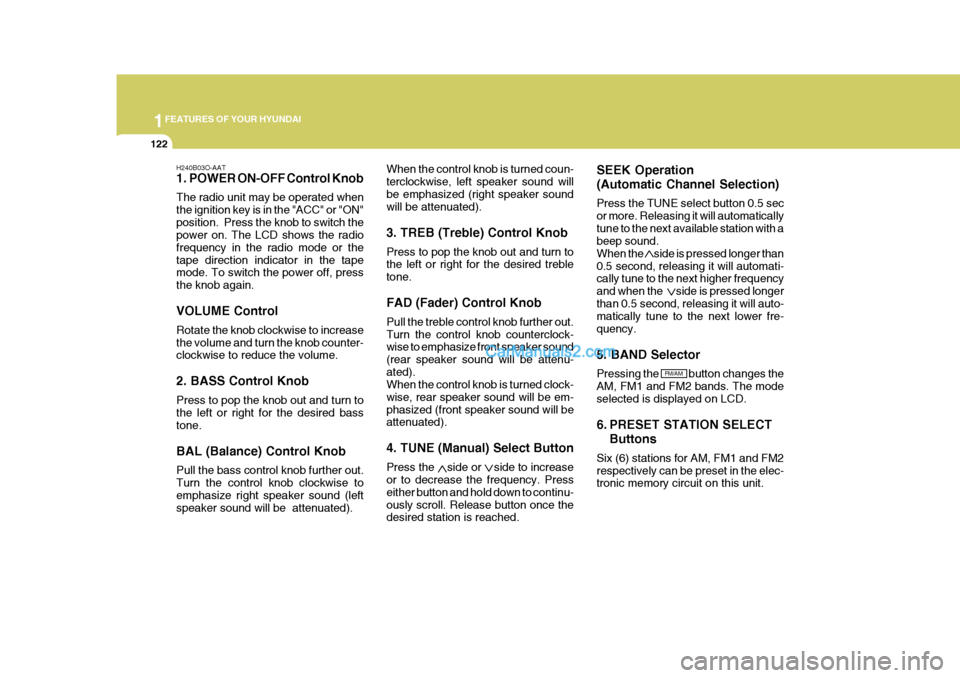
1. POWER ON-OFF Control Knob The radio unit may be operated when the ignition key is in the "ACC" or "ON"position. Press the knob to switch the power on. The LCD shows the radio frequency in the radio mode or thetape direction indicator in the tape mode. To switch the power off, press the knob again. VOLUME Control Rotate the knob clockwise to increase the volume and turn the knob counter- clockwise to reduce the volume. 2. BASS Control Knob Press to pop the knob out and turn to the left or right for the desired bass tone. BAL (Balance) Control Knob Pull the bass control knob further out. Turn the control knob clockwise to emphasize right speaker sound (left speaker sound will be attenuated). When the control knob is turned coun-terclockwise, left speaker sound willbe emphasized (right speaker sound will be attenuated). 3. TREB (Treble) Control Knob Press to pop the knob out and turn to the left or right for the desired treble tone. FAD (Fader) Control Knob Pull the treble control knob further out. Turn the control knob counterclock- wise to emphasize front speaker sound (rear speaker sound will be attenu-ated). When the control knob is turned clock- wise, rear speaker sound will be em-phasized (front speaker sound will be attenuated). 4. TUNE (Manual) Select Button Press the side or side to increase or to decrease the frequency. Press either button and hold down to continu-ously scroll. Release button once the desired station is reached. SEEK Operation (Automatic Channel Selection) Press the TUNE select button 0.5 sec or more. Releasing it will automaticallytune to the next available station with a beep sound. When the side is pressed longer than0.5 second, releasing it will automati- cally tune to the next higher frequency and when the side is pressed longerthan 0.5 second, releasing it will auto- matically tune to the next lower fre- quency. 5. BAND Selector Pressing the button changes the AM, FM1 and FM2 bands. The modeselected is displayed on LCD.
6. PRESET STATION SELECT
Buttons
Six (6) stations for AM, FM1 and FM2 respectively can be preset in the elec- tronic memory circuit on this unit.
FM/AM
Page 141 of 539
1
FEATURES OF YOUR HYUNDAI
127
H290B03E-AAT
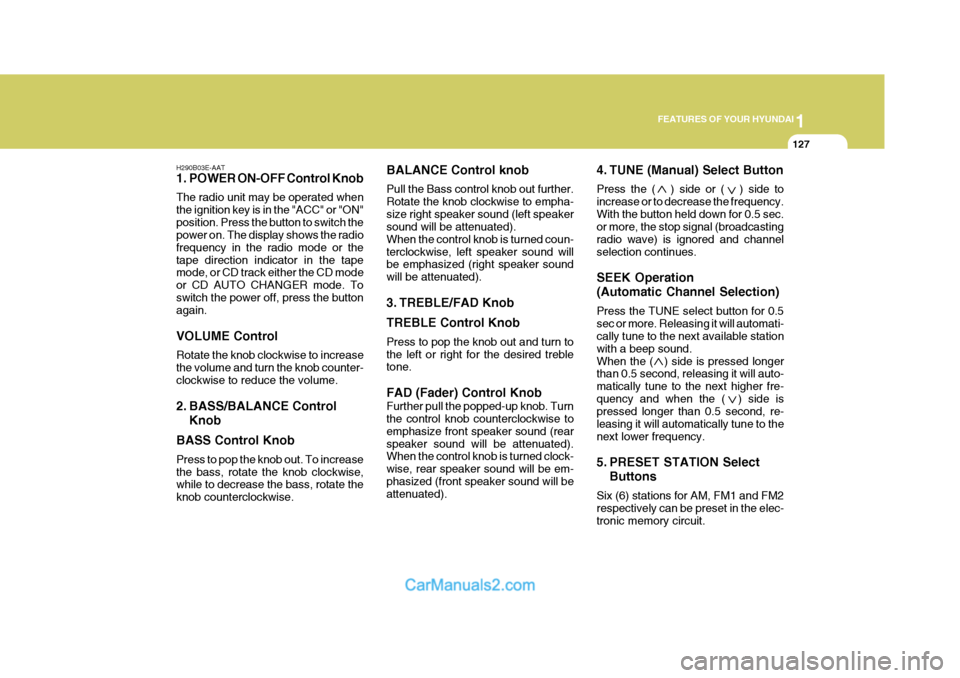
1. POWER ON-OFF Control Knob The radio unit may be operated when the ignition key is in the "ACC" or "ON"position. Press the button to switch the power on. The display shows the radio frequency in the radio mode or thetape direction indicator in the tape mode, or CD track either the CD mode or CD AUTO CHANGER mode. Toswitch the power off, press the button again. VOLUME Control Rotate the knob clockwise to increase the volume and turn the knob counter-clockwise to reduce the volume.
2. BASS/BALANCE Control Knob
BASS Control Knob Press to pop the knob out. To increase the bass, rotate the knob clockwise, while to decrease the bass, rotate the knob counterclockwise. BALANCE Control knob Pull the Bass control knob out further. Rotate the knob clockwise to empha-size right speaker sound (left speaker sound will be attenuated). When the control knob is turned coun-terclockwise, left speaker sound will be emphasized (right speaker sound will be attenuated).
3. TREBLE/FAD Knob TREBLE Control Knob Press to pop the knob out and turn to the left or right for the desired treble tone. FAD (Fader) Control Knob Further pull the popped-up knob. Turn the control knob counterclockwise to emphasize front speaker sound (rearspeaker sound will be attenuated). When the control knob is turned clock- wise, rear speaker sound will be em-phasized (front speaker sound will be attenuated).
4. TUNE (Manual) Select Button Press the ( ) side or ( ) side to increase or to decrease the frequency.With the button held down for 0.5 sec. or more, the stop signal (broadcasting radio wave) is ignored and channelselection continues. SEEK Operation (Automatic Channel Selection) Press the TUNE select button for 0.5 sec or more. Releasing it will automati- cally tune to the next available station with a beep sound.When the ( ) side is pressed longer than 0.5 second, releasing it will auto- matically tune to the next higher fre-quency and when the ( ) side is pressed longer than 0.5 second, re- leasing it will automatically tune to thenext lower frequency.
5. PRESET STATION Select
Buttons
Six (6) stations for AM, FM1 and FM2 respectively can be preset in the elec- tronic memory circuit.
Page 146 of 539
1FEATURES OF YOUR HYUNDAI
132
6. CD EJECT Button When the button is pressed with a CD loaded, the CD will eject.
7. SCAN Button (If Installed)
o Press the SCAN button to playbackthe first 10 seconds of each track.
o Press the SCAN button again within
10 sec. when you have reached the desired track.
NOTE:
o To assure proper operation of the unit, keep the vehicle interior temperature within a normal range by using the vehicle's air conditioning or heating system.
o When replacing the fuse, replace it with a fuse having the correctcapacity.
o The preset station frequencies are all erased when the car bat-tery is disconnected. Therefore,all data will have to be set again if this should occur.
H290F03O-GAT
1. CD Select Button
o Insert the CD with the label facing
upward.
o Insert the CD to start CD playback, during radio operation or cassette tape playing.
o When a disc is in the CD deck, if you press the CD/CDC button the CDplayer will begin playing even if theradio or cassette player is being used.
o The CD player can be used when the ignition switch is in either the"ON" or "ACC" position.
2. FF/REW ( / ) If you want to fast forward or reverse through the compact disc track, pushand hold the FF ( ) or REW ( ) button. When you release the button, the com-pact disc player will resume playing. 3. TRACK UP/DOWN
o The desired track on the disc cur-
rently being played can be selected using the track number.
o Press button once to skip for-
ward to the beginning of the nexttrack. Press button once to skip back to the beginning of the track.
4. REPEAT
o To repeat the track you are cur- rently listening to, press the RPT button. To cancel, press again.
o If you do not release RPT operation
when the track ends, it will automati-cally be replayed. This process will be continued until you push the button again.
5. EQUALIZER Button Press the EQ button to select the CLASSIC, JAZZ, ROCK and DEFEATMODE for the desired tone quality. Each press of the button changes the display as follows;
CLASSIC JAZZ ROCK DEFEAT
Page 149 of 539
1
FEATURES OF YOUR HYUNDAI
135
B290H03HP-GAT The CD auto changer is located in the right side of the luggage compartment.
o To use the CD auto changer.
1. Open the sliding lid of the CD auto changer.
2. To eject the compact disc maga-
zine, press the EJECT button lo- cated inside the CD auto changer.
3. Insert the discs into the magazine.
4. Push the magazine into the CD auto changer and close the sliding lid.
o The CD auto changer can be used when the ignition switch is in either"ON" or "ACC" position.
1. CD CHANGER Select Button When the CD changer magazine con- tains discs, press the "CD/CDC" but-ton and the CD changer can be used even if the radio or cassette player is being used. The Hyundai CD changercan hold up to eight discs. The disc number will be lit, and the track num- ber, and elapsed time will be displayed. 2. DISC Select Button To select the CD you want, push " " to change the disc number. 3. TRACK UP/DOWN
o The desired track on the disc cur-
rently being played can be selected using the track number.
o Press once to skip forward to the beginning of the next track. Press once to skip back to the begin-ning of the track.
4. FF/REW ( / ) If you want to fast forward or reverse through the compact disc track, push and hold in the FF ( ) or REW ( ) button.When you release the button, the com- pact disc player will resume playing. 5. REPEAT
o To repeat the track you are listening to, press the RPT button. To cancel, press again. o If you do not release RPT operation
when the track ends, it will automati-cally be replayed. This process will be continued until you push the button again.
6. SCAN Button (If Installed)
o Press the SCAN button to playback the first 10 seconds of each track.
o Press the SCAN button again within 10 sec. for the desired track.
7. EQ Button Press the EQ button to select the CLASSIC, JAZZ, ROCK and DEFEATMODE for the desired tone quality. Each press of the button changes the display as follows;
TUNE DISC
CLASSIC JAZZ ROCK DEFEAT