clock Hyundai Terracan 2006 Owner's Guide
[x] Cancel search | Manufacturer: HYUNDAI, Model Year: 2006, Model line: Terracan, Model: Hyundai Terracan 2006Pages: 539, PDF Size: 18.11 MB
Page 295 of 539
10INDEX
4
G General Checks .......................................................... 6-5
Glove Box ................................................................. 1-86
HHazard Warning System ............................................ 1-77
Headlight Aiming Adjustm ent ..................................... 6-39
Headlight Leveling Device S ystem ............................1-99
Heating and Ventilation ............................................ 1-104
Air flow control ........................................... 1-105, 1-116
Temperature control .... .......................................... 1-107
High-Mounted Rear Stop Light ...................................1-95
Hood Release ............................................................ 1-97
Horn ........................................................................... 1-98
I Ignition Sw itch ............................................................. 2-3
Immobilizer S ystem ..................................................... 1-5
Limp Home Procedures ................................... 1-7, 1-9
Key ................................................................... 1-5, 1-8
Indicator and Warning Lights.................................... 1-58
Instrument Cluster and Indicator Li ghts................... 1-54
Instrument Panel Light Control (Rheo stat)............... 1-79
Interior Light .............................................................. 1-85
Intermittent Wiper ..................................................... 1-77
J Jump Starting .............................................................. 3-3 K
Key .............................................................................. 1-4
If you lose your keys ............................................. 3-17
Positions ................................................................... 2-4
L Limited-Slip D ifferential ............................................. 2-22
Luggage Compartment
Cargo Security Screen ........................................... 1-93
Light ........................................................................ 1-92
Net .......................................................................... 1-93
M Maintenance Intervals Explanation of scheduled maintenance items ......... 5-9
Maintenance under severe usage conditions .......... 5-8 Scheduled maintenance ........................................... 5-4
Service requ irements............................................... 5-2
Mirrors Day/night inside rearview ....... .................................1-90
Outside rearvi ew ..................................................... 1-88
Multimeter .................................................................. 1-69
Altimeter ................................................................. 1-70
Barometer ............................................................... 1-72
Digital Clock ........................................................... 1-72
Electrical azimuth compass ................................... 1-70
Relative altimeter .................................................... 1-71
Page 317 of 539
1
CONTROLS AND EQUIPMENT
9
!WARNING:
o Before you drive away, be sure that all the doors are securely closed. It is also recommendedthat the child-protector rear door locks are in the 'lock' position so that children cannot open therear doors from inside the ve- hicle accidentally.
o Before opening the door, always look for and avoid oncoming traf- fic.
o In case of an accident, the door is unlocked automatically(Not allmodels).
DOOR LOCKS
B040A02Y-EAT B040B01A-EAT
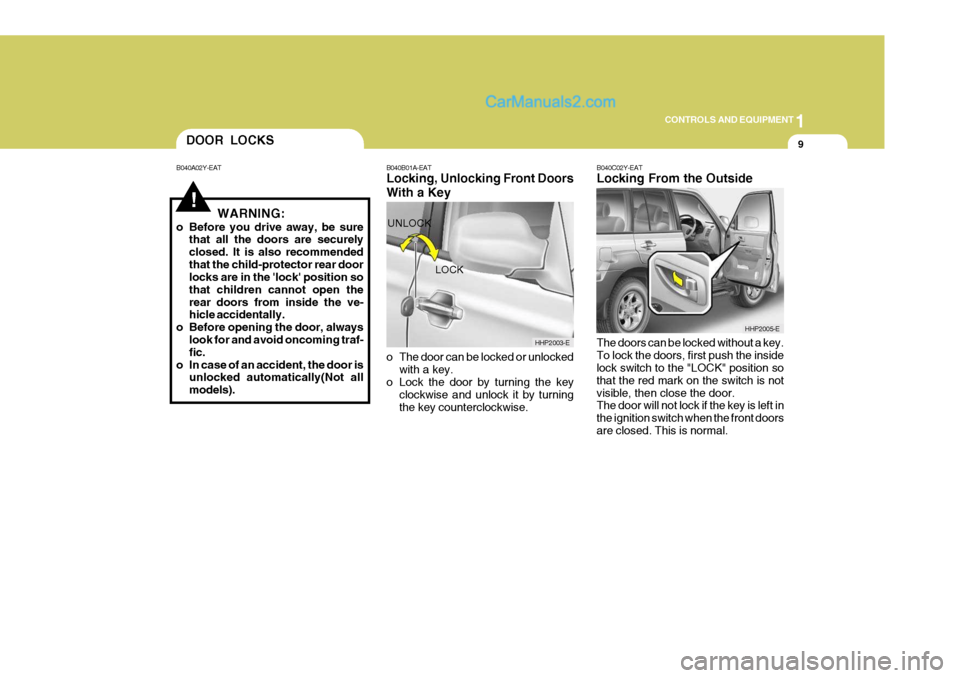
Locking, Unlocking Front Doors With a Key
o The door can be locked or unlocked
with a key.
o Lock the door by turning the key
clockwise and unlock it by turning the key counterclockwise. B040C02Y-EAT Locking From the Outside The doors can be locked without a key. To lock the doors, first push the inside lock switch to the "LOCK" position so that the red mark on the switch is notvisible, then close the door. The door will not lock if the key is left in the ignition switch when the front doorsare closed. This is normal.
LOCK
UNLOCK
HHP2003-E
HHP2005-E
Page 327 of 539
1
CONTROLS AND EQUIPMENT
19
!
!
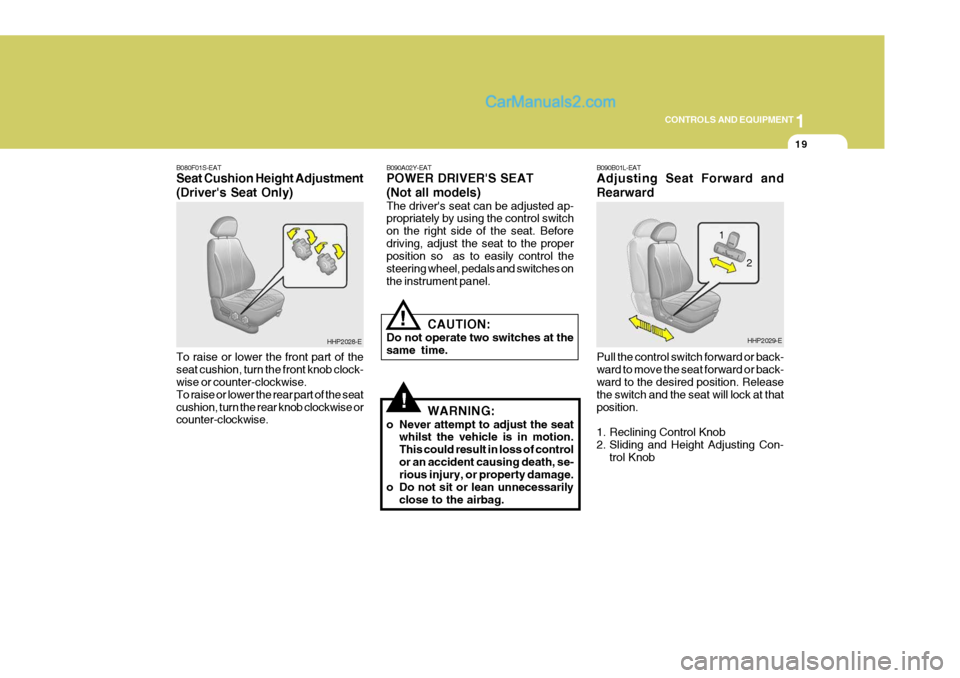
B080F01S-EAT Seat Cushion Height Adjustment (Driver's Seat Only) To raise or lower the front part of the seat cushion, turn the front knob clock- wise or counter-clockwise. To raise or lower the rear part of the seatcushion, turn the rear knob clockwise or counter-clockwise. B090A02Y-EAT POWER DRIVER'S SEAT (Not all models) The driver's seat can be adjusted ap- propriately by using the control switch on the right side of the seat. Beforedriving, adjust the seat to the proper position so as to easily control the steering wheel, pedals and switches onthe instrument panel.
CAUTION:
Do not operate two switches at thesame time.
WARNING:
o Never attempt to adjust the seat whilst the vehicle is in motion.This could result in loss of controlor an accident causing death, se- rious injury, or property damage.
o Do not sit or lean unnecessarily close to the airbag.
HHP2028-E B090B01L-EAT Adjusting Seat Forward and Rearward Pull the control switch forward or back- ward to move the seat forward or back- ward to the desired position. Release the switch and the seat will lock at thatposition.
1. Reclining Control Knob
2. Sliding and Height Adjusting Con-
trol KnobHHP2029-E
2
1
Page 374 of 539
1CONTROLS AND EQUIPMENT
66DIGITAL CLOCK
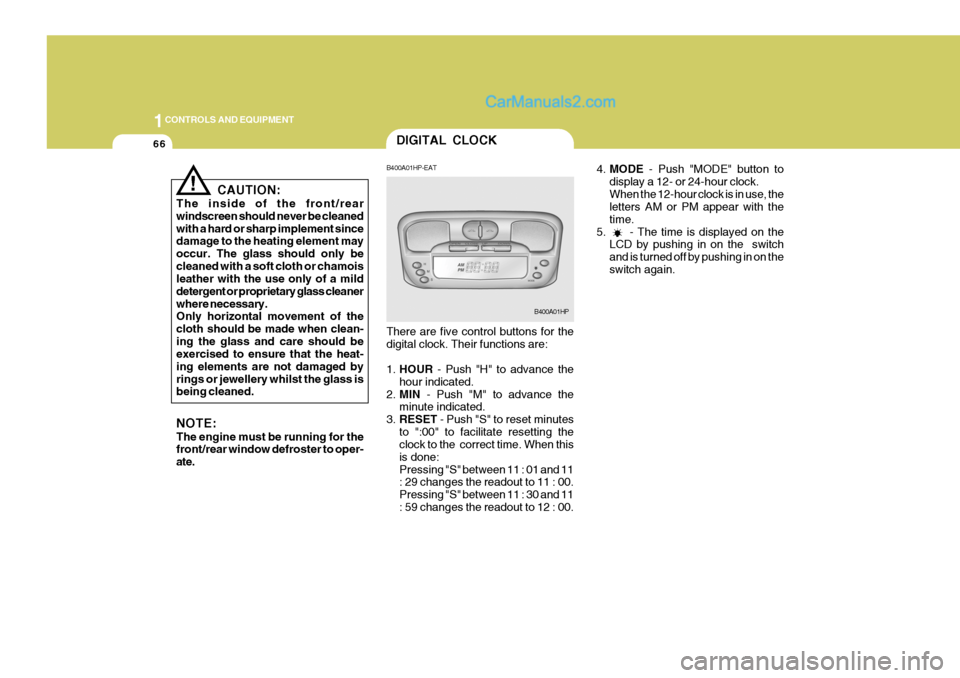
4.MODE - Push "MODE" button to
display a 12- or 24-hour clock. When the 12-hour clock is in use, the letters AM or PM appear with the time.
5. - The time is displayed on the LCD by pushing in on the switchand is turned off by pushing in on theswitch again.
! CAUTION:
The inside of the front/rear windscreen should never be cleanedwith a hard or sharp implement since damage to the heating element may occur. The glass should only becleaned with a soft cloth or chamois leather with the use only of a mild detergent or proprietary glass cleanerwhere necessary. Only horizontal movement of the cloth should be made when clean-ing the glass and care should be exercised to ensure that the heat- ing elements are not damaged byrings or jewellery whilst the glass is being cleaned. NOTE: The engine must be running for the front/rear window defroster to oper- ate. B400A01HP-EAT There are five control buttons for the digital clock. Their functions are: 1.
HOUR - Push "H" to advance the
hour indicated.
2. MIN - Push "M" to advance the
minute indicated.
3. RESET - Push "S" to reset minutes
to ":00" to facilitate resetting the clock to the correct time. When this is done:Pressing "S" between 11 : 01 and 11 : 29 changes the readout to 11 : 00. Pressing "S" between 11 : 30 and 11: 59 changes the readout to 12 : 00.
B400A01HP
Page 380 of 539
1CONTROLS AND EQUIPMENT
72
Push in the map light switch to turn the light on or off. This light produces a spot beam for convenient use as a map light at night or as a personal lightfor the driver and the passenger.INTERIOR LIGHT
B480B01Y-AAT Map Light
B480B01HP
!
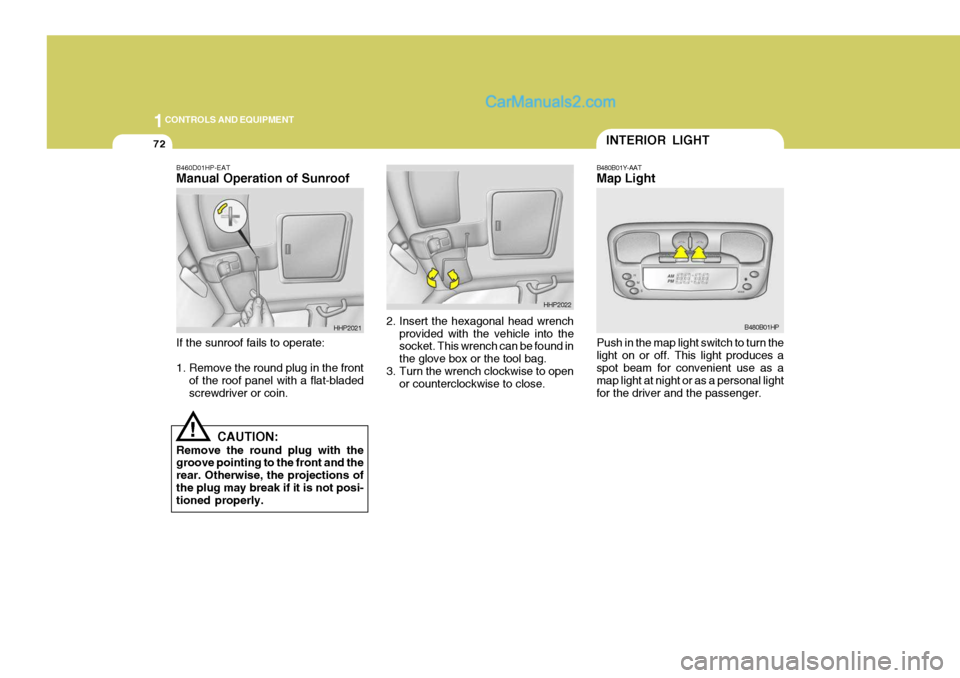
B460D01HP-EAT Manual Operation of Sunroof If the sunroof fails to operate:
1. Remove the round plug in the front
of the roof panel with a flat-bladed screwdriver or coin. 2. Insert the hexagonal head wrench
provided with the vehicle into the socket. This wrench can be found in the glove box or the tool bag.
3. Turn the wrench clockwise to open
or counterclockwise to close.
CAUTION:
Remove the round plug with the groove pointing to the front and the rear. Otherwise, the projections ofthe plug may break if it is not posi- tioned properly.
HHP2021
HHP2022
Page 416 of 539
1CONTROLS AND EQUIPMENT
108
!
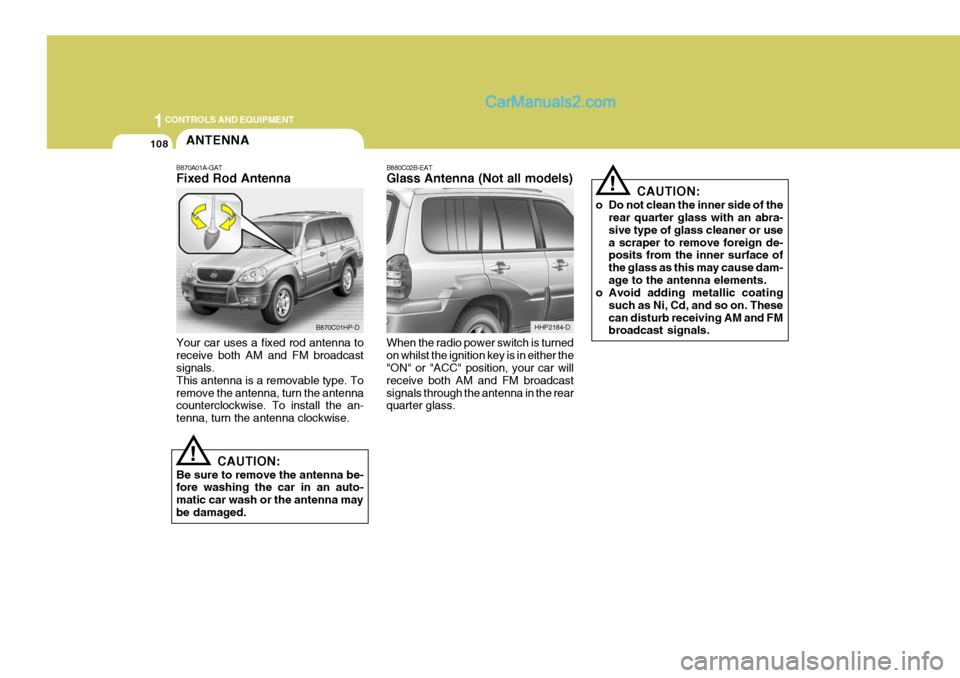
B880C02B-EAT Glass Antenna (Not all models) When the radio power switch is turned on whilst the ignition key is in either the "ON" or "ACC" position, your car will receive both AM and FM broadcastsignals through the antenna in the rear quarter glass. CAUTION:
o Do not clean the inner side of the rear quarter glass with an abra- sive type of glass cleaner or usea scraper to remove foreign de- posits from the inner surface of the glass as this may cause dam-age to the antenna elements.
o Avoid adding metallic coating
such as Ni, Cd, and so on. Thesecan disturb receiving AM and FM broadcast signals.
HHP2184-D
ANTENNA
!
B870A01A-GAT Fixed Rod Antenna Your car uses a fixed rod antenna to receive both AM and FM broadcast signals. This antenna is a removable type. Toremove the antenna, turn the antenna counterclockwise. To install the an- tenna, turn the antenna clockwise.
CAUTION:
Be sure to remove the antenna be- fore washing the car in an auto- matic car wash or the antenna maybe damaged.
B870C01HP-D
Page 421 of 539
2
DRIVING YOUR HYUNDAI
5
!
YC030A2-E STEERING WHEEL LOCK When the ignition key is removed, the steering wheel lock will be activated.The lock only engages at one position of the steering wheel and therefore it will be necessary to turn the wheel untilthis position is reached. It is not, how- ever, necessary for the lock to be en- gaged before leaving the vehicle sincein the event of attempted unauthorised removal, the lock will engage when attempts are made to steer the vehicle.
CAUTION:
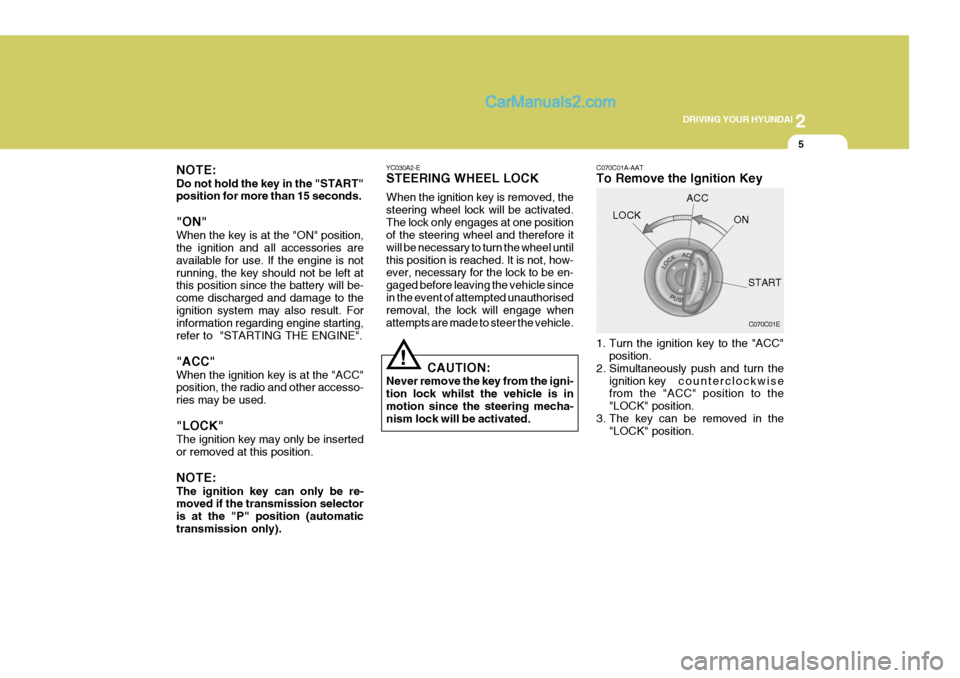
Never remove the key from the igni-tion lock whilst the vehicle is inmotion since the steering mecha- nism lock will be activated. C070C01A-AAT To Remove the Ignition Key
1. Turn the ignition key to the "ACC"
position.
2. Simultaneously push and turn the
ignition key counterclockwise
from the "ACC" position to the "LOCK" position.
3. The key can be removed in the "LOCK" position.
LOCK
C070C01E
ACC
ON
START
NOTE: Do not hold the key in the "START" position for more than 15 seconds. "ON" When the key is at the "ON" position, the ignition and all accessories are available for use. If the engine is notrunning, the key should not be left at this position since the battery will be- come discharged and damage to theignition system may also result. For information regarding engine starting, refer to "STARTING THE ENGINE". "ACC" When the ignition key is at the "ACC" position, the radio and other accesso- ries may be used. "LOCK" The ignition key may only be inserted or removed at this position. NOTE: The ignition key can only be re- moved if the transmission selector is at the "P" position (automatictransmission only).
Page 452 of 539
3 IN CASE OF EMERGENCY
6
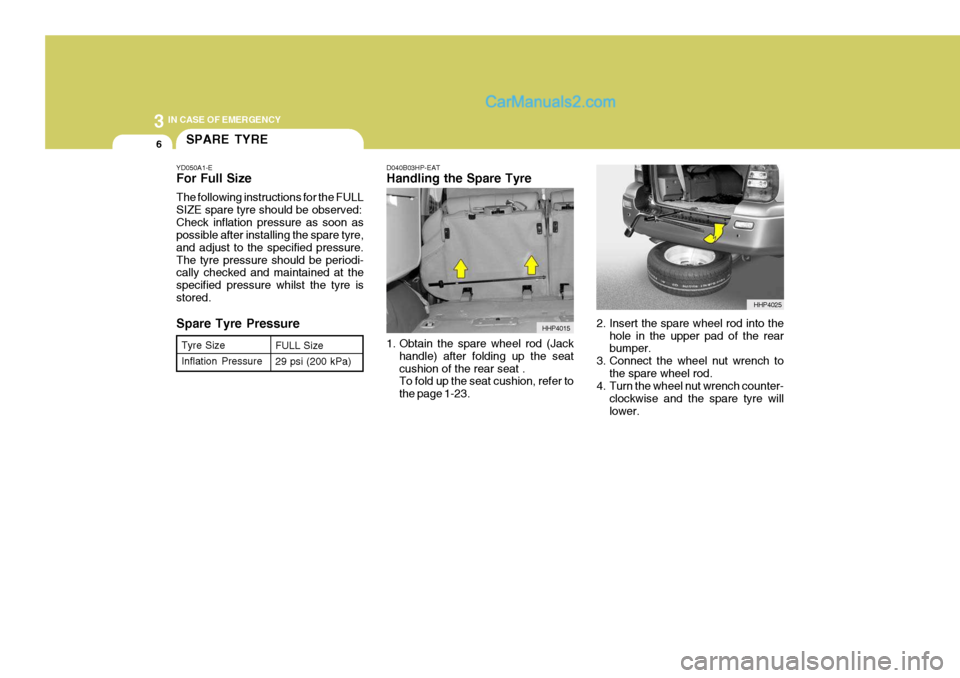
D040B03HP-EAT Handling the Spare Tyre
1. Obtain the spare wheel rod (Jackhandle) after folding up the seat cushion of the rear seat . To fold up the seat cushion, refer to the page 1-23. 2. Insert the spare wheel rod into the
hole in the upper pad of the rear bumper.
3. Connect the wheel nut wrench to the spare wheel rod.
4. Turn the wheel nut wrench counter-
clockwise and the spare tyre will lower.
Tyre Size Inflation Pressure
FULL Size 29 psi (200 kPa)SPARE TYRE
YD050A1-E For Full Size The following instructions for the FULL SIZE spare tyre should be observed:Check inflation pressure as soon as possible after installing the spare tyre, and adjust to the specified pressure.The tyre pressure should be periodi- cally checked and maintained at the specified pressure whilst the tyre isstored. Spare Tyre Pressure
HHP4015
HHP4025
Page 453 of 539
3
IN CASE OF EMERGENCY
7
!
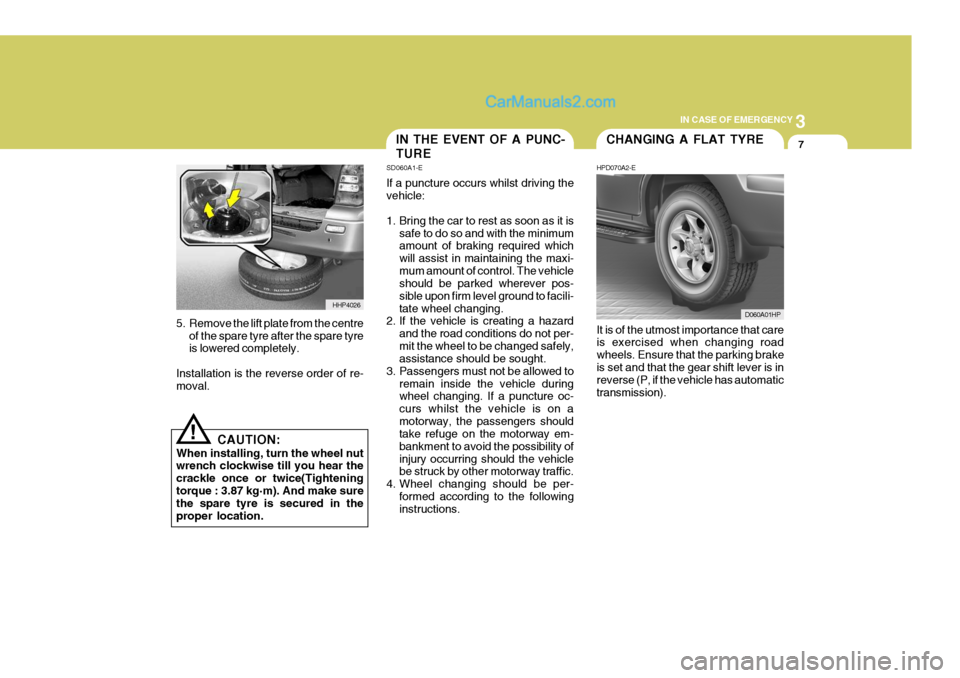
5. Remove the lift plate from the centre
of the spare tyre after the spare tyre is lowered completely.
Installation is the reverse order of re-moval.
CAUTION:
When installing, turn the wheel nutwrench clockwise till you hear the crackle once or twice(Tighteningtorque : 3.87 kg·m). And make sure the spare tyre is secured in the proper location. It is of the utmost importance that care is exercised when changing road wheels. Ensure that the parking brakeis set and that the gear shift lever is in reverse (P, if the vehicle has automatic transmission).
HHP4026
IN THE EVENT OF A PUNC- TURE
SD060A1-E If a puncture occurs whilst driving the vehicle:
1. Bring the car to rest as soon as it is
safe to do so and with the minimum amount of braking required which will assist in maintaining the maxi-mum amount of control. The vehicle should be parked wherever pos- sible upon firm level ground to facili-tate wheel changing.
2. If the vehicle is creating a hazard
and the road conditions do not per-mit the wheel to be changed safely, assistance should be sought.
3. Passengers must not be allowed to remain inside the vehicle duringwheel changing. If a puncture oc- curs whilst the vehicle is on amotorway, the passengers should take refuge on the motorway em- bankment to avoid the possibility ofinjury occurring should the vehicle be struck by other motorway traffic.
4. Wheel changing should be per- formed according to the followinginstructions.CHANGING A FLAT TYRE
HPD070A2-E
D060A01HP
Page 455 of 539
3
IN CASE OF EMERGENCY
9
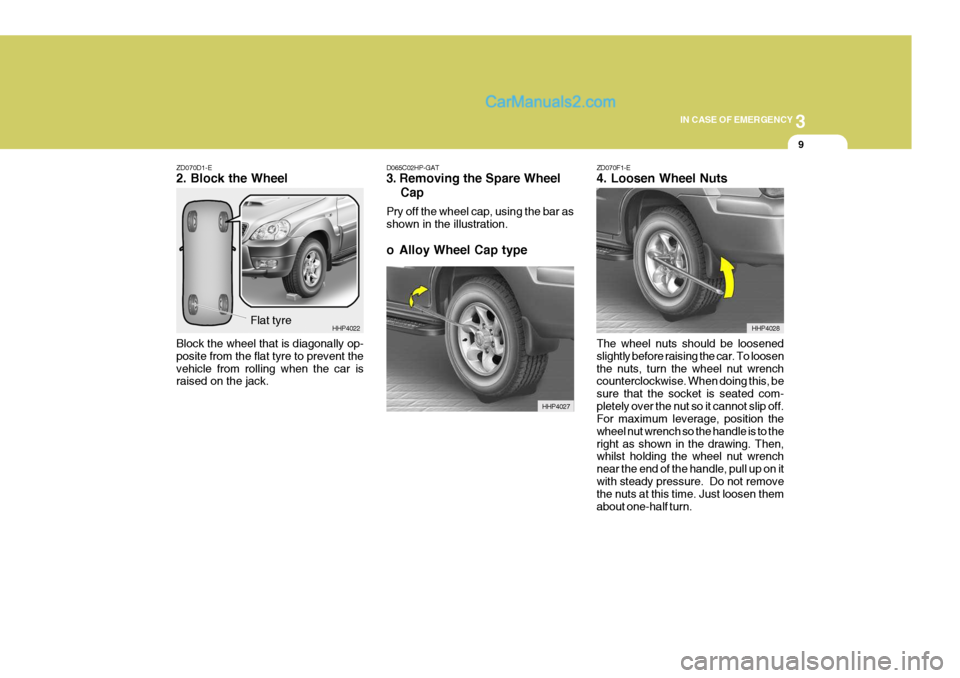
ZD070D1-E 2. Block the Wheel Block the wheel that is diagonally op- posite from the flat tyre to prevent thevehicle from rolling when the car is raised on the jack.
Flat tyre HHP4022D065C02HP-GAT
3. Removing the Spare Wheel Cap Pry off the wheel cap, using the bar as shown in the illustration.
o Alloy Wheel Cap type
HHP4027 ZD070F1-E 4. Loosen Wheel Nuts The wheel nuts should be loosened slightly before raising the car. To loosenthe nuts, turn the wheel nut wrench counterclockwise. When doing this, be sure that the socket is seated com-pletely over the nut so it cannot slip off. For maximum leverage, position the wheel nut wrench so the handle is to theright as shown in the drawing. Then, whilst holding the wheel nut wrench near the end of the handle, pull up on itwith steady pressure. Do not remove the nuts at this time. Just loosen them about one-half turn.
HHP4028