tow Hyundai Terracan 2007 User Guide
[x] Cancel search | Manufacturer: HYUNDAI, Model Year: 2007, Model line: Terracan, Model: Hyundai Terracan 2007Pages: 291, PDF Size: 12.79 MB
Page 67 of 291
1
FEATURES OF YOUR HYUNDAI
53
o Do not install a child restraint
system in the front passenger seat position.
o A child restraint system must
never be placed in the front seat.The infant or child could be se- verely injured by an airbag de- ployment in case of an accident.
o If components of the airbag sys- tem must be discarded, or if thevehicle must be scrapped, cer-tain safety precautions must be observed. Your Hyundai dealer knows these precautions and cangive you the necessary informa- tion. Failure to follow these pre- cautions and procedures couldincrease the risk of personal in- jury.
o If you sell your vehicle, make certain that this manual is trans-ferred to the new owner.
o If your car was flooded and has soaked carpeting or water onflooring, you shouldn't try to start engine; have the car towed toauthorized Hyundai dealer.o Do not replace the bumper or thebumper guard with the one other than the Hyundai genuine parts. Otherwise, it can adversely af- fect SRS performance and leadto unexpected injury.
Page 73 of 291
1
FEATURES OF YOUR HYUNDAI
59
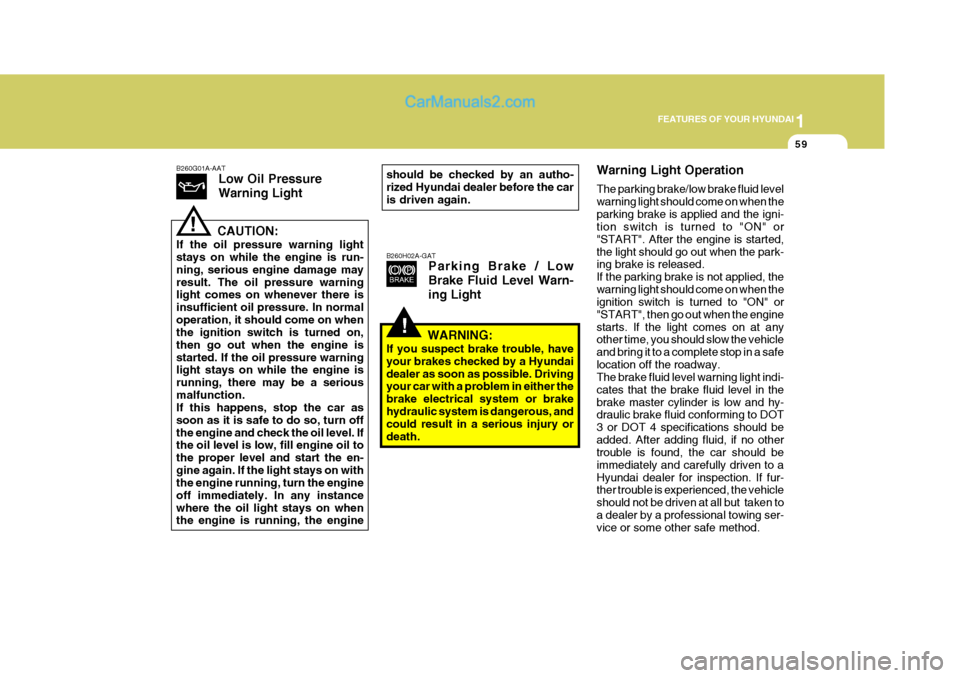
B260G01A-AAT Low Oil Pressure Warning Light
CAUTION:
If the oil pressure warning light stays on while the engine is run- ning, serious engine damage mayresult. The oil pressure warning light comes on whenever there is insufficient oil pressure. In normaloperation, it should come on when the ignition switch is turned on, then go out when the engine isstarted. If the oil pressure warning light stays on while the engine is running, there may be a seriousmalfunction. If this happens, stop the car as soon as it is safe to do so, turn offthe engine and check the oil level. If the oil level is low, fill engine oil to the proper level and start the en-gine again. If the light stays on with the engine running, turn the engine off immediately. In any instancewhere the oil light stays on when the engine is running, the engine
!
should be checked by an autho- rized Hyundai dealer before the car is driven again.
!
B260H02A-GAT Parking Brake / Low Brake Fluid Level Warn-ing Light Warning Light Operation The parking brake/low brake fluid level warning light should come on when theparking brake is applied and the igni- tion switch is turned to "ON" or "START". After the engine is started,the light should go out when the park- ing brake is released. If the parking brake is not applied, thewarning light should come on when the ignition switch is turned to "ON" or "START", then go out when the enginestarts. If the light comes on at any other time, you should slow the vehicle and bring it to a complete stop in a safelocation off the roadway. The brake fluid level warning light indi- cates that the brake fluid level in thebrake master cylinder is low and hy- draulic brake fluid conforming to DOT 3 or DOT 4 specifications should beadded. After adding fluid, if no other trouble is found, the car should be immediately and carefully driven to aHyundai dealer for inspection. If fur- ther trouble is experienced, the vehicle should not be driven at all but taken toa dealer by a professional towing ser- vice or some other safe method.
WARNING:
If you suspect brake trouble, have your brakes checked by a Hyundaidealer as soon as possible. Driving your car with a problem in either the brake electrical system or brakehydraulic system is dangerous, and could result in a serious injury or death.
Page 78 of 291
1FEATURES OF YOUR HYUNDAI
64
should slow the vehicle and bring it to a complete stop in a safe location offthe roadway. After starting the engine, do not drive the vehicle until the vacuum level isabove 275 mmHg below atmosphere and warning light has turned off. If further trouble is experienced, the ve-hicle should not be driven at all but taken to a dealer by a professional towing service. B265C02HP-GAT
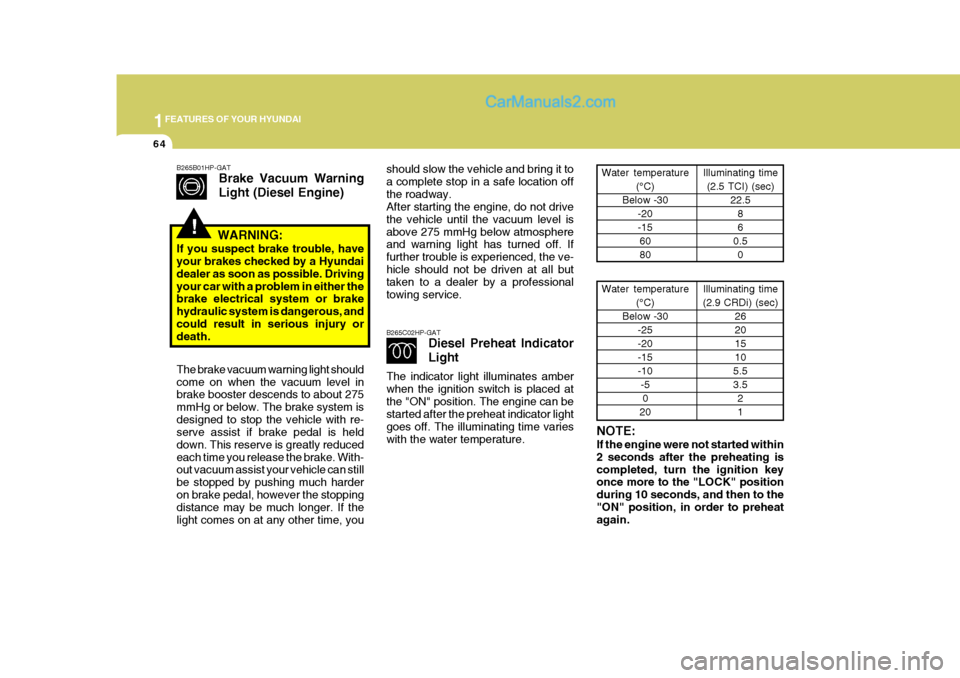
Diesel Preheat Indicator Light
The indicator light illuminates amber when the ignition switch is placed atthe "ON" position. The engine can be started after the preheat indicator light goes off. The illuminating time varieswith the water temperature. NOTE: If the engine were not started within 2 seconds after the preheating iscompleted, turn the ignition key once more to the "LOCK" position during 10 seconds, and then to the"ON" position, in order to preheat again.Water temperature
(°C)
Below -30 -20 -156080 Illuminating time
(2.5 TCI) (sec) 22.586
0.5 0
Water temperature (°C)
Below -30 -25 -20-15-10-50
20 Illuminating time
(2.9 CRDi) (sec) 26201510
5.53.5 21
!
B265B01HP-GAT Brake Vacuum Warning Light (Diesel Engine)
WARNING:
If you suspect brake trouble, have your brakes checked by a Hyundai dealer as soon as possible. Drivingyour car with a problem in either the brake electrical system or brake hydraulic system is dangerous, andcould result in serious injury or death. The brake vacuum warning light should come on when the vacuum level in brake booster descends to about 275 mmHg or below. The brake system isdesigned to stop the vehicle with re- serve assist if brake pedal is held down. This reserve is greatly reducedeach time you release the brake. With- out vacuum assist your vehicle can still be stopped by pushing much harderon brake pedal, however the stopping distance may be much longer. If the light comes on at any other time, you
Page 88 of 291
1FEATURES OF YOUR HYUNDAI
74
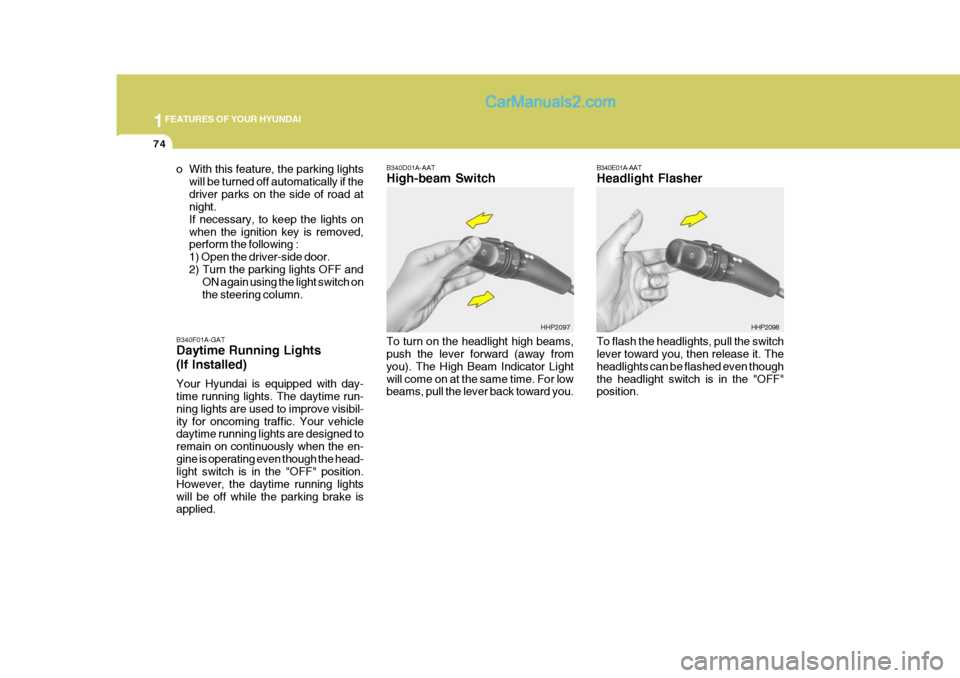
B340E01A-AAT Headlight Flasher To flash the headlights, pull the switch lever toward you, then release it. The headlights can be flashed even thoughthe headlight switch is in the "OFF" position. HHP2098
B340F01A-GAT Daytime Running Lights (If Installed) Your Hyundai is equipped with day- time running lights. The daytime run- ning lights are used to improve visibil-ity for oncoming traffic. Your vehicle daytime running lights are designed to remain on continuously when the en-gine is operating even though the head- light switch is in the "OFF" position. However, the daytime running lightswill be off while the parking brake is applied. B340D01A-AAT High-beam Switch
o With this feature, the parking lights
will be turned off automatically if the driver parks on the side of road at night. If necessary, to keep the lights onwhen the ignition key is removed, perform the following : 1) Open the driver-side door.2) Turn the parking lights OFF and ON again using the light switch onthe steering column.
To turn on the headlight high beams, push the lever forward (away from you). The High Beam Indicator Lightwill come on at the same time. For low beams, pull the lever back toward you.HHP2097
Page 90 of 291
1FEATURES OF YOUR HYUNDAI
76
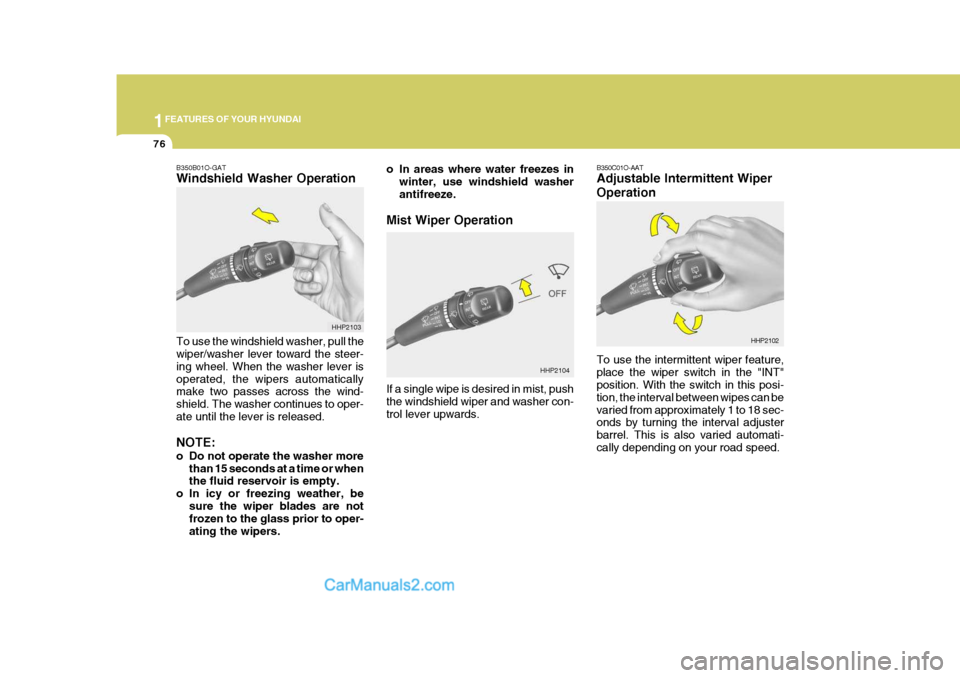
HHP2104 B350C01O-AAT Adjustable Intermittent Wiper Operation To use the intermittent wiper feature, place the wiper switch in the "INT" position. With the switch in this posi- tion, the interval between wipes can bevaried from approximately 1 to 18 sec- onds by turning the interval adjuster barrel. This is also varied automati-cally depending on your road speed.
HHP2102
B350B01O-GAT Windshield Washer Operation To use the windshield washer, pull the wiper/washer lever toward the steer- ing wheel. When the washer lever isoperated, the wipers automatically make two passes across the wind- shield. The washer continues to oper-ate until the lever is released. NOTE:
o Do not operate the washer more
than 15 seconds at a time or when the fluid reservoir is empty.
o In icy or freezing weather, be
sure the wiper blades are notfrozen to the glass prior to oper- ating the wipers. HHP2103
o In areas where water freezes in
winter, use windshield washerantifreeze.
Mist Wiper Operation If a single wipe is desired in mist, push the windshield wiper and washer con- trol lever upwards.
Page 104 of 291
1FEATURES OF YOUR HYUNDAI
90DAY/NIGHT INSIDE REAR- VIEW MIRROR
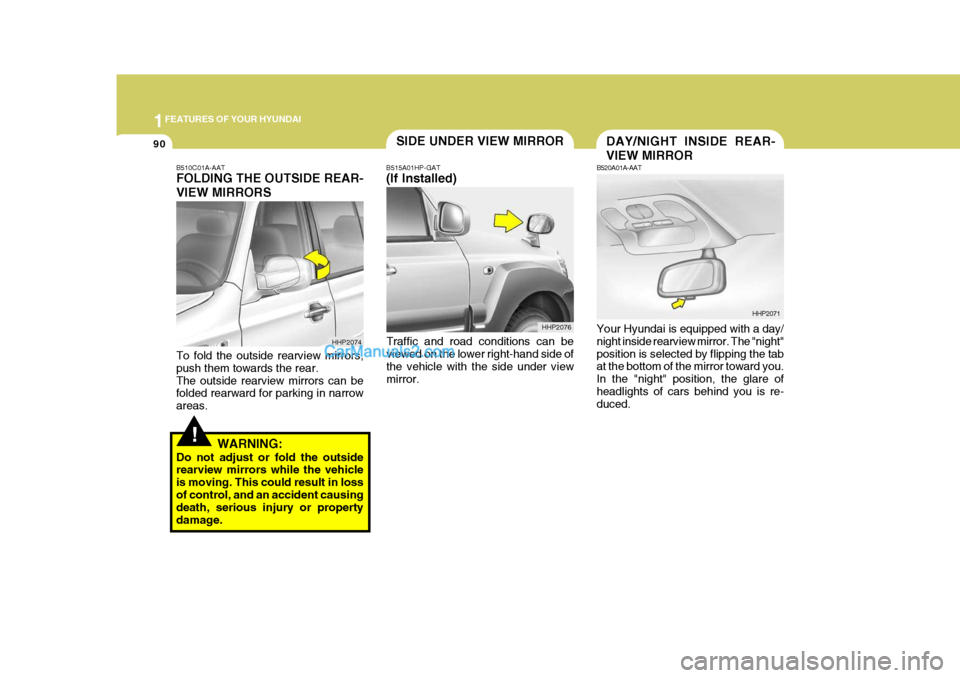
B520A01A-AAT Your Hyundai is equipped with a day/ night inside rearview mirror. The "night" position is selected by flipping the tab at the bottom of the mirror toward you. In the "night" position, the glare ofheadlights of cars behind you is re- duced. HHP2071
!
B510C01A-AAT FOLDING THE OUTSIDE REAR- VIEW MIRRORS To fold the outside rearview mirrors, push them towards the rear.The outside rearview mirrors can be folded rearward for parking in narrow areas.
WARNING:
Do not adjust or fold the outside rearview mirrors while the vehicle is moving. This could result in lossof control, and an accident causing death, serious injury or property damage. B515A01HP-GAT (If Installed)
Traffic and road conditions can be viewed on the lower right-hand side of the vehicle with the side under viewmirror.
HHP2074 SIDE UNDER VIEW MIRROR
HHP2076
Page 108 of 291
1FEATURES OF YOUR HYUNDAI
94ROOF RACK
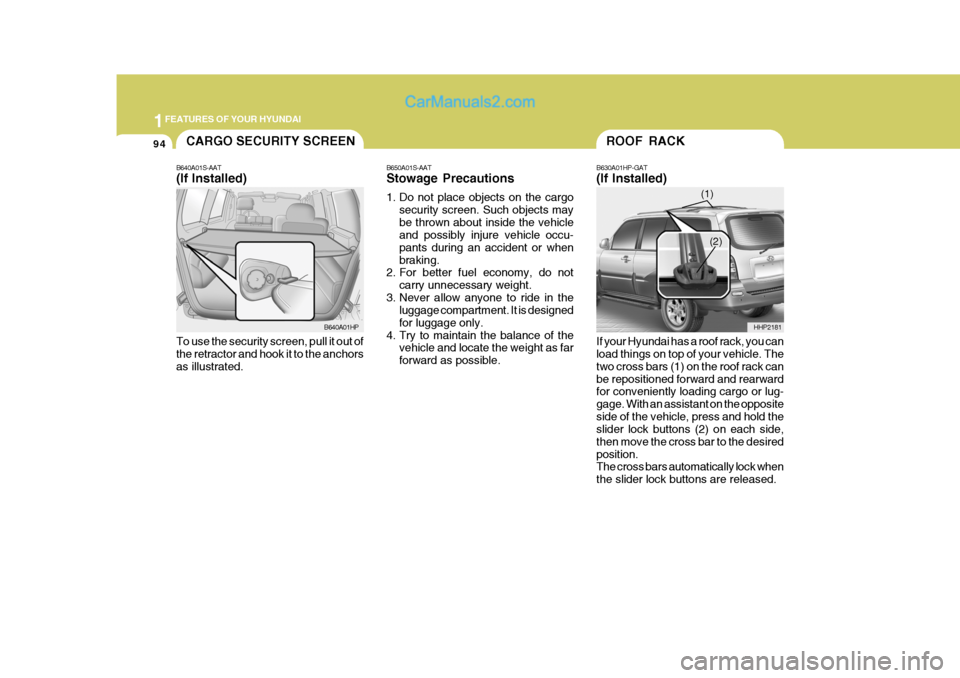
B630A01HP-GAT (If Installed) If your Hyundai has a roof rack, you can load things on top of your vehicle. The two cross bars (1) on the roof rack canbe repositioned forward and rearward for conveniently loading cargo or lug- gage. With an assistant on the oppositeside of the vehicle, press and hold the slider lock buttons (2) on each side, then move the cross bar to the desiredposition. The cross bars automatically lock when the slider lock buttons are released. HHP2181
(1)
(2)
B650A01S-AAT Stowage Precautions
1. Do not place objects on the cargo
security screen. Such objects may be thrown about inside the vehicle and possibly injure vehicle occu- pants during an accident or whenbraking.
2. For better fuel economy, do not
carry unnecessary weight.
3. Never allow anyone to ride in the luggage compartment. It is designedfor luggage only.
4. Try to maintain the balance of the vehicle and locate the weight as farforward as possible.
CARGO SECURITY SCREEN
B640A01S-AAT (If Installed) To use the security screen, pull it out of the retractor and hook it to the anchors as illustrated. B640A01HP
Page 114 of 291
1FEATURES OF YOUR HYUNDAI
100
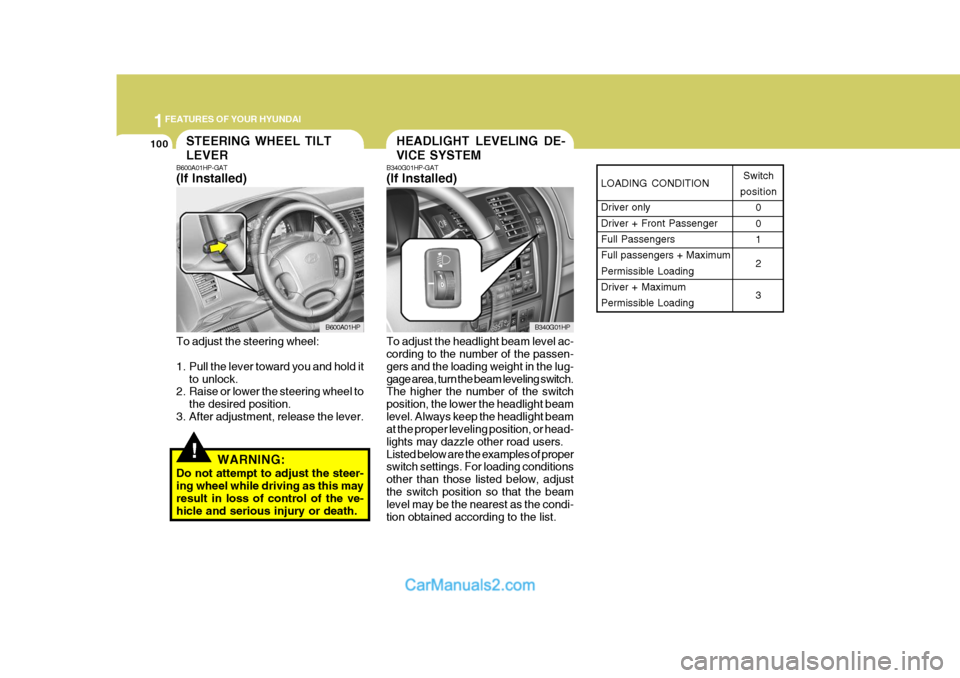
LOADING CONDITION Driver only Driver + Front PassengerFull Passengers Full passengers + Maximum Permissible LoadingDriver + Maximum Permissible LoadingSwitch
position 0 01 2 3
HEADLIGHT LEVELING DE- VICE SYSTEMSTEERING WHEEL TILT LEVER
!
B600A01HP-GAT (If Installed) To adjust the steering wheel:
1. Pull the lever toward you and hold itto unlock.
2. Raise or lower the steering wheel to
the desired position.
3. After adjustment, release the lever.
WARNING:
Do not attempt to adjust the steer- ing wheel while driving as this may result in loss of control of the ve- hicle and serious injury or death. B340G01HP-GAT (If Installed) To adjust the headlight beam level ac- cording to the number of the passen- gers and the loading weight in the lug-gage area, turn the beam leveling switch. The higher the number of the switch position, the lower the headlight beamlevel. Always keep the headlight beam at the proper leveling position, or head- lights may dazzle other road users.Listed below are the examples of proper switch settings. For loading conditions other than those listed below, adjustthe switch position so that the beam level may be the nearest as the condi- tion obtained according to the list.
B600A01HP
B340G01HP
Page 126 of 291
1FEATURES OF YOUR HYUNDAI
112
o Set the temperature control to "Cool".
("Cool" provides maximum cooling. The temperature may be moderated by moving the control toward "Warm".)
o Adjust the fan control to the desired speed. For greater cooling, turn thefan control to one of the higherspeeds or temporarily select the recirculate ( ) position on the air intake control. B740C01A-AAT De-Humidified Heating For dehumidified heating:
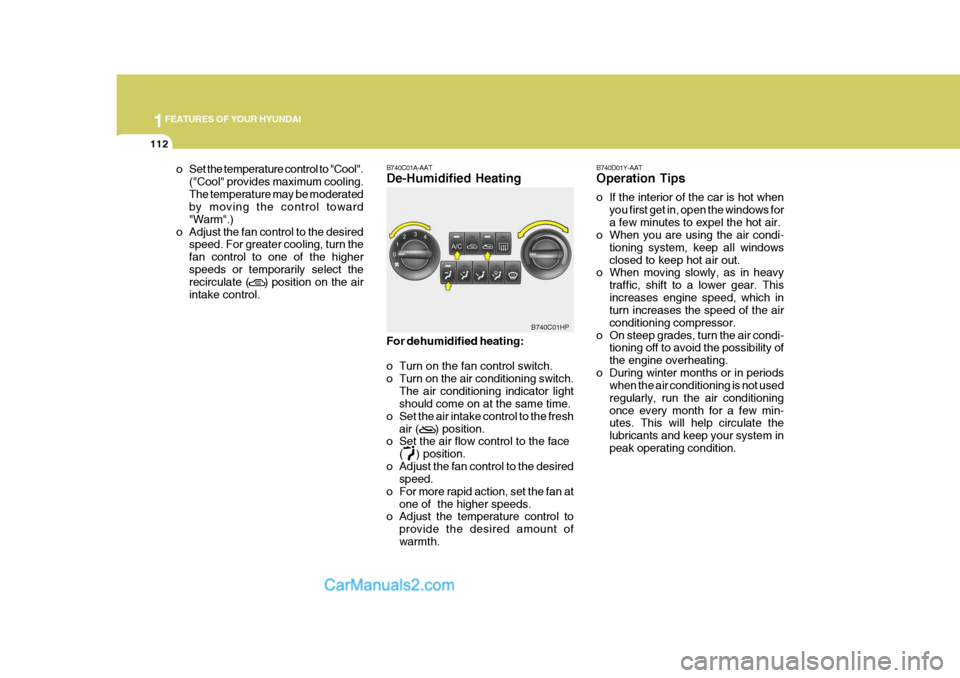
o Turn on the fan control switch.
o Turn on the air conditioning switch.
The air conditioning indicator light should come on at the same time.
o Set the air intake control to the fresh
air ( ) position.
o Set the air flow control to the face
( ) position.
o Adjust the fan control to the desired speed.
o For more rapid action, set the fan at
one of the higher speeds.
o Adjust the temperature control to
provide the desired amount of warmth.
B740C01HP
B740D01Y-AAT Operation Tips
o If the interior of the car is hot when
you first get in, open the windows for a few minutes to expel the hot air.
o When you are using the air condi-
tioning system, keep all windowsclosed to keep hot air out.
o When moving slowly, as in heavy
traffic, shift to a lower gear. Thisincreases engine speed, which in turn increases the speed of the air conditioning compressor.
o On steep grades, turn the air condi- tioning off to avoid the possibility ofthe engine overheating.
o During winter months or in periods when the air conditioning is not usedregularly, run the air conditioningonce every month for a few min- utes. This will help circulate the lubricants and keep your system inpeak operating condition.
Page 134 of 291
1FEATURES OF YOUR HYUNDAI
120STEREO SOUND SYSTEM
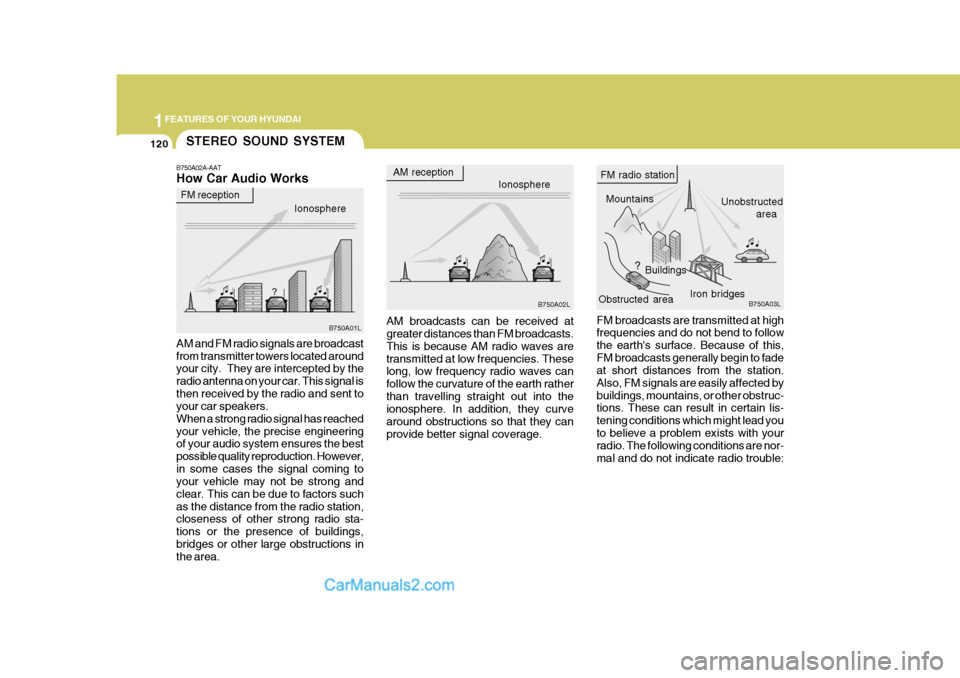
B750A02A-AAT How Car Audio Works AM and FM radio signals are broadcast from transmitter towers located around your city. They are intercepted by the radio antenna on your car. This signal isthen received by the radio and sent to your car speakers. When a strong radio signal has reachedyour vehicle, the precise engineering of your audio system ensures the best possible quality reproduction. However,in some cases the signal coming to your vehicle may not be strong and clear. This can be due to factors suchas the distance from the radio station, closeness of other strong radio sta- tions or the presence of buildings,bridges or other large obstructions in the area. AM reception
Ionosphere
FM reception
B750A01L Ionosphere
B750A02L Mountains
Buildings Unobstructed
area
FM radio station
B750A03L
Obstructed area Iron bridges
AM broadcasts can be received at greater distances than FM broadcasts. This is because AM radio waves aretransmitted at low frequencies. These long, low frequency radio waves can follow the curvature of the earth ratherthan travelling straight out into the ionosphere. In addition, they curve around obstructions so that they canprovide better signal coverage. FM broadcasts are transmitted at high frequencies and do not bend to follow the earth's surface. Because of this,FM broadcasts generally begin to fade at short distances from the station. Also, FM signals are easily affected bybuildings, mountains, or other obstruc- tions. These can result in certain lis- tening conditions which might lead youto believe a problem exists with your radio. The following conditions are nor- mal and do not indicate radio trouble: