wheel Hyundai Terracan 2007 User Guide
[x] Cancel search | Manufacturer: HYUNDAI, Model Year: 2007, Model line: Terracan, Model: Hyundai Terracan 2007Pages: 291, PDF Size: 12.79 MB
Page 77 of 291
1
FEATURES OF YOUR HYUNDAI
63
!!
CAUTION:
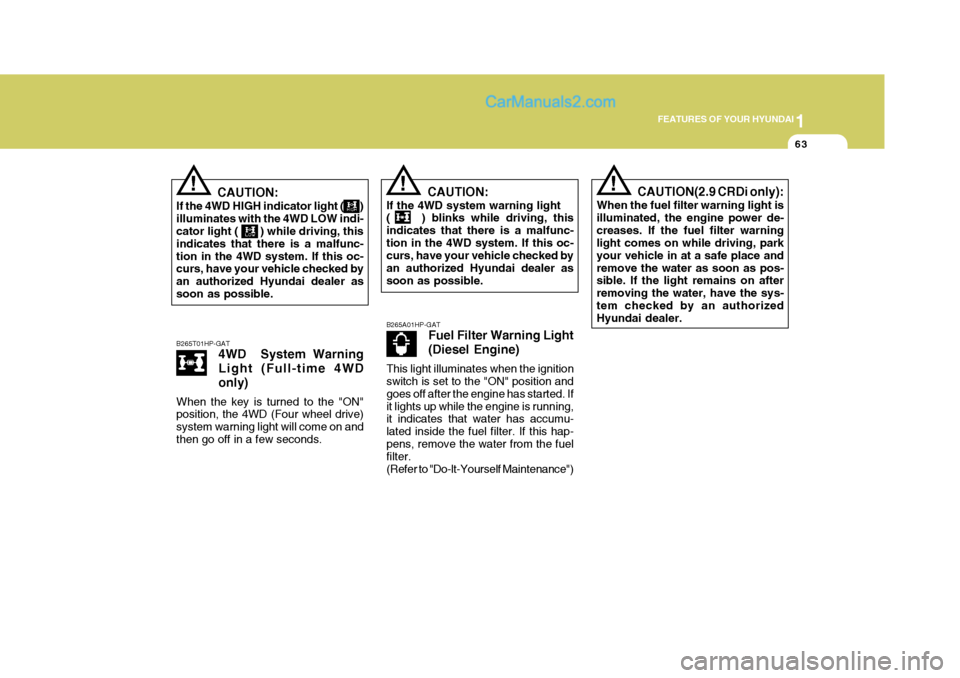
If the 4WD HIGH indicator light ( ) illuminates with the 4WD LOW indi- cator light ( ) while driving, this indicates that there is a malfunc-tion in the 4WD system. If this oc- curs, have your vehicle checked by an authorized Hyundai dealer assoon as possible. B265T01HP-GAT 4WD System Warning Light (Full-time 4WDonly)
When the key is turned to the "ON" position, the 4WD (Four wheel drive) system warning light will come on andthen go off in a few seconds.! CAUTION:
If the 4WD system warning light ( ) blinks while driving, this indicates that there is a malfunc-tion in the 4WD system. If this oc- curs, have your vehicle checked by an authorized Hyundai dealer assoon as possible. B265A01HP-GAT Fuel Filter Warning Light (Diesel Engine)
This light illuminates when the ignition switch is set to the "ON" position and goes off after the engine has started. Ifit lights up while the engine is running, it indicates that water has accumu- lated inside the fuel filter. If this hap-pens, remove the water from the fuel filter. (Refer to "Do-lt-Yourself Maintenance")CAUTION(2.9 CRDi only):
When the fuel filter warning light is illuminated, the engine power de-creases. If the fuel filter warning light comes on while driving, park your vehicle in at a safe place andremove the water as soon as pos- sible. If the light remains on after removing the water, have the sys-tem checked by an authorized Hyundai dealer.
Page 90 of 291
1FEATURES OF YOUR HYUNDAI
76
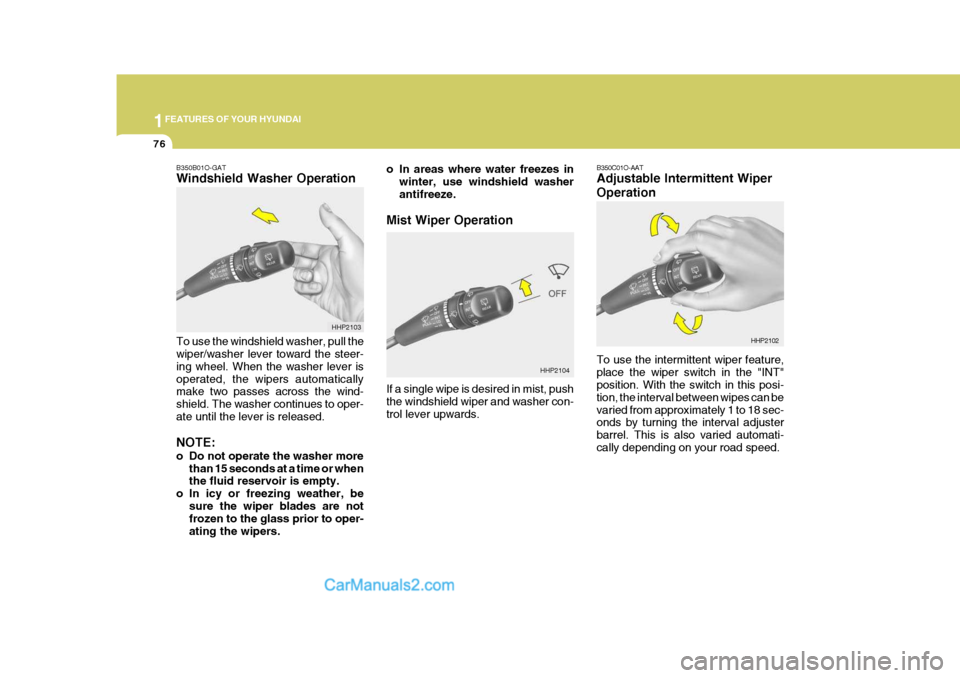
HHP2104 B350C01O-AAT Adjustable Intermittent Wiper Operation To use the intermittent wiper feature, place the wiper switch in the "INT" position. With the switch in this posi- tion, the interval between wipes can bevaried from approximately 1 to 18 sec- onds by turning the interval adjuster barrel. This is also varied automati-cally depending on your road speed.
HHP2102
B350B01O-GAT Windshield Washer Operation To use the windshield washer, pull the wiper/washer lever toward the steer- ing wheel. When the washer lever isoperated, the wipers automatically make two passes across the wind- shield. The washer continues to oper-ate until the lever is released. NOTE:
o Do not operate the washer more
than 15 seconds at a time or when the fluid reservoir is empty.
o In icy or freezing weather, be
sure the wiper blades are notfrozen to the glass prior to oper- ating the wipers. HHP2103
o In areas where water freezes in
winter, use windshield washerantifreeze.
Mist Wiper Operation If a single wipe is desired in mist, push the windshield wiper and washer con- trol lever upwards.
Page 113 of 291
1
FEATURES OF YOUR HYUNDAI
99HORNFRONT DOOR EDGE WARNING LIGHT
B620A01S-AAT (If Installed)
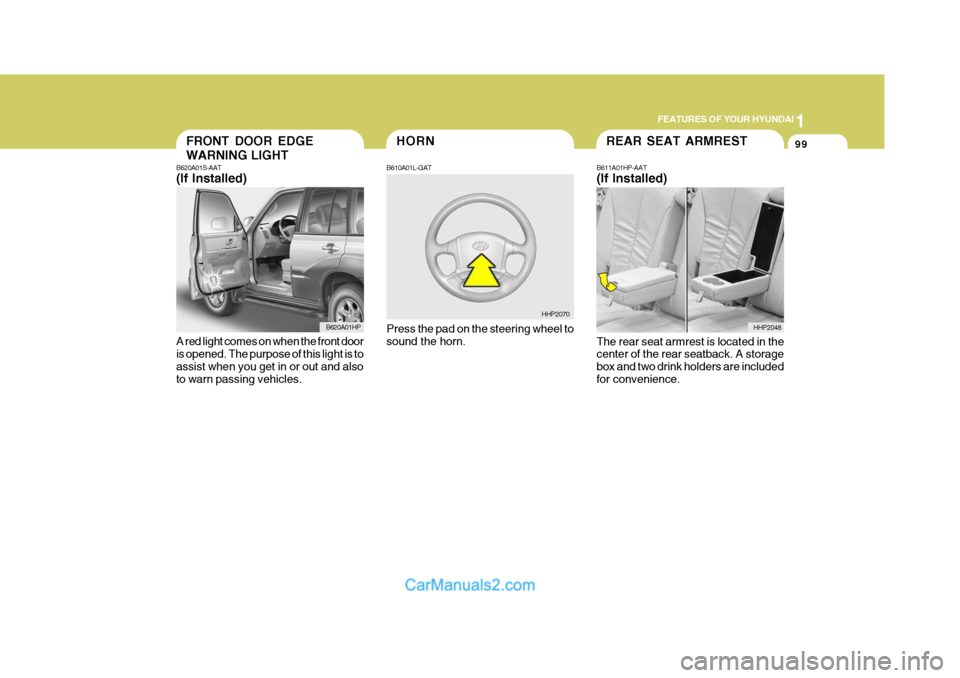
A red light comes on when the front door is opened. The purpose of this light is to assist when you get in or out and alsoto warn passing vehicles. B610A01L-GAT Press the pad on the steering wheel to sound the horn.
B620A01HP
HHP2070REAR SEAT ARMREST
B611A01HP-AAT (If Installed) The rear seat armrest is located in the center of the rear seatback. A storage box and two drink holders are includedfor convenience. HHP2048
Page 114 of 291
1FEATURES OF YOUR HYUNDAI
100
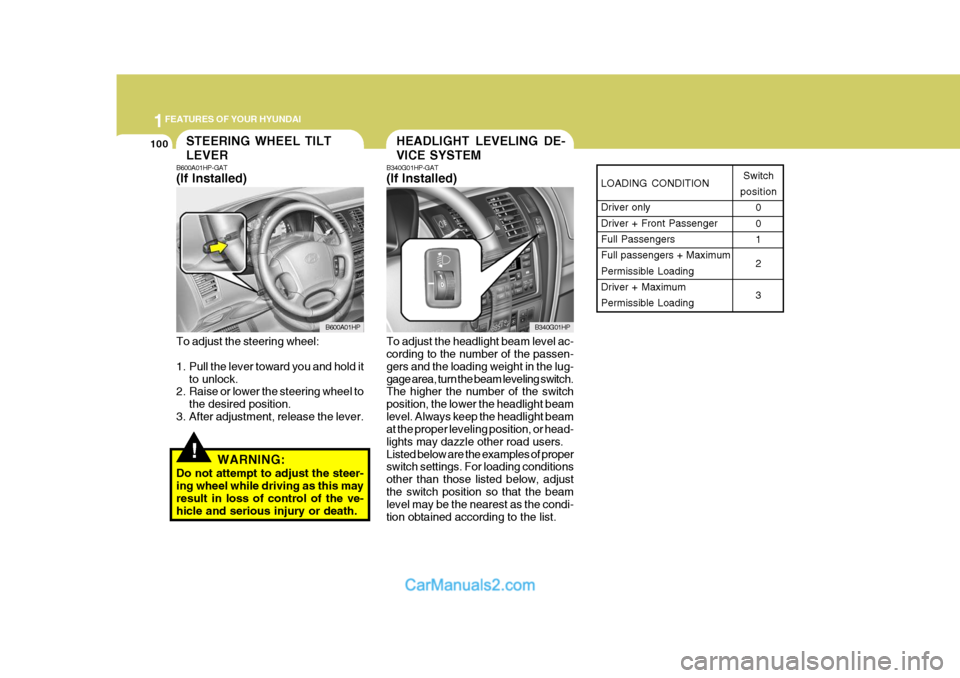
LOADING CONDITION Driver only Driver + Front PassengerFull Passengers Full passengers + Maximum Permissible LoadingDriver + Maximum Permissible LoadingSwitch
position 0 01 2 3
HEADLIGHT LEVELING DE- VICE SYSTEMSTEERING WHEEL TILT LEVER
!
B600A01HP-GAT (If Installed) To adjust the steering wheel:
1. Pull the lever toward you and hold itto unlock.
2. Raise or lower the steering wheel to
the desired position.
3. After adjustment, release the lever.
WARNING:
Do not attempt to adjust the steer- ing wheel while driving as this may result in loss of control of the ve- hicle and serious injury or death. B340G01HP-GAT (If Installed) To adjust the headlight beam level ac- cording to the number of the passen- gers and the loading weight in the lug-gage area, turn the beam leveling switch. The higher the number of the switch position, the lower the headlight beamlevel. Always keep the headlight beam at the proper leveling position, or head- lights may dazzle other road users.Listed below are the examples of proper switch settings. For loading conditions other than those listed below, adjustthe switch position so that the beam level may be the nearest as the condi- tion obtained according to the list.
B600A01HP
B340G01HP
Page 157 of 291
2
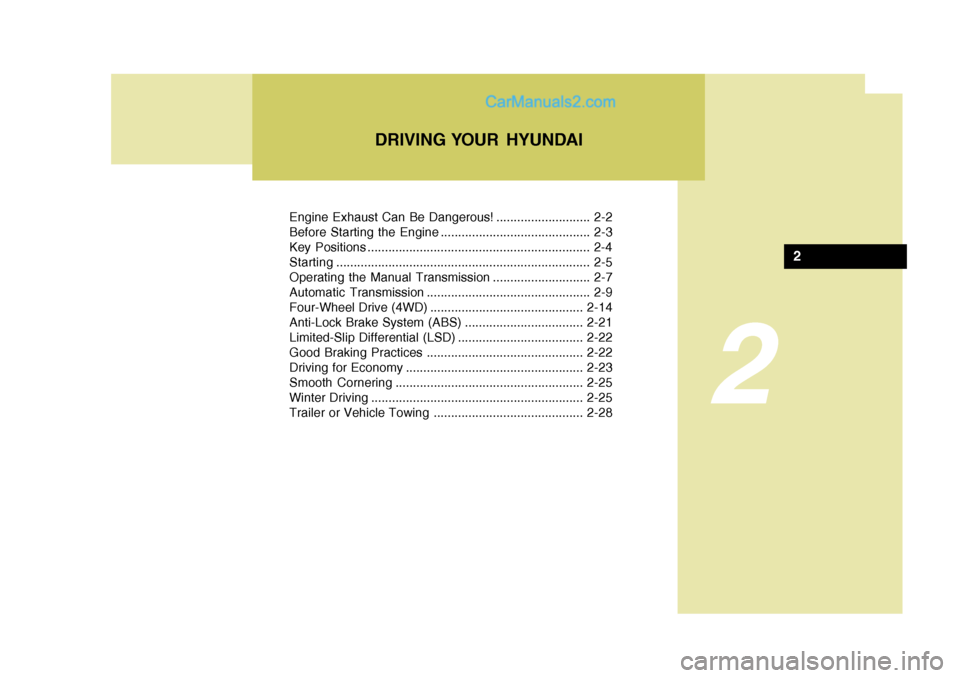
Engine Exhaust Can Be Dangerous! ........................... 2-2
Before Starting the Engine ........................................... 2-3
Key Positions ................................................................ 2-4Starting......................................................................... 2-5
Operating the Manual Transmission ............................ 2-7
Automatic Transmission ............................................... 2-9
Four-Wheel Drive (4WD) ............................................ 2-14
Anti-Lock Brake System (ABS) .................................. 2-21
Limited-Slip Differential (LSD) .................................... 2-22
Good Braking Practices ............................................. 2-22
Driving for Economy ................................................... 2-23
Smooth Cornering ...................................................... 2-25
Winter Driving ............................................................. 2-25
Trailer or Vehicle Towing ........................................... 2-28
DRIVING YOUR HYUNDAI
2
Page 159 of 291
2
DRIVING YOUR HYUNDAI
3
!
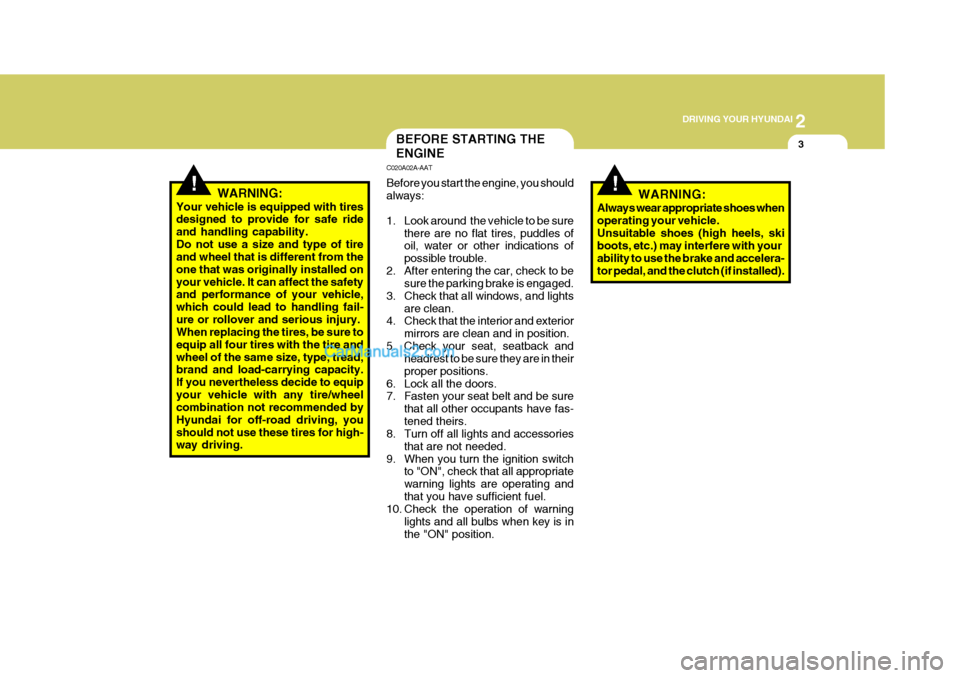
BEFORE STARTING THE ENGINE
C020A02A-AAT Before you start the engine, you should always:
1. Look around the vehicle to be sure
there are no flat tires, puddles of oil, water or other indications of possible trouble.
2. After entering the car, check to be sure the parking brake is engaged.
3. Check that all windows, and lights are clean.
4. Check that the interior and exterior
mirrors are clean and in position.
5. Check your seat, seatback and headrest to be sure they are in theirproper positions.
6. Lock all the doors.
7. Fasten your seat belt and be sure
that all other occupants have fas- tened theirs.
8. Turn off all lights and accessories
that are not needed.
9. When you turn the ignition switch to "ON", check that all appropriatewarning lights are operating andthat you have sufficient fuel.
10. Check the operation of warning
lights and all bulbs when key is inthe "ON" position.
WARNING:
Your vehicle is equipped with tires designed to provide for safe ride and handling capability.Do not use a size and type of tire and wheel that is different from the one that was originally installed onyour vehicle. It can affect the safety and performance of your vehicle, which could lead to handling fail-ure or rollover and serious injury. When replacing the tires, be sure to equip all four tires with the tire andwheel of the same size, type, tread, brand and load-carrying capacity. If you nevertheless decide to equipyour vehicle with any tire/wheel combination not recommended by Hyundai for off-road driving, youshould not use these tires for high- way driving.
!WARNING:
Always wear appropriate shoes when operating your vehicle.Unsuitable shoes (high heels, ski boots, etc.) may interfere with your ability to use the brake and accelera-tor pedal, and the clutch (if installed).
Page 160 of 291
2 DRIVING YOUR HYUNDAI
4
!WARNING: (Diesel only)
To ensure that sufficient vacuum exists within the brake system dur- ing cold weather start-up condi- tions, it is necessary to run theengine at idle after starting accord- ing to the following table.
Ambient temp. Above -15°C (5°F) Below -15°C (5°F)
After starting the engine, do not drive the vehicle until the brake vacuum warning light has turn-ed off.Failure to carry out the above proce- dure may result in the need to apply greater pedal pressure in order toeffect the necessary braking effort. Warm up time 3 min. or longer 6 min. or longer
KEY POSITIONS
!
C040A02A-AAT
WARNING:
The engine should not be turned off or the key removed from theignition key cylinder while the ve- hicle is in motion. The steering wheel is locked by removing thekey.
C040A01E
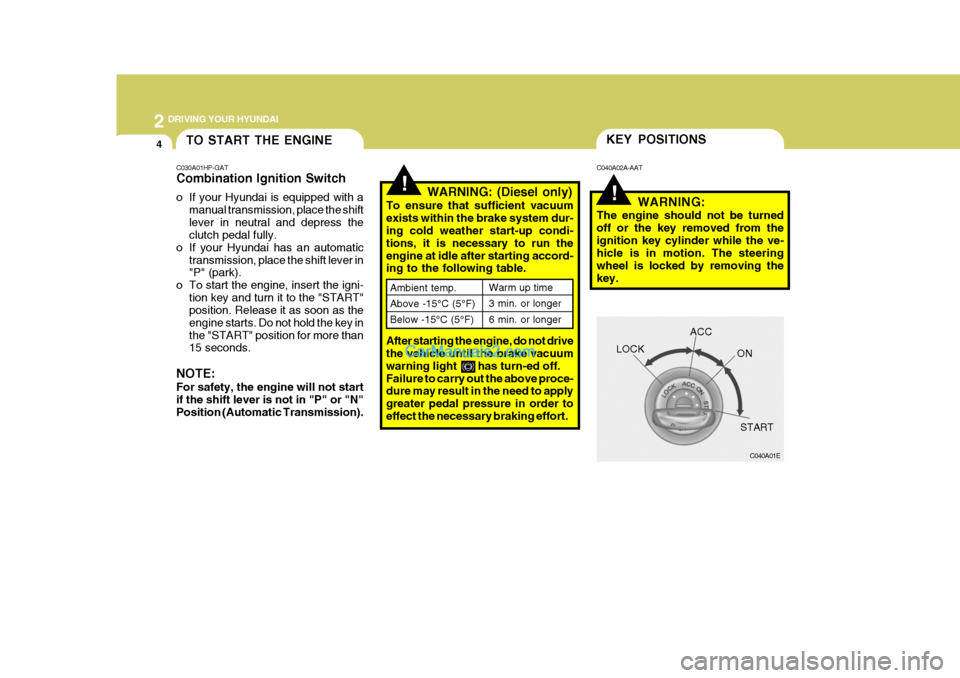
LOCK
ACC
ON
START
TO START THE ENGINE
C030A01HP-GAT Combination Ignition Switch
o If your Hyundai is equipped with a manual transmission, place the shift lever in neutral and depress the clutch pedal fully.
o If your Hyundai has an automatic transmission, place the shift lever in"P" (park).
o To start the engine, insert the igni- tion key and turn it to the "START"position. Release it as soon as the engine starts. Do not hold the key inthe "START" position for more than 15 seconds.
NOTE: For safety, the engine will not start if the shift lever is not in "P" or "N" Position (Automatic Transmission).
Page 161 of 291
2
DRIVING YOUR HYUNDAI
5
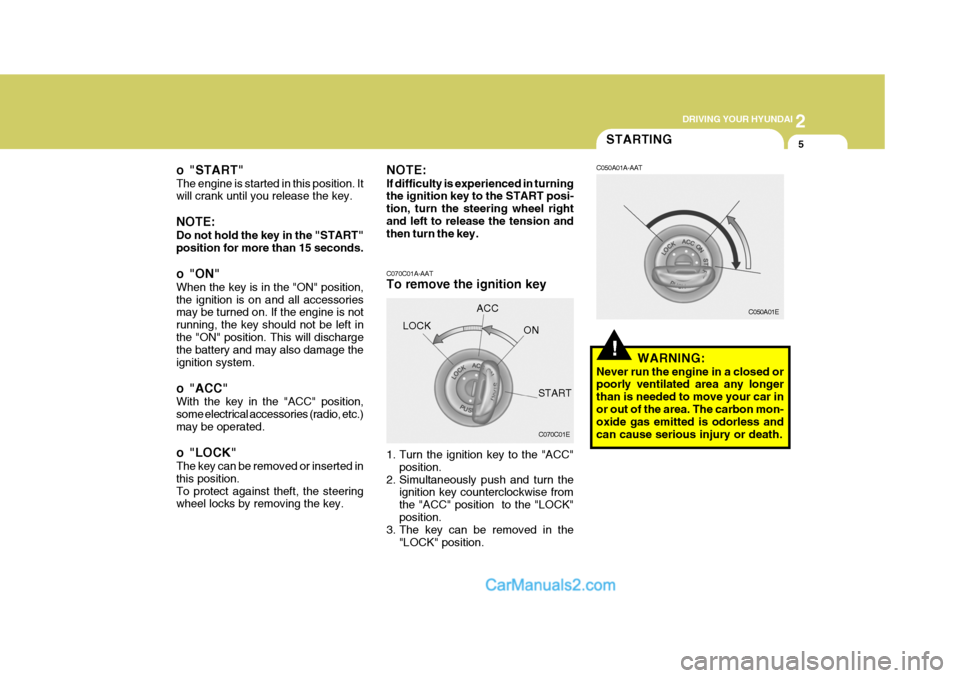
o "START" The engine is started in this position. It will crank until you release the key. NOTE: Do not hold the key in the "START" position for more than 15 seconds.
o "ON" When the key is in the "ON" position, the ignition is on and all accessories may be turned on. If the engine is not running, the key should not be left inthe "ON" position. This will discharge the battery and may also damage the ignition system.
o "ACC" With the key in the "ACC" position, some electrical accessories (radio, etc.)may be operated.
o "LOCK" The key can be removed or inserted in this position.To protect against theft, the steering wheel locks by removing the key.STARTING
!
NOTE: If difficulty is experienced in turning the ignition key to the START posi- tion, turn the steering wheel rightand left to release the tension and then turn the key. C070C01A-AAT To remove the ignition key
1. Turn the ignition key to the "ACC" position.
2. Simultaneously push and turn the ignition key counterclockwise from the "ACC" position to the "LOCK"position.
3. The key can be removed in the
"LOCK" position.LOCK
C050A01A-AAT
WARNING:
Never run the engine in a closed or poorly ventilated area any longer than is needed to move your car inor out of the area. The carbon mon- oxide gas emitted is odorless and can cause serious injury or death.
C070C01E C050A01E
ACC
ON
START
Page 165 of 291
2
DRIVING YOUR HYUNDAI
9AUTOMATIC TRANSMIS- SION
!
o Exercise extreme caution when driv-
ing on a slippery surface. Be espe- cially careful when braking, acceler- ating or shifting gears. On a slippery surface, an abrupt change in ve-hicle speed can cause the drive wheels to lose traction and the ve- hicle to go out of control. o In the event your vehicle leaves
the roadway, do not steer sharply.Instead, slow down before pull- ing back into the travel lanes.
o Never exceed posted speed lim- its.
WARNING:
o Avoid high cornering speeds.
o Do not make quick steering wheel movements, such as sharp lanechanges or fast, sharp turns.
o Always wear your seat belts. In a collision crash, an unbeltedperson is significantly more likelyto die than a person wearing a seatbelt.
o The risk of rollover is greatly in-
creased if you lose control ofyour vehicle at highway speeds.
o Loss of control often occurs if
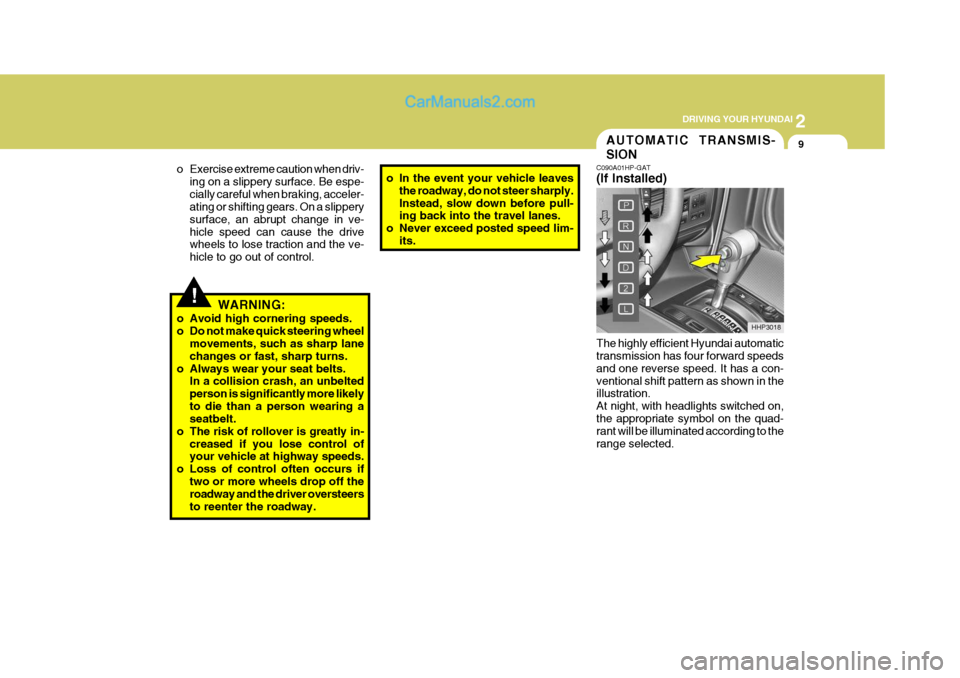
two or more wheels drop off theroadway and the driver oversteers to reenter the roadway. C090A01HP-GAT (If Installed) The highly efficient Hyundai automatic transmission has four forward speeds and one reverse speed. It has a con-ventional shift pattern as shown in the illustration. At night, with headlights switched on,the appropriate symbol on the quad- rant will be illuminated according to the range selected.
HHP3018
Page 169 of 291
2
DRIVING YOUR HYUNDAI
13
!
C090N04A-AAT Good Driving Practices
o Never move the gear selector lever
from "P" or "N" to any other position with the accelerator pedal de- pressed.
o Never move the gear selector lever into "P" when the vehicle is in mo-tion.
o Be sure the car is completely stopped before you attempt to shift into "R".
o Never take the car out of gear and
coast down a hill. This may be ex- tremely hazardous. Always leave the car in gear when moving.
o Do not "ride" the brakes. This can cause them to overheat and mal-function. Instead, when you are driv- ing down a long hill, slow down andshift to a lower gear. When you do this, engine braking will help slow the car.
o Slow down before shifting to a lower gear. Otherwise, the lower gear maynot be engaged.
o Always use the parking brake. Do not depend on placing the transmis-sion in "P" to keep the car frommoving. o Exercise extreme caution when driv-
ing on a slippery surface. Be espe-cially careful when braking, acceler-ating or shifting gears. On a slippery surface, an abrupt change in ve- hicle speed can cause the drivewheels to lose traction and the ve- hicle to go out of control.
o Turn the overdrive switch on for good fuel economy and smooth driv-ing. If engine braking is needed in the "D" range or if repeated upshift-ing and downshifting between 3rd and 4th gear is needed when climb- ing a gentle slope, it is recommended that the overdrive switch be turned off. Turn the overdrive switch backon immediately afterward.
o Optimum vehicle performance and
economy is obtained by smoothlydepressing and releasing the accel- erator pedal.
WARNING:
o Avoid high cornering speeds.
o Do not make quick steering wheel movements, such as sharp lane changes or fast, sharp turns. o Always wear your seat belts.
In a collision crash, an unbelted person is significantly more likelyto die than a person wearing a seat belt.
o The risk of rollover is greatly in- creased if you lose control ofyour vehicle at highway speeds.
o Loss of control often occurs if
two or more wheels drop off theroadway and the driver oversteers to reenter the roadway.
o In the event your vehicle leaves the roadway, do not steer sharply.Instead, slow down before pull-ing back into the travel lanes.
o Never exceed posted speed lim-
its.
o If your vehicle becomes stuck in snow, mud, sand, etc., then youmay attempt to rock the vehiclefree by moving it forward and back- ward. Do not attempt this proce- dure if people or objects are any-where near the vehicle. During the rocking operation the vehicle may suddenly move forward of back-ward as it becomes unstuck, caus- ing injury or damage to nearby people or objects.