ignition Hyundai Tiburon 2003 User Guide
[x] Cancel search | Manufacturer: HYUNDAI, Model Year: 2003, Model line: Tiburon, Model: Hyundai Tiburon 2003Pages: 169, PDF Size: 3.04 MB
Page 35 of 169
FEATURES OF YOUR HYUNDAI
1- 27
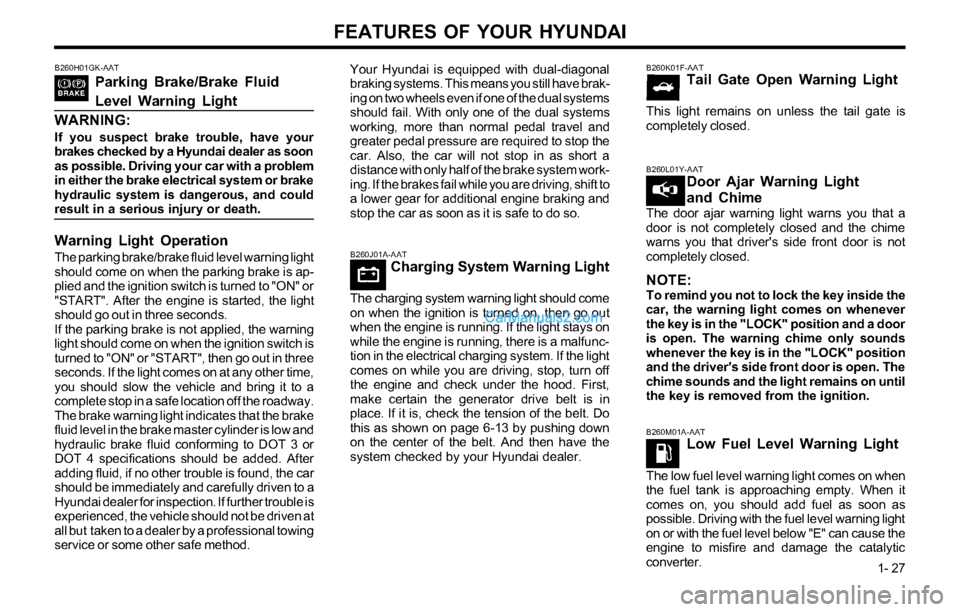
B260M01A-AATLow Fuel Level Warning Light
The low fuel level warning light comes on when
the fuel tank is approaching empty. When it
comes on, you should add fuel as soon as
possible. Driving with the fuel level warning light
on or with the fuel level below "E" can cause the
engine to misfire and damage the catalytic
converter.
B260J01A-AATCharging System Warning Light
The charging system warning light should come
on when the ignition is turned on, then go out
when the engine is running. If the light stays on
while the engine is running, there is a malfunc-
tion in the electrical charging system. If the light
comes on while you are driving, stop, turn off
the engine and check under the hood. First,
make certain the generator drive belt is in
place. If it is, check the tension of the belt. Do
this as shown on page 6-13 by pushing down
on the center of the belt. And then have the
system checked by your Hyundai dealer.
B260K01F-AATTail Gate Open Warning Light
This light remains on unless the tail gate is
completely closed.
B260L01Y-AATDoor Ajar Warning Light
and Chime
The door ajar warning light warns you that a
door is not completely closed and the chime
warns you that driver's side front door is not
completely closed.
NOTE:To remind you not to lock the key inside the
car, the warning light comes on whenever
the key is in the "LOCK" position and a door
is open. The warning chime only sounds
whenever the key is in the "LOCK" position
and the driver's side front door is open. The
chime sounds and the light remains on until
the key is removed from the ignition.
B260H01GK-AAT
Parking Brake/Brake Fluid
Level Warning Light
WARNING:
If you suspect brake trouble, have your
brakes checked by a Hyundai dealer as soon
as possible. Driving your car with a problem
in either the brake electrical system or brake
hydraulic system is dangerous, and could
result in a serious injury or death.
Warning Light Operation
The parking brake/brake fluid level warning light
should come on when the parking brake is ap-
plied and the ignition switch is turned to "ON" or
"START". After the engine is started, the light
should go out in three seconds.
If the parking brake is not applied, the warning
light should come on when the ignition switch is
turned to "ON" or "START", then go out in three
seconds. If the light comes on at any other time,
you should slow the vehicle and bring it to a
complete stop in a safe location off the roadway.
The brake warning light indicates that the brake
fluid level in the brake master cylinder is low and
hydraulic brake fluid conforming to DOT 3 or
DOT 4 specifications should be added. After
adding fluid, if no other trouble is found, the car
should be immediately and carefully driven to a
Hyundai dealer for inspection. If further trouble is
experienced, the vehicle should not be driven at
all but taken to a dealer by a professional towing
service or some other safe method.Your Hyundai is equipped with dual-diagonal
braking systems. This means you still have brak-
ing on two wheels even if one of the dual systems
should fail. With only one of the dual systems
working, more than normal pedal travel and
greater pedal pressure are required to stop the
car. Also, the car will not stop in as short a
distance with only half of the brake system work-
ing. If the brakes fail while you are driving, shift to
a lower gear for additional engine braking and
stop the car as soon as it is safe to do so.
Page 36 of 169
FEATURES OF YOUR HYUNDAI
1- 28
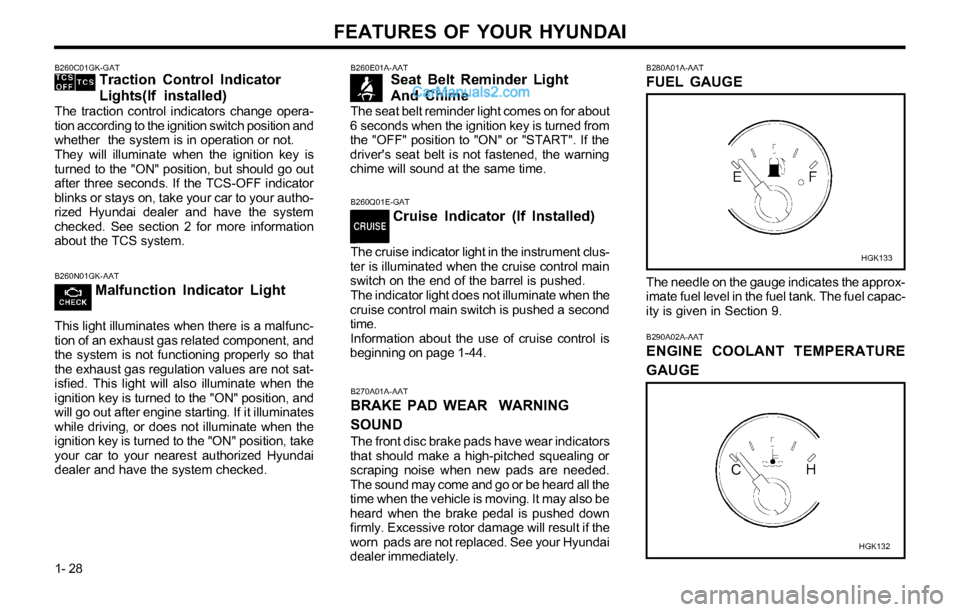
B260E01A-AATSeat Belt Reminder Light
And Chime
The seat belt reminder light comes on for about
6 seconds when the ignition key is turned from
the "OFF" position to "ON" or "START". If the
driver's seat belt is not fastened, the warning
chime will sound at the same time.
B270A01A-AAT
BRAKE PAD WEAR WARNING
SOUND
The front disc brake pads have wear indicators
that should make a high-pitched squealing or
scraping noise when new pads are needed.
The sound may come and go or be heard all the
time when the vehicle is moving. It may also be
heard when the brake pedal is pushed down
firmly. Excessive rotor damage will result if the
worn pads are not replaced. See your Hyundai
dealer immediately.
B260Q01E-GAT
Cruise Indicator (If Installed)
The cruise indicator light in the instrument clus-
ter is illuminated when the cruise control main
switch on the end of the barrel is pushed.
The indicator light does not illuminate when the
cruise control main switch is pushed a second
time.
Information about the use of cruise control is
beginning on page 1-44.
B280A01A-AAT
FUEL GAUGE
The needle on the gauge indicates the approx-
imate fuel level in the fuel tank. The fuel capac-
ity is given in Section 9.
HGK133
B290A02A-AAT
ENGINE COOLANT TEMPERATURE
GAUGE
HGK132
B260C01GK-GATTraction Control Indicator
Lights(If installed)
The traction control indicators change opera-
tion according to the ignition switch position and
whether the system is in operation or not.
They will illuminate when the ignition key is
turned to the "ON" position, but should go out
after three seconds. If the TCS-OFF indicator
blinks or stays on, take your car to your autho-
rized Hyundai dealer and have the system
checked. See section 2 for more information
about the TCS system.
B260N01GK-AAT
Malfunction Indicator Light
This light illuminates when there is a malfunc-
tion of an exhaust gas related component, and
the system is not functioning properly so that
the exhaust gas regulation values are not sat-
isfied. This light will also illuminate when the
ignition key is turned to the "ON" position, and
will go out after engine starting. If it illuminates
while driving, or does not illuminate when the
ignition key is turned to the "ON" position, take
your car to your nearest authorized Hyundai
dealer and have the system checked.
Page 37 of 169
FEATURES OF YOUR HYUNDAI
1- 29
B300A01A-AAT
SPEEDOMETER
HGK130B
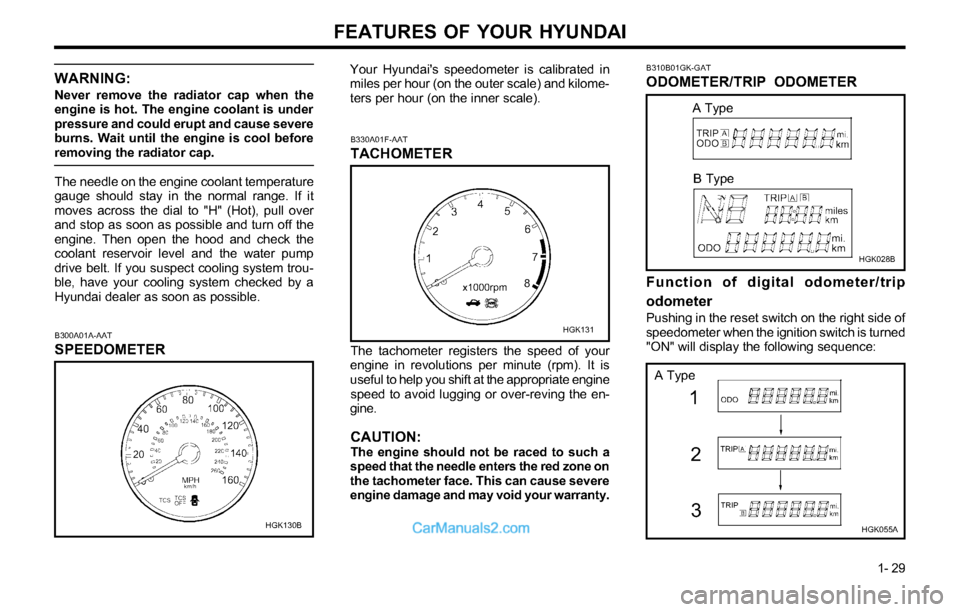
Your Hyundai's speedometer is calibrated in
miles per hour (on the outer scale) and kilome-
ters per hour (on the inner scale).
B330A01F-AAT
TACHOMETER
The tachometer registers the speed of your
engine in revolutions per minute (rpm). It is
useful to help you shift at the appropriate engine
speed to avoid lugging or over-reving the en-
gine.
CAUTION:The engine should not be raced to such a
speed that the needle enters the red zone on
the tachometer face. This can cause severe
engine damage and may void your warranty.
HGK131
WARNING:
Never remove the radiator cap when the
engine is hot. The engine coolant is under
pressure and could erupt and cause severe
burns. Wait until the engine is cool before
removing the radiator cap.
The needle on the engine coolant temperature
gauge should stay in the normal range. If it
moves across the dial to "H" (Hot), pull over
and stop as soon as possible and turn off the
engine. Then open the hood and check the
coolant reservoir level and the water pump
drive belt. If you suspect cooling system trou-
ble, have your cooling system checked by a
Hyundai dealer as soon as possible.
B310B01GK-GAT
ODOMETER/TRIP ODOMETER
HGK028B
Function of digital odometer/trip
odometer
Pushing in the reset switch on the right side of
speedometer when the ignition switch is turned
"ON" will display the following sequence:
HGK055A
1
3 2
A Type
B Type
A Type
Page 38 of 169
FEATURES OF YOUR HYUNDAI
1- 30
B340A01A-AATCOMBINATION TURN SIGNAL,
HEADLIGHT AND HIGH-BEAM
SWITCH
Turn Signal Operation
Pulling down on the lever causes the turn
signals on the left side of the car to blink.
Pushing upwards on the lever causes the turn
signals on the right side of the car to blink. As
the turn is completed, the lever will automati-
cally return to the center position and turn off
the turn signals at the same time. If either turn
signal indicator light blinks more rapidly than
usual, goes on but does not blink, or does not
go on at all, there is a malfunction in the system.
Check for a burned-out fuse or bulb or see your
Hyundai dealer.
B340B01A-AAT
Lane Change Signal
HGK038
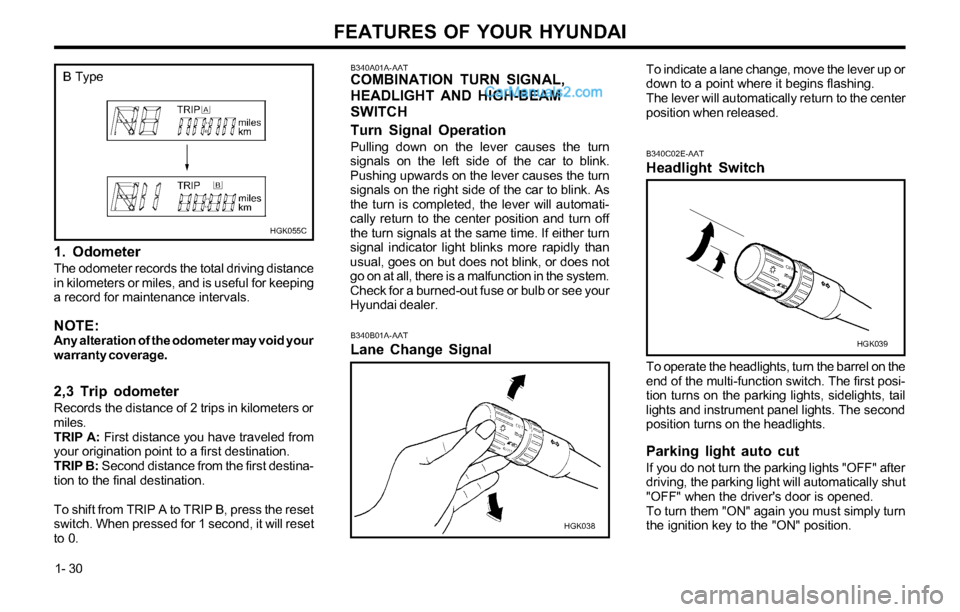
1. Odometer
The odometer records the total driving distance
in kilometers or miles, and is useful for keeping
a record for maintenance intervals.
NOTE:Any alteration of the odometer may void your
warranty coverage.
2,3 Trip odometer
Records the distance of 2 trips in kilometers or
miles.
TRIP A: First distance you have traveled from
your origination point to a first destination.
TRIP B: Second distance from the first destina-
tion to the final destination.
To shift from TRIP A to TRIP B, press the reset
switch. When pressed for 1 second, it will reset
to 0.To indicate a lane change, move the lever up or
down to a point where it begins flashing.
The lever will automatically return to the center
position when released.
To operate the headlights, turn the barrel on the
end of the multi-function switch. The first posi-
tion turns on the parking lights, sidelights, tail
lights and instrument panel lights. The second
position turns on the headlights.
Parking light auto cut
If you do not turn the parking lights "OFF" after
driving, the parking light will automatically shut
"OFF" when the driver's door is opened.
To turn them "ON" again you must simply turn
the ignition key to the "ON" position.
B340C02E-AAT
Headlight Switch
HGK039
HGK055C
B Type
Page 41 of 169
FEATURES OF YOUR HYUNDAI
1- 33
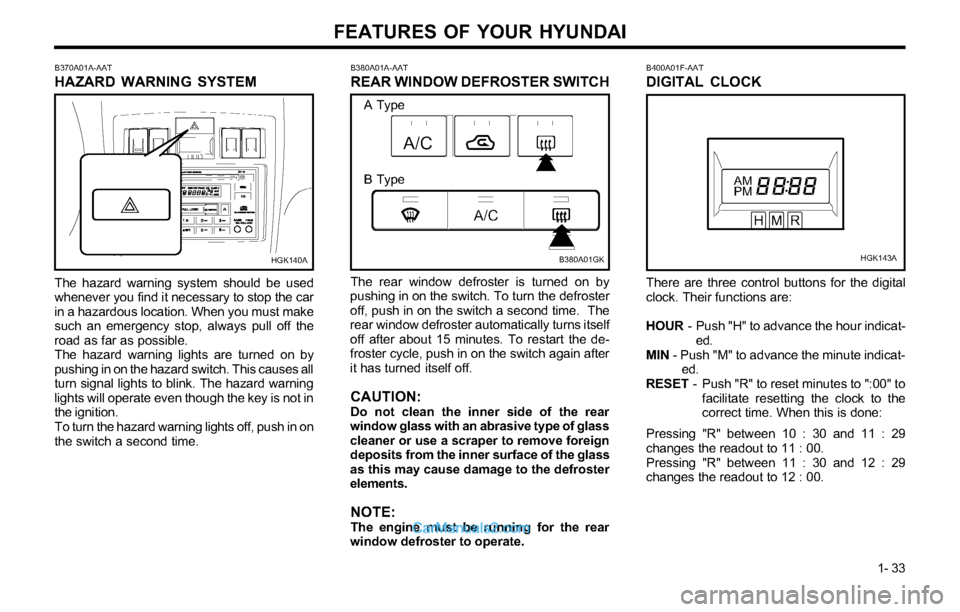
B380A01A-AAT
REAR WINDOW DEFROSTER SWITCH
The rear window defroster is turned on by
pushing in on the switch. To turn the defroster
off, push in on the switch a second time. The
rear window defroster automatically turns itself
off after about 15 minutes. To restart the de-
froster cycle, push in on the switch again after
it has turned itself off.
CAUTION:Do not clean the inner side of the rear
window glass with an abrasive type of glass
cleaner or use a scraper to remove foreign
deposits from the inner surface of the glass
as this may cause damage to the defroster
elements.
NOTE:The engine must be running for the rear
window defroster to operate.
B400A01F-AAT
DIGITAL CLOCK
There are three control buttons for the digital
clock. Their functions are:
HOUR - Push "H" to advance the hour indicat-
ed.
MIN - Push "M" to advance the minute indicat-
ed.
RESET - Push "R" to reset minutes to ":00" to
facilitate resetting the clock to the
correct time. When this is done:
Pressing "R" between 10 : 30 and 11 : 29
changes the readout to 11 : 00.
Pressing "R" between 11 : 30 and 12 : 29
changes the readout to 12 : 00.
B380A01GKHGK143A B370A01A-AAT
HAZARD WARNING SYSTEM
The hazard warning system should be used
whenever you find it necessary to stop the car
in a hazardous location. When you must make
such an emergency stop, always pull off the
road as far as possible.
The hazard warning lights are turned on by
pushing in on the hazard switch. This causes all
turn signal lights to blink. The hazard warning
lights will operate even though the key is not in
the ignition.
To turn the hazard warning lights off, push in on
the switch a second time.
HGK140A
A Type
B Type
Page 43 of 169
FEATURES OF YOUR HYUNDAI
1- 35
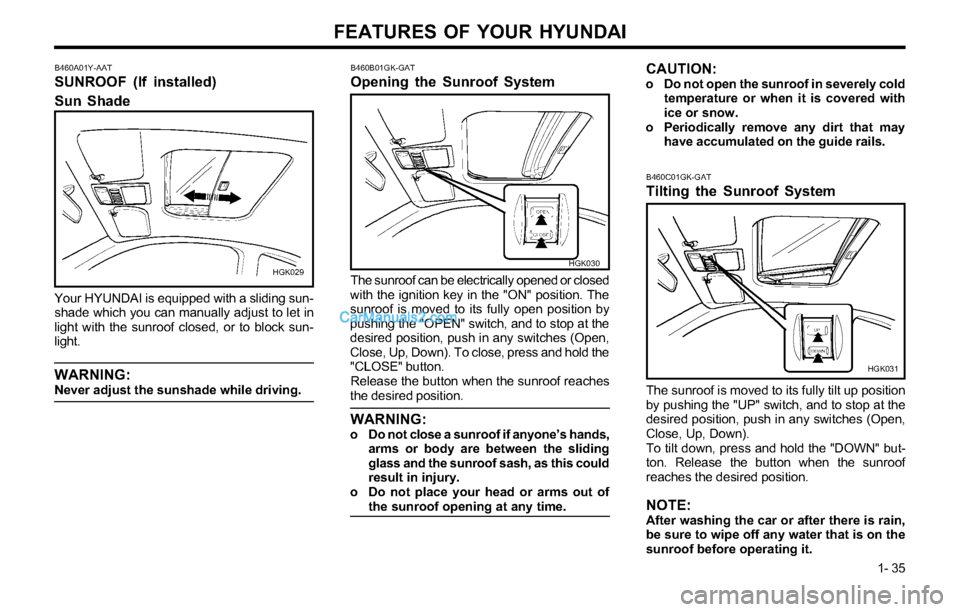
B460A01Y-AAT
SUNROOF (If installed)
Sun Shade
HGK029
Your HYUNDAI is equipped with a sliding sun-
shade which you can manually adjust to let in
light with the sunroof closed, or to block sun-
light.
WARNING:Never adjust the sunshade while driving.
B460B01GK-GAT
Opening the Sunroof System
HGK030
The sunroof can be electrically opened or closed
with the ignition key in the "ON" position. The
sunroof is moved to its fully open position by
pushing the "OPEN" switch, and to stop at the
desired position, push in any switches (Open,
Close, Up, Down). To close, press and hold the
"CLOSE" button.
Release the button when the sunroof reaches
the desired position.
WARNING:o Do not close a sunroof if anyone’s hands,
arms or body are between the sliding
glass and the sunroof sash, as this could
result in injury.
o Do not place your head or arms out of
the sunroof opening at any time.
CAUTION:o Do not open the sunroof in severely cold
temperature or when it is covered with
ice or snow.
o Periodically remove any dirt that may
have accumulated on the guide rails.
B460C01GK-GAT
Tilting the Sunroof System
HGK031
The sunroof is moved to its fully tilt up position
by pushing the "UP" switch, and to stop at the
desired position, push in any switches (Open,
Close, Up, Down).
To tilt down, press and hold the "DOWN" but-
ton. Release the button when the sunroof
reaches the desired position.
NOTE:After washing the car or after there is rain,
be sure to wipe off any water that is on the
sunroof before operating it.
Page 44 of 169
FEATURES OF YOUR HYUNDAI
1- 36
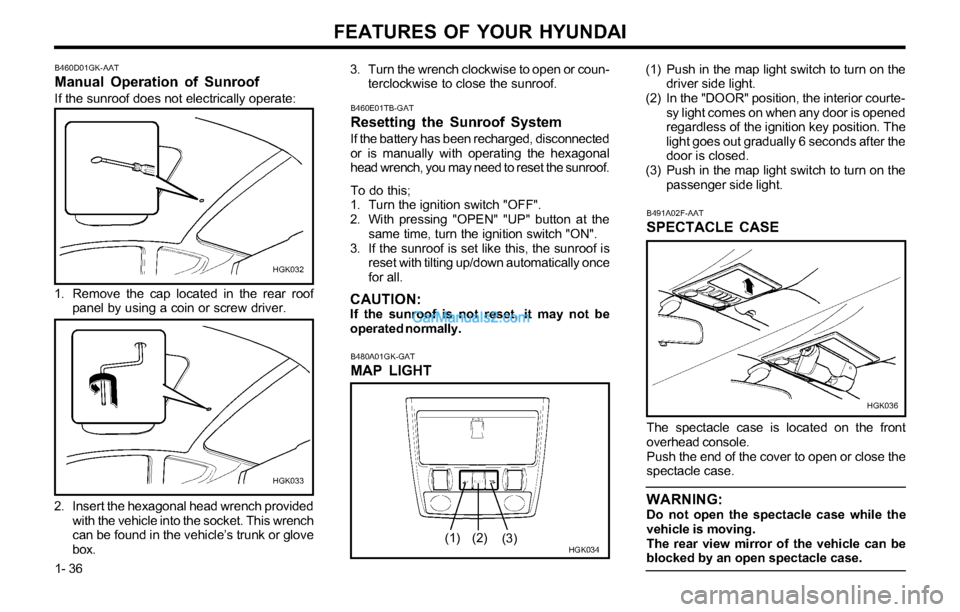
B491A02F-AAT
SPECTACLE CASE
HGK036
The spectacle case is located on the front
overhead console.
Push the end of the cover to open or close the
spectacle case.
WARNING:Do not open the spectacle case while the
vehicle is moving.
The rear view mirror of the vehicle can be
blocked by an open spectacle case.
B460D01GK-AAT
Manual Operation of Sunroof
If the sunroof does not electrically operate:
HGK032
1. Remove the cap located in the rear roof
panel by using a coin or screw driver.
2. Insert the hexagonal head wrench provided
with the vehicle into the socket. This wrench
can be found in the vehicle’s trunk or glove
box.
HGK033
3. Turn the wrench clockwise to open or coun-
terclockwise to close the sunroof.
B480A01GK-GAT
MAP LIGHT
HGK034
(1) Push in the map light switch to turn on the
driver side light.
(2) In the "DOOR" position, the interior courte-
sy light comes on when any door is opened
regardless of the ignition key position. The
light goes out gradually 6 seconds after the
door is closed.
(3) Push in the map light switch to turn on the
passenger side light.
(1)
(2)
(3)
B460E01TB-GAT
Resetting the Sunroof System
If the battery has been recharged, disconnected
or is manually with operating the hexagonal
head wrench, you may need to reset the sunroof.
To do this;
1. Turn the ignition switch "OFF".
2. With pressing "OPEN" "UP" button at the
same time, turn the ignition switch "ON".
3. If the sunroof is set like this, the sunroof is
reset with tilting up/down automatically once
for all.
CAUTION:If the sunroof is not reset, it may not be
operated normally.
Page 56 of 169
FEATURES OF YOUR HYUNDAI
1- 48
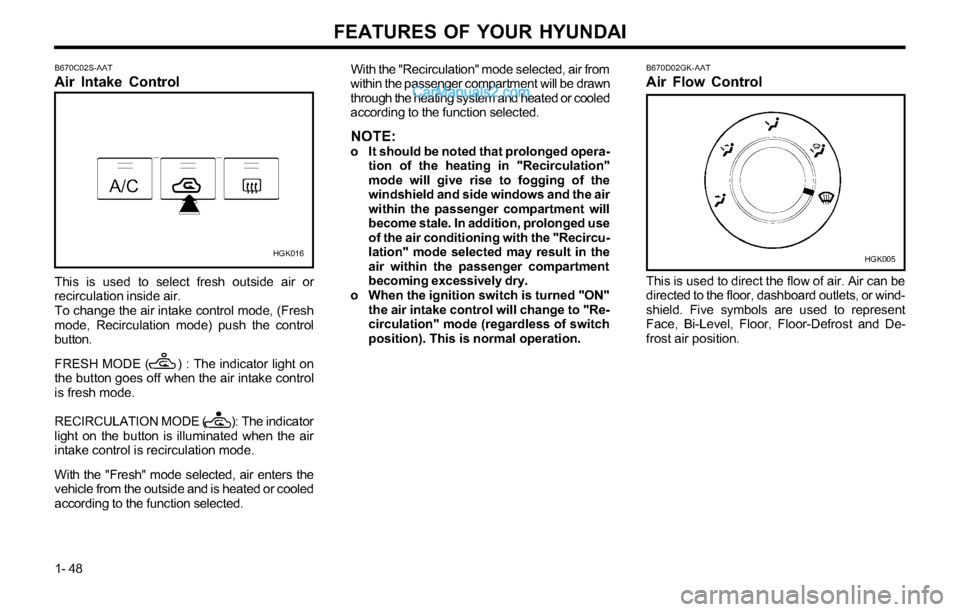
HGK016B670D02GK-AAT
Air Flow Control
This is used to direct the flow of air. Air can be
directed to the floor, dashboard outlets, or wind-
shield. Five symbols are used to represent
Face, Bi-Level, Floor, Floor-Defrost and De-
frost air position.
HGK005 B670C02S-AAT
Air Intake Control
This is used to select fresh outside air or
recirculation inside air.
To change the air intake control mode, (Fresh
mode, Recirculation mode) push the control
button.
FRESH MODE ( ) : The indicator light on
the button goes off when the air intake control
is fresh mode.
RECIRCULATION MODE ( ): The indicator
light on the button is illuminated when the air
intake control is recirculation mode.
With the "Fresh" mode selected, air enters the
vehicle from the outside and is heated or cooled
according to the function selected.With the "Recirculation" mode selected, air from
within the passenger compartment will be drawn
through the heating system and heated or cooled
according to the function selected.
NOTE:o It should be noted that prolonged opera-
tion of the heating in "Recirculation"
mode will give rise to fogging of the
windshield and side windows and the air
within the passenger compartment will
become stale. In addition, prolonged use
of the air conditioning with the "Recircu-
lation" mode selected may result in the
air within the passenger compartment
becoming excessively dry.
o When the ignition switch is turned "ON"
the air intake control will change to "Re-
circulation" mode (regardless of switch
position). This is normal operation.
Page 64 of 169
FEATURES OF YOUR HYUNDAI
1- 56
With the "Recirculation" mode selected, air from
within the passenger compartment will be drawn
through the heating system and heated or cooled
according to the function selected.
NOTE:o It should be noted that prolonged opera-
tion of the heating system in "recircula-
tion" mode will give rise to fogging of the
windshield and side windows and the air
within the passenger compartment will
become stale. In addition, prolonged use
of the air conditioning with the "Recircu-
lation" mode selected may result in the
air within the passenger compartment
becoming excessively dry.
o When the ignition switch is turned "ON"
the air intake control will change to "
"
mode (regardless of switch position). This
is normal operation. The air intake con-
trol operates in "AUTO" mode when turn-
ing the ignition to the ON position if the
"AUTO" mode was used before shutting
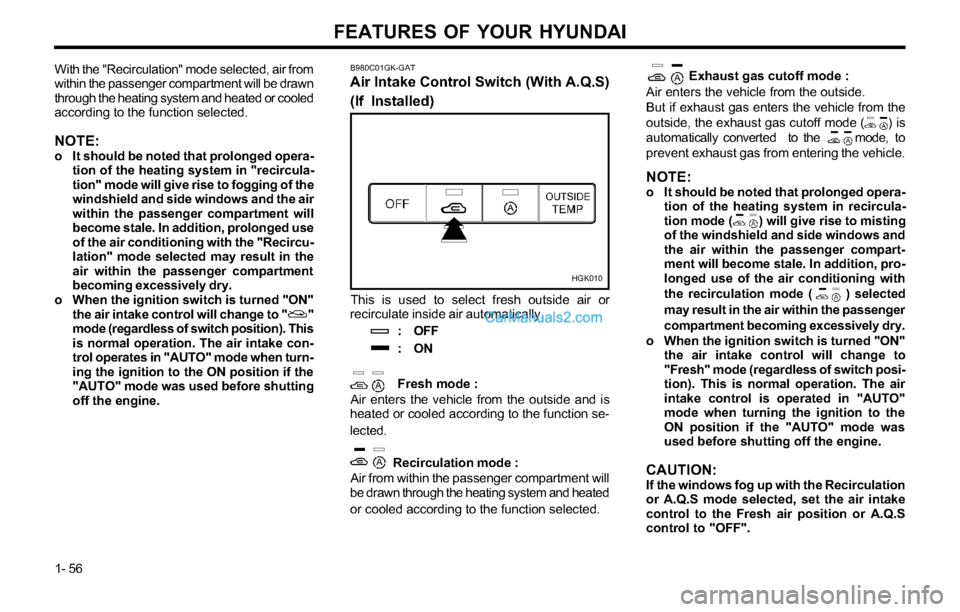
off the engine.Exhaust gas cutoff mode :
Air enters the vehicle from the outside.
But if exhaust gas enters the vehicle from the
outside, the exhaust gas cutoff mode ( ) is
automatically converted to the mode, to
prevent exhaust gas from entering the vehicle.
NOTE:o It should be noted that prolonged opera-
tion of the heating system in recircula-
tion mode ( ) will give rise to misting
of the windshield and side windows and
the air within the passenger compart-
ment will become stale. In addition, pro-
longed use of the air conditioning with
the recirculation mode ( ) selected
may result in the air within the passenger
compartment becoming excessively dry.
o When the ignition switch is turned "ON"
the air intake control will change to
"Fresh" mode (regardless of switch posi-
tion). This is normal operation. The air
intake control is operated in "AUTO"
mode when turning the ignition to the
ON position if the "AUTO" mode was
used before shutting off the engine.
CAUTION:If the windows fog up with the Recirculation
or A.Q.S mode selected, set the air intake
control to the Fresh air position or A.Q.S
control to "OFF".
This is used to select fresh outside air or
recirculate inside air automatically.
: OFF
:ON
Fresh mode :
Air enters the vehicle from the outside and is
heated or cooled according to the function se-
lected.
Recirculation mode :
Air from within the passenger compartment will
be drawn through the heating system and heated
or cooled according to the function selected.
B980C01GK-GAT
Air Intake Control Switch (With A.Q.S)
(If Installed)
HGK010
Page 70 of 169
FEATURES OF YOUR HYUNDAI
1- 62
FAD (Fader Control) Knob
Pull the treble control knob further out.
Turn the control knob counterclockwise to em-
phasize front speaker sound. (Rear speaker
sound will be attenuated)
When the control knob is turned clockwise,
rear speaker sound will be emphasized.
(Front speaker sound will be attenuated)
4. TUNE (Manual) Select Button
Press the side or side to increase or to
decrease the frequency. Press either button
and hold down to continuously scroll. Release
button once the desired station is reached.
SEEK Operation (Automatic Channel
Selection)
Press the TUNE select button 1 sec or
more.Releasing will automatically tune to the
next available station with a beep sound.
When the side is pressed longer than 1
second, releasing will automatically tune to the
next higher frequency and when the side is
pressed longer than 1 second, releasing will
automatically tune to the next lower frequency.
5. BAND Selector
Pressing the button changes the AM, FM1
and FM2 bands. The mode selected is dis-
played on LCD.
6. PRESET STATION SELECT Button
Six (6) stations for AM, FM and FM2 respec-
tively can be preset in the electronic memory
circuit on this unit.
HOW TO PRESET STATIONS
Six AM and twelve FM stations may be pro-
grammed into the memory of the radio. Then,
by simply pressing the band select button and/
or one of the six station select buttons, you
may recall any of these stations instantly. To
program the stations, follow these steps:
o Press band selector to set the band for AM,
FM, or FM2.
o Select the desired station to be stored by
seek or manual tuning.
o Determine the preset station select button
you wish to use to access that station.
o Press the station select button for more
than two seconds. A select button indicator
will show in the display indicating which
select button you have depressed. The
frequency display will flash after it has
been stored into the memory with a beep
sound. You should then release the button,
and proceed to program the next desired
station. A total of 18 stations can be pro-
grammed by selecting one AM and two FM
stations per button.
o When completed, any preset station may
be recalled by selecting AM, FM or FM2
band and the appropriate station button.
H240B03O-GAT
1. POWER ON-OFF Control Knob
The radio unit may be operated when the
ignition key is in the “ACC” or “ON” position.
Press the knob to switch the power on. The
LCD shows the radio frequency in the radio
mode or the tape direction indicator in the tape
mode. To switch the power off, press the knob
again.
VOLUME Control
Rotate the knob clockwise to increase the
volume and turn the knob counterclockwise to
reduce the volume.
2. BASS Control Knob
Press to pop the knob out and turn to the left
or right for the desired bass tone.
BAL (Balance Control) Knob
Pull the bass control knob further out. Turn the
control knob clockwise to emphasize right
speaker sound. (Left speaker sound will be
attenuated)
When the control knob is turned counterclock-
wise, left speaker sound will be emphasized.
(Right speaker sound will be attenuated)
3. TREB (Treble Control) Knob
Press to pop the knob out and turn to the left
or right for the desired treble tone.
FM/AM