traction control Hyundai Tiburon 2004 Owner's Manual
[x] Cancel search | Manufacturer: HYUNDAI, Model Year: 2004, Model line: Tiburon, Model: Hyundai Tiburon 2004Pages: 224, PDF Size: 18.86 MB
Page 12 of 224
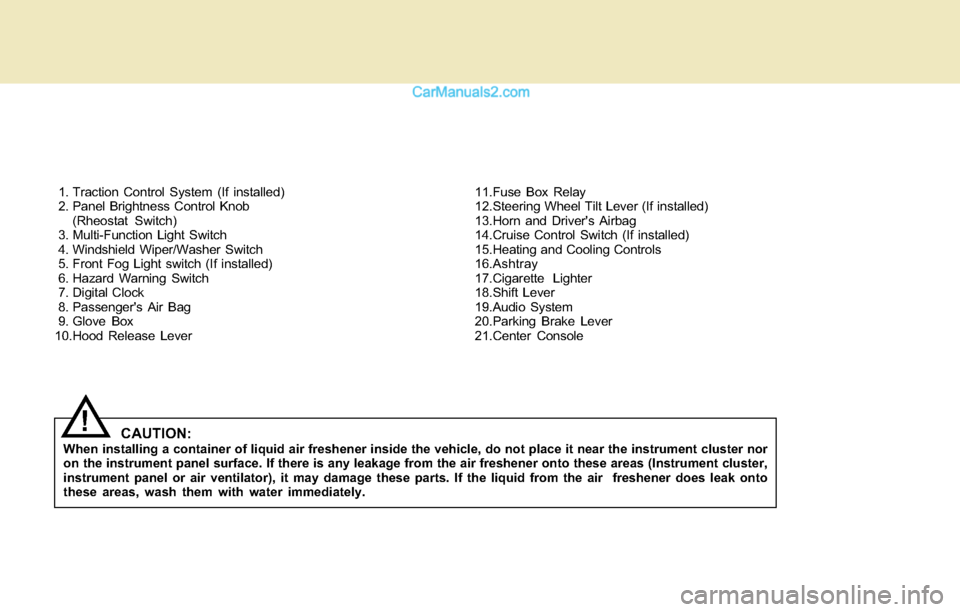
1. Traction Control System (If installed)
2. Panel Brightness Control Knob
(Rheostat Switch)
3. Multi-Function Light Switch
4. Windshield Wiper/Washer Switch
5. Front Fog Light switch (If installed)
6. Hazard Warning Switch
7. Digital Clock
8. Passenger's Air Bag
9. Glove Box
10.Hood Release Lever11.Fuse Box Relay
12.Steering Wheel Tilt Lever (If installed)
13.Horn and Driver's Airbag
14.Cruise Control Switch (If installed)
15.Heating and Cooling Controls
16.Ashtray
17.Cigarette Lighter
18.Shift Lever
19.Audio System
20.Parking Brake Lever
21.Center Console
CAUTION:When installing a container of liquid air freshener inside the vehicle, do not place it near the instrument cluster nor
on the instrument panel surface. If there is any leakage from the air freshener onto these areas (Instrument cluster,
instrument panel or air ventilator), it may damage these parts. If the liquid from the air freshener does leak onto
these areas, wash them with water immediately.
!
Page 13 of 224
YOUR VEHICLE AT A GLANCE
B255A01GK-AAT
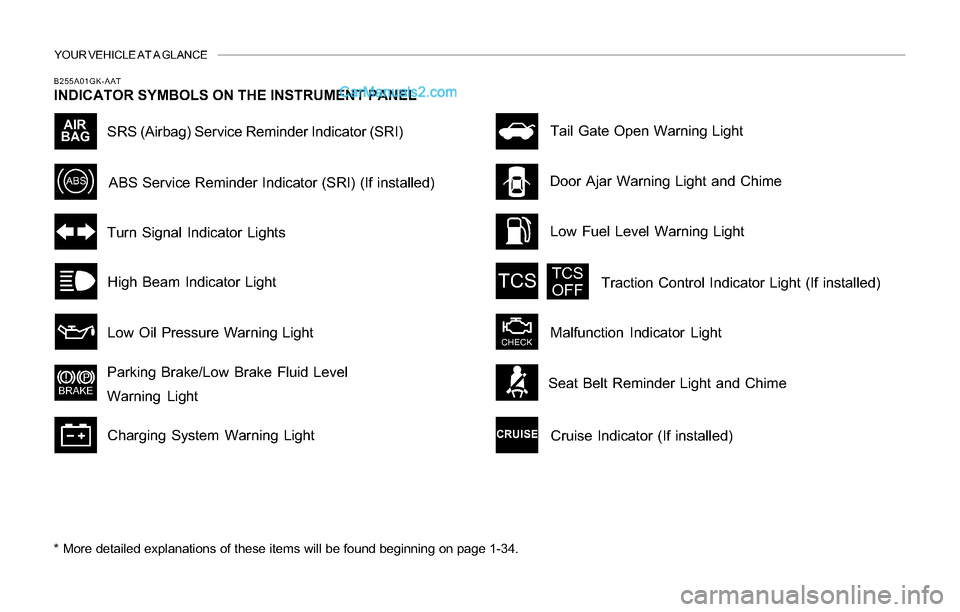
INDICATOR SYMBOLS ON THE INSTRUMENT PANEL
* More detailed explanations of these items will be found beginning on page 1-34.
SRS (Airbag) Service Reminder Indicator (SRI)
Door Ajar Warning Light and Chime
Turn Signal Indicator Lights
High Beam Indicator Light
Low Oil Pressure Warning Light
Parking Brake/Low Brake Fluid Level
Warning Light
Charging System Warning LightTail Gate Open Warning Light
ABS Service Reminder Indicator (SRI) (If installed)
Low Fuel Level Warning Light
Malfunction Indicator LightTraction Control Indicator Light (If installed)
Cruise Indicator (If installed)
Seat Belt Reminder Light and Chime
Page 46 of 224
1FEATURES OF YOUR HYUNDAI
33
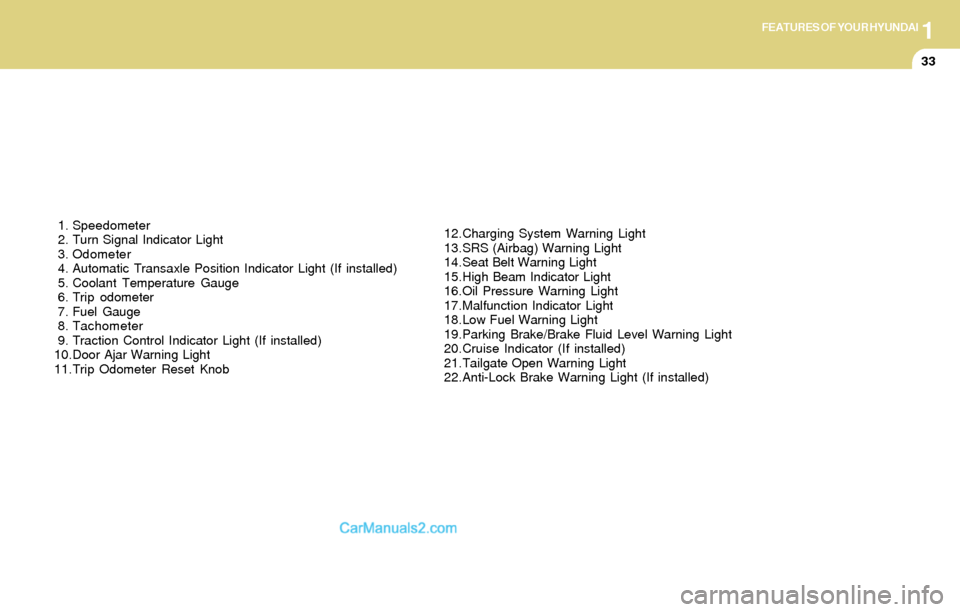
1. Speedometer
2. Turn Signal Indicator Light
3. Odometer
4. Automatic Transaxle Position Indicator Light (If installed)
5. Coolant Temperature Gauge
6. Trip odometer
7. Fuel Gauge
8. Tachometer
9. Traction Control Indicator Light (If installed)
10.Door Ajar Warning Light
11.Trip Odometer Reset Knob12.Charging System Warning Light
13.SRS (Airbag) Warning Light
14.Seat Belt Warning Light
15.High Beam Indicator Light
16.Oil Pressure Warning Light
17.Malfunction Indicator Light
18.Low Fuel Warning Light
19.Parking Brake/Brake Fluid Level Warning Light
20.Cruise Indicator (If installed)
21.Tailgate Open Warning Light
22.Anti-Lock Brake Warning Light (If installed)
Page 49 of 224
1FEATURES OF YOUR HYUNDAI
36
B260J01A-AAT
Charging System Warning Light
The charging system warning light should come
on when the ignition is turned on, then go out
when the engine is running. If the light stays on
while the engine is running, there is a malfunc-
tion in the electrical charging system. If the light
comes on while you are driving, stop, turn off the
engine and check under the hood. First, make
certain the generator drive belt is in place. If it is,
check the tension of the belt. Do this as shown
on page 6-20 by pushing down on the center of
the belt. And then have the system checked by
your Hyundai dealer.
B260K01F-AATTail Gate Open Warning Light
This light remains on unless the tail gate is
completely closed and latched.
B260L01Y-AAT
Door Ajar Warning Light and
Chime
The door ajar warning light warns you that a door
is not completely closed and the chime warns
you that driver's side front door is not completely
closed.
NOTE:To remind you not to lock the key inside the
car, the warning light comes on whenever
the key is in the "LOCK" position and a door
is open. The warning chime only sounds
whenever the key is in the "LOCK" position
and the driver's side front door is open. The
chime sounds and the light remains on
until the key is removed from the ignition.
B260M01A-AAT
Low Fuel Level Warning Light
The low fuel level warning light comes on when
the fuel tank is approaching empty. When it
comes on, you should add fuel as soon as
possible. Driving with the fuel level warning light
on or with the fuel level below "E" can cause the
engine to misfire and damage the catalytic
converter.
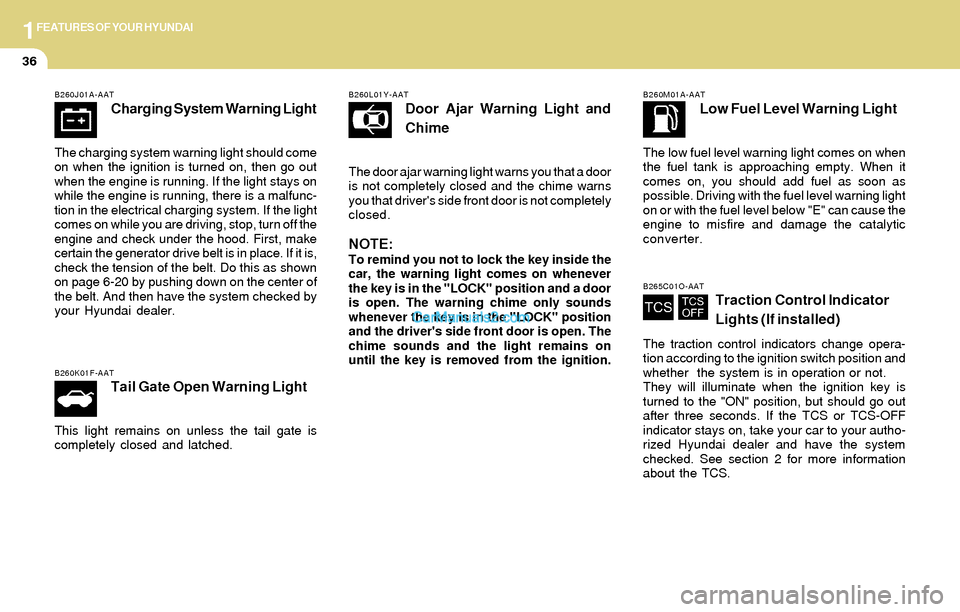
B265C01O-AATTraction Control Indicator
Lights (If installed)
The traction control indicators change opera-
tion according to the ignition switch position and
whether the system is in operation or not.
They will illuminate when the ignition key is
turned to the "ON" position, but should go out
after three seconds. If the TCS or TCS-OFF
indicator stays on, take your car to your autho-
rized Hyundai dealer and have the system
checked. See section 2 for more information
about the TCS.
Page 118 of 224
DRIVING YOUR HYUNDAI
2
Before Starting the Engine ............................................ 2-3
Key Positions ................................................................ 2-3
Starting..........................................................................2-4
Manual Transaxle ......................................................... 2-5
Automatic Transaxle ..................................................... 2-8
Good Braking Practices..............................................2-11
Anti-Lock Brake System (ABS) ..................................2-12
Traction Control System (TCS) ..................................2-13
Driving for Economy...................................................2-14
Winter Driving.............................................................2-16
Trailer or Vehicle Towing ............................................2-18
2
Page 124 of 224
2DRIVING YOUR HYUNDAI
7
C070D03A-AAT
Good Driving Practices
o Never take the car out of gear and coast
down a hill. This is extremely hazardous.
Always leave the car in gear.
o Don't "ride" the brakes. This can cause them
to overheat and malfunction. Instead, when
you are driving down a long hill, slow down
and shift to a lower gear. When you do this,
engine braking will help slow the car.
o Slow down before shifting to a lower gear.
This will help avoid over-revving the engine,
which can cause damage.
o Slow down when you encounter cross winds.
This gives you much better control of your
car.
o Be sure the car is completely stopped before
you attempt to shift into reverse. The
transaxle can be damaged if you do not. To
shift into reverse, depress the clutch, move
the shift lever to neutral, wait three seconds,
then shift to the reverse position.
o Exercise extreme caution when driving on a
slippery surface. Be especially careful when
braking, accelerating or shifting gears. On a
slippery surface, an abrupt change in ve-
hicle speed can cause the drive wheels to
lose traction and the vehicle to go out of
control.
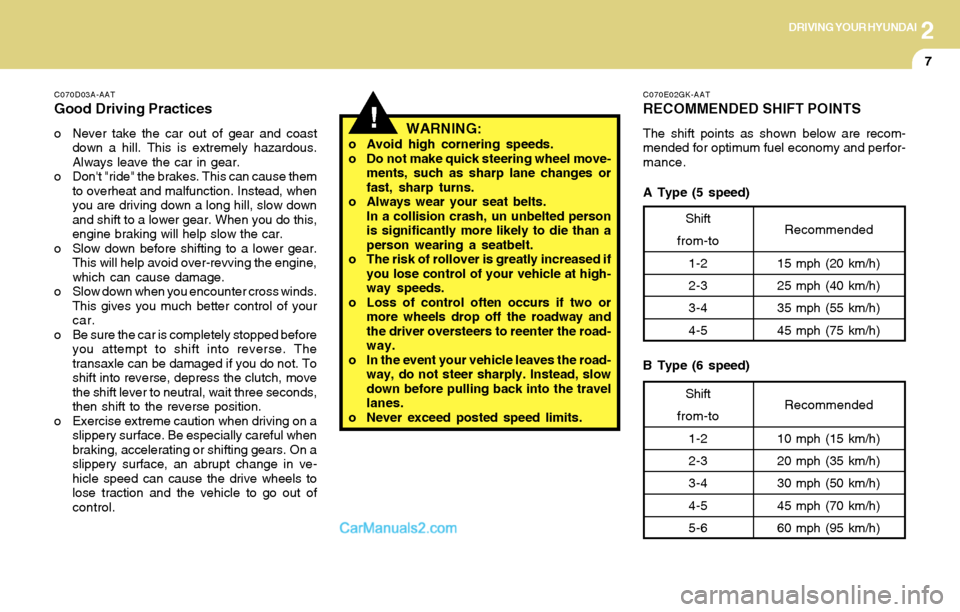
C070E02GK-AAT
RECOMMENDED SHIFT POINTS
The shift points as shown below are recom-
mended for optimum fuel economy and perfor-
mance.!WARNING:o Avoid high cornering speeds.
o Do not make quick steering wheel move-
ments, such as sharp lane changes or
fast, sharp turns.
o Always wear your seat belts.
In a collision crash, un unbelted person
is significantly more likely to die than a
person wearing a seatbelt.
o The risk of rollover is greatly increased if
you lose control of your vehicle at high-
way speeds.
o Loss of control often occurs if two or
more wheels drop off the roadway and
the driver oversteers to reenter the road-
way.
o In the event your vehicle leaves the road-
way, do not steer sharply. Instead, slow
down before pulling back into the travel
lanes.
o Never exceed posted speed limits.
Shift
from-to
1-2
2-3
3-4
4-5Recommended
15 mph (20 km/h)
25 mph (40 km/h)
35 mph (55 km/h)
45 mph (75 km/h)
Shift
from-to
1-2
2-3
3-4
4-5
5-6Recommended
10 mph (15 km/h)
20 mph (35 km/h)
30 mph (50 km/h)
45 mph (70 km/h)
60 mph (95 km/h)
A Type (5 speed)
B Type (6 speed)
Page 128 of 224
2DRIVING YOUR HYUNDAI
11GOOD BRAKING PRACTICES
!!
C090N02O-AAT
Good Driving Practices
o Never move the gear selector lever from "P"
or "N" to any other position with the accelera-
tor pedal depressed.
o Never move the gear selector lever into "P"
when the vehicle is in motion.
o Be sure the car is completely stopped before
you attempt to shift into "R".
o Never take the car out of gear and coast
down a hill. This may be extremely hazard-
ous. Always leave the car in gear when
moving.
o Do not "ride" the brakes. This can cause
them to overheat and malfunction. Instead,
when you are driving down a long hill, slow
down and shift to a lower gear. When you do
this, engine braking will help slow the car.
o Slow down before shifting to a lower gear.
Otherwise, the lower gear may not be en-
gaged.
o Always use the parking brake. Do not de-
pend on placing the transaxle in "P" to keep
the car from moving.
o Exercise extreme caution when driving on a
slippery surface. Be especially careful when
braking, accelerating or shifting gears. On a
slippery surface, an abrupt change in ve-
hicle speed can cause the drive wheels to
lose traction and the vehicle to go out of
control.WARNING:o Avoid high cornering speeds.
o Do not make quick steering wheel move-
ments, such as sharp lane changes or
fast, sharp turns.
o Always wear your seat belts.
In a collision crash, un unbelted person
is significantly more likely to die than a
person wearing a seatbelt.
o The risk of rollover is greatly increased if
you lose control of your vehicle at high-
way speeds.
o Loss of control often occurs if two or
more wheels drop off the roadway and
the driver oversteers to reenter the road-
way.
o In the event your vehicle leaves the road-
way, do not steer sharply. Instead, slow
down before pulling back into the travel
lanes.
o Never exceed posted speed limits.
C130A01A-AAT
WARNING:Nothing should be carried on top of the
shelf panel behind the rear seat. If there
were an accident or a sudden stop, such
objects could move forward and cause
damage to the vehicle or injure the occu-
pants.
o After being parked, check to be sure the
parking brake is not engaged and that the
parking brake indicator light is out before
driving away.
o Driving through water may get the brakes
wet. They can also get wet when the car is
washed. Wet brakes can be dangerous!
Your car will not stop as quickly if the brakes
are wet. Wet brakes cause the car to pull to
one side. To dry the brakes, apply the
brakes lightly until the braking action returns
to normal, taking care to keep the car under
control at all times. If the braking action does
not return to normal, stop as soon as it is safe
to do so and call your Hyundai dealer for
assistance.
Page 130 of 224
2DRIVING YOUR HYUNDAI
13TRACTION CONTROL SYSTEM (TCS)
!
!WARNING:ABS will not prevent accidents due to im-
proper or dangerous driving maneuvers.
Even though vehicle control is improved
during emergency braking, always main-
tain a safe distance between you and ob-
jects ahead. Vehicle speeds should always
be reduced during extreme road condi-
tions.
The braking distance for cars equipped
with an anti-lock braking system may be
longer than for those without it in the
following road conditions.
During these conditions the vehicle should
be driven at reduced speeds.
o Driving on rough, gravel or snow-cov-
ered roads.
o Driving with tire chains installed.
o Driving on roads where the road surface
is pitted or has different surface height.
The safety features of an ABS equipped
vehicle should not be tested by high speed
driving or cornering. This could endanger
the safety of yourself or others.
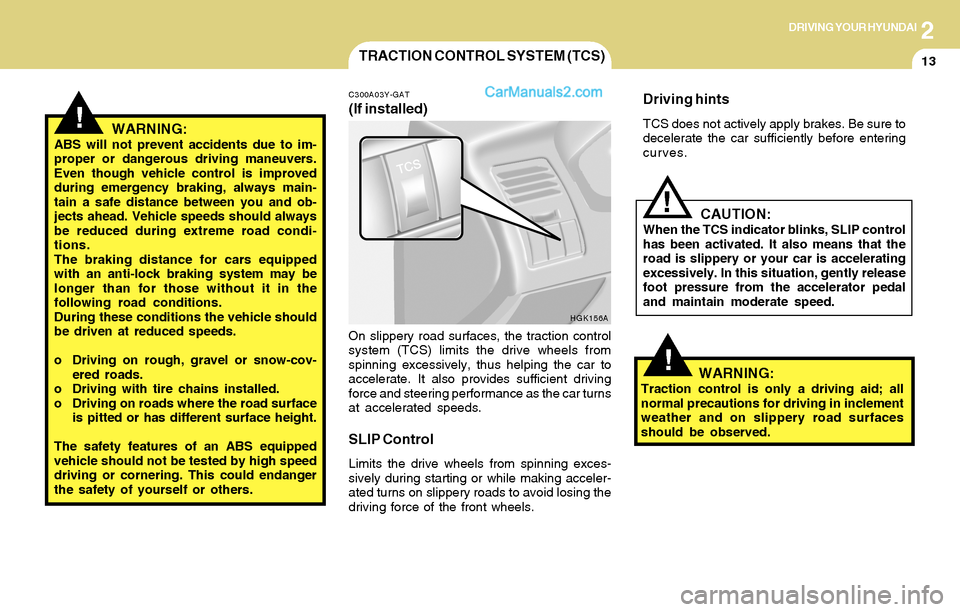
C300A03Y-GAT
(If installed)
On slippery road surfaces, the traction control
system (TCS) limits the drive wheels from
spinning excessively, thus helping the car to
accelerate. It also provides sufficient driving
force and steering performance as the car turns
at accelerated speeds.
SLIP Control
Limits the drive wheels from spinning exces-
sively during starting or while making acceler-
ated turns on slippery roads to avoid losing the
driving force of the front wheels.
Driving hints
TCS does not actively apply brakes. Be sure to
decelerate the car sufficiently before entering
curves.
CAUTION:When the TCS indicator blinks, SLIP control
has been activated. It also means that the
road is slippery or your car is accelerating
excessively. In this situation, gently release
foot pressure from the accelerator pedal
and maintain moderate speed.
WARNING:Traction control is only a driving aid; all
normal precautions for driving in inclement
weather and on slippery road surfaces
should be observed.
HGK156A
!
Page 131 of 224
2DRIVING YOUR HYUNDAI
14DRIVING FOR ECONOMY
C310B01O-AAT
TCS ON/OFF Mode
When the TCS is running, the TCS indicator light
in the instrument cluster will blink.
If you turn the system off by pressing the TCS
switch, the TCS-OFF indicator light will come on
and stay on. In the TCS-OFF mode, the SLIP
control will be deactivated. Adjust you driving
accordingly. To turn the system back on, press
the switch again. The TCS-OFF indicator light
should go off.
NOTE:1) The TCS mode will automatically be
turned ON after the engine is turned off
and restarted.
2) When the traction control system is
operating properly, you can feel a slight
pulsation in the vehicle. This is only the
effect of brake control and indicates
nothing unusual.
3) When the engine starts, a click is heard
from the engine compartment; however,
this is only the sound of traction control
being checked.
4) When moving out of the mud or fresh
snow, pressing the accelerator pedal
may not cause the engine speed to in-
crease due to TCS operation.
C310D01O-AAT
Indicators and Warning
The TCS indicators should illuminate when the
ignition key is turned to ON or START but should
go out after three seconds.
If the indicator does not illuminate, or the TCS or
TCS-OFF indicator does not go out after 3
seconds, have it checked by an authorized
dealer.
Should there be any unusual conditions in the
device while driving, TCS-OFF indicator illumi-
nates as a warning.
If TCS-OFF indicator illuminates, pull your car
to a safe place and stop the engine.
Then, start the engine again to check if the TCS-
OFF indicator goes out.
If the indicator remains lit even after the engine
has been started, have your car checked by an
authorized Hyundai dealer.
NOTE:1) When the TCS-OFF indicator illuminates,
traction control is automatically deacti-
vated for safety.
2) This warning function is not provided
when the driver selects the TCS-OFF
mode.
C140A01A-AAT
You can save fuel and get more miles from your
car if you follow these suggestions:
o Drive smoothly. Accelerate at a moderate
rate. Don't make "jack-rabbit" starts or full-
throttle shifts and maintain a steady cruising
speed. Don't race between stoplights. Try to
adjust your speed to that of the other traffic
so you don't have to change speeds unnec-
essarily. Avoid heavy traffic whenever pos-
sible. Always maintain a safe distance from
other vehicles so you can avoid unneces-
sary braking. This also reduces brake wear.
o Drive at a moderate speed. The faster you
drive, the more fuel your car uses. Driving at
a moderate speed, especially on the high-
way, is one of the most effective ways to
reduce fuel consumption.
o Don't "ride" the brake or clutch pedal. This
can increase fuel consumption and also
increase wear on these components. In
addition, driving with your foot resting on the
brake pedal may cause the brakes to over-
heat, which reduces their effectiveness and
may lead to more serious consequences.
o Take care of your tires. Keep them inflated
to the recommended pressure. Incorrect
inflation, either too much or too little, results
in unnecessary tire wear. Check the tire
pressures at least once a month.
Page 205 of 224
7EMISSION CONTROL SYSTEMS
2EMISSION CONTROL SYSTEM
H010D01A-AAT3. Exhaust Emission Control System
The Exhaust Emission Control System is a
highly effective system which controls exhaust
emissions while maintaining good vehicle per-
formance.
H010B01A-AAT
1. Crankcase Emission Control
System
The Positive Crankcase Ventilation System is
employed to prevent air pollution caused by
blow-by gases being emitted from the crank-
case. This system supplies fresh filtered air to
the crankcase through the air intake hose.
Inside the crankcase, the fresh air mixes with
blow-by gases, which then pass through the
PCV valve and into the induction system.
H010A01GK-AAT
Your Hyundai is equipped with an emission
control system to meet all requirements of the
U.S. Environmental Protection Agency or Cali-
fornia Air Resources Board.
There are three emission control systems which
are as follows.
1) Crankcase Emission Control System
2) Evaporative Emission Control System
3) Exhaust Emission Control System
In order to ensure the proper function of the
emission control systems, it is recommended
that you have your car inspected and main-
tained by an authorized Hyundai dealer in ac-
cordance with the maintenance schedule in this
manual.
Caution for the Inspection and Maintenance
Test (Vehicle with Traction Control Sys-
tem)
o To prevent the vehicle from misfiring
during dynamometer testing, discon-
nect the ABS connector located inside
of the wheel guard (driver side).
o For more information, see shop manual
(BR Group, Wheel Speed Sensor).Canister
Fuel vapors generated inside the fuel tank are
absorbed and stored in the onboard canister.
When the engine is running, the fuel vapors
absorbed in the canister are drawn into the
induction system through the purge control
solenoid valve.
Purge Control Solenoid Valve (PCSV)
The purge control solenoid valve is controlled
by the Engine Control Module (ECM); when the
engine coolant temperature is low during idling,
the PCSV closes so that evaporated fuel is not
taken into the engine. After the engine warms-
up during ordinary driving, the PCSV opens to
introduce evaporated fuel to the engine.
H010C01S-AAT
2. Evaporative Emission Control (Includ-
ing ORVR: Onboard Refueling Vapor
Recovery) System
The Evaporative Emission Control System is
designed to prevent fuel vapors from escaping
into the atmosphere.
(The ORVR system is designed to allow the
vapors from the fuel tank to be loaded into a
canister while refueling at the gas station, pre-
venting the escape of fuel vapors into the
atmosphere.)