ignition Hyundai Tiburon 2006 Owner's Guide
[x] Cancel search | Manufacturer: HYUNDAI, Model Year: 2006, Model line: Tiburon, Model: Hyundai Tiburon 2006Pages: 266, PDF Size: 10.94 MB
Page 67 of 266
1
FEATURES OF YOUR HYUNDAI
55
!
WARNING:
o Do not close a sunroof if anyone’s hands,
arms or body are between the sliding
glass and the sunroof sash, as this could
result in injury.
o Do not place your head or arms out of the
sunroof opening at any time.
o While the vehicle is moving, always keep
the head, hands and other parts of the
body of all occupants away from the roof
opening. Otherwise, you could be seri-
ously injured if the vehicle stops sud-
denly or if the vehicle is involved in an
accident.
CAUTION:
o Do not open the sunroof in severely cold
temperature or when it is covered with
ice or snow.
o Periodically remove any dirt that may
have accumulated on the guide rails.
!
SUNROOFB460A01S-AAT(If Installed)The sunroof can be operated with the ignition
key in the "ON" position.
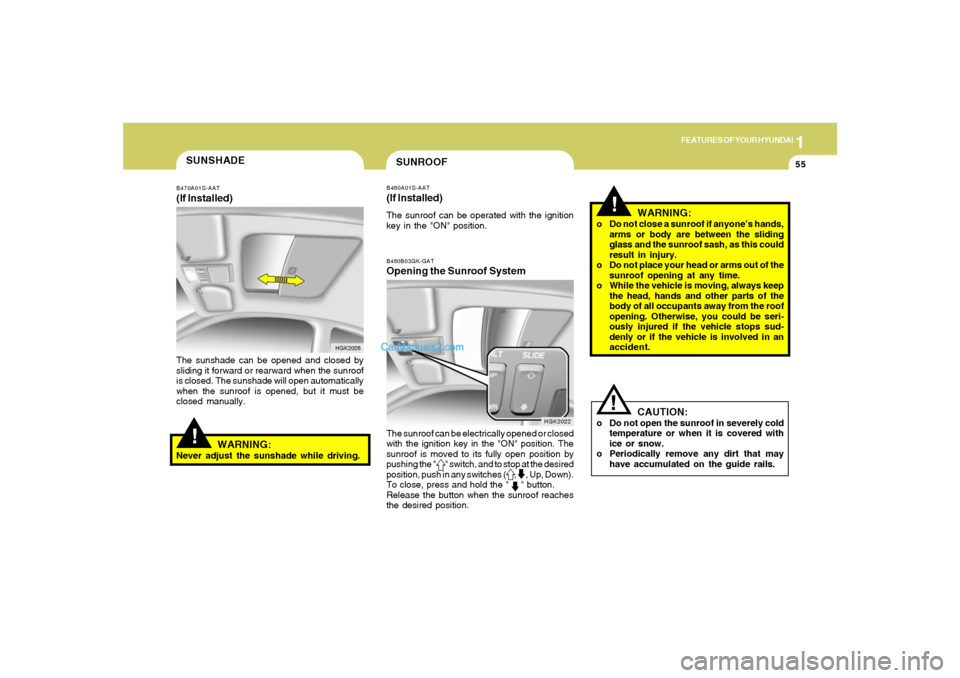
!SUNSHADEB470A01S-AAT(If Installed)The sunshade can be opened and closed by
sliding it forward or rearward when the sunroof
is closed. The sunshade will open automatically
when the sunroof is opened, but it must be
closed manually.
HGK2026
WARNING:
Never adjust the sunshade while driving.
B460B03GK-GATOpening the Sunroof SystemThe sunroof can be electrically opened or closed
with the ignition key in the "ON" position. The
sunroof is moved to its fully open position by
pushing the " " switch, and to stop at the desired
position, push in any switches ( , , Up, Down).
To close, press and hold the " " button.
Release the button when the sunroof reaches
the desired position.
HGK2022
Page 69 of 266
1
FEATURES OF YOUR HYUNDAI
57
HGK2087 B460E03GK-GAT
Resetting the Sunroof SystemIf the battery has been recharged, discon-
nected or is manually with operating the hex-
agonal head wrench, you may need to reset the
sunroof.To do this;1. Turn the ignition switch "OFF".
2. With pressing " " "up" button at the same
time, turn the ignition switch "ON".
The resetting is failed when the ignition
key to the "OFF" within 1.5 seconds.
3. If the sunroof is set like this, the sunroof is
reset with tilting up/down automatically once
for all.
CAUTION:
If the sunroof is not reset, it may not operate
normally.
!
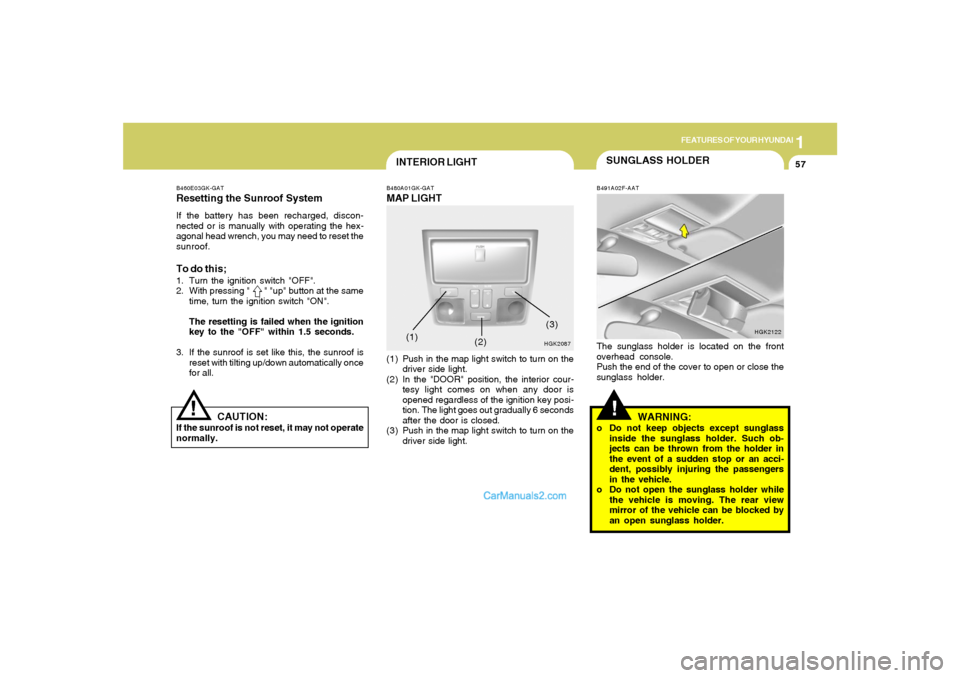
INTERIOR LIGHTB480A01GK-GATMAP LIGHT(1) Push in the map light switch to turn on the
driver side light.
(2) In the "DOOR" position, the interior cour-
tesy light comes on when any door is
opened regardless of the ignition key posi-
tion. The light goes out gradually 6 seconds
after the door is closed.
(3) Push in the map light switch to turn on the
driver side light.(1)
(2)
(3)
SUNGLASS HOLDER!
B491A02F-AATThe sunglass holder is located on the front
overhead console.
Push the end of the cover to open or close the
sunglass holder.
HGK2122
WARNING:
o Do not keep objects except sunglass
inside the sunglass holder. Such ob-
jects can be thrown from the holder in
the event of a sudden stop or an acci-
dent, possibly injuring the passengers
in the vehicle.
o Do not open the sunglass holder while
the vehicle is moving. The rear view
mirror of the vehicle can be blocked by
an open sunglass holder.
Page 72 of 266
1FEATURES OF YOUR HYUNDAI60
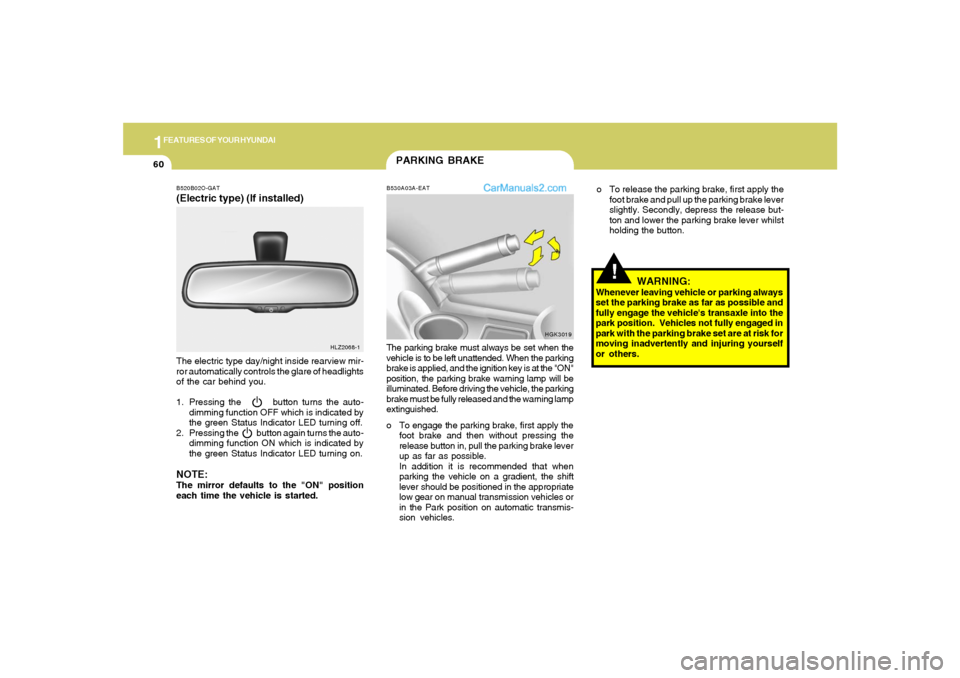
PARKING BRAKEB530A03A-EATThe parking brake must always be set when the
vehicle is to be left unattended. When the parking
brake is applied, and the ignition key is at the "ON"
position, the parking brake warning lamp will be
illuminated. Before driving the vehicle, the parking
brake must be fully released and the warning lamp
extinguished.
o To engage the parking brake, first apply the
foot brake and then without pressing the
release button in, pull the parking brake lever
up as far as possible.
In addition it is recommended that when
parking the vehicle on a gradient, the shift
lever should be positioned in the appropriate
low gear on manual transmission vehicles or
in the Park position on automatic transmis-
sion vehicles.
HGK3019 B520B02O-GAT
(Electric type) (If installed)The electric type day/night inside rearview mir-
ror automatically controls the glare of headlights
of the car behind you.
1. Pressing the button turns the auto-
dimming function OFF which is indicated by
the green Status Indicator LED turning off.
2. Pressing the button again turns the auto-
dimming function ON which is indicated by
the green Status Indicator LED turning on.NOTE:The mirror defaults to the "ON" position
each time the vehicle is started.
HLZ2068-1
!
WARNING:
Whenever leaving vehicle or parking always
set the parking brake as far as possible and
fully engage the vehicle's transaxle into the
park position. Vehicles not fully engaged in
park with the parking brake set are at risk for
moving inadvertently and injuring yourself
or others.o To release the parking brake, first apply the
foot brake and pull up the parking brake lever
slightly. Secondly, depress the release but-
ton and lower the parking brake lever whilst
holding the button.
Page 88 of 266
1FEATURES OF YOUR HYUNDAI76
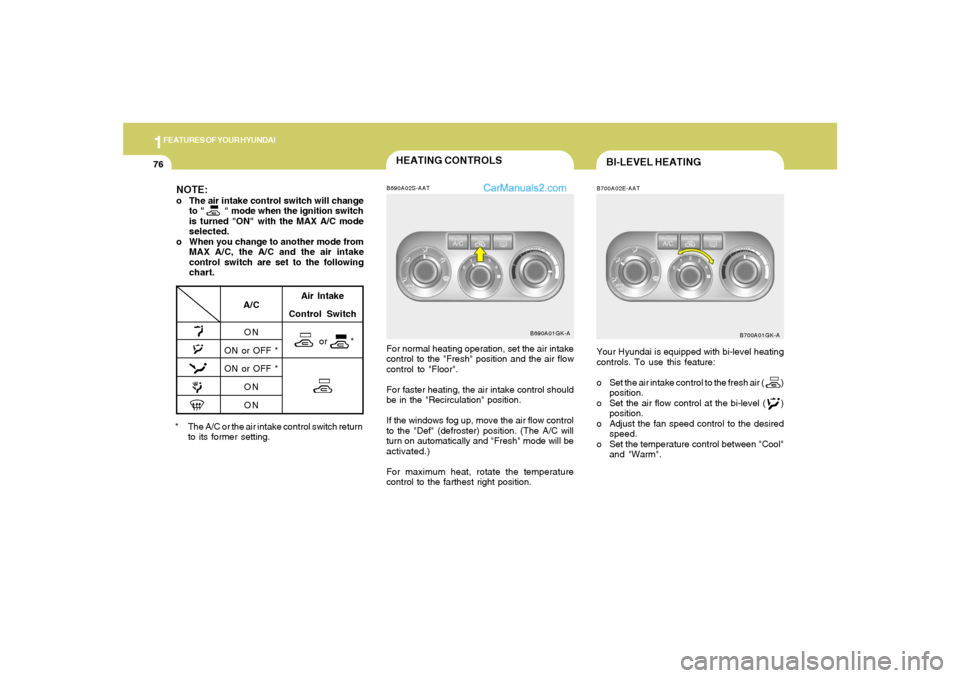
HEATING CONTROLSB690A02S-AATFor normal heating operation, set the air intake
control to the "Fresh" position and the air flow
control to "Floor".
For faster heating, the air intake control should
be in the "Recirculation" position.
If the windows fog up, move the air flow control
to the "Def" (defroster) position. (The A/C will
turn on automatically and "Fresh" mode will be
activated.)
For maximum heat, rotate the temperature
control to the farthest right position.
B690A01GK-A
* The A/C or the air intake control switch return
to its former setting.
A/C
ON
ON or OFF *
ON or OFF *
ON
ON
NOTE:o The air intake control switch will change
to " " mode when the ignition switch
is turned "ON" with the MAX A/C mode
selected.
o When you change to another mode from
MAX A/C, the A/C and the air intake
control switch are set to the following
chart.
Air Intake
Control Switch
or *
BI-LEVEL HEATINGB700A02E-AATYour Hyundai is equipped with bi-level heating
controls. To use this feature:
o Set the air intake control to the fresh air ( )
position.
o Set the air flow control at the bi-level ( )
position.
o Adjust the fan speed control to the desired
speed.
o Set the temperature control between "Cool"
and "Warm".
B700A01GK-A
Page 103 of 266
1
FEATURES OF YOUR HYUNDAI
91
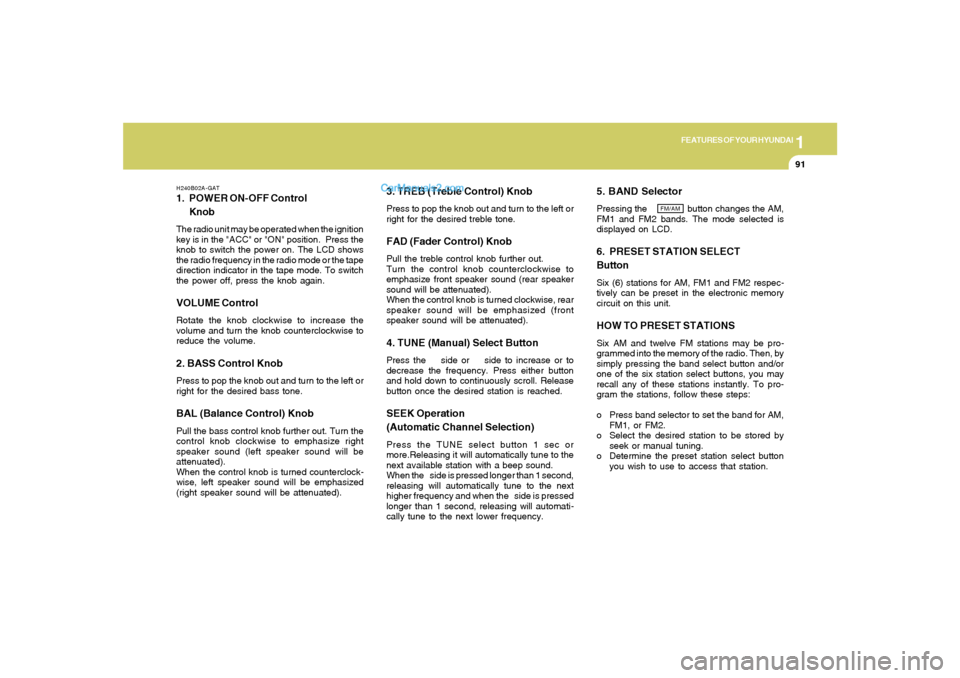
H240B02A-GAT1. POWER ON-OFF Control
KnobThe radio unit may be operated when the ignition
key is in the "ACC" or "ON" position. Press the
knob to switch the power on. The LCD shows
the radio frequency in the radio mode or the tape
direction indicator in the tape mode. To switch
the power off, press the knob again.VOLUME ControlRotate the knob clockwise to increase the
volume and turn the knob counterclockwise to
reduce the volume.2. BASS Control KnobPress to pop the knob out and turn to the left or
right for the desired bass tone.BAL (Balance Control) KnobPull the bass control knob further out. Turn the
control knob clockwise to emphasize right
speaker sound (left speaker sound will be
attenuated).
When the control knob is turned counterclock-
wise, left speaker sound will be emphasized
(right speaker sound will be attenuated).
3. TREB (Treble Control) KnobPress to pop the knob out and turn to the left or
right for the desired treble tone.FAD (Fader Control) KnobPull the treble control knob further out.
Turn the control knob counterclockwise to
emphasize front speaker sound (rear speaker
sound will be attenuated).
When the control knob is turned clockwise, rear
speaker sound will be emphasized (front
speaker sound will be attenuated).4. TUNE (Manual) Select ButtonPress the side or side to increase or to
decrease the frequency. Press either button
and hold down to continuously scroll. Release
button once the desired station is reached.SEEK Operation
(Automatic Channel Selection)Press the TUNE select button 1 sec or
more.Releasing it will automatically tune to the
next available station with a beep sound.
When the side is pressed longer than 1 second,
releasing will automatically tune to the next
higher frequency and when the side is pressed
longer than 1 second, releasing will automati-
cally tune to the next lower frequency.
5. BAND SelectorPressing the button changes the AM,
FM1 and FM2 bands. The mode selected is
displayed on LCD.6. PRESET STATION SELECT
ButtonSix (6) stations for AM, FM1 and FM2 respec-
tively can be preset in the electronic memory
circuit on this unit.HOW TO PRESET STATIONSSix AM and twelve FM stations may be pro-
grammed into the memory of the radio. Then, by
simply pressing the band select button and/or
one of the six station select buttons, you may
recall any of these stations instantly. To pro-
gram the stations, follow these steps:
o Press band selector to set the band for AM,
FM1, or FM2.
o Select the desired station to be stored by
seek or manual tuning.
o Determine the preset station select button
you wish to use to access that station.
FM/AM
Page 108 of 266
1FEATURES OF YOUR HYUNDAI96
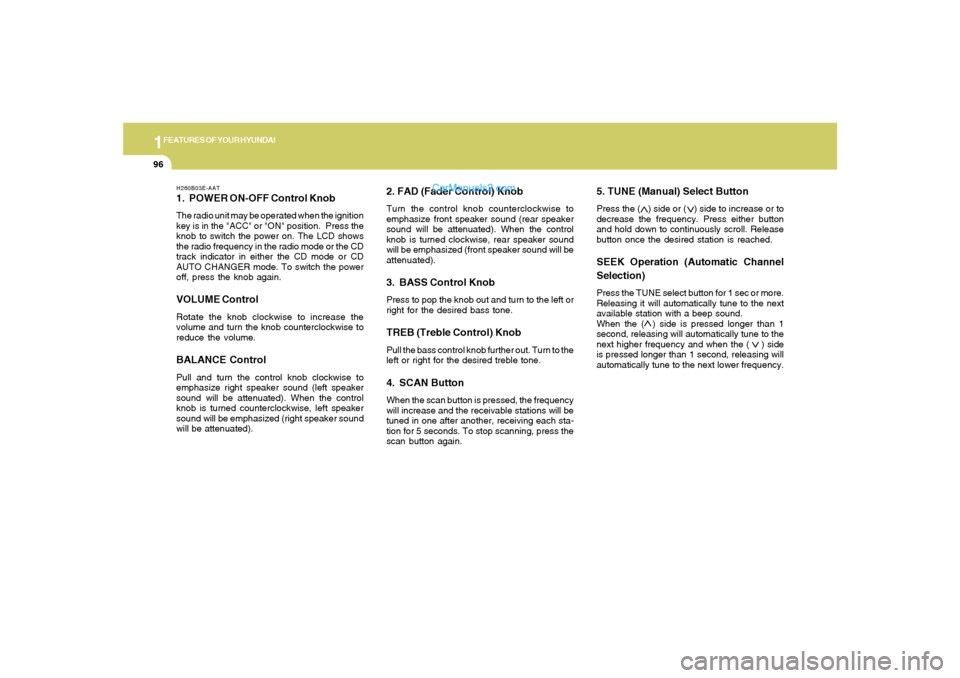
H260B03E-AAT1. POWER ON-OFF Control KnobThe radio unit may be operated when the ignition
key is in the "ACC" or "ON" position. Press the
knob to switch the power on. The LCD shows
the radio frequency in the radio mode or the CD
track indicator in either the CD mode or CD
AUTO CHANGER mode. To switch the power
off, press the knob again.VOLUME ControlRotate the knob clockwise to increase the
volume and turn the knob counterclockwise to
reduce the volume.BALANCE ControlPull and turn the control knob clockwise to
emphasize right speaker sound (left speaker
sound will be attenuated). When the control
knob is turned counterclockwise, left speaker
sound will be emphasized (right speaker sound
will be attenuated).
2. FAD (Fader Control) KnobTurn the control knob counterclockwise to
emphasize front speaker sound (rear speaker
sound will be attenuated). When the control
knob is turned clockwise, rear speaker sound
will be emphasized (front speaker sound will be
attenuated).3. BASS Control KnobPress to pop the knob out and turn to the left or
right for the desired bass tone.TREB (Treble Control) KnobPull the bass control knob further out. Turn to the
left or right for the desired treble tone.4. SCAN ButtonWhen the scan button is pressed, the frequency
will increase and the receivable stations will be
tuned in one after another, receiving each sta-
tion for 5 seconds. To stop scanning, press the
scan button again.
5. TUNE (Manual) Select ButtonPress the ( ) side or ( ) side to increase or to
decrease the frequency. Press either button
and hold down to continuously scroll. Release
button once the desired station is reached.SEEK Operation (Automatic Channel
Selection)Press the TUNE select button for 1 sec or more.
Releasing it will automatically tune to the next
available station with a beep sound.
When the ( ) side is pressed longer than 1
second, releasing will automatically tune to the
next higher frequency and when the ( ) side
is pressed longer than 1 second, releasing will
automatically tune to the next lower frequency.
Page 111 of 266
1
FEATURES OF YOUR HYUNDAI
99
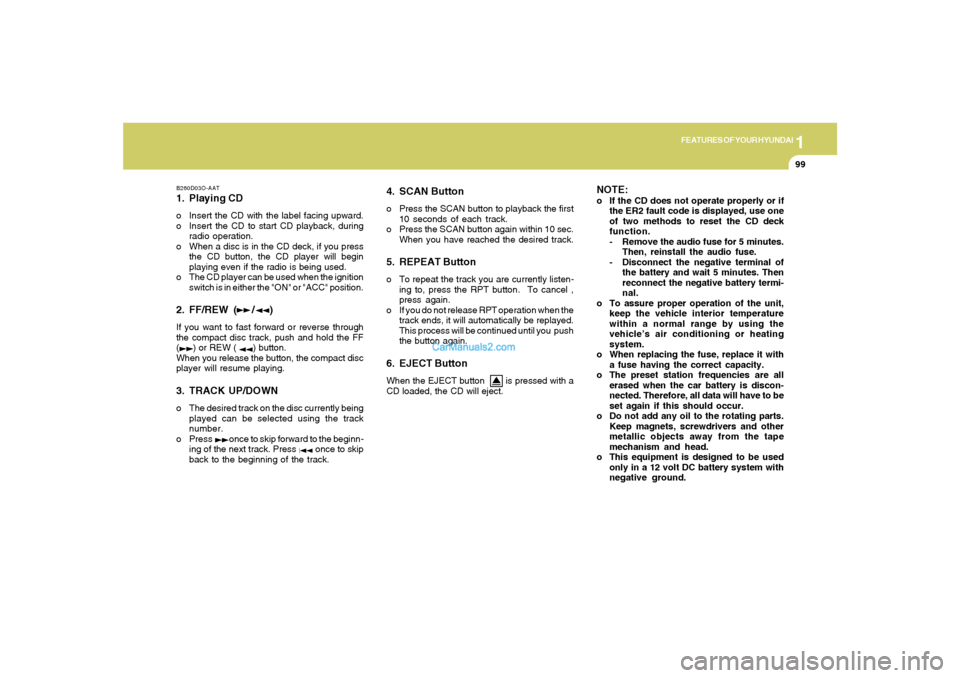
B260D03O-AAT1. Playing CDo Insert the CD with the label facing upward.
o Insert the CD to start CD playback, during
radio operation.
o When a disc is in the CD deck, if you press
the CD button, the CD player will begin
playing even if the radio is being used.
o The CD player can be used when the ignition
switch is in either the "ON" or "ACC" position.2. FF/REW ( / )If you want to fast forward or reverse through
the compact disc track, push and hold the FF
( ) or REW ( ) button.
When you release the button, the compact disc
player will resume playing.3. TRACK UP/DOWNo The desired track on the disc currently being
played can be selected using the track
number.
o Press once to skip forward to the beginn-
ing of the next track. Press once to skip
back to the beginning of the track.
4. SCAN Buttono Press the SCAN button to playback the first
10 seconds of each track.
o Press the SCAN button again within 10 sec.
When you have reached the desired track.5. REPEAT Buttono To repeat the track you are currently listen-
ing to, press the RPT button. To cancel ,
press again.
o If you do not release RPT operation when the
track ends, it will automatically be replayed.
This process will be continued until you push
the button again.6. EJECT ButtonWhen the EJECT button is pressed with a
CD loaded, the CD will eject.
NOTE:o If the CD does not operate properly or if
the ER2 fault code is displayed, use one
of two methods to reset the CD deck
function.
- Remove the audio fuse for 5 minutes.
Then, reinstall the audio fuse.
- Disconnect the negative terminal of
the battery and wait 5 minutes. Then
reconnect the negative battery termi-
nal.
o To assure proper operation of the unit,
keep the vehicle interior temperature
within a normal range by using the
vehicle’s air conditioning or heating
system.
o When replacing the fuse, replace it with
a fuse having the correct capacity.
o The preset station frequencies are all
erased when the car battery is discon-
nected. Therefore, all data will have to be
set again if this should occur.
o Do not add any oil to the rotating parts.
Keep magnets, screwdrivers and other
metallic objects away from the tape
mechanism and head.
o This equipment is designed to be used
only in a 12 volt DC battery system with
negative ground.
Page 114 of 266
1FEATURES OF YOUR HYUNDAI
102
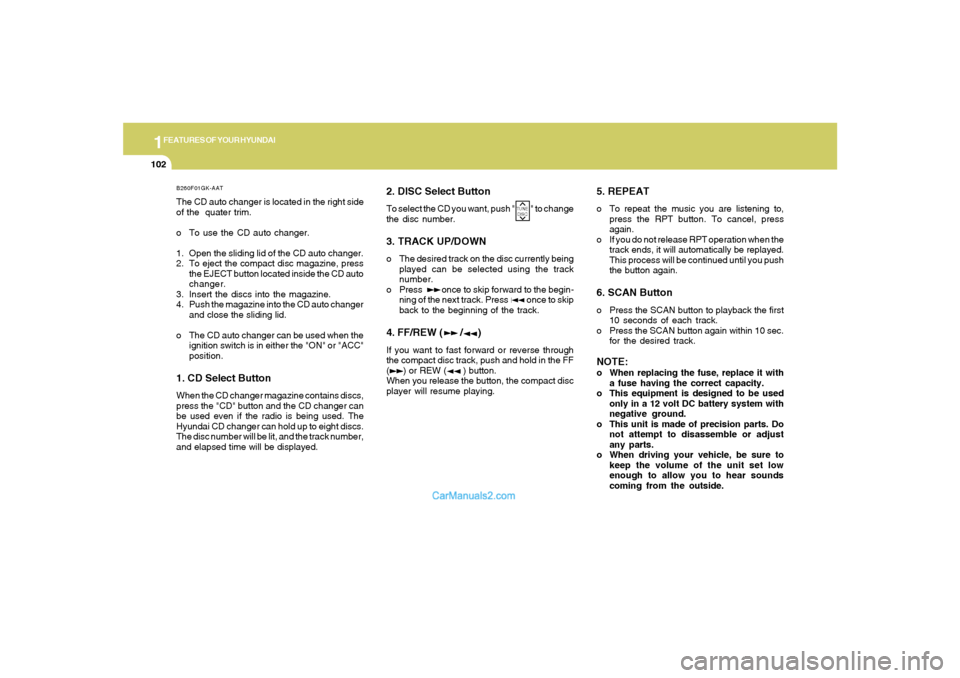
B260F01GK-AATThe CD auto changer is located in the right side
of the quater trim.
o To use the CD auto changer.
1. Open the sliding lid of the CD auto changer.
2. To eject the compact disc magazine, press
the EJECT button located inside the CD auto
changer.
3. Insert the discs into the magazine.
4. Push the magazine into the CD auto changer
and close the sliding lid.
o The CD auto changer can be used when the
ignition switch is in either the "ON" or "ACC"
position.1. CD Select ButtonWhen the CD changer magazine contains discs,
press the "CD" button and the CD changer can
be used even if the radio is being used. The
Hyundai CD changer can hold up to eight discs.
The disc number will be lit, and the track number,
and elapsed time will be displayed.
2. DISC Select ButtonTo select the CD you want, push " " to change
the disc number.3. TRACK UP/DOWNo The desired track on the disc currently being
played can be selected using the track
number.
o Press once to skip forward to the begin-
ning of the next track. Press once to skip
back to the beginning of the track.4. FF/REW ( / )If you want to fast forward or reverse through
the compact disc track, push and hold in the FF
( ) or REW ( ) button.
When you release the button, the compact disc
player will resume playing.
5. REPEATo To repeat the music you are listening to,
press the RPT button. To cancel, press
again.
o If you do not release RPT operation when the
track ends, it will automatically be replayed.
This process will be continued until you push
the button again.6. SCAN Buttono Press the SCAN button to playback the first
10 seconds of each track.
o Press the SCAN button again within 10 sec.
for the desired track.NOTE:o When replacing the fuse, replace it with
a fuse having the correct capacity.
o This equipment is designed to be used
only in a 12 volt DC battery system with
negative ground.
o This unit is made of precision parts. Do
not attempt to disassemble or adjust
any parts.
o When driving your vehicle, be sure to
keep the volume of the unit set low
enough to allow you to hear sounds
coming from the outside.
TUNE
DISC
Page 117 of 266
1
FEATURES OF YOUR HYUNDAI
105
H290B03E-GAT1. POWER ON-OFF Control KnobThe radio unit may be operated when the ignition
key is in the "ACC" or "ON" position. Press the
button to switch the power on. The display
shows the radio frequency in the radio mode,
the tape direction indicator in the tape mode or
CD track in either the CD mode or CD AUTO
CHANGER mode. To switch the power off,
press the button again.VOLUME ControlRotate the knob clockwise to increase the
volume and turn the knob counterclockwise to
reduce the volume.2. BASS/BALANCE Control Knob
BASS Control KnobPress to pop the knob out. To increase the bass,
rotate the knob clockwise, while to decrease the
bass, rotate the knob counterclockwise.
BALANCE Control knobPull the Bass control knob out further. Rotate the
knob clockwise to emphasize right speaker
sound (left speaker sound will be attenuated).
When the control knob is turned counterclock-
wise, left speaker sound will be emphasized
(right speaker sound will be attenuated).3. TREBLE/FAD Knob
TREBLE Control KnobPress to pop the knob out and turn to the left or
right for the desired treble tone.FAD (Fader Control) KnobPull the Treble control knob out further. Turn the
control knob counterclockwise to emphasize
front speaker sound (rear speaker sound will be
attenuated). When the control knob is turned
clockwise, rear speaker sound will be empha-
sized (front speaker sound will be attenuated).4. TUNE (Manual) Select ButtonPress the ( ) side or ( ) side to increase or to
decrease the frequency. Press either button
and hold down to continuously scroll. Release
button once the desired station is reached.
SEEK Operation (Automatic Channel
Selection)Press the TUNE select button for 0.5 sec or
more. Releasing it will automatically tune to the
next available station with a beep sound.
When the ( ) side is pressed longer than 0.5
second, releasing will automatically tune to the
next higher frequency and when the ( ) side is
pressed longer than 0.5 second, releasing will
automatically tune to the next lower frequency.5. PRESET STATION Select ButtonsSix (6) stations for AM, FM and FM2 respec-
tively can be preset in the electronic memory
circuit.HOW TO PRESET STATIONSSix AM and twelve FM stations may be pro-
grammed into the memory of the radio. Then, by
simply pressing the band select button and/or
one of the six station select buttons, you may
recall any of these stations instantly. To pro-
gram the stations, follow these steps:
Page 122 of 266
1FEATURES OF YOUR HYUNDAI
110
H290F01O-GAT1. CD Select Buttono Insert the CD with the label facing upward.
o Insert the CD to start CD playback, during
radio operation or cassette tape playing.
o When a disc is in the CD deck, if you press
the CD button the CD player will begin playing
even if the radio or cassette player is being
used.
o The CD player can be used when the ignition
switch is in either the "ON" or "ACC" position.2. FF/REW ( / )If you want to fast forward or reverse through
the compact disc track, push and hold the FF
( ) or REW ( ) button.
When you release the button, the compact disc
player will resume playing.3. TRACK UP/DOWNo The desired track on the disc currently being
played can be selected using the track
number.
o Press button once to skip forward to the
beginning of the next track. Press button
once to skip back to the beginning of the
track.
4. REPEATo To repeat the track you are listening to,
press the RPT button. To cancel, press
again.
o If you do not release RPT operation when the
track ends, it will automatically be replayed.
This process will be continued until you push
the button again.5. EQUALIZER ButtonPress the EQ button to select the CLASSIC,
JAZZ, ROCK and DEFEAT MODE for the
desired tone quality. Each press of the button
changes the display as follows;
7. SCAN Button (If installed)o Press the SCAN button to playback the first
10 seconds of each track.
o Press the SCAN button again within 10 sec.
When you have reached the desired track.NOTE:o To assure proper operation of the unit,
keep the vehicle interior temperature
within a normal range by using the
vehicle’s air conditioning or heating
system.
o When replacing the fuse, replace it with
a fuse having the correct capacity.
o The preset station frequencies are all
erased when the car battery is discon-
nected. Therefore, all data will have to be
set again if this should occur.
o Do not add any oil to the rotating parts.
Keep magnets, screwdrivers and other
metallic objects away from the tape
mechanism and head.
o This equipment is designed to be used
only in a 12 volt DC battery system with
negative ground.
o This unit is made of precision parts. Do
not attempt to disassemble or adjust
any parts. CLASSIC → JAZZ → ROCK → DEFEAT
6. CD EJECT ButtonWhen the button is pressed with a CD loaded,
the CD will eject.