heating Hyundai Tiburon 2006 Owner's Manual
[x] Cancel search | Manufacturer: HYUNDAI, Model Year: 2006, Model line: Tiburon, Model: Hyundai Tiburon 2006Pages: 266, PDF Size: 10.94 MB
Page 11 of 266
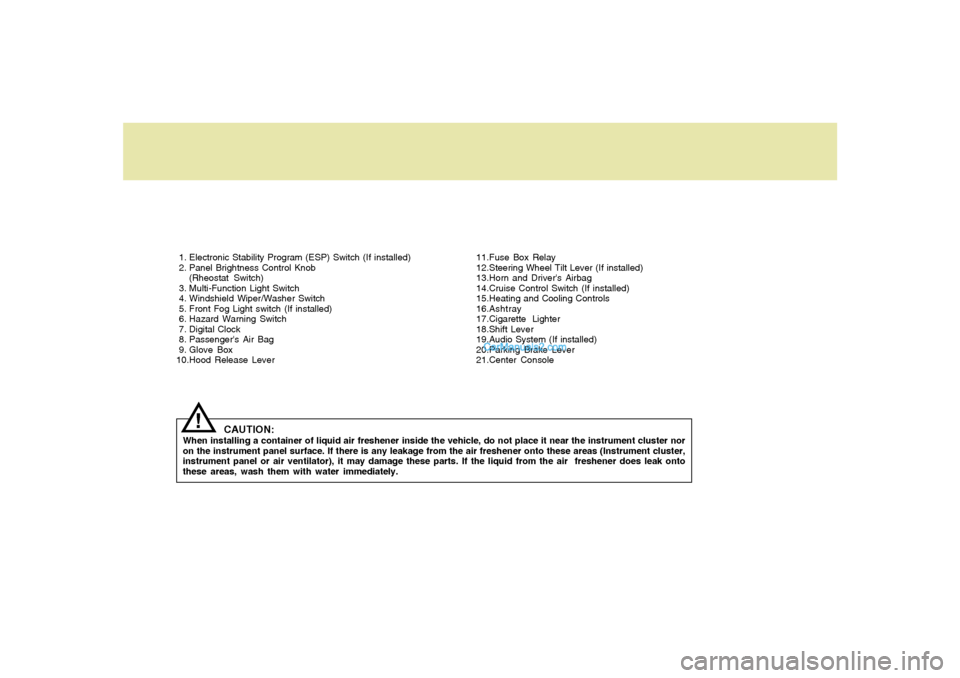
1. Electronic Stability Program (ESP) Switch (If installed)
2. Panel Brightness Control Knob
(Rheostat Switch)
3. Multi-Function Light Switch
4. Windshield Wiper/Washer Switch
5. Front Fog Light switch (If installed)
6. Hazard Warning Switch
7. Digital Clock
8. Passenger's Air Bag
9. Glove Box
10.Hood Release Lever11.Fuse Box Relay
12.Steering Wheel Tilt Lever (If installed)
13.Horn and Driver's Airbag
14.Cruise Control Switch (If installed)
15.Heating and Cooling Controls
16.Ashtray
17.Cigarette Lighter
18.Shift Lever
19.Audio System (If installed)
20.Parking Brake Lever
21.Center Console
CAUTION:
When installing a container of liquid air freshener inside the vehicle, do not place it near the instrument cluster nor
on the instrument panel surface. If there is any leakage from the air freshener onto these areas (Instrument cluster,
instrument panel or air ventilator), it may damage these parts. If the liquid from the air freshener does leak onto
these areas, wash them with water immediately.
!
Page 13 of 266
FEATURES OF YOUR HYUNDAI
1
Fuel Recommendations ................................................ 1-2
Breaking in Your New Hyundai ..................................... 1-3
Keys.............................................................................. 1-3
Door (Teft-Alarm System) ...................................... 1-4, 1-6
Power Windows ............................................................ 1-9
Seats...........................................................................1-10
Seat Belts....................................................................1-16
Child Restraint System ...............................................1-21
Supplemental Restraint (AIRBAG) System (SRS) .....1-28
Instrument Cluster and Indicator Lights...................... 1-36
Warning and Indicator Lights......................................1-38
Multi-Function Light Switch .........................................1-47
Windshield Wiper/Washer Switch...............................1-49
Sunroof.......................................................................1-55
Mirror...........................................................................1-58
Hood Release .............................................................1-61
Cruise Control.............................................................1-67
Audio Remote Control Switch .....................................1-70
Heating and Cooling Control .......................................1-71
Stereo Sound System.................................................1-88
Audio System..............................................................1-90
Antenna.....................................................................1-127
1
Page 65 of 266
1
FEATURES OF YOUR HYUNDAI
53
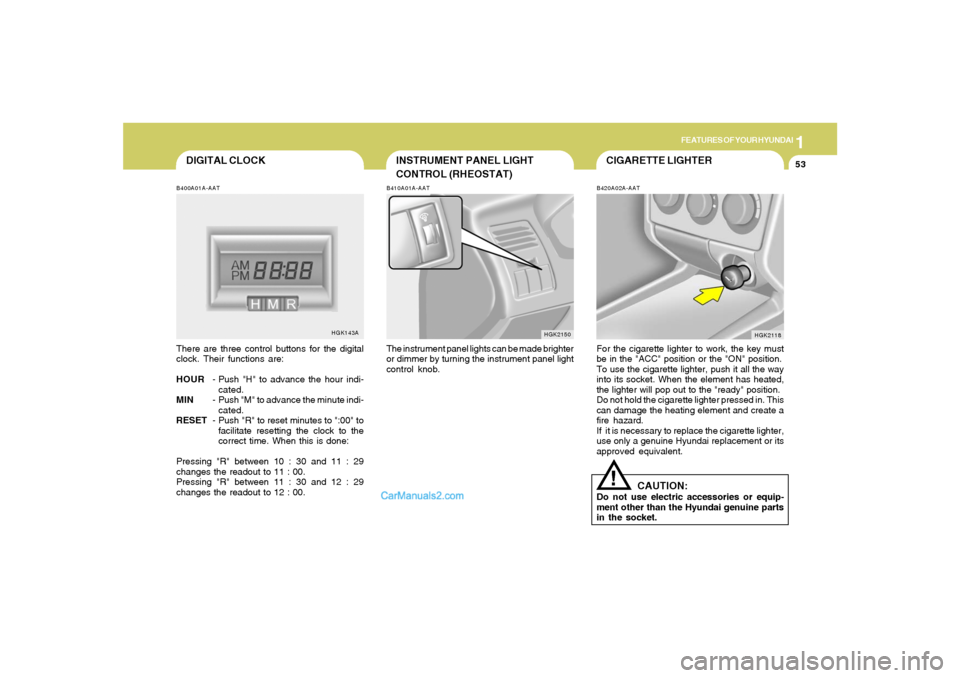
CIGARETTE LIGHTER
INSTRUMENT PANEL LIGHT
CONTROL (RHEOSTAT)B410A01A-AATThe instrument panel lights can be made brighter
or dimmer by turning the instrument panel light
control knob.
HGK2150B420A02A-AAT
For the cigarette lighter to work, the key must
be in the "ACC" position or the "ON" position.
To use the cigarette lighter, push it all the way
into its socket. When the element has heated,
the lighter will pop out to the "ready" position.
Do not hold the cigarette lighter pressed in. This
can damage the heating element and create a
fire hazard.
If it is necessary to replace the cigarette lighter,
use only a genuine Hyundai replacement or its
approved equivalent.
HGK2118
DIGITAL CLOCKB400A01A-AATThere are three control buttons for the digital
clock. Their functions are:
HOUR- Push "H" to advance the hour indi-
cated.
MIN- Push "M" to advance the minute indi-
cated.
RESET- Push "R" to reset minutes to ":00" to
facilitate resetting the clock to the
correct time. When this is done:
Pressing "R" between 10 : 30 and 11 : 29
changes the readout to 11 : 00.
Pressing "R" between 11 : 30 and 12 : 29
changes the readout to 12 : 00.
HGK143A
!
CAUTION:
Do not use electric accessories or equip-
ment other than the Hyundai genuine parts
in the socket.
Page 83 of 266
1
FEATURES OF YOUR HYUNDAI
71
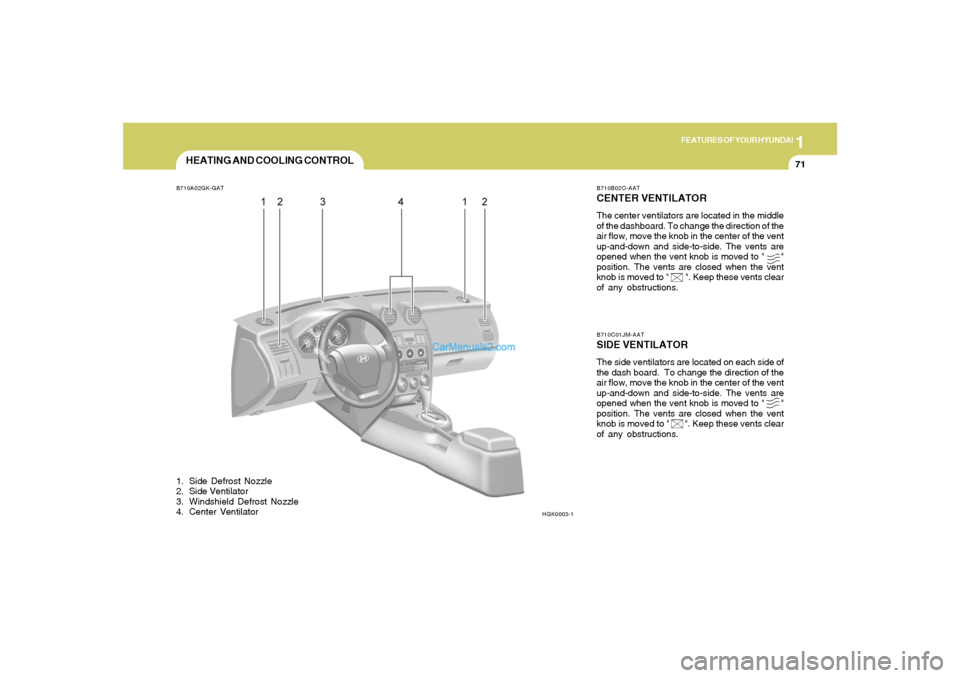
HEATING AND COOLING CONTROLB710A02GK-GAT1. Side Defrost Nozzle
2. Side Ventilator
3. Windshield Defrost Nozzle
4. Center Ventilator
HGK0003-1B710B02O-AAT
CENTER VENTILATORThe center ventilators are located in the middle
of the dashboard. To change the direction of the
air flow, move the knob in the center of the vent
up-and-down and side-to-side. The vents are
opened when the vent knob is moved to " "
position. The vents are closed when the vent
knob is moved to " ". Keep these vents clear
of any obstructions.B710C01JM-AATSIDE VENTILATORThe side ventilators are located on each side of
the dash board. To change the direction of the
air flow, move the knob in the center of the vent
up-and-down and side-to-side. The vents are
opened when the vent knob is moved to " "
position. The vents are closed when the vent
knob is moved to " ". Keep these vents clear
of any obstructions.
Page 84 of 266
1FEATURES OF YOUR HYUNDAI72
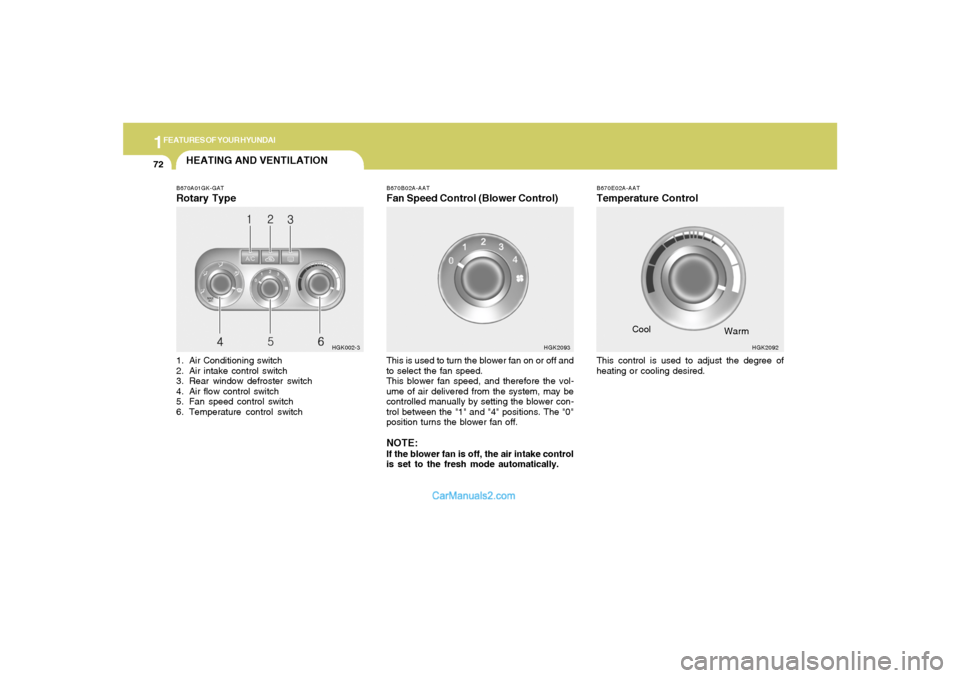
HEATING AND VENTILATIONB670A01GK-GATRotary Type1. Air Conditioning switch
2. Air intake control switch
3. Rear window defroster switch
4. Air flow control switch
5. Fan speed control switch
6. Temperature control switch
HGK002-3B670B02A-AAT
Fan Speed Control (Blower Control)This is used to turn the blower fan on or off and
to select the fan speed.
This blower fan speed, and therefore the vol-
ume of air delivered from the system, may be
controlled manually by setting the blower con-
trol between the "1" and "4" positions. The "0"
position turns the blower fan off.NOTE:If the blower fan is off, the air intake control
is set to the fresh mode automatically.
HGK2093B670E02A-AAT
Temperature ControlThis control is used to adjust the degree of
heating or cooling desired.Cool
HGK2092
Warm
Page 85 of 266
1
FEATURES OF YOUR HYUNDAI
73
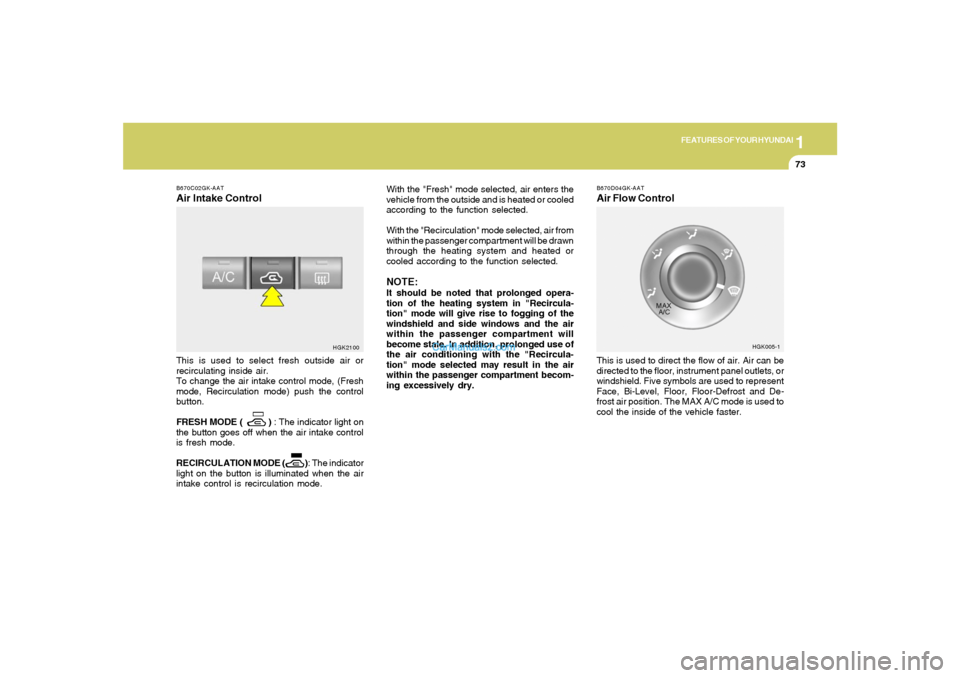
B670D04GK-AATAir Flow ControlThis is used to direct the flow of air. Air can be
directed to the floor, instrument panel outlets, or
windshield. Five symbols are used to represent
Face, Bi-Level, Floor, Floor-Defrost and De-
frost air position. The MAX A/C mode is used to
cool the inside of the vehicle faster.
HGK005-1 B670C02GK-AAT
Air Intake ControlThis is used to select fresh outside air or
recirculating inside air.
To change the air intake control mode, (Fresh
mode, Recirculation mode) push the control
button.
FRESH MODE ( ) : The indicator light on
the button goes off when the air intake control
is fresh mode.
RECIRCULATION MODE ( ): The indicator
light on the button is illuminated when the air
intake control is recirculation mode.With the "Fresh" mode selected, air enters the
vehicle from the outside and is heated or cooled
according to the function selected.
With the "Recirculation" mode selected, air from
within the passenger compartment will be drawn
through the heating system and heated or
cooled according to the function selected.
NOTE:It should be noted that prolonged opera-
tion of the heating system in "Recircula-
tion" mode will give rise to fogging of the
windshield and side windows and the air
within the passenger compartment will
become stale. In addition, prolonged use of
the air conditioning with the "Recircula-
tion" mode selected may result in the air
within the passenger compartment becom-
ing excessively dry.
HGK2100
Page 88 of 266
1FEATURES OF YOUR HYUNDAI76
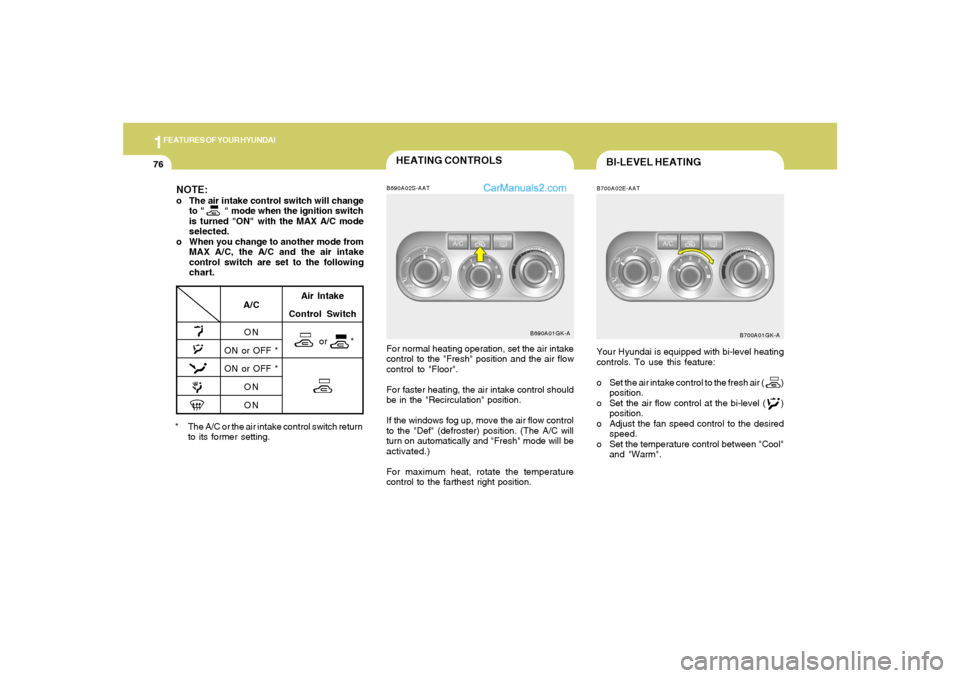
HEATING CONTROLSB690A02S-AATFor normal heating operation, set the air intake
control to the "Fresh" position and the air flow
control to "Floor".
For faster heating, the air intake control should
be in the "Recirculation" position.
If the windows fog up, move the air flow control
to the "Def" (defroster) position. (The A/C will
turn on automatically and "Fresh" mode will be
activated.)
For maximum heat, rotate the temperature
control to the farthest right position.
B690A01GK-A
* The A/C or the air intake control switch return
to its former setting.
A/C
ON
ON or OFF *
ON or OFF *
ON
ON
NOTE:o The air intake control switch will change
to " " mode when the ignition switch
is turned "ON" with the MAX A/C mode
selected.
o When you change to another mode from
MAX A/C, the A/C and the air intake
control switch are set to the following
chart.
Air Intake
Control Switch
or *
BI-LEVEL HEATINGB700A02E-AATYour Hyundai is equipped with bi-level heating
controls. To use this feature:
o Set the air intake control to the fresh air ( )
position.
o Set the air flow control at the bi-level ( )
position.
o Adjust the fan speed control to the desired
speed.
o Set the temperature control between "Cool"
and "Warm".
B700A01GK-A
Page 89 of 266
1
FEATURES OF YOUR HYUNDAI
77
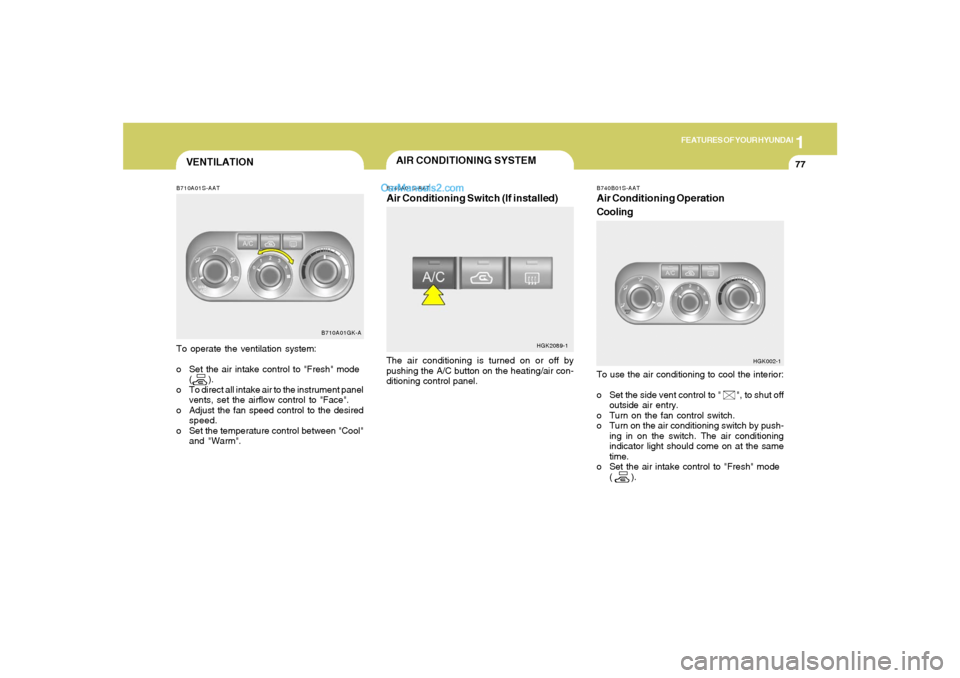
To use the air conditioning to cool the interior:
o Set the side vent control to " ", to shut off
outside air entry.
o Turn on the fan control switch.
o Turn on the air conditioning switch by push-
ing in on the switch. The air conditioning
indicator light should come on at the same
time.
o Set the air intake control to "Fresh" mode
( ).
B710A01GK-A
VENTILATIONB710A01S-AATTo operate the ventilation system:
o Set the air intake control to "Fresh" mode
( ).
o To direct all intake air to the instrument panel
vents, set the airflow control to "Face".
o Adjust the fan speed control to the desired
speed.
o Set the temperature control between "Cool"
and "Warm".
AIR CONDITIONING SYSTEMB740A01S-AATAir Conditioning Switch (If installed)The air conditioning is turned on or off by
pushing the A/C button on the heating/air con-
ditioning control panel.
HGK2089-1
B740B01S-AATAir Conditioning Operation
Cooling
HGK002-1
Page 90 of 266
1FEATURES OF YOUR HYUNDAI78
o Set the temperature control to "Cool". ("Cool"
provides maximum cooling. The tempera-
ture may be moderated by moving the con-
trol toward "Warm".)
o Adjust the fan control to the desired speed.
For greater cooling, turn the fan control to
one of the higher speeds or temporarily
select the "Recirculation" position on the air
intake control.
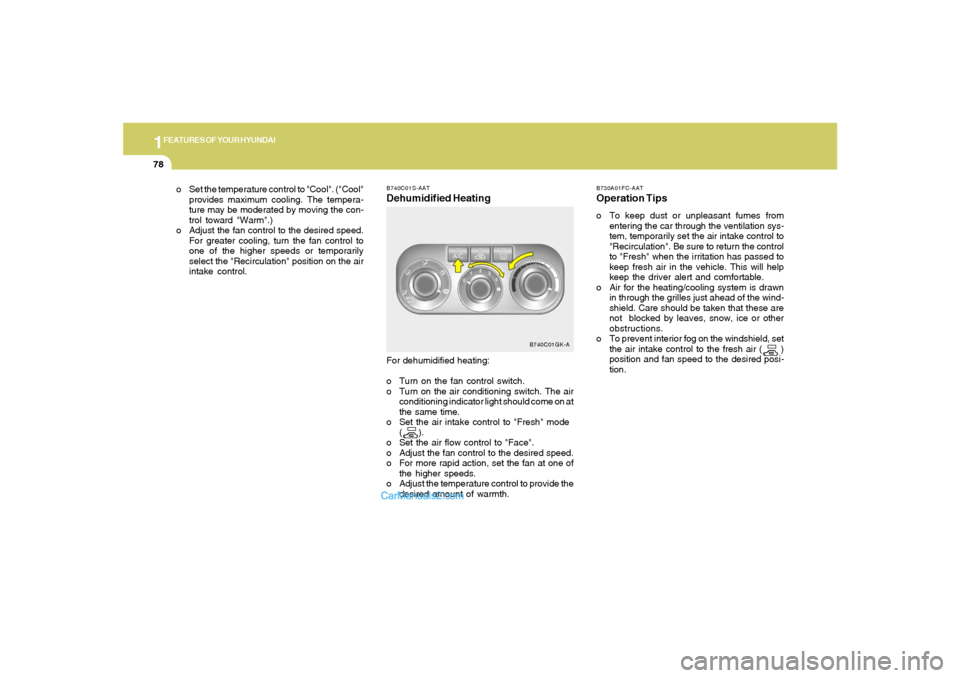
B740C01S-AATDehumidified Heating
B730A01FC-AATOperation Tipso To keep dust or unpleasant fumes from
entering the car through the ventilation sys-
tem, temporarily set the air intake control to
"Recirculation". Be sure to return the control
to "Fresh" when the irritation has passed to
keep fresh air in the vehicle. This will help
keep the driver alert and comfortable.
o Air for the heating/cooling system is drawn
in through the grilles just ahead of the wind-
shield. Care should be taken that these are
not blocked by leaves, snow, ice or other
obstructions.
o To prevent interior fog on the windshield, set
the air intake control to the fresh air ( )
position and fan speed to the desired posi-
tion. For dehumidified heating:
o Turn on the fan control switch.
o Turn on the air conditioning switch. The air
conditioning indicator light should come on at
the same time.
o Set the air intake control to "Fresh" mode
( ).
o Set the air flow control to "Face".
o Adjust the fan control to the desired speed.
o For more rapid action, set the fan at one of
the higher speeds.
o Adjust the temperature control to provide the
desired amount of warmth.
B740C01GK-A
Page 91 of 266
1
FEATURES OF YOUR HYUNDAI
79
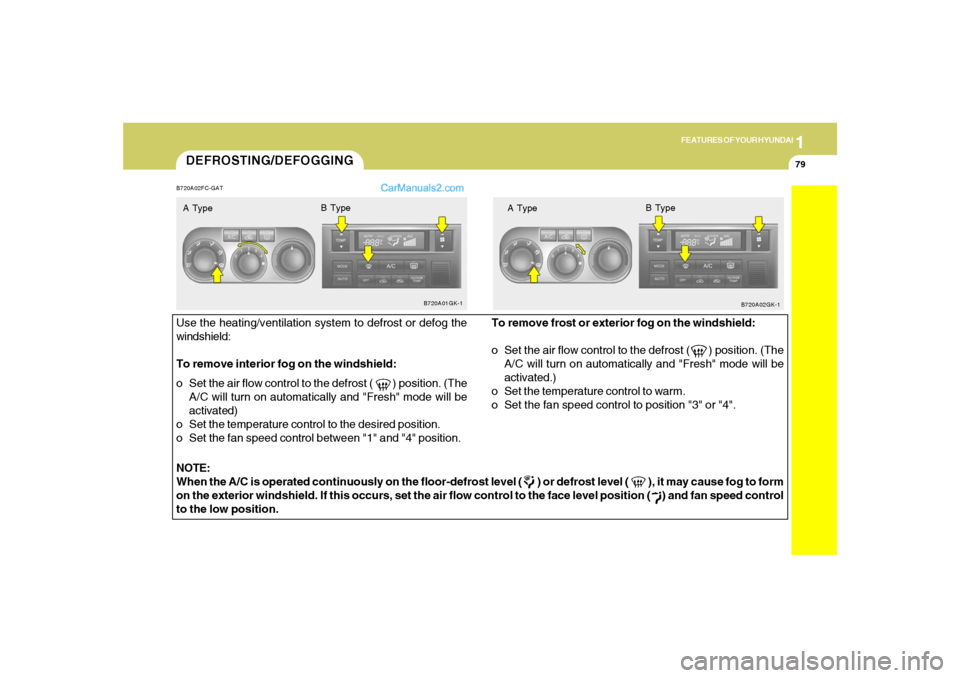
DEFROSTING/DEFOGGINGB720A02FC-GATUse the heating/ventilation system to defrost or defog the
windshield:
To remove interior fog on the windshield:
o Set the air flow control to the defrost ( ) position. (The
A/C will turn on automatically and "Fresh" mode will be
activated)
o Set the temperature control to the desired position.
o Set the fan speed control between "1" and "4" position.To remove frost or exterior fog on the windshield:
o Set the air flow control to the defrost ( ) position. (The
A/C will turn on automatically and "Fresh" mode will be
activated.)
o Set the temperature control to warm.
o Set the fan speed control to position "3" or "4".
NOTE:
When the A/C is operated continuously on the floor-defrost level ( ) or defrost level ( ), it may cause fog to form
on the exterior windshield. If this occurs, set the air flow control to the face level position ( ) and fan speed control
to the low position.A Type
B720A01GK-1
B720A02GK-1
B Type
A TypeB Type