lock Hyundai Tiburon 2007 Owner's Guide
[x] Cancel search | Manufacturer: HYUNDAI, Model Year: 2007, Model line: Tiburon, Model: Hyundai Tiburon 2007Pages: 269, PDF Size: 10.37 MB
Page 90 of 269
1FEATURES OF YOUR HYUNDAI78
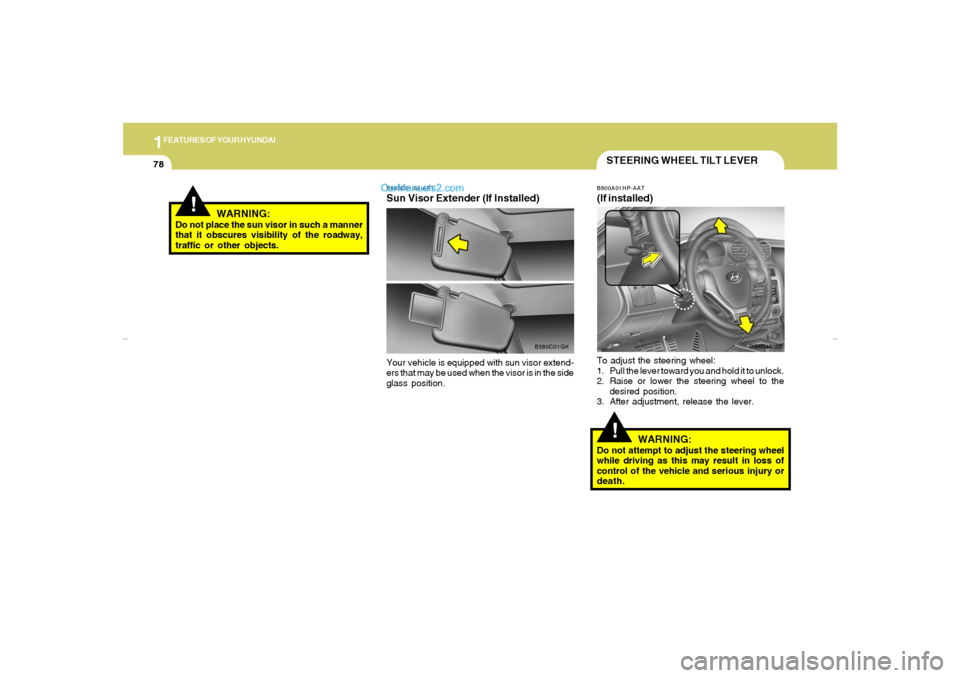
!STEERING WHEEL TILT LEVERB600A01HP-AAT(If installed)To adjust the steering wheel:
1. Pull the lever toward you and hold it to unlock.
2. Raise or lower the steering wheel to the
desired position.
3. After adjustment, release the lever.
WARNING:
Do not attempt to adjust the steering wheel
while driving as this may result in loss of
control of the vehicle and serious injury or
death.
OGK046022
!
WARNING:
Do not place the sun visor in such a manner
that it obscures visibility of the roadway,
traffic or other objects.
B580C01JM-AATSun Visor Extender (If Installed)Your vehicle is equipped with sun visor extend-
ers that may be used when the visor is in the side
glass position.
B580C01GK
gkflhma-1a.p659/12/2006, 3:17 PM 78
Page 107 of 269
1
FEATURES OF YOUR HYUNDAI
95
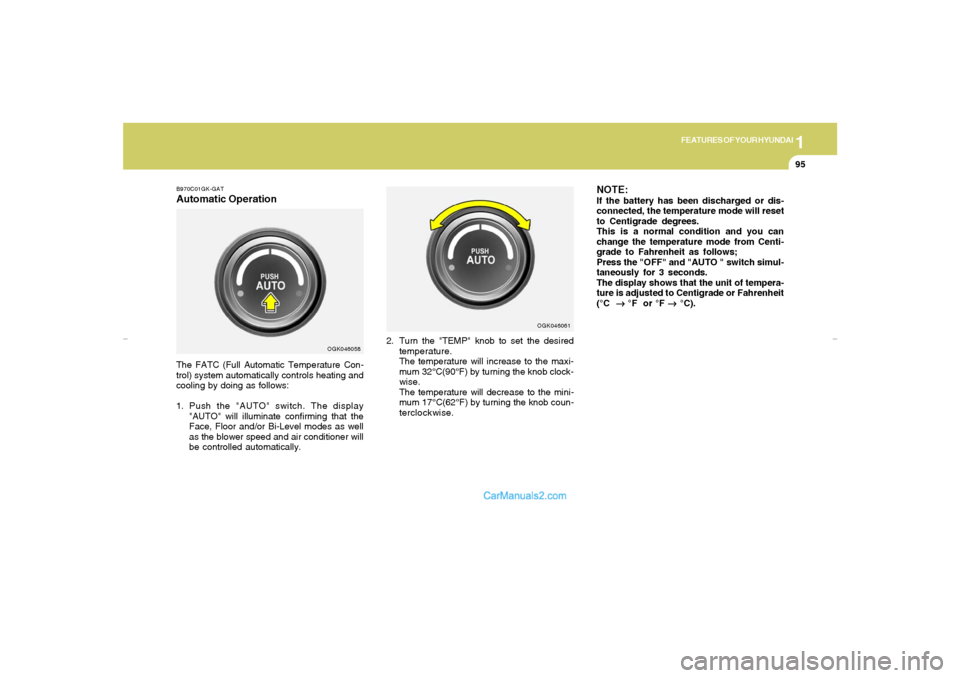
B970C01GK-GATAutomatic OperationThe FATC (Full Automatic Temperature Con-
trol) system automatically controls heating and
cooling by doing as follows:
1. Push the "AUTO" switch. The display
"AUTO" will illuminate confirming that the
Face, Floor and/or Bi-Level modes as well
as the blower speed and air conditioner will
be controlled automatically.2. Turn the "TEMP" knob to set the desired
temperature.
The temperature will increase to the maxi-
mum 32°C(90°F) by turning the knob clock-
wise.
The temperature will decrease to the mini-
mum 17°C(62°F) by turning the knob coun-
terclockwise.
NOTE:If the battery has been discharged or dis-
connected, the temperature mode will reset
to Centigrade degrees.
This is a normal condition and you can
change the temperature mode from Centi-
grade to Fahrenheit as follows;
Press the "OFF" and "AUTO " switch simul-
taneously for 3 seconds.
The display shows that the unit of tempera-
ture is adjusted to Centigrade or Fahrenheit
(°C
→ →→ →
→ °F or °F
→ →→ →
→ °C).
OGK046058OGK046061
gkflhma-1b.p659/12/2006, 3:19 PM 95
Page 116 of 269
1FEATURES OF YOUR HYUNDAI
104
B750A04L B750A05L
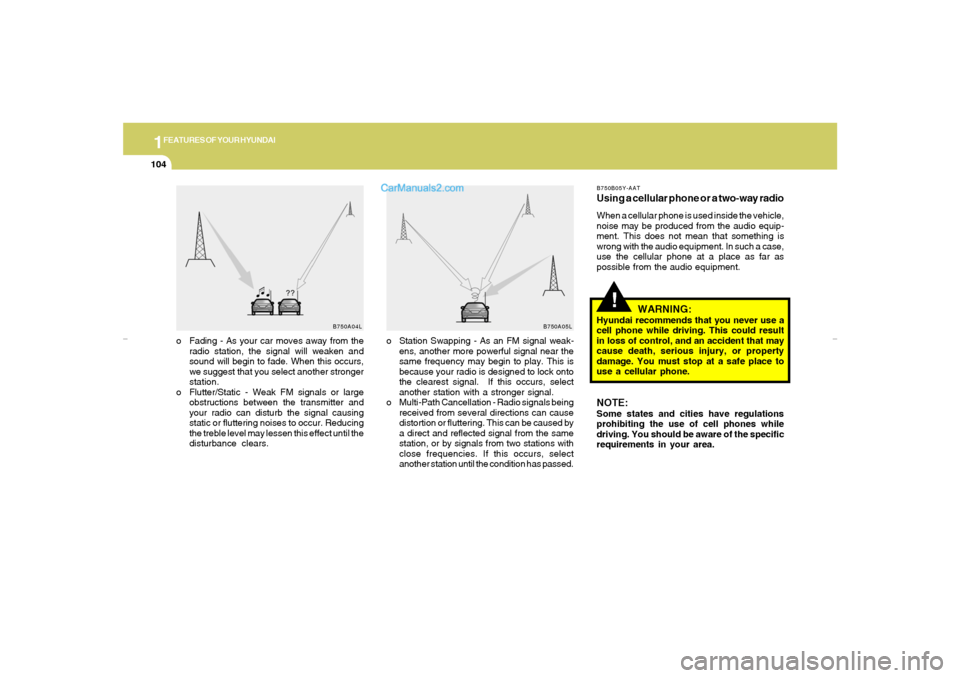
o Station Swapping - As an FM signal weak-
ens, another more powerful signal near the
same frequency may begin to play. This is
because your radio is designed to lock onto
the clearest signal. If this occurs, select
another station with a stronger signal.
o Multi-Path Cancellation - Radio signals being
received from several directions can cause
distortion or fluttering. This can be caused by
a direct and reflected signal from the same
station, or by signals from two stations with
close frequencies. If this occurs, select
another station until the condition has passed. o Fading - As your car moves away from the
radio station, the signal will weaken and
sound will begin to fade. When this occurs,
we suggest that you select another stronger
station.
o Flutter/Static - Weak FM signals or large
obstructions between the transmitter and
your radio can disturb the signal causing
static or fluttering noises to occur. Reducing
the treble level may lessen this effect until the
disturbance clears.
!
B750B05Y-AATUsing a cellular phone or a two-way radioWhen a cellular phone is used inside the vehicle,
noise may be produced from the audio equip-
ment. This does not mean that something is
wrong with the audio equipment. In such a case,
use the cellular phone at a place as far as
possible from the audio equipment.
WARNING:
Hyundai recommends that you never use a
cell phone while driving. This could result
in loss of control, and an accident that may
cause death, serious injury, or property
damage. You must stop at a safe place to
use a cellular phone.NOTE:Some states and cities have regulations
prohibiting the use of cell phones while
driving. You should be aware of the specific
requirements in your area.
gkflhma-1b.p659/12/2006, 3:19 PM 104
Page 117 of 269
1
FEATURES OF YOUR HYUNDAI
105
ANTENNA
B870A01A
!
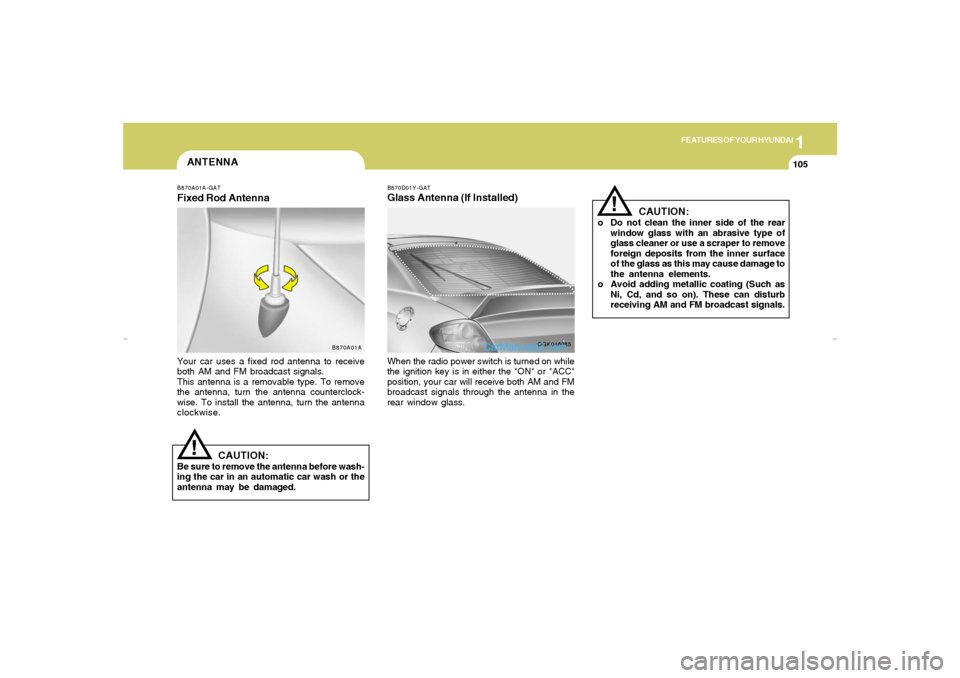
B870A01A-GATFixed Rod AntennaYour car uses a fixed rod antenna to receive
both AM and FM broadcast signals.
This antenna is a removable type. To remove
the antenna, turn the antenna counterclock-
wise. To install the antenna, turn the antenna
clockwise.
CAUTION:
Be sure to remove the antenna before wash-
ing the car in an automatic car wash or the
antenna may be damaged.
B870D01Y-GATGlass Antenna (If Installed)When the radio power switch is turned on while
the ignition key is in either the "ON" or "ACC"
position, your car will receive both AM and FM
broadcast signals through the antenna in the
rear window glass.
OGK046085
CAUTION:
o Do not clean the inner side of the rear
window glass with an abrasive type of
glass cleaner or use a scraper to remove
foreign deposits from the inner surface
of the glass as this may cause damage to
the antenna elements.
o Avoid adding metallic coating (Such as
Ni, Cd, and so on). These can disturb
receiving AM and FM broadcast signals.
!
gkflhma-1b.p659/12/2006, 3:19 PM 105
Page 119 of 269
1
FEATURES OF YOUR HYUNDAI
107
H280B01GK-GAT1. Power Button (POWER ON)Press this button when the ignition switch of the
automobile is set to ACC (1st notch) or ON (2nd
notch) to turn on the power and the audio
system. Press once again when the audio
system is on to turn off the power.2. Volume Control (VOLUME)Turn the volume control clockwise to increase
volume and counterclockwise to reduce. The
volume level will be displayed on the screen
when you adjust the volume.3. Radio Band Selection Button (FM/AM)o Press this button to listen to either FM or AM.
o The radio will be set to each of the following
modes each time you press the button.
FM1 ➟ FM2 ➟ AMNOTE:Push this button when the power is off to
turn on the power automatically.4. SCAN ButtonPress this button to automatically select chan-
nels starting from the current channel and play
each channel for 5 seconds.
5. Automatic Channel Selection Button
(SEEK)Press the upper side of the button to automati-
cally increase frequency and select and play
the receivable channel. Press the lower side of
the button to automatically decrease frequency
and select and play the next available channel.6. Preset Button (1~6)Press this button to listen to the channels
memorized to each button. If you want to memo-
rize the current channel to the preset button,
press the button for more than 1.5 seconds then
the channel will be memorized to the button with
a beep.7. Information Display Screen (LCD)A variety of information will be displayed on the
screen including the radio bands (FM1/FM2/
AM) while listening to the radio, frequency of
each channel, the number of preset channel
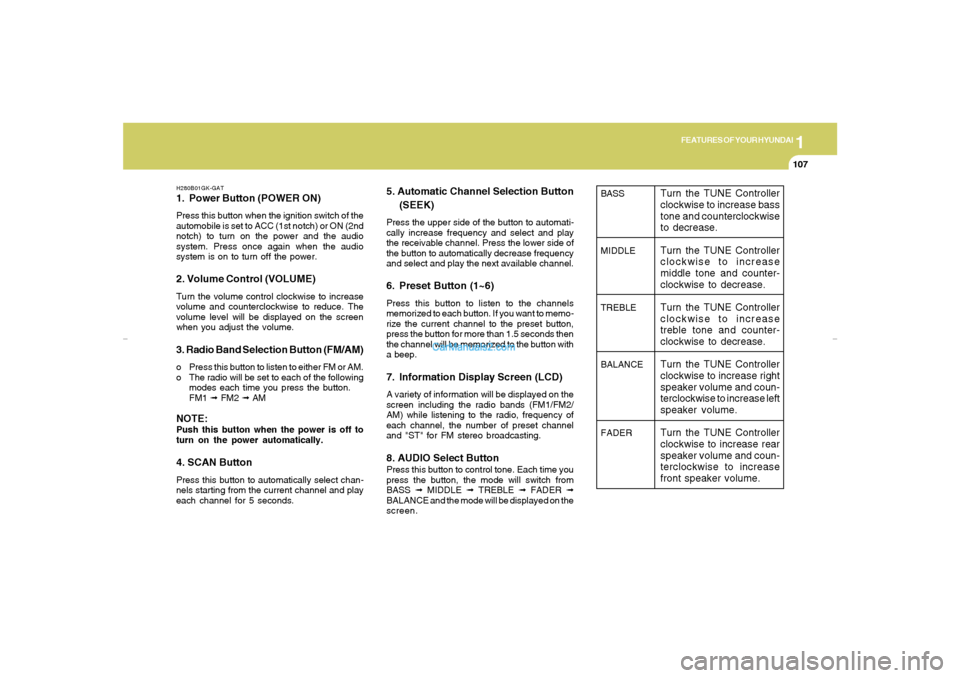
and "ST" for FM stereo broadcasting.8. AUDIO Select ButtonPress this button to control tone. Each time you
press the button, the mode will switch from
BASS ➟ MIDDLE ➟ TREBLE ➟ FADER ➟
BALANCE and the mode will be displayed on the
screen.
BASS
MIDDLE
TREBLE
BALANCE
FADER
Turn the TUNE Controller
clockwise to increase bass
tone and counterclockwise
to decrease.
Turn the TUNE Controller
clockwise to increase
middle tone and counter-
clockwise to decrease.
Turn the TUNE Controller
clockwise to increase
treble tone and counter-
clockwise to decrease.
Turn the TUNE Controller
clockwise to increase right
speaker volume and coun-
terclockwise to increase left
speaker volume.
Turn the TUNE Controller
clockwise to increase rear
speaker volume and coun-
terclockwise to increase
front speaker volume.
gkflhma-1b.p659/12/2006, 3:19 PM 107
Page 120 of 269
1FEATURES OF YOUR HYUNDAI
108
!
9. Manual Channel Selection Control
(TUNE)Turn this controller while listening to the radio to
manually adjust frequency. Turn clockwise to
increase frequency and counterclockwise to
reduce frequency.10. EQ ButtonEach time you press this button the sound
equalizer setting will switch from POP ➟ JAZZ
➟ ROCK ➟ CLASSIC ➟ OFF (Not displayed).
CAUTION:
o Do not place beverages close to the
audio system. The audio system mecha-
nism may be damaged if you spill them.
o Do not strike or allow anything to impact
the audio system, damage to the system
mechanisms could occur.
gkflhma-1b.p659/12/2006, 3:19 PM 108
Page 127 of 269
1
FEATURES OF YOUR HYUNDAI
115
H265B01GK-GAT1. Power Button and Volume Control
(POWER ON/ VOLUME)Press this button when the ignition switch of the
automobile is set to ACC (1st notch) or ON (2nd
notch) to turn on the power of the audio system.
When the power is turned on, turn the volume
control clockwise to increase volume and coun-
terclockwise to reduce. Press once again when
the audio system is on to turn off the power.2. Radio Band Selection Button (FM/AM)North American Standard
o Press this button to listen to either FM or AM.
o The radio will be set to each mode each time
you press the button in a loop;
FM1➟FM2➟AM➟FM1 and soon.
European Standard
o Press this button to listen to either FM or AM.
o The radio will be set to each mode each time
you press the button in a loop;
FM1➟FM2➟MW➟LW➟FM1 and soon.
5. Preset Button (1~6)Press this button but do not hold for no more than
2 seconds to listen to the channels memorized
to each button. If you want to memorize the
current channel to the preset button when you
are listening to channel not memorized to any of
the preset buttons, press the button and hold for
more than 2 seconds then the channel will be
memorized to the button with the beep.6. Information Display Screen (LCD)A variety of information will be displayed on the
screen including the radio bands (FM1/FM2/
AM) while listening to the radio, frequency of
each channel, the number of preset channel
and "ST" for FM stereo broadcasting.7. Automatic Channel Scan ButtonPress this button to automatically select next
available channel and play the channel for 5
seconds and continuously move to the next
available channel and play. Press again when
you find the channel you would like to listen to
while scanning, press the button again to stop
scanning and continue to listen to the channel
you selected. And continue to listen to the
current channel.
3. Automatic Channel Selection Button
(SEEK)Press and hold the [
] button for more than 0.5
seconds until you hear the beep to automatically
increase frequency and press and hold the [
] button for more than 0.5 seconds until you hear
the beep to automatically decrease frequency to
select and play the next available channel. If the
received channel is memorized in the preset
buttons then the screen will display the memo-
rized channel.4. Manual Channel Selection Control
(TUNE)Press and hold [
] button for less than 0.5
seconds to increase frequency by 1 step and
[
] to decrease.
Press and hold [
] or [
] button for more than
0.5 seconds even after you hear the beep then
the frequency will increase or decrease quickly.
When you release the button, the system will
turn to the automatic selection mode.
gkflhma-1b.p659/12/2006, 3:19 PM 115
Page 128 of 269
1FEATURES OF YOUR HYUNDAI
116
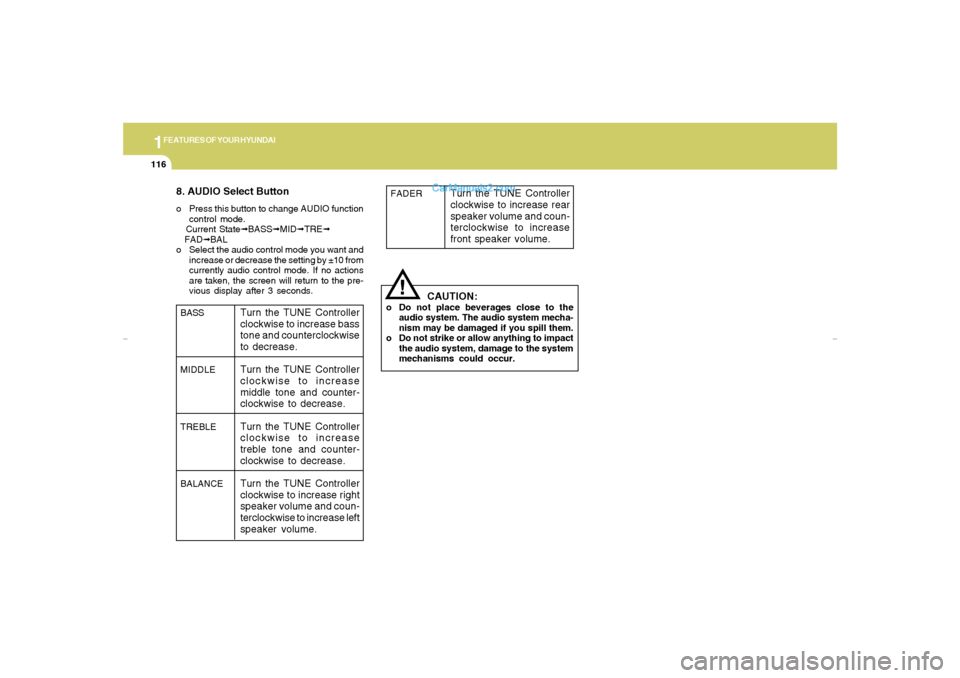
8. AUDIO Select Buttono Press this button to change AUDIO function
control mode.
Current State➟BASS➟MID➟TRE➟
FAD➟BAL
o Select the audio control mode you want and
increase or decrease the setting by ±10 from
currently audio control mode. If no actions
are taken, the screen will return to the pre-
vious display after 3 seconds.
!
BASS
MIDDLE
TREBLE
BALANCE
Turn the TUNE Controller
clockwise to increase bass
tone and counterclockwise
to decrease.
Turn the TUNE Controller
clockwise to increase
middle tone and counter-
clockwise to decrease.
Turn the TUNE Controller
clockwise to increase
treble tone and counter-
clockwise to decrease.
Turn the TUNE Controller
clockwise to increase right
speaker volume and coun-
terclockwise to increase left
speaker volume.
CAUTION:
o Do not place beverages close to the
audio system. The audio system mecha-
nism may be damaged if you spill them.
o Do not strike or allow anything to impact
the audio system, damage to the system
mechanisms could occur.FADER
Turn the TUNE Controller
clockwise to increase rear
speaker volume and coun-
terclockwise to increase
front speaker volume.
gkflhma-1b.p659/12/2006, 3:19 PM 116
Page 133 of 269
1
FEATURES OF YOUR HYUNDAI
121
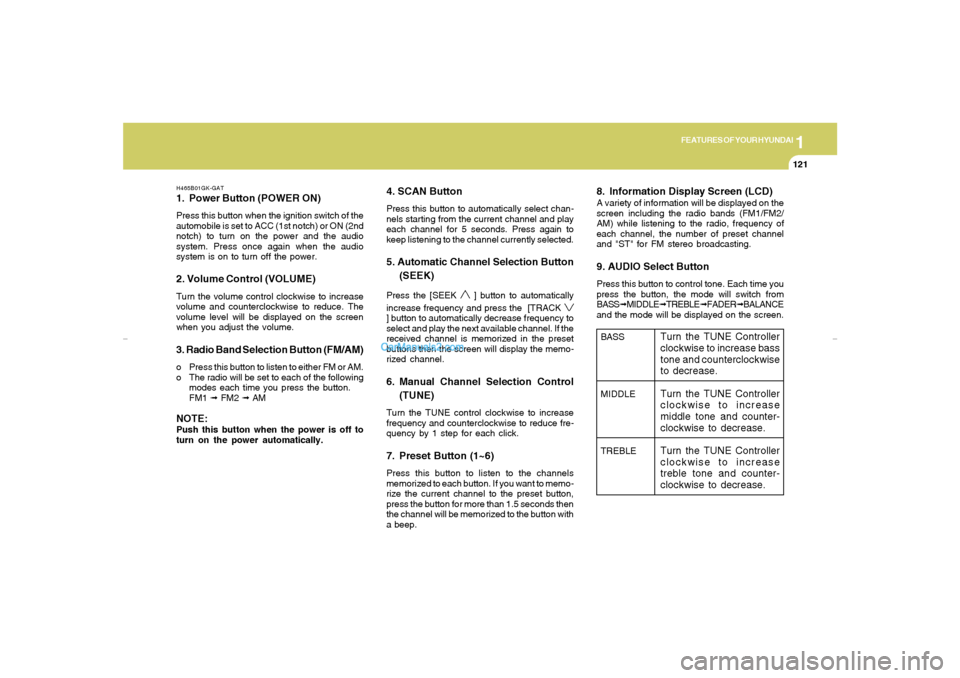
H465B01GK-GAT1. Power Button (POWER ON)Press this button when the ignition switch of the
automobile is set to ACC (1st notch) or ON (2nd
notch) to turn on the power and the audio
system. Press once again when the audio
system is on to turn off the power.2. Volume Control (VOLUME)Turn the volume control clockwise to increase
volume and counterclockwise to reduce. The
volume level will be displayed on the screen
when you adjust the volume.3. Radio Band Selection Button (FM/AM)o Press this button to listen to either FM or AM.
o The radio will be set to each of the following
modes each time you press the button.
FM1 ➟ FM2 ➟ AMNOTE:Push this button when the power is off to
turn on the power automatically.
4. SCAN ButtonPress this button to automatically select chan-
nels starting from the current channel and play
each channel for 5 seconds. Press again to
keep listening to the channel currently selected.5. Automatic Channel Selection Button
(SEEK)Press the [SEEK
] button to automatically
increase frequency and press the [TRACK
] button to automatically decrease frequency to
select and play the next available channel. If the
received channel is memorized in the preset
buttons then the screen will display the memo-
rized channel.6. Manual Channel Selection Control
(TUNE)Turn the TUNE control clockwise to increase
frequency and counterclockwise to reduce fre-
quency by 1 step for each click.7. Preset Button (1~6)Press this button to listen to the channels
memorized to each button. If you want to memo-
rize the current channel to the preset button,
press the button for more than 1.5 seconds then
the channel will be memorized to the button with
a beep.
8. Information Display Screen (LCD)A variety of information will be displayed on the
screen including the radio bands (FM1/FM2/
AM) while listening to the radio, frequency of
each channel, the number of preset channel
and "ST" for FM stereo broadcasting.9. AUDIO Select ButtonPress this button to control tone. Each time you
press the button, the mode will switch from
BASS➟MIDDLE➟TREBLE➟FADER➟BALANCE
and the mode will be displayed on the screen.BASS
MIDDLE
TREBLE
Turn the TUNE Controller
clockwise to increase bass
tone and counterclockwise
to decrease.
Turn the TUNE Controller
clockwise to increase
middle tone and counter-
clockwise to decrease.
Turn the TUNE Controller
clockwise to increase
treble tone and counter-
clockwise to decrease.
gkflhma-1b.p659/12/2006, 3:19 PM 121
Page 134 of 269
1FEATURES OF YOUR HYUNDAI
122
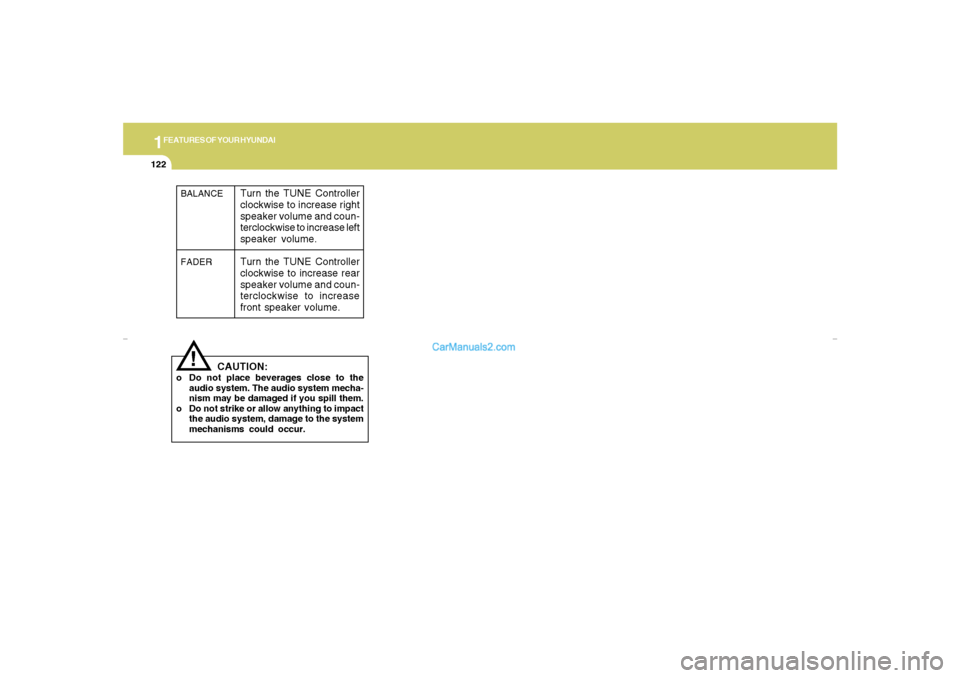
!BALANCE
FADER
Turn the TUNE Controller
clockwise to increase right
speaker volume and coun-
terclockwise to increase left
speaker volume.
Turn the TUNE Controller
clockwise to increase rear
speaker volume and coun-
terclockwise to increase
front speaker volume.
CAUTION:
o Do not place beverages close to the
audio system. The audio system mecha-
nism may be damaged if you spill them.
o Do not strike or allow anything to impact
the audio system, damage to the system
mechanisms could occur.
gkflhma-1b.p659/12/2006, 3:19 PM 122