ECO mode Hyundai Tiburon 2008 Owner's Manual
[x] Cancel search | Manufacturer: HYUNDAI, Model Year: 2008, Model line: Tiburon, Model: Hyundai Tiburon 2008Pages: 268, PDF Size: 9.93 MB
Page 15 of 268
1
FEATURES OF YOUR HYUNDAI
3
BREAKING IN YOUR NEW
HYUNDAI
B010E01A-AATGasolines for Cleaner AirTo help contribute to cleaner air, Hyundai rec-
ommends that you use gasolines treated with
detergent additives, which help prevent deposit
formation in the engine. These gasolines will
help the engine run cleaner and enhance per-
formance of the Emission Control System.B010F01A-AATOperation in Foreign CountriesIf you are going to drive your Hyundai in another
country, be sure to:
o Observe all regulations regarding registra-
tion and insurance.
o Determine that acceptable fuel is available.
B020A01S-AATDuring the First 1,200 Miles (2,000 Km)No formal "break-in" procedure is required with
your new Hyundai. However, you can contrib-
ute to the economical operation and durability of
your Hyundai by observing the following recom-
mendations during the first 1,200 miles (2,000
km).
o Don't drive faster than 55 MPH (88 km/h).
o While driving, keep your engine speed (rpm,
or revolutions per minute) between 2,000
rpm and 4,000 rpm.
o Use moderate acceleration. Don't start
quickly or depress the accelerator pedal
fully.
o For the first 200 miles (300 km), try to avoid
hard stops.
o Don't lug the engine (in other words, don't
drive so slowly in too high a gear that the
engine "bucks"-shift to a lower gear).
o Whether going fast or slow, vary your speed
from time to time.
o Don't let the engine idle longer than 3 minutes
at one time.
o Don't tow a trailer during the first 1,200 miles
(2,000 km) of operation.
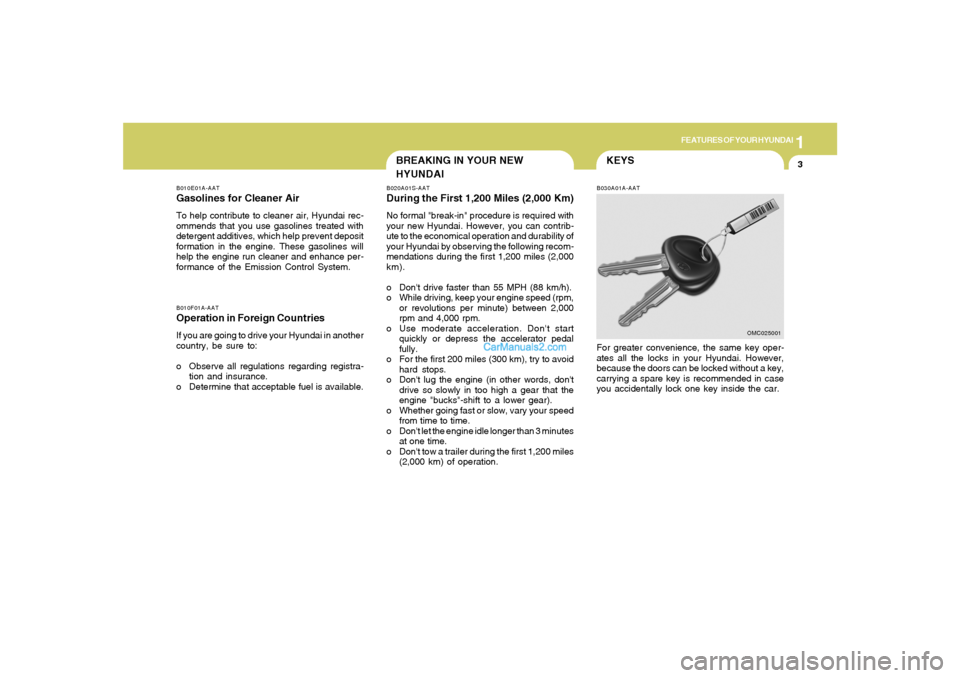
KEYSB030A01A-AATFor greater convenience, the same key oper-
ates all the locks in your Hyundai. However,
because the doors can be locked without a key,
carrying a spare key is recommended in case
you accidentally lock one key inside the car.
OMC025001
Page 32 of 268
1FEATURES OF YOUR HYUNDAI20
B190A02Y-AATSEAT BELTS -Front Passenger and Rear
Seat 3-Point System with Combination
Locking Retractor
To Fasten Your BeltCombination retractor type seat belts are in-
stalled in the rear seat positions to help accom-
modate the installation of child restraint sys-
tems. Hyundai strongly recommends that chil-
dren always be seated in the rear seat. NEVER
place any infant restraint system in the front
seat of the vehicle.
This type of seat belt combines the features of
both an emergency locking retractor seat belt
and an automatic locking retractor seat belt. To
fasten your seat belt, pull it out of the retractor
and insert the metal tab into the buckle. There
will be an audible "click" when the tab locks into
the buckle.
When not securing a child restraint, the seat belt
operates in the same way as the driver's seat
belt (Emergency Locking Retractor Type). It
automatically adjusts to the proper length only
after the lap belt portion of the seat belt is
adjusted manually so that it fits snugly around
your hips. When the seat belt is fully extended
from the retractor to allow the installation of a
child restraint system, the seat belt operation
changes to allow the belt to retract, but not to
extend. (Automatic Locking Retractor Type)
see page 1-27.
NOTE:Seat belt reminder light comes and stays on
until the seat belt is fastened when the
ignition key is turned "ON" or "START".
And, the warning chime will also sound for
about 6 seconds.
NOTE:Although the combination retractor pro-
vides the same level of protection for seated
passengers in either emergency or auto-
matic locking modes, it is recommended
that seated passengers use the emergency
locking feature for improved convenience.
The automatic locking function is intended
to facilitate child restraint installation. To
convert from the automatic locking feature
to the emergency locking operation mode,
allow the unbuckled seat belt to fully re-
tract.
Page 43 of 268
1
FEATURES OF YOUR HYUNDAI
31
OGK016240
The purpose of the SRS is to provide the
vehicle's driver and/or the front passenger with
additional protection than that offered by the
seat belt system alone in case of a frontal impact
of sufficient severity. The SRS uses sensors to
gather information about the driver's seat posi-
tion, the driver's and front passenger's seat belt
usage and impact severity.
The driver's seat track position sensors, which
are installed on the seat track, determine if the
seats are fore or aft of a reference position. The
seat belt buckle sensors determine if the driver
and front passenger's seat belts are fastened.
These sensors provide the ability to control the
SRS deployment based on how close the driver's
seat is to the steering wheel, whether or not the
seat belts are fastened, and how severe the
impact is.
The advanced SRS offers the ability to control
the airbag inflation with two levels. A first stage
level is provided for moderate-severity impacts.
A second stage level is provided for more
severe impacts.According to the impact severity, seating posi-
tion and seat belt usage, the SRSCM(SRS
Control Module) controls the airbag inflation.
Failure to properly wear seat belts can increase
the risk or severity of injury in an accident.
Additionally, your Hyundai is equipped with an
occupant classification system in the front
passenger's seat. The occupant classification
system detects the presence of a passenger in
the front passenger's seat and will turn off the
front passenger's airbag under certain condi-
tions. For more detail, see "Occupant Classifi-
cation System" later in this section.
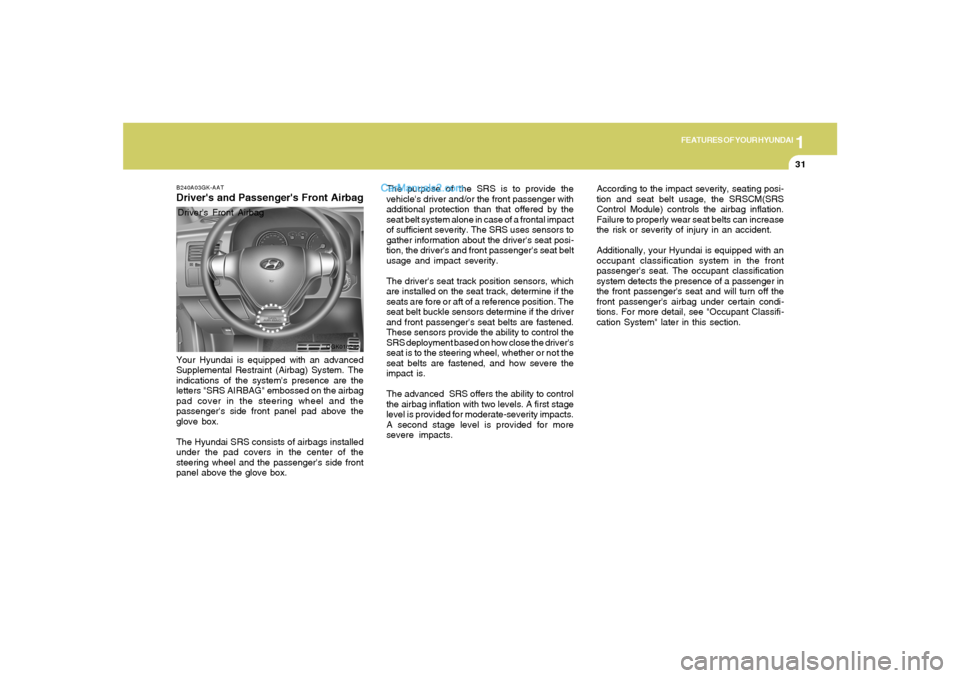
B240A03GK-AATDriver's and Passenger's Front AirbagYour Hyundai is equipped with an advanced
Supplemental Restraint (Airbag) System. The
indications of the system's presence are the
letters "SRS AIRBAG" embossed on the airbag
pad cover in the steering wheel and the
passenger's side front panel pad above the
glove box.
The Hyundai SRS consists of airbags installed
under the pad covers in the center of the
steering wheel and the passenger's side front
panel above the glove box.Driver's Front Airbag
Page 68 of 268
1FEATURES OF YOUR HYUNDAI56
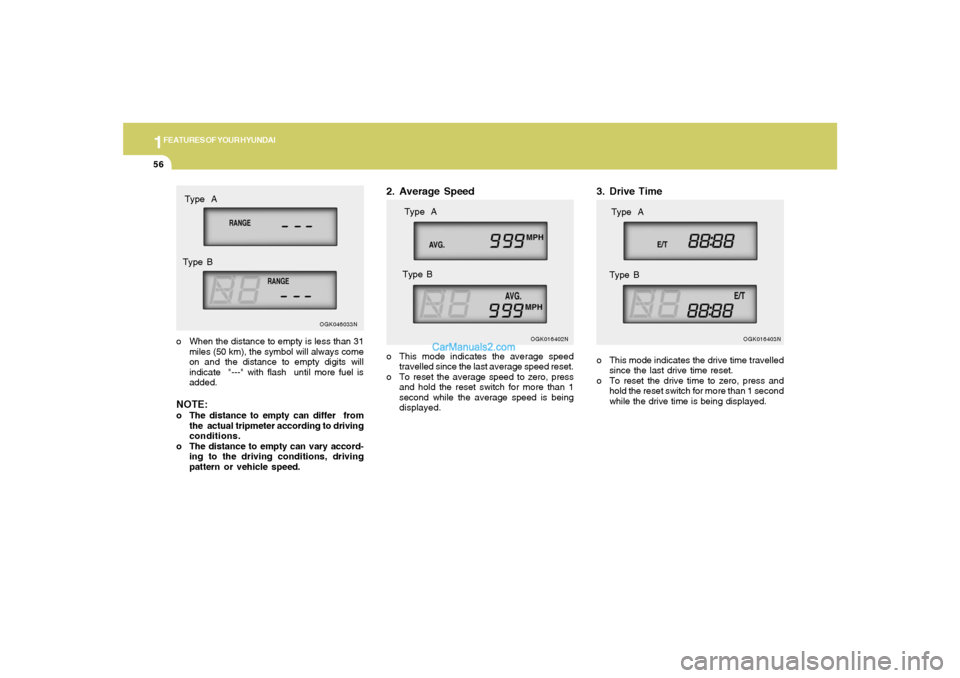
3. Drive Timeo This mode indicates the drive time travelled
since the last drive time reset.
o To reset the drive time to zero, press and
hold the reset switch for more than 1 second
while the drive time is being displayed.
OGK016403N
Type A
Type B
o When the distance to empty is less than 31
miles (50 km), the symbol will always come
on and the distance to empty digits will
indicate "---" with flash until more fuel is
added.NOTE:o The distance to empty can differ from
the actual tripmeter according to driving
conditions.
o The distance to empty can vary accord-
ing to the driving conditions, driving
pattern or vehicle speed.
OGK016402N
Type A
Type B
2. Average Speedo This mode indicates the average speed
travelled since the last average speed reset.
o To reset the average speed to zero, press
and hold the reset switch for more than 1
second while the average speed is being
displayed.
OGK046033N
Type A
Type B
Page 73 of 268
1
FEATURES OF YOUR HYUNDAI
61
OGK048900N
Type B
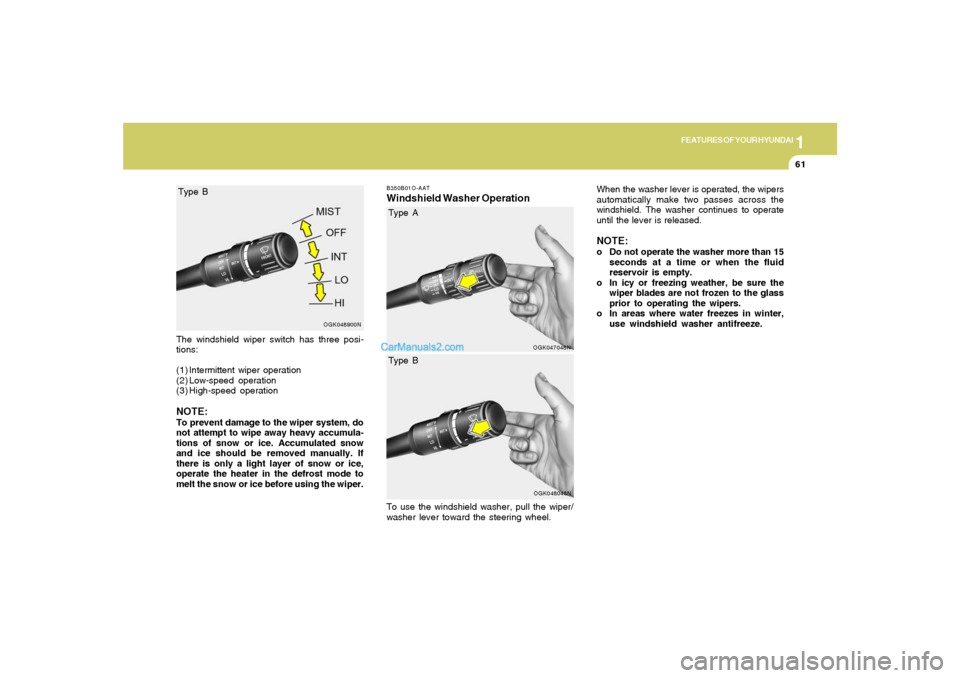
The windshield wiper switch has three posi-
tions:
(1) Intermittent wiper operation
(2) Low-speed operation
(3) High-speed operationNOTE:To prevent damage to the wiper system, do
not attempt to wipe away heavy accumula-
tions of snow or ice. Accumulated snow
and ice should be removed manually. If
there is only a light layer of snow or ice,
operate the heater in the defrost mode to
melt the snow or ice before using the wiper.
B350B01O-AATWindshield Washer Operation
OGK047048N
Type A
OGK048048N
Type B
To use the windshield washer, pull the wiper/
washer lever toward the steering wheel.When the washer lever is operated, the wipers
automatically make two passes across the
windshield. The washer continues to operate
until the lever is released.
NOTE:o Do not operate the washer more than 15
seconds at a time or when the fluid
reservoir is empty.
o In icy or freezing weather, be sure the
wiper blades are not frozen to the glass
prior to operating the wipers.
o In areas where water freezes in winter,
use windshield washer antifreeze.
Page 98 of 268
1FEATURES OF YOUR HYUNDAI86
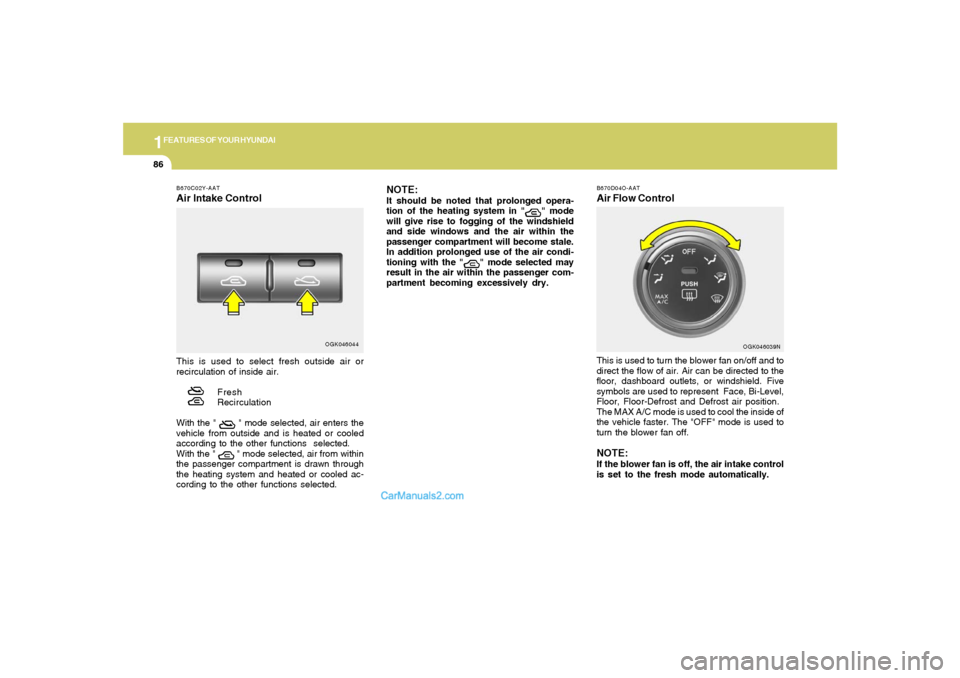
B670D04O-AATAir Flow ControlThis is used to turn the blower fan on/off and to
direct the flow of air. Air can be directed to the
floor, dashboard outlets, or windshield. Five
symbols are used to represent Face, Bi-Level,
Floor, Floor-Defrost and Defrost air position.
The MAX A/C mode is used to cool the inside of
the vehicle faster. The "OFF" mode is used to
turn the blower fan off.NOTE:If the blower fan is off, the air intake control
is set to the fresh mode automatically.
OGK046039N
B670C02Y-AATAir Intake ControlThis is used to select fresh outside air or
recirculation of inside air.
Fresh
Recirculation
With the "
" mode selected, air enters the
vehicle from outside and is heated or cooled
according to the other functions selected.
With the " " mode selected, air from within
the passenger compartment is drawn through
the heating system and heated or cooled ac-
cording to the other functions selected.
NOTE:It should be noted that prolonged opera-
tion of the heating system in "
" mode
will give rise to fogging of the windshield
and side windows and the air within the
passenger compartment will become stale.
In addition prolonged use of the air condi-
tioning with the "
" mode selected may
result in the air within the passenger com-
partment becoming excessively dry.
OGK046044
Page 107 of 268
1
FEATURES OF YOUR HYUNDAI
95
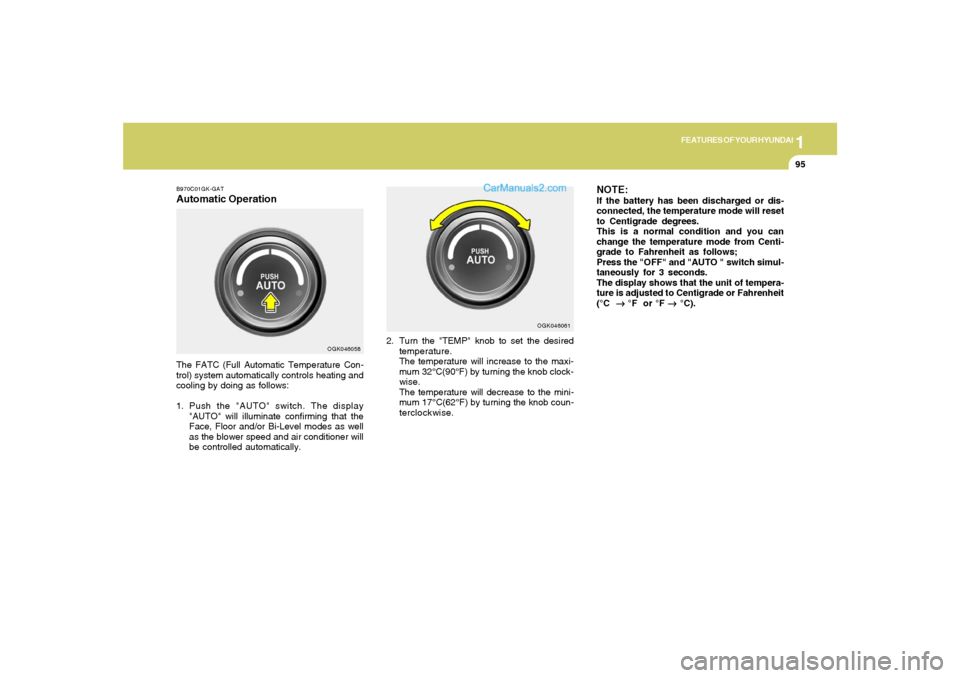
B970C01GK-GATAutomatic OperationThe FATC (Full Automatic Temperature Con-
trol) system automatically controls heating and
cooling by doing as follows:
1. Push the "AUTO" switch. The display
"AUTO" will illuminate confirming that the
Face, Floor and/or Bi-Level modes as well
as the blower speed and air conditioner will
be controlled automatically.2. Turn the "TEMP" knob to set the desired
temperature.
The temperature will increase to the maxi-
mum 32°C(90°F) by turning the knob clock-
wise.
The temperature will decrease to the mini-
mum 17°C(62°F) by turning the knob coun-
terclockwise.
NOTE:If the battery has been discharged or dis-
connected, the temperature mode will reset
to Centigrade degrees.
This is a normal condition and you can
change the temperature mode from Centi-
grade to Fahrenheit as follows;
Press the "OFF" and "AUTO " switch simul-
taneously for 3 seconds.
The display shows that the unit of tempera-
ture is adjusted to Centigrade or Fahrenheit
(°C
→ →→ →
→ °F or °F
→ →→ →
→ °C).
OGK046058OGK046061
Page 110 of 268
1FEATURES OF YOUR HYUNDAI98
B980D01Y-AATHeating and Cooling System Off NOTE:
It should be noted that prolonged opera-
tion of the heating system in "recirculation"
mode will give rise to fogging of the wind-
shield and side windows and the air within
the passenger compartment will become
stale. In addition, prolonged use of the air
conditioning with the "Recirculation" mode
selected may result in the air within the
passenger compartment becoming exces-
sively dry.
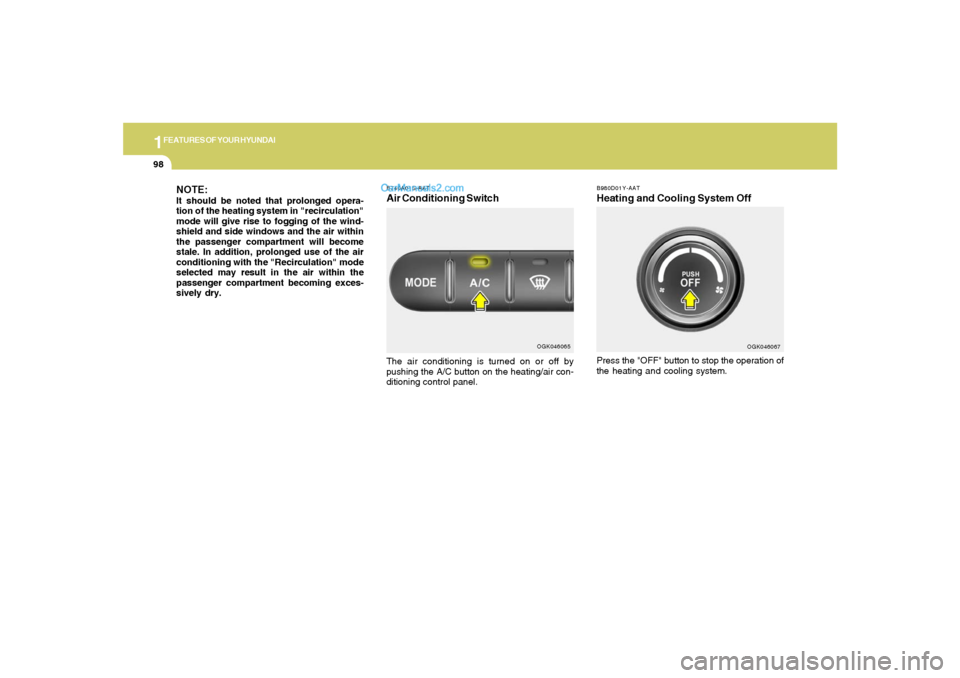
Press the "OFF" button to stop the operation of
the heating and cooling system.
OGK046067
B740A01S-AATAir Conditioning SwitchThe air conditioning is turned on or off by
pushing the A/C button on the heating/air con-
ditioning control panel.
OGK046065
Page 118 of 268
1FEATURES OF YOUR HYUNDAI
106
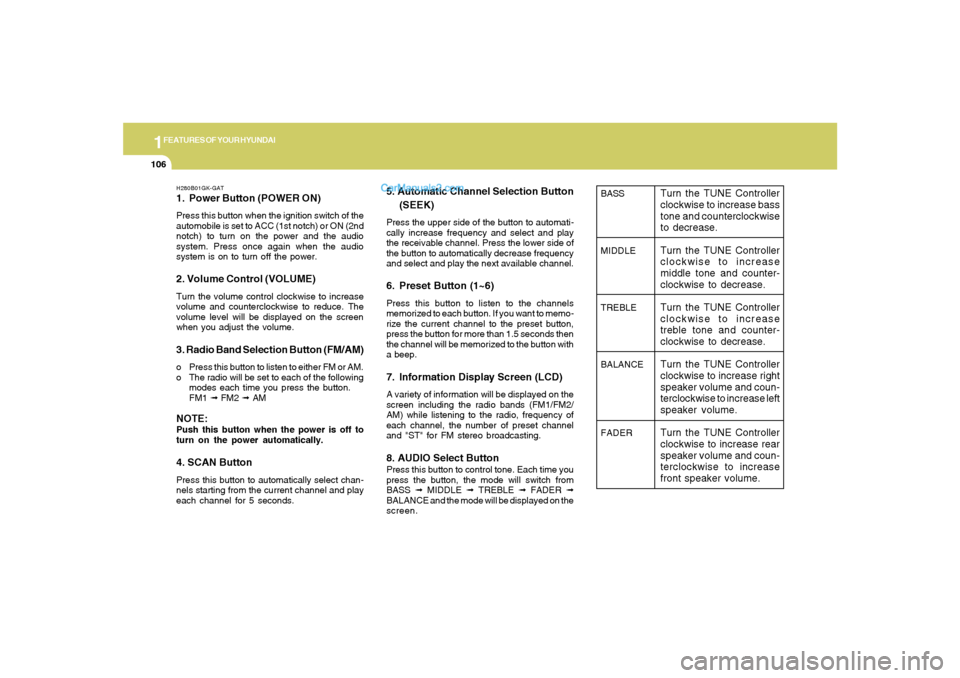
H280B01GK-GAT1. Power Button (POWER ON)Press this button when the ignition switch of the
automobile is set to ACC (1st notch) or ON (2nd
notch) to turn on the power and the audio
system. Press once again when the audio
system is on to turn off the power.2. Volume Control (VOLUME)Turn the volume control clockwise to increase
volume and counterclockwise to reduce. The
volume level will be displayed on the screen
when you adjust the volume.3. Radio Band Selection Button (FM/AM)o Press this button to listen to either FM or AM.
o The radio will be set to each of the following
modes each time you press the button.
FM1 ➟ FM2 ➟ AMNOTE:Push this button when the power is off to
turn on the power automatically.4. SCAN ButtonPress this button to automatically select chan-
nels starting from the current channel and play
each channel for 5 seconds.
5. Automatic Channel Selection Button
(SEEK)Press the upper side of the button to automati-
cally increase frequency and select and play
the receivable channel. Press the lower side of
the button to automatically decrease frequency
and select and play the next available channel.6. Preset Button (1~6)Press this button to listen to the channels
memorized to each button. If you want to memo-
rize the current channel to the preset button,
press the button for more than 1.5 seconds then
the channel will be memorized to the button with
a beep.7. Information Display Screen (LCD)A variety of information will be displayed on the
screen including the radio bands (FM1/FM2/
AM) while listening to the radio, frequency of
each channel, the number of preset channel
and "ST" for FM stereo broadcasting.8. AUDIO Select ButtonPress this button to control tone. Each time you
press the button, the mode will switch from
BASS ➟ MIDDLE ➟ TREBLE ➟ FADER ➟
BALANCE and the mode will be displayed on the
screen.
BASS
MIDDLE
TREBLE
BALANCE
FADER
Turn the TUNE Controller
clockwise to increase bass
tone and counterclockwise
to decrease.
Turn the TUNE Controller
clockwise to increase
middle tone and counter-
clockwise to decrease.
Turn the TUNE Controller
clockwise to increase
treble tone and counter-
clockwise to decrease.
Turn the TUNE Controller
clockwise to increase right
speaker volume and coun-
terclockwise to increase left
speaker volume.
Turn the TUNE Controller
clockwise to increase rear
speaker volume and coun-
terclockwise to increase
front speaker volume.
Page 126 of 268
1FEATURES OF YOUR HYUNDAI
114
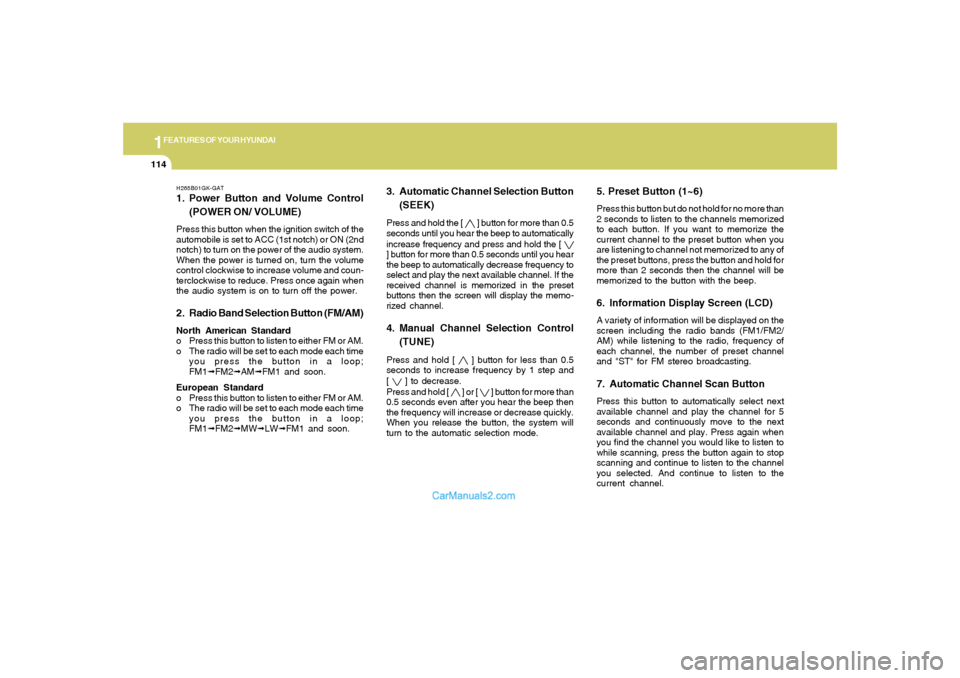
H265B01GK-GAT1. Power Button and Volume Control
(POWER ON/ VOLUME)Press this button when the ignition switch of the
automobile is set to ACC (1st notch) or ON (2nd
notch) to turn on the power of the audio system.
When the power is turned on, turn the volume
control clockwise to increase volume and coun-
terclockwise to reduce. Press once again when
the audio system is on to turn off the power.2. Radio Band Selection Button (FM/AM)North American Standard
o Press this button to listen to either FM or AM.
o The radio will be set to each mode each time
you press the button in a loop;
FM1➟FM2➟AM➟FM1 and soon.
European Standard
o Press this button to listen to either FM or AM.
o The radio will be set to each mode each time
you press the button in a loop;
FM1➟FM2➟MW➟LW➟FM1 and soon.
5. Preset Button (1~6)Press this button but do not hold for no more than
2 seconds to listen to the channels memorized
to each button. If you want to memorize the
current channel to the preset button when you
are listening to channel not memorized to any of
the preset buttons, press the button and hold for
more than 2 seconds then the channel will be
memorized to the button with the beep.6. Information Display Screen (LCD)A variety of information will be displayed on the
screen including the radio bands (FM1/FM2/
AM) while listening to the radio, frequency of
each channel, the number of preset channel
and "ST" for FM stereo broadcasting.7. Automatic Channel Scan ButtonPress this button to automatically select next
available channel and play the channel for 5
seconds and continuously move to the next
available channel and play. Press again when
you find the channel you would like to listen to
while scanning, press the button again to stop
scanning and continue to listen to the channel
you selected. And continue to listen to the
current channel.
3. Automatic Channel Selection Button
(SEEK)Press and hold the [
] button for more than 0.5
seconds until you hear the beep to automatically
increase frequency and press and hold the [
] button for more than 0.5 seconds until you hear
the beep to automatically decrease frequency to
select and play the next available channel. If the
received channel is memorized in the preset
buttons then the screen will display the memo-
rized channel.4. Manual Channel Selection Control
(TUNE)Press and hold [
] button for less than 0.5
seconds to increase frequency by 1 step and
[
] to decrease.
Press and hold [
] or [
] button for more than
0.5 seconds even after you hear the beep then
the frequency will increase or decrease quickly.
When you release the button, the system will
turn to the automatic selection mode.