wheel HYUNDAI TUCSON 2007 User Guide
[x] Cancel search | Manufacturer: HYUNDAI, Model Year: 2007, Model line: TUCSON, Model: HYUNDAI TUCSON 2007Pages: 306, PDF Size: 11.82 MB
Page 86 of 306
1FEATURES OF YOUR HYUNDAI74
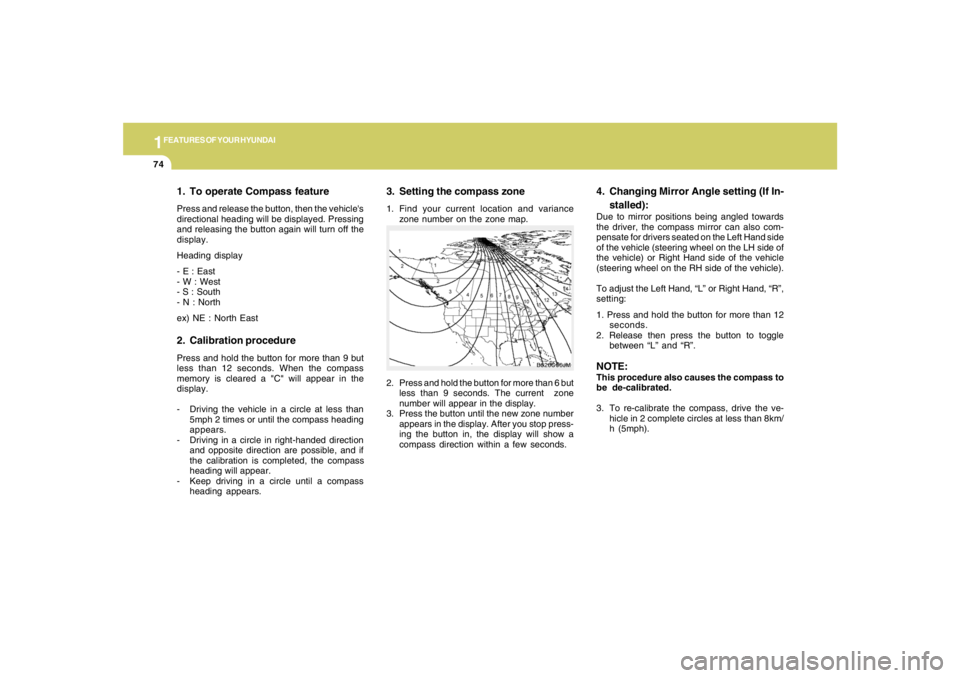
3. Setting the compass zone1. Find your current location and variance
zone number on the zone map.
2. Press and hold the button for more than 6 but
less than 9 seconds. The current zone
number will appear in the display.
3. Press the button until the new zone number
appears in the display. After you stop press-
ing the button in, the display will show a
compass direction within a few seconds.
B520C06JM
4. Changing Mirror Angle setting (If In-
stalled):Due to mirror positions being angled towards
the driver, the compass mirror can also com-
pensate for drivers seated on the Left Hand side
of the vehicle (steering wheel on the LH side of
the vehicle) or Right Hand side of the vehicle
(steering wheel on the RH side of the vehicle).
To adjust the Left Hand, “L” or Right Hand, “R”,
setting:
1. Press and hold the button for more than 12
seconds.
2. Release then press the button to toggle
between “L” and “R”.NOTE:This procedure also causes the compass to
be de-calibrated.
3. To re-calibrate the compass, drive the ve-
hicle in 2 complete circles at less than 8km/
h (5mph).
1. To operate Compass featurePress and release the button, then the vehicle's
directional heading will be displayed. Pressing
and releasing the button again will turn off the
display.
Heading display
- E : East
- W : West
- S : South
- N : North
ex) NE : North East2. Calibration procedurePress and hold the button for more than 9 but
less than 12 seconds. When the compass
memory is cleared a "C" will appear in the
display.
- Driving the vehicle in a circle at less than
5mph 2 times or until the compass heading
appears.
- Driving in a circle in right-handed direction
and opposite direction are possible, and if
the calibration is completed, the compass
heading will appear.
- Keep driving in a circle until a compass
heading appears.
Page 96 of 306
1FEATURES OF YOUR HYUNDAI84
HJM2067
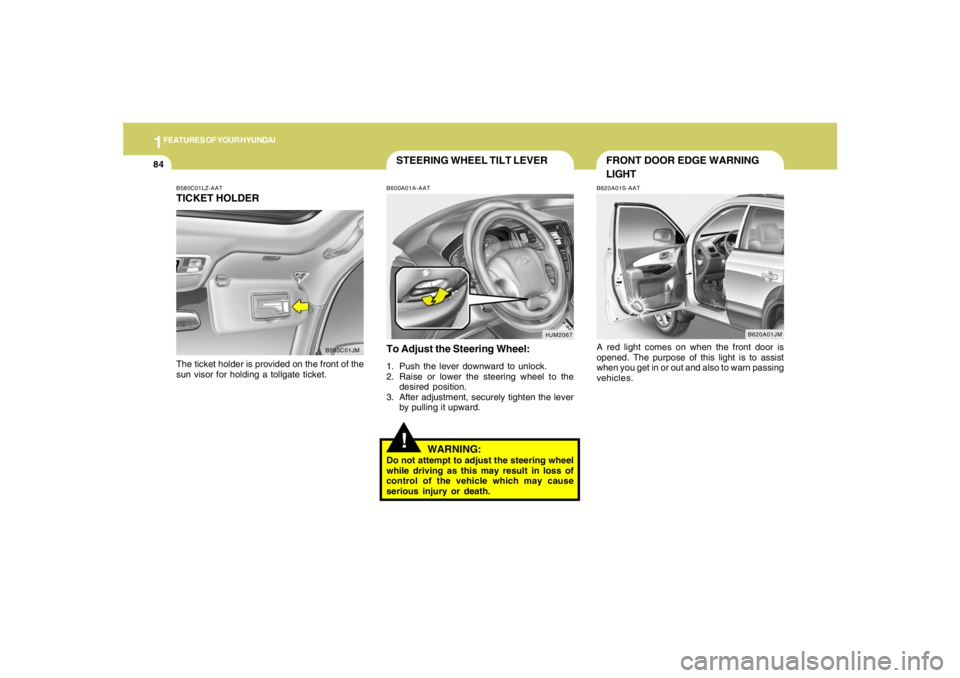
STEERING WHEEL TILT LEVER!
To Adjust the Steering Wheel:1. Push the lever downward to unlock.
2. Raise or lower the steering wheel to the
desired position.
3. After adjustment, securely tighten the lever
by pulling it upward.
WARNING:
Do not attempt to adjust the steering wheel
while driving as this may result in loss of
control of the vehicle which may cause
serious injury or death.B600A01A-AAT
B580C01LZ-AATTICKET HOLDERThe ticket holder is provided on the front of the
sun visor for holding a tollgate ticket.
B580C01JM
FRONT DOOR EDGE WARNING
LIGHTB620A01S-AATA red light comes on when the front door is
opened. The purpose of this light is to assist
when you get in or out and also to warn passing
vehicles.
B620A01JM
Page 97 of 306
1
FEATURES OF YOUR HYUNDAI
85
B610A01JM
HORNB610A01L-GATPress the pad on the steering wheel to sound the
horn.
HJM2043
REAR SEAT ARM RESTB611A01Y-AATThis arm rest is located in the center of the rear
seat back.
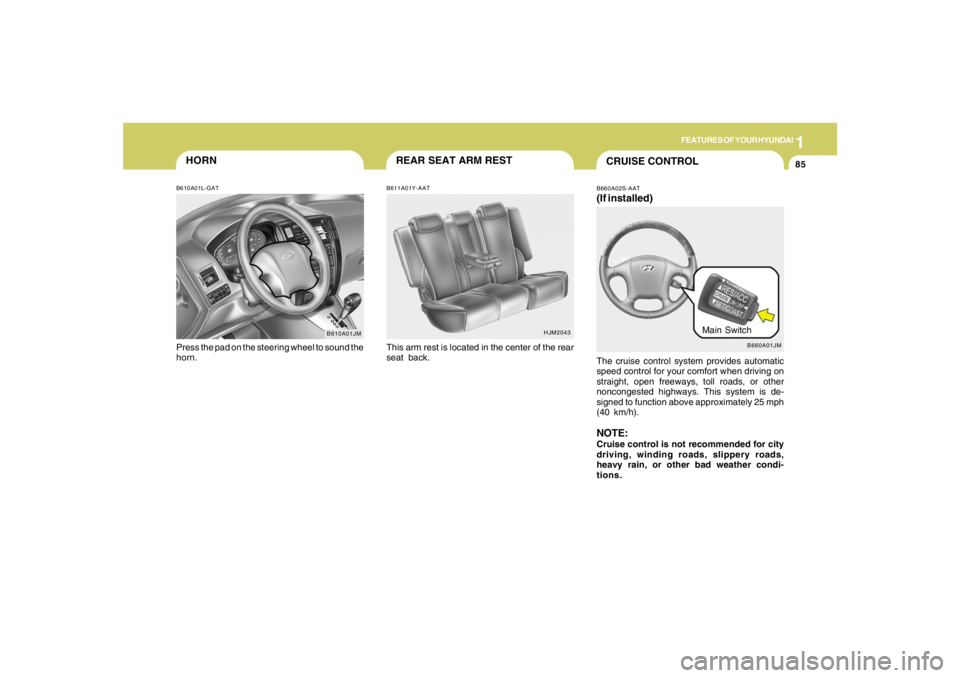
B660A01JM
Main Switch
CRUISE CONTROLB660A02S-AAT(If installed)The cruise control system provides automatic
speed control for your comfort when driving on
straight, open freeways, toll roads, or other
noncongested highways. This system is de-
signed to function above approximately 25 mph
(40 km/h).NOTE:Cruise control is not recommended for city
driving, winding roads, slippery roads,
heavy rain, or other bad weather condi-
tions.
Page 98 of 306
1FEATURES OF YOUR HYUNDAI86
!
5. To momently increase speed, depress the
accelerator pedal enough for the vehicle to
exceed the preset speed. When you remove
your foot from the accelerator pedal, the
vehicle will return to the speed you have set.
WARNING:
To avoid accidental cruise control engage-
ment, keep the cruise control main switch
off when not using the cruise control.
B660B01JM B660B02E-AAT
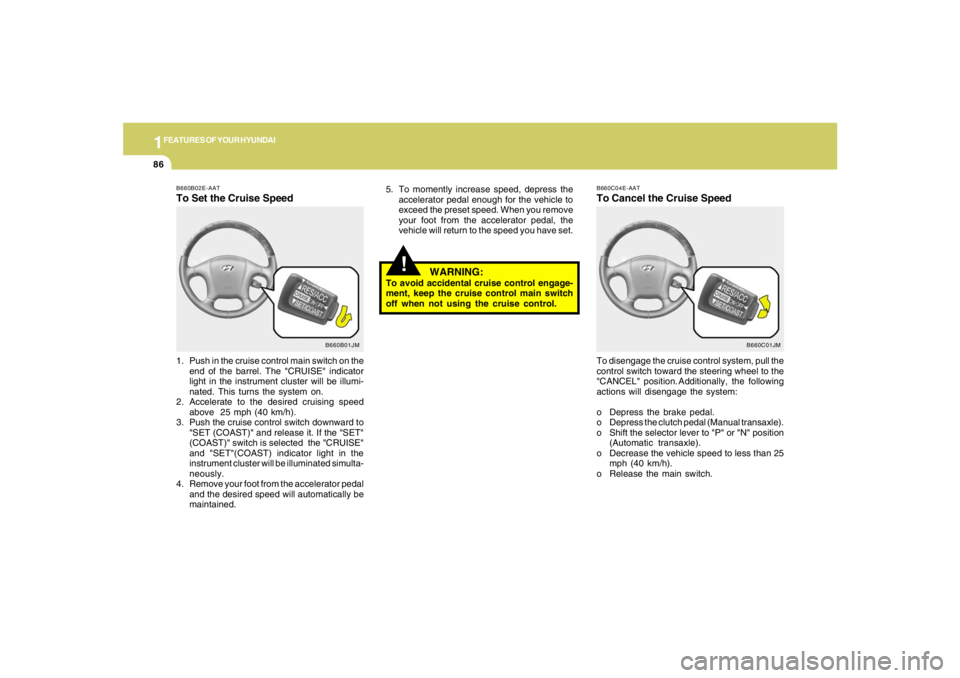
To Set the Cruise Speed1. Push in the cruise control main switch on the
end of the barrel. The "CRUISE" indicator
light in the instrument cluster will be illumi-
nated. This turns the system on.
2. Accelerate to the desired cruising speed
above 25 mph (40 km/h).
3. Push the cruise control switch downward to
"SET (COAST)" and release it. If the "SET"
(COAST)" switch is selected the "CRUISE"
and "SET"(COAST) indicator light in the
instrument cluster will be illuminated simulta-
neously.
4. Remove your foot from the accelerator pedal
and the desired speed will automatically be
maintained.
B660C01JM B660C04E-AAT
To Cancel the Cruise SpeedTo disengage the cruise control system, pull the
control switch toward the steering wheel to the
"CANCEL" position. Additionally, the following
actions will disengage the system:
o Depress the brake pedal.
o Depress the clutch pedal (Manual transaxle).
o Shift the selector lever to "P" or "N" position
(Automatic transaxle).
o Decrease the vehicle speed to less than 25
mph (40 km/h).
o Release the main switch.
Page 169 of 306
2
DRIVING YOUR HYUNDAI
3
!
!
WARNING:
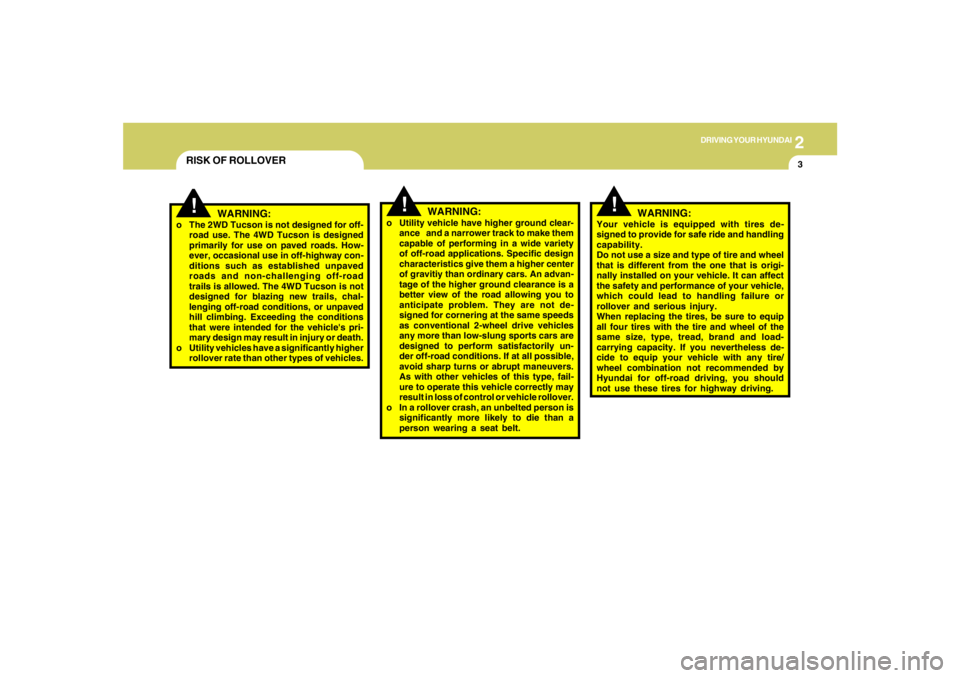
o The 2WD Tucson is not designed for off-
road use. The 4WD Tucson is designed
primarily for use on paved roads. How-
ever, occasional use in off-highway con-
ditions such as established unpaved
roads and non-challenging off-road
trails is allowed. The 4WD Tucson is not
designed for blazing new trails, chal-
lenging off-road conditions, or unpaved
hill climbing. Exceeding the conditions
that were intended for the vehicle's pri-
mary design may result in injury or death.
o Utility vehicles have a significantly higher
rollover rate than other types of vehicles.o Utility vehicle have higher ground clear-
ance and a narrower track to make them
capable of performing in a wide variety
of off-road applications. Specific design
characteristics give them a higher center
of gravitiy than ordinary cars. An advan-
tage of the higher ground clearance is a
better view of the road allowing you to
anticipate problem. They are not de-
signed for cornering at the same speeds
as conventional 2-wheel drive vehicles
any more than low-slung sports cars are
designed to perform satisfactorily un-
der off-road conditions. If at all possible,
avoid sharp turns or abrupt maneuvers.
As with other vehicles of this type, fail-
ure to operate this vehicle correctly may
result in loss of control or vehicle rollover.
o In a rollover crash, an unbelted person is
significantly more likely to die than a
person wearing a seat belt.
WARNING:
RISK OF ROLLOVER
!
WARNING:
Your vehicle is equipped with tires de-
signed to provide for safe ride and handling
capability.
Do not use a size and type of tire and wheel
that is different from the one that is origi-
nally installed on your vehicle. It can affect
the safety and performance of your vehicle,
which could lead to handling failure or
rollover and serious injury.
When replacing the tires, be sure to equip
all four tires with the tire and wheel of the
same size, type, tread, brand and load-
carrying capacity. If you nevertheless de-
cide to equip your vehicle with any tire/
wheel combination not recommended by
Hyundai for off-road driving, you should
not use these tires for highway driving.
Page 171 of 306
2
DRIVING YOUR HYUNDAI
5
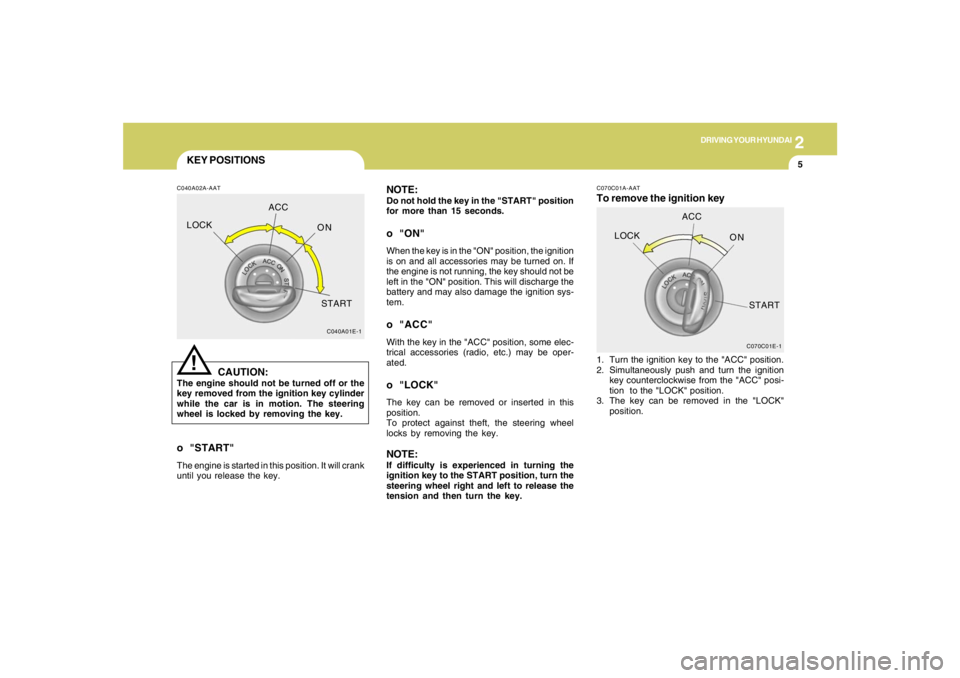
KEY POSITIONSC040A02A-AAT
CAUTION:
The engine should not be turned off or the
key removed from the ignition key cylinder
while the car is in motion. The steering
wheel is locked by removing the key.
!
o "START"The engine is started in this position. It will crank
until you release the key.
C040A01E-1
LOCKACC
ON
START
NOTE:Do not hold the key in the "START" position
for more than 15 seconds.o "ON"When the key is in the "ON" position, the ignition
is on and all accessories may be turned on. If
the engine is not running, the key should not be
left in the "ON" position. This will discharge the
battery and may also damage the ignition sys-
tem.o "ACC"With the key in the "ACC" position, some elec-
trical accessories (radio, etc.) may be oper-
ated.o "LOCK"The key can be removed or inserted in this
position.
To protect against theft, the steering wheel
locks by removing the key.NOTE:If difficulty is experienced in turning the
ignition key to the START position, turn the
steering wheel right and left to release the
tension and then turn the key.
C070C01E-1
LOCKACC
ON
START
C070C01A-AATTo remove the ignition key1. Turn the ignition key to the "ACC" position.
2. Simultaneously push and turn the ignition
key counterclockwise from the "ACC" posi-
tion to the "LOCK" position.
3. The key can be removed in the "LOCK"
position.
Page 174 of 306
2
DRIVING YOUR HYUNDAI
8
!
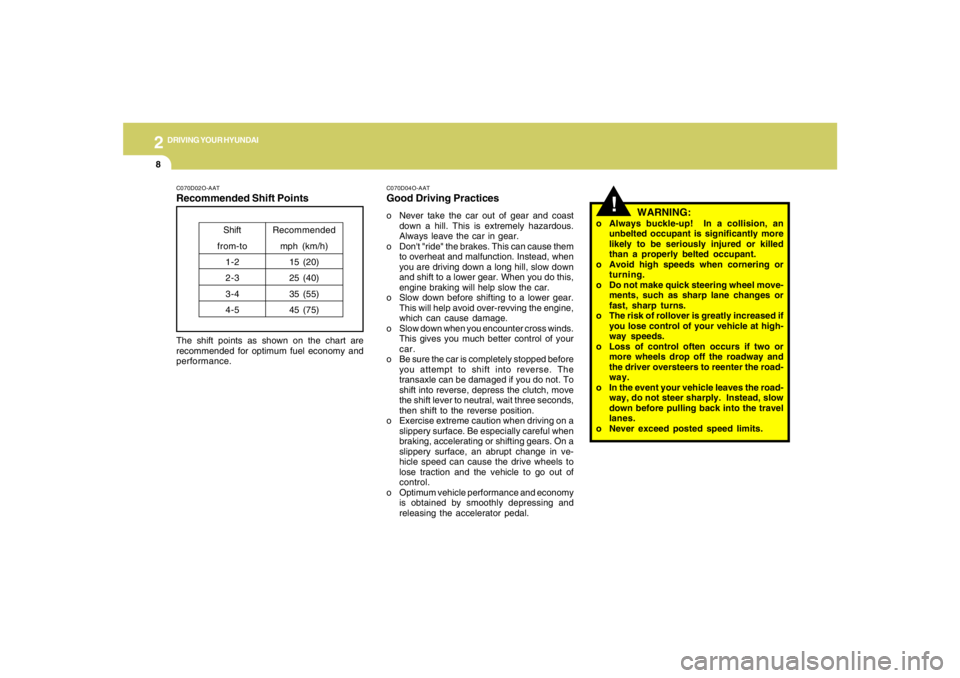
WARNING:
o Always buckle-up! In a collision, an
unbelted occupant is significantly more
likely to be seriously injured or killed
than a properly belted occupant.
o Avoid high speeds when cornering or
turning.
o Do not make quick steering wheel move-
ments, such as sharp lane changes or
fast, sharp turns.
o The risk of rollover is greatly increased if
you lose control of your vehicle at high-
way speeds.
o Loss of control often occurs if two or
more wheels drop off the roadway and
the driver oversteers to reenter the road-
way.
o In the event your vehicle leaves the road-
way, do not steer sharply. Instead, slow
down before pulling back into the travel
lanes.
o Never exceed posted speed limits.
C070D02O-AATRecommended Shift PointsThe shift points as shown on the chart are
recommended for optimum fuel economy and
performance.
Shift
from-to
1-2
2-3
3-4
4-5Recommended
mph (km/h)
15 (20)
25 (40)
35 (55)
45 (75)
C070D04O-AATGood Driving Practiceso Never take the car out of gear and coast
down a hill. This is extremely hazardous.
Always leave the car in gear.
o Don't "ride" the brakes. This can cause them
to overheat and malfunction. Instead, when
you are driving down a long hill, slow down
and shift to a lower gear. When you do this,
engine braking will help slow the car.
o Slow down before shifting to a lower gear.
This will help avoid over-revving the engine,
which can cause damage.
o Slow down when you encounter cross winds.
This gives you much better control of your
car.
o Be sure the car is completely stopped before
you attempt to shift into reverse. The
transaxle can be damaged if you do not. To
shift into reverse, depress the clutch, move
the shift lever to neutral, wait three seconds,
then shift to the reverse position.
o Exercise extreme caution when driving on a
slippery surface. Be especially careful when
braking, accelerating or shifting gears. On a
slippery surface, an abrupt change in ve-
hicle speed can cause the drive wheels to
lose traction and the vehicle to go out of
control.
o Optimum vehicle performance and economy
is obtained by smoothly depressing and
releasing the accelerator pedal.
Page 178 of 306
2
DRIVING YOUR HYUNDAI
12
!
C090N05O-AATGood Driving Practiceso Never move the gear selector lever from "P"
or "N" to any other position with the accelera-
tor pedal depressed.
o Never move the gear selector lever into "P"
when the vehicle is in motion.
o Be sure the car is completely stopped before
you attempt to shift into "R".
o Never take the car out of gear and coast
down a hill. This may be extremely hazard-
ous. Always leave the car in gear when
moving.
o Do not "ride" the brakes. This can cause
them to overheat and malfunction. Instead,
when you are driving down a long hill, slow
down and shift to a lower gear. When you do
this, engine braking will help slow the car.
o Slow down before shifting to a lower gear.
Otherwise, the lower gear may not be en-
gaged.
o Always use the parking brake. Do not de-
pend on placing the transaxle in "P" to keep
the car from moving.
o Exercise extreme caution when driving on a
slippery surface. Be especially careful when
braking, accelerating or shifting gears. On a
slippery surface, an abrupt change in ve-
hicle speed can cause the drive wheels to
lose traction and the vehicle to go out of
control.
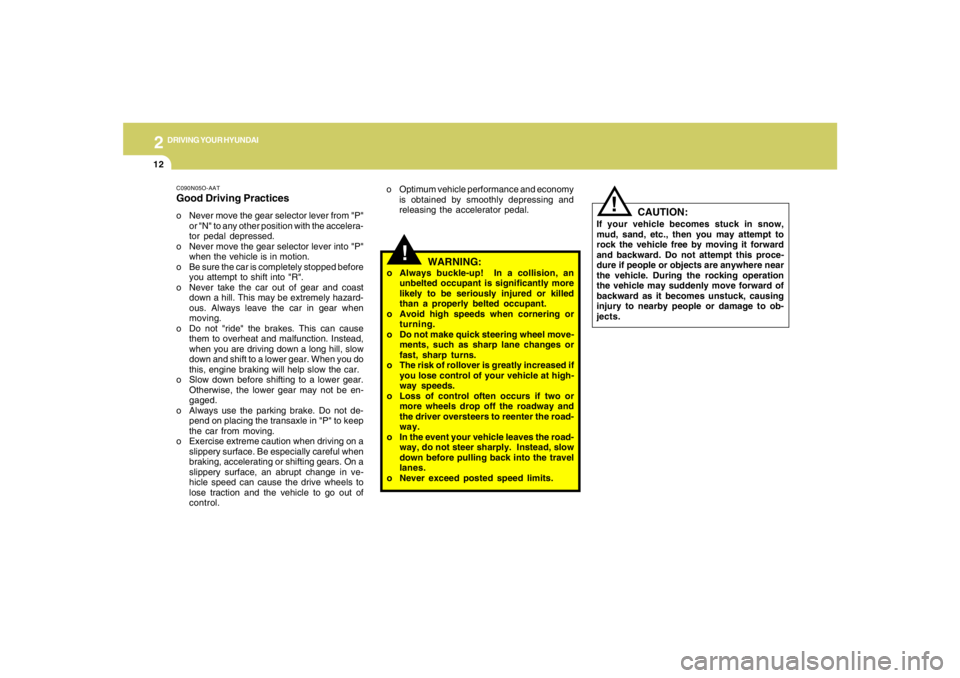
WARNING:
o Always buckle-up! In a collision, an
unbelted occupant is significantly more
likely to be seriously injured or killed
than a properly belted occupant.
o Avoid high speeds when cornering or
turning.
o Do not make quick steering wheel move-
ments, such as sharp lane changes or
fast, sharp turns.
o The risk of rollover is greatly increased if
you lose control of your vehicle at high-
way speeds.
o Loss of control often occurs if two or
more wheels drop off the roadway and
the driver oversteers to reenter the road-
way.
o In the event your vehicle leaves the road-
way, do not steer sharply. Instead, slow
down before pulling back into the travel
lanes.
o Never exceed posted speed limits. o Optimum vehicle performance and economy
is obtained by smoothly depressing and
releasing the accelerator pedal.
CAUTION:
If your vehicle becomes stuck in snow,
mud, sand, etc., then you may attempt to
rock the vehicle free by moving it forward
and backward. Do not attempt this proce-
dure if people or objects are anywhere near
the vehicle. During the rocking operation
the vehicle may suddenly move forward of
backward as it becomes unstuck, causing
injury to nearby people or damage to ob-
jects.
!
Page 179 of 306
2
DRIVING YOUR HYUNDAI
13
!
WARNING:
ABS / TCS / ESC will not prevent accidents
due to improper or dangerous driving ma-
neuvers. Even though vehicle control is
improved during emergency braking, al-
ways maintain a safe distance between you
and objects ahead. Vehicle speeds should
always be reduced during extreme road
conditions.
The braking distance for cars equipped
with an anti-lock braking system / TCS / ESC
may be longer than for those without it in
the following road conditions. During these
conditions the vehicle should be driven at
reduced speeds:
o Rough, gravel or snow-covered roads.
o With tire chains installed.
o On roads where the road surface is pit-
ted or has different surface height.
The safety features of an ABS / TCS / ESC
equipped vehicle should not be tested by
high speed driving or cornering. This could
endanger the safety of yourself or others.
TRACTION CONTROL
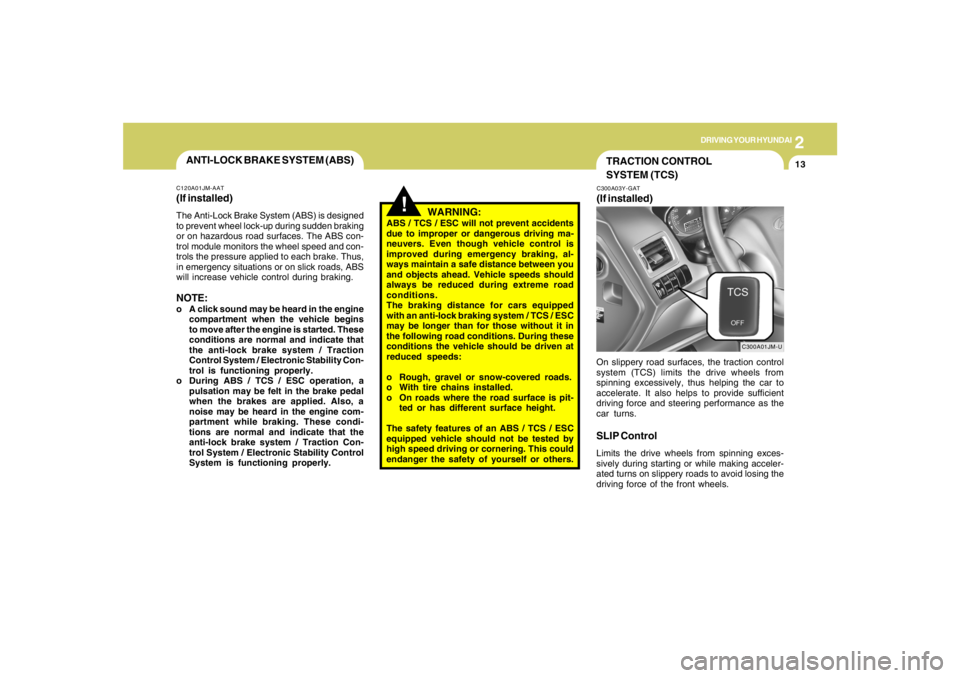
SYSTEM (TCS)C300A03Y-GAT(If installed)
C300A01JM-U
On slippery road surfaces, the traction control
system (TCS) limits the drive wheels from
spinning excessively, thus helping the car to
accelerate. It also helps to provide sufficient
driving force and steering performance as the
car turns.SLIP ControlLimits the drive wheels from spinning exces-
sively during starting or while making acceler-
ated turns on slippery roads to avoid losing the
driving force of the front wheels.
ANTI-LOCK BRAKE SYSTEM (ABS)C120A01JM-AAT(If installed)The Anti-Lock Brake System (ABS) is designed
to prevent wheel lock-up during sudden braking
or on hazardous road surfaces. The ABS con-
trol module monitors the wheel speed and con-
trols the pressure applied to each brake. Thus,
in emergency situations or on slick roads, ABS
will increase vehicle control during braking.NOTE:o A click sound may be heard in the engine
compartment when the vehicle begins
to move after the engine is started. These
conditions are normal and indicate that
the anti-lock brake system / Traction
Control System / Electronic Stability Con-
trol is functioning properly.
o During ABS / TCS / ESC operation, a
pulsation may be felt in the brake pedal
when the brakes are applied. Also, a
noise may be heard in the engine com-
partment while braking. These condi-
tions are normal and indicate that the
anti-lock brake system / Traction Con-
trol System / Electronic Stability Control
System is functioning properly.
Page 181 of 306
2
DRIVING YOUR HYUNDAI
15
!
CAUTION:
Driving with varying tire or wheel size may
cause the ESC system to malfunction. When
replacing tires, make sure they are the same
size as your original tires.
!
ELECTRONIC STABILITY
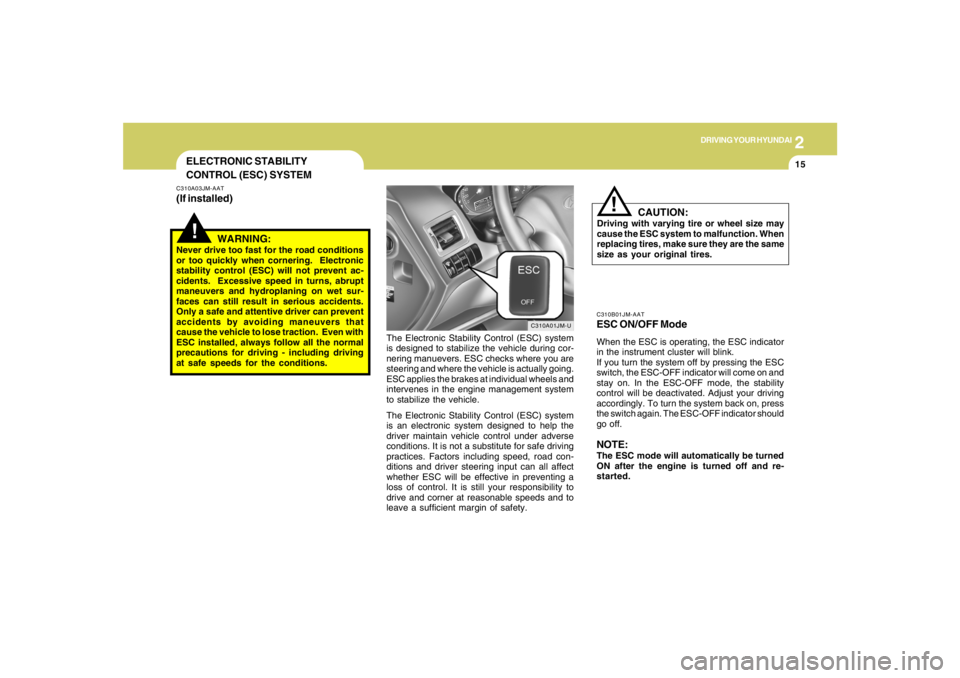
CONTROL (ESC) SYSTEMC310A03JM-AAT(If installed)
C310A01JM-U
The Electronic Stability Control (ESC) system
is designed to stabilize the vehicle during cor-
nering manuevers. ESC checks where you are
steering and where the vehicle is actually going.
ESC applies the brakes at individual wheels and
intervenes in the engine management system
to stabilize the vehicle.
The Electronic Stability Control (ESC) system
is an electronic system designed to help the
driver maintain vehicle control under adverse
conditions. It is not a substitute for safe driving
practices. Factors including speed, road con-
ditions and driver steering input can all affect
whether ESC will be effective in preventing a
loss of control. It is still your responsibility to
drive and corner at reasonable speeds and to
leave a sufficient margin of safety.
WARNING:
Never drive too fast for the road conditions
or too quickly when cornering. Electronic
stability control (ESC) will not prevent ac-
cidents. Excessive speed in turns, abrupt
maneuvers and hydroplaning on wet sur-
faces can still result in serious accidents.
Only a safe and attentive driver can prevent
accidents by avoiding maneuvers that
cause the vehicle to lose traction. Even with
ESC installed, always follow all the normal
precautions for driving - including driving
at safe speeds for the conditions.
C310B01JM-AATESC ON/OFF ModeWhen the ESC is operating, the ESC indicator
in the instrument cluster will blink.
If you turn the system off by pressing the ESC
switch, the ESC-OFF indicator will come on and
stay on. In the ESC-OFF mode, the stability
control will be deactivated. Adjust your driving
accordingly. To turn the system back on, press
the switch again. The ESC-OFF indicator should
go off.NOTE:The ESC mode will automatically be turned
ON after the engine is turned off and re-
started.