light HYUNDAI TUCSON 2008 Service Manual
[x] Cancel search | Manufacturer: HYUNDAI, Model Year: 2008, Model line: TUCSON, Model: HYUNDAI TUCSON 2008Pages: 275, PDF Size: 10.93 MB
Page 100 of 275
1FEATURES OF YOUR HYUNDAI88
!
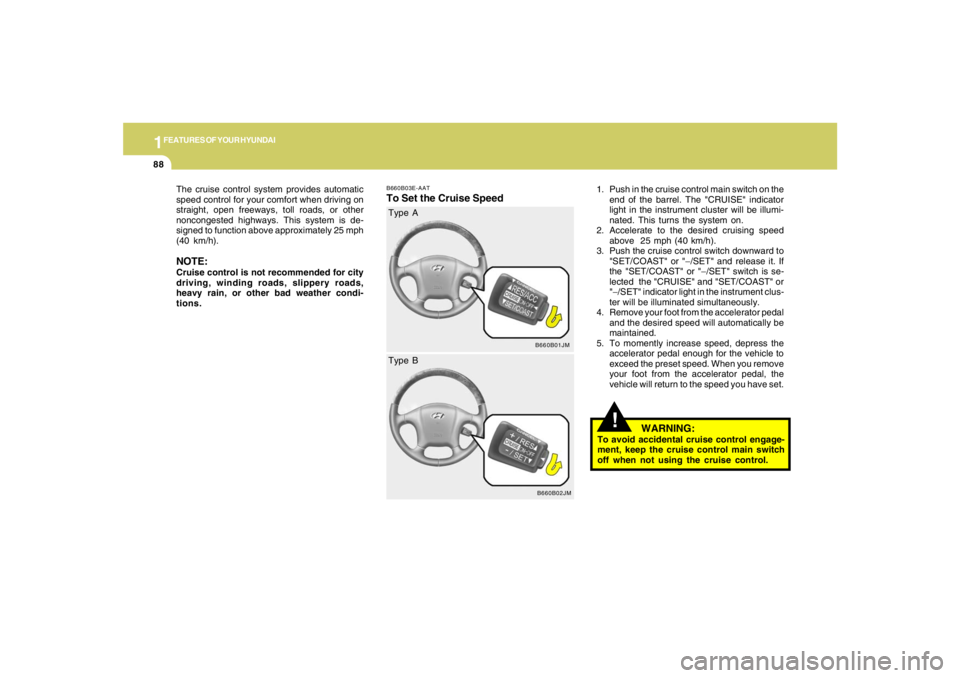
B660B03E-AATTo Set the Cruise Speed
1. Push in the cruise control main switch on the
end of the barrel. The "CRUISE" indicator
light in the instrument cluster will be illumi-
nated. This turns the system on.
2. Accelerate to the desired cruising speed
above 25 mph (40 km/h).
3. Push the cruise control switch downward to
"SET/COAST" or "−/SET" and release it. If
the "SET/COAST" or "−/SET" switch is se-
lected the "CRUISE" and "SET/COAST" or
"−/SET" indicator light in the instrument clus-
ter will be illuminated simultaneously.
4. Remove your foot from the accelerator pedal
and the desired speed will automatically be
maintained.
5. To momently increase speed, depress the
accelerator pedal enough for the vehicle to
exceed the preset speed. When you remove
your foot from the accelerator pedal, the
vehicle will return to the speed you have set. The cruise control system provides automatic
speed control for your comfort when driving on
straight, open freeways, toll roads, or other
noncongested highways. This system is de-
signed to function above approximately 25 mph
(40 km/h).
NOTE:Cruise control is not recommended for city
driving, winding roads, slippery roads,
heavy rain, or other bad weather condi-
tions.
B660B01JM
Type A
B660B02JM
Type B
WARNING:
To avoid accidental cruise control engage-
ment, keep the cruise control main switch
off when not using the cruise control.
Page 105 of 275
1
FEATURES OF YOUR HYUNDAI
9393939393
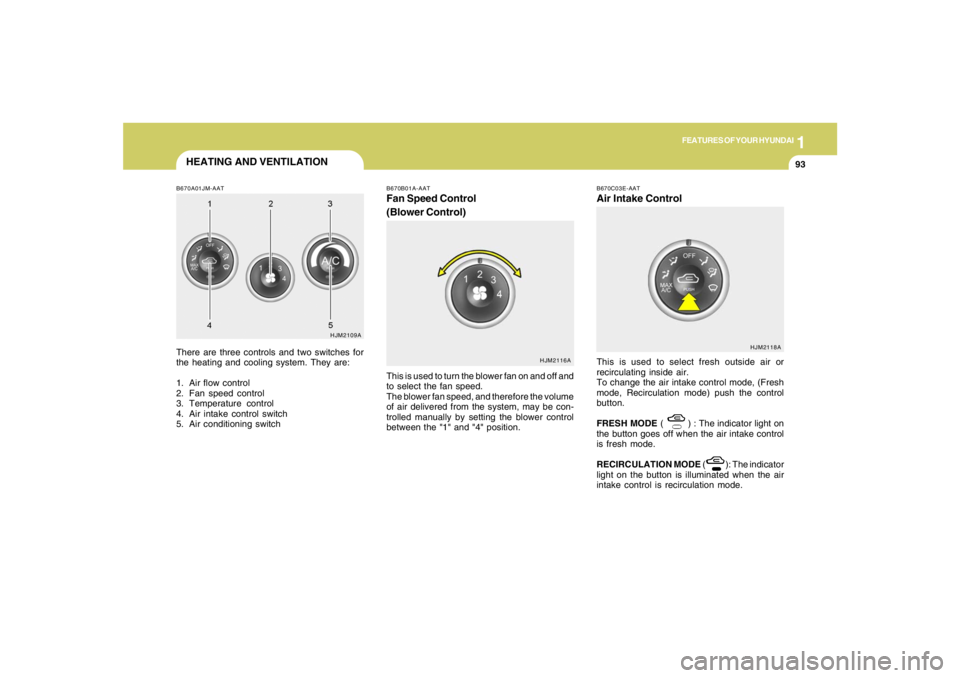
B670A01JM-AATThere are three controls and two switches for
the heating and cooling system. They are:
1. Air flow control
2. Fan speed control
3. Temperature control
4. Air intake control switch
5. Air conditioning switch
HJM2109A
HJM2116A B670B01A-AAT
Fan Speed Control
(Blower Control)This is used to turn the blower fan on and off and
to select the fan speed.
The blower fan speed, and therefore the volume
of air delivered from the system, may be con-
trolled manually by setting the blower control
between the "1" and "4" position.
HEATING AND VENTILATION
B670C03E-AATAir Intake ControlThis is used to select fresh outside air or
recirculating inside air.
To change the air intake control mode, (Fresh
mode, Recirculation mode) push the control
button.
FRESH MODE ( ) : The indicator light on
the button goes off when the air intake control
is fresh mode.
RECIRCULATION MODE ( ): The indicator
light on the button is illuminated when the air
intake control is recirculation mode.
HJM2118A
Page 111 of 275
1
FEATURES OF YOUR HYUNDAI
9999999999
B740C01S-AATDehumidified HeatingFor dehumidified heating:
o Turn on the fan control switch.
o Turn on the air conditioning switch. The air
conditioning indicator light should come on at
the same time.
o Set the air intake control to the "Fresh" mode
( ).
o Set the air flow control to the "Face" ( ).
o Adjust the fan control to the desired speed.
o For more rapid action, set the fan at one of
the higher speeds.
o Adjust the temperature control to provide the
desired amount of warmth.
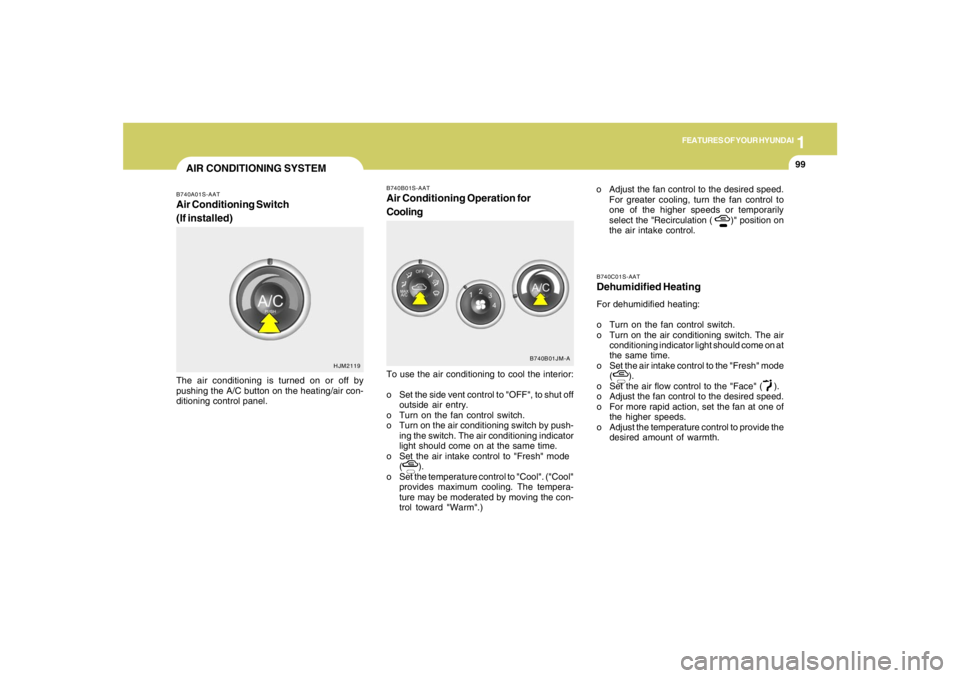
B740B01S-AATAir Conditioning Operation for
CoolingTo use the air conditioning to cool the interior:
o Set the side vent control to "OFF", to shut off
outside air entry.
o Turn on the fan control switch.
o Turn on the air conditioning switch by push-
ing the switch. The air conditioning indicator
light should come on at the same time.
o Set the air intake control to "Fresh" mode
( ).
o Set the temperature control to "Cool". ("Cool"
provides maximum cooling. The tempera-
ture may be moderated by moving the con-
trol toward "Warm".)o Adjust the fan control to the desired speed.
For greater cooling, turn the fan control to
one of the higher speeds or temporarily
select the "Recirculation ( )" position on
the air intake control.
B740B01JM-A
AIR CONDITIONING SYSTEMB740A01S-AATAir Conditioning Switch
(If installed)The air conditioning is turned on or off by
pushing the A/C button on the heating/air con-
ditioning control panel.
HJM2119
Page 115 of 275
1
FEATURES OF YOUR HYUNDAI
103103103103103
Photo sensor
HJM2086
NOTE:o If the battery has been discharged or
disconnected, the temperature mode will
reset to Centigrade degrees.
This is a normal condition and you can
change the temperature mode from Cen-
tigrade to Farenheit as follows;
Press the "TEMP" down button and
"AUTO" button simultaneously for 3
secs. The display shows that the unit of
temperature is adjusted to Centigrade or
Fahrenheit.
(°C
→ →→ →
→°F or °F
→ →→ →
→°C)
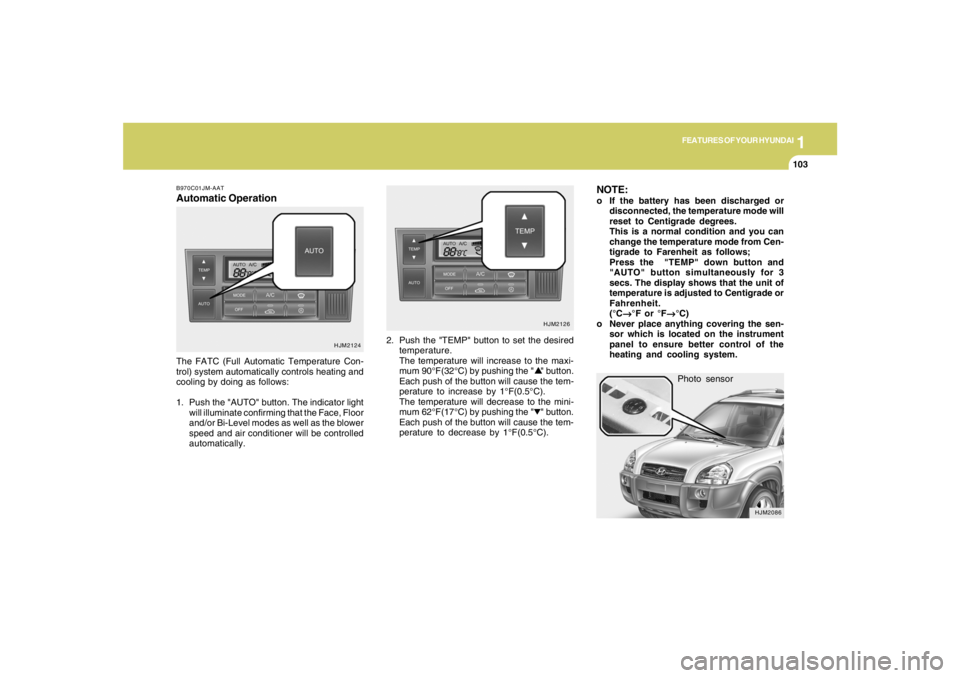
o Never place anything covering the sen-
sor which is located on the instrument
panel to ensure better control of the
heating and cooling system.
B970C01JM-AATAutomatic OperationThe FATC (Full Automatic Temperature Con-
trol) system automatically controls heating and
cooling by doing as follows:
1. Push the "AUTO" button. The indicator light
will illuminate confirming that the Face, Floor
and/or Bi-Level modes as well as the blower
speed and air conditioner will be controlled
automatically.2. Push the "TEMP" button to set the desired
temperature.
The temperature will increase to the maxi-
mum 90°F(32°C) by pushing the " " button.
Each push of the button will cause the tem-
perature to increase by 1°F(0.5°C).
The temperature will decrease to the mini-
mum 62°F(17°C) by pushing the " " button.
Each push of the button will cause the tem-
perature to decrease by 1°F(0.5°C).
HJM2124HJM2126
Page 116 of 275
1FEATURES OF YOUR HYUNDAI
104
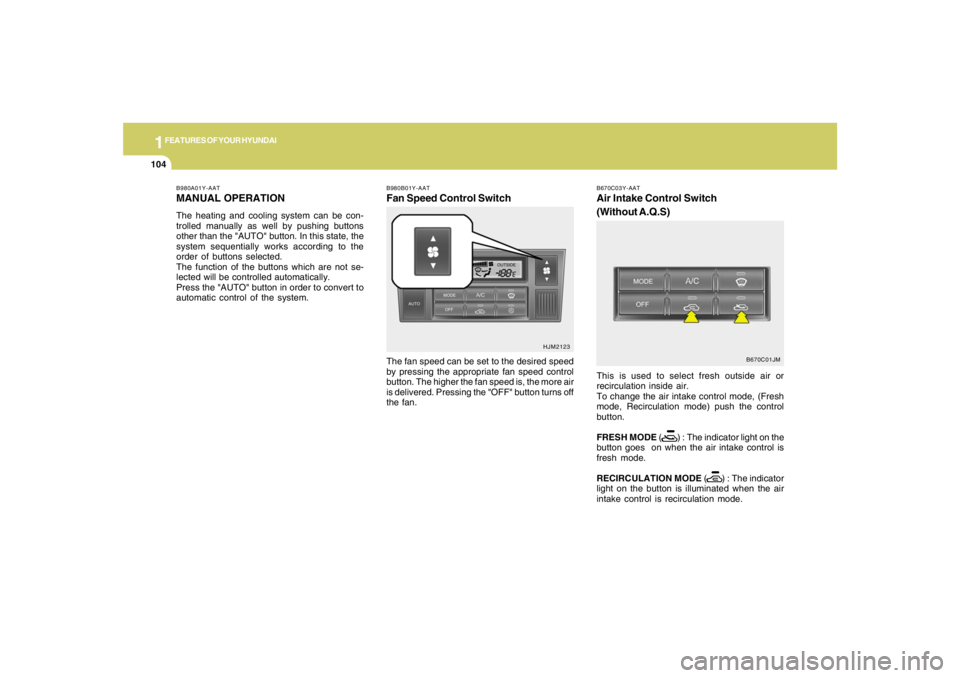
B980B01Y-AATFan Speed Control SwitchThe fan speed can be set to the desired speed
by pressing the appropriate fan speed control
button. The higher the fan speed is, the more air
is delivered. Pressing the "OFF" button turns off
the fan.
HJM2123 B980A01Y-AAT
MANUAL OPERATIONThe heating and cooling system can be con-
trolled manually as well by pushing buttons
other than the "AUTO" button. In this state, the
system sequentially works according to the
order of buttons selected.
The function of the buttons which are not se-
lected will be controlled automatically.
Press the "AUTO" button in order to convert to
automatic control of the system.
B670C03Y-AATAir Intake Control Switch
(Without A.Q.S)This is used to select fresh outside air or
recirculation inside air.
To change the air intake control mode, (Fresh
mode, Recirculation mode) push the control
button.
FRESH MODE ( ) : The indicator light on the
button goes on when the air intake control is
fresh mode.
RECIRCULATION MODE ( ) : The indicator
light on the button is illuminated when the air
intake control is recirculation mode.
B670C01JM
Page 118 of 275
1FEATURES OF YOUR HYUNDAI
106
B980D01Y-AATHeating and Cooling System OffPress the "OFF" button to stop the operation of
the heating and cooling system.
!
CAUTION:
If the windows fog up with the Recircula-
tion or A.Q.S mode selected, set the air
intake control to the Fresh air position or
A.Q.S control to "OFF".
HJM2111
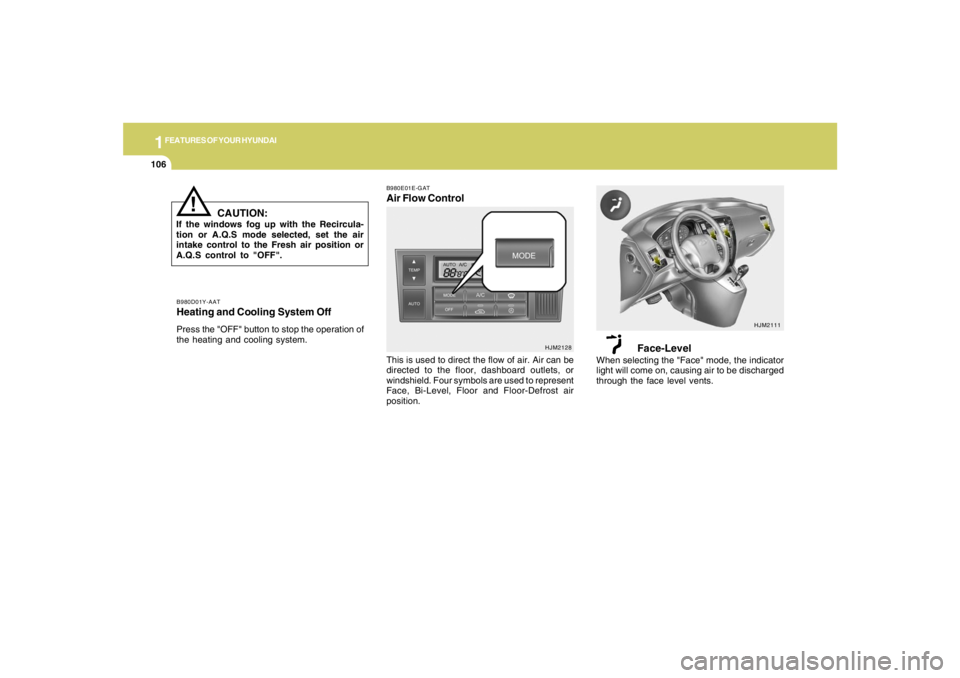
B980E01E-GATAir Flow Control
HJM2128
This is used to direct the flow of air. Air can be
directed to the floor, dashboard outlets, or
windshield. Four symbols are used to represent
Face, Bi-Level, Floor and Floor-Defrost air
position.
Face-Level
When selecting the "Face" mode, the indicator
light will come on, causing air to be discharged
through the face level vents.
Page 119 of 275
1
FEATURES OF YOUR HYUNDAI
107107107107107
HJM2113HJM2112
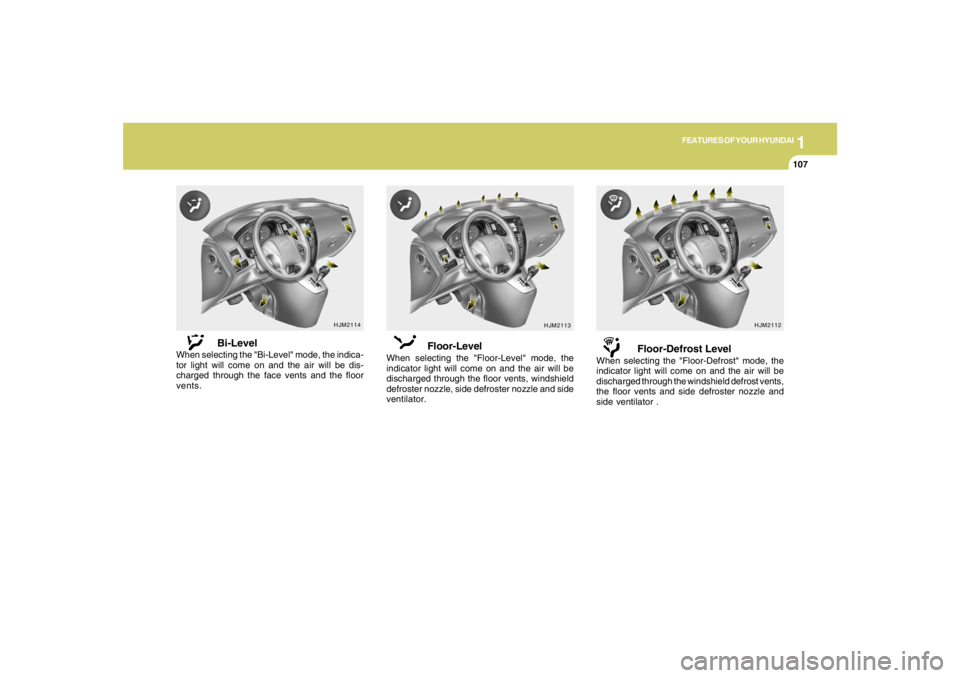
Floor-Level
When selecting the "Floor-Level" mode, the
indicator light will come on and the air will be
discharged through the floor vents, windshield
defroster nozzle, side defroster nozzle and side
ventilator.
Floor-Defrost Level
When selecting the "Floor-Defrost" mode, the
indicator light will come on and the air will be
discharged through the windshield defrost vents,
the floor vents and side defroster nozzle and
side ventilator .
HJM2114
Bi-Level
When selecting the "Bi-Level" mode, the indica-
tor light will come on and the air will be dis-
charged through the face vents and the floor
vents.
Page 127 of 275

1
FEATURES OF YOUR HYUNDAI
115115115115115
1. CD Loading SlotPlease face printed side upward and gently
push in. When the ignition switch is on ACC or
ON and power is off, power is automatically
turned on if the CD is loaded. This CDP supports
both 8cm and 12 cm CDs. But if VCD, Data CD,
MP3 CD are loaded, "Er-6" message will appear
and CD will be ejected.2. CD IndicatorWhen car ignition switch is ACC or ON and if the
CD is loaded, this indicator is lighted. If the CD
is ejected the light is turned off.3. CD Eject ButtonPush
button to eject the CD during CD
playback. This button is enabled when ignition
switch is off.
4. CD/AUX Selection ButtonIf there is a cd in the CDP DECK it turns to CD
mode, and if a device is connected to AUX then
it toggles.
CD➟AUX➟CD··· when the button is pressed
each time.(It will not turn to AUX if the auxiliary
device is not connected)
5. Automatic Track Selection Buttono Push [SEEK
] button for less than 0.8
seconds to play from the beginning of cur-
rent song.
o Push [SEEK ] button for less than 0.8
seconds and press again within 1 seconds
to play the previous song.
o Push [SEEK ] button for 0.8 or longer to
initiate reverse direction high speed sound
search of current song.
o Push [SEEK ] button for less than 0.8
seconds to play the next song.
o Push [SEEK ] button for 0.8 or longer to
initiate high speed sound search of current
song.
6. INFO ButtonDisplays the information of the current CD
TRACK in the order of DISC TITLE ➟DISC
ARTIST➟TRACK TITLE➟ TRACK ARTIST
➟TOTAL TRACK➟ Play Screen ➟DISC
TITLE➟···.(not displayed if the information is not
available on the DISC.)7. TUNE/ENTER ButtonTurn this button clockwise to display songs
after current song.
Also, turn this button counterclockwise to dis-
play songs before current song.
To listen to the displayed song, press the button
to skip to the song and play.Pressing the changes the BASS, MIDR- ANGE,
TREBLE, FADER and BALANCE TUNE mode.
The mode selected is shown on the display.
After selecting each mode, rotate the Audio
control knob clockwise or counterclockwise.
o BASS Control
To increase the BASS, rotate the knob clock-
wise, while to decrease the BASS, rotate the
knob counterclockwise.
o MID-RANGE Control
To increase the MID-RANGE, rotate the knob
clockwise, while to decrease the MID-RANGE,
rotate the knob counterclockwise.
o TREBLE Control
To increase the TREBLE, rotate the knob clock-
wise, while to decrease the TREBLE, rotate the
knob counterclockwise.
o FADER Control
Turn the control knob clockwise to emph- asize
rear speaker sound (front speaker sound will be
attenuated). When the control knob is turned
counterclockwise, front speaker sound will be
emphasized (rear speaker sound will be attenu-
ated).
Page 142 of 275
1FEATURES OF YOUR HYUNDAI
130
CARE OF CASSETTE TAPES
CARE OF DISCS
B850A02L B850A02F-AAT
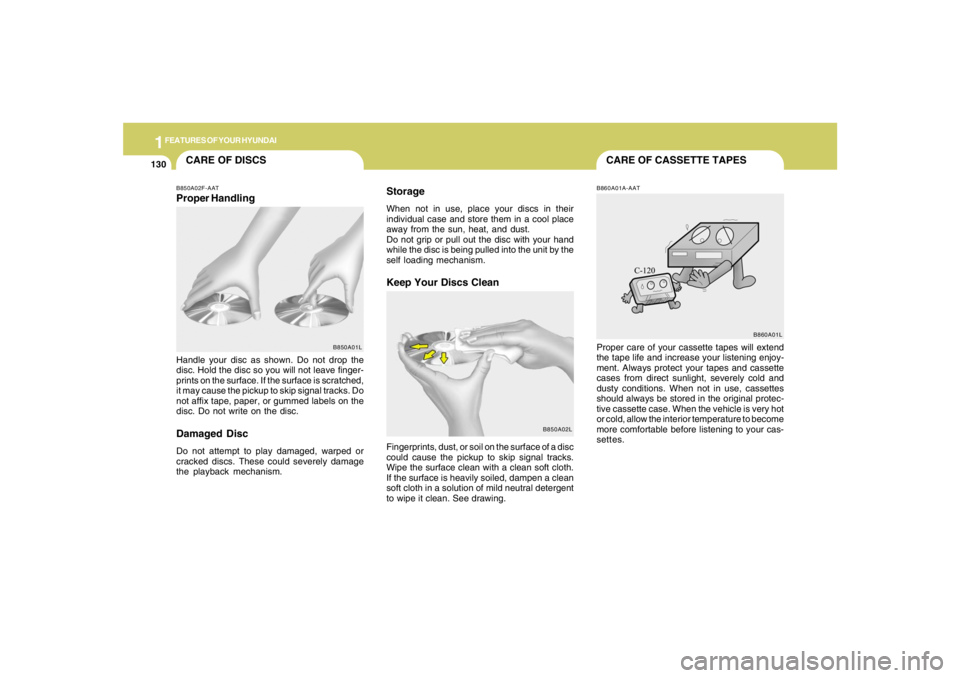
Proper HandlingStorage
When not in use, place your discs in their
individual case and store them in a cool place
away from the sun, heat, and dust.
Do not grip or pull out the disc with your hand
while the disc is being pulled into the unit by the
self loading mechanism.Keep Your Discs Clean
Handle your disc as shown. Do not drop the
disc. Hold the disc so you will not leave finger-
prints on the surface. If the surface is scratched,
it may cause the pickup to skip signal tracks. Do
not affix tape, paper, or gummed labels on the
disc. Do not write on the disc.Damaged DiscDo not attempt to play damaged, warped or
cracked discs. These could severely damage
the playback mechanism.Fingerprints, dust, or soil on the surface of a disc
could cause the pickup to skip signal tracks.
Wipe the surface clean with a clean soft cloth.
If the surface is heavily soiled, dampen a clean
soft cloth in a solution of mild neutral detergent
to wipe it clean. See drawing.
B860A01A-AATProper care of your cassette tapes will extend
the tape life and increase your listening enjoy-
ment. Always protect your tapes and cassette
cases from direct sunlight, severely cold and
dusty conditions. When not in use, cassettes
should always be stored in the original protec-
tive cassette case. When the vehicle is very hot
or cold, allow the interior temperature to become
more comfortable before listening to your cas-
settes.
B850A01LB860A01L
Page 148 of 275
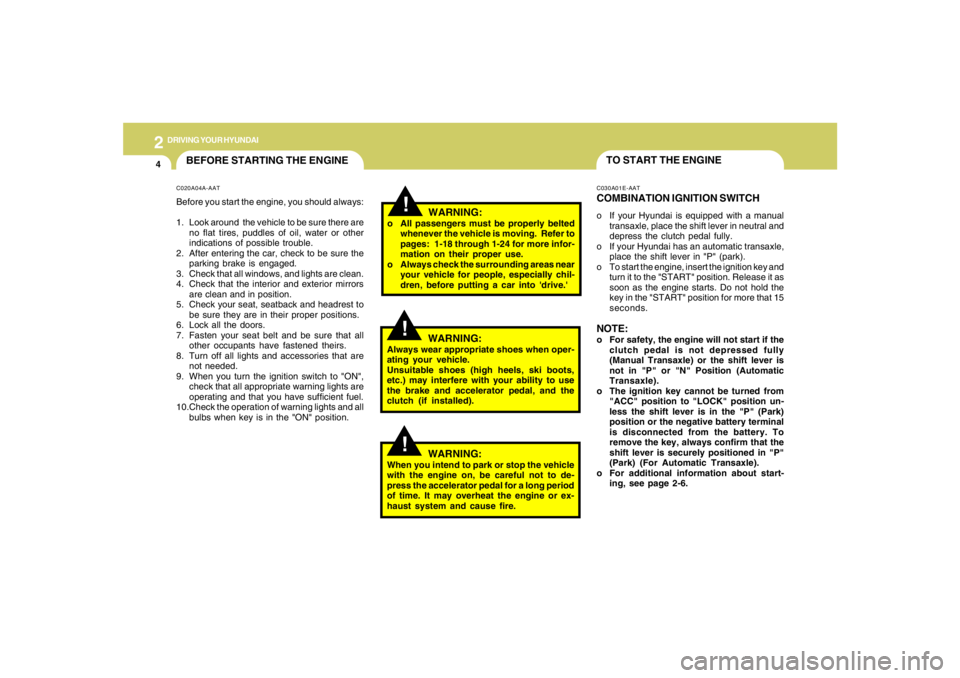
2
DRIVING YOUR HYUNDAI
4
TO START THE ENGINEC030A01E-AATCOMBINATION IGNITION SWITCHo If your Hyundai is equipped with a manual
transaxle, place the shift lever in neutral and
depress the clutch pedal fully.
o If your Hyundai has an automatic transaxle,
place the shift lever in "P" (park).
o To start the engine, insert the ignition key and
turn it to the "START" position. Release it as
soon as the engine starts. Do not hold the
key in the "START" position for more that 15
seconds.NOTE:o For safety, the engine will not start if the
clutch pedal is not depressed fully
(Manual Transaxle) or the shift lever is
not in "P" or "N" Position (Automatic
Transaxle).
o The ignition key cannot be turned from
"ACC" position to "LOCK" position un-
less the shift lever is in the "P" (Park)
position or the negative battery terminal
is disconnected from the battery. To
remove the key, always confirm that the
shift lever is securely positioned in "P"
(Park) (For Automatic Transaxle).
o For additional information about start-
ing, see page 2-6.
BEFORE STARTING THE ENGINEC020A04A-AATBefore you start the engine, you should always:
1. Look around the vehicle to be sure there are
no flat tires, puddles of oil, water or other
indications of possible trouble.
2. After entering the car, check to be sure the
parking brake is engaged.
3. Check that all windows, and lights are clean.
4. Check that the interior and exterior mirrors
are clean and in position.
5. Check your seat, seatback and headrest to
be sure they are in their proper positions.
6. Lock all the doors.
7. Fasten your seat belt and be sure that all
other occupants have fastened theirs.
8. Turn off all lights and accessories that are
not needed.
9. When you turn the ignition switch to "ON",
check that all appropriate warning lights are
operating and that you have sufficient fuel.
10.Check the operation of warning lights and all
bulbs when key is in the "ON" position.
!
WARNING:
o All passengers must be properly belted
whenever the vehicle is moving. Refer to
pages: 1-18 through 1-24 for more infor-
mation on their proper use.
o Always check the surrounding areas near
your vehicle for people, especially chil-
dren, before putting a car into 'drive.'
!
WARNING:
Always wear appropriate shoes when oper-
ating your vehicle.
Unsuitable shoes (high heels, ski boots,
etc.) may interfere with your ability to use
the brake and accelerator pedal, and the
clutch (if installed).
!
WARNING:
When you intend to park or stop the vehicle
with the engine on, be careful not to de-
press the accelerator pedal for a long period
of time. It may overheat the engine or ex-
haust system and cause fire.