clock reset HYUNDAI TUCSON 2008 Owners Manual
[x] Cancel search | Manufacturer: HYUNDAI, Model Year: 2008, Model line: TUCSON, Model: HYUNDAI TUCSON 2008Pages: 275, PDF Size: 10.93 MB
Page 77 of 275
1
FEATURES OF YOUR HYUNDAI
65
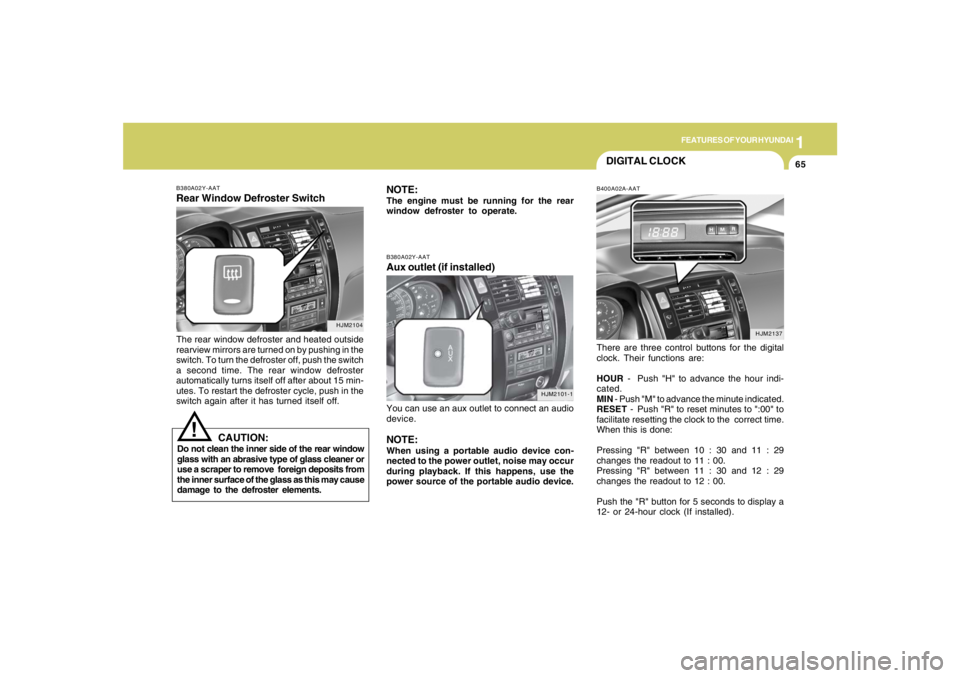
B380A02Y-AATRear Window Defroster SwitchThe rear window defroster and heated outside
rearview mirrors are turned on by pushing in the
switch. To turn the defroster off, push the switch
a second time. The rear window defroster
automatically turns itself off after about 15 min-
utes. To restart the defroster cycle, push in the
switch again after it has turned itself off.
HJM2104
NOTE:The engine must be running for the rear
window defroster to operate.
CAUTION:
Do not clean the inner side of the rear window
glass with an abrasive type of glass cleaner or
use a scraper to remove foreign deposits from
the inner surface of the glass as this may cause
damage to the defroster elements.
!
DIGITAL CLOCKB400A02A-AATThere are three control buttons for the digital
clock. Their functions are:
HOUR - Push "H" to advance the hour indi-
cated.
MIN - Push "M" to advance the minute indicated.
RESET - Push "R" to reset minutes to ":00" to
facilitate resetting the clock to the correct time.
When this is done:
Pressing "R" between 10 : 30 and 11 : 29
changes the readout to 11 : 00.
Pressing "R" between 11 : 30 and 12 : 29
changes the readout to 12 : 00.
Push the "R" button for 5 seconds to display a
12- or 24-hour clock (If installed).
HJM2137 B380A02Y-AAT
Aux outlet (if installed)You can use an aux outlet to connect an audio
device.NOTE:When using a portable audio device con-
nected to the power outlet, noise may occur
during playback. If this happens, use the
power source of the portable audio device.
HJM2101-1
Page 82 of 275
1FEATURES OF YOUR HYUNDAI70
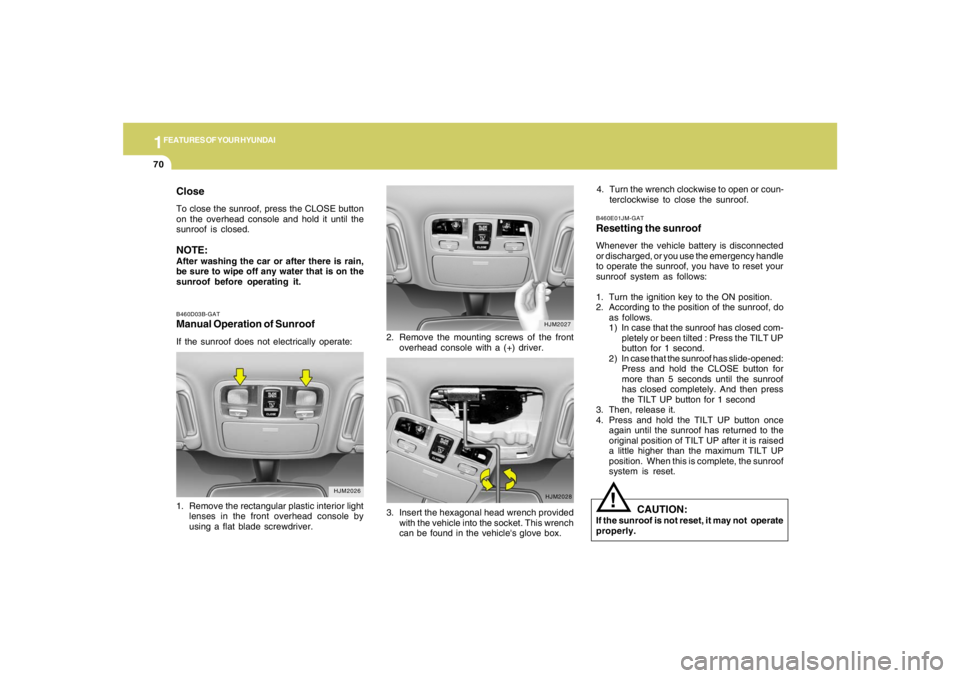
B460D03B-GATManual Operation of SunroofIf the sunroof does not electrically operate:2. Remove the mounting screws of the front
overhead console with a (+) driver.
HJM2026
HJM2027
1. Remove the rectangular plastic interior light
lenses in the front overhead console by
using a flat blade screwdriver.
HJM2028
3. Insert the hexagonal head wrench provided
with the vehicle into the socket. This wrench
can be found in the vehicle's glove box.
CloseTo close the sunroof, press the CLOSE button
on the overhead console and hold it until the
sunroof is closed.NOTE:After washing the car or after there is rain,
be sure to wipe off any water that is on the
sunroof before operating it.
B460E01JM-GATResetting the sunroofWhenever the vehicle battery is disconnected
or discharged, or you use the emergency handle
to operate the sunroof, you have to reset your
sunroof system as follows:
1. Turn the ignition key to the ON position.
2. According to the position of the sunroof, do
as follows.
1) In case that the sunroof has closed com-
pletely or been tilted : Press the TILT UP
button for 1 second.
2) In case that the sunroof has slide-opened:
Press and hold the CLOSE button for
more than 5 seconds until the sunroof
has closed completely. And then press
the TILT UP button for 1 second
3. Then, release it.
4. Press and hold the TILT UP button once
again until the sunroof has returned to the
original position of TILT UP after it is raised
a little higher than the maximum TILT UP
position. When this is complete, the sunroof
system is reset.
CAUTION:
If the sunroof is not reset, it may not operate
properly.
!
4. Turn the wrench clockwise to open or coun-
terclockwise to close the sunroof.
Page 125 of 275
1
FEATURES OF YOUR HYUNDAI
113113113113113
11. TUNE/ENTER ButtonTurn this button clockwise by one notch
to increase frequency by 0.05Mhz from current
frequency.
Turn this button counterclockwise by one notch
to decrease frequency by 0.05Mhz from cur-
rent frequency.
Press this button while holding SET UP button
to activate / inactivate the item to.
Select SET UP item using left and right function
of the Tune button.
Pressing the changes the BASS, MIDR- ANGE,
TREBLE, FADER and BALANCE TUNE mode.
The mode selected is shown on the display.
After selecting each mode, rotate the Audio
control knob clockwise or counterclockwise.
o BASS Control
To increase the BASS, rotate the knob clock-
wise, while to decrease the BASS, rotate the
knob counterclockwise.
o MID-RANGE Control
To increase the MID-RANGE, rotate the knob
clockwise, while to decrease the MID-RANGE,
rotate the knob counterclockwise.o TREBLE Control
To increase the TREBLE, rotate the knob clock-
wise, while to decrease the TREBLE, rotate the
knob counterclockwise.
o FADER Control
Turn the control knob clockwise to emph- asize
rear speaker sound (front speaker sound will be
attenuated). When the control knob is turned
counterclockwise, front speaker sound will be
emphasized (rear speaker sound will be attenu-
ated).
o BALANCE Control
Rotate the knob clockwise to emphasize right
speaker sound (left speaker sound will be
attenuated). When the control knob is turned
counter clockwise, left speaker sound will be
emphasized (right speaker sound will be at-
tenuated).
12. CAT(FLDR) ButtonMoves [CAT
] Button when Category Up
search operation.
o Category is moved Up from the category
currently being received and Category Name
becomes displayed.
o If the Enter Key is not pressed within 5seconds, then the previous mode will be
restored.
o If the Key is pressed while in the last Cat-
egory, then the first category will become
displayed and operation will be repeated.
o Corresponding category can be selected by
pressing ENTER.
Moves [CAT
] Button when Category Down
search operation.
o Category is moved Down from the category
currently being received and Category Name
becomes displayed.
o If the Enter Key is not pressed within 5
seconds, then the previous mode will be
restored.
o If the [CAT ] Key is pressed while in the
first Category, then the last category will
become displayed and operation will be re-
peated.
o Corresponding category can be selected by
pressing ENTER.
13. Preset ButtonPush [1]~[6] buttons less than 0.8 seconds to
play the channel saved in each button.
Push pre-set button for 0.8 seconds or longer
to save current channel to the respective button
with a beep.
Page 131 of 275
1
FEATURES OF YOUR HYUNDAI
119119119119119
11. TUNE/ENTER ButtonTurn this button clockwise by one notch to
increase frequency by 0.05Mhz from current
frequency.
Turn this button counterclockwise by one notch
to decrease frequency by 0.05Mhz from cur-
rent frequency.
Press this button while holding SET UP button
to activate / inactivate the item to.
Select SET UP item using left and right function
of the Tune button.
Pressing the changes the BASS, MIDR- ANGE,
TREBLE, FADER and BALANCE TUNE mode.
The mode selected is shown on the display.
After selecting each mode, rotate the Audio
control knob clockwise or counterclockwise.
o BASS Control
To increase the BASS, rotate the knob clock-
wise, while to decrease the BASS, rotate the
knob counterclockwise.
o MID-RANGE Control
To increase the MID-RANGE, rotate the knob
clockwise, while to decrease the MID-RANGE,
rotate the knob counterclockwise.
o TREBLE Control
To increase the TREBLE, rotate the knob clock-
wise, while to decrease the TREBLE, rotate the
knob counterclockwise.o FADER Control
Turn the control knob clockwise to emph- asize
rear speaker sound (front speaker sound will be
attenuated). When the control knob is turned
counterclockwise, front speaker sound will be
emphasized (rear speaker sound will be attenu-
ated).
o BALANCE Control
Rotate the knob clockwise to emphasize right
speaker sound (left speaker sound will be
attenuated). When the control knob is turned
counter clockwise, left speaker sound will be
emphasized (right speaker sound will be at-
tenuated).
12. CAT(FLDR) ButtonMoves [CAT
] Button when Category Up
search operation.
o Category is moved Up from the category
currently being received and Category Name
becomes displayed.
o If the Enter Key is not pressed within 5
seconds, then the previous mode will be
restored.
o If the Key is pressed while in the last Cat-
egory, then the first category will become
displayed and operation will be repeated.
o Corresponding category can be selected by
pressing ENTER.Moves [CAT
] Button when Category Down
search operation.
o Category is moved Down from the category
currently being received and Category Name
becomes displayed.
o If the Enter Key is not pressed within 5
seconds, then the previous mode will be
restored.
o If the [CAT ] Key is pressed while in the
first Category, then the last category will
become displayed and operation will be re-
peated.
o Corresponding category can be selected by
pressing ENTER.
13. Preset ButtonPush [1]~[6] buttons less than 0.8 seconds to
play the channel saved in each button.
Push pre-set button for 0.8 seconds or longer
to save current channel to the respective button
with a beep.
Page 137 of 275
1
FEATURES OF YOUR HYUNDAI
125125125125125
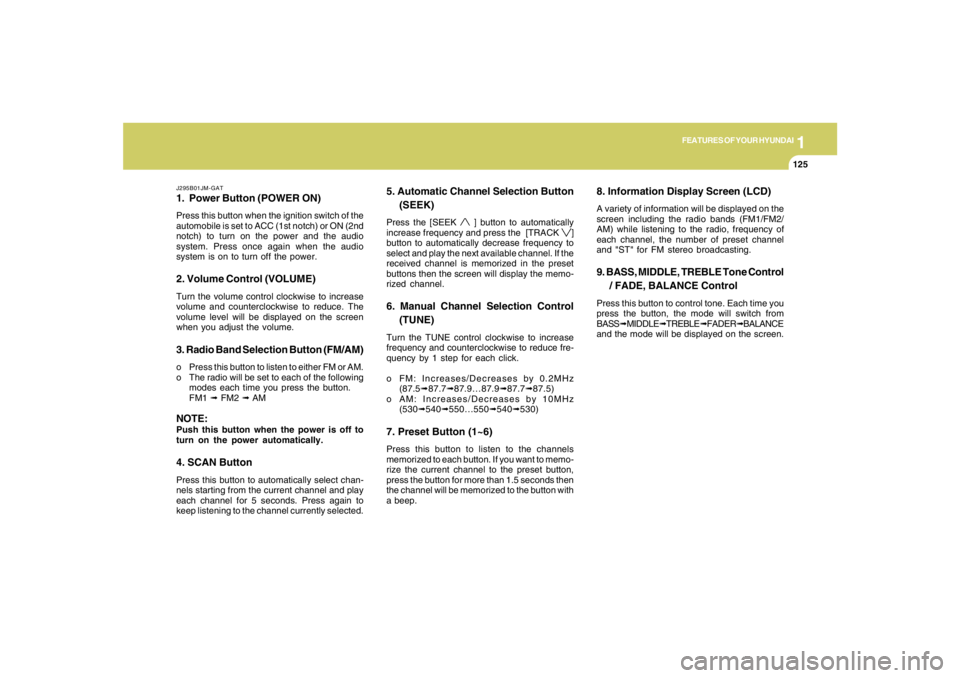
J295B01JM-GAT1. Power Button (POWER ON)Press this button when the ignition switch of the
automobile is set to ACC (1st notch) or ON (2nd
notch) to turn on the power and the audio
system. Press once again when the audio
system is on to turn off the power.2. Volume Control (VOLUME)Turn the volume control clockwise to increase
volume and counterclockwise to reduce. The
volume level will be displayed on the screen
when you adjust the volume.3. Radio Band Selection Button (FM/AM)o Press this button to listen to either FM or AM.
o The radio will be set to each of the following
modes each time you press the button.
FM1 ➟ FM2 ➟ AMNOTE:Push this button when the power is off to
turn on the power automatically.4. SCAN ButtonPress this button to automatically select chan-
nels starting from the current channel and play
each channel for 5 seconds. Press again to
keep listening to the channel currently selected.
5. Automatic Channel Selection Button
(SEEK)Press the [SEEK
] button to automatically
increase frequency and press the [TRACK
]
button to automatically decrease frequency to
select and play the next available channel. If the
received channel is memorized in the preset
buttons then the screen will display the memo-
rized channel.
6. Manual Channel Selection Control
(TUNE)Turn the TUNE control clockwise to increase
frequency and counterclockwise to reduce fre-
quency by 1 step for each click.
o FM: Increases/Decreases by 0.2MHz
(87.5➟87.7➟87.9…87.9➟87.7➟87.5)
o AM: Increases/Decreases by 10MHz
(530➟540➟550…550➟540➟530)7. Preset Button (1~6)Press this button to listen to the channels
memorized to each button. If you want to memo-
rize the current channel to the preset button,
press the button for more than 1.5 seconds then
the channel will be memorized to the button with
a beep.
8. Information Display Screen (LCD)A variety of information will be displayed on the
screen including the radio bands (FM1/FM2/
AM) while listening to the radio, frequency of
each channel, the number of preset channel
and "ST" for FM stereo broadcasting.9. BASS, MIDDLE, TREBLE Tone Control
/ FADE, BALANCE ControlPress this button to control tone. Each time you
press the button, the mode will switch from
BASS➟MIDDLE➟TREBLE➟FADER➟BALANCE
and the mode will be displayed on the screen.